0. 실습 환경 구성
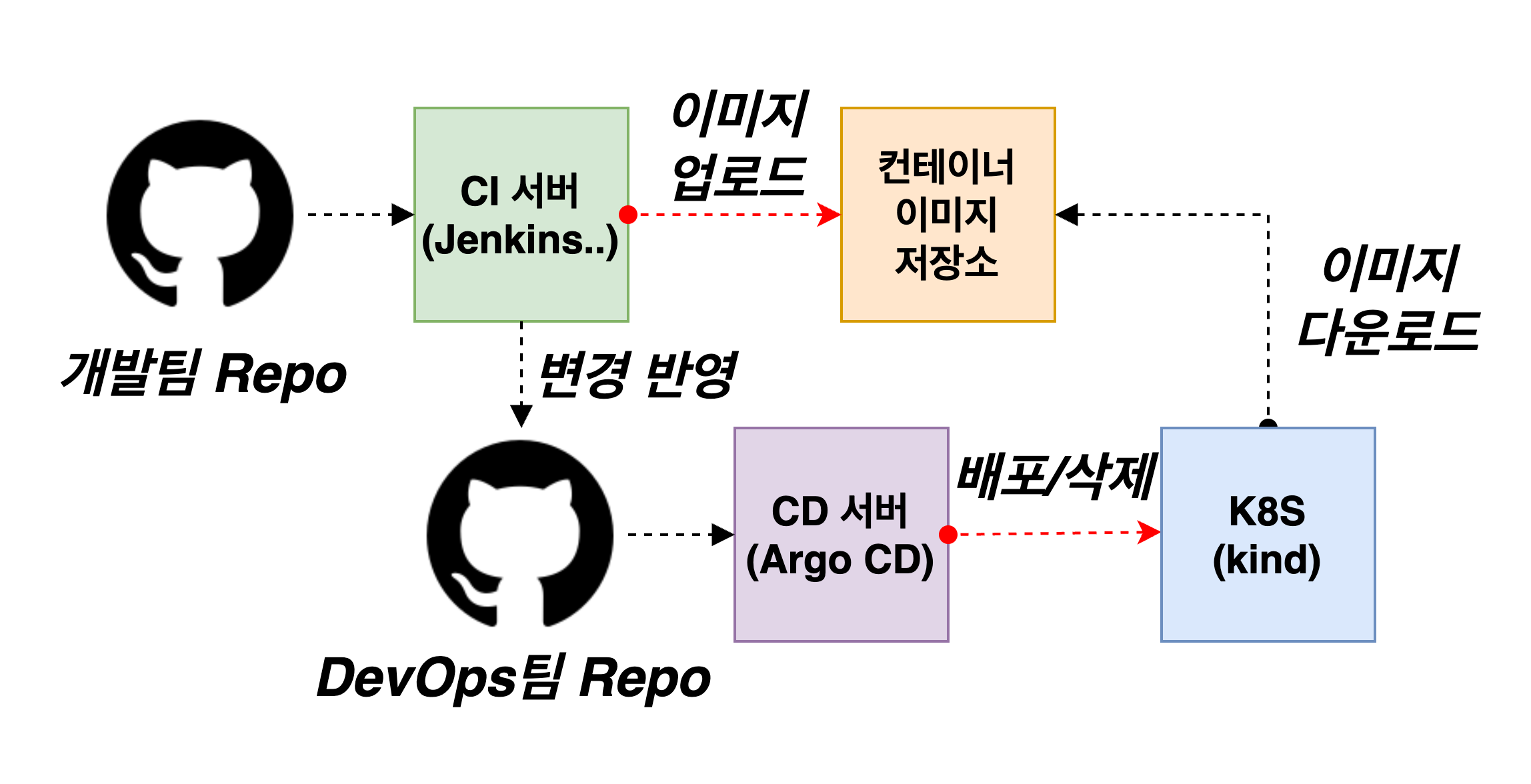 출처 : AEKS 3기 스터디
컨테이너 세팅
- Jenkins, gogs 컨테이너 기동
# 작업 디렉토리 생성 후 이동
mkdir cicd-labs
cd cicd-labs

# cicd-labs 작업 디렉토리 IDE(VSCODE 등)로 열어두기

#
cat <<EOT > docker-compose.yaml
services:

  jenkins:
    container_name: jenkins
    image: jenkins/jenkins
    restart: unless-stopped
    networks:
      - cicd-network
    ports:
      - "8080:8080"
      - "50000:50000"
    volumes:
      - /var/run/docker.sock:/var/run/docker.sock
      - jenkins_home:/var/jenkins_home

  gogs:
    container_name: gogs
    image: gogs/gogs
    restart: unless-stopped
    networks:
      - cicd-network
    ports:
      - "10022:22"
      - "3000:3000"
    volumes:
      - gogs-data:/data

volumes:
  jenkins_home:
  gogs-data:

networks:
  cicd-network:
    driver: bridge
EOT

# 배포
docker compose up -d
docker compose ps

# 기본 정보 확인
for i in gogs jenkins ; do echo ">> container : $i <<"; docker compose exec $i sh -c "whoami && pwd"; echo; done

# 도커를 이용하여 각 컨테이너로 접속
docker compose exec jenkins bash
*exit*

docker compose exec gogs bash
*exit*
- 배포 확인

- 컨테이너 기본 정보 확인

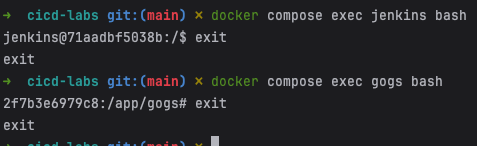
- 각 컨테이너 접속 확인
- Jenkins 컨테이너 초기 설정
# Jenkins 초기 패스워드 확인
docker compose exec jenkins cat /var/jenkins_home/secrets/initialAdminPassword

# Jenkins 접속
open "http://127.0.0.1:8080"
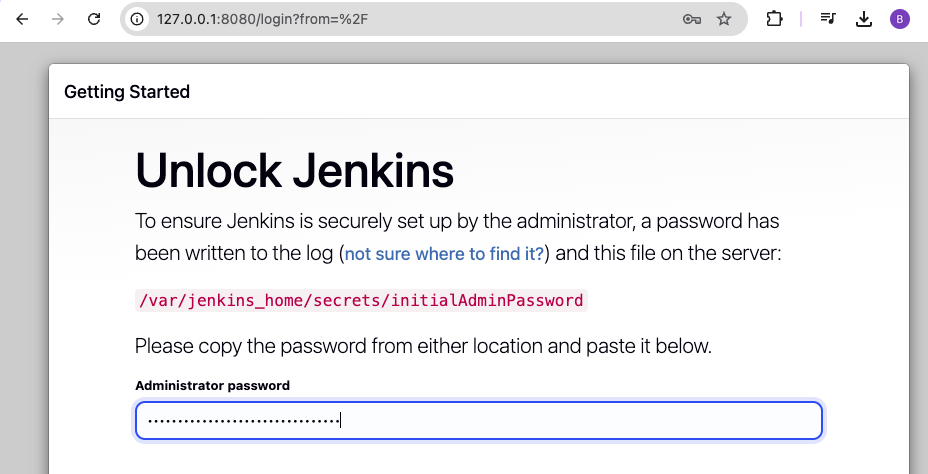
- 패스워드 확인

- Jenkins 브라우저 접속
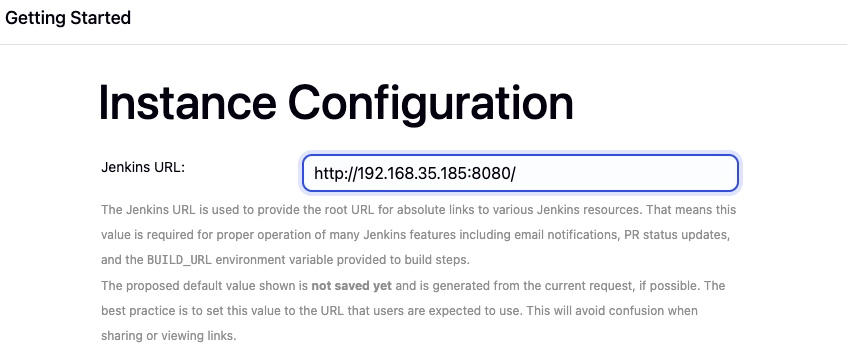
- Jenkins URL - 127.0.0.1 → 192.168.xxx.xxx으로 입력
#ip 확인
ifconfig | grep 192.168
컨테이너에서 호스트 도커 데몬 사용 설정
- code
# Jenkins 컨테이너 내부에 도커 실행 파일 설치
docker compose exec --privileged -u root jenkins bash
-----------------------------------------------------
id

curl -fsSL https://download.docker.com/linux/debian/gpg -o /etc/apt/keyrings/docker.asc
chmod a+r /etc/apt/keyrings/docker.asc
echo \
  "deb [arch=$(dpkg --print-architecture) signed-by=/etc/apt/keyrings/docker.asc] https://download.docker.com/linux/debian \
  $(. /etc/os-release && echo "$VERSION_CODENAME") stable" | \
  tee /etc/apt/sources.list.d/docker.list > /dev/null
apt-get update && apt install docker-ce-cli curl tree jq yq -y

docker info
docker ps
which docker

# Jenkins 컨테이너 내부에서 root가 아닌 jenkins 유저도 docker를 실행할 수 있도록 권한을 부여
groupadd -g 2000 -f docker  # macOS(Container)

chgrp docker /var/run/docker.sock
ls -l /var/run/docker.sock
usermod -aG docker jenkins
cat /etc/group | grep docker

exit
--------------------------------------------

# 소켓 파일에 docker 그룹을 다시 지정
docker compose exec --privileged -u root jenkins chgrp docker /var/run/docker.sock

# 확인
docker compose exec jenkins docker info
- 도커 실행 파일 설치
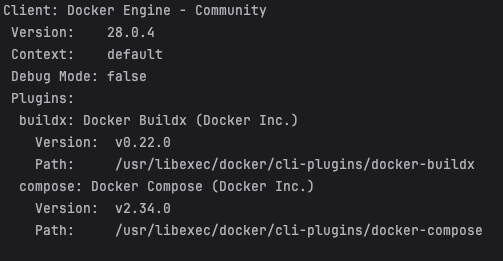

- 권한 부여


Gogs 컨테이너 초기 설정
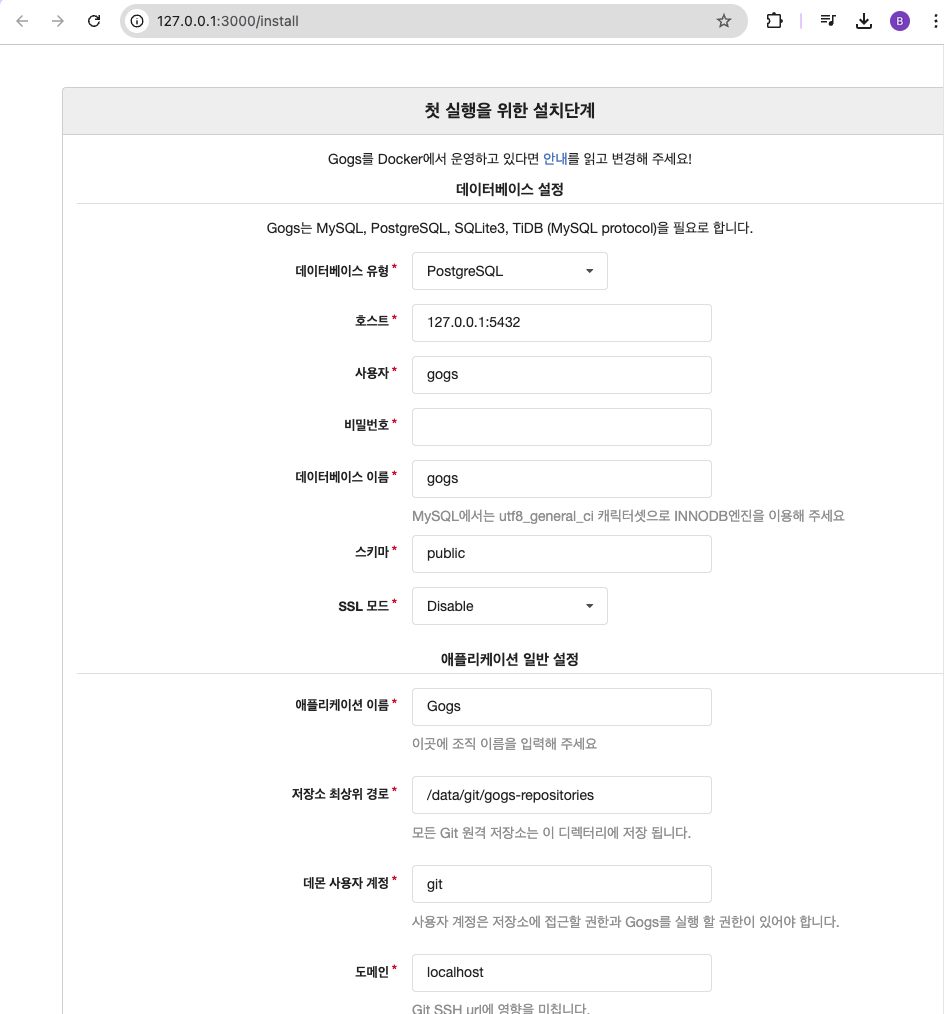
- 초기 설정 웹접속
open "http://127.0.0.1:3000/install" # macOS
- 초기 설정
-
데이터베이스 유형 : SQLite3
-
애플리케이션 URL : http://192.168.35.185:3000 (자신의 IP)
-
기본 브랜치 : main
-
관리자 계정 설정 클릭 : 이름(계정명 - devops) , 비밀번호 (qwe123), 이메일 입력
-
- 설정 후 접속
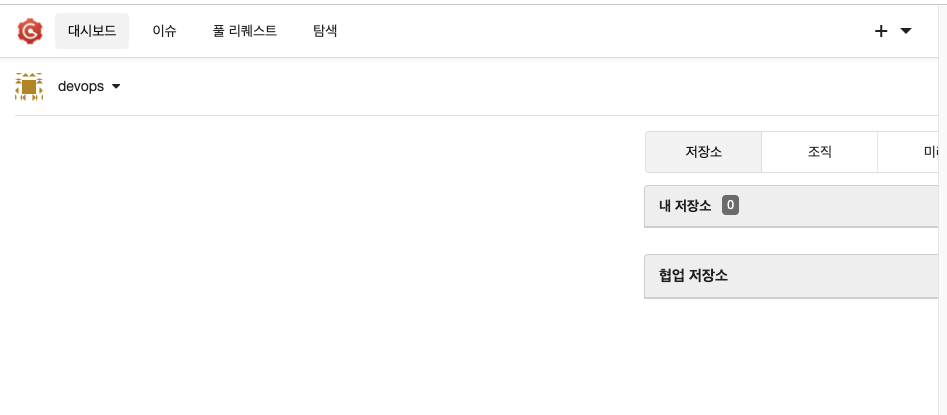
-
Token 생성
- 오른쪽 상단 아이콘 > 설정 클릭
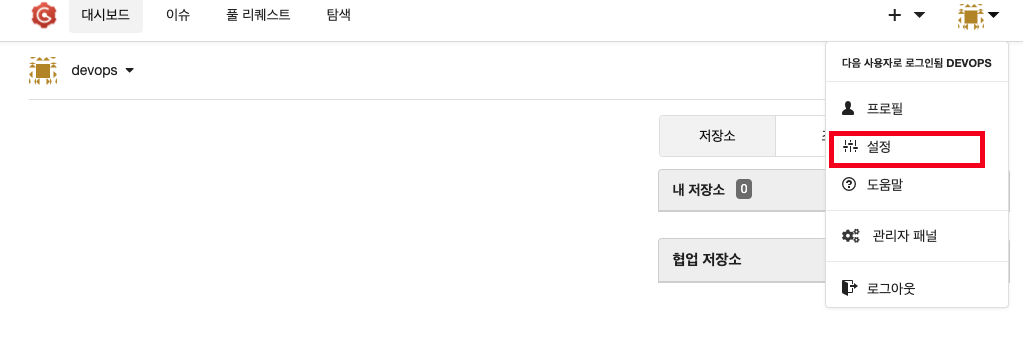
- 애플리케이션 클릭 → 새 토큰 생성 클릭 → 토큰 이름 ‘devops’ 입력 → 토큰 생성
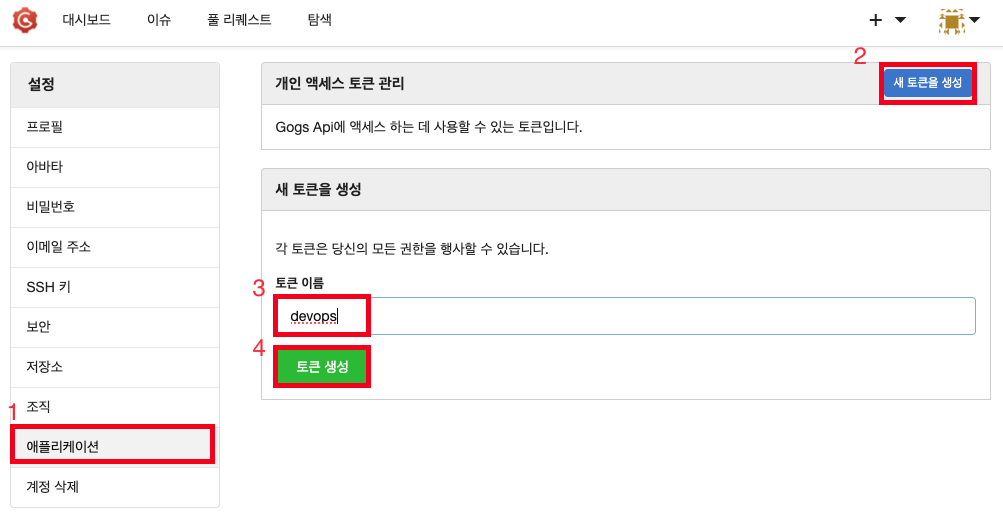
- 해당 토큰을 별도로 저장 할것
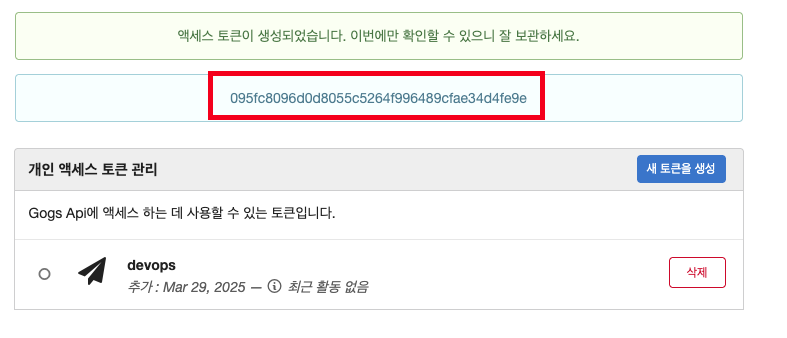
- 오른쪽 상단 아이콘 > 설정 클릭
-
개발용 Repository , DevOps용 Repository 생성
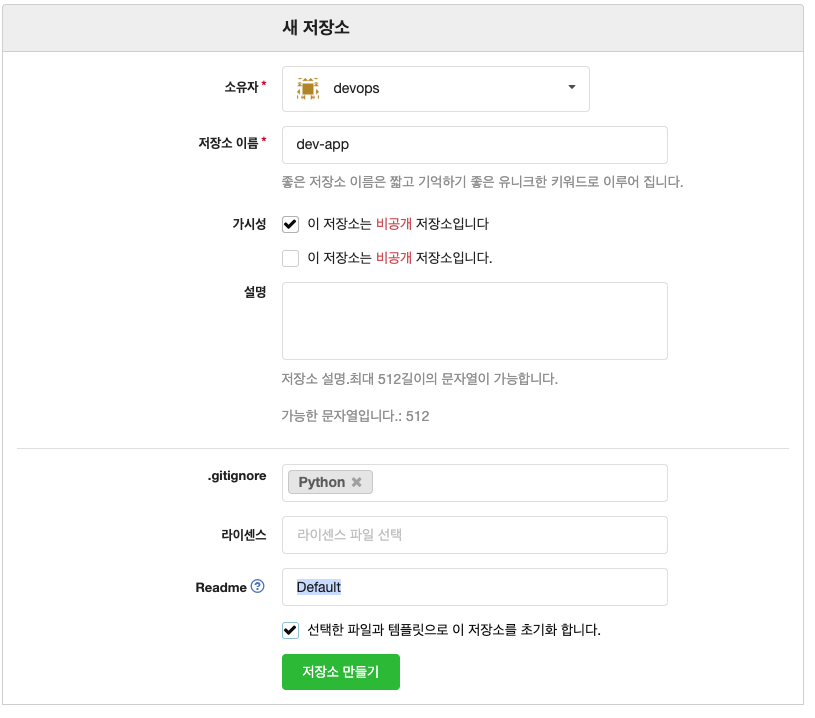
- New Repository 1 : 개발팀용
-
Repository Name : dev-app
-
Visibility : (Check) This repository is Private
-
.gitignore : Python
-
Readme : Default → (Check) initialize this repository with selected files and template
⇒ Create Repository 클릭 : Repo 주소 확인
-
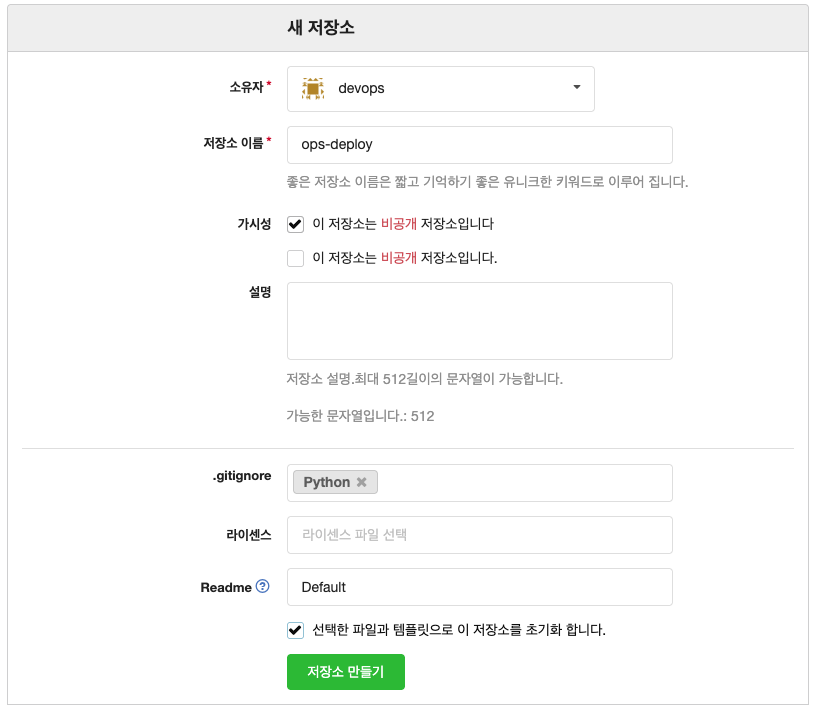
- New Repository 2 : 데브옵스팀용
-
Repository Name : ops-deploy
-
Visibility : (Check) This repository is Private
-
.gitignore : Python
-
Readme : Default → (Check) initialize this repository with selected files and template
-
- New Repository 1 : 개발팀용
Gogs 실습을 위한 저장소 설정
- code
# (옵션) GIT 인증 정보 초기화
git credential-cache exit

#
git config --list --show-origin

#
TOKEN=<각자 Gogs Token>
TOKEN=095fc8096d0d8055c5264f996489cfae34d4fe9e

MyIP=<각자 자신의 PC IP> # Windows (WSL2) 사용자는 자신의 WSL2 Ubuntu eth0 IP 입력 할 것!
MyIP=192.168.35.185

git clone <각자 Gogs dev-app repo 주소>
git clone http://devops:$TOKEN@$MyIP:3000/devops/dev-app.git

#
cd dev-app

#
git --no-pager config --local --list
git config --local user.name "devops"
git config --local user.email "a@a.com"
git config --local init.defaultBranch main
git config --local credential.helper store
git --no-pager config --local --list
cat .git/config

#
git --no-pager branch
git remote -v

# (참고) python 실행 확인
python3 server.py
curl localhost
curl localhost/healthz
CTRL+C 실행 종료

# Dockerfile 생성
cat > Dockerfile <<EOF
FROM python:3.12
ENV PYTHONUNBUFFERED 1
COPY . /app
WORKDIR /app
CMD python3 server.py
EOF

# VERSION 파일 생성
echo "0.0.1" > VERSION

#
tree
git status
git add .
git commit -m "Add dev-app"
git push -u origin main
- git 섫정
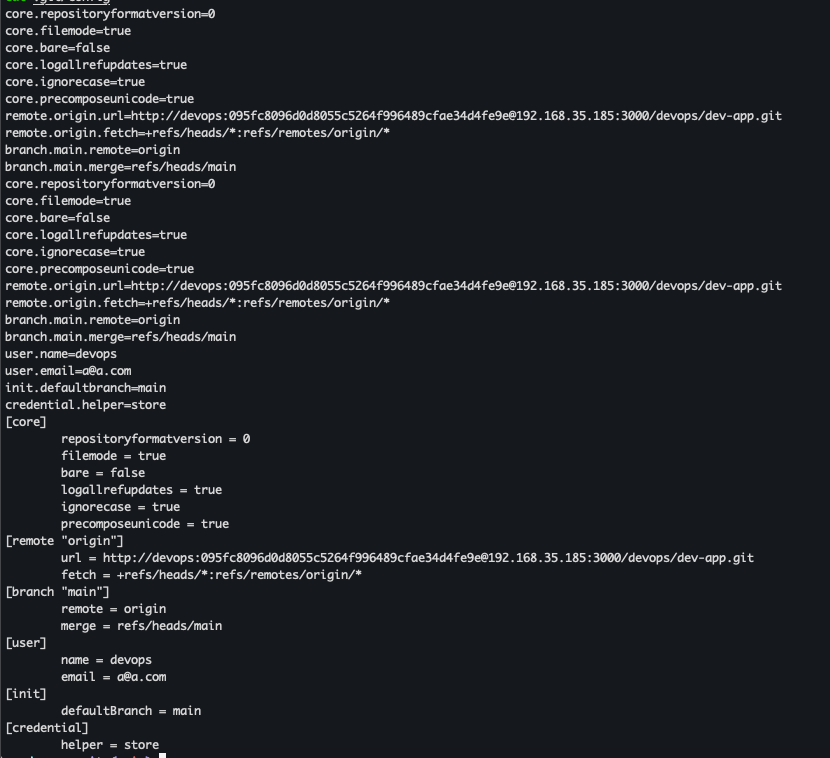
- git remote 확인

- server.py 파일 작성
# server.py 파일 작성
cat > server.py <<EOF
from http.server import ThreadingHTTPServer, BaseHTTPRequestHandler
from datetime import datetime
import socket

class RequestHandler(BaseHTTPRequestHandler):
    def do_GET(self):
        match self.path:
            case '/':
                now = datetime.now()
                hostname = socket.gethostname()
                response_string = now.strftime("The time is %-I:%M:%S %p, VERSION 0.0.1\n")
                response_string += f"Server hostname: {hostname}\n"
                self.respond_with(200, response_string)
            case '/healthz':
                self.respond_with(200, "Healthy")
            case _:
                self.respond_with(404, "Not Found")

    def respond_with(self, status_code: int, content: str) -> None:
        self.send_response(status_code)
        self.send_header('Content-type', 'text/plain')
        self.end_headers()
        self.wfile.write(bytes(content, "utf-8"))

def startServer():
    try:
        server = ThreadingHTTPServer(('', 80), RequestHandler)
        print("Listening on " + ":".join(map(str, server.server_address)))
        server.serve_forever()
    except KeyboardInterrupt:
        server.shutdown()

if __name__== "__main__":
    startServer()
EOF

# (참고) python 실행 확인
python3 server.py
curl localhost
curl localhost/healthz
- Dockerfile 생성
cat > Dockerfile <<EOF
FROM python:3.12
ENV PYTHONUNBUFFERED 1
COPY . /app
WORKDIR /app
CMD python3 server.py
EOF
- VERSION 파일 생성
echo "0.0.1" > VERSION
- git push
tree
git status
git add .
git commit -m "Add dev-app"
git push -u origin main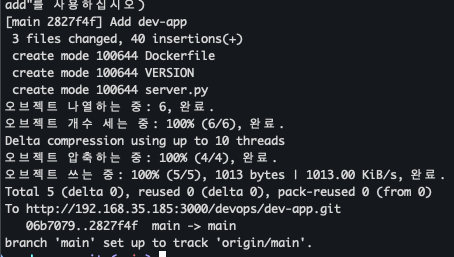
- git repository 확인
Docker Hub Token 발급
- 도커 허브 계정에 dev-app repo 생성 (private)
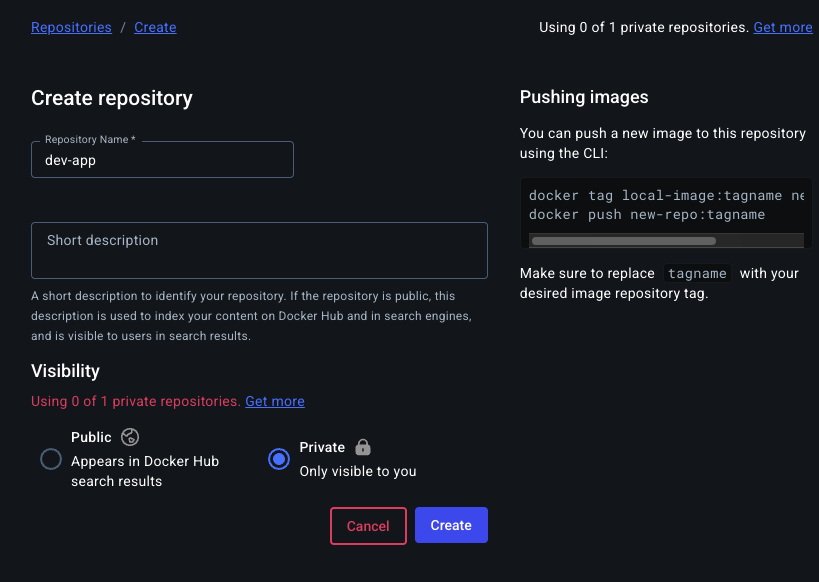
-
Token 생성
-
계정 → Account setting
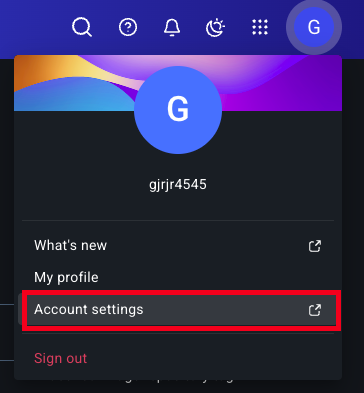
-
Personal access tokens → Generate new token
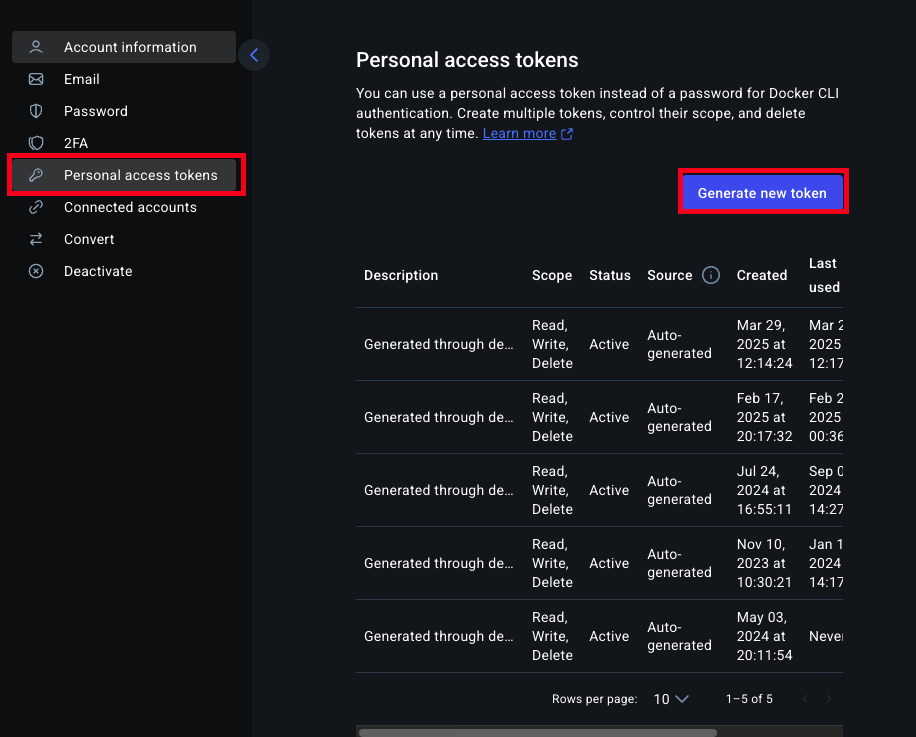
-
token description 입력, Access Permissions (Read, Write, Delete) 선택
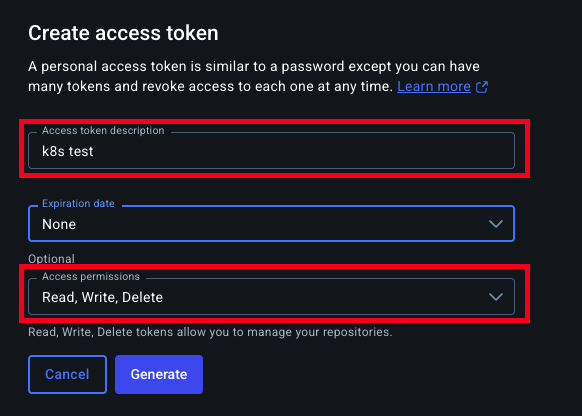
-
발급된 Token 복사
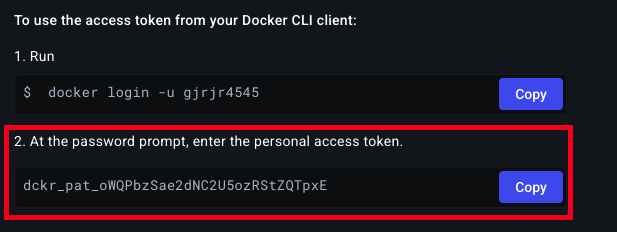
-
1. Jenkins CI + K8S (kind)
Kind 설치
Kind 및 툴 설치
- 필수 툴 설치
# Install Kind brew install kind kind --version # Install kubectl brew install kubernetes-cli kubectl version --client=true ## kubectl -> k 단축키 설정 echo "alias kubectl=kubecolor" >> ~/.zshrc # Install Helm brew install helm helm version - 설치 확인


- 유용한 툴 설치
# 툴 설치
brew install krew
brew install kube-ps1
brew install kubectx

# kubectl 출력 시 하이라이트 처리
brew install kubecolor
echo "alias kubectl=kubecolor" >> ~/.zshrc
echo "compdef kubecolor=kubectl" >> ~/.zshrc

# krew 플러그인 설치
kubectl krew install neat stren
Kind 기본 사용
별도의 kubeconfig를 지정후 사용할것
클러스터 배포 전 확인
- code
docker ps
- 결과
Cluster 생성
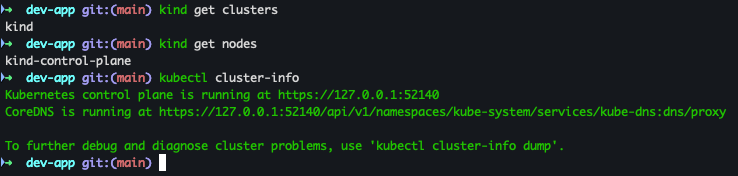
- code
kind create cluster
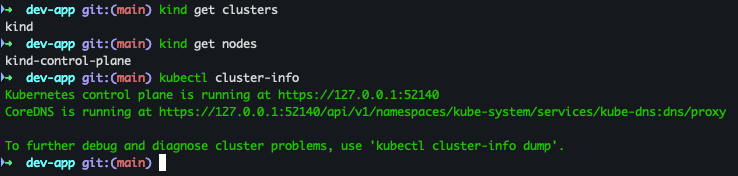
클러스터 배포 확인
- code
kind get clusters
kind get nodes
kubectl cluster-info
- 결과
노드 / 파드 정보 확인
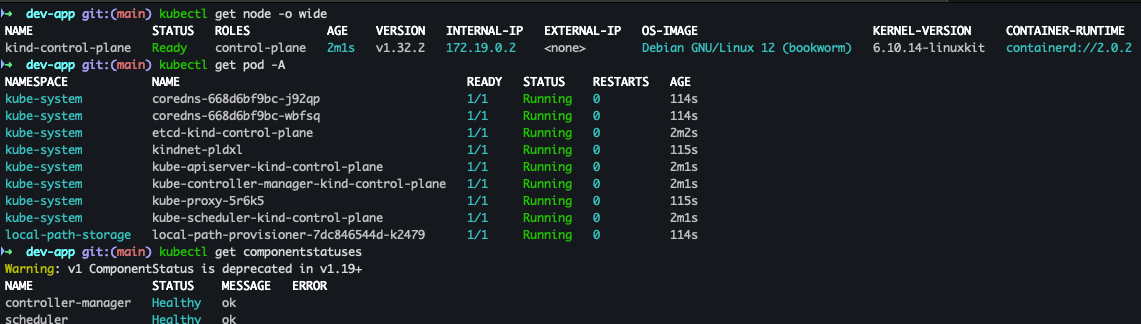
- code
# 노드 정보 확인
kubectl get node -o wide

# 파드 정보 확인
kubectl get pod -A
kubectl get componentstatuses
- 결과
컨트롤 플레인 확인
- code
docker ps
docker images
- 결과

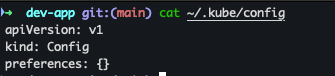
kube config 확인
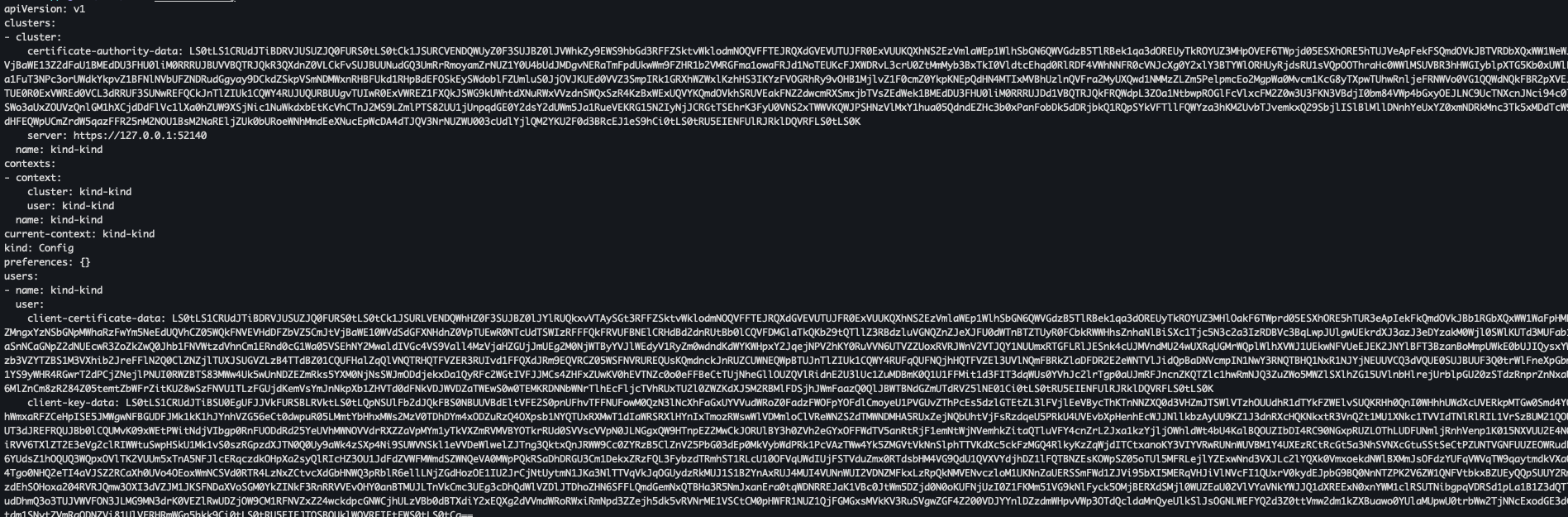
- code
cat ~/.kube/config
- 결과
nginx 파드 배포 및 확인
- code
kubectl run nginx --image=nginx:alpine
kubectl get pod -owide
kubectl describe node | grep Taints
- 결과

클러스터 및 kubeconfig 삭제
- code
kind delete cluster
cat ~/.kube/config
- 결과
Kind k8s 배포
클러스터 배포 전 확인
- code
docker ps - 결과

클러스터 배포
- code
# Create a cluster with kind
MyIP=<각자 자신의 PC IP>
MyIP=192.168.35.185

# cicd-labs 디렉터리에서 아래 파일 작성
cd ..
cat > kind-3node.yaml <<EOF
kind: Cluster
apiVersion: kind.x-k8s.io/v1alpha4
networking:
  apiServerAddress: "$MyIP"
nodes:
- role: control-plane
  extraPortMappings:
  - containerPort: 30000
    hostPort: 30000
  - containerPort: 30001
    hostPort: 30001
  - containerPort: 30002
    hostPort: 30002
  - containerPort: 30003
    hostPort: 30003
- role: worker
- role: worker
EOF
kind create cluster --config kind-3node.yaml --name myk8s --image kindest/node:v1.32.2
- 결과
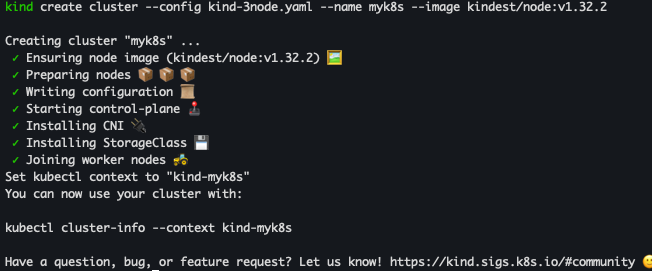
kind 배포 확인
- code
kind get nodes --name myk8s
kubens default
- 결과
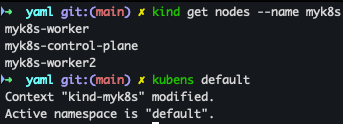
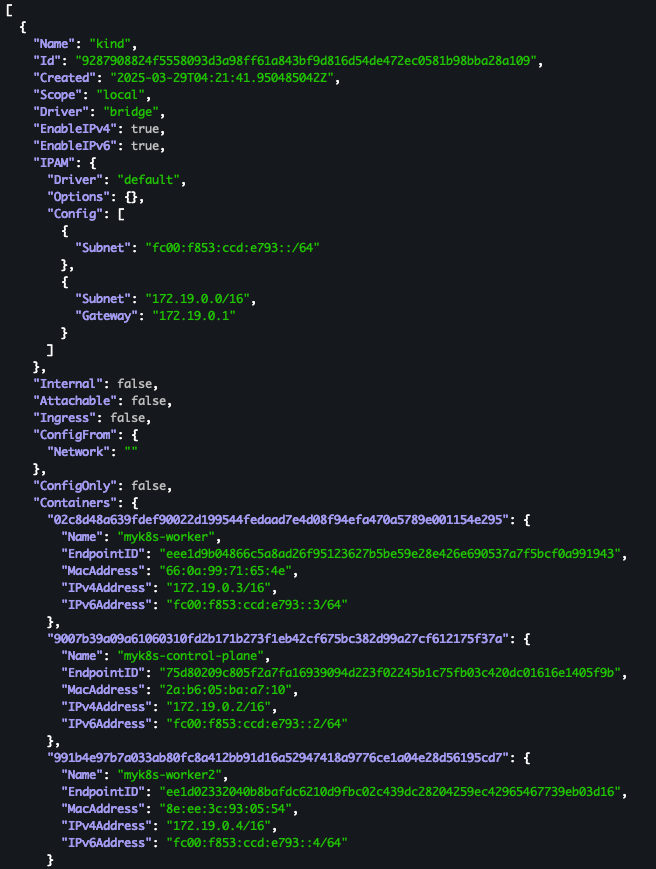
Docker Network 확인
- code
docker network ls
docker inspect kind | jq

kubectl cluster-info
- 결과

노드 및 파드 정보 확인
- code
# 노드 정보 확인 : CRI 는 containerd 사용 kubectl get node -o wide # 파드 정보 확인 : CNI 는 kindnet 사용 kubectl get pod -A -o wide - 결과
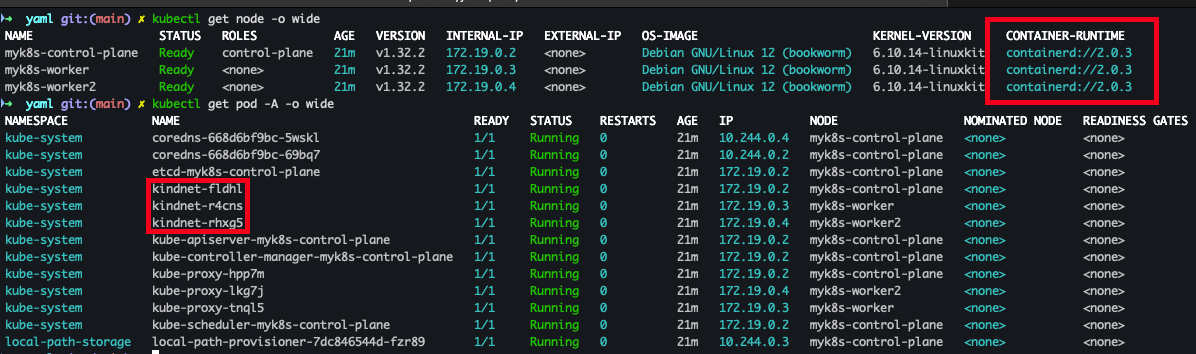
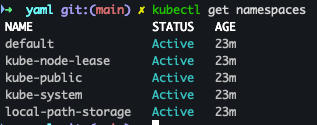
네임스페이스 확인
- code
kubectl get namespaces
- 결과
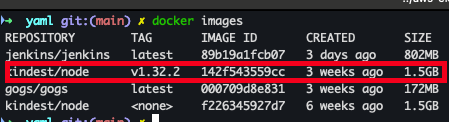
컨트롤플레인 / 워커노드 확인
- code
docker ps
docker images
- 결과

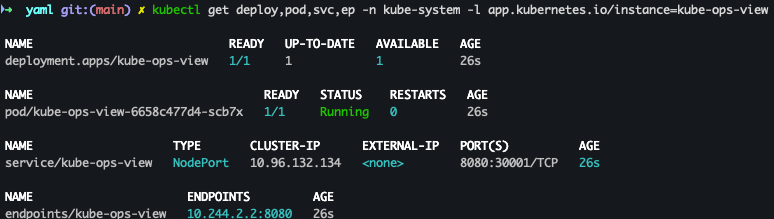
Kube-ops-view 설치
- code
# kube-ops-view
# helm show values geek-cookbook/kube-ops-view
helm repo add geek-cookbook https://geek-cookbook.github.io/charts/
helm install kube-ops-view geek-cookbook/kube-ops-view --version 1.2.2 --set service.main.type=NodePort,service.main.ports.http.nodePort=30001 --set env.TZ="Asia/Seoul" --namespace kube-system

# 설치 확인
kubectl get deploy,pod,svc,ep -n kube-system -l app.kubernetes.io/instance=kube-ops-view

# kube-ops-view 접속 URL 확인 (1.5 , 2 배율)
open "http://127.0.0.1:30001/#scale=1.5"
open "http://127.0.0.1:30001/#scale=2"
- 결과
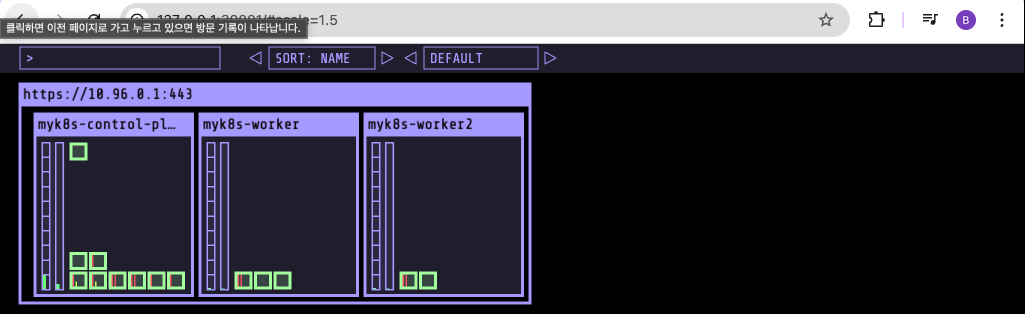
Jenkins 설정
Jenkins Plugin 설치
- Jenkins 관리 → plugin 클릭 → Available plugins 클릭
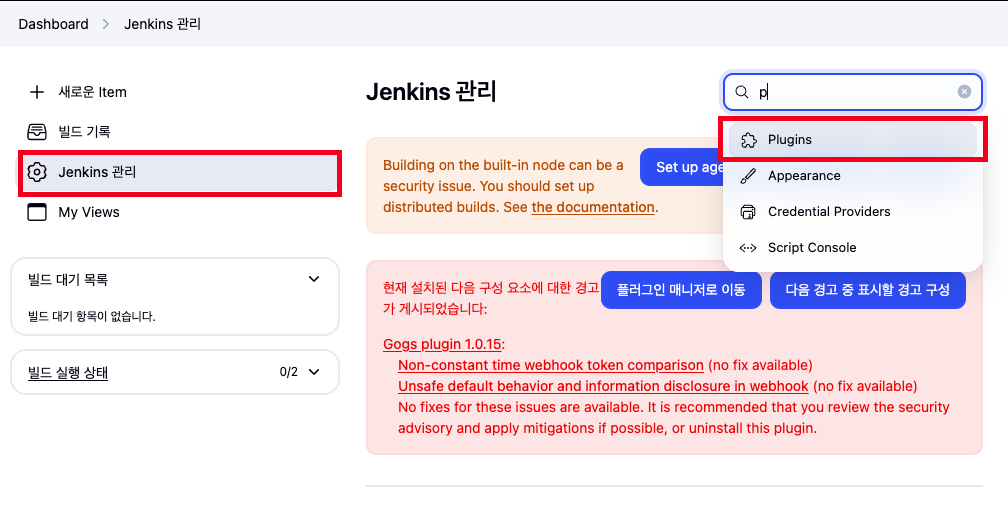
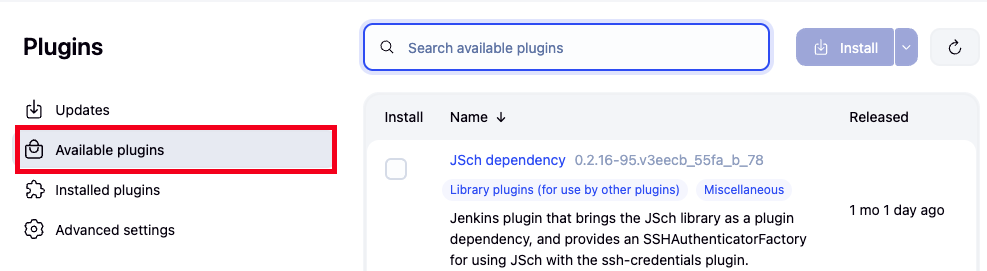
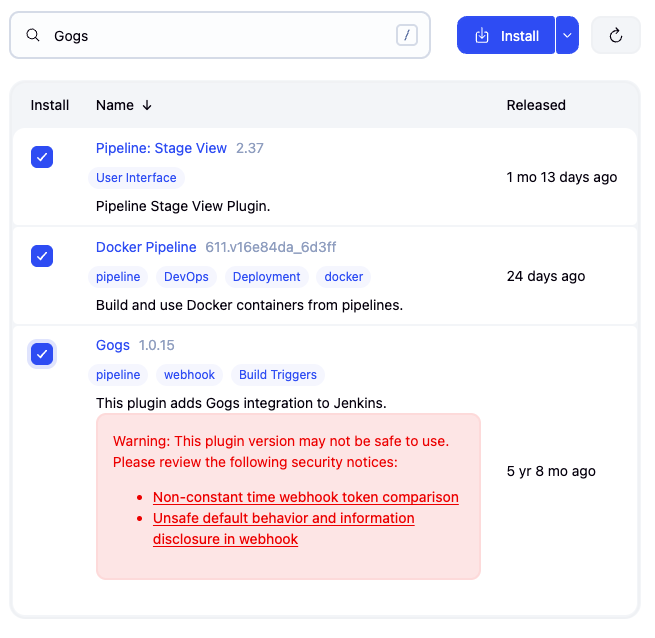
- 설치 대상 : Pipeline Stage View, Docker Pipeline, Gogs plugin
자격 증명 설정
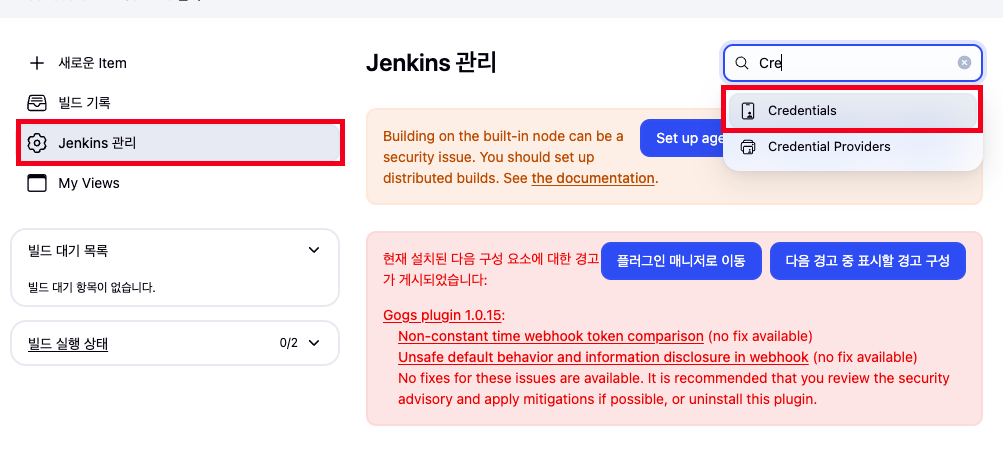
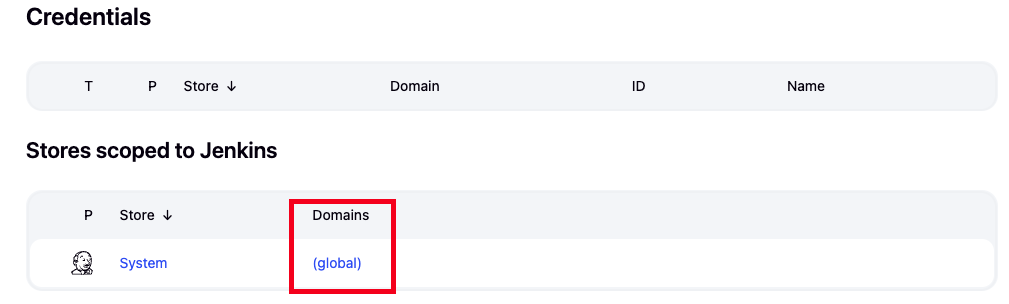
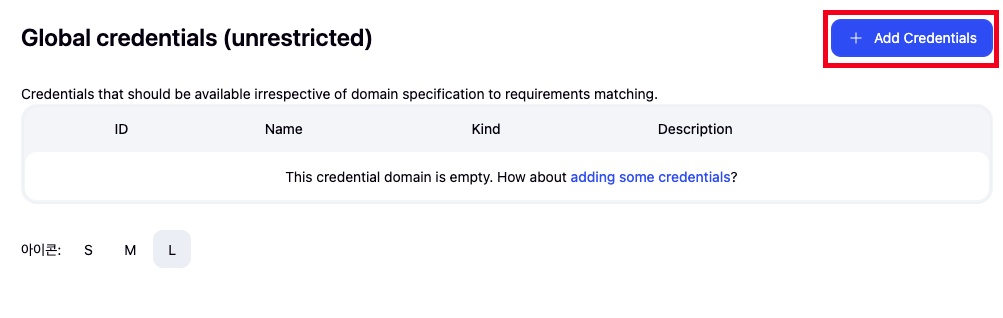
- Jenkins 관리 → Credentials → Globals → Add Credentials
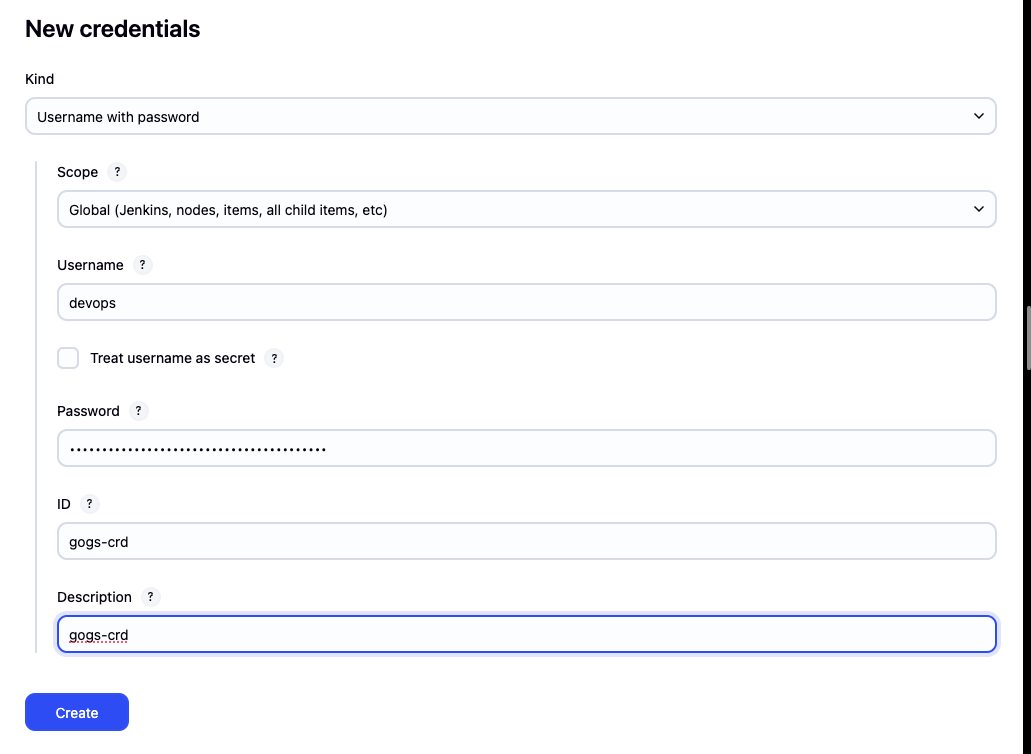
- Gogs Repo 자격증명 설정 : gogs-crd
-
Kind : Username with password
-
Username : devops
-
Password : <Gogs 토큰>
-
ID : gogs-crd
-
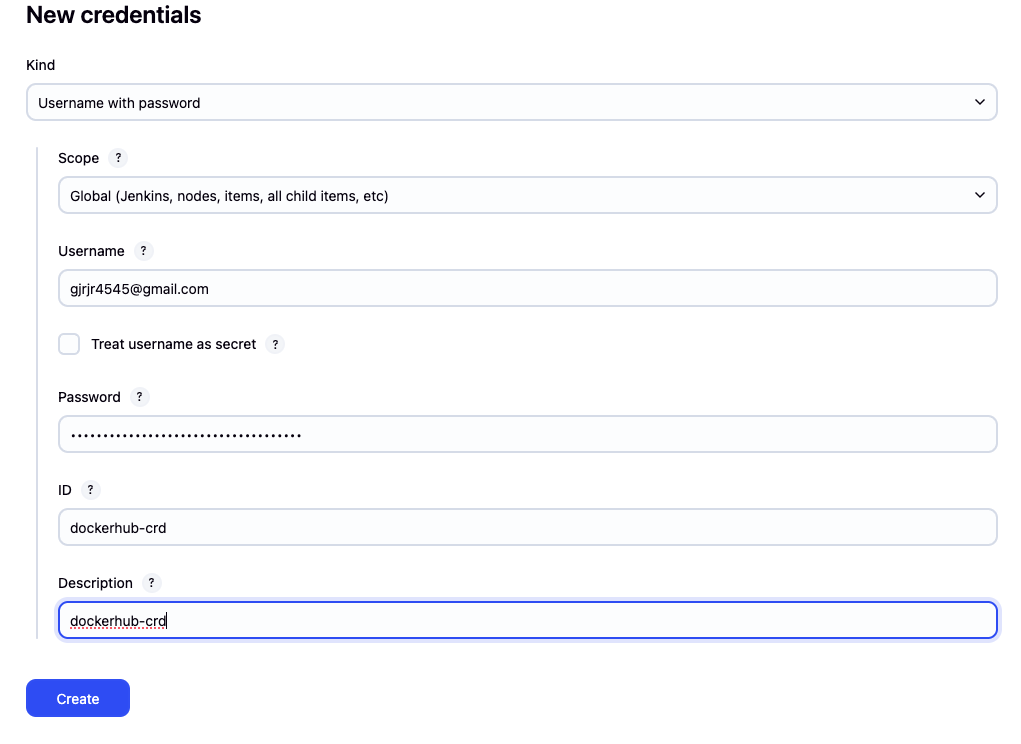
- 도커 허브 자격증명 설정 : dockerhub-crd
-
Kind : Username with password
-
Username : <도커 계정명>
-
Password : <도커 계정 암호 혹은 토큰>
-
ID : dockerhub-crd
-
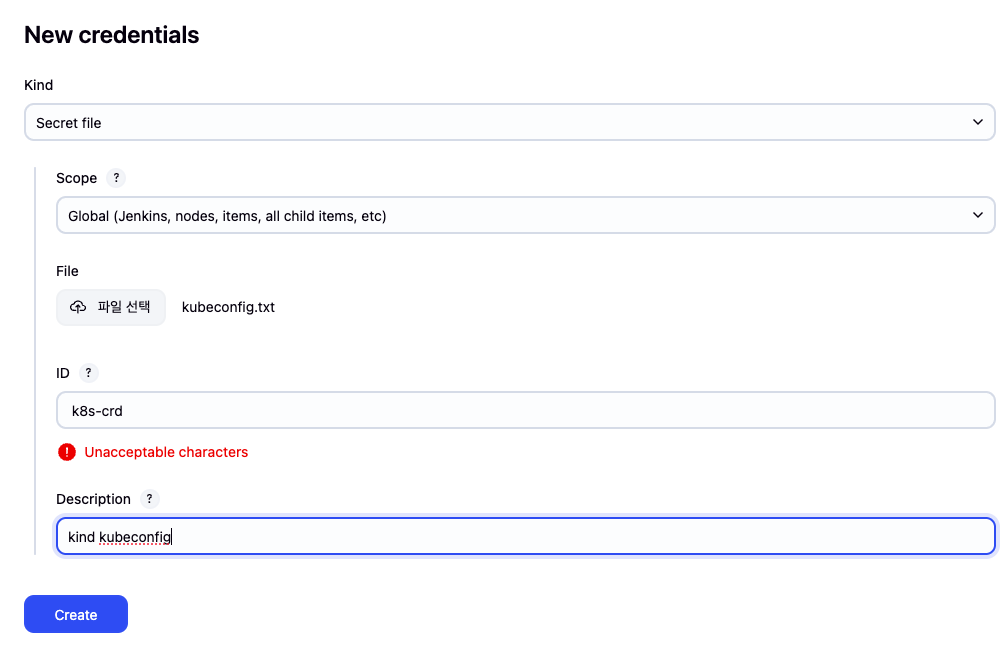
- k8s(kind) 자격증명 설정 : k8s-crd
-
Kind : Secret file
-
File : <kubeconfig 파일 업로드>
-
ID : k8s-crd
-
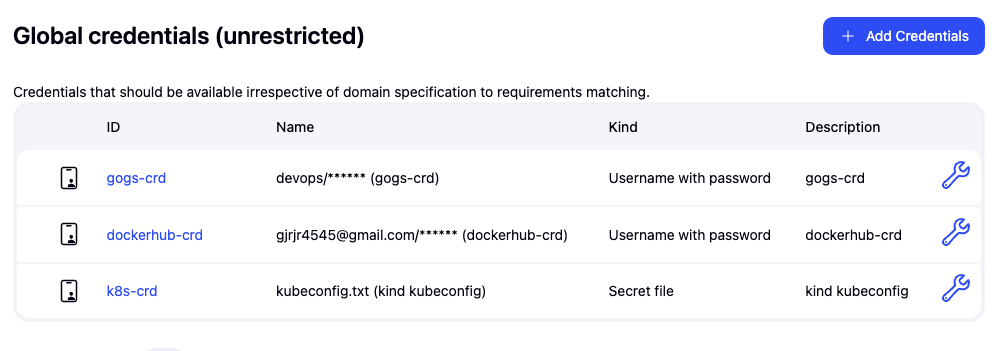
- 설정 결과
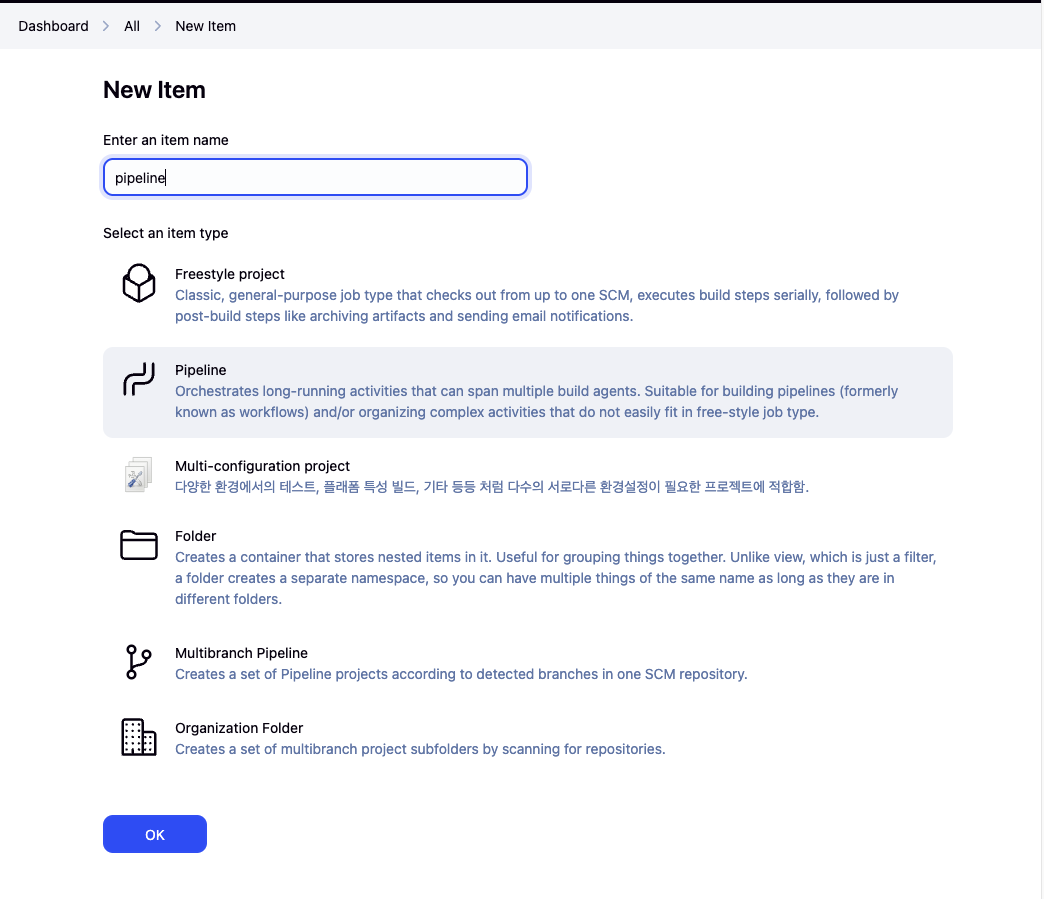
Jenkins Pipeline 생성
- new Item → pipeline 선택 및 item 명 입력
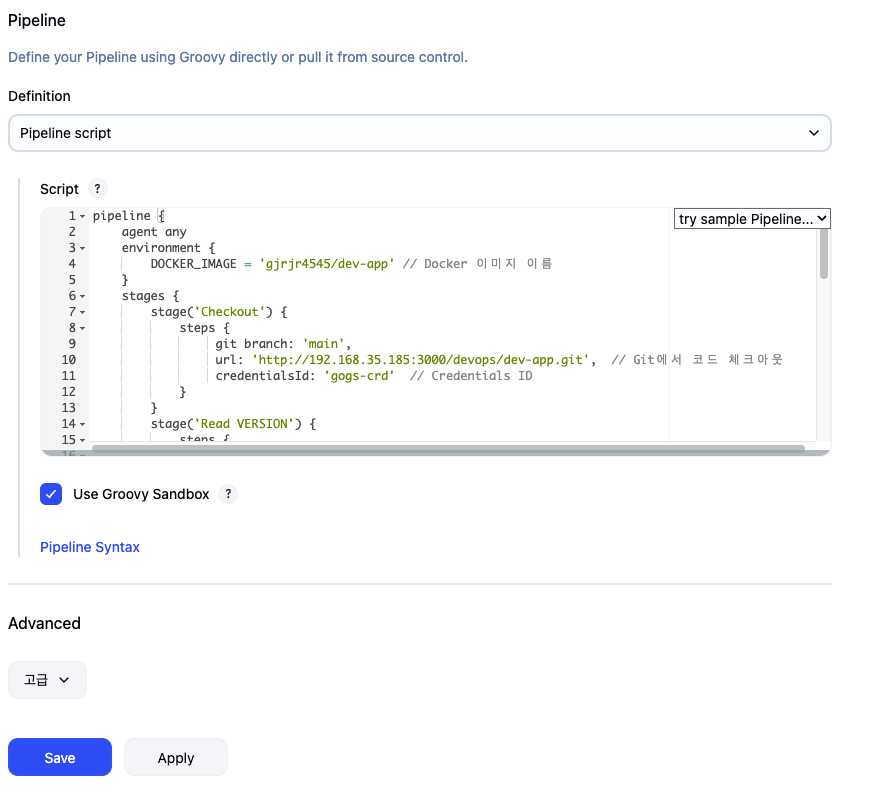
- 하단 pipeline script에 아래 코드 입력 후 세이브 클릭
pipeline {
    agent any
    environment {
        DOCKER_IMAGE = '*gjrjr4545*/dev-app' // Docker 이미지 이름
    }
    stages {
        stage('Checkout') {
            steps {
                 git branch: 'main',
                 url: 'http://192.168.35.185:3000/devops/dev-app.git',  // Git에서 코드 체크아웃
                 credentialsId: 'gogs-crd'  // Credentials ID
            }
        }
        stage('Read VERSION') {
            steps {
                script {
                    // VERSION 파일 읽기
                    def version = readFile('VERSION').trim()
                    echo "Version found: ${version}"
                    // 환경 변수 설정
                    env.DOCKER_TAG = version
                }
            }
        }
        stage('Docker Build and Push') {
            steps {
                script {
                    docker.withRegistry('https://index.docker.io/v1/', 'dockerhub-crd') {
                        // DOCKER_TAG 사용
                        def appImage = docker.build("${DOCKER_IMAGE}:${DOCKER_TAG}")
                        appImage.push()
                        appImage.push("latest")
                    }
                }
            }
        }
    }
    post {
        success {
            echo "Docker image ${DOCKER_IMAGE}:${DOCKER_TAG} has been built and pushed successfully!"
        }
        failure {
            echo "Pipeline failed. Please check the logs."
        }
    }
}
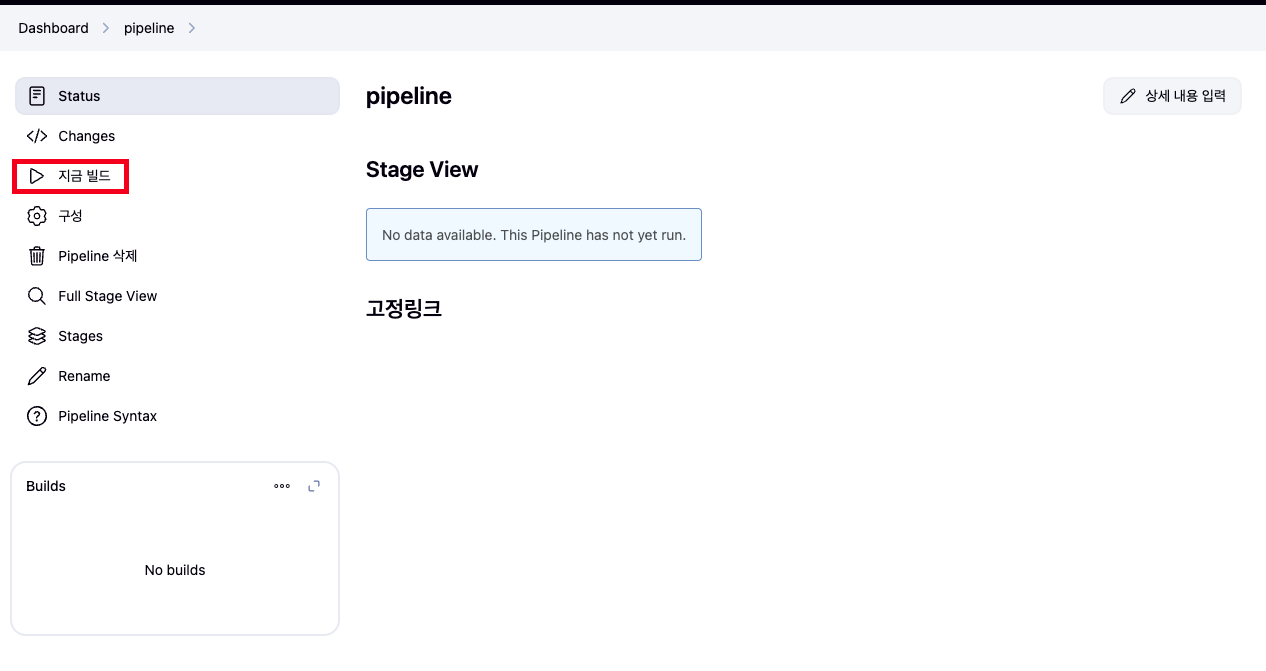
- 지금 빌드 매뉴 클릭
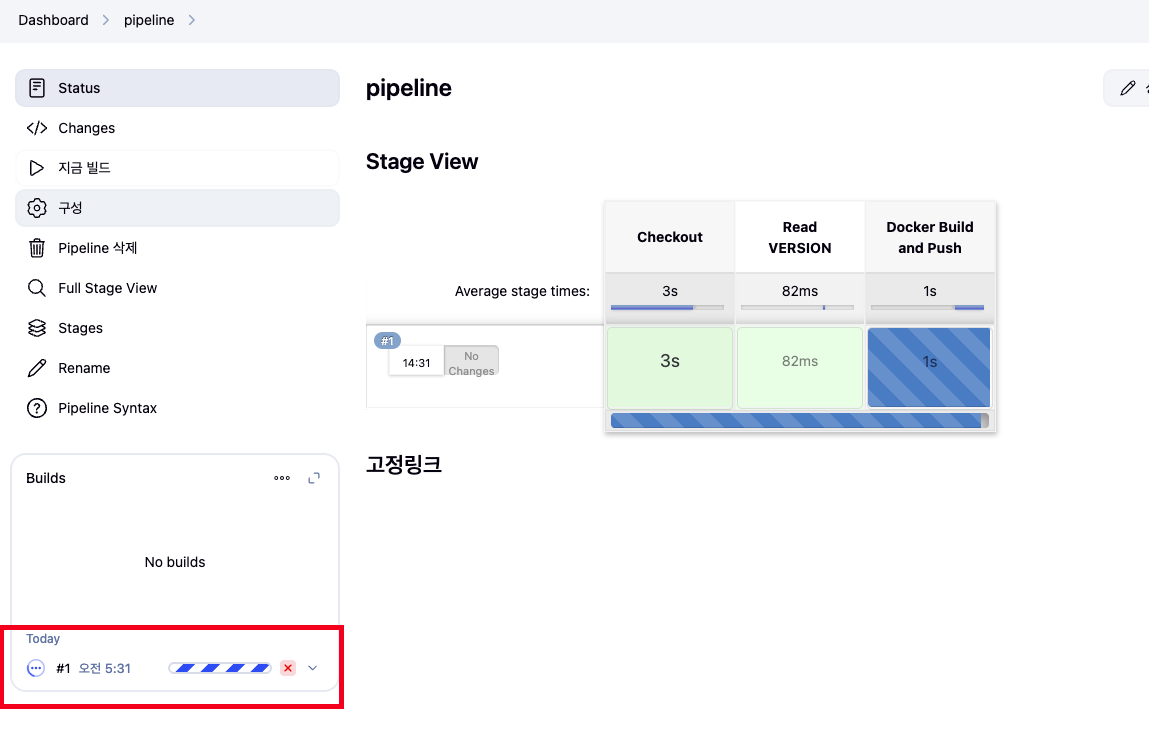
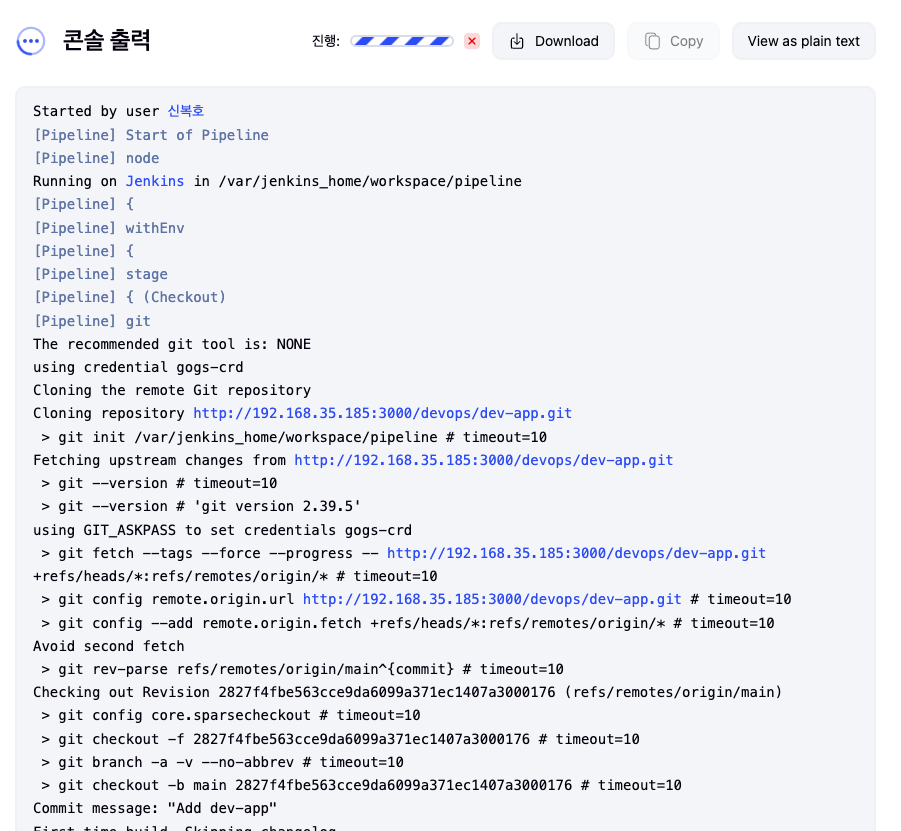
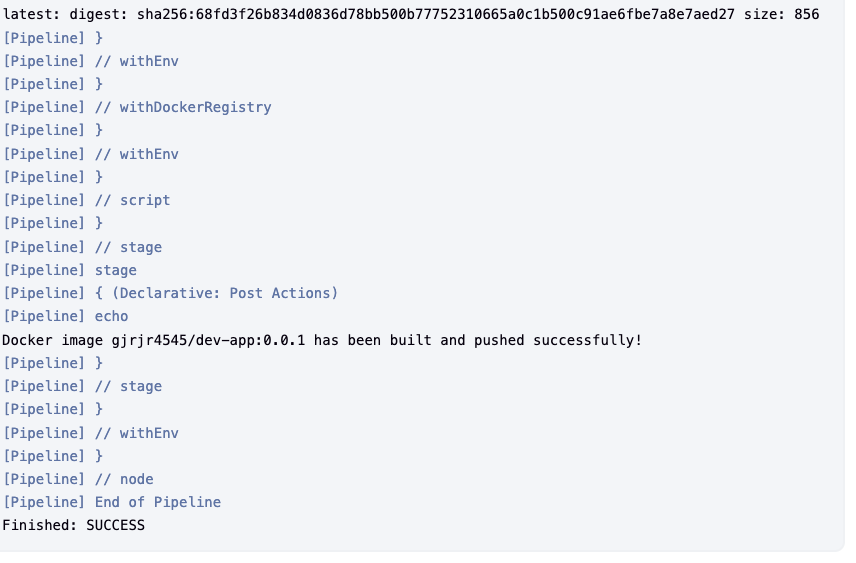
- 아래 Build 클릭 → Console Output 클릭
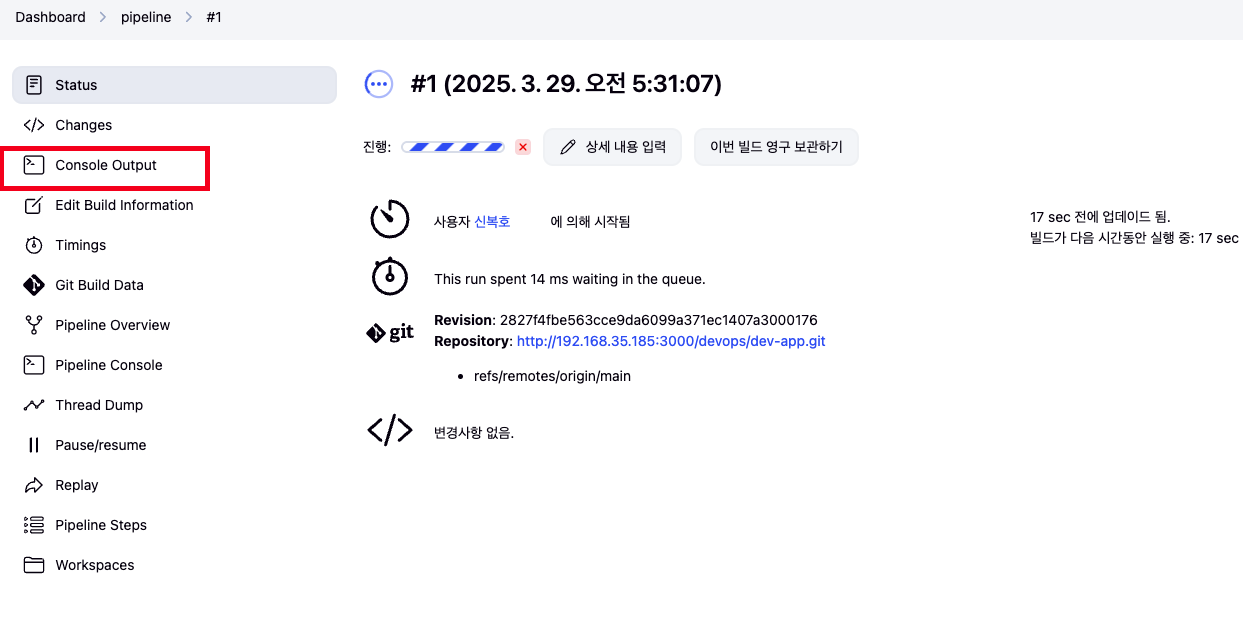
- build log 확인
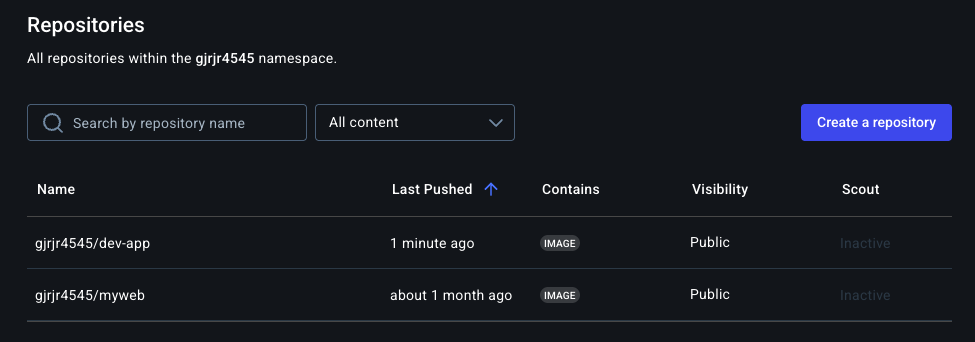
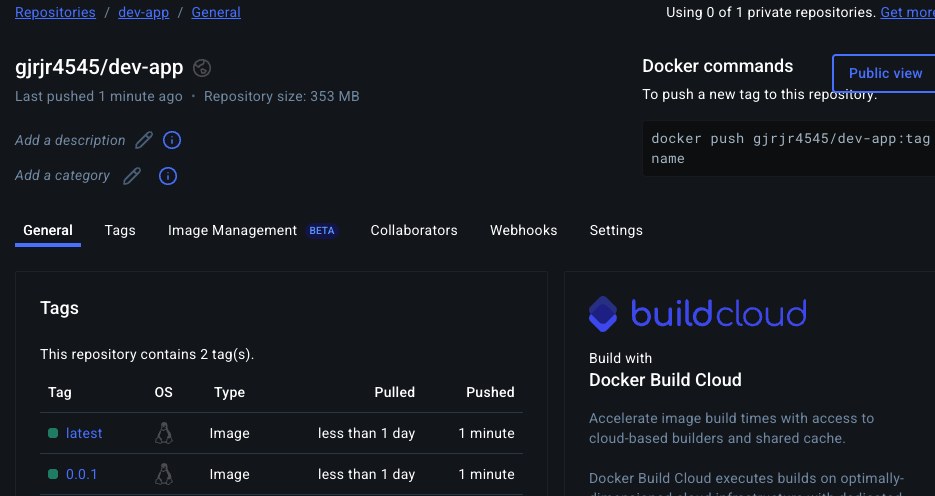
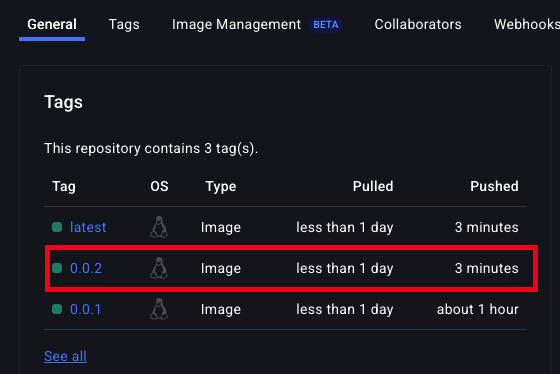
- Docker Hub Repository 확인
k8s 애플리케이션 배포 (with Jenkins Pipeline)
배포
- code
# 디플로이먼트 오브젝트 배포 : 리플리카(파드 2개), 컨테이너 이미지 >> 아래 도커 계정 부분만 변경해서 배포해보자
DHUSER=<도커 허브 계정명>
DHUSER=gjrjr4545

cat > timeserver.yaml <<EOF |
apiVersion: apps/v1
kind: Deployment
metadata:
  name: timeserver
spec:
  replicas: 2
  selector:
    matchLabels:
      pod: timeserver-pod
  template:
    metadata:
      labels:
        pod: timeserver-pod
    spec:
      containers:
      - name: timeserver-container
        image: docker.io/$DHUSER/dev-app:0.0.1
        livenessProbe:
          initialDelaySeconds: 30
          periodSeconds: 30
          httpGet:
            path: /healthz
            port: 80
            scheme: HTTP
          timeoutSeconds: 5
          failureThreshold: 3
          successThreshold: 1
EOF

kubectl apply -f timeserver.yaml
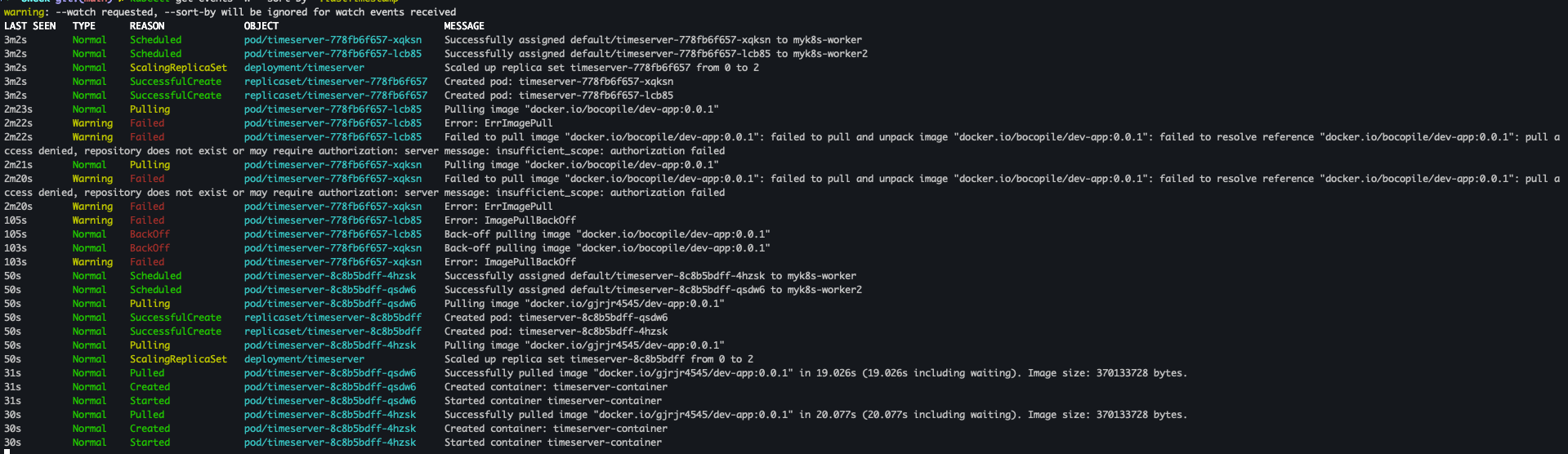
배포 확인
- code
watch -d kubectl get deploy,rs,pod -o wide

# 배포 상태 확인 : kube-ops-view 웹 확인
kubectl get events -w --sort-by '.lastTimestamp'
kubectl get deploy,pod -o wide
kubectl describe pod
- 결과


파드 접속을 위한 curl 파드 생성
- code
# 접속을 위한 curl 파드 생성
kubectl run curl-pod --image=curlimages/curl:latest --command -- sh -c "while true; do sleep 3600; done"
kubectl get pod -owide
- 결과

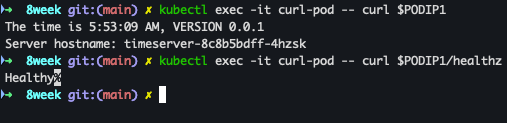
파드 접속
- code
PODIP1=<timeserver-Y 파드 IP>
PODIP1=10.244.2.4

kubectl exec -it curl-pod -- curl $PODIP1
kubectl exec -it curl-pod -- curl $PODIP1/healthz

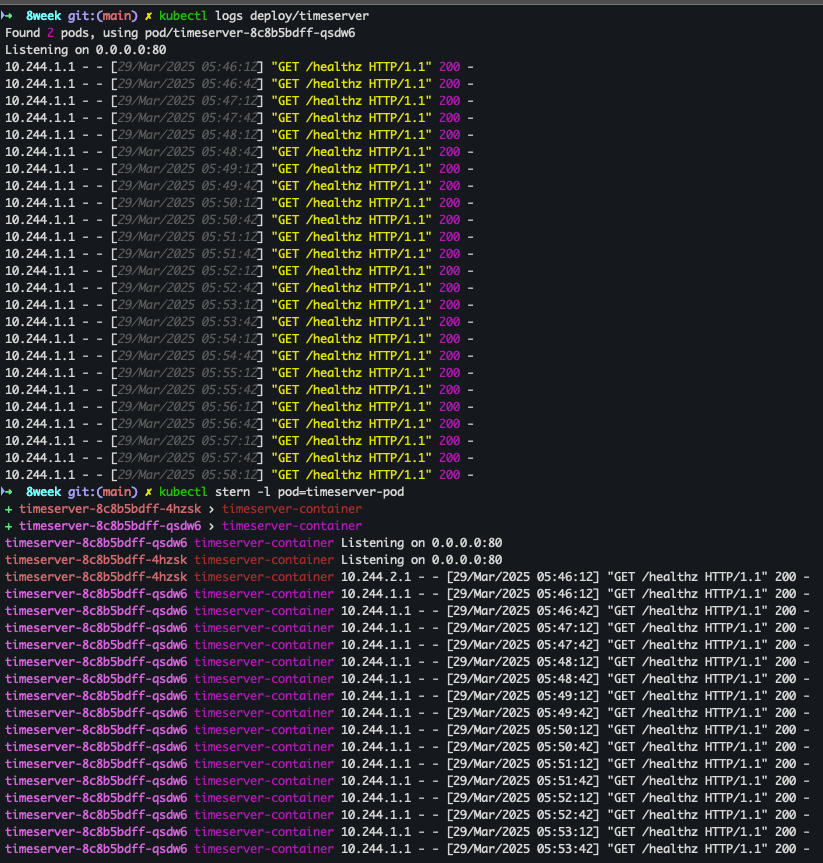
# 로그 확인
kubectl logs deploy/timeserver
kubectl logs deploy/timeserver -f
kubectl stern deploy/timeserver
kubectl stern -l pod=timeserver-pod
- 결과
파드 1개 삭제 후 동작 확인
- code
POD1NAME=<파드 1개 이름>
POD1NAME=timeserver-8c8b5bdff-4hzsk

kubectl get pod -owide
kubectl delete pod $POD1NAME && kubectl get pod -w

# 셀프 힐링 , 파드 IP 변경 -> 고정 진입점(고정 IP/도메인네임) 필요 => Service
kubectl get deploy,rs,pod -owide
- 결과
- timeserver-8c8b5bdff-4hzsk 파드는 삭제 되었지만 deploy 정책에 따라서 신규 파드 생성


- timeserver-8c8b5bdff-4hzsk 파드는 삭제 되었지만 deploy 정책에 따라서 신규 파드 생성
Service 생성
- code
cat <<EOF | kubectl apply -f -
apiVersion: v1
kind: Service
metadata:
  name: timeserver
spec:
  selector:
    pod: timeserver-pod
  ports:
  - port: 80
    targetPort: 80
    protocol: TCP
    nodePort: 30000
  type: NodePort
EOF

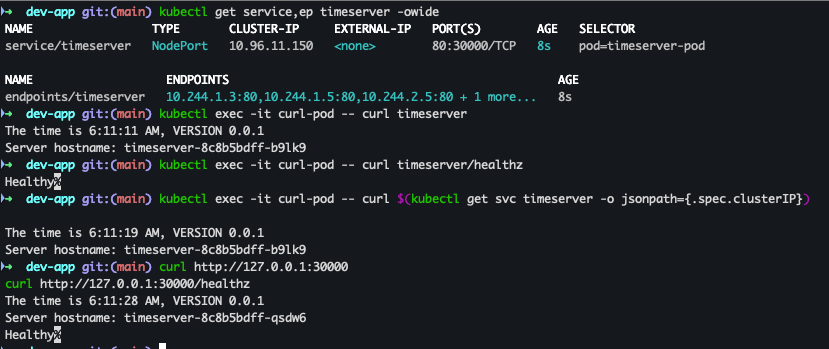
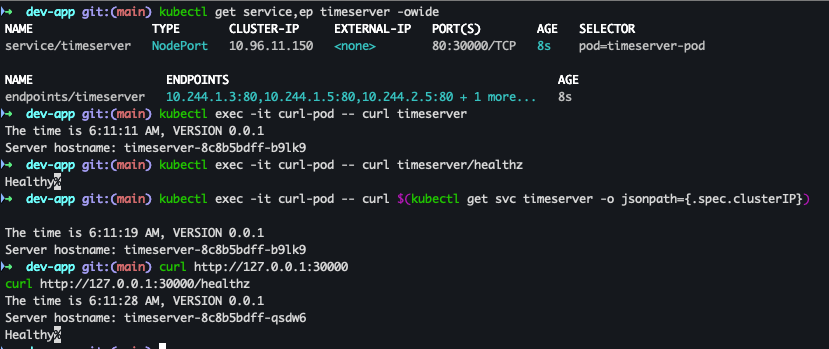
kubectl get service,ep timeserver -owide
- 결과

Service 접속 확인
- code
kubectl exec -it curl-pod -- curl timeserver
kubectl exec -it curl-pod -- curl timeserver/healthz
kubectl exec -it curl-pod -- curl $(kubectl get svc timeserver -o jsonpath={.spec.clusterIP})

# Service(NodePort)로 접속 확인 "노드IP:NodePort"
curl http://127.0.0.1:30000
curl http://127.0.0.1:30000/healthz

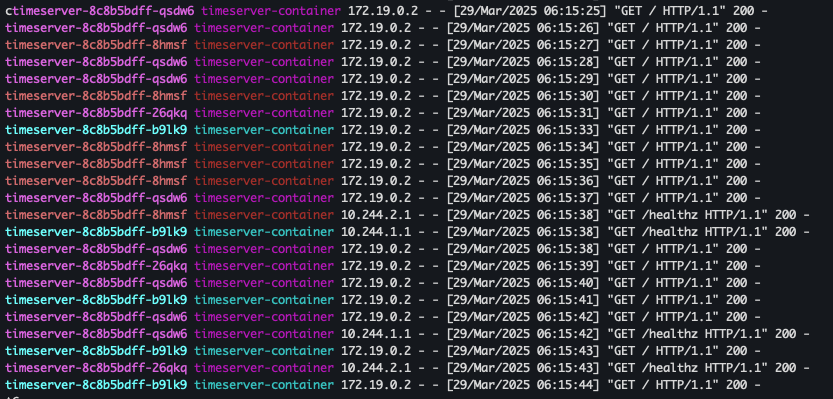
# 반복 접속 해두기 : 부하분산 확인
while true; do curl -s --connect-timeout 1 http://127.0.0.1:30000 ; sleep 1 ; done
for i in {1..100};  do curl -s http://127.0.0.1:30000 | grep name; done | sort | uniq -c | sort -nr

# 파드 복제복 증가 : service endpoint 대상에 자동 추가
kubectl scale deployment timeserver --replicas 4
kubectl get service,ep timeserver -owide
- 결과
Updating Application
출처 : AEKS 3기 스터디
Server.py 코드 변경
- code 수정
- server.py(line:11) : 0.0.1 → 0.0.2
response_string = now.strftime("The time is %-I:%M:%S %p, VERSION 0.0.2\n") - VERSION 변경 : 0.0.1 → 0.02
- server.py(line:11) : 0.0.1 → 0.0.2
- git 배포
# VERSION 변경 : 0.0.2
# server.py 변경 : 0.0.2
git add . && git commit -m "VERSION $(cat VERSION) Changed" && git push -u origin main
- 결과
파드 replicas 변경
- code
# 파드 복제복 증가
kubectl scale deployment timeserver --replicas 4
kubectl get service,ep timeserver -owide
- 결과

반복 접속 확인
- code
while true; do curl -s --connect-timeout 1 http://127.0.0.1:30000 ; sleep 1 ; done
for i in {1..100};  do curl -s http://127.0.0.1:30000 | grep name; done | sort | uniq -c | sort -nr
- 결과
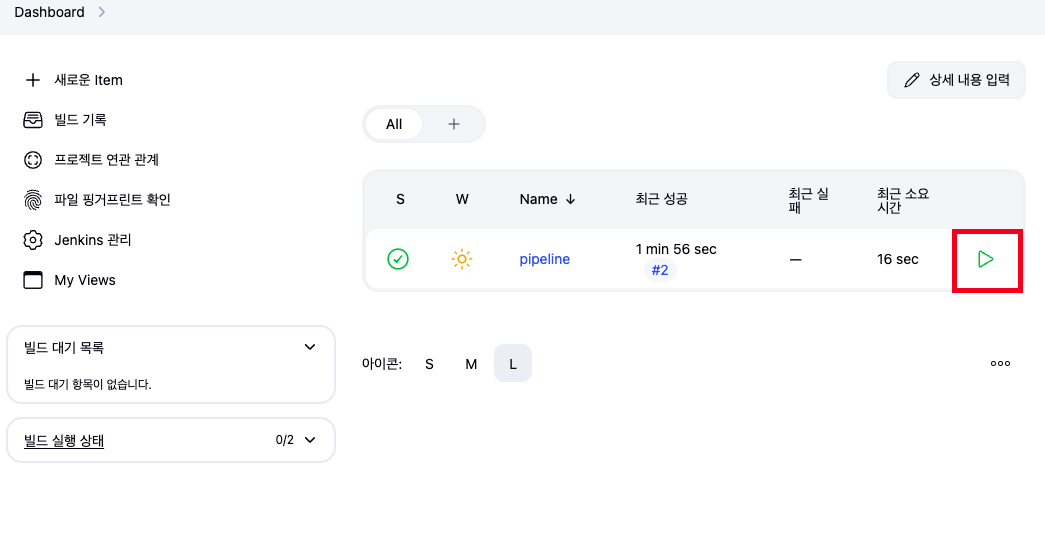
Jenkins pipeline 빌드
- 대시보드 → 생성한 파이프라인 빌드
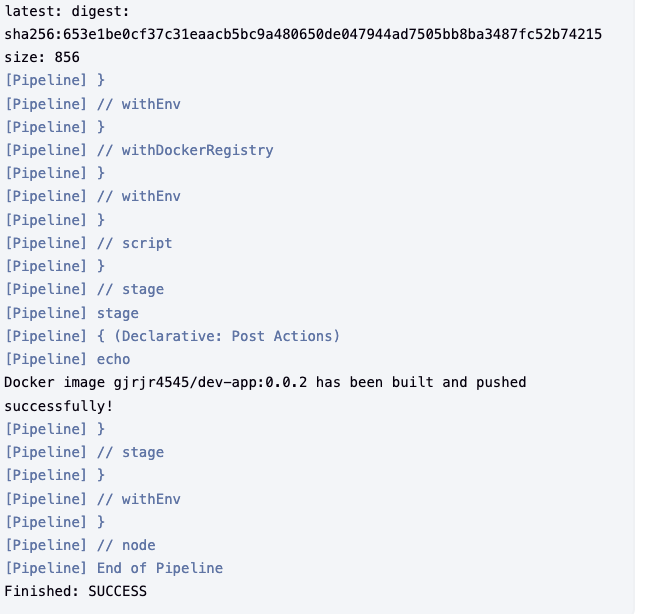
- 결과
Rolling Update
- code
kubectl set image deployment timeserver timeserver-container=$DHUSER/dev-app:0.0.2 && watch -d "kubectl get deploy,ep timeserver; echo; kubectl get rs,pod"

# 롤링 업데이트 확인
watch -d kubectl get deploy,rs,pod,svc,ep -owide
kubectl get deploy,rs,pod,svc,ep -owide
-
결과
- 순차적으로 배포 진행중
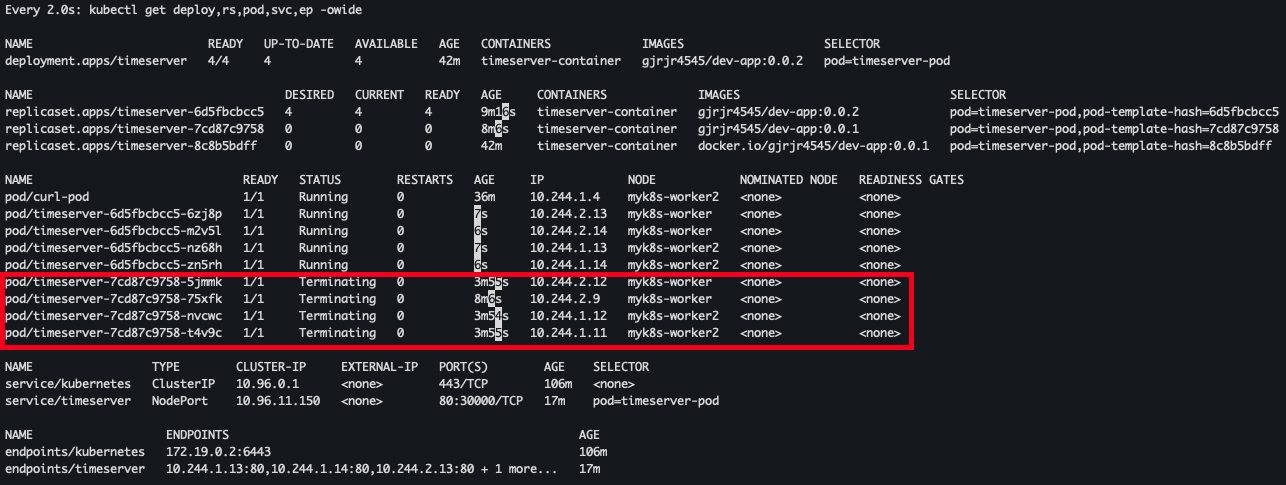
- 배포 완료
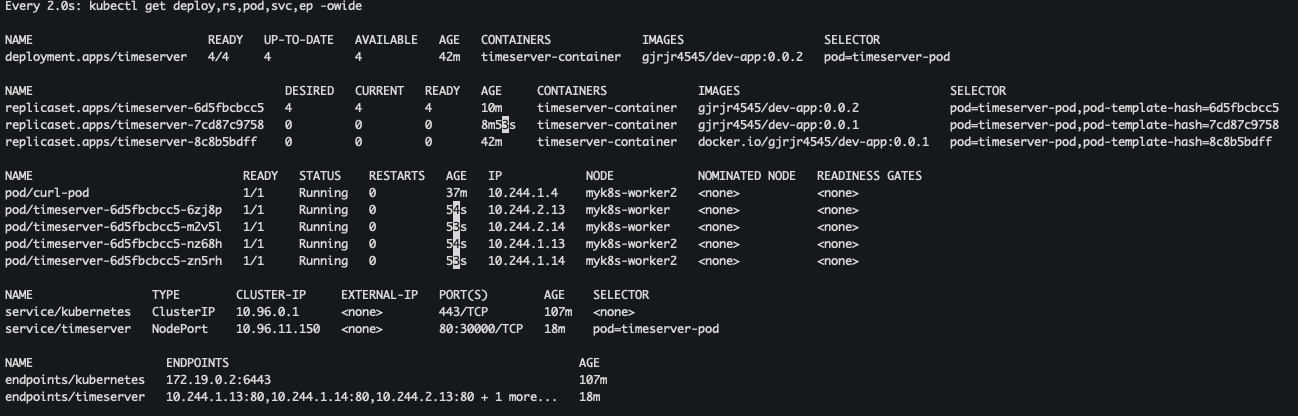
- 순차적으로 배포 진행중
Deployment 확인
- code
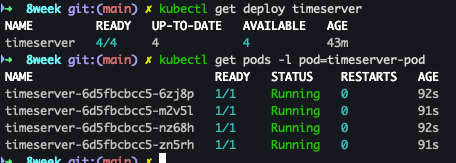
kubectl get deploy timeserver
kubectl get pods -l pod=timeserver-pod
- 결과
curl 확인
- code
curl http://127.0.0.1:30000
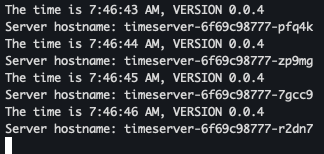
- 결과
The time is 6:39:29 AM, VERSION 0.0.2
Server hostname: timeserver-6d5fbcbcc5-mgkp7
Gops WebHooks설정
출처 : AEKS 3기 스터디
gogs app.ini 수정
- code
[security]
INSTALL_LOCK = true
SECRET_KEY   = Yh0YSZprvBwUlDR
LOCAL_NETWORK_ALLOWLIST = http://192.168.35.18 # 각자 자신의 PC IP , *Windows (WSL2) 사용자는 자신의 WSL2 Ubuntu eth0 IP*
gogs Webhooks 설정
- 프로젝트 선택 > Webhooks > Gogs 선택
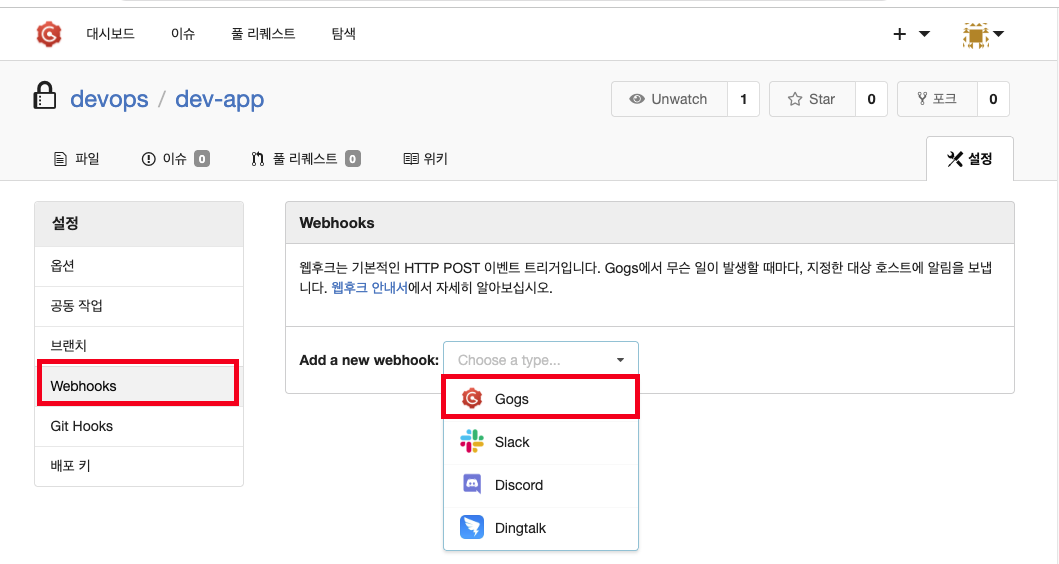
- 해당 값 입력
-
Padload URL :
http://*<자신의 집 IP>*:8080/gogs-webhook/?job=SCM-Pipeline/ -
Content Type : applicaion/json
-
Secret : qwe123
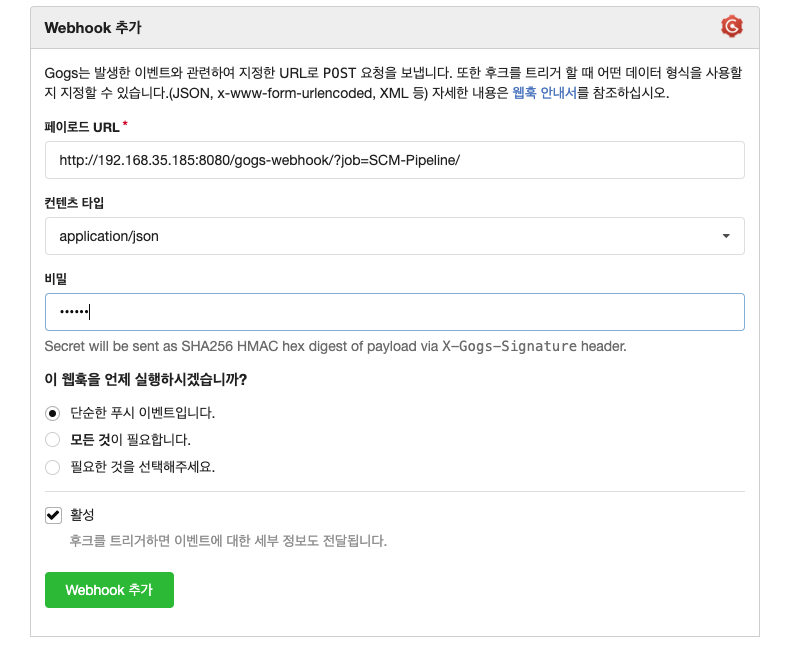
-
Jenkins Pipeline 생성
- name 입력 및 pipeline 선택후 생성
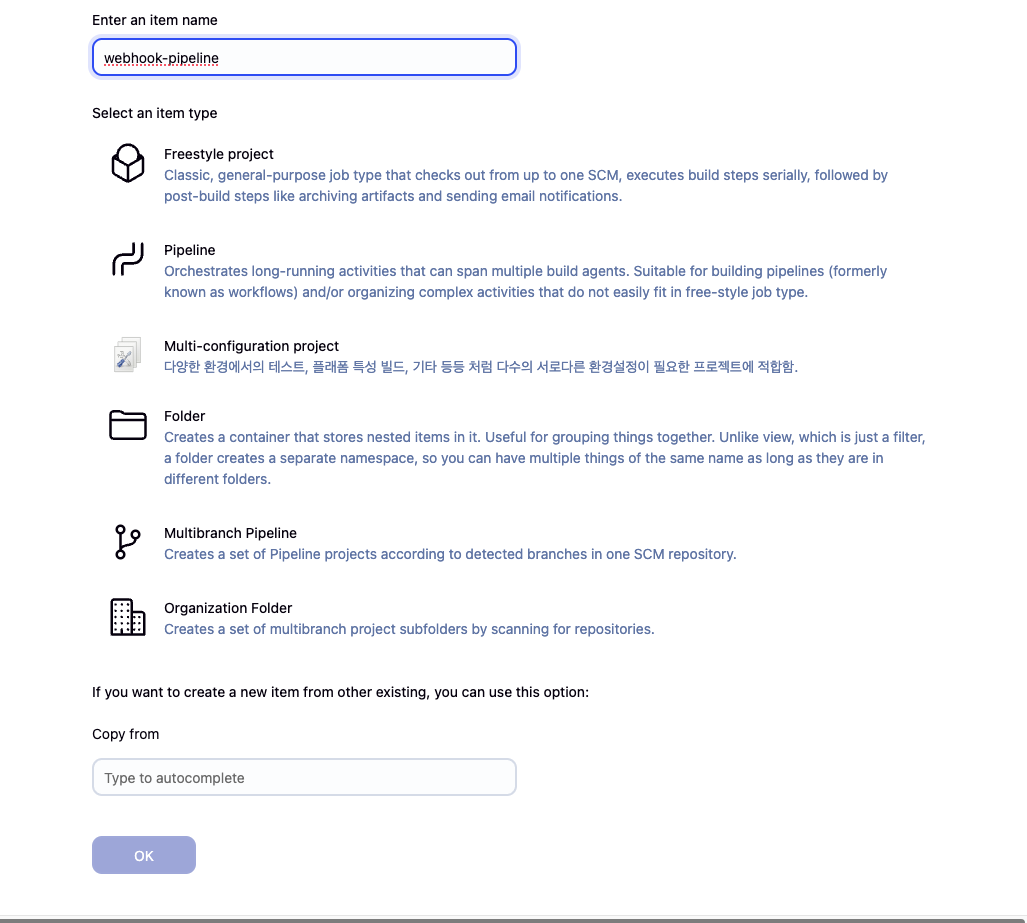
- General → Github Project 입력
http://*<mac IP>*:3000/*<Gogs 계정명>*/dev-app
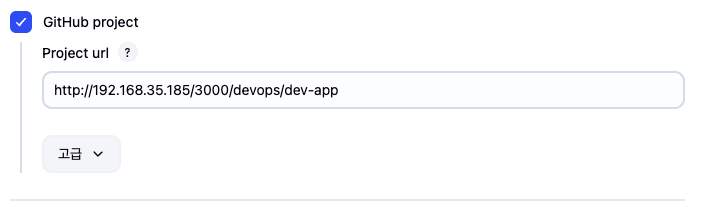
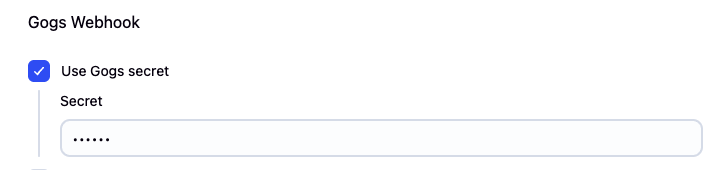
- Use Gogs secret : qwe123
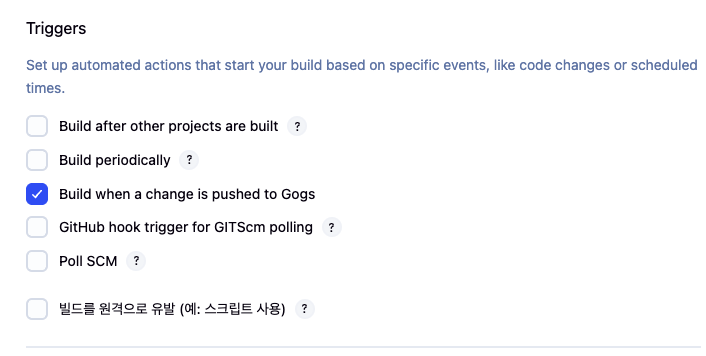
- Triggers → Build when a change is pushed to Gogs 체크
- Pipeline script from SCM
- Repo URL(
http://*<mac IP>*:3000/*<Gogs 계정명>*/dev-app) - Credentials(devops/*)
- Branch(*/main)
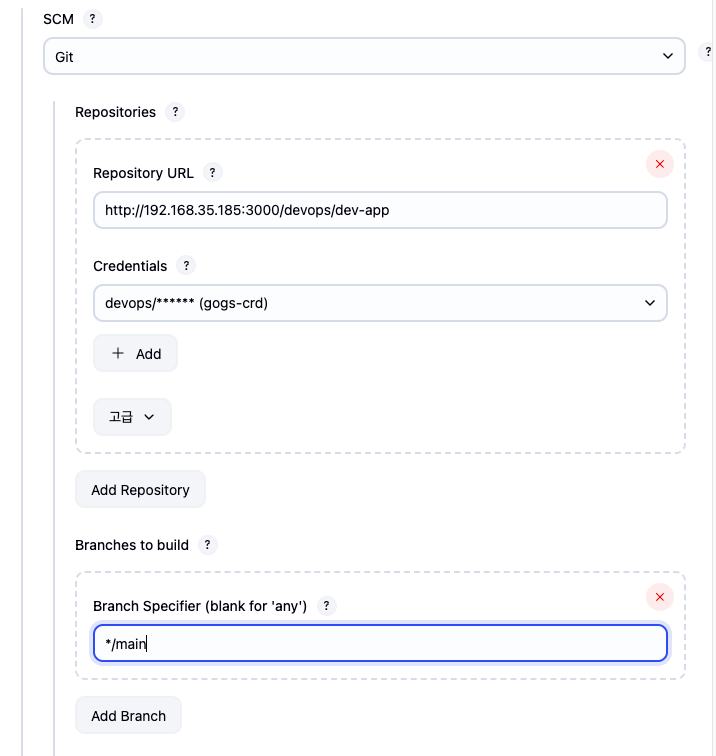
- Repo URL(
테스트 진행
git 작업 진행
- VERSION 파일, server.py 파일 수정 : 0.0.4
Jenkins 파일 생성
- code
pipeline {
    agent any
    environment {
        DOCKER_IMAGE = 'gjrjr4545/dev-app' // Docker 이미지 이름
    }
    stages {
        stage('Checkout') {
            steps {
                 git branch: 'main',
                 url: 'http://192.168.35.185:3000/devops/dev-app.git',  // Git에서 코드 체크아웃
                 credentialsId: 'gogs-crd'  // Credentials ID
            }
        }
        stage('Read VERSION') {
            steps {
                script {
                    // VERSION 파일 읽기
                    def version = readFile('VERSION').trim()
                    echo "Version found: ${version}"
                    // 환경 변수 설정
                    env.DOCKER_TAG = version
                }
            }
        }
        stage('Docker Build and Push') {
            steps {
                script {
                    docker.withRegistry('https://index.docker.io/v1/', 'dockerhub-crd') {
                        // DOCKER_TAG 사용
                        def appImage = docker.build("${DOCKER_IMAGE}:${DOCKER_TAG}")
                        appImage.push()
                        appImage.push("latest")
                    }
                }
            }
        }
    }
    post {
        success {
            echo "Docker image ${DOCKER_IMAGE}:${DOCKER_TAG} has been built and pushed successfully!"
        }
        failure {
            echo "Pipeline failed. Please check the logs."
        }
    }
}
작성된 파일 push
- code
git add . && git commit -m "VERSION $(cat VERSION) Changed" && git push -u origin main
- 결과
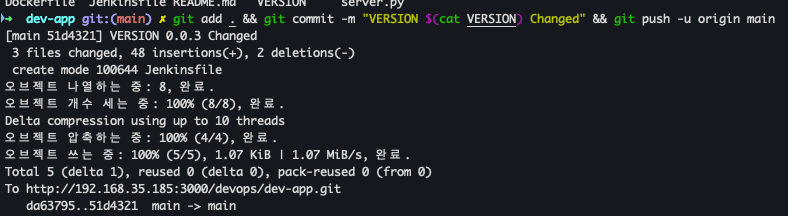
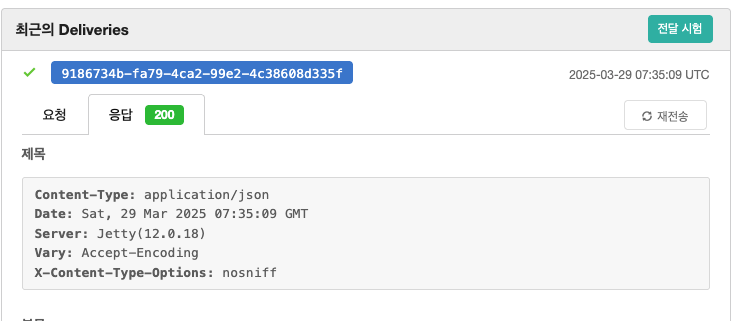
Gogs WebHook 기록 확인
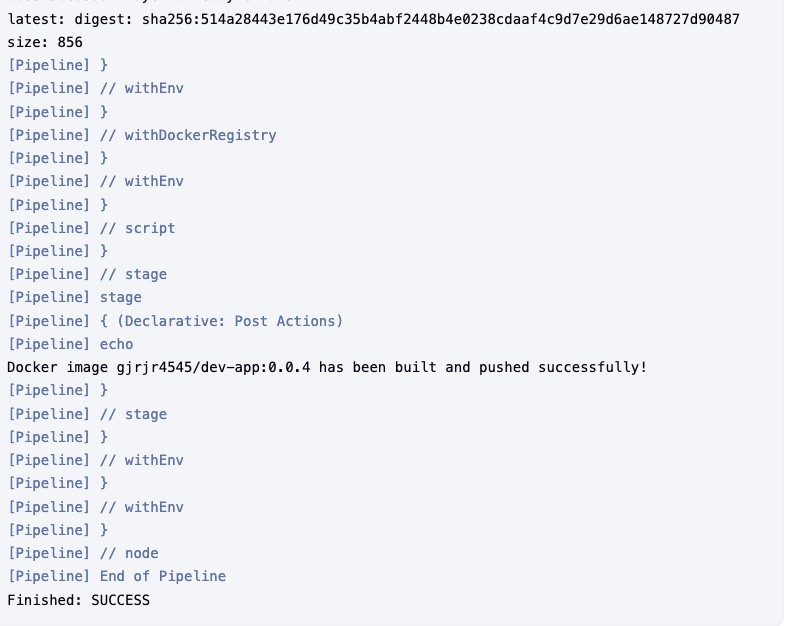
Jenkins Build log 확인
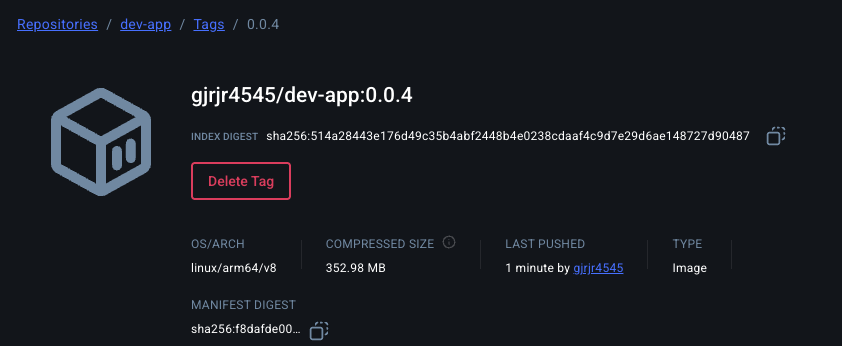
Docker Hub repository 확인
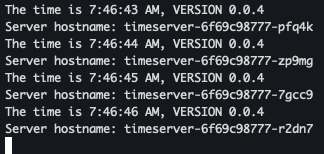
k8s 신규 버전 적용
kubectl set image deployment timeserver timeserver-container=$DHUSER/dev-app:0.0.4 && while true; do curl -s --connect-timeout 1 http://127.0.0.1:30000 ; sleep 1 ; done
2. Jenkins CI/CD + k8s(kind)
Jenkins 컨테이너 내부에 툴 설치
- code
# Install kubectl, helm
docker exec -u root -it jenkins /bin/bash
--------------------------------------------
#curl -LO "https://dl.k8s.io/release/v1.32.2/bin/linux/amd64/kubectl"
curl -LO "https://dl.k8s.io/release/$(curl -L -s https://dl.k8s.io/release/stable.txt)/bin/linux/arm64/kubectl"  # macOS

install -o root -g root -m 0755 kubectl /usr/local/bin/kubectl
kubectl version --client=true

#
curl https://raw.githubusercontent.com/helm/helm/main/scripts/get-helm-3 | bash
helm version

exit
--------------------------------------------
docker compose exec jenkins kubectl version --client=true
docker compose exec jenkins helm version
- 설치 확인

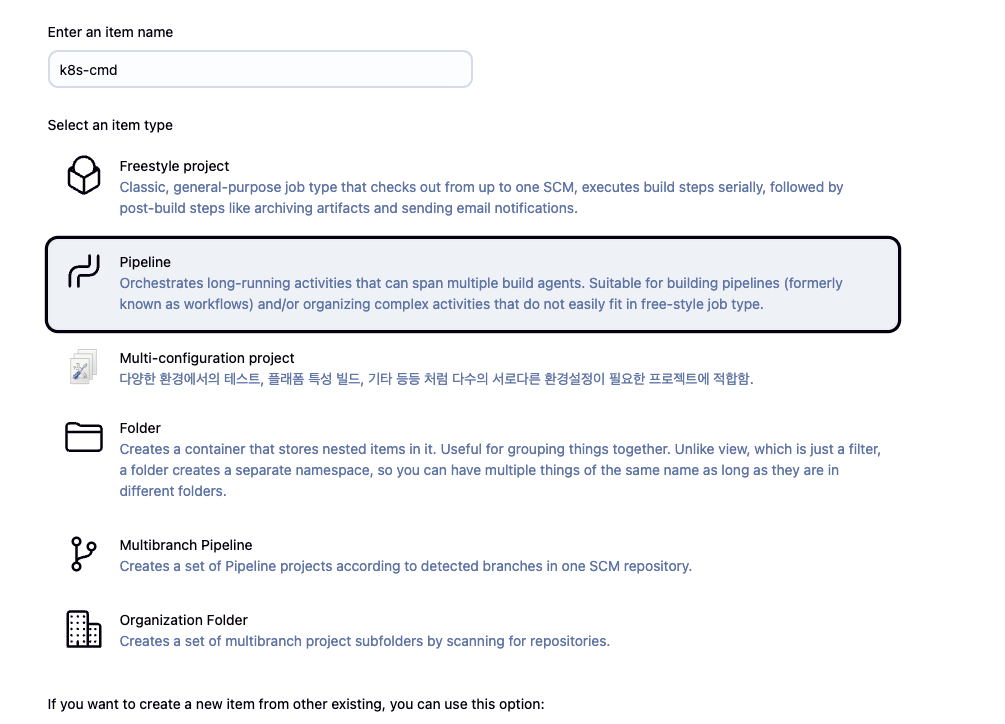
Jenkins pipeline 생성
- name : k8s-cmd
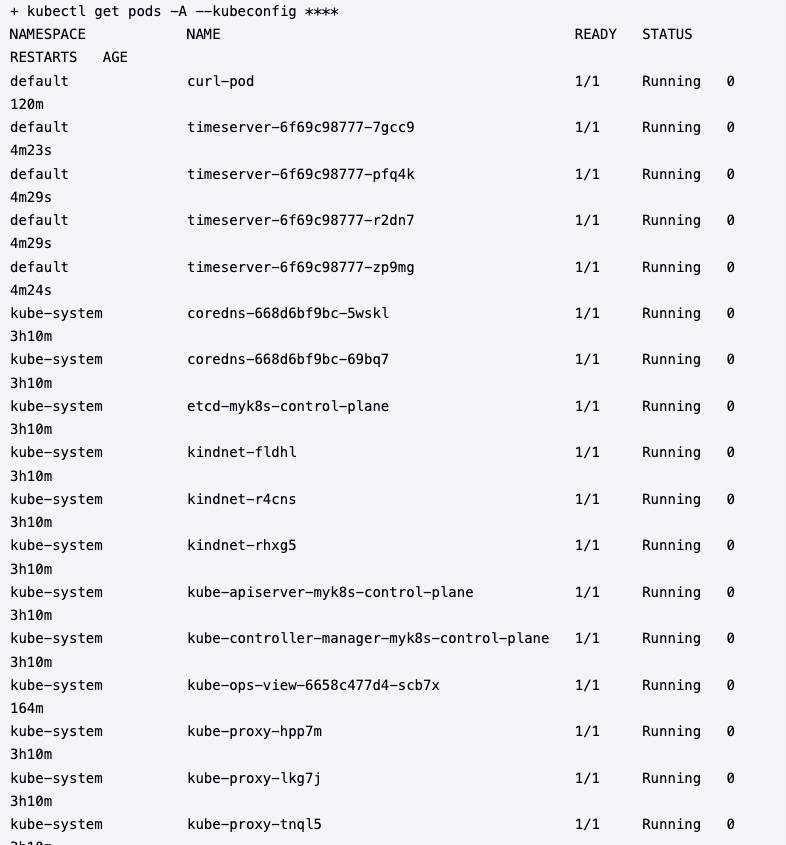
- pipeline script 생성
pipeline {
    agent any
    environment {
        KUBECONFIG = credentials('k8s-crd')
    }
    stages {
        stage('List Pods') {
            steps {
                sh '''
                # Fetch and display Pods
                kubectl get pods -A --kubeconfig "$KUBECONFIG"
                '''
            }
        }
    }
}
- 빌드 후 Jenkins 로그 확인
K8S CD 실습 : blue-green 배포 준비
Deploy, Service yaml 파일 작성
- code
#
cd dev-app

#
mkdir deploy

#
cat > deploy/echo-server-blue.yaml <<EOF
apiVersion: apps/v1
kind: Deployment
metadata:
  name: echo-server-blue
spec:
  replicas: 2
  selector:
    matchLabels:
      app: echo-server
      version: blue
  template:
    metadata:
      labels:
        app: echo-server
        version: blue
    spec:
      containers:
      - name: echo-server
        image: hashicorp/http-echo
        args:
        - "-text=Hello from Blue"
        ports:
        - containerPort: 5678
EOF

cat > deploy/echo-server-service.yaml <<EOF
apiVersion: v1
kind: Service
metadata:
  name: echo-server-service
spec:
  selector:
    app: echo-server
    version: blue
  ports:
  - protocol: TCP
    port: 80
    targetPort: 5678
    nodePort: 30000
  type: NodePort
EOF

cat > deploy/echo-server-green.yaml <<EOF
apiVersion: apps/v1
kind: Deployment
metadata:
  name: echo-server-green
spec:
  replicas: 2
  selector:
    matchLabels:
      app: echo-server
      version: green
  template:
    metadata:
      labels:
        app: echo-server
        version: green
    spec:
      containers:
      - name: echo-server
        image: hashicorp/http-echo
        args:
        - "-text=Hello from Green"
        ports:
        - containerPort: 5678
EOF

#
tree
git add . && git commit -m "Add echo server yaml" && git push -u origin main
Jenkins Pipeline 생성
기존 deployment, Service 삭제
- code
kubectl delete deploy,svc timeserver
curl 반복 확인
- code
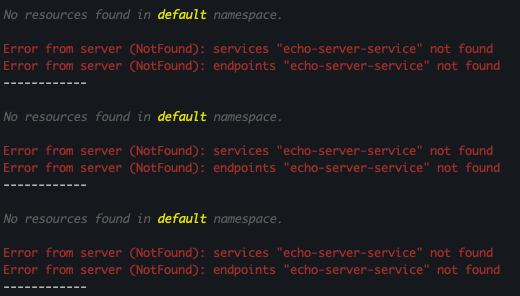
while true; do curl -s --connect-timeout 1 http://127.0.0.1:30000 ; echo ; sleep 1 ; kubectl get deploy -owide ; echo ; kubectl get svc,ep echo-server-service -owide ; echo "------------" ; done
- 결과 : service, endpoints 미존재 확인
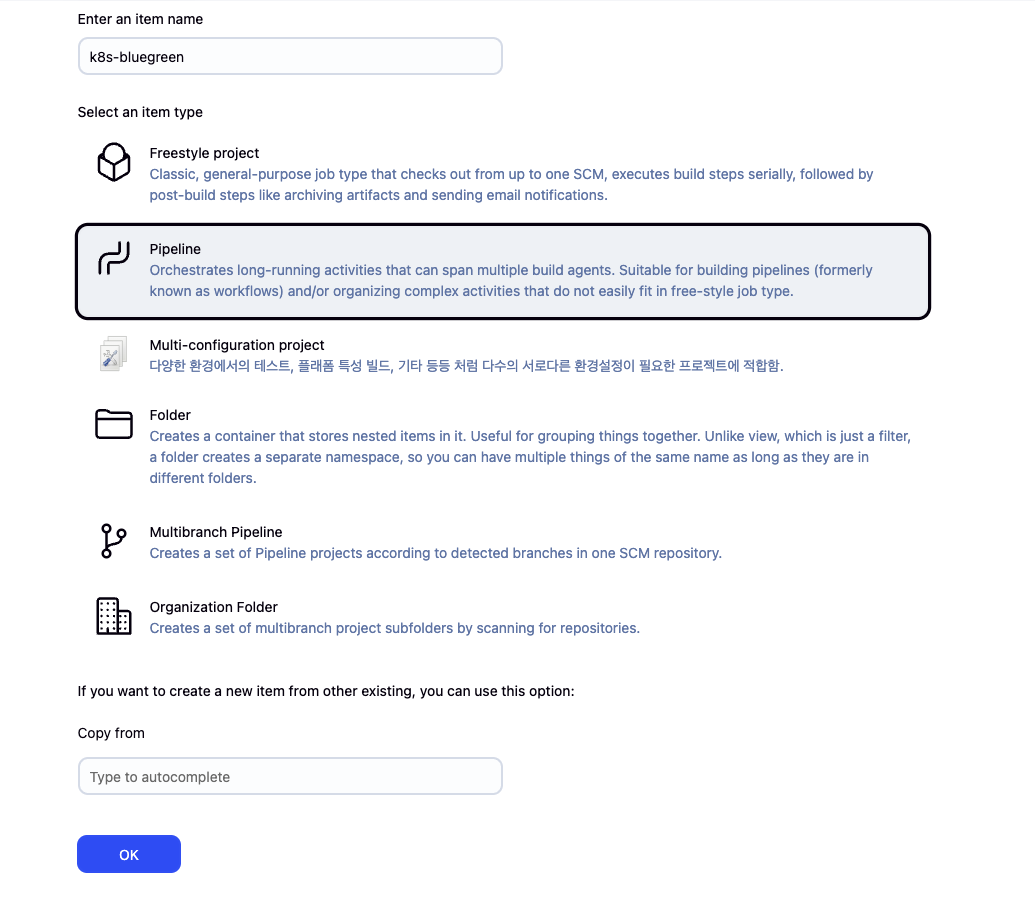
Pipeline 생성
- name : k8s-bluegreen
- pipeline script
pipeline {
    agent any

    environment {
        KUBECONFIG = credentials('k8s-crd')
    }

    stages {
        stage('Checkout') {
            steps {
                 git branch: 'main',
                 url: 'http://192.168.35.185:3000/devops/dev-app.git',  // Git에서 코드 체크아웃
                 credentialsId: 'gogs-crd'  // Credentials ID
            }
        }

        stage('container image build') {
            steps {
                echo "container image build"
            }
        }

        stage('container image upload') {
            steps {
                echo "container image upload"
            }
        }

        stage('k8s deployment blue version') {
            steps {
                sh "kubectl apply -f ./deploy/echo-server-blue.yaml --kubeconfig $KUBECONFIG"
                sh "kubectl apply -f ./deploy/echo-server-service.yaml --kubeconfig $KUBECONFIG"
            }
        }

        stage('approve green version') {
            steps {
                input message: 'approve green version', ok: "Yes"
            }
        }

        stage('k8s deployment green version') {
            steps {
	        	sh "kubectl apply -f ./deploy/echo-server-green.yaml --kubeconfig $KUBECONFIG"
            }
        }

        stage('approve version switching') {
            steps {
                script {
                    returnValue = input message: 'Green switching?', ok: "Yes", parameters: [booleanParam(defaultValue: true, name: 'IS_SWITCHED')]
                    if (returnValue) {
                        sh "kubectl patch svc echo-server-service -p '{\"spec\": {\"selector\": {\"version\": \"green\"}}}' --kubeconfig $KUBECONFIG"
                    }
                }
            }
        }

        stage('Blue Rollback') {
            steps {
                script {
                    returnValue = input message: 'Blue Rollback?', parameters: [choice(choices: ['done', 'rollback'], name: 'IS_ROLLBACk')]
                    if (returnValue == "done") {
                        sh "kubectl delete -f ./deploy/echo-server-blue.yaml --kubeconfig $KUBECONFIG"
                    }
                    if (returnValue == "rollback") {
                        sh "kubectl patch svc echo-server-service -p '{\"spec\": {\"selector\": {\"version\": \"blue\"}}}' --kubeconfig $KUBECONFIG"
                    }
                }
            }
        }
    }
}
동작 확인
- 기존 Deployment 확인
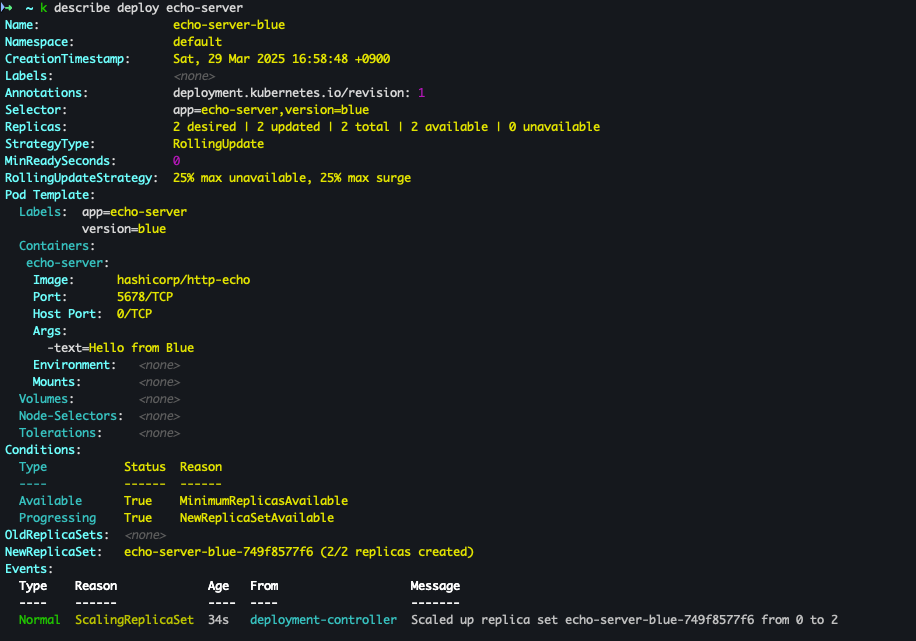
- Jenkins PipeLine Log (blue)
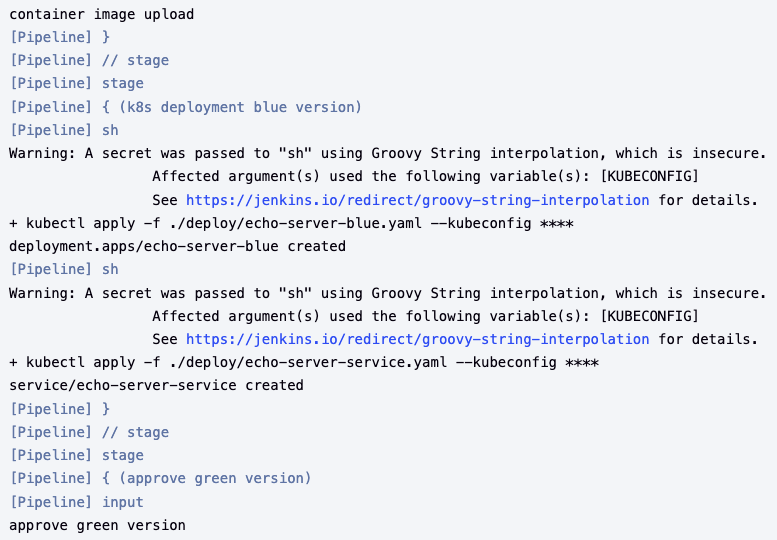
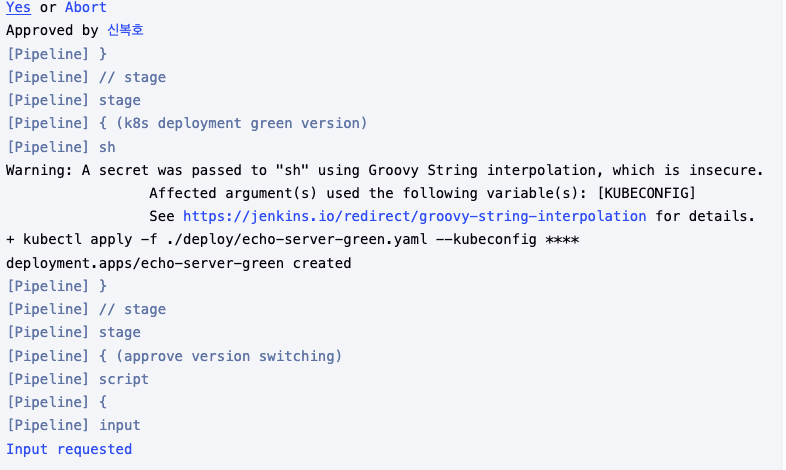
- green 스위칭
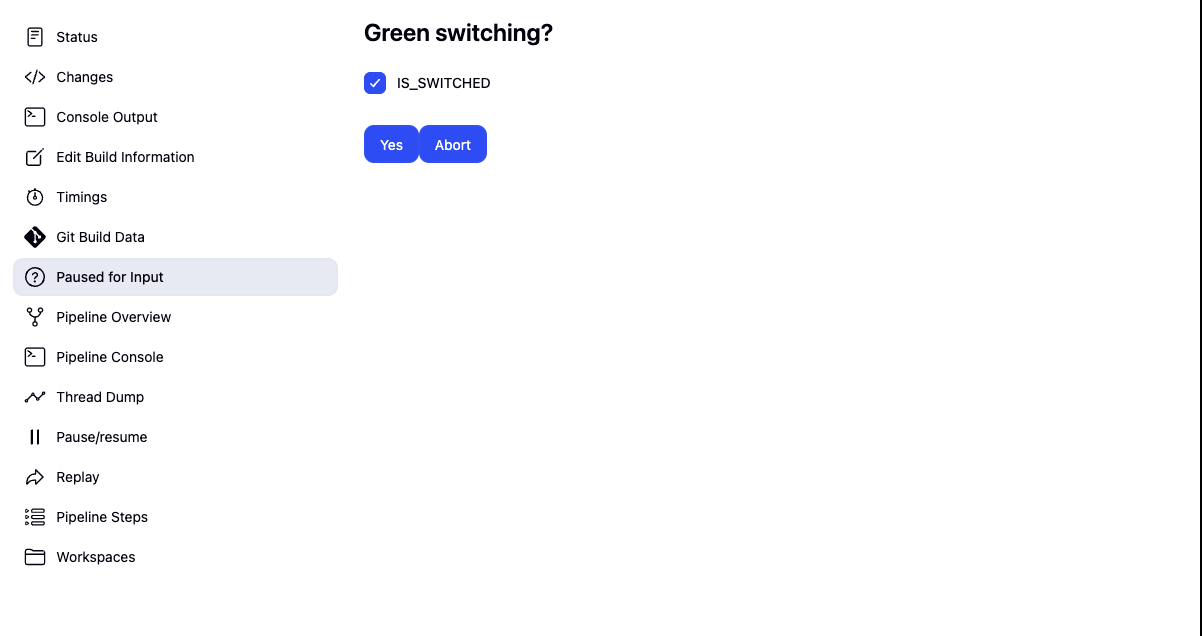
- k8s
-
blue-green 혼용
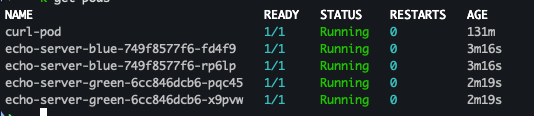
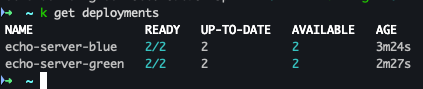
-
반복 접속 테스트
- code
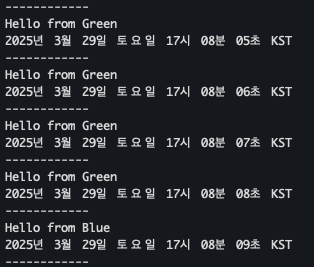
while true; do curl -s --connect-timeout 1 http://127.0.0.1:30000 ; echo ; sleep 1 ; kubectl get deploy -owide ; echo ; kubectl get svc,ep echo-server-service -owide ; echo "------------" ; done
- Green 으로 접속 되는 것을 확인
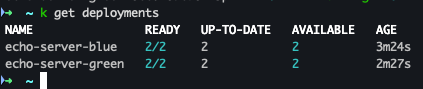
- Rollback 후 Blue로 접근 되는 것을 확인 !
실습 완료 후 삭제 진행
kubectl delete deploy echo-server-blue echo-server-green && kubectl delete svc echo-server-service3.Argo CD +K8S(kind)
Argo CD??
정의
- 선언적 관리 및 버전 관리 애플리케이션의 정의, 구성, 환경은 선언적으로 작성되며 Git 등 버전 관리 시스템을 통해 관리해야 합니다.
- 자동화된 배포 및 라이프사이클 관리 애플리케이션 배포와 라이프사이클 관리는 자동화되고, 감사 가능하며, 이해하기 쉬워야 합니다.
- GitOps 패턴 활용 Argo CD는 Git 리포지토리를 “진실의 원천”으로 사용하여 원하는 애플리케이션 상태를 정의합니다.
- 다양한 Kubernetes 매니페스트 지정 방식
- kustomize 애플리케이션
- Helm 차트
- jsonnet 파일
- 일반 YAML/JSON 매니페스트 디렉토리
- 사용자 지정 구성 관리 도구(플러그인 방식)
아키텍처
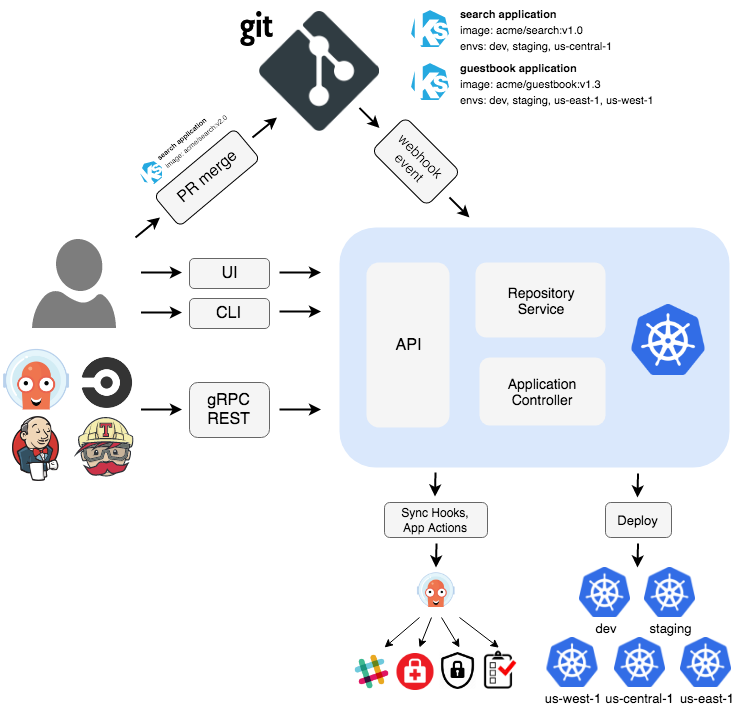 출처 : https://argo-cd.readthedocs.io/en/stable/
- API Server
- Web UI, CLI, CI/CD 시스템에서 사용하는 gRPC/REST 기반 API 서버로, 애플리케이션 관리, 상태 보고, 동기화/롤백 등의 작업 실행, Git 웹훅 이벤트 처리, 인증 및 RBAC 적용, 클러스터/레포지토리 자격 증명 관리 등을 담당합니다.
- Repository Server
- Git 리포지토리의 애플리케이션 매니페스트를 로컬에 캐시하여, 제공된 레포지토리 URL, 리비전(커밋, 태그, 브랜치), 애플리케이션 경로, 템플릿 설정(예: Helm values.yaml) 등의 입력을 기반으로 Kubernetes 매니페스트를 생성 및 반환하는 내부 서비스입니다.
- Application Controller
- kubernetes 컨트롤러로서, 실행 중인 애플리케이션의 실제 상태를 지속적으로 모니터링하고 Git에 정의된 목표 상태와 비교하여 동기화 상태를 판단하며, 필요 시 자동으로 수정 조치를 실행하고, PreSync, Sync, PostSync와 같은 사용자 정의 훅을 호출합니다.
- Redis
- Kubernetes API와 Git 요청을 줄이기 위한 캐싱 역할을 수행합니다.
- Notification
- 이벤트 알림 및 트리거 기능을 제공합니다.
- Dex
- 외부 인증 관리를 담당합니다.
- ApplicationSet Controller
- 멀티 클러스터 환경에서 애플리케이션 패키징을 관리합니다.
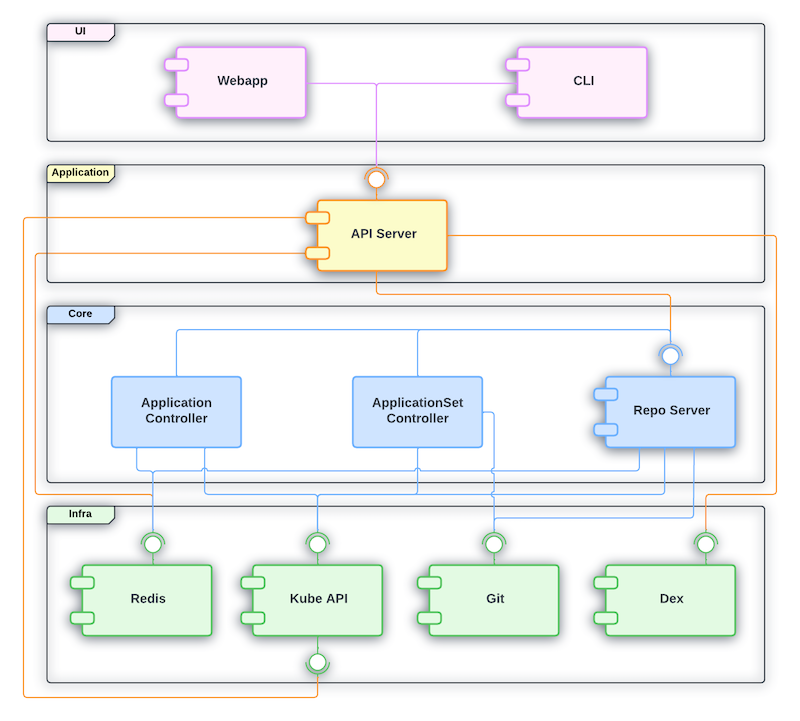 출처 : hhttps://argo-cd.readthedocs.io/en/stable/developer-guide/architecture/components
기능
- 자동화된 배포 및 동기화
- 대상 환경에 애플리케이션을 자동으로 배포하며, 수동 또는 자동 동기화를 통해 Git에 기록된 원하는 상태로 유지할 수 있습니다.
- 다양한 구성 관리 도구 지원
- Kustomize, Helm, Jsonnet, 일반 YAML 등 여러 템플릿 및 구성 관리 도구를 지원합니다.
- 멀티 클러스터 및 다중 테넌시
- 여러 클러스터에 배포 및 관리를 지원하며, 다중 테넌시 및 RBAC 정책을 적용할 수 있습니다.
- SSO 및 외부 인증 통합
- OIDC, OAuth2, LDAP, SAML 2.0, GitHub, GitLab, Microsoft, LinkedIn 등 다양한 SSO 및 외부 인증 시스템과 연동됩니다.
- 롤백 기능
- Git에 기록된 모든 애플리케이션 구성으로 언제든지 롤백(혹은 롤-어웨이)할 수 있습니다.
- 헬스 체크 및 드리프트 감지
- 애플리케이션 자원의 상태를 분석하고, 구성 드리프트를 자동으로 감지 및 시각화합니다.
- 사용자 인터페이스 및 자동화 도구
- 실시간 애플리케이션 활동을 보여주는 웹 UI, CLI를 통한 자동화 및 CI 통합, 웹훅 연동(GitHub, BitBucket, GitLab) 기능을 제공합니다.
- 액세스 토큰과 감사 기능
- 자동화를 위한 액세스 토큰 발급과 함께, 애플리케이션 이벤트 및 API 호출에 대한 감사 추적을 지원합니다.
- 모니터링 및 파라미터 오버라이드
- Prometheus 메트릭스를 제공하며, Git에 정의된 Helm 파라미터를 오버라이드할 수 있는 기능을 갖추고 있습니다.
핵심 개념
- 애플리케이션 (Application)
- 매니페스트로 정의된 Kubernetes 리소스들의 집합(커스텀 리소스 정의, CRD)입니다.
- 애플리케이션 소스 타입 (Application source type)
- 애플리케이션을 생성하는 데 사용되는 도구를 의미합니다.
- 목표 상태 (Target state)
- Git 리포지토리의 파일로 표현되는, 애플리케이션이 가져야 할 원하는 상태입니다.
- 실제 상태 (Live state)
- 실제로 배포되어 실행 중인 애플리케이션의 상태(예: 실행 중인 파드 등)를 나타냅니다.
- 동기화 상태 (Sync status)
- 실제 상태가 목표 상태와 일치하는지를 나타내며, 배포된 애플리케이션이 Git에 정의된 상태와 동일한지 평가합니다.
- 동기화 (Sync)
- 애플리케이션을 목표 상태로 맞추기 위해 변경사항을 적용하는 프로세스입니다.
- 동기화 작업 상태 (Sync operation status)
- 동기화 작업이 성공적으로 이루어졌는지의 여부를 나타냅니다.
- 새로 고침 (Refresh)
- Git의 최신 코드와 실제 상태를 비교하여 차이점을 파악하는 작업입니다.
- 헬스 (Health)
- 애플리케이션이 올바르게 실행되고 요청을 처리할 수 있는지 등, 상태의 정상 여부를 평가합니다.
- 도구 (Tool) 및 구성 관리 도구/플러그인
- 파일 디렉터리로부터 매니페스트를 생성하는 도구(예: Kustomize)를 의미하며, 추가적인 구성 관리 도구나 사용자 지정 플러그인을 포함합니다.
Argo CD 설치
- code
# 네임스페이스 생성 및 파라미터 파일 작성
cd cicd-labs

kubectl create ns argocd
cat <<EOF > argocd-values.yaml
dex:
  enabled: false

server:
  service:
    type: NodePort
    nodePortHttps: 30002
  extraArgs:
    - --insecure  # HTTPS 대신 HTTP 사용
EOF

# 설치
helm repo add argo https://argoproj.github.io/argo-helm
helm install argocd argo/argo-cd --version 7.8.13 -f argocd-values.yaml --namespace argocd # 7.7.10

# 확인
kubectl get pod,svc,ep,secret,cm -n argocd
kubectl get crd | grep argo


kubectl get appproject -n argocd -o yaml

# configmap
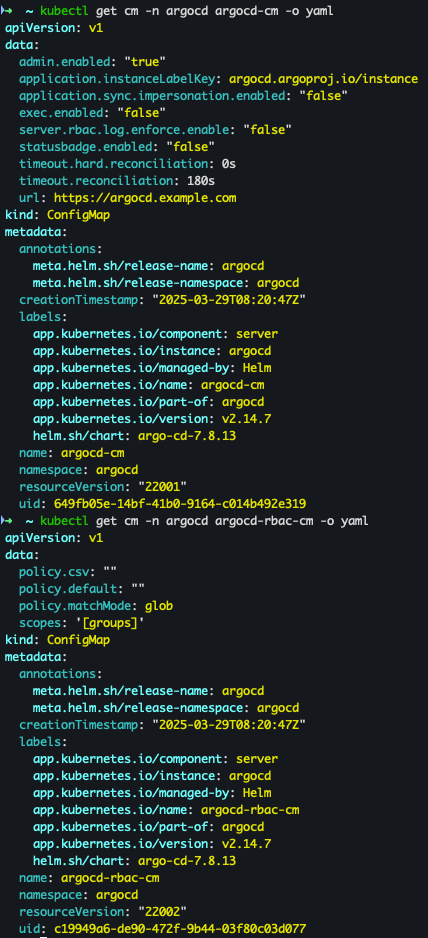
kubectl get cm -n argocd argocd-cm -o yaml
kubectl get cm -n argocd argocd-rbac-cm -o yaml

# 최초 접속 암호 확인
kubectl -n argocd get secret argocd-initial-admin-secret -o jsonpath="{.data.password}" | base64 -d ;echo
# Argo CD 웹 접속 주소 확인 : 초기 암호 입력 (admin 계정)
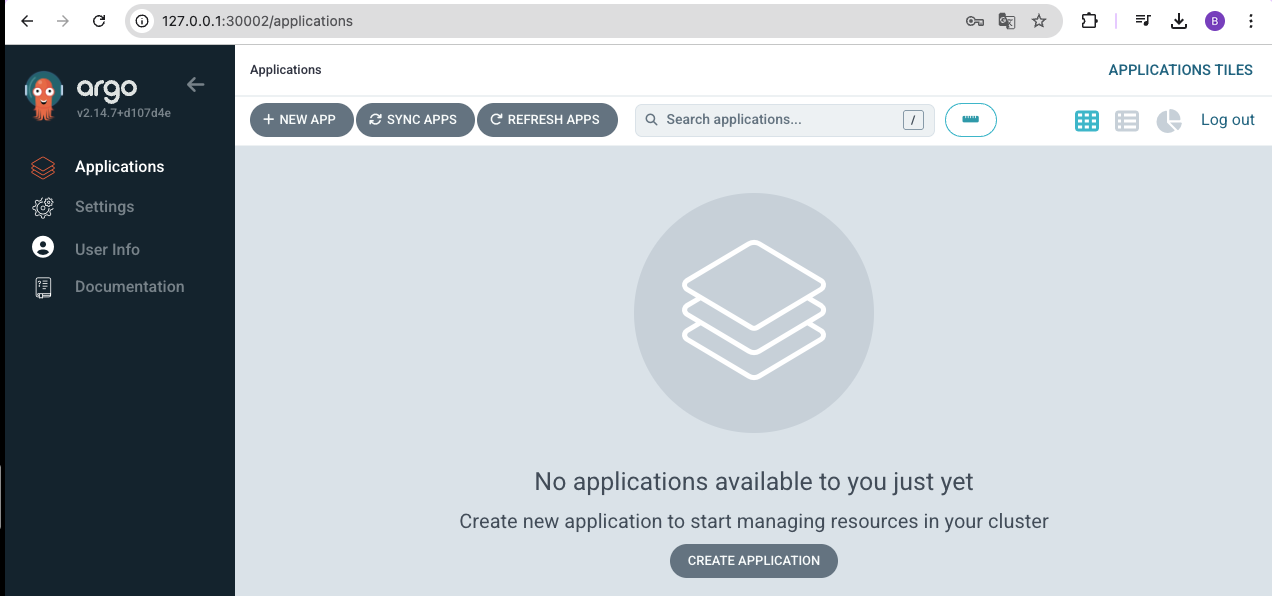
open "http://127.0.0.1:30002" # macOS
# Windows OS경우 직접 웹 브라우저에서 http://127.0.0.1:30002 접속
- 설치 확인
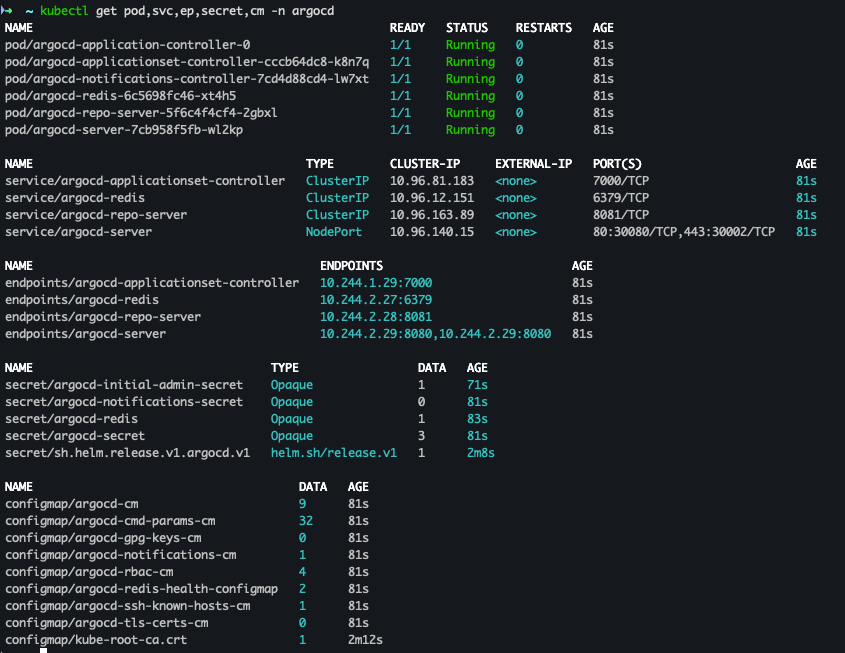

- ConfigMap 확인
- 암호 확인

- 사이트 접속 및 로그인
ArgoCD 기본 설정
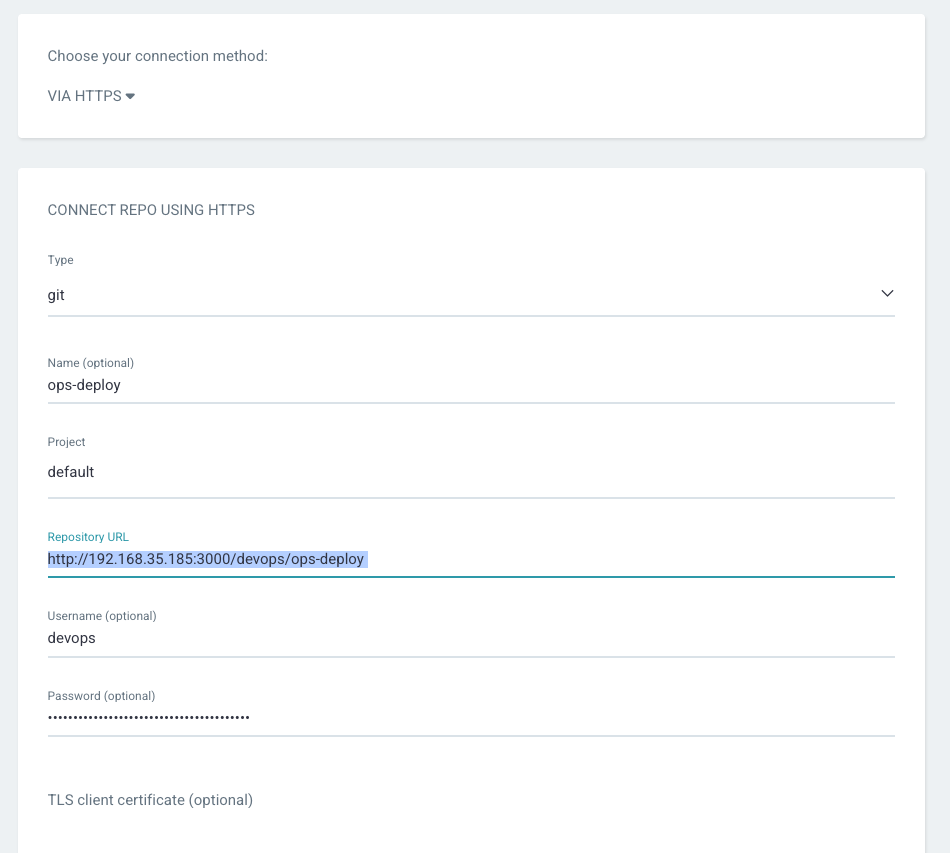
- ops-deploy Repo 등록
-
connection method : VIA HTTPS
-
Type : git
-
Project : default
-
Repo URL :
http://*<자신의 집 IP>*:3000/devops/ops-deploy -
Username : devops
-
Password : password
-
배포 실습 with helm chart
- yaml 파일 생성
cd cicd-labs
mkdir nginx-chart
cd nginx-chart

mkdir templates

cat > templates/configmap.yaml <<EOF
apiVersion: v1
kind: ConfigMap
metadata:
  name: {{ .Release.Name }}
data:
  index.html: |
{{ .Values.indexHtml | indent 4 }}
EOF

cat > templates/deployment.yaml <<EOF
apiVersion: apps/v1
kind: Deployment
metadata:
  name: {{ .Release.Name }}
spec:
  replicas: {{ .Values.replicaCount }}
  selector:
    matchLabels:
      app: {{ .Release.Name }}
  template:
    metadata:
      labels:
        app: {{ .Release.Name }}
    spec:
      containers:
      - name: nginx
        image: {{ .Values.image.repository }}:{{ .Values.image.tag }}
        ports:
        - containerPort: 80
        volumeMounts:
        - name: index-html
          mountPath: /usr/share/nginx/html/index.html
          subPath: index.html
      volumes:
      - name: index-html
        configMap:
          name: {{ .Release.Name }}
EOF

cat > templates/service.yaml <<EOF
apiVersion: v1
kind: Service
metadata:
  name: {{ .Release.Name }}
spec:
  selector:
    app: {{ .Release.Name }}
  ports:
  - protocol: TCP
    port: 80
    targetPort: 80
    nodePort: 30000
  type: NodePort
EOF

cat > values.yaml <<EOF
indexHtml: |
  <!DOCTYPE html>
  <html>
  <head>
    <title>Welcome to Nginx!</title>
  </head>
  <body>
    <h1>Hello, Kubernetes!</h1>
    <p>Nginx version 1.26.1</p>
  </body>
  </html>

image:
  repository: nginx
  tag: 1.26.1

replicaCount: 1
EOF

cat > Chart.yaml <<EOF
apiVersion: v2
name: nginx-chart
description: A Helm chart for deploying Nginx with custom index.html
type: application
version: 1.0.0
appVersion: "1.26.1"
EOF
- 기존 리소스 삭제
# 이전 timeserver/service(nodeport) 삭제
kubectl delete deploy,svc --all
- 배포 진행 및 확인
helm template dev-nginx . -f values.yaml
helm install dev-nginx . -f values.yaml
helm list
kubectl get deploy,svc,ep,cm dev-nginx -owide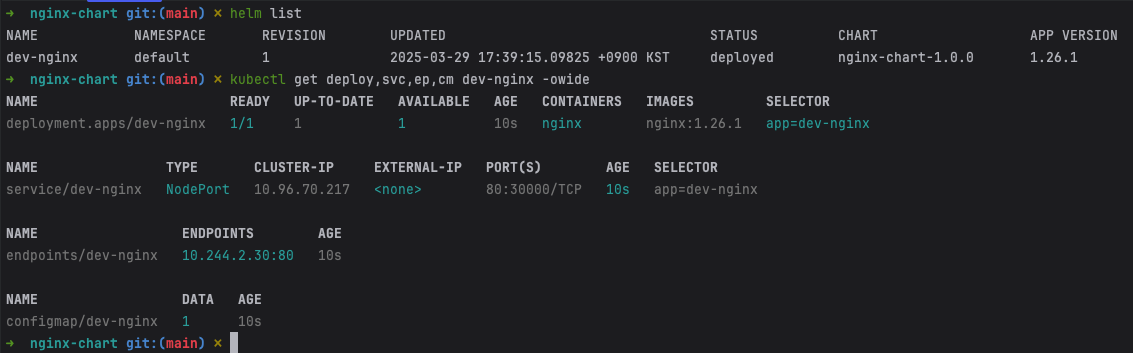
- curl 및 사이트 접속
curl http://127.0.0.1:30000
curl -s http://127.0.0.1:30000 | grep version
open http://127.0.0.1:30000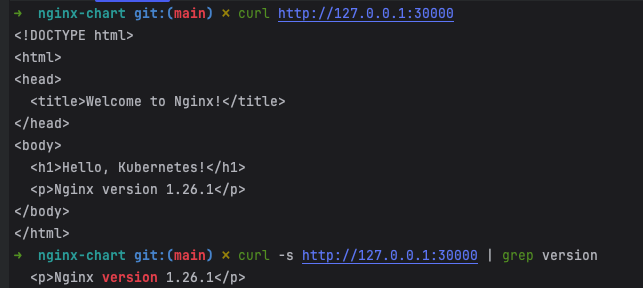
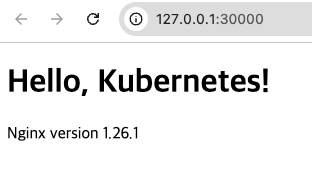
- value 값 변경 : version/tag, replicaCount
cat > values.yaml <<EOF
indexHtml: |
  <!DOCTYPE html>
  <html>
  <head>
    <title>Welcome to Nginx!</title>
  </head>
  <body>
    <h1>Hello, Kubernetes!</h1>
    <p>Nginx version 1.26.2</p>
  </body>
  </html>

image:
  repository: nginx
  tag: 1.26.2

replicaCount: 2
EOF

sed -i '' "s|1.26.1|1.26.2|g" Chart.yaml
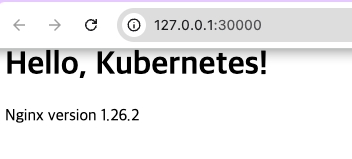
- helm 적용 및 확인 : 버전이 변경 된것을 확인
# helm chart 업그레이드 적용
helm template dev-nginx . -f values.yaml # 적용 전 렌더링 확인 Render chart templates locally and display the output.
helm upgrade dev-nginx . -f values.yaml

# 확인
helm list
kubectl get deploy,svc,ep,cm dev-nginx -owide
curl http://127.0.0.1:30000
curl -s http://127.0.0.1:30000 | grep version
open http://127.0.0.1:30000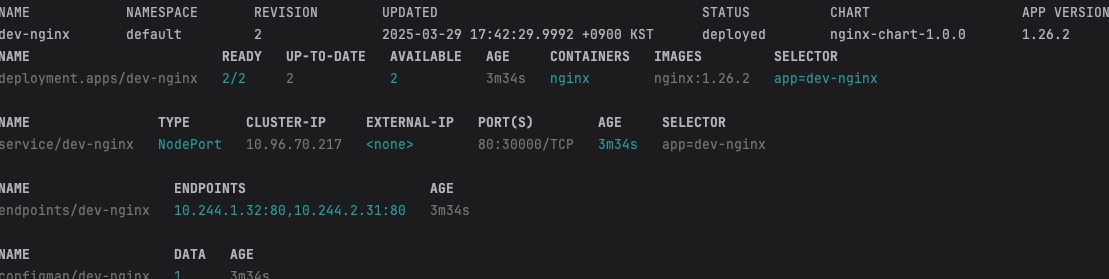
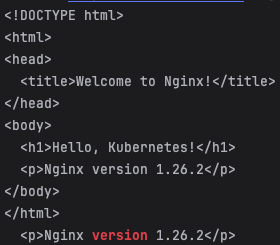
- 확인 후 삭제
helm uninstall dev-nginx
Repo에 nginx Helm chart를 ArgoCD으로 배포 - 1
git 작업
- git clone
cd cicd-labs

TOKEN=095fc8096d0d8055c5264f996489cfae34d4fe9e
MyIP=192.168.35.185

git clone http://devops:$TOKEN@$MyIP:3000/devops/ops-deploy.git
cd ops-deploy
- git config 설정
#
git --no-pager config --local --list
git config --local user.name "devops"
git config --local user.email "a@a.com"
git config --local init.defaultBranch main
git config --local credential.helper store
git --no-pager config --local --list
cat .git/config
- 브랜치 확인
git --no-pager branch
git remote -v
- code 작업
VERSION=1.26.1
mkdir nginx-chart
mkdir nginx-chart/templates

cat > nginx-chart/VERSION <<EOF
$VERSION
EOF

cat > nginx-chart/templates/configmap.yaml <<EOF
apiVersion: v1
kind: ConfigMap
metadata:
  name: {{ .Release.Name }}
data:
  index.html: |
{{ .Values.indexHtml | indent 4 }}
EOF

cat > nginx-chart/templates/deployment.yaml <<EOF
apiVersion: apps/v1
kind: Deployment
metadata:
  name: {{ .Release.Name }}
spec:
  replicas: {{ .Values.replicaCount }}
  selector:
    matchLabels:
      app: {{ .Release.Name }}
  template:
    metadata:
      labels:
        app: {{ .Release.Name }}
    spec:
      containers:
      - name: nginx
        image: {{ .Values.image.repository }}:{{ .Values.image.tag }}
        ports:
        - containerPort: 80
        volumeMounts:
        - name: index-html
          mountPath: /usr/share/nginx/html/index.html
          subPath: index.html
      volumes:
      - name: index-html
        configMap:
          name: {{ .Release.Name }}
EOF

cat > nginx-chart/templates/service.yaml <<EOF
apiVersion: v1
kind: Service
metadata:
  name: {{ .Release.Name }}
spec:
  selector:
    app: {{ .Release.Name }}
  ports:
  - protocol: TCP
    port: 80
    targetPort: 80
    nodePort: 30000
  type: NodePort
EOF

cat > nginx-chart/values-dev.yaml <<EOF
indexHtml: |
  <!DOCTYPE html>
  <html>
  <head>
    <title>Welcome to Nginx!</title>
  </head>
  <body>
    <h1>Hello, Kubernetes!</h1>
    <p>DEV : Nginx version $VERSION</p>
  </body>
  </html>

image:
  repository: nginx
  tag: $VERSION

replicaCount: 1
EOF

cat > nginx-chart/values-prd.yaml <<EOF
indexHtml: |
  <!DOCTYPE html>
  <html>
  <head>
    <title>Welcome to Nginx!</title>
  </head>
  <body>
    <h1>Hello, Kubernetes!</h1>
    <p>PRD : Nginx version $VERSION</p>
  </body>
  </html>

image:
  repository: nginx
  tag: $VERSION

replicaCount: 2
EOF

cat > nginx-chart/Chart.yaml <<EOF
apiVersion: v2
name: nginx-chart
description: A Helm chart for deploying Nginx with custom index.html
type: application
version: 1.0.0
appVersion: "$VERSION"
EOF
- 파일 생성 확인
tree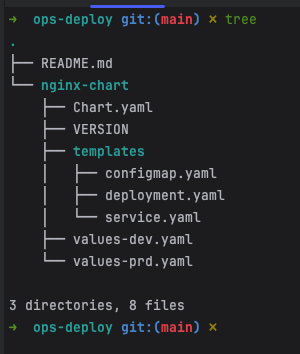
- helm template 확인 및 변수 선언
helm template dev-nginx nginx-chart -f nginx-chart/values-dev.yaml
helm template prd-nginx nginx-chart -f nginx-chart/values-prd.yaml
DEVNGINX=$(helm template dev-nginx nginx-chart -f nginx-chart/values-dev.yaml | sed 's/---//g')
PRDNGINX=$(helm template prd-nginx nginx-chart -f nginx-chart/values-prd.yaml | sed 's/---//g')
diff <(echo "$DEVNGINX") <(echo "$PRDNGINX")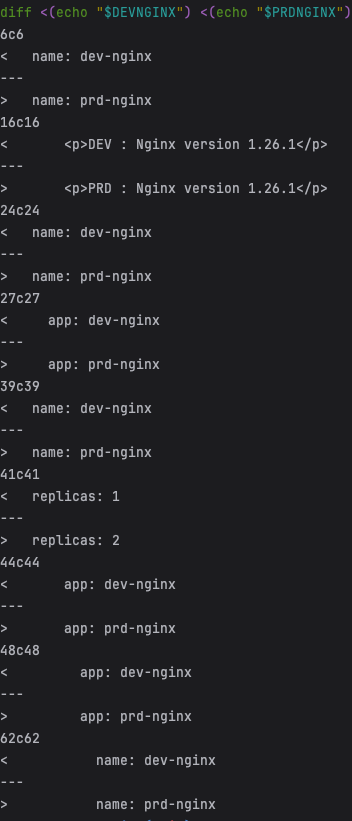
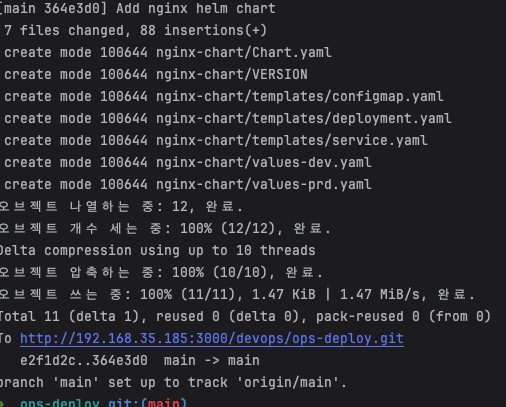
- git push
- code
git add . && git commit -m "Add nginx helm chart" && git push -u origin main - 결과 확인
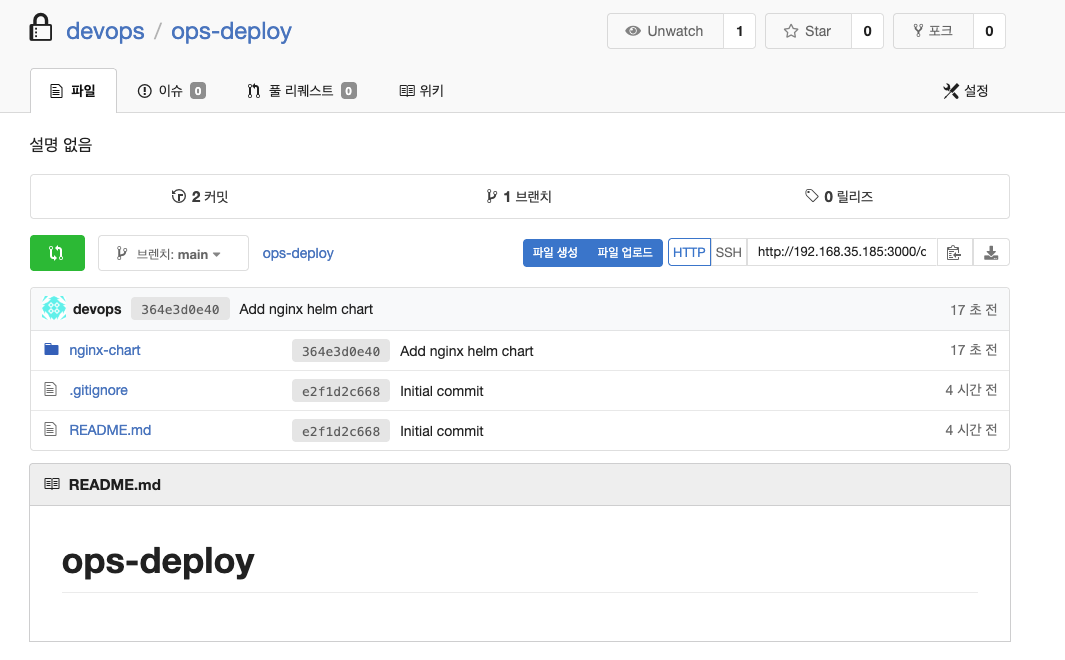
- code
Argo CD App 등록
- Application → NEW APP 버튼 클릭
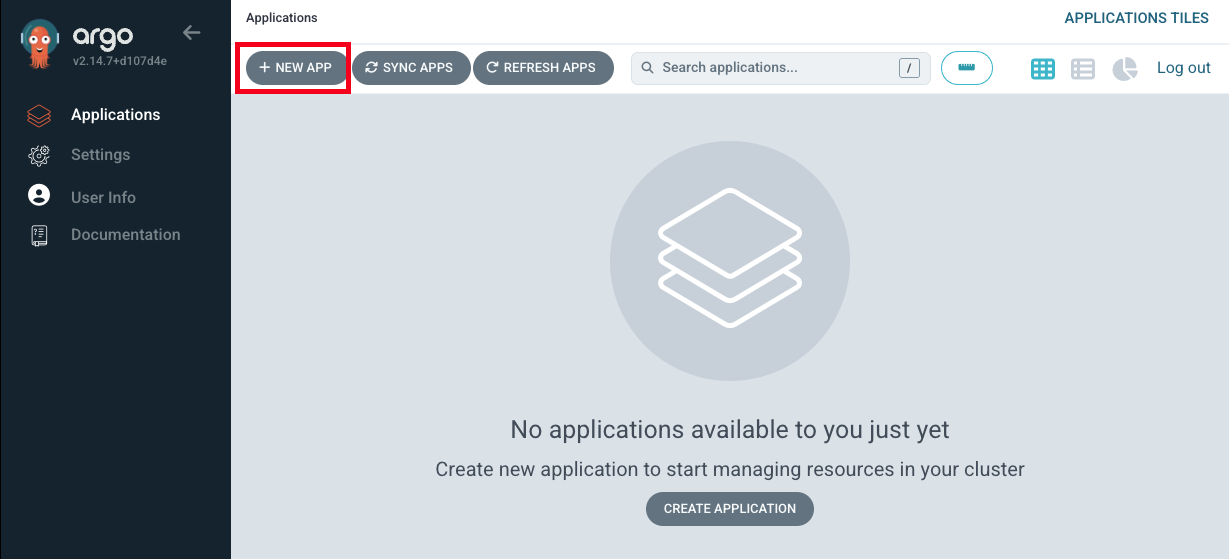
- GENERAL 입력
-
App Name : dev-nginx
-
Project Name : default
-
SYNC POLICY : Manual
- AUTO-CREATE NAMESPACE : 클러스터에 네임스페이스가 없을 시 argocd에 입력한 이름으로 자동 생성
- APPLY OUT OF SYNC ONLY : 현재 동기화 상태가 아닌 리소스만 배포
-
SYNC OPTIONS : AUTO-CREATE NAMESPACE(Check)
-
PRUNE PROPAGATION POLICY
- foreground : 부모(소유자, ex. deployment) 자원을 먼저 삭제함
- background : 자식(종속자, ex. pod) 자원을 먼저 삭제함
- orphan : 고아(소유자는 삭제됐지만, 종속자가 삭제되지 않은 경우) 자원을 삭제함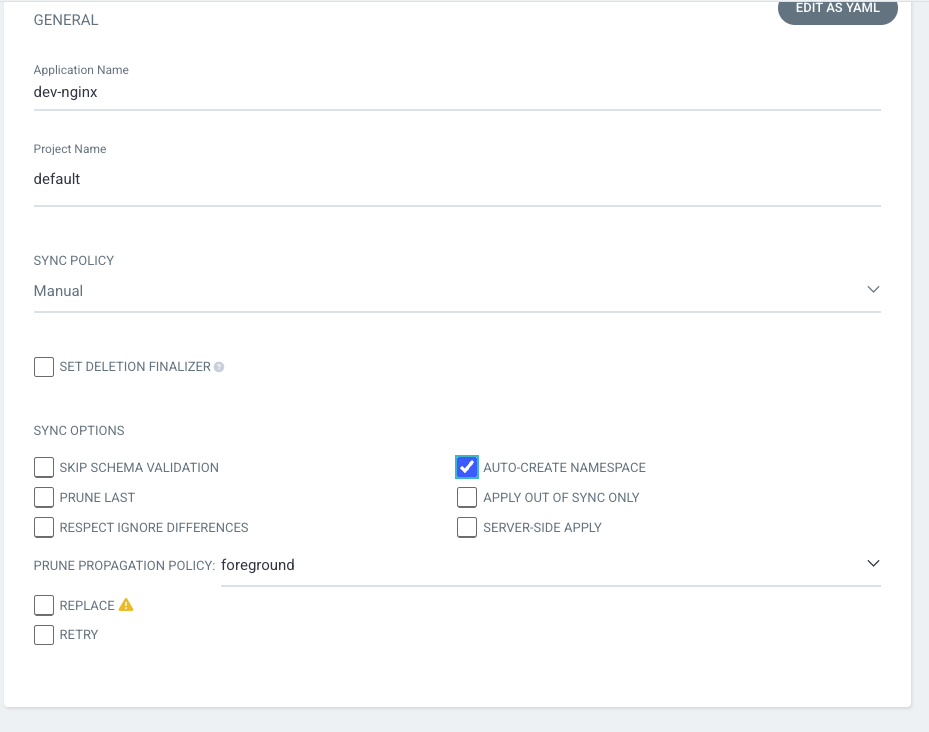
-
-
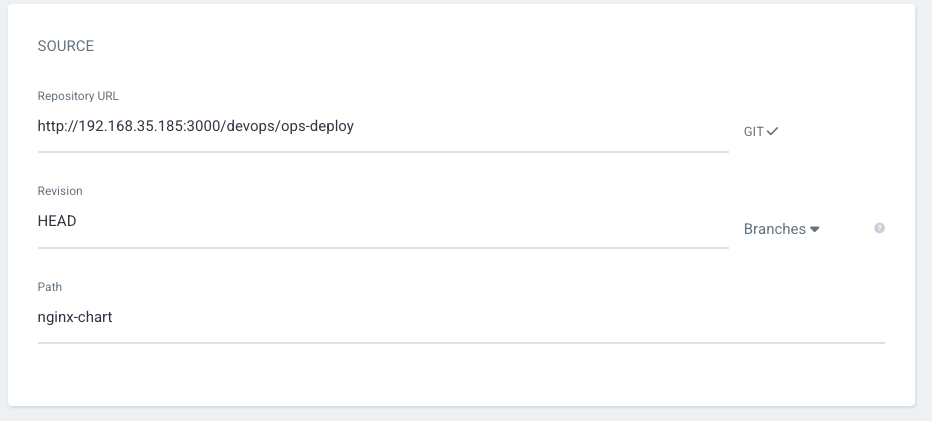
Source 입력
-
Repo URL : http://192.168.35.185:3000/devops/ops-deploy 입력
-
Revision : HEAD
-
PATH : nginx-chart
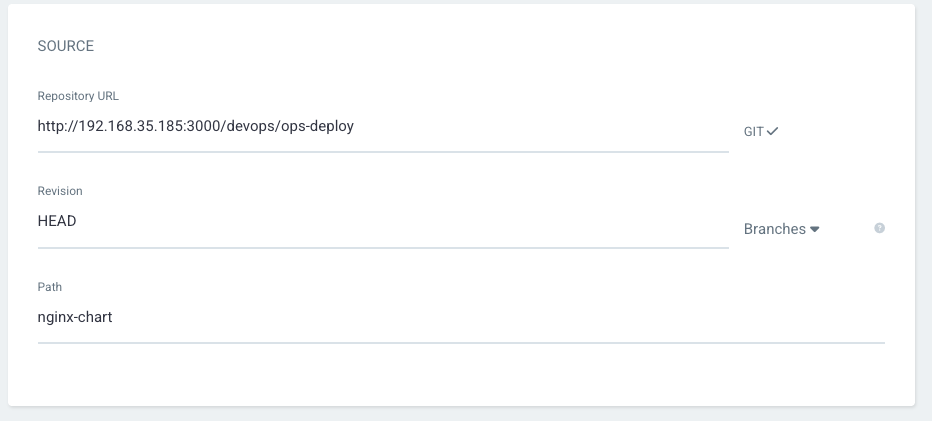
-
-
DESTINATION 입력
-
Cluster URL : https://kubernetes.default.svc (기본값)
-
NAMESPACE : dev-nginx
-
-
HELM 선택
- Values files : values-dev.yaml 선택
-
작성 후 create 클릭
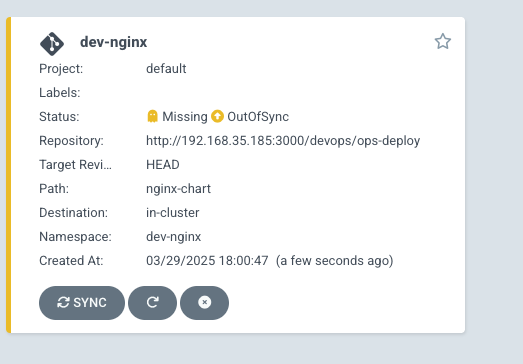
- APP 클릭 후 → DIFF 클릭
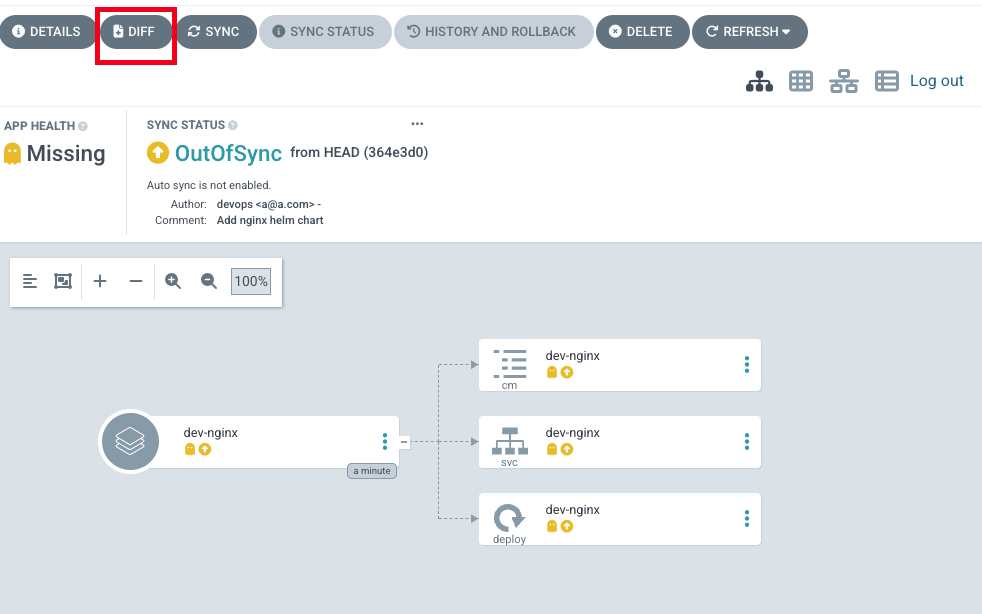
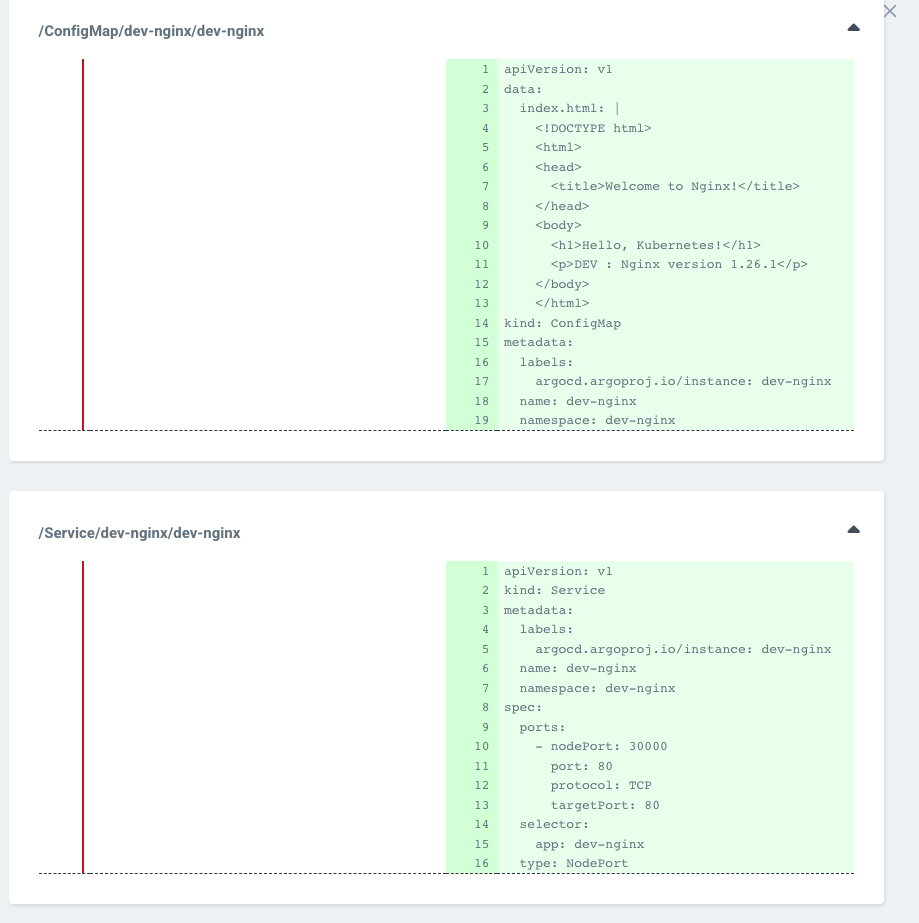
- k8s 명령어로 확인
- code
kubectl get applications -n argocd - 확인 결과

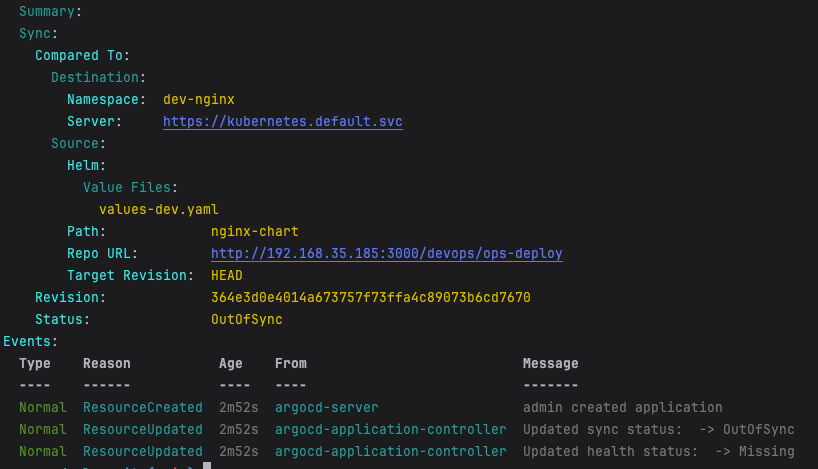
- code
- SYNC 진행
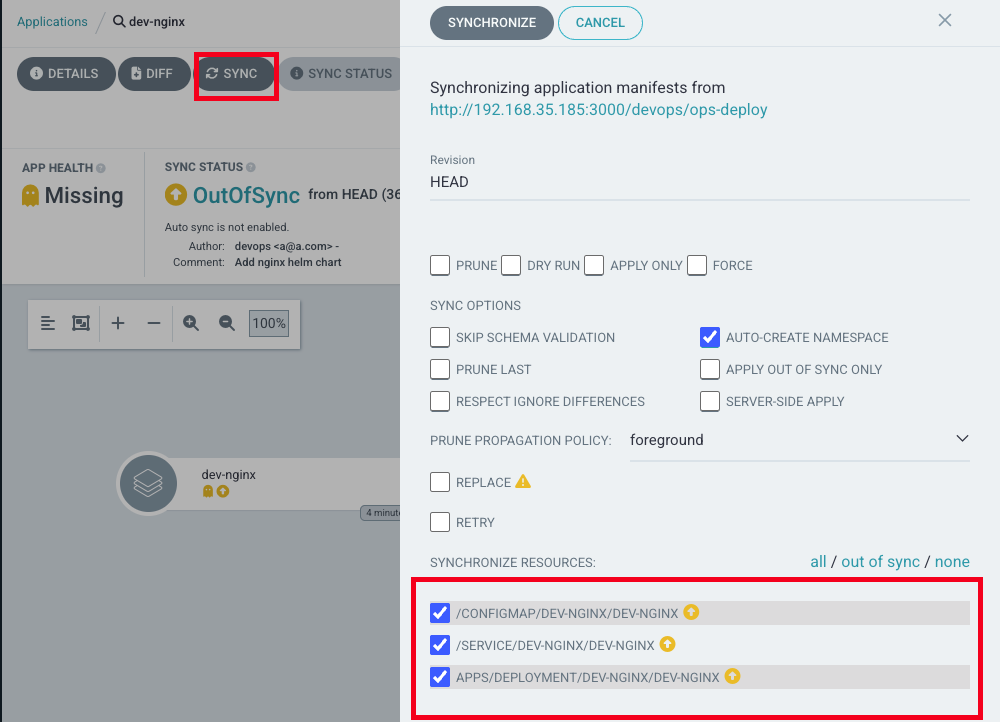
- K8S 반영 확인
- code
# 아래 처럼 yaml 로 APP 생성 가능 kubectl get applications -n argocd kubectl get applications -n argocd -o yaml | kubectl neat # 배포 확인 kubectl get all -n dev-nginx -o wide - 확인 결과

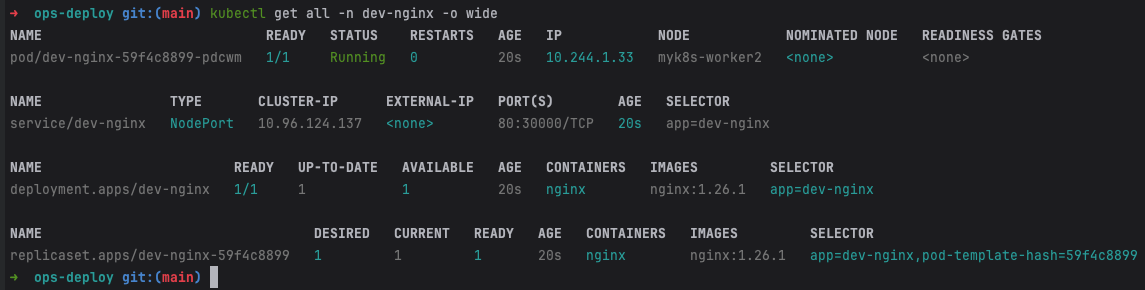
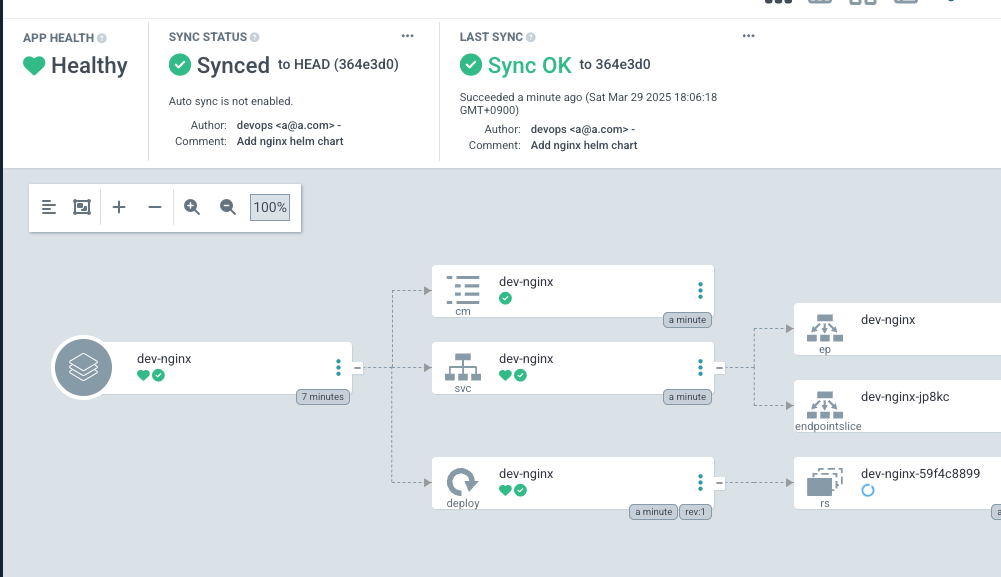
- code
K8S Live 수정 시도 (테스트 진행)
1.26.2 버전으로 업데이트 후 반영 확인
- code
#
VERSION=1.26.2

cat > nginx-chart/VERSION <<EOF
$VERSION
EOF

cat > nginx-chart/values-dev.yaml <<EOF
indexHtml: |
  <!DOCTYPE html>
  <html>
  <head>
    <title>Welcome to Nginx!</title>
  </head>
  <body>
    <h1>Hello, Kubernetes!</h1>
    <p>DEV : Nginx version $VERSION</p>
  </body>
  </html>

image:
  repository: nginx
  tag: $VERSION

replicaCount: 2
EOF

cat > nginx-chart/values-prd.yaml <<EOF
indexHtml: |
  <!DOCTYPE html>
  <html>
  <head>
    <title>Welcome to Nginx!</title>
  </head>
  <body>
    <h1>Hello, Kubernetes!</h1>
    <p>PRD : Nginx version $VERSION</p>
  </body>
  </html>

image:
  repository: nginx
  tag: $VERSION

replicaCount: 2
EOF

cat > nginx-chart/Chart.yaml <<EOF
apiVersion: v2
name: nginx-chart
description: A Helm chart for deploying Nginx with custom index.html
type: application
version: 1.0.0
appVersion: "$VERSION"
EOF

#
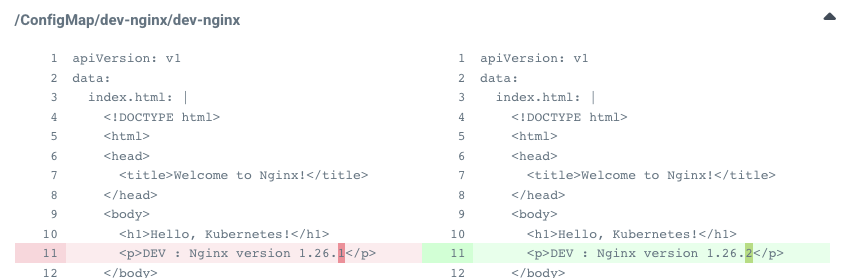
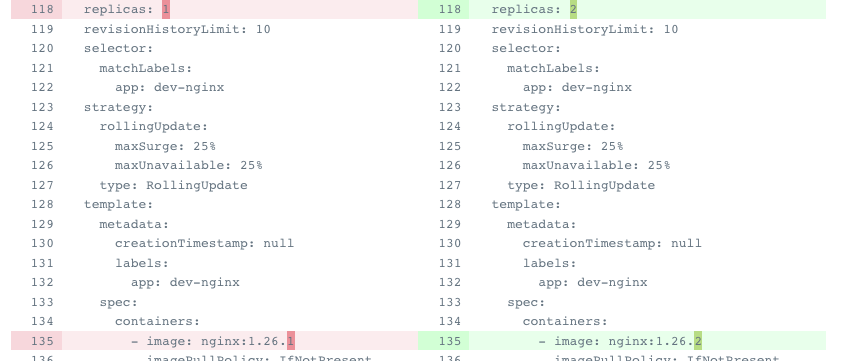
git add . && git commit -m "Update nginx version $(cat nginx-chart/VERSION)" && git push -u origin main
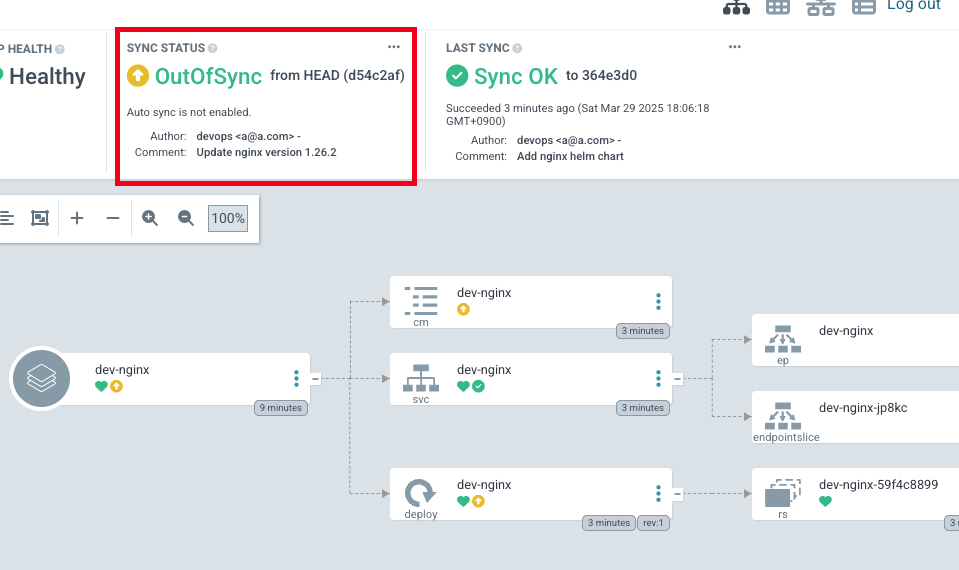
- Argo CD 확인 → sync가 깨진 것을 확인
- Diff로 확인
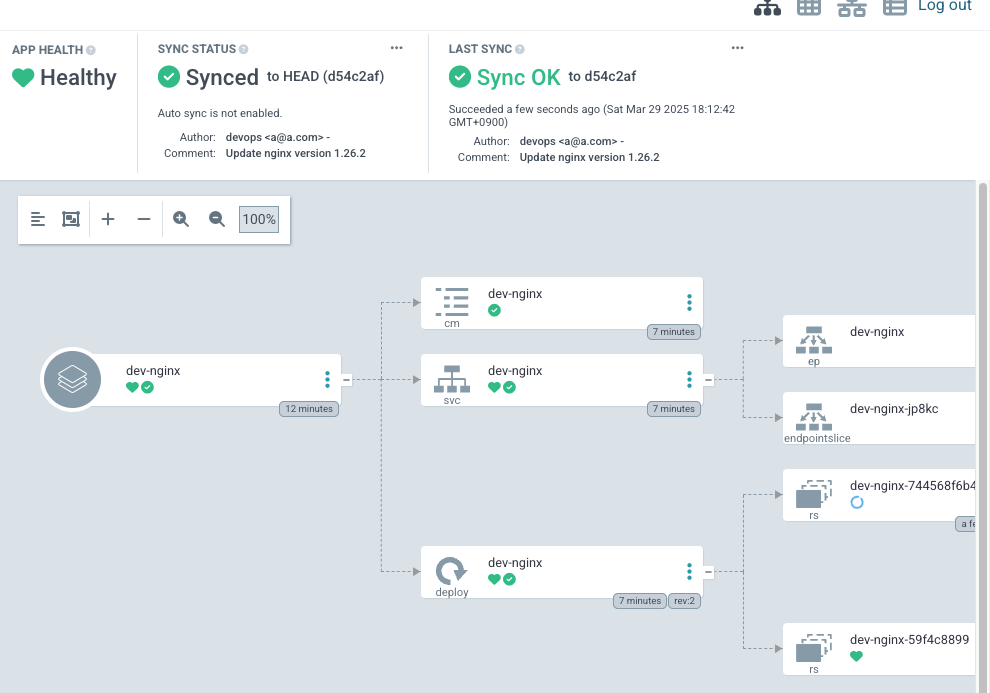
- Sync 진행
- Argo CD 웹에서 App 삭제
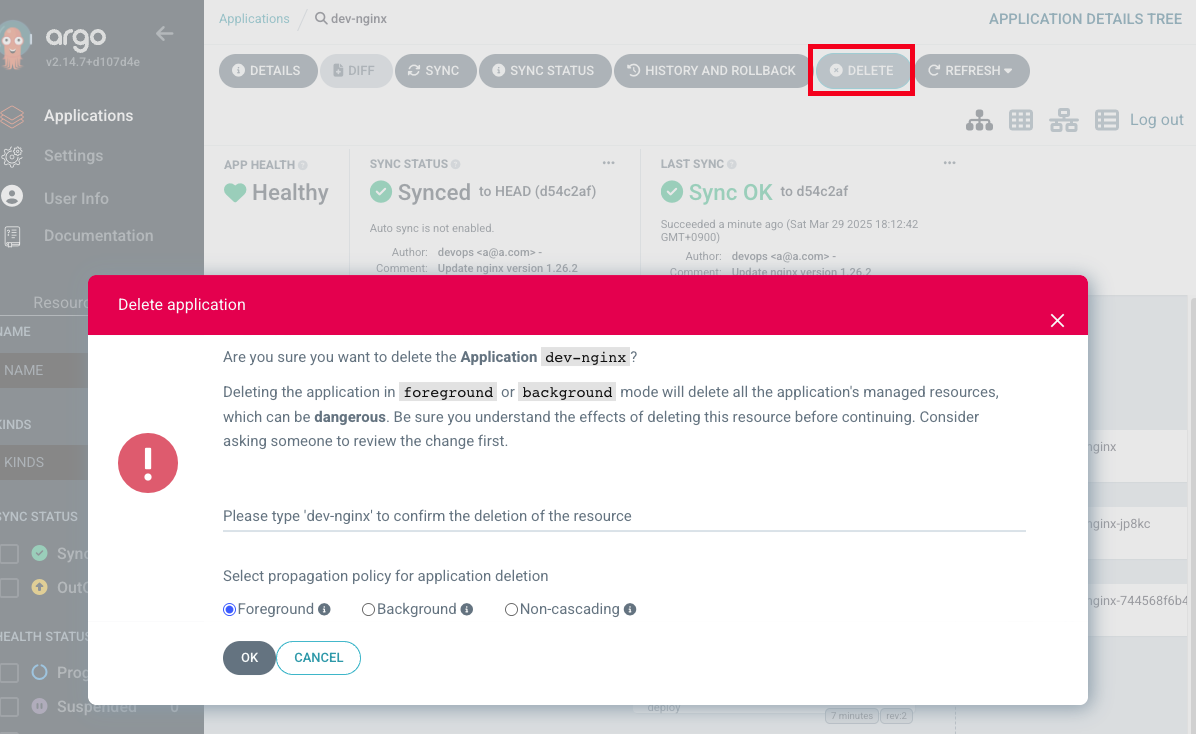
- k8s에서 확인 : 삭제가 되는 것을 확인

Repo에 nginx Helm chart를 ArgoCD으로 배포 - 2
ArgoCD Finalizers 동작 방식
 출처 : https://kubernetes.io/blog/2021/05/14/using-finalizers-to-control-deletion/
- 목적: Kubernetes 리소스 삭제 시 관리 대상 리소스의 안전한 정리를 보장합니다.
- 작동 방식:
metadata.finalizers필드에 정의된 Finalizer(예:resources-finalizer.argocd.argoproj.io)가 있으면, 리소스 삭제 요청 시 즉시 삭제되지 않고 "Terminating" 상태로 전환됩니다.- ArgoCD 컨트롤러가 해당 애플리케이션과 연결된 모든 리소스(Pod, Service 등)를 먼저 삭제한 후, Finalizer를 제거하여 최종 삭제를 허용합니다.
- 핵심 기능:
- 의존성 리소스 자동 정리: 애플리케이션 삭제 시 GitOps 원칙에 따라 클러스터 상태를 Git 선언 상태와 일치시킵니다.
- 고아 리소스 방지: 실수로 남은 리소스로 인한 충돌/오류를 차단합니다.
ArgoCD Finalizers의 사용 목적
- 리소스 정리 보장
- 문제 방지: ArgoCD가 관리하는 Kubernetes 리소스(예: Deployment, Service)가 실수로 고아 (Orphaned) 로 남는 것을 방지합니다.
- 작동 방식:
Application리소스 삭제 요청 시, ArgoCD Finalizer가 삭제를 지연시킵니다.- ArgoCD 컨트롤러가 먼저 해당 애플리케이션으로 배포된 모든 하위 리소스를 정리한 후, Finalizer를 제거합니다.
- 이후 Kubernetes가
Application리소스를 완전히 삭제합니다.
- 선언적 상태의 일관성 유지
- GitOps 원칙 준수: Git 저장소에 정의된 상태와 클러스터의 실제 상태를 동기화합니다.
- 예시
- Git에서 애플리케이션을 제거하면, ArgoCD Finalizer는 클러스터에서 해당 리소스를 안전하게 제거한 후에만
Application리소스 삭제를 허용합니다. - 이를 통해 의도하지 않은 리소스 남김을 방지합니다.
- Git에서 애플리케이션을 제거하면, ArgoCD Finalizer는 클러스터에서 해당 리소스를 안전하게 제거한 후에만
- 동시 작업 충돌 방지
- 동기화 중 삭제 차단: ArgoCD가 리소스를 동기화(Sync) 또는 조정(Reconcile) 중일 때 삭제 요청이 발생하면, Finalizer는 작업 완료 시까지 삭제를 지연시켜 데이터 일관성을 보장합니다.
- App of Apps 패턴 지원
- 여러 애플리케이션을 계층적으로 관리할 떄, 상위 애플리케이션 삭제 시 하위 리소스까지 정리하도록 합니다.
dev-nginx App 생성 및 Auto SYNC
- dev-nginx App
#
cat <<EOF | kubectl apply -f -
apiVersion: argoproj.io/v1alpha1
kind: Application
metadata:
  name: dev-nginx
  namespace: argocd
  finalizers:
  - resources-finalizer.argocd.argoproj.io
spec:
  project: default
  source:
    helm:
      valueFiles:
      - values-dev.yaml
    path: nginx-chart
    repoURL: http://192.168.35.185:3000/devops/ops-deploy
    targetRevision: HEAD
  syncPolicy:
    automated:
      prune: true
    syncOptions:
    - CreateNamespace=true
  destination:
    namespace: dev-nginx
    server: https://kubernetes.default.svc
EOF
- 사이트 접속 확인
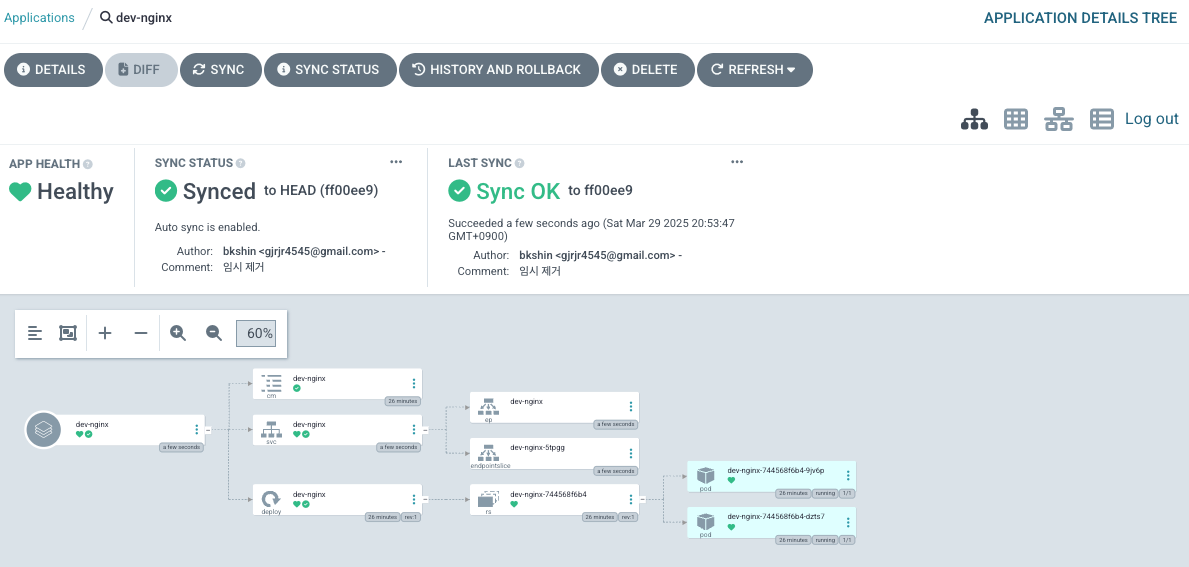
- 삭제 진행
# Argo CD App 삭제
kubectl delete applications -n argocd dev-nginx
prd-nginx App 생성 및 Auto SYNC
- prd-nginx App
cat <<EOF | kubectl apply -f -
apiVersion: argoproj.io/v1alpha1
kind: Application
metadata:
  name: prd-nginx
  namespace: argocd
  finalizers:
  - resources-finalizer.argocd.argoproj.io
spec:
  destination:
    namespace: prd-nginx
    server: https://kubernetes.default.svc
  project: default
  source:
    helm:
      valueFiles:
      - values-prd.yaml
    path: nginx-chart
    repoURL: http://192.168.35.185:3000/devops/ops-deploy
    targetRevision: HEAD
  syncPolicy:
    automated:
      prune: true
    syncOptions:
    - CreateNamespace=true
EOF
- 사이트 접속 확인
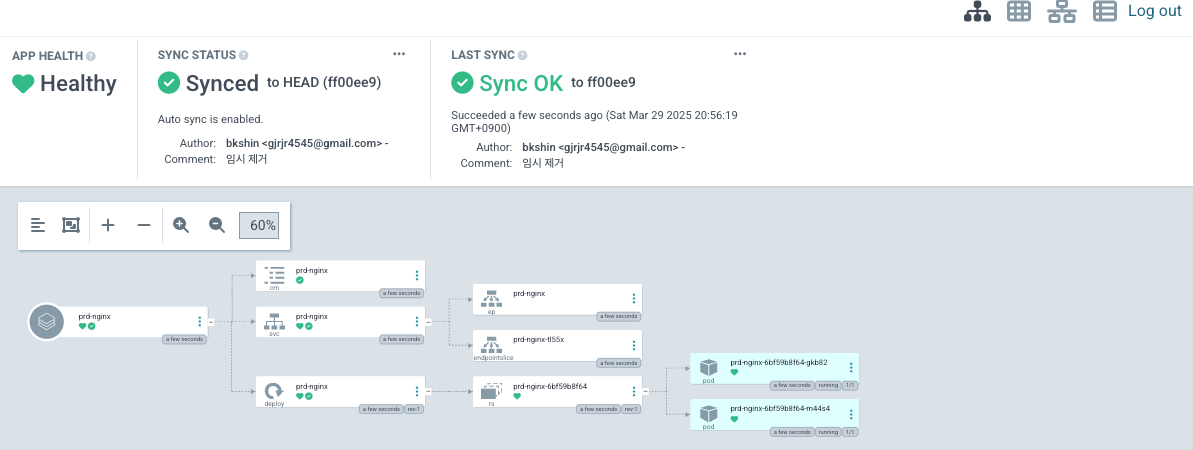
- 삭제 진행
kubectl delete applications -n argocd prd-nginx
Repo 와 Webhook을 연결하여 Argo CD에 즉시 반영
-
Repo(ops-deploy) 에 webhooks → Gogs 선택
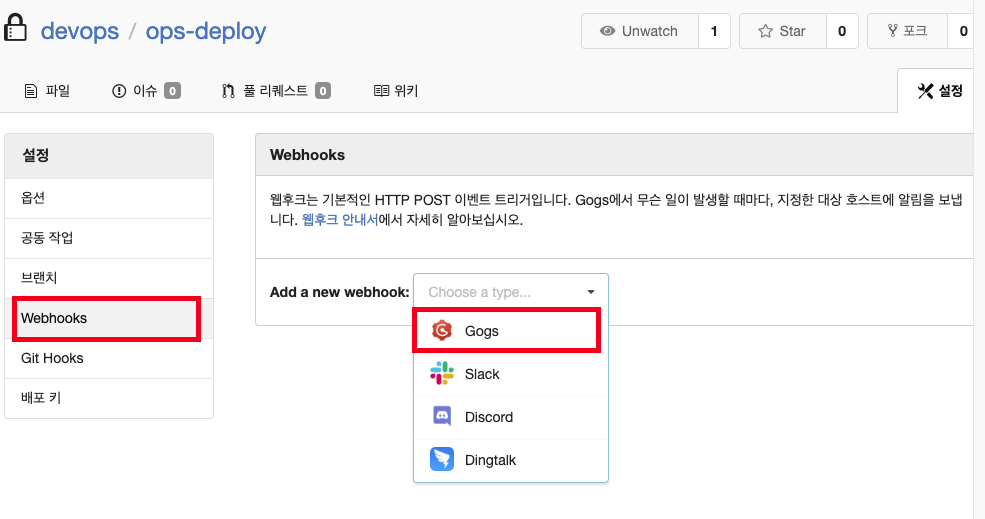
- PayLoad URL : http://192.168.35.185:30002/api/webhook
- 나머지 : 기본값
-
API 테스트 진행
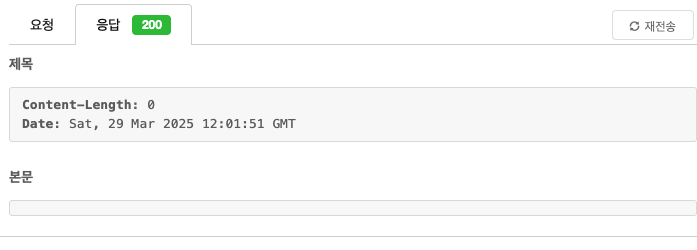
- dev-nginx App 생성 및 Auto SYNC
cat <<EOF | kubectl apply -f -
apiVersion: argoproj.io/v1alpha1
kind: Application
metadata:
  name: dev-nginx
  namespace: argocd
  finalizers:
  - resources-finalizer.argocd.argoproj.io
spec:
  project: default
  source:
    helm:
      valueFiles:
      - values-dev.yaml
    path: nginx-chart
    repoURL: http://192.168.35.185:3000/devops/ops-deploy
    targetRevision: HEAD
  syncPolicy:
    automated:
      prune: true
    syncOptions:
    - CreateNamespace=true
  destination:
    namespace: dev-nginx
    server: https://kubernetes.default.svc
EOF
- 사이트 확인
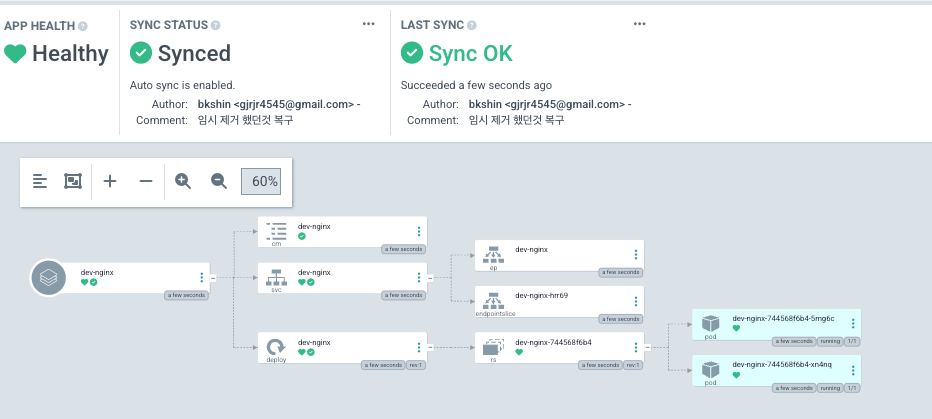
- Git(Gogs) 수정 후 ArgoCD 즉시 반영 확인
#
cd cicd-labs/ops-deploy/nginx-chart

# 테스트 1
sed -i -e "s|replicaCount: 2|replicaCount: 3|g" values-dev.yaml
git add values-dev.yaml && git commit -m "Modify nginx-chart : values-dev.yaml" && git push -u origin main
watch -d kubectl get all -n dev-nginx -o wide

# 테스트 2
sed -i -e "s|replicaCount: 3|replicaCount: 5|g" values-dev.yaml
git add values-dev.yaml && git commit -m "Modify nginx-chart : values-dev.yaml" && git push -u origin main
watch -d kubectl get all -n dev-nginx -o wide
- 테스트 1 : 파드 3개로 증가 확인
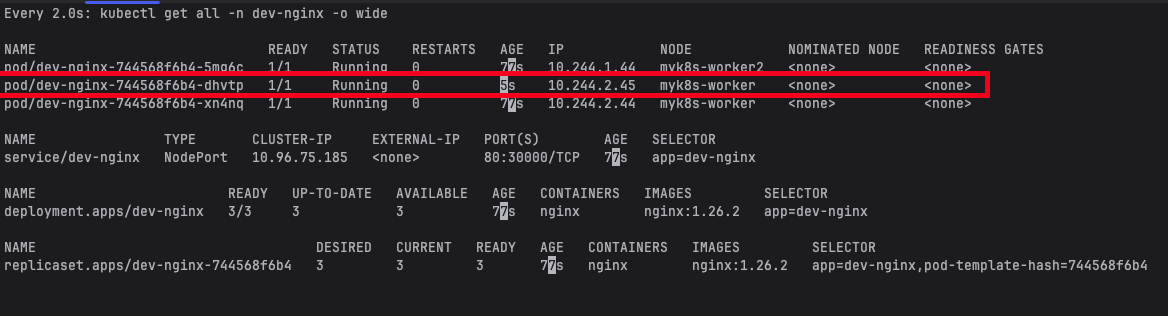
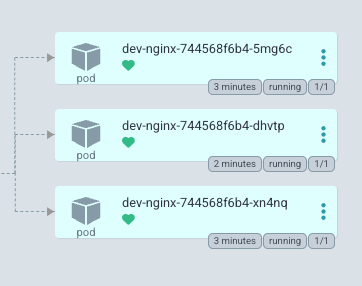
- 테스트 2 : 파드 5개로 증가
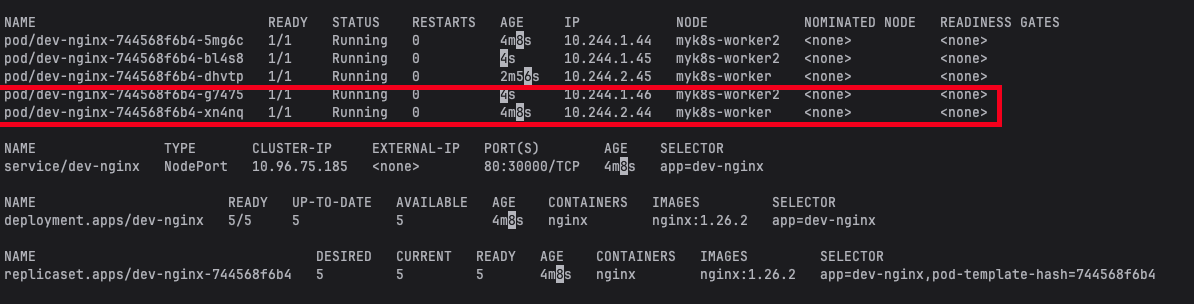
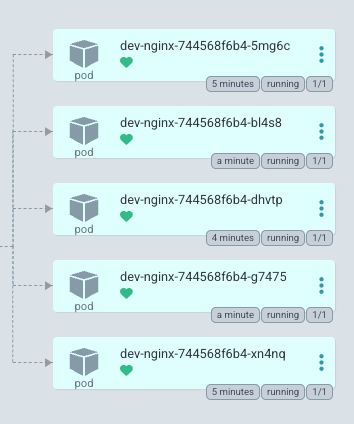
- Argo CD App 삭제
kubectl delete applications -n argocd dev-nginx
4. Jenkins CI + Argo CD + K8S(kind)
Full CI/CD 구성도
출처 : AEKS 3기 스터디
Repo 기본 코드 작업
- 폴더 생성 및 환경 변수 세팅
cd ops-deploy

#
mkdir dev-app

# 도커 계정 정보
DHUSER=<도커 허브 계정>
DHUSER=gjrjr4545

# 버전 정보
VERSION=0.0.1
- 파일 생성
cat > dev-app/VERSION <<EOF
$VERSION
EOF

cat > dev-app/timeserver.yaml <<EOF
apiVersion: apps/v1
kind: Deployment
metadata:
  name: timeserver
spec:
  replicas: 2
  selector:
    matchLabels:
      pod: timeserver-pod
  template:
    metadata:
      labels:
        pod: timeserver-pod
    spec:
      containers:
      - name: timeserver-container
        image: docker.io/$DHUSER/dev-app:$VERSION
        livenessProbe:
          initialDelaySeconds: 30
          periodSeconds: 30
          httpGet:
            path: /healthz
            port: 80
            scheme: HTTP
          timeoutSeconds: 5
          failureThreshold: 3
          successThreshold: 1
      imagePullSecrets:
      - name: dockerhub-secret
EOF

cat > dev-app/service.yaml <<EOF
apiVersion: v1
kind: Service
metadata:
  name: timeserver
spec:
  selector:
    pod: timeserver-pod
  ports:
  - port: 80
    targetPort: 80
    protocol: TCP
    nodePort: 30000
  type: NodePort
EOF
- git push
git add . && git commit -m "Add dev-app deployment yaml" && git push -u origin main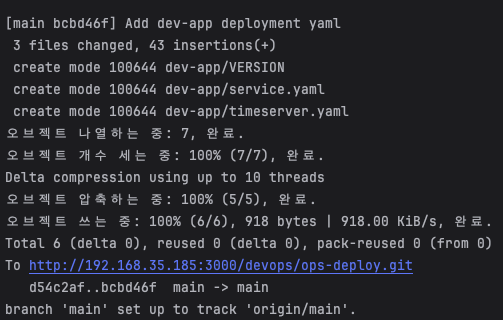
ArgoCD App 생성
- timeserver 배포
#
echo $MyIP

cat <<EOF | kubectl apply -f -
apiVersion: argoproj.io/v1alpha1
kind: Application
metadata:
  name: timeserver
  namespace: argocd
  finalizers:
  - resources-finalizer.argocd.argoproj.io
spec:
  project: default
  source:
    path: dev-app
    repoURL: http://$MyIP:3000/devops/ops-deploy
    targetRevision: HEAD
  syncPolicy:
    automated:
      prune: true
    syncOptions:
    - CreateNamespace=true
  destination:
    namespace: default
    server: https://kubernetes.default.svc
EOF
- 배포 확인
kubectl get applications -n argocd timeserver
kubectl get applications -n argocd timeserver -o yaml | kubectl neat
kubectl describe applications -n argocd timeserver
kubectl get deploy,rs,pod
kubectl get svc,ep timeserver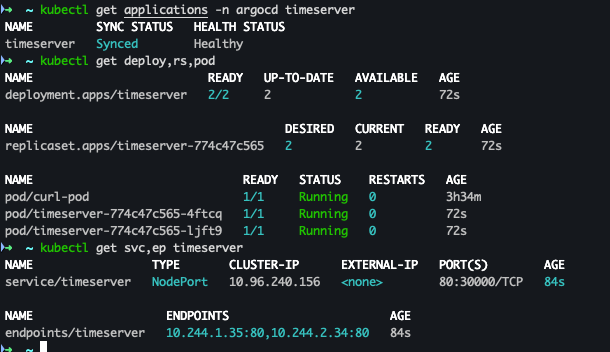
- curl 확인
curl http://127.0.0.1:30000
curl http://127.0.0.1:30000/healthz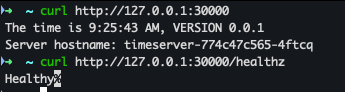
- argoCD 확인
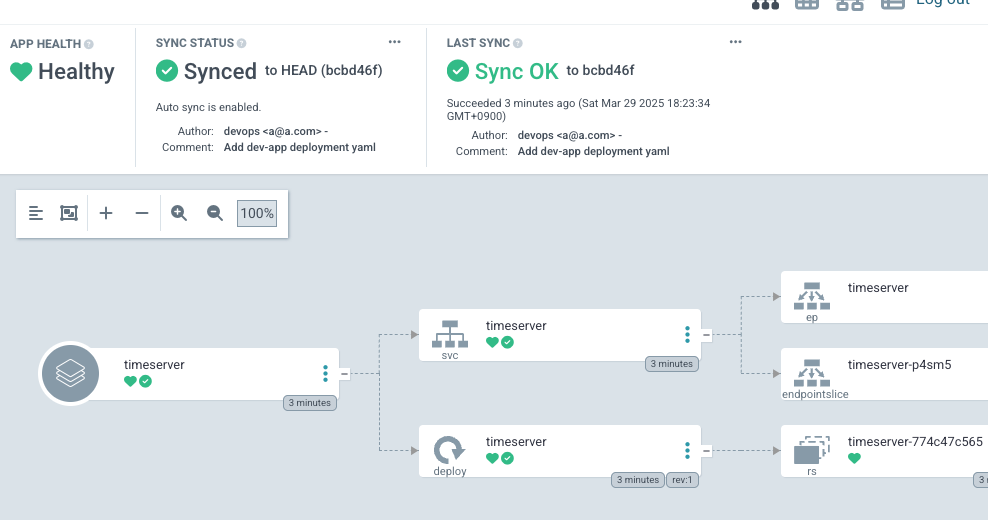
Repo 코드 변경
-
dev-app Repo에 VERSION 업데이트 시 → ops-deploy Repo 에 dev-app 에 파일에 버전 정보 업데이트 작업 추가
-
Jenkins 파일 추가
- 기존 SCM-Pipeline 변경
- code
pipeline {
    agent any
    environment {
        DOCKER_IMAGE = 'gjrjr4545/dev-app' // Docker 이미지 이름
        GOGSCRD = credentials('gogs-crd')
    }
    stages {
        stage('dev-app Checkout') {
            steps {
                 git branch: 'main',
                 url: 'http://192.168.35.185:3000/devops/dev-app.git',  // Git에서 코드 체크아웃
                 credentialsId: 'gogs-crd'  // Credentials ID
            }
        }
        stage('Read VERSION') {
            steps {
                script {
                    // VERSION 파일 읽기
                    def version = readFile('VERSION').trim()
                    echo "Version found: ${version}"
                    // 환경 변수 설정
                    env.DOCKER_TAG = version
                }
            }
        }
        stage('Docker Build and Push') {
            steps {
                script {
                    docker.withRegistry('https://index.docker.io/v1/', 'dockerhub-crd') {
                        // DOCKER_TAG 사용
                        def appImage = docker.build("${DOCKER_IMAGE}:${DOCKER_TAG}")
                        appImage.push()
                        appImage.push("latest")
                    }
                }
            }
        }
        stage('ops-deploy Checkout') {
            steps {
                 git branch: 'main',
                 url: 'http://192.168.35.185:3000/devops/ops-deploy.git',  // Git에서 코드 체크아웃
                 credentialsId: 'gogs-crd'  // Credentials ID
            }
        }
        stage('ops-deploy version update push') {
            steps {
                sh '''
                OLDVER=$(cat dev-app/VERSION)
                NEWVER=$(echo ${DOCKER_TAG})
                sed -i -e "s/$OLDVER/$NEWVER/" dev-app/timeserver.yaml
                sed -i -e "s/$OLDVER/$NEWVER/" dev-app/VERSION
                git add ./dev-app
                git config user.name "devops"
                git config user.email "a@a.com"
                git commit -m "version update ${DOCKER_TAG}"
                git push http://${GOGSCRD_USR}:${GOGSCRD_PSW}@*192.168.254.127*:3000/devops/ops-deploy.git
                '''
            }
        }
    }
    post {
        success {
            echo "Docker image ${DOCKER_IMAGE}:${DOCKER_TAG} has been built and pushed successfully!"
        }
        failure {
            echo "Pipeline failed. Please check the logs."
        }
    }
}
- dev-app git push
- code
cd dev-app

# VERSION, server.py 0.0.4 -> 0.0.8 으로 변경

git add . && git commit -m "VERSION $(cat VERSION) Changed" && git push -u origin main
- code
- Jenkins Pipeline 로그 확인
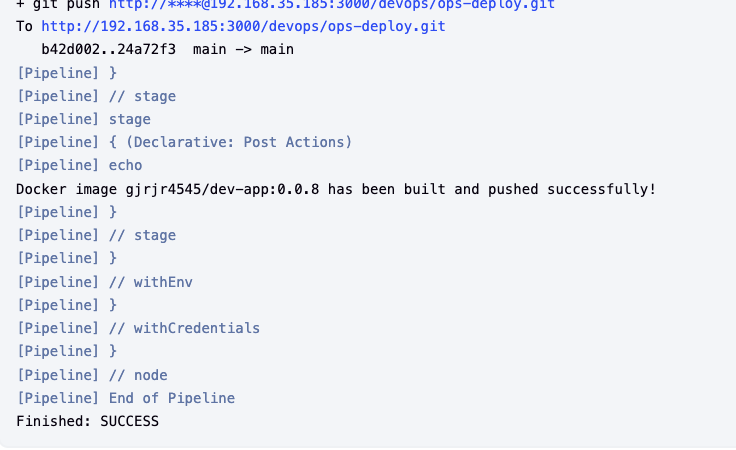
- docker hub Repository 확인

- ops-deploy 확인

- dev-app Repo 한번 더 업데이트 수행
# server.py , VERSION 0.0.8 -> 0.0.9
git add . && git commit -m "VERSION $(cat VERSION) Changed" && git push -u origin main\
- argoCD Sync 확인
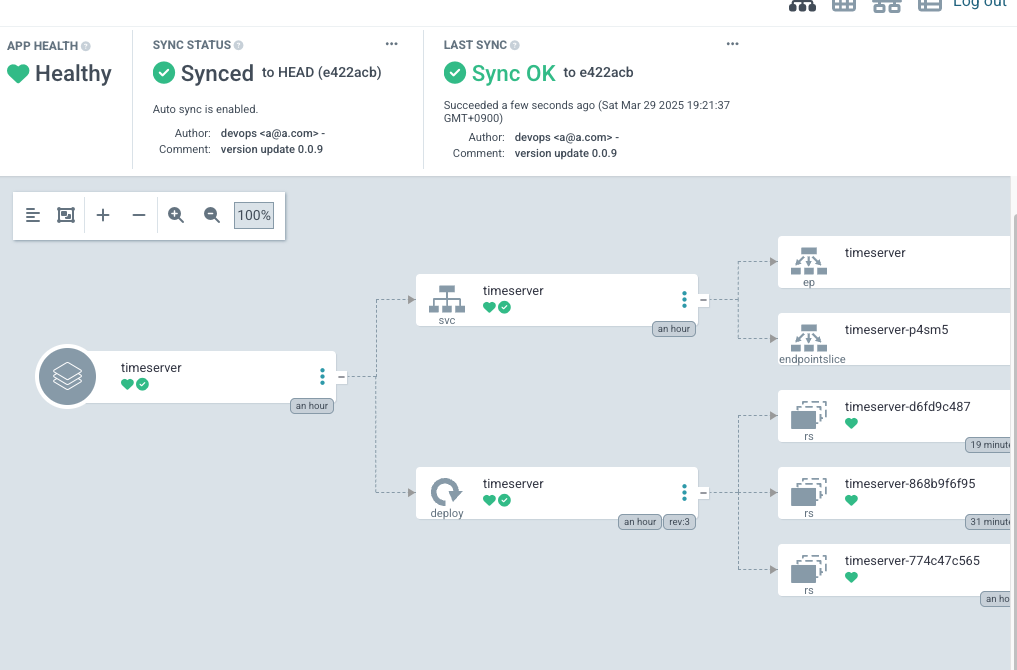
5. ArgoCD Image Updater
ArgoCD Image Updater란?
Argo Image Updater는 Kubernetes 애플리케이션의 컨테이너 이미지를 자동으로 업데이트하는 도구로, Argo CD 생태계의 확장 기능입니다. 주요 목적은 CI 파이프라인에서 새 이미지가 레지스트리에 푸시될 때 GitOps 방식을 유지하면서 배포를 자동화하는 것입니다.
- 작동 방식: 컨테이너 레지스트리(예: Docker Hub, ECR, GCR)를 주기적으로 스캔하여 새 이미지 태그를 감지하고, 이를 Argo CD 애플리케이션의 매니페스트(Helm, Kustomize, YAML)에 반영합니다.
- 업데이트 전략:
latest태그, 정규식 패턴, 시맨틱 버전(SemVer) 등을 기반으로 업데이트 대상을 결정합니다. - 통합 방식:
- Git 리포지터리 업데이트: 새 이미지 버전을 Git에 커밋하여 Argo CD의 동기화를 트리거합니다.
- 클러스터 내 직접 업데이트: GitOps 원칙을 유연하게 적용해 매니페스트를 클러스터에서 직접 수정하기도 합니다(옵션).
Argo CD와의 차이점
ArgoCD 아키텍처
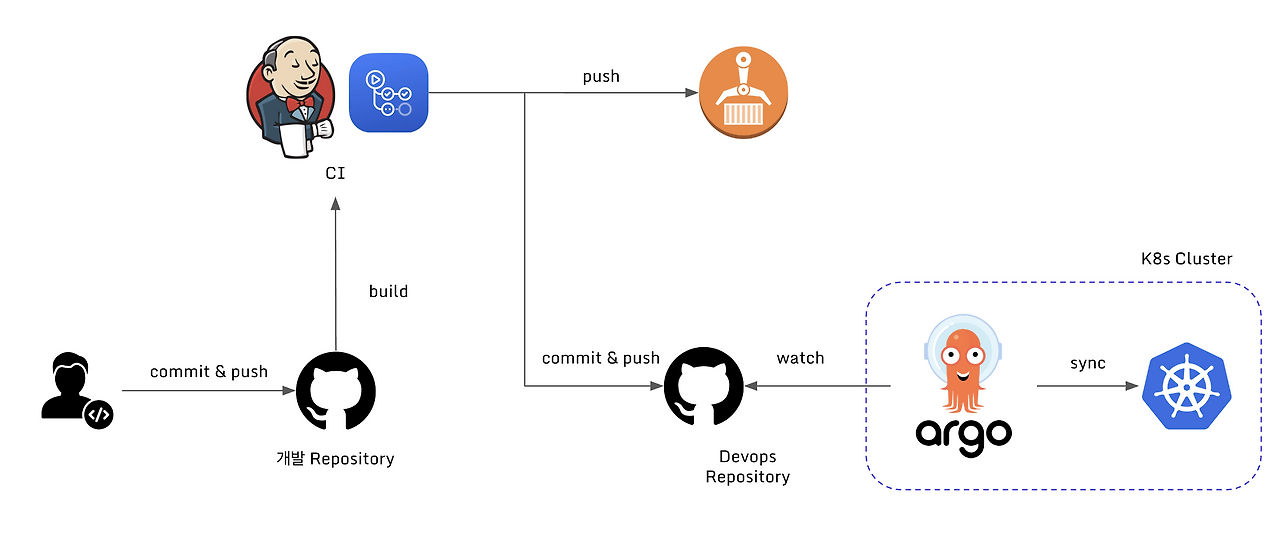 출처 : https://lakescript.net/entry/ArgoCD-Image-Updater#argocd-imageupdater
ArgoCD Image Updater
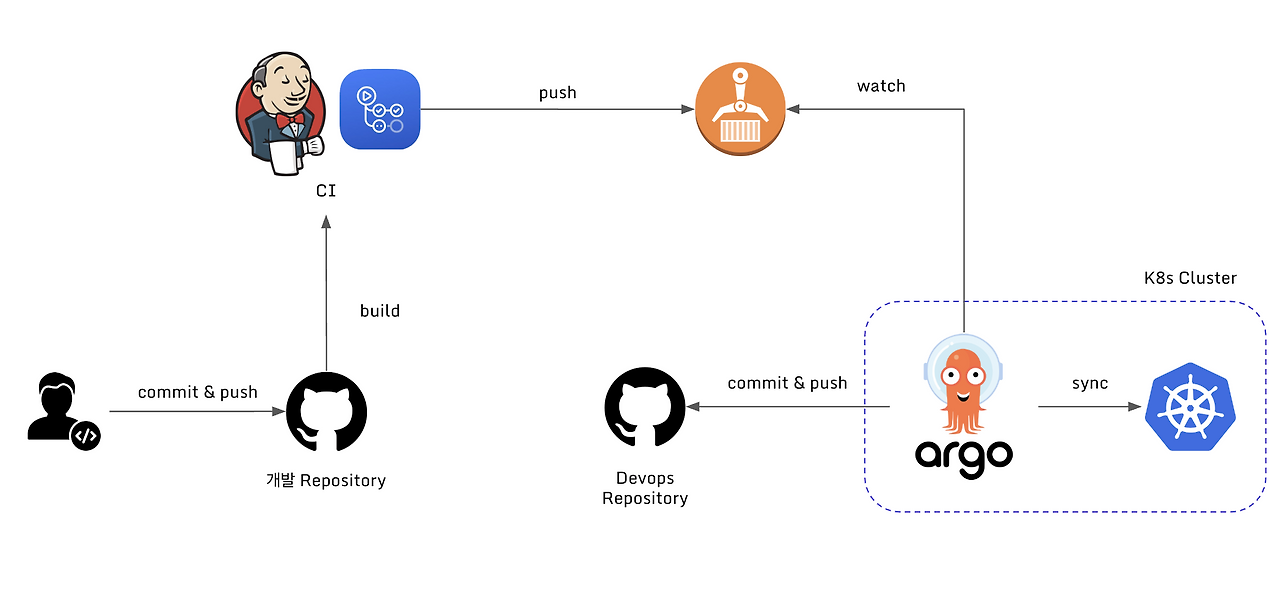 출처 : https://lakescript.net/entry/ArgoCD-Image-Updater#argocd-imageupdater
Argo CD vs Argo Image Updater
| 기능 | Argo CD | Argo Image Updater |
|---|---|---|
| 주요 역할 | Git 저장소의 선언적 상태를 클러스터에 동기화 | 새 컨테이너 이미지 감지 및 버전 자동 갱신 |
| 자동화 범위 | Git 변경 감지 후 배포 | 이미지 레지스트리 변경 감지 후 Git/배포 조정 |
| 의존성 | 독립적 운영 가능 | Argo CD와 연동되어 사용됨 |
| 업데이트 트리거 | Git 커밋, 웹훅, 수동 동기화 | 주기적 레지스트리 스캔 또는 웹훅 |
| 사용 사례 | 배포 상태 관리, 롤백, 드리프트 감지 | CI 파이프라인과 CD 간 연속적 배포 자동화 |
- 목적:
- Argo CD: GitOps 기반 배포 상태 관리 (선언적 선언서 준수).
- Argo Image Updater: CI 이후 단계의 이미지 업데이트 자동화 (GitOps 흐름에 통합).
- 자동화 지점:
- Argo CD는 Git 변경을 기준으로 동작하지만, Image Updater는 외부 레지스트리 변경을 기준으로 Git 또는 클러스터를 조정합니다.
- 상호 보완성:
- Image Updater는 Argo CD의 "GitOps 자동화 갭"을 해결합니다. 예: 개발자가 수동으로 Git의 이미지 버전을 업데이트하지 않아도, CI에서 이미지를 빌드/푸시하면 Image Updater가 이를 감지해 Git 또는 배포에 반영합니다.
- Image Updater는 Argo CD의 "GitOps 자동화 갭"을 해결합니다. 예: 개발자가 수동으로 Git의 이미지 버전을 업데이트하지 않아도, CI에서 이미지를 빌드/푸시하면 Image Updater가 이를 감지해 Git 또는 배포에 반영합니다.
- 전략적 유연성:
- Image Updater는
semver,latest, 정규식 기반 필터링 등 다양한 업데이트 정책을 지원하며, 롤아웃 전 검증(헬스 체크)과 결합할 수 있습니다.
- Image Updater는
ArgoCD Image Updater 제약사항
ArgoCD Image Updater를 사용함에 있어 다음과 같은 제약사항이 있습니다.
- 환경 의존성
- Argo CD 필수: Argo CD로 관리되는 앱에서만 사용 가능.
- Helm/Kustomize 필요: Raw YAML은 지원 안 됨.
- 업데이트 전략 제약
semver/latest등 전략 혼합 시 오류 가능성.- 복잡한 태그 필터링 어려움 (Glob 패턴만 지원).
- GitOps 유연성 문제
- Git 업데이트 한계: Helm/Kustomize 외 형식(JSONnet 등) 미지원.
- Auto-Sync 비활성화 시 중복 업데이트 시도 가능.
- 보안 및 설정 복잡성
- 프라이빗 레지스트리(ECR 등) 연동 시 추가 인증 스크립트 필수.
- 클러스터 내 풀 시크릿만 참조 가능 (외부 시크릿 불가).
6. ArgoCD App-of-Apps
App-of-Apps 패턴 ??
- 부모-자식 관계: 단일 "루트 애플리케이션"(Root Application)이 여러 하위 애플리케이션을 생성하고 관리합니다. 각 하위 애플리케이션은 다시 자체 Kubernetes 리소스(Deployment, Service 등) 또는 다른 애플리케이션을 관리할 수 있습니다.
- 선언적 관리: 모든 애플리케이션의 정의(Manifest)가 Git 저장소에 저장되며, Argo CD가 이를 자동으로 동기화합니다.
기존 방식과 비교
기존 방식
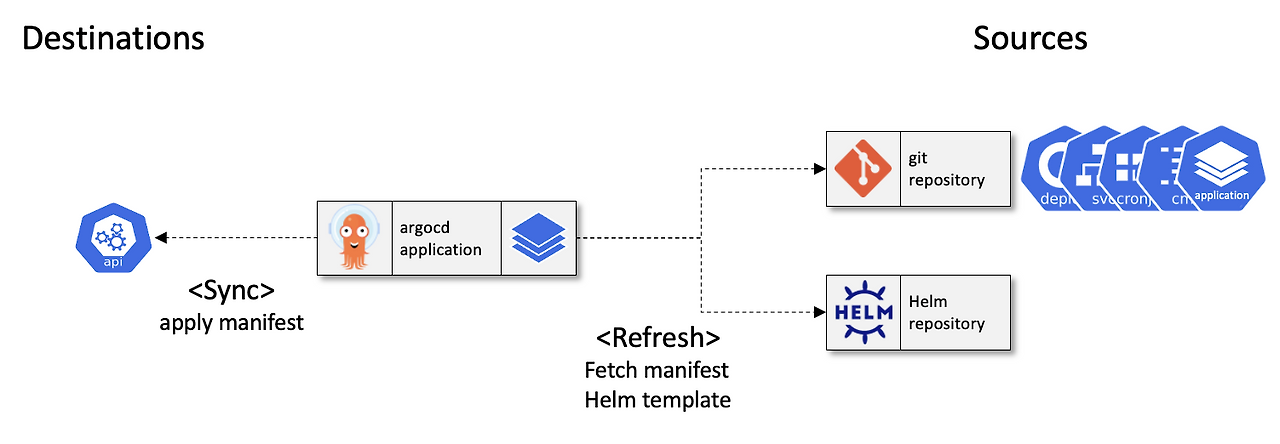 출처 : https://beer1.tistory.com/68
App of apps
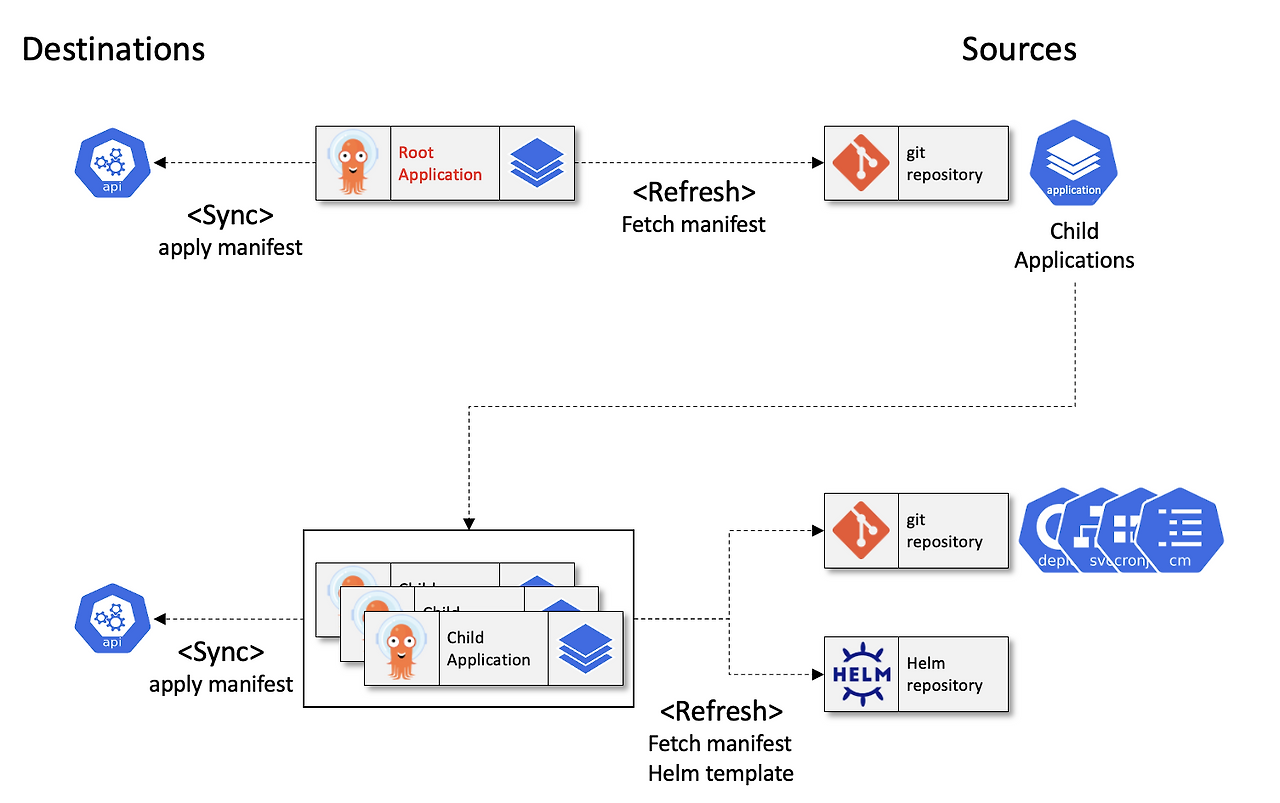 출처 : https://beer1.tistory.com/68
비교
| 구분 | App-of-Apps 패턴 | 기존 방식 |
|---|---|---|
| 관리 방식 | 모든 애플리케이션 설정을 YAML로 Git에 저장 (GitOps 준수) | 수동 생성/삭제 (Git 추적 불가) |
| 확장성 | 템플릿화된 설정 재사용 가능 (Helm/Kustomize 지원) | 매번 수동 입력 필요 (실수 가능성 ↑) |
| 배포 범위 | 멀티 클러스터/네임스페이스 일괄 관리 가능 | 개별 애플리케이션 단위 관리 |
| 의존성 제어 | Sync Waves로 배포 순서 지정 가능 | 순차적 배포를 위한 별도 스크립트 필요 |
| 감사 추적 | Git 커밋 기록으로 변경 이력 추적 가능 | UI/CLI 작업 기록 누락 |
App-of-Apps 장단점
- 장점:
- GitOps 원칙을 완전히 준수하여 변경 사항 추적 용이
- 중앙 집중식 관리로 일관성 유지
- 단점:
- 복잡한 의존성 관리 필요 (Sync Waves 미설정 시 실패 가능성
- 초기 학습 곡선이 높음 (YAML/Helm 숙련도 요구)
Cluster Boostrapping 진행
- git clone
cd cicd-labs
git clone https://github.com/argoproj/argocd-example-apps.git
- 소스 확인
tree argocd-example-apps/apps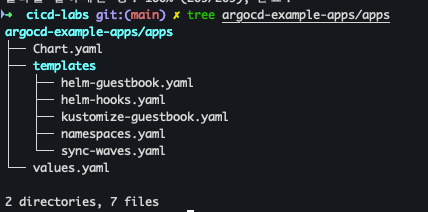
- 배포
helm template -f argocd-example-apps/apps/values.yaml argocd-example-apps/apps
- ArgoCD App 배포
cat <<EOF | kubectl apply -f -
apiVersion: argoproj.io/v1alpha1
kind: Application
metadata:
  name: apps
  namespace: argocd
  finalizers:
  - resources-finalizer.argocd.argoproj.io
spec:
  project: default
  source:
    path: apps
    repoURL: https://github.com/argoproj/argocd-example-apps.git
    targetRevision: HEAD
  destination:
    namespace: argocd
    server: https://kubernetes.default.svc
  syncPolicy:
    automated:
      prune: true
EOF
- 배포 확인
kubectl get applications -n argocd --show-labels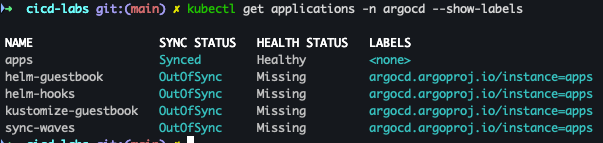
- ArgoCD 확인
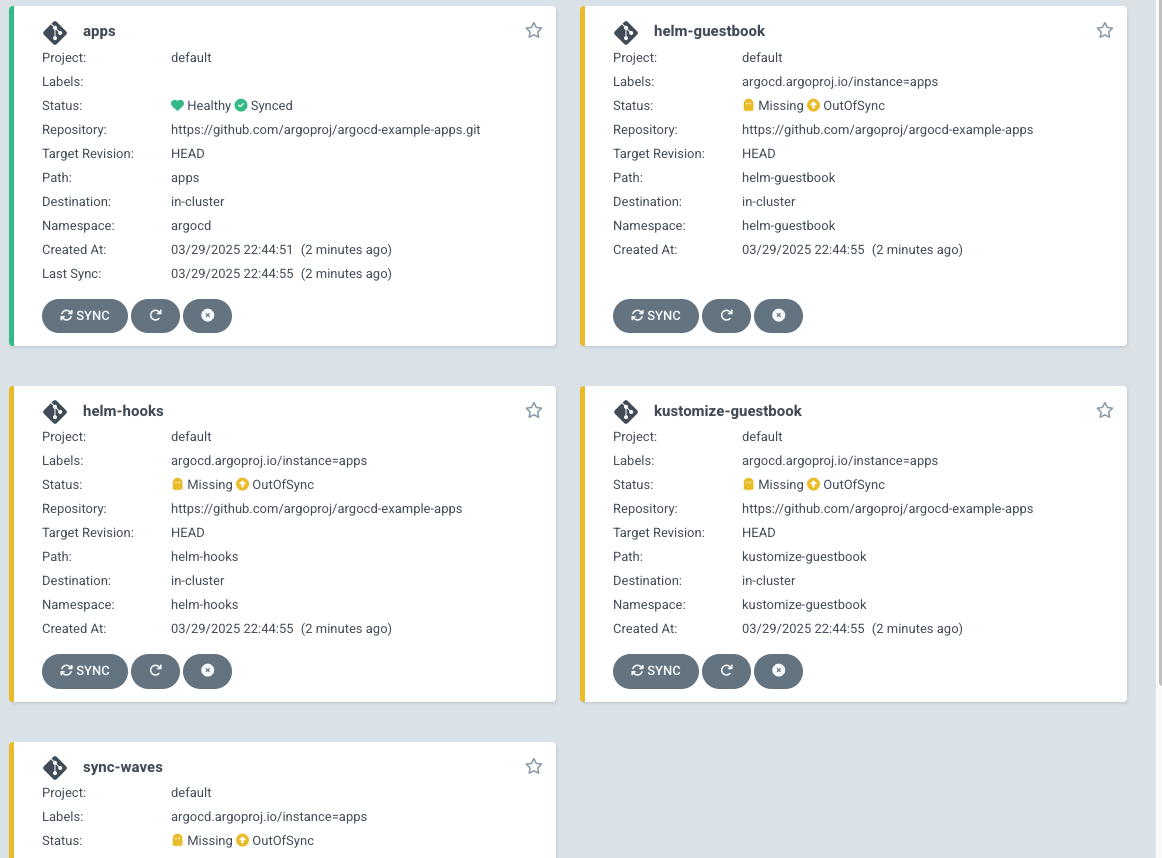
- sync 작업 진행 → 대상 app
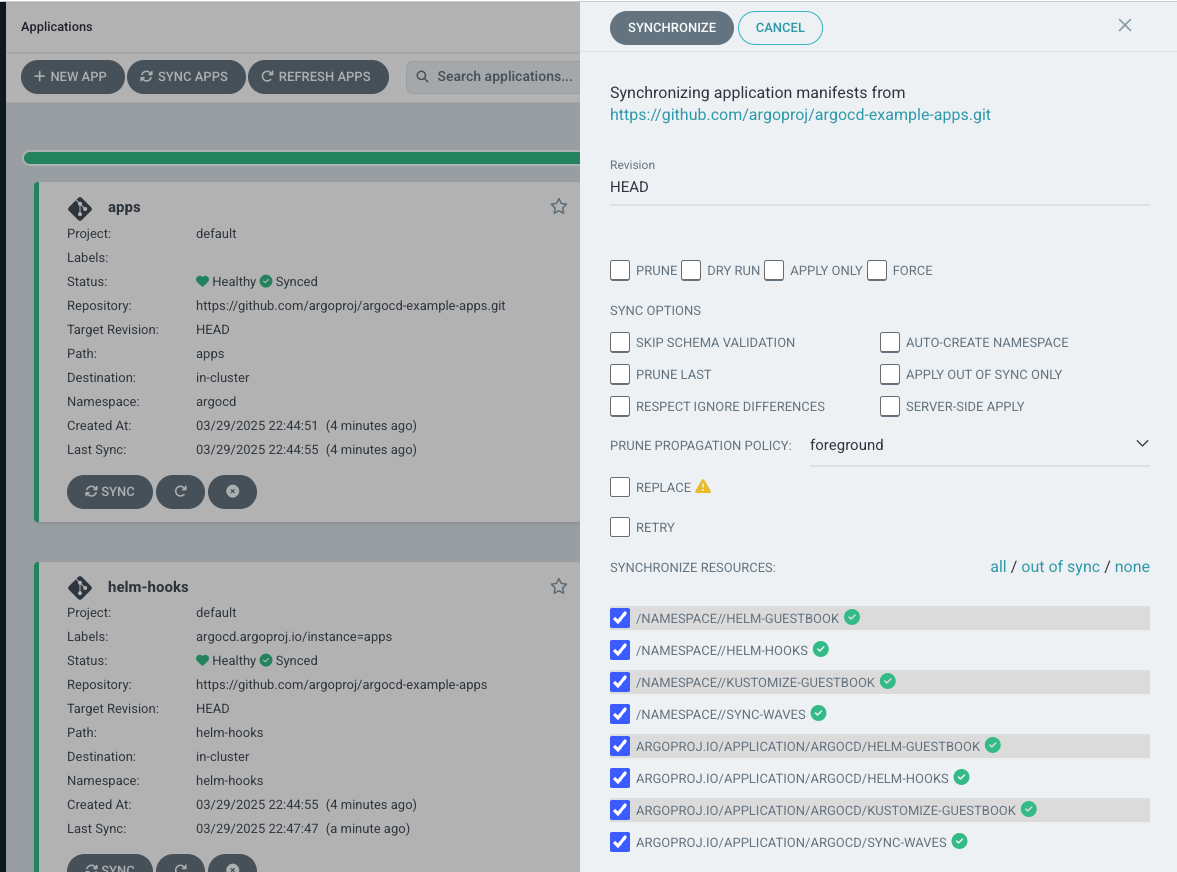
- sync 확인
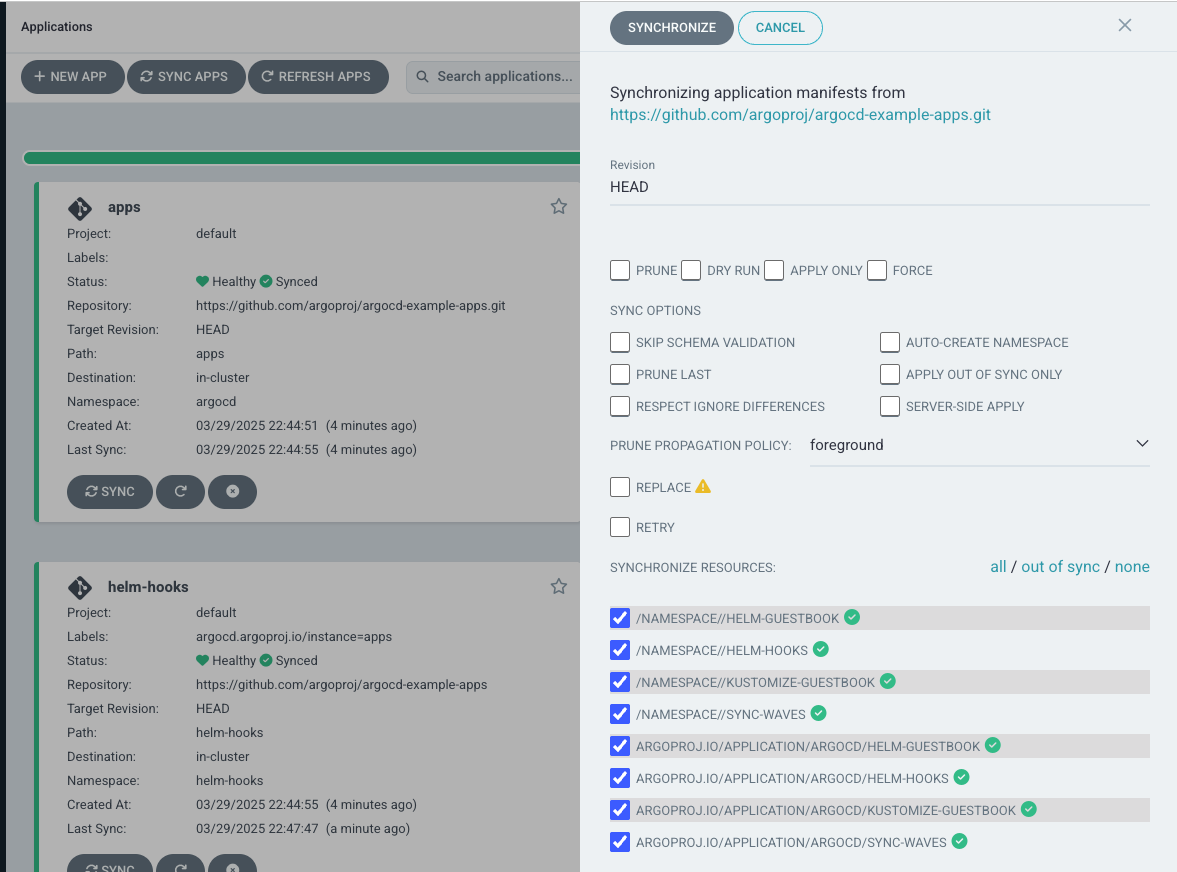
- app 확인
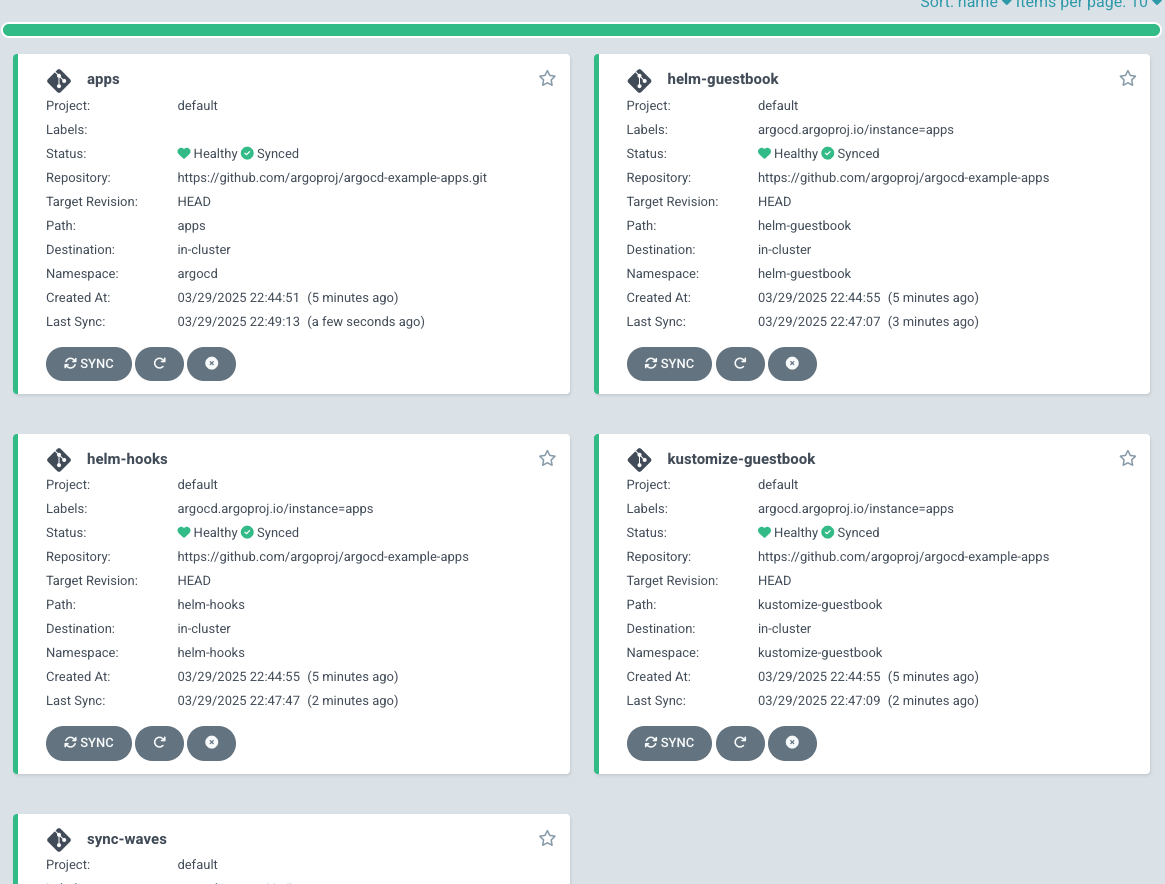
- 테스트 후 삭제 진행
kubectl delete applications -n argocd apps
7. Argo Rollouts
Argo Rollouts??
Argo Rollouts는 Kubernetes 환경에서 고급 배포 전략(Canary, Blue-Green, Progressive Delivery)을 구현하기 위한 오픈소스 도구입니다.
기본 Kubernetes의 Deployment 리소스는 롤링 업데이트만 지원하지만, Argo Rollouts는세분화된 트래픽 제어, 자동화된 롤백, 메트릭 기반 검증등을 제공합니다.
주요 기능
- 다양한 배포 전략
- Canary: 새 버전을 점진적으로 배포하며 안정성을 검증 (예: 10% → 30% → 100%).
- Blue-Green: 새 버전(Blue)을 전체 배포한 후 트래픽을 한 번에 전환.
- Progressive Delivery: 메트릭(성공률, 지연 시간)을 기반으로 배포 진행 여부 결정.
- 자동화된 분석
- Prometheus, Datadog 등의 모니터링 툴과 연동해 배포 성공 여부를 실시간으로 판단합니다.
- 실패 시 자동 롤백 트리거.
- 트래�믹 관리
- Istio, NGINX, AWS ALB 등과 통합해 세밀한 트래픽 라우팅을 제어합니다.
- CRD(Custom Resource Definition)
Rollout이라는 커스텀 리소스를 사용해 배포 전략을 YAML로 선언합니다
기본 Kubernetes Deployment vs. Argo Rollouts
| 기능 | 기본 Deployment | Argo Rollouts |
|---|---|---|
| 배포 전략 | 롤링 업데이트만 지원 | Canary, Blue-Green 등 고급 전략 지원 |
| 트래픽 제어 | X | Istio, NGINX 등과 연동 가능 |
| 자동 롤백 | 수동으로만 가능 | 메트릭 기반 자동 롤백 |
| 배포 상태 분석 | X | Prometheus 등과 연동해 실시간 분석 |
아키텍처
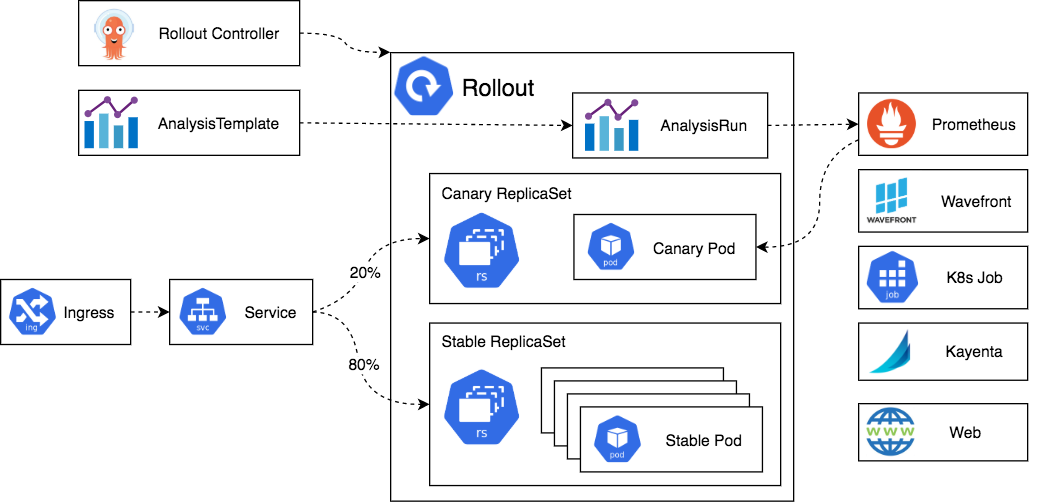 출처 : AEKS 3기 스터디
Argo Rollouts 설치 및 테스트 진행
Argo Rollouts 설치
- Argo Rollouts 설치 진행
cd cicd-labs

kubectl create ns argo-rollouts
cat <<EOT > argorollouts-values.yaml
dashboard:
  enabled: true
  service:
    type: NodePort
    nodePort: 30003
EOT

# 설치: 2.35.1
helm install argo-rollouts argo/argo-rollouts --version 2.39.2 -f argorollouts-values.yaml --namespace argo-rollouts
- Argo Rollouts 설치 확인
# 확인
kubectl get all -n argo-rollouts
kubectl get crds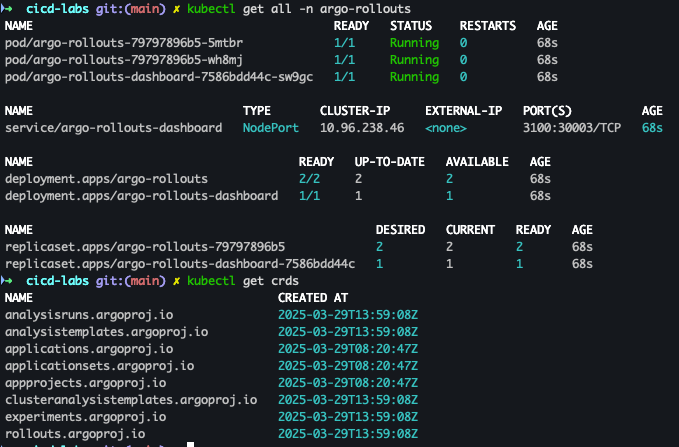
- Argo Rollouts 대시보드 접속
open "http://127.0.0.1:30003"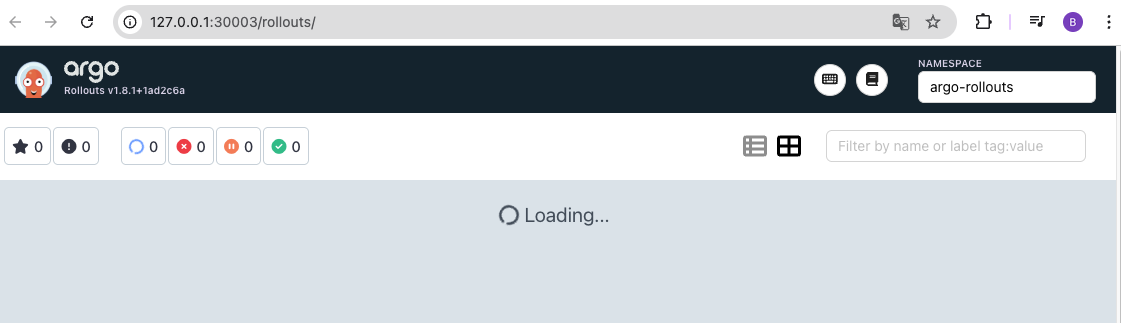
Deploying a Rollout
kubernetes 서비스 선 배포 후에 아래와 같은 롤아웃 진행
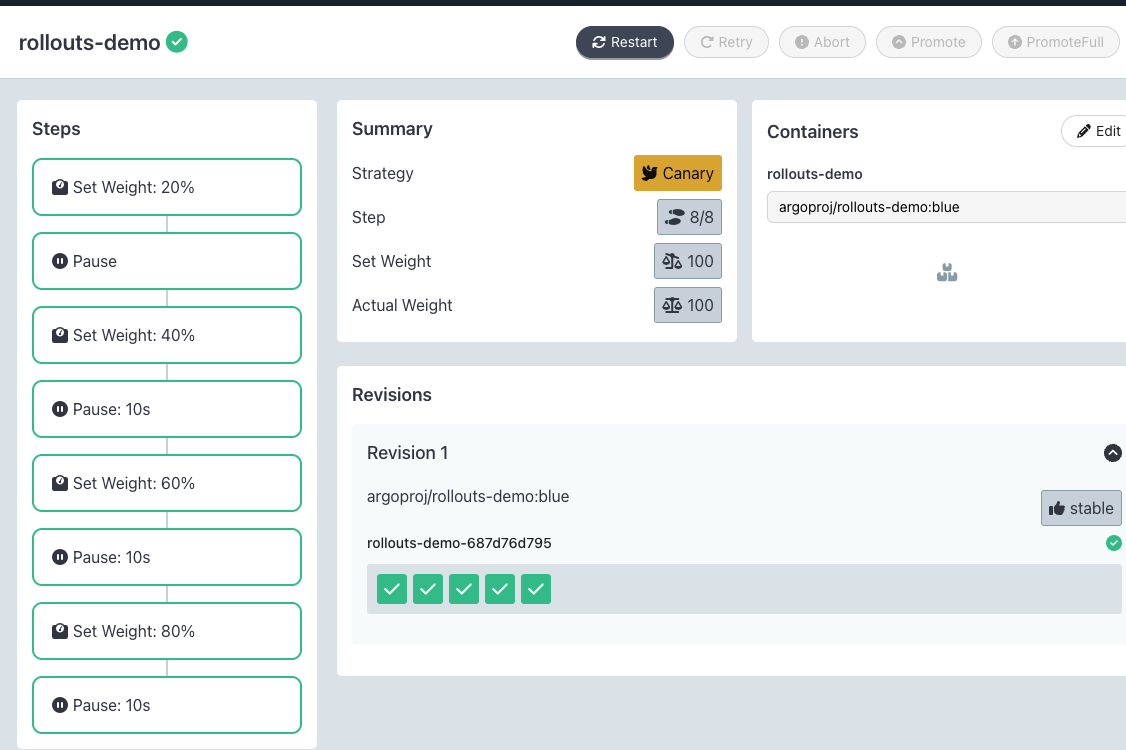
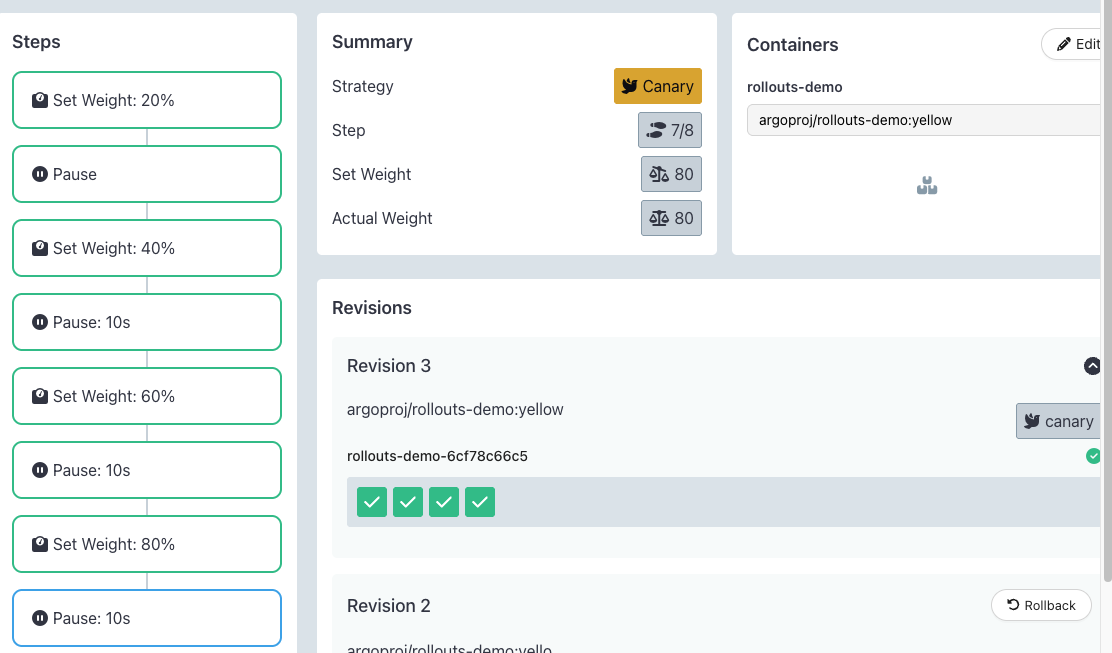
spec:
  replicas: 5
  strategy:
    canary:
      steps:
      - setWeight: 20
      - pause: {}
      - setWeight: 40
      - pause: {duration: 10}
      - setWeight: 60
      - pause: {duration: 10}
      - setWeight: 80
- pause: {duration: 10}- kubernetes Service 배포
kubectl apply -f https://raw.githubusercontent.com/argoproj/argo-rollouts/master/docs/getting-started/basic/rollout.yaml
kubectl apply -f https://raw.githubusercontent.com/argoproj/argo-rollouts/master/docs/getting-started/basic/service.yaml
- 배포 확인
kubectl get rollout
kubectl describe rollout

kubectl get pod -l app=rollouts-demo
kubectl get svc,ep rollouts-demo
kubectl get rollouts rollouts-demo -o json | grep rollouts-demo
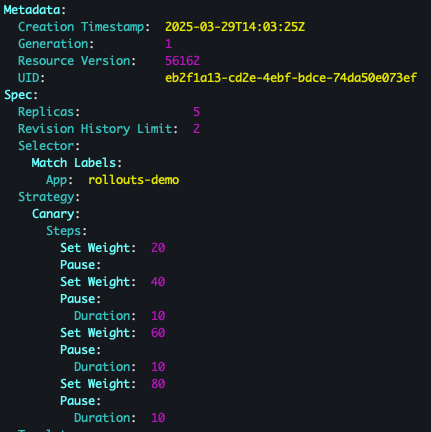


- Argo Rollouts 대시보드 확인
Updating a rollout
- code : blue → yellow 변경
KUBE_EDITOR="vi" kubectl edit rollouts rollouts-demo
kubectl get rollout --watch
watch -d kubectl get pod -l app=rollouts-demo -owide --show-labels
- 1단계
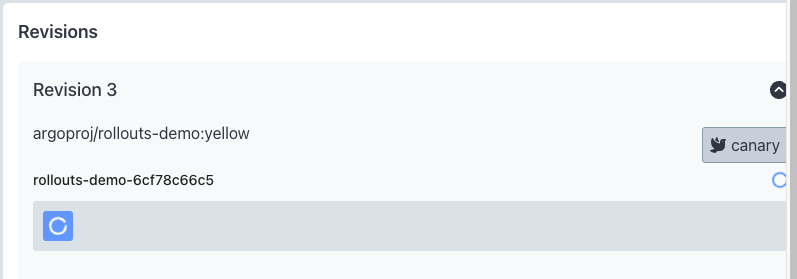
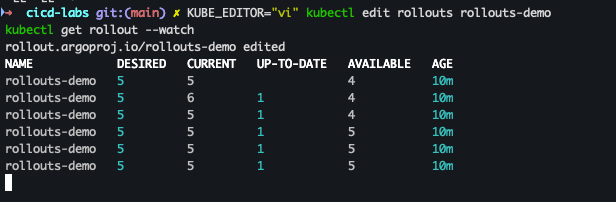
- 순차 배포 진행 : Promote → yes 클릭

- 배포 확인
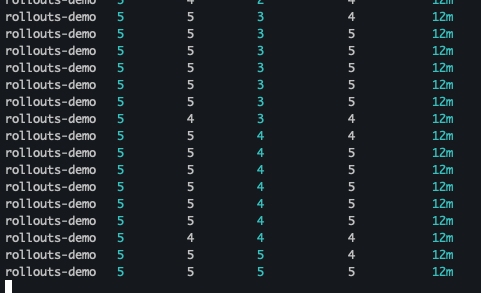
- 최종 배포 확인

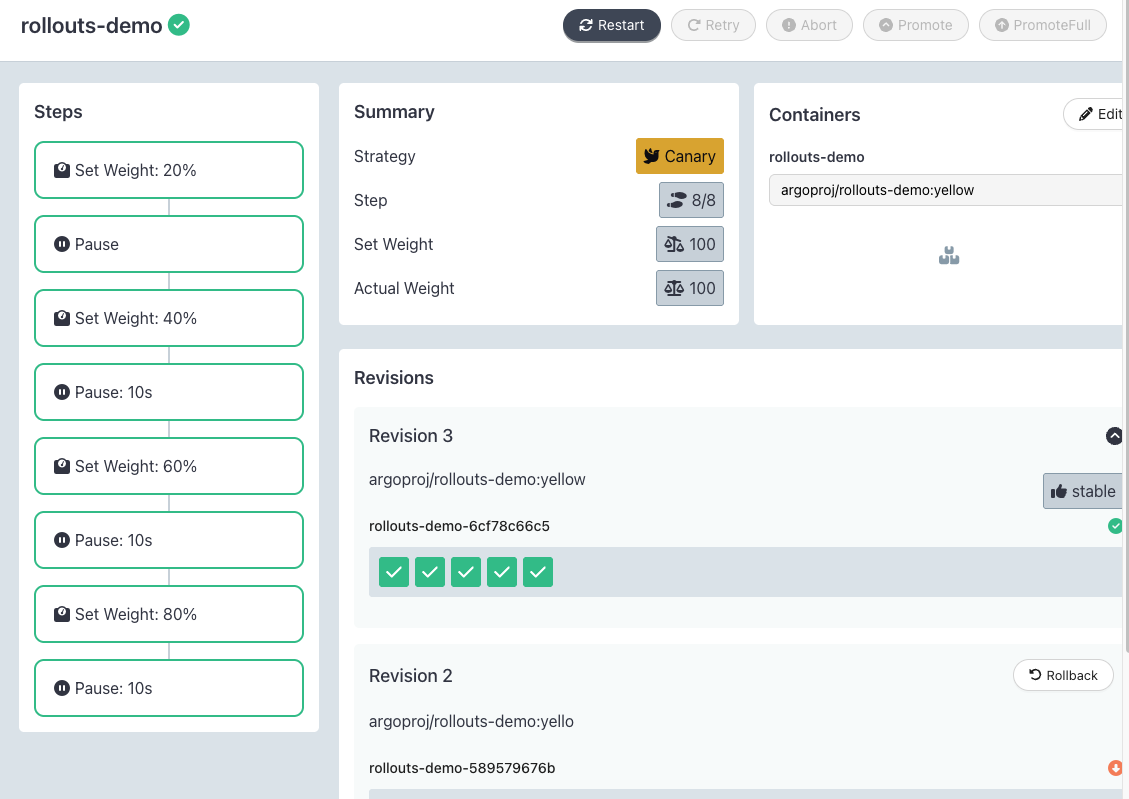
- 삭제 진행
docker compose down --volumes --remove-orphans && kind delete cluster --name myk8s
8.GitOps Bridge
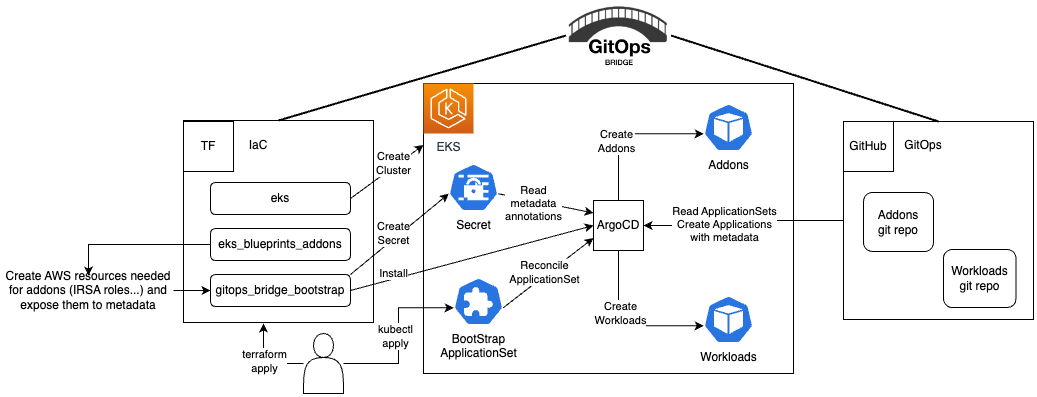
- Kubernetes 클러스터를 만드는 과정부터 GitOps를 통해 모든 것을 관리
