1. System.in 필드
- InputStream타입의 입력스트림이므로 InputStream 변수에 대입할 수 있다.
InputStream is = System.in; - 읽은 byte는 키보드의 아스키 코드(ascii code)이다.
int asciiCode = is.read(); - 아스키코드로부터 문자 읽기
char inputChar = (char)is.read()
import java.io.InputStream;

public class SystemInExample1 {
		//read()가 예외 발생 가능
	public static void main(String[] args) throws Exception {

		System.out.println(" == 메뉴 == ");
		System.out.println("1. 예금 조회");
		System.out.println("2. 예금 출금");
		System.out.println("3. 예금 입금");
		System.out.println("4. 종료하기");
		System.out.print("메뉴를 선택하세요: ");

		InputStream is = System.in;
		char inputChar = (char) is.read();

		switch(inputChar) {
		case '1':
			System.out.println("예금 조회를 선택하셨습니다");
			break;
		case '2':
			System.out.println("예금 출금을 선택하셨습니다.");
			break;
		case '3':
			System.out.println("예금 입금을 선택하셨습니다.");
			break;
		case '4':
			System.out.println("종료하기를 선택하셨습니다.");
			break;
		}
	}
}
↑cmd에서는 어떻게 할까?
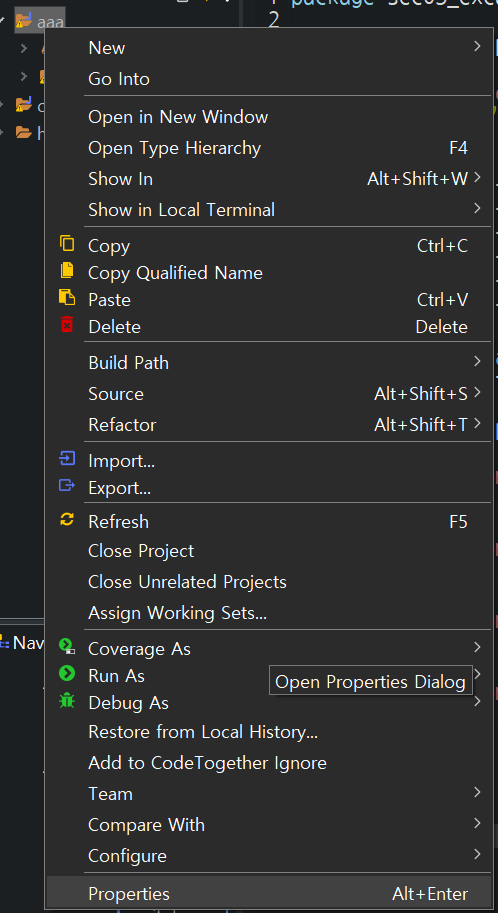
패키지 선택 후 오른쪽 버튼 -> properties 클릭
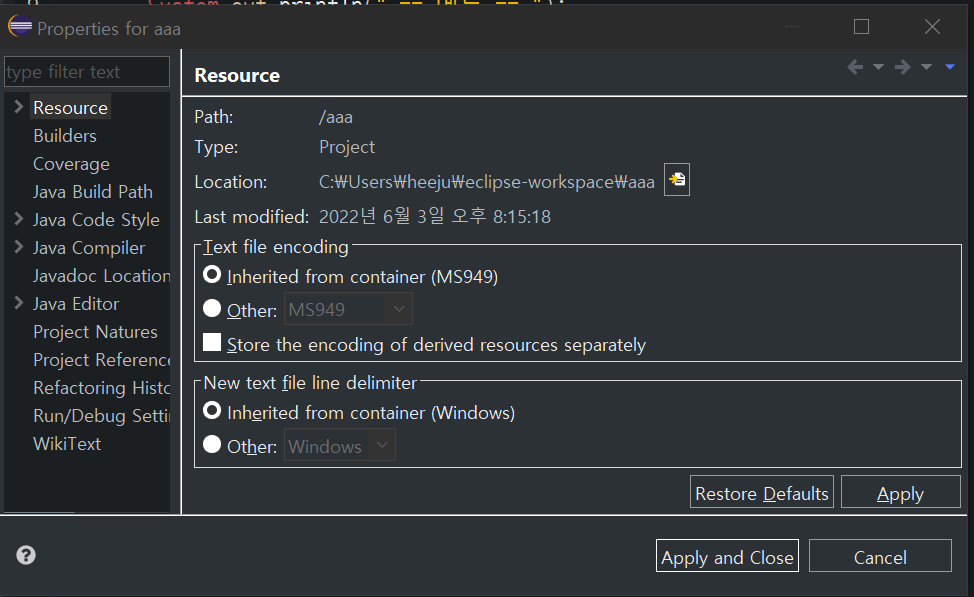
여기서 Location 복사 후 cmd 열어서 cd 입력 후 띄어쓰기 후 붙여넣기.
엔터 후 dir 입력 후 엔터.
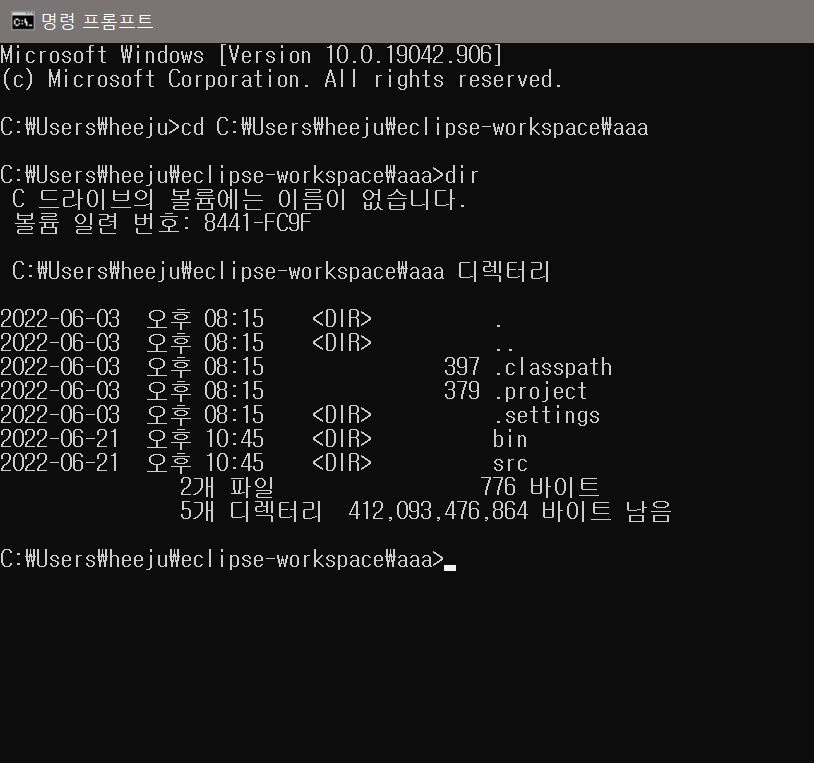
cd bin 입력 후 엔터 후 dir 입력 후 엔터
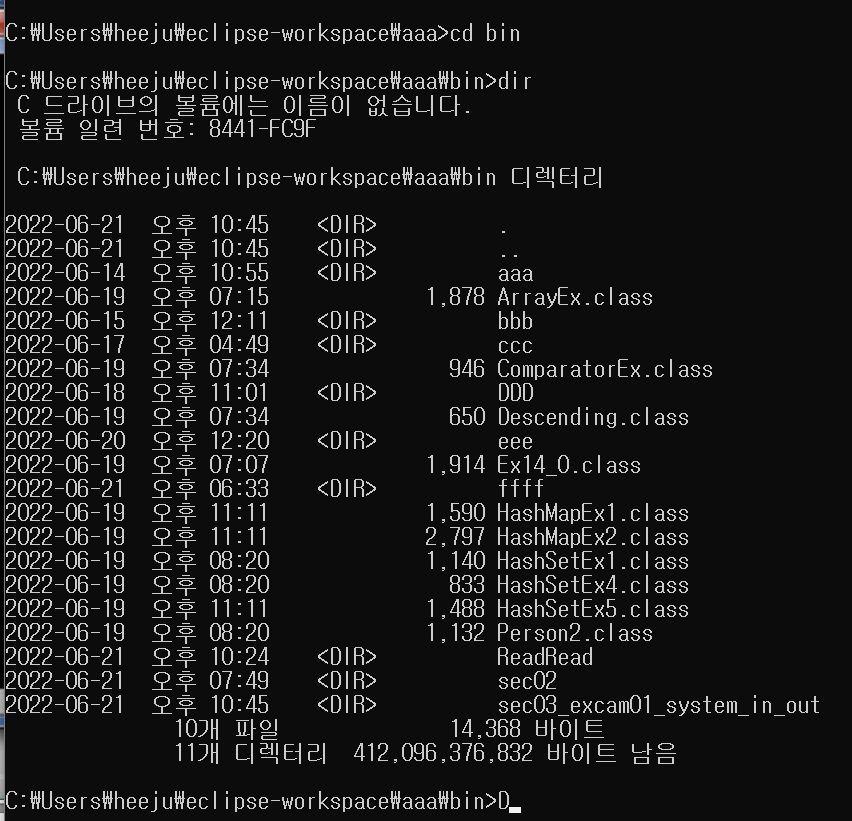
(자바 명령어가 잘 입력되는지 보기 위해) java 입력 후 엔터
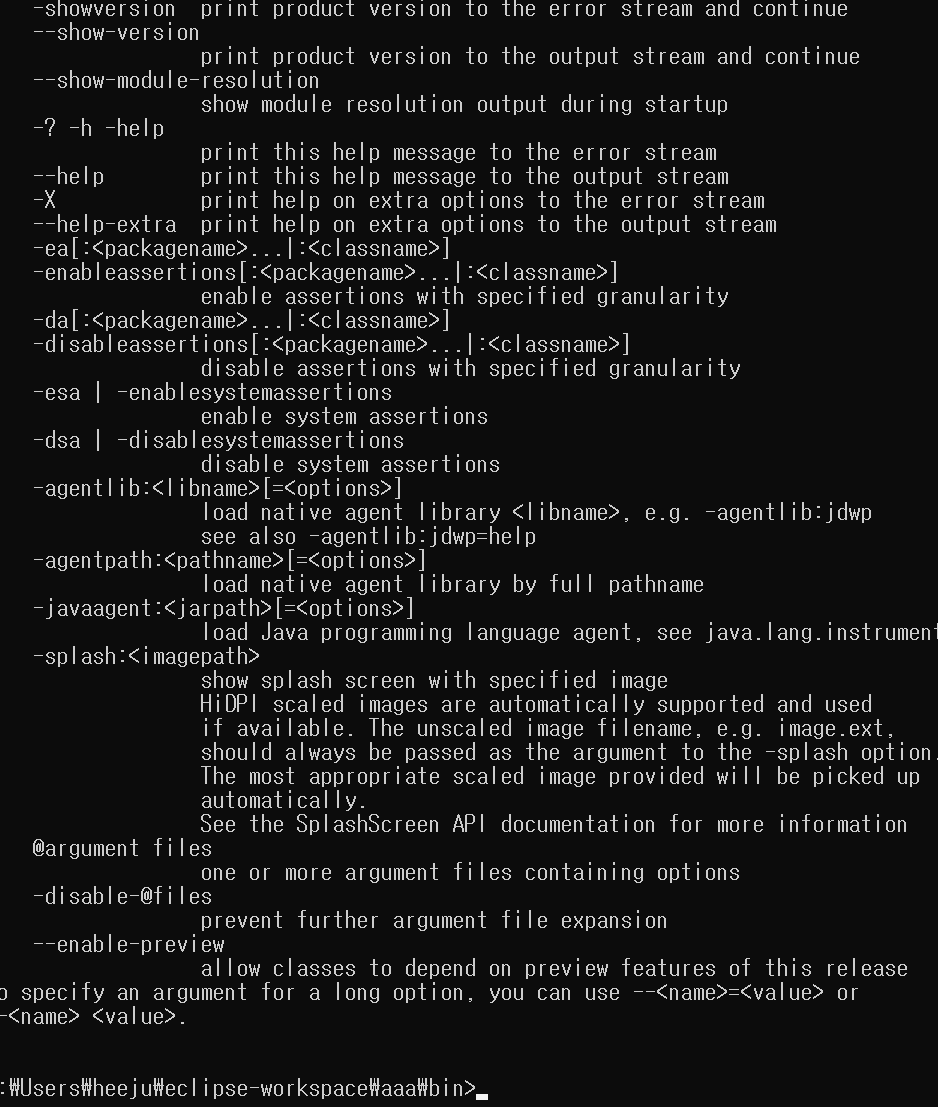
(잘 인식됨) 만약 인식이 안된다면 11:59

java 패키지명.클래스명 입력
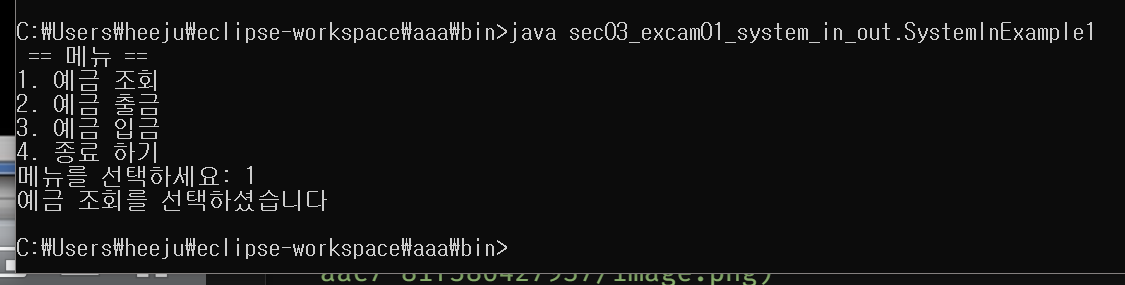
성공.
2-1. 키보드로부터 입력된 한글 읽기
왜 한글을 읽을 때 byte 배열을 사용할까요?
그 이유는 한글 한 자는 2byte로 구성되어있습니다
그래서 키보드로 최소한 두 번은 입력을 해야 한글 한 자를 입력할 수 있는거에요. 그래서 여러분이 2byte이상을 읽어야하기 때문에 byte배열에 읽은 data를 저장해야합니다. 그래서 read메서드를 사용할 때 byte값을 매개값으로 값는 메서드를 사용하는 겁니다.
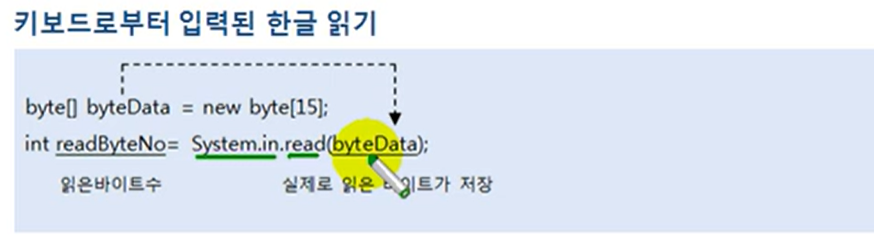
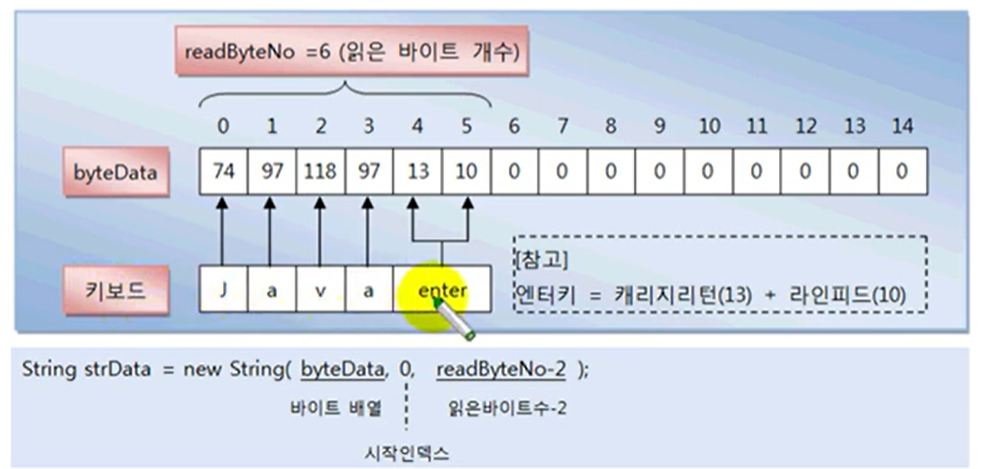
enter키도 입력이 되는데요, enter키는 캐리지리턴+라인피드를 가지고 있기 땜누에 캐리지리턴 13번이 저장되고 그 다음에 라인피드 10이 저장됩니다.
13과 10은 문자열로 만들 필요가 없죠.
그래서, 문자열로 만들기 위해 이 코드가 사용됐습니다.

import java.io.InputStream;

public class SystemInExample2 {

	public static void main(String[] args) throws Exception {
		InputStream is = System.in;

		byte[] datas = new byte[100];

		System.out.print("이름:");
		int nameBytes = is.read(datas);

		String name = new String(datas,0,nameBytes-2);

		System.out.print("하고 싶은 말:");
		int commentBytes = is.read(datas);
		String comment = new String(datas,0,commentBytes-2);
	}
}
3. System.out 필드
- PrintStream 타입의 출력 스트림이므로 OutputStream으로 타입 변환할 수 있다.
OutputStream os = System.out; - 아스키 코드를 출력하면 콘솔에는 문자가 출력된다.
byte b = 97;
os.write(b)
is.flush();- 문자열을 출력하려면 바이트 배열을 얻어야한다.
String name = "홍길동";
byte[] nameBytes = name.getBytes();
os.write(nameBytes);
os.flush();
PrintStrea ps = System.out;
ps.println(...);
줄여서
System.out.println(...);- 예제
import java.io.OutputStream;

public class SystemOutExample {

	public static void main(String[] args) throws Exception {

		OutputStream os = System.out;
		//48은 0의 아스키코드 값. 58은 9의 아스키코드 값
		for(byte b=48; b<58;b++) {
			os.write(b);

		}

		//엔터 개행하기
		os.write(13);

		//a부터 z까지
		for(byte b =97; b<123;b++) {
			os.write(b);
		}

		//한글 출력하기
		String hangul = "가나다라마바사아자차카타파하";
		byte[] hangulBytes = hangul.getBytes();
		os.write(hangulBytes);
		os.flush();
	}
}아니~1바이트씩 읽는다며...한글은 2바이트라며~근데 어떻게 한글자씩 가져오냐고~~~
4. Console 클래스
- 자바6부터 콘솔에서 입력된 문자열을 쉽게 읽을 수 있도록 Console 클래스 제공
`Console console = System.console(); - 이클립스에서 System.console()은 null을 리턴하기 때문에 명령 프롬프트에서 반드시!!!!!!!!!!!실행해야한다.
- Console의 읽기

import java.io.Console;

public class ConsoleExmple {

	public static void main(String[] args) {

		Console console = System.console();
		System.out.print("아이디:");
		String id = console.readLine();

		System.out.print("패스워드:");
		char[] charPass = console.readPassword();
		String strPassword = new String(charPass);

		System.out.println("----------");
		System.out.println(id);
		System.out.println(strPassword);

	}
}
콘솔은 반드시 명령프롬프트에서 입력해야하기 때문에,
경로 알아보고(propterties) cmd에서 하면 됨.
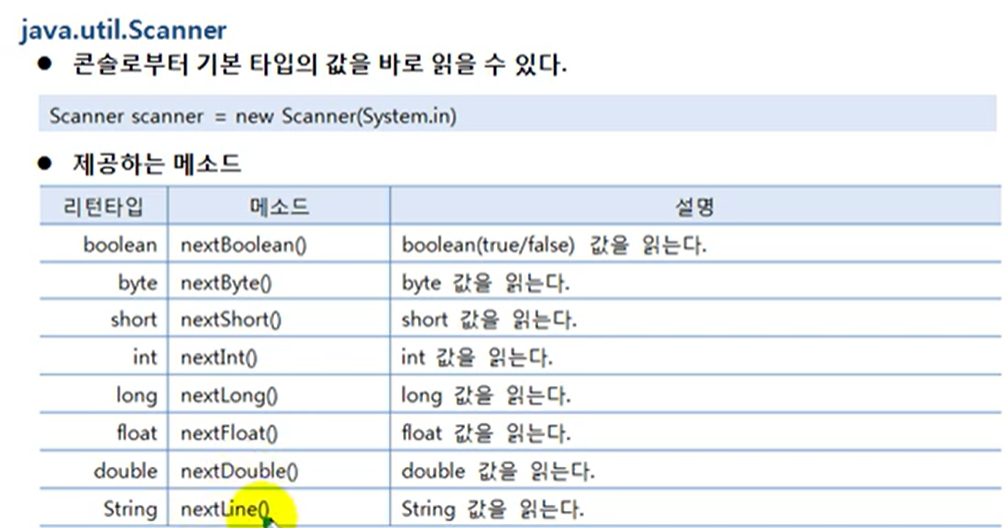
5. Scanner 클래스
- Console 클래스의 단점
문자열은 읽을 수 있짐나 기본타입(정수, 실수)값을 바로 읽을 수는 없다.