[Terraform] Terraform Cloud Agent 구축하기 (Ubuntu)
Terraform Cloud Agent를 사용하면 Terraform Cloud를 사용하더라도 인프라 구성 작업은 Agent가 구축되어있는 내부에서 이루어지기 때문에 높은 보안성을 가져갈 수 있습니다. 또한 Terraform Cloud가 격리된 환경의 서버와 통신할 수 있게 됩니다. 이번 포스팅에서는 Terraform Cloud Agent를 구축하는 법을 알아보겠습니다.
Terraform Cloud Agent Token 발급
1. Terraform Cloud 접속 및 Organization 생성
좌측 하단 Create new organization 버튼 클릭 -> 내용 작성 후 Create organization 버튼 클릭
2. Agent Token 생성
Organization 탭에서 진행합니다.
좌측 Settings 클릭 -> Agents 클릭 -> Create agent pool 버튼 클릭 -> Agent Pool Name 입력 -> Description 작성 후 Create token 버튼 클릭
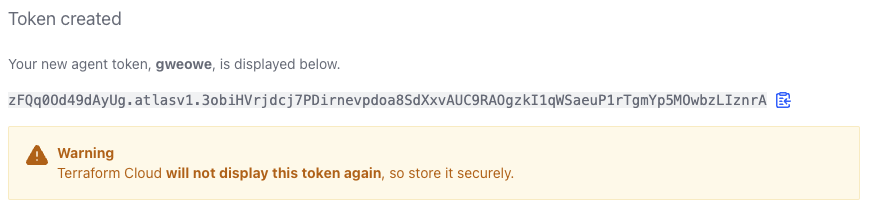
Token을 사용하기 위해 값을 따로 저장합니다.
Terraform Cloud Agent 구축 및 설정
1. Terraform Cloud Agent 설치
wget https://releases.hashicorp.com/tfc-agent/1.12.1/tfc-agent_1.12.1_linux_amd64.zipTerraform Cloud Agent 서버에서 Terraform Cloud Agent를 설치합니다.
https://releases.hashicorp.com/tfc-agent/ 에 들어가시면 사용 가능한 버전을 확인하실 수 있습니다. 이용하시는 환경에 맞춰서 설치하시면 됩니다.
unzip tfc-agent_1.12.1_linux_amd64.zip바이너리 파일의 압축을 해제합니다.
2. Terraform Cloud Agent 환경변수 파일 생성
vi tfc-agent.envtfc-agent.env
TFC_AGENT_TOKEN=[Agent Token 값 입력]
TFC_AGENT_NAME=[Agent Pool Name 입력]
AWS_DEFAULT_REGION=ap-northeast-2
AWS_ACCESS_KEY_ID=[AWS Access Key 입력]
AWS_SECRET_ACCESS_KEY=[AWS Secret Key 입력]
Terraform Cloud에서 설정한 값을 입력하고 AWS Credential 정보를 입력합니다. 이는 Agent를 통해 Terraform 작업을 수행할 때 환경변수로 적용됩니다.
3. Service 파일 생성 및 실행
sudo vi /etc/systemd/system/tfc-agent.servicetfc-agent.service
[Unit]
Description=Service to automatically start TFC Agent
After=network.target

[Install]
WantedBy=multi-user.target

[Service]
User=[현재 접속중인 유저 명 입력]
Group=[현재 접속중인 그룹 명 입력]
EnvironmentFile=[tfc-agent.env 파일 경로 입력]/tfc-agent.env
Type=simple
ExecStart=[tfc-agent 파일 경로 입력]/tfc-agent tfc-agent
KillSignal=SIGINT
Restart=always
RestartSec=5
StandardOutput=syslog
StandardError=syslog
SyslogIdentifier=%n
접속 중인 유저 정보와 파일 위치를 기입합니다.
sudo systemctl enable tfc-agent.servicesudo systemctl start tfc-agent.servicesudo systemctl status tfc-agent.serviceOutput :
● tfc-agent.service - Service to automatically start TFC Agent
     Loaded: loaded (/etc/systemd/system/tfc-agent.service; enabled; vendor preset: enabled)
     Active: active (running) since Fri 2023-09-22 02:31:44 UTC; 4h 7min ago
   Main PID: 1910505 (tfc-agent)
      Tasks: 14 (limit: 4595)
     Memory: 35.3M
     CGroup: /system.slice/tfc-agent.service
             ├─1910505 /home/gweowe/hashicorp/terraform/agent/tfc-agent tfc-agent
             └─1910533 /home/gweowe/hashicorp/terraform/agent/tfc-agent-core

Sep 22 02:40:33 gweowe tfc-agent.service[1910505]: 2023-09-22T02:40:33.014Z [INFO]  terraform: Terraform CLI details: version=1.5.7
Sep 22 02:40:33 gweowe tfc-agent.service[1910505]: 2023-09-22T02:40:33.014Z [INFO]  terraform: Restoring filesystem from remote storage
Sep 22 02:40:44 gweowe tfc-agent.service[1910505]: 2023-09-22T02:40:44.975Z [INFO]  terraform: Running terraform apply
Sep 22 02:40:53 gweowe tfc-agent.service[1910505]: 2023-09-22T02:40:53.463Z [INFO]  terraform: Uploading files required for instrumenting module/provider dependencies
Sep 22 02:40:53 gweowe tfc-agent.service[1910505]: 2023-09-22T02:40:53.463Z [INFO]  terraform: file for runtime report was not found: filename=/home/gweowe4/.tfc-agent/component/t>
Sep 22 02:40:54 gweowe tfc-agent.service[1910505]: 2023-09-22T02:40:54.202Z [INFO]  terraform: Finished handling run
Sep 22 02:40:54 gweowe tfc-agent.service[1910505]: 2023-09-22T02:40:54.709Z [INFO]  core: Waiting for next job
정상적으로 Agent가 실행되었습니다.
6. Agent 연결 상태 확인
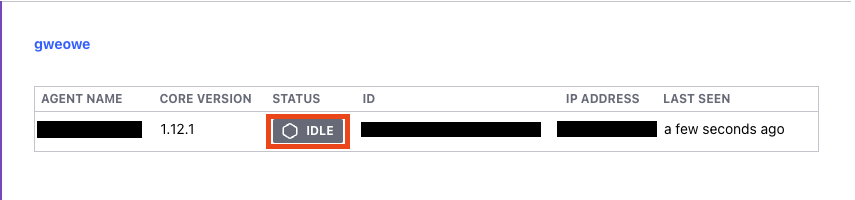
Terraform Cloud에서 Organization의 Agents 설정에서 제대로 연결이 되었는지 확인합니다.
Agent 작동 테스트
1. Workspace 생성
좌측 Projects & workspaces 클릭 -> New 버튼 클릭 -> Workspace 클릭 -> CLI-driven workflow 클릭 -> workspace 정보 입력 후 Create workspace 버튼 클릭
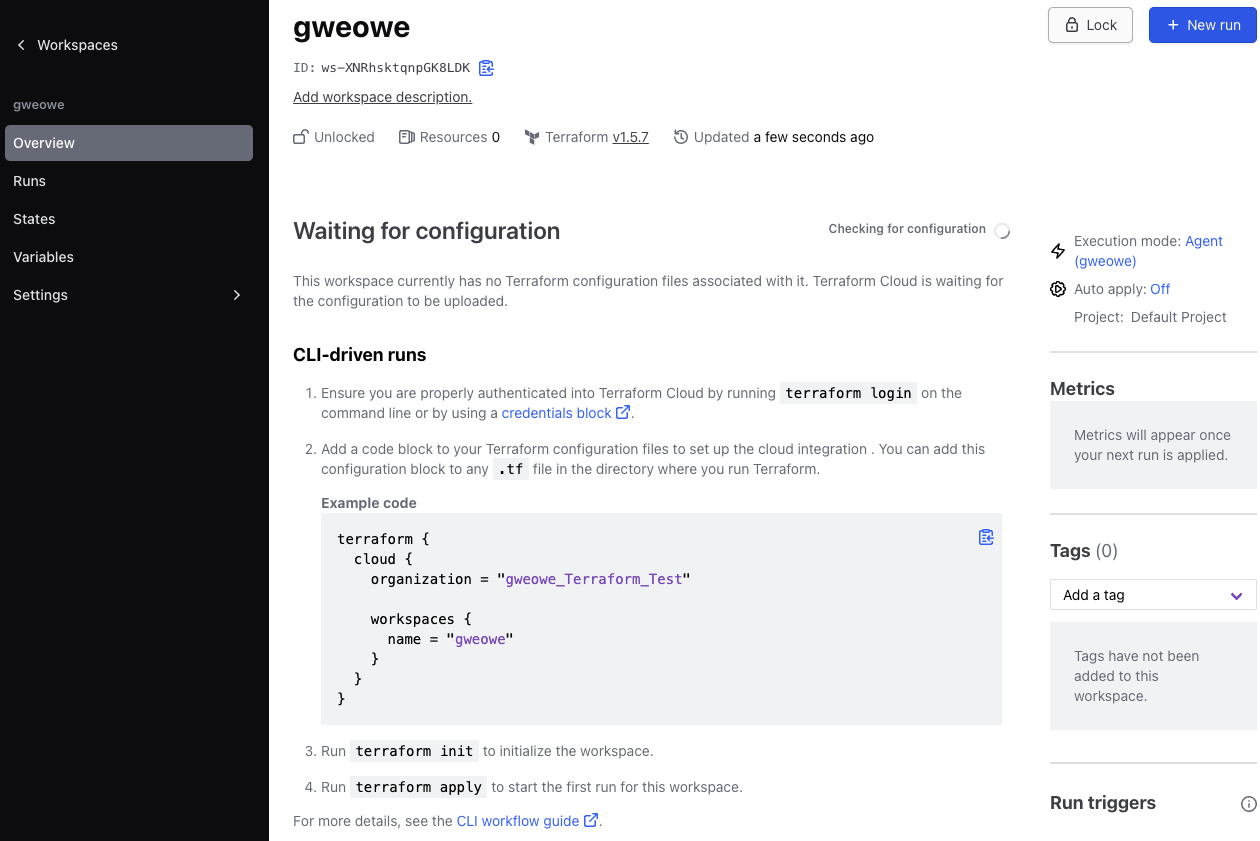
workspace가 생성되었습니다.
2. 실행 모드 설정
Workspace 탭에서 진행합니다.
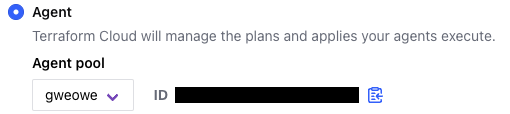
좌측 Settings 클릭 -> General 클릭 -> Execution Mode에서 Custom 클릭 -> Agent로 지정 후 Save settings 버튼 클릭
3. 코드 실행
terraform {
  cloud {
    organization = "gweowe_Terraform_Test"

    workspaces {
      name = "gweowe"
    }
  }

  required_providers {
    aws = {
      source = "hashicorp/aws"
      version = "5.12.0"
    }
  }
}

resource "aws_vpc" "dwwon_vpc" {
  cidr_block = "192.168.0.0/16"
  enable_dns_support = true
  enable_dns_hostnames = true

  tags = {
    Name = "gweowe-vpc"
  }
}
Workspace에 기재되어 있는 코드를 활용하여 VPC를 생성하는 테스트 코드를 작성합니다. AWS의 Region 정보와 credential 정보는 Terraform Cloud Agent에 환경변수로 미리 지정했기 때문에 작성하지 않아도 됩니다.
terraform initterraform apply -auto-approve코드를 실행합니다.
4. 결과 확인
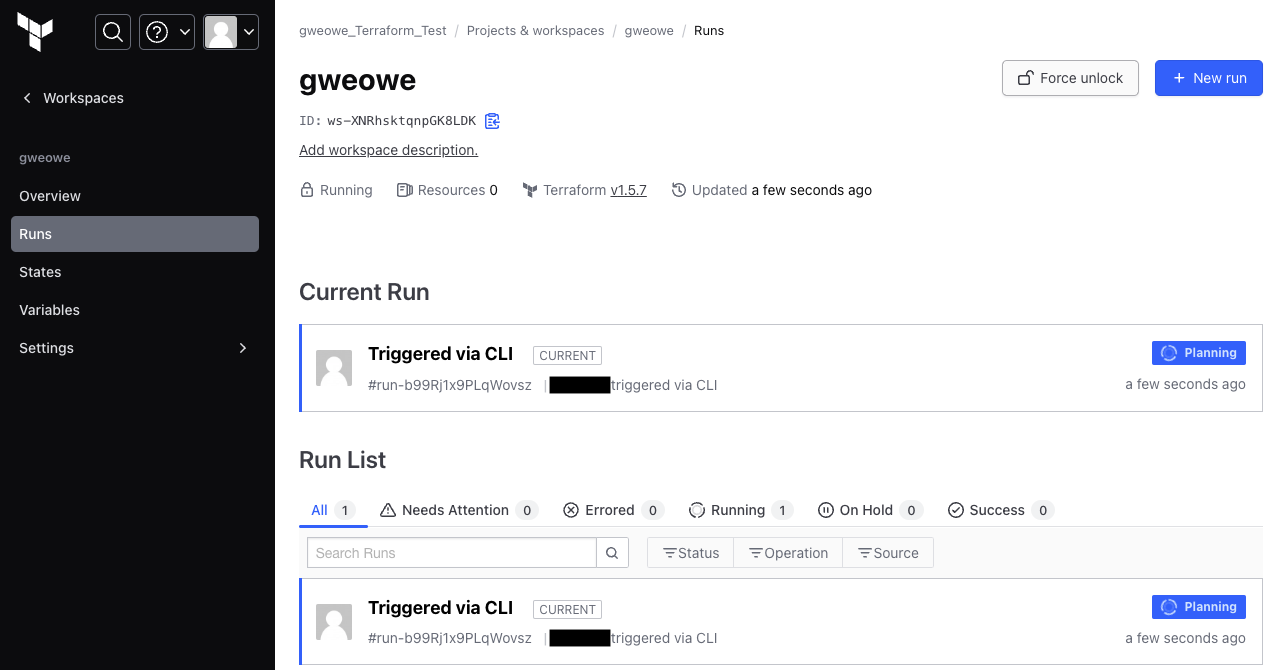
Terraform Cloud에서 코드가 정상적으로 실행되는지 확인합니다.
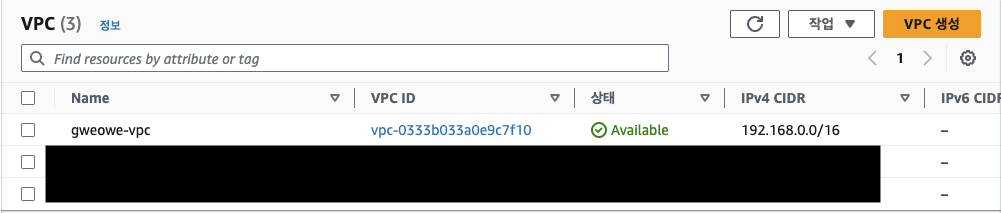
최종적으로 테스트 코드의 목적인 VPC가 생성되었는지 확인합니다.