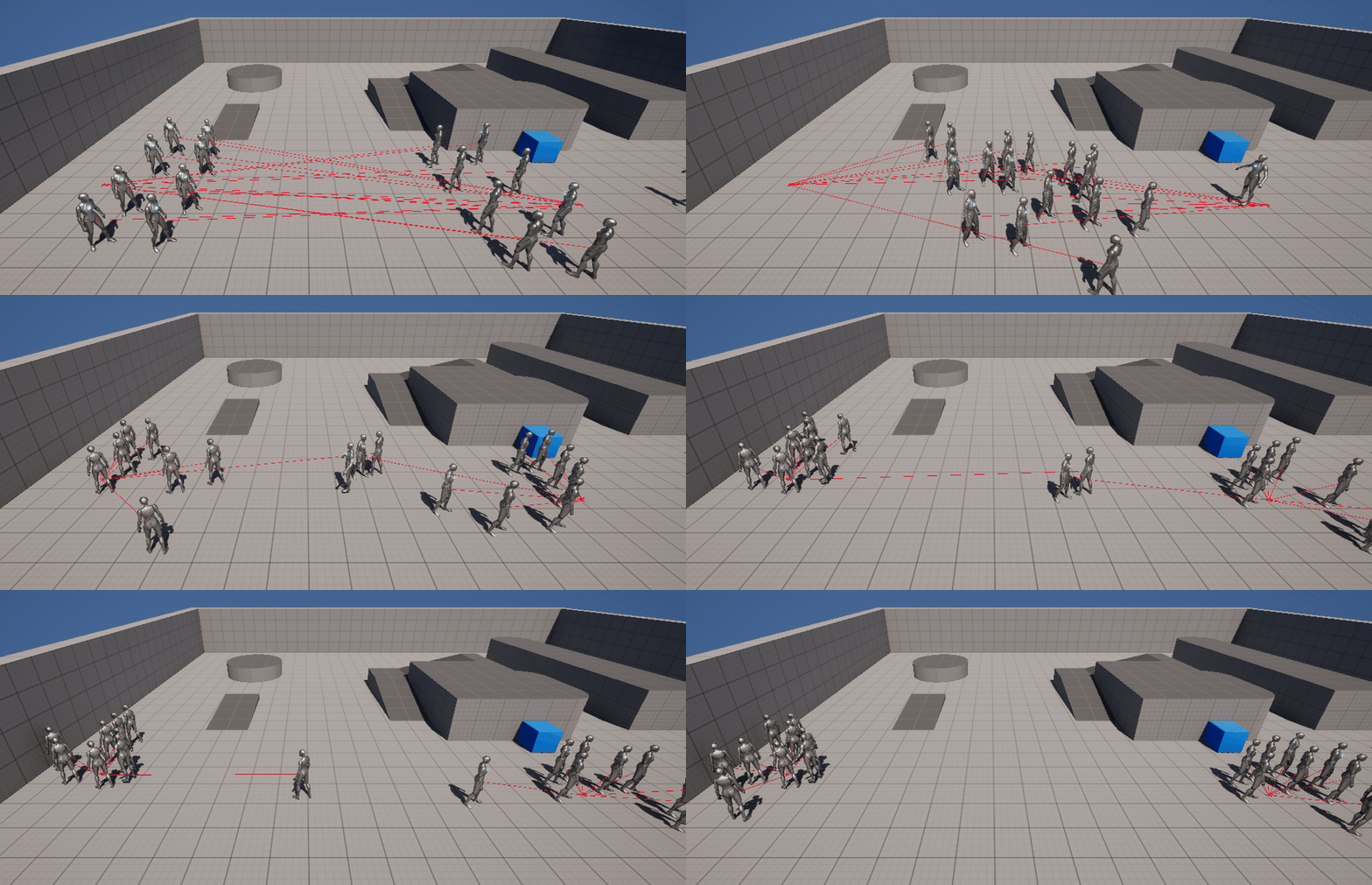
🎮 RVO
언리얼의 MoveToLocation, MoveToActor를 통해 Agent가 언리얼의 Pathfinding Algorithm을 통해 destination까지 최소 비용을 계산하여 이동을 하는것을 알 수 있었다. 하지만 움직이지 않는 오브젝트의 비용을 Obstacle로 설정하여 고비용으로 만들어 우회하도록 한 것일뿐 움직이는 액터를 자연스럽게 회피할 수 있진 않다. 또한 움직이는 Obstacle이 경로상에 있을 때 매번 경로 재계산을 해야 되므로 비효율 적이다.
경로는 유지하되 Agent의 방향이나 속도를 조금 수정함으로써 자연스럽게 충돌 회피가 가능하도록 하는 기능이 RVO(Reciprocal Velocity Obstacles)이다. 비용도 효율적
- Reciprocal : 상호간의, 교환의
- 장애물의 상대적 속도(?) 정도로 이해
- 즉 여러 에이전트(AI)들이 서로의 속도를 고려해서 충돌을 피하는 방식.
1️⃣ RVO Active
언리얼에서 RVO는 CharacterMovement Component에서 활성화 시킬 수 있다.
📌 설정 방법
- 캐릭터에 CharacterMovement Component가 있어야 함.
- 기본적으로 ACharacter 를 상속받아 만든 클래스라면 이미 있음)
- 로직에서 다음과 같이 작성
📋 AI_TestCharacter.cpp
// 예시
GetCharacterMovement()->bUseRVOAvoidance = true;
GetCharacterMovement()->AvoidanceConsiderationRadius = 300.f;
GetCharacterMovement()->AvoidanceWeight = 0.5f;
GetCharacterMovement()->SetAvoidanceGroup(1);            // 자신이 어떤 그룹인지
GetCharacterMovement()->SetGroupsToAvoid(1);             // 회피할 대상 그룹
GetCharacterMovement()->SetGroupsToIgnore(0);            // 무시할 그룹
-
bUseRVOAvoidance는 회피 시스템의 활성화 여부를 결정하는 가장 기본적인 설정. -
AvoidanceConsiderationRadius는 회피시스템이 발동하는 반경이다- 즉, 서로 이동하다가 300.0f 반경안으로 교집되면 RVO 알고리즘이 발동되면서 회피한다.
- 값이 작을 경우 오브젝트가 가까워질 때까지 회피를 하지 않아 급격한 회피를 함.
- 값이 너무 클 경우는 서로 멀리있어도 회피를 시작해서 부드러운 회피는 가능하지만 자원낭비
- 언리얼에서 기본단위는 대부분 cm이다.
-
AvoidanceWeight는 회피 가중치 세팅이다.- 값의 범위는 0.0f ~ 1.0f
- 0.0f에 가까울수록 낮은 계급이 되어서 먼저 회피를 함 (이병)
- 1.0f에 가까울수록 높은 계급이 되어 다른 캐릭이 피해감 (병장)
-
Project Setting에서 Navigation System에 Navigation Invorker는 off로 설정
📌 C++ 로직작성
RVOCharacter를 새로 만들어서 로직을 작성해보았다.
📋 RVOCharacter.h
#include "CoreMinimal.h"
#include "GameFramework/Character.h"
#include "RVO_Character.generated.h"

UCLASS()
class AI_TEST_API ARVO_Character : public ACharacter
{
	GENERATED_BODY()

public:
	// Sets default values for this character's properties
	ARVO_Character();

protected:
	// Called when the game starts or when spawned
	virtual void BeginPlay() override;

public:
	// Called every frame
	virtual void Tick(float DeltaTime) override;

	// Called to bind functionality to input
	virtual void SetupPlayerInputComponent(class UInputComponent* PlayerInputComponent) override;

	// 타겟 위치로 이동
	UFUNCTION(BlueprintCallable, Category = "AI Movement")
	void MoveToTarget();

	// RVO On/Off
	UFUNCTION(BlueprintCallable, Category = "RVO")
	void SetRVOAvoidanceEnabled(bool bEnable);

public:
	// 이동할 타겟 액터
	UPROPERTY(EditAnywhere, BlueprintReadWrite, Category = "AI Movement")
	AActor* TargetActor;

	// RVO 회피 설정
	UPROPERTY(EditAnywhere, BlueprintReadWrite, Category = "RVO")
	float AvoidanceRadius = 300.0f;
	// RVO 계급 설정
	UPROPERTY(EditAnywhere, BlueprintReadWrite, Category = "RVO")
	float AvoidanceWeight = 0.5f;

private:
	// AI 컨트롤러 캐싱
	class AAIController* AIController;
};
📋 RVOCharacter.cpp
#include "RVO_Character.h"
#include "GameFramework/CharacterMovementComponent.h"
#include "AIController.h"

// Sets default values
ARVO_Character::ARVO_Character()
{
 	// Set this character to call Tick() every frame.  You can turn this off to improve performance if you don't need it.
	PrimaryActorTick.bCanEverTick = true;

	UCharacterMovementComponent* MovementComponent = GetCharacterMovement();
	if (MovementComponent)
	{
		MovementComponent->bUseRVOAvoidance = true;
		MovementComponent->AvoidanceConsiderationRadius = AvoidanceRadius;
		MovementComponent->AvoidanceWeight = AvoidanceWeight;
	}
}

// Called when the game starts or when spawned
void ARVO_Character::BeginPlay()
{
	Super::BeginPlay();

	AIController = Cast<AAIController>(GetController());

	if (!AIController)
	{
		UE_LOG(LogTemp, Warning, TEXT("%s is not controlled by an AIController."), *GetName());
	}
	else if (TargetActor)
	{
		MoveToTarget();
	}
}

// Called every frame
void ARVO_Character::Tick(float DeltaTime)
{
	Super::Tick(DeltaTime);
}

// Called to bind functionality to input
void ARVO_Character::SetupPlayerInputComponent(UInputComponent* PlayerInputComponent)
{
	Super::SetupPlayerInputComponent(PlayerInputComponent);
}

void ARVO_Character::MoveToTarget()
{
	if (!AIController)
	{
		UE_LOG(LogTemp, Warning, TEXT("MoveToTarget failed: No AI Controller for %s"), *GetName());
		return;
	}

	if (!TargetActor)
	{
		UE_LOG(LogTemp, Warning, TEXT("MoveToTarget failed: No Target Actor set for %s"), *GetName());
		return;
	}

	// 위의 조건에 해당되지 않으면 액터를 향해 이동
	AIController->MoveToActor(
		TargetActor,
		50.0f,
		true,
		true,
		false
	);

	UE_LOG(LogTemp, Display, TEXT("%s moving to target: %s"), *GetName(), *TargetActor->GetName());
}

void ARVO_Character::SetRVOAvoidanceEnabled(bool bEnable)
{
	UCharacterMovementComponent* MovementComponent = GetCharacterMovement();
	if (MovementComponent)
	{
		MovementComponent->bUseRVOAvoidance = bEnable;
	}
}
2️⃣ Test
서로를 잘피해가는지 확인하기 위해 맵에 병목현상이 일어나게 환경을 바꾸었다.
📌 Level Environment
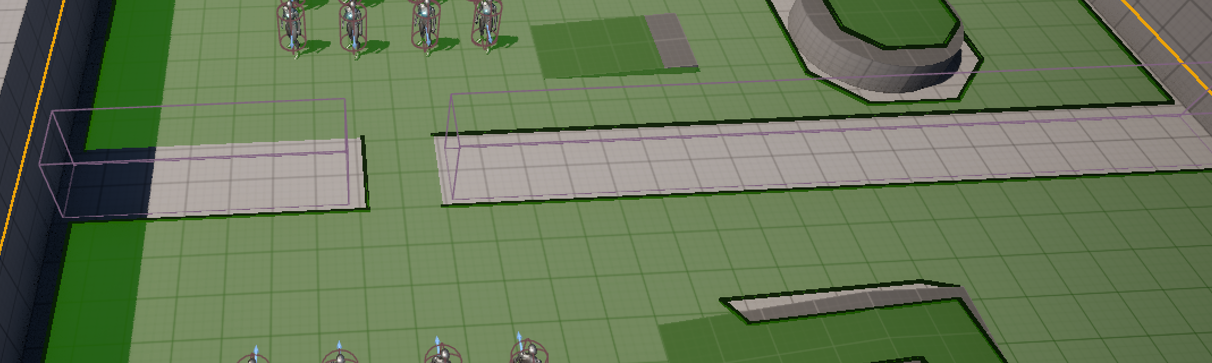
- Obstacle Area Class 는 Null로 설정
📌 BP_RVOCharacter Setting
- 어떻게 이동하는지 알아보기 위해 디버깅라인을 Tick을 통해 그려보았다.
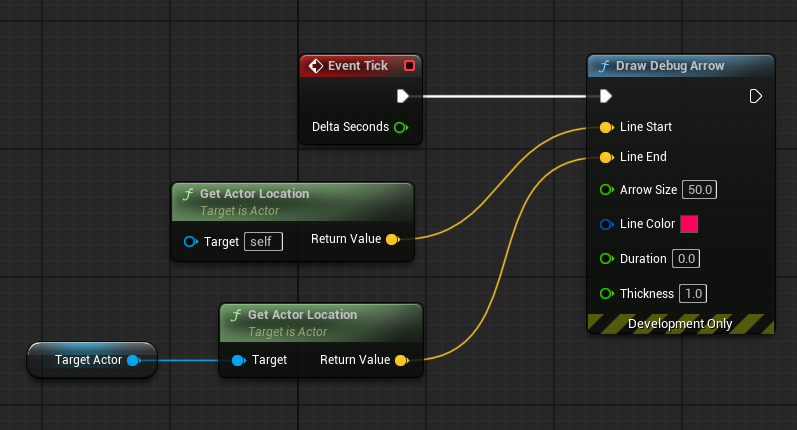
- 그리고 맵상에 왼쪽 8명 // 오른쪽 8명 BP_RVOCharacter를 배치한 다음 각자 TargetActor를 설정해주었다.


- 스포이드로 뷰포트상에 해당 액터를 클릭하면 편하게 설정가능
- 이후 서로를 잘 피해서 해당 목적지까지 잘 이동하는 것을 볼 수 있다.
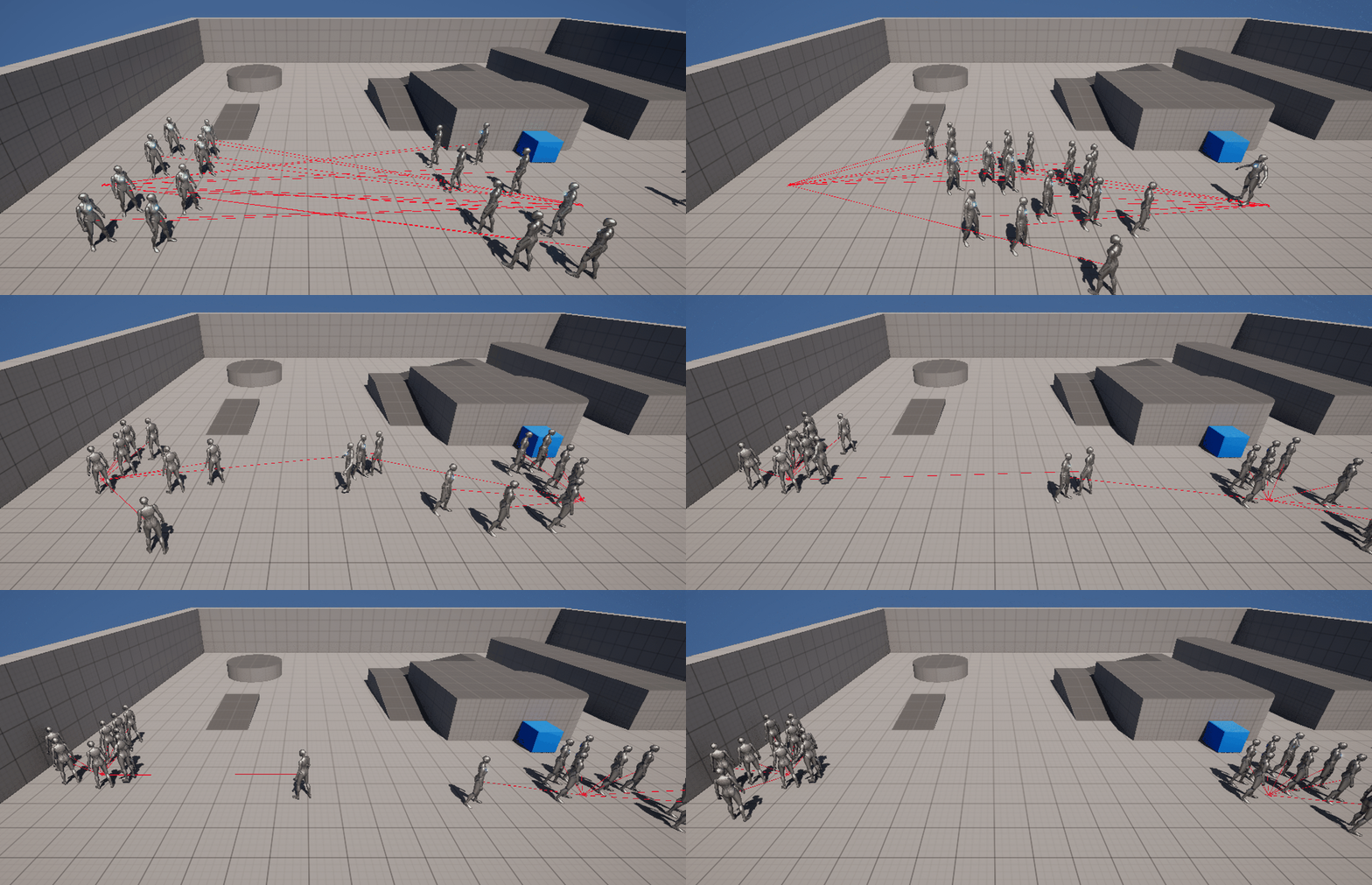
📌 RVO_Off
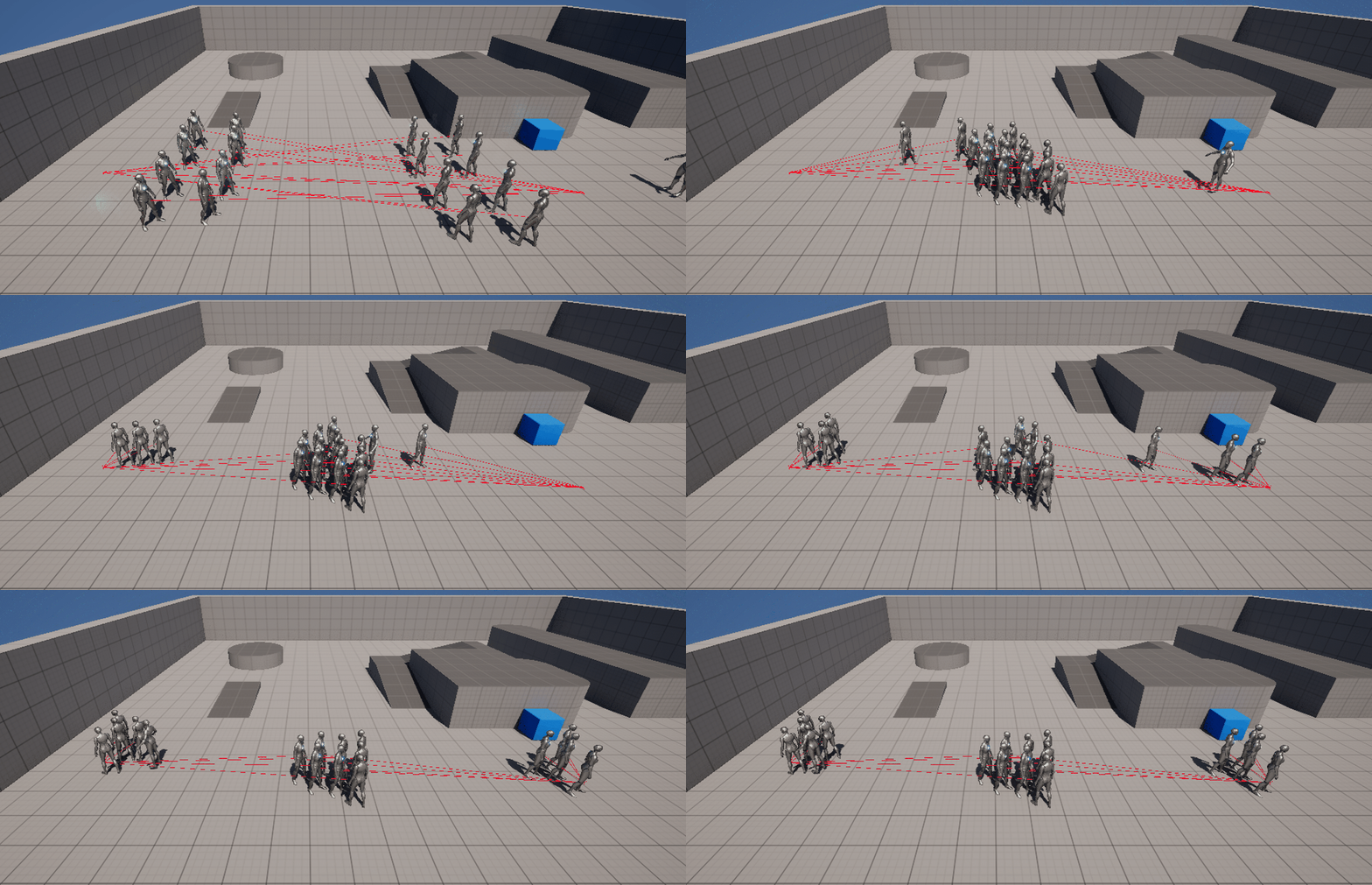
- 반대로 RVO를 끄면 어떻게 이동하는지 확인을 해보았다.
- 앞서 C++ 로직에서 만들었던 SetRVOAvoidanceEnabled 메소드를 사용하여 BP_RVOCharacter의 BeginPlay에 연결
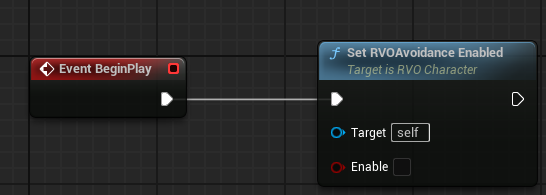
- 앞서 C++ 로직에서 만들었던 SetRVOAvoidanceEnabled 메소드를 사용하여 BP_RVOCharacter의 BeginPlay에 연결
- 이동하는 개체가 있기도 회피하지 못해 이동이 막힌 AI가 있는걸 확인할 수 있었다.
📌 AvoidanceWeight
- AvoidanceWeight을 왼쪽은 1.0f // 오른쪽은 0.0f를 주고 테스트를 해보았다.
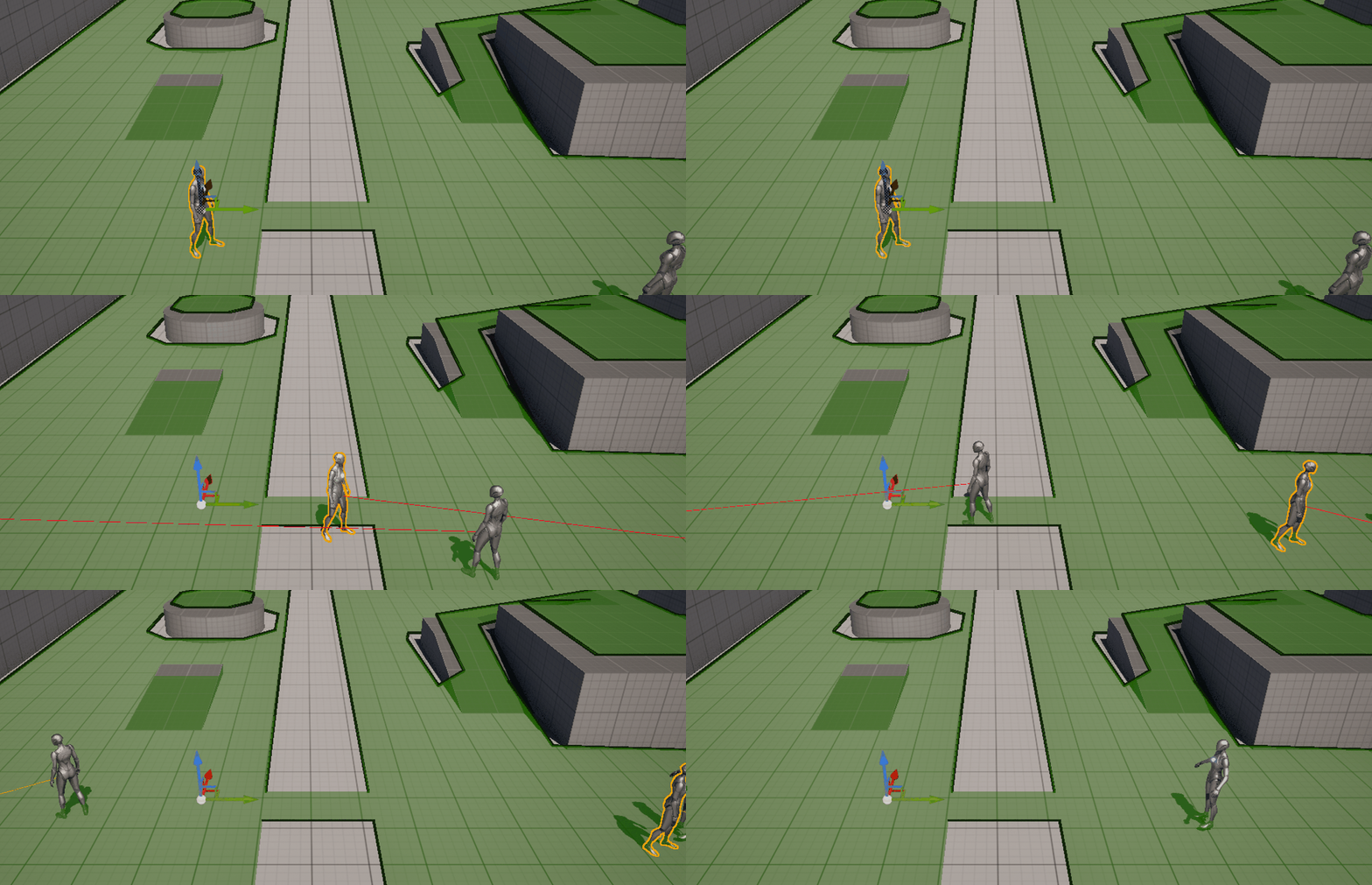
- 왼쪽개체는 직진, 오른쪽개체는 피하고 가는 모습을 확인할 수 있었다.
📌 AvoidanceRadius
- AvoidanceRadius를 1500.f 로 설정하고 테스트를 해보았다.
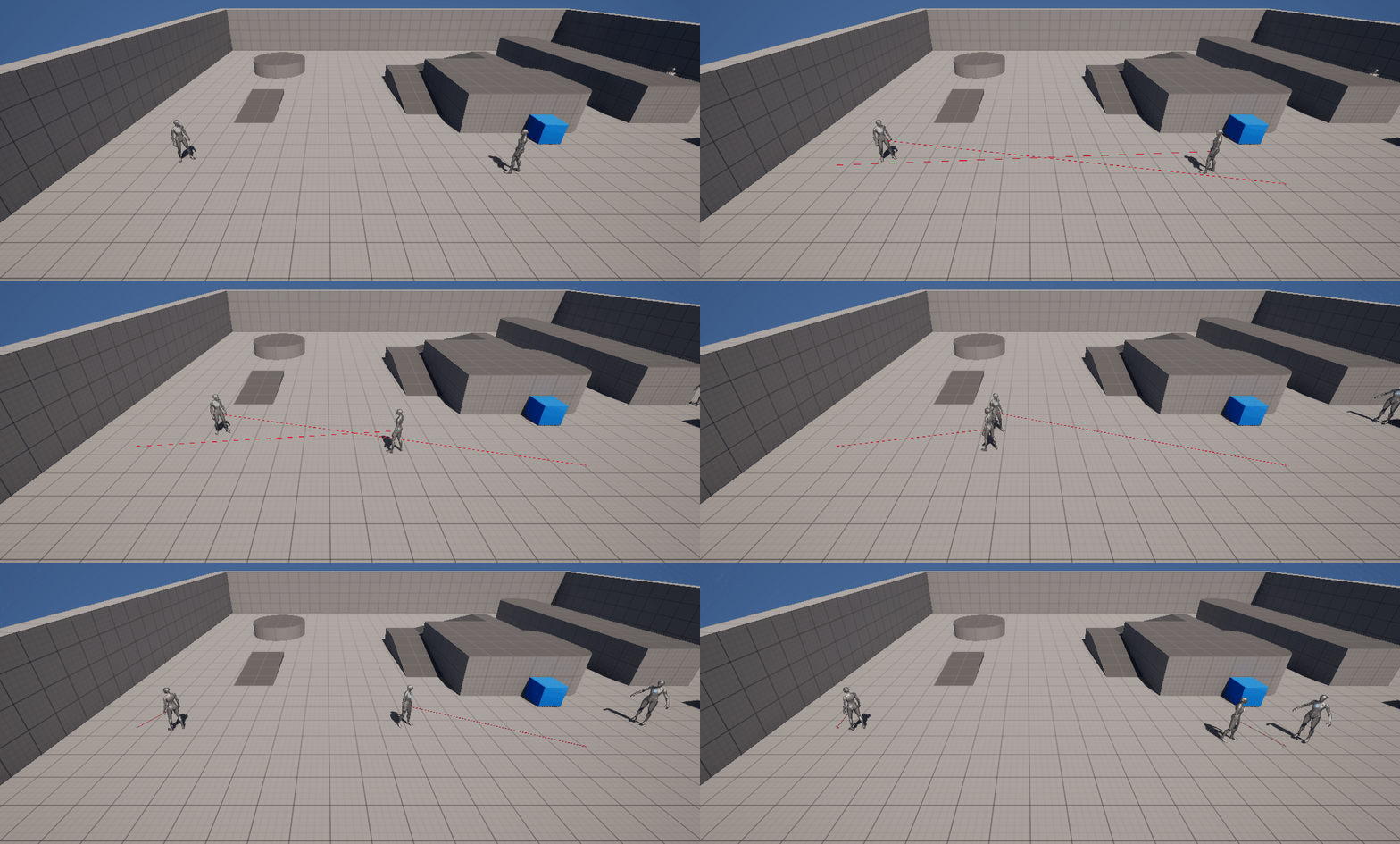
- 멀리서부터 회피를하는 움직임이 있는걸 볼 수 있다.
Unreal 1기