
Apple Developer

- 기본값은 편집 불가
- 메서드 구현 시 특정 셀에 대한 이 속성 값을 반환
- 셀이 편집 가능한 상태인지 여부와 편집 가능한 경우 삽입 또는 삭제 컨트롤을 표시할지 여부를 지정
1️⃣ 기본 Setting
func loadSections() {
        if let data = UserDefaults.standard.data(forKey: "sections"),
           let savedSections = try? JSONDecoder().decode([Section].self, from: data) {
            sections = savedSections
        } else {
            sections = [Section(header: "Section 1", footer: nil, items: [
                Item(imageName: "plus", title: "New Item"),
                Item(imageName: "plus", title: "New Item")
            ])]
            saveSections()
        }
        tableView.reloadData()
    }

    func saveSections() {
        if let data = try? JSONEncoder().encode(sections) {
            UserDefaults.standard.set(data, forKey: "sections")
        }
    }

    @objc func addItem() {
        let existingTitles = sections.flatMap { $0.items.map { $0.title } }

        let possibleTitles = (1...50).map { "New Item\($0)" }.shuffled()
        guard let availableTitle = possibleTitles.first(where: { !existingTitles.contains($0) }) else {
            return
        }

        let newItem = Item(imageName: "plus", title: availableTitle)

        sections[0].items.append(newItem)
        saveSections()

        let newIndexPath = IndexPath(row: sections[0].items.count - 1, section: 0)
        tableView.insertRows(at: [newIndexPath], with: .automatic)
    }
loadSections 함수
- UserDefaults에 저장된 Cell 아이템 불러오기
- 저장된 아이템 없을시 기본적으로 아이템 두개를 생성
saveSections 함수
- 현재 상태의 셀 아이템을 저장
addItem 함수
- 아이템을 추가하고 테이블 뷰에 삽입하는 함수로 UIBarButtonItem의 rightBarButtonItem으로 사용
- 모든 타이틀 이름 수집
sections.flatMap { $0.items.map { $0.title } }
- 중복되지 않는 제목 후보 리스트 생성
(1...50).map { "New Item\($0)" }.shuffled()
2️⃣ editingStyle
    func tableView(_ tableView: UITableView, commit editingStyle: UITableViewCell.EditingStyle, forRowAt indexPath: IndexPath) {
        if editingStyle == .delete {
            sections[indexPath.section].items.remove(at: indexPath.row)
            saveSections()
            tableView.deleteRows(at: [indexPath], with: .fade)
        }
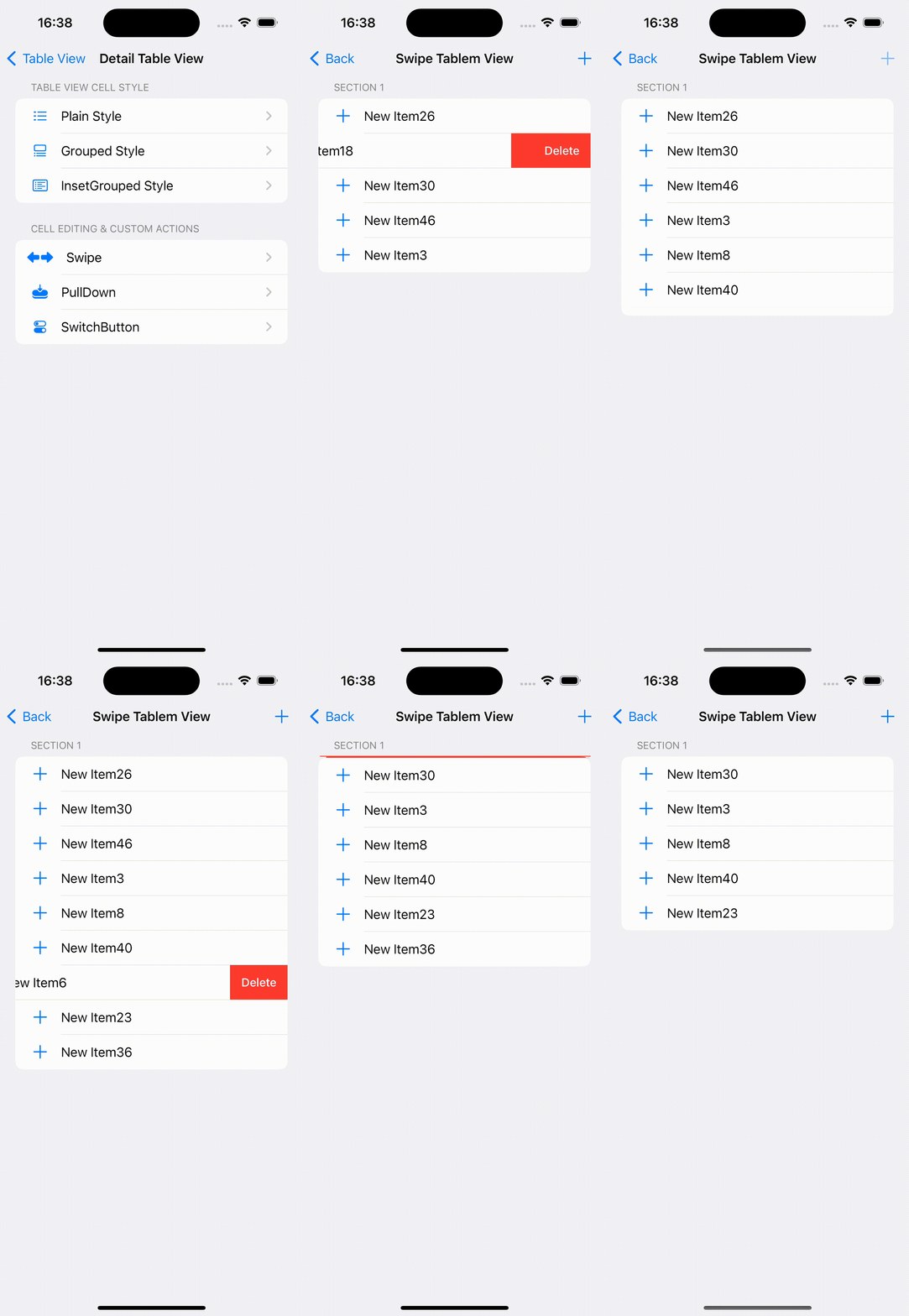
}- editingStyle을 delete로 지정해주면 왼쪽으로 swipe 시 삭제 기능 동작
- 삭제 이후 남은 셀 아이템을 saveSections 함수를 호출해 UserDefaults에 저장
실행 영상

vis ta vie