[CycleTracker 2] manifest file

첫 번째 PWA 만들기 - CycleTracker 2
CycleTracker: manifest file
https://mdn.github.io/pwa-examples/cycletracker/
테스트를 위해 http-server(서버), mkcert(https를 위한 인증서)를 설치합니다.
$ npm install --global http-server
$ choco mkcert
$ mkcert localhost
$ http-server -S -C localhost.pem -K localhost-key.pem
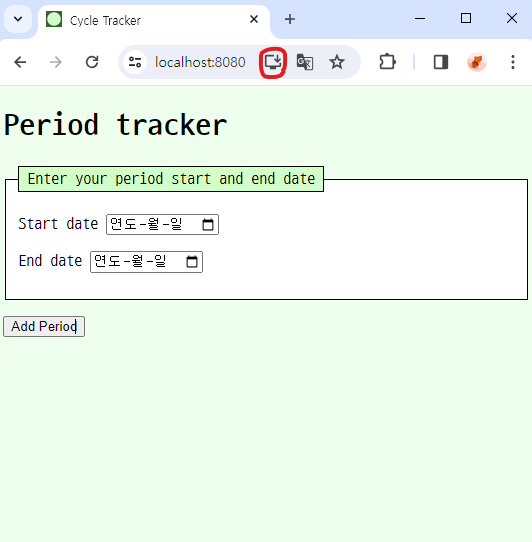
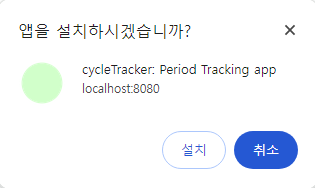
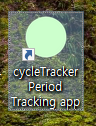
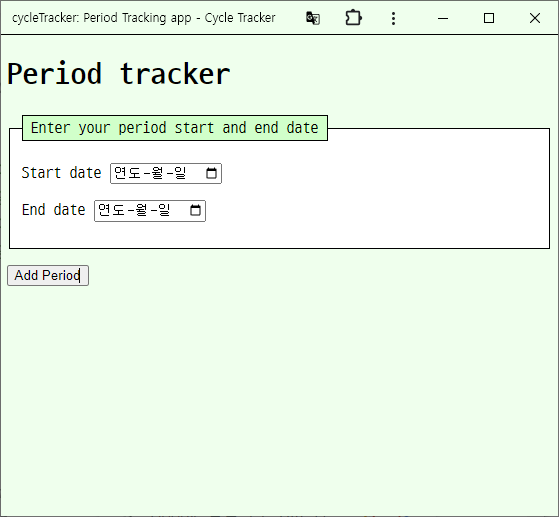
index.html
<!doctype html>
<html lang="en-US">
  <head>
    <meta charset="utf-8" />
    <meta name="viewport" content="width=device-width" />
    <title>Cycle Tracker</title>
    <link rel="stylesheet" href="style.css" />
    <link rel="manifest" href="cycletracker.json" /> <!-- manifest 추가 -->
    <link rel="icon" href="icons/circle.svg" /> <!-- icon 추가 -->
  </head>
  <body>
    <h1>Period tracker</h1>
    <form id="new-period">
      <fieldset>
        <legend>Enter your period start and end date</legend>
        <p>
          <label for="start-date">Start date</label>
          <input type="date" id="start-date" required />
        </p>
        <p>
          <label for="end-date">End date</label>
          <input type="date" id="end-date" required />
        </p>
      </fieldset>
      <p>
        <button type="submit">Add Period</button>
      </p>
    </form>
    <section id="past-periods"></section> <!-- section 안에 있는 내용 지우기(js에서 처리하기 때문) -->
    <script src="app.js" defer></script>
  </body>
</html>
cycletracker.json
{
  "name": "cycleTracker: Period Tracking app",
  "short_name": "CT",
  "description": "Securely and confidentially track your menstrual cycle. Enter the start and end dates of your periods, saving your private data to your browser on your device, without sharing it with the rest of the world.",
  "start_url": "/",
  "theme_color": "#eeffee",
  "background_color": "#eeffee",
  "display": "standalone",
  "icons": [
    {
      "src": "favicon.ico",
      "sizes": "48x48"
    },
    {
      "src": "icons/circle.svg",
      "sizes": "72x72 96x96",
      "purpose": "maskable"
    },
    {
      "src": "icons/tire.svg",
      "sizes": "128x128 256x256"
    },
    {
      "src": "icons/wheel.svg",
      "sizes": "512x512"
    }
  ]
}
더 오래하면 돼.