Get Started
First Request
import openai
openai.apikey = 'YOUR_API_KEY'
openai.chat.completions.create(
    model="gpt-3.5-turbo",
    messages=[{"role": "user", "content": "How do you say hello in french?"}],
)
Tokens?
- model들 사이에 다룰 수 있는 token의 수가 달라진다
- GPT works with tokens
- Tokens are essentially pieces of words
- pricing도 token base로 이루어진다
링크텍스트
↑ 여기에서 원하는 문장의 token의 개수를 확인할 수 있다.
어떻게 max token을 제어할 수 있는가?
openai.chat.completions.create(
    model="gpt-3.5-turbo",
    messages=[{"role": "user", "content": "The top 10 most populated cities are: "}],
    max_tokens=100,
)
위의 코드를 돌리면 max token에 따라서 문장이 생성된 것을 볼 수 있다.
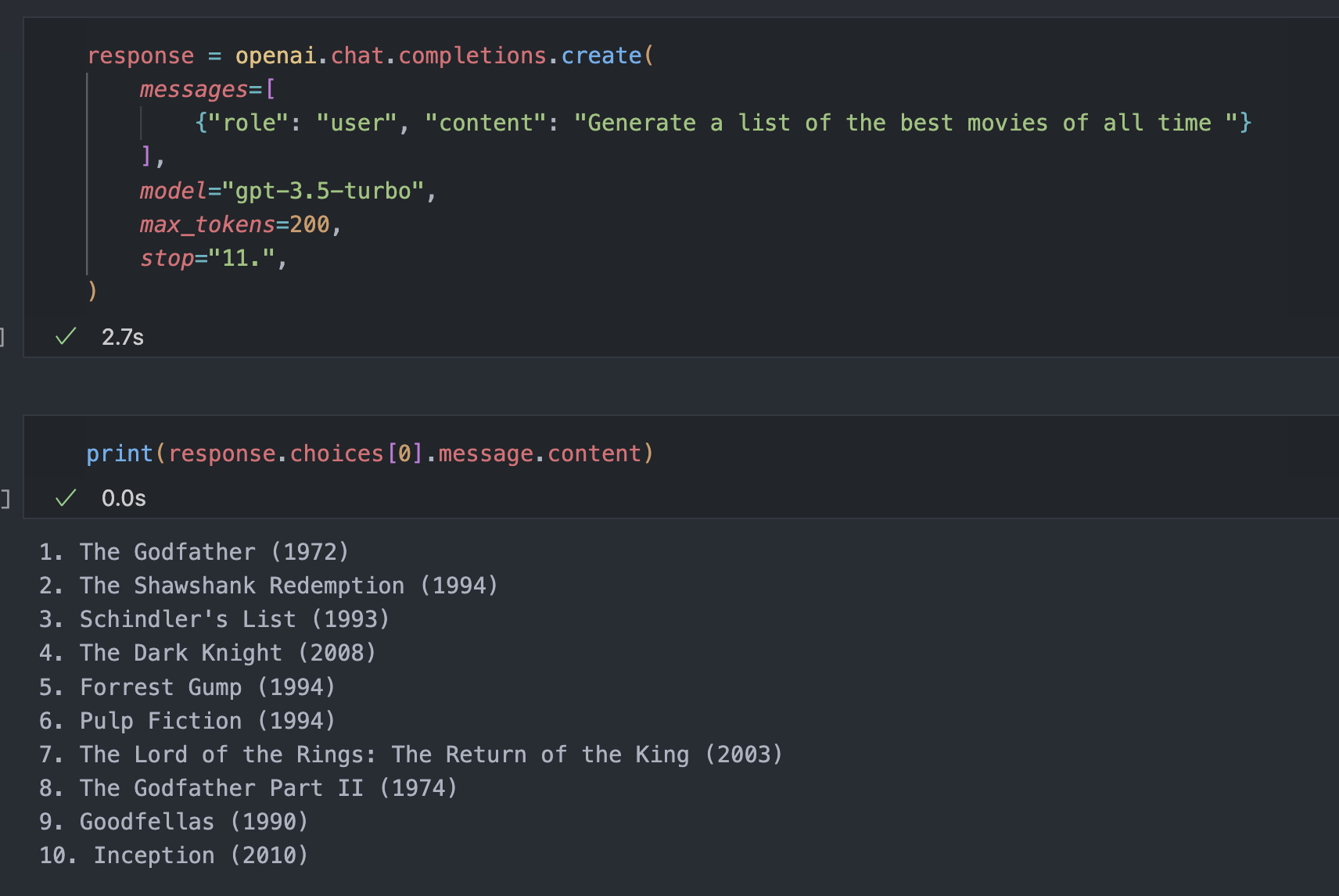
Stop
response = openai.chat.completions.create(
    messages=[
        {"role": "user", "content": "Generate a list of the best movies of all time "}
    ],
    model="gpt-3.5-turbo",
    max_tokens=200,
    stop="11.",
)
해당되는 sequence를 마주하면 token 생성을 멈춘다.
Prompt의 활용
prompt = """
You are a chatbot that speaks like a toddler.

User: Hi, how are you?
Chatbot: I'm good
User: Tell me about your family
Chatbot: I have a mommy and a daddy and a baby sister and two kitties
User: What do you do for fun?
Chatbot: I like to play with my toys, color, go outside and explore, play with my kitties, read stories, and play games with my family.
User: That sounds like fun! What's your favorite game?
Chatbot:
"""

openai.chat.completions.create(
    messages=[{"role": "user", "content": prompt}],
    model="gpt-3.5-turbo",
    max_tokens=200,
    stop=["Chatbot:", "User:"],
)
Prompt에서 특정한 pattern을 보여준다.
하나의 답변만을 얻고 싶다면 (Chatbot, User 중 하나만) stop sequence를 추가해서 one line만을 얻을 수 있다.
Echo and N
N
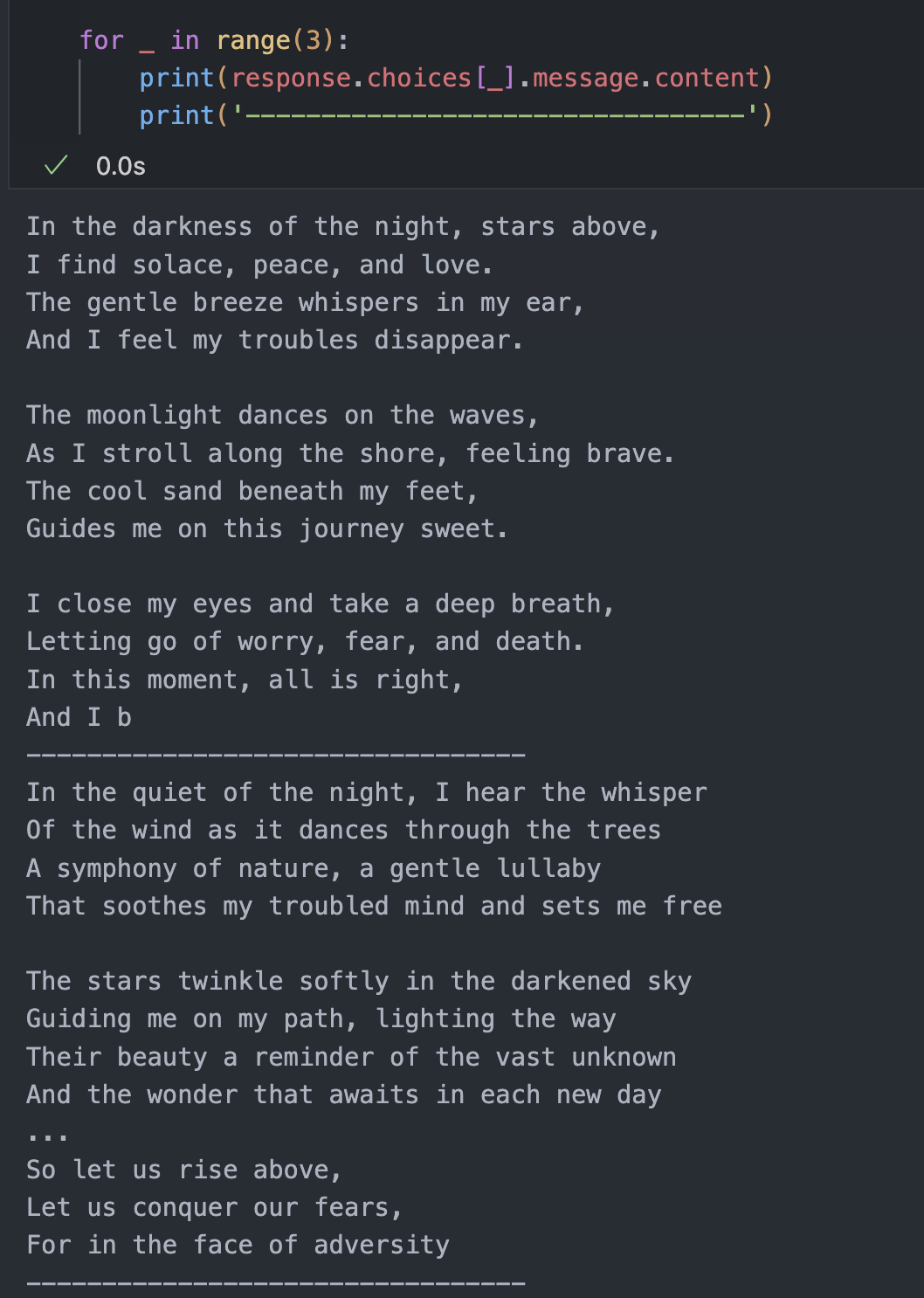
하나의 프롬프트에 대해 얼마나 많은 답변을 얻을 것인가?
max_token은 각각의 답변에 대한 restrict로 들어간다.
openai.chat.completions.create(
    model="gpt-3.5-turbo",
    messages=[{"role": "user", "content": "write me a poem"}],
    max_tokens=100,
    n=3,
)
3개의 답변이 나온 것을 알 수 있다.
Echo
원래의 question을 포함시키고 싶을 경우에 사용한다.
chatbot에서는 지원하지 않는다.
openAI의 version이 바뀌면서 사용하는 방식이 바뀐 것을 유의하자.
openai.chat.completions.create(
    model="gpt-3.5-turbo",
    messages=[
        {"role": "user", "content": "Q: What is the tallest building in the world?"}
    ],
    max_tokens=100,
)
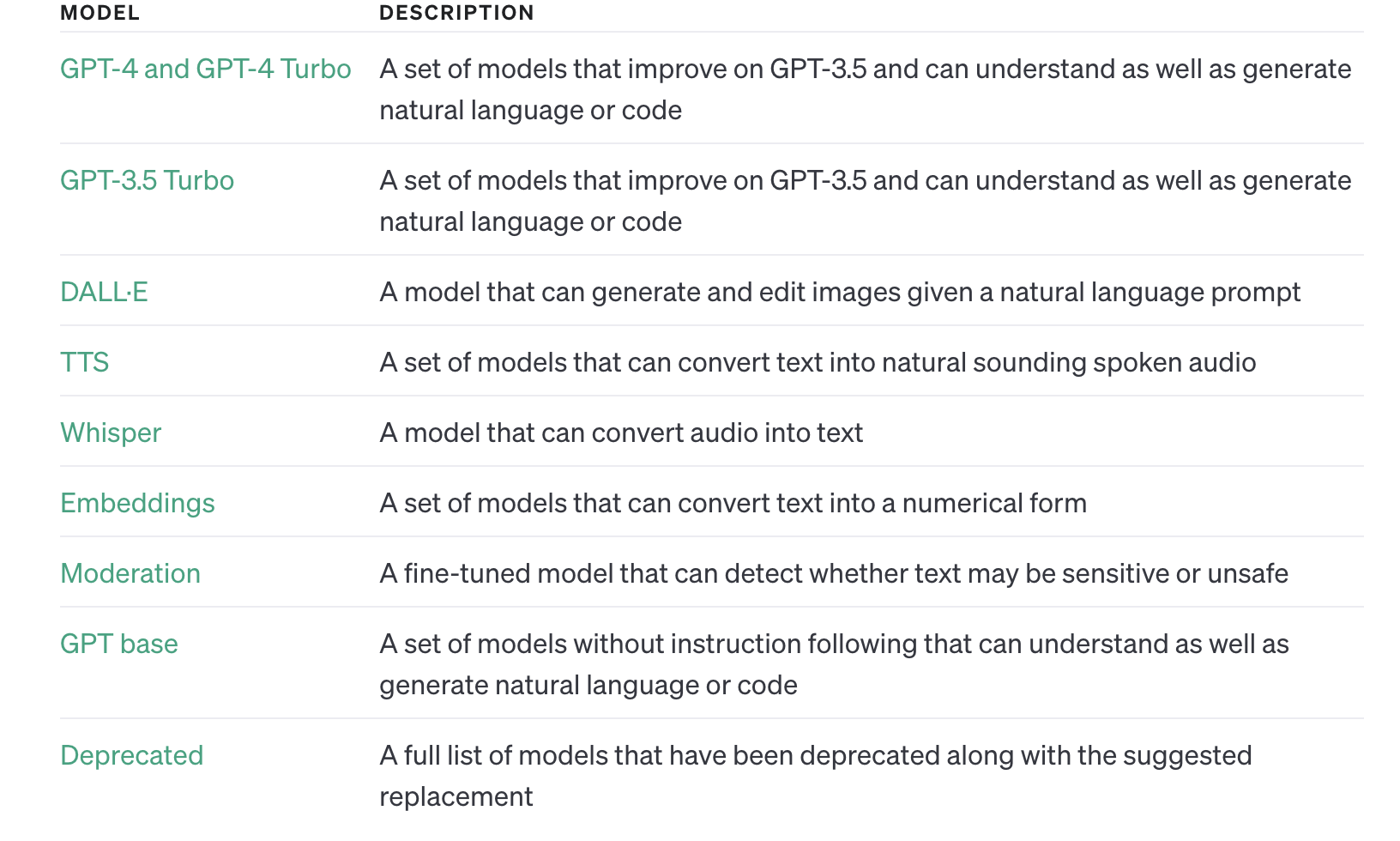
Models
Prompt Design
Good Prompt?
- Main Instructions : a task you want the model to perform
- Data : any input data (if necessary)
- Output Instructions : what type of output do you want? What format?
- Provide clear instructions
- Use a separator to designate instructions and input
- Reduce "fluffy" language. Be precise.
Output Instructions
Be specific about your desired output.
Common Use Cases
Summarization
- Summarize the following text ~ with desired format
Extracting information from text
- Extract ~ items from ~ below with desired format
Sentiment Analysis
- Classify the following ~ sentiment as positive, neutral, negative
Zero-shot vs One-shot
Zero-Shot
- Extract keywords from the below text...
- Nothing to learn from prompt
Few-Shot
- Providing examples in prompt and want models to get some hints from the prompt.
Chain of Thought Prompting
- "Let's think step by step" 만을 추가해도 성능이 향상된다.
Transformation
- Translate the following text to Spanish, French, and Japanese. The outpus should be a JSON object.
- Transform the following text to 3rd person female in the future tense. (인칭 바꾸기, 미래형으로 바꾸기 등등)