GPT parameters
Temperature
- A value from 0-2, though most often between 0 and 1
- Its default value is 1
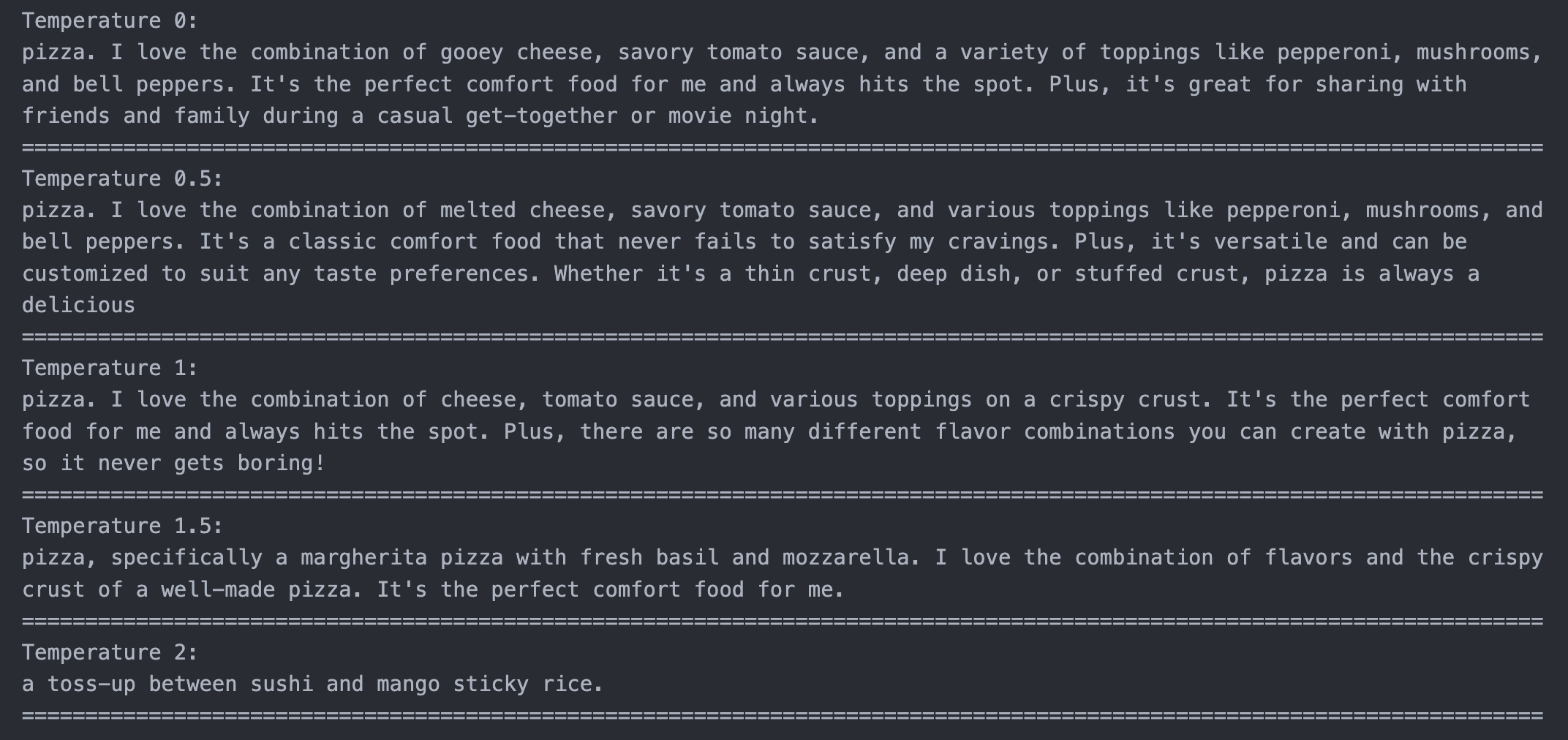
- Controls the randomness of the output. Higher values are more random, lower values are more deterministic
- Temperature works by scaling the logits (a measure of probability distribution over the possible next words)
- The logits are divided by the temperature value before applying the softmax function
- This results in a "softer" probability distribution with a higher temperature and a peaked distribution with low temp
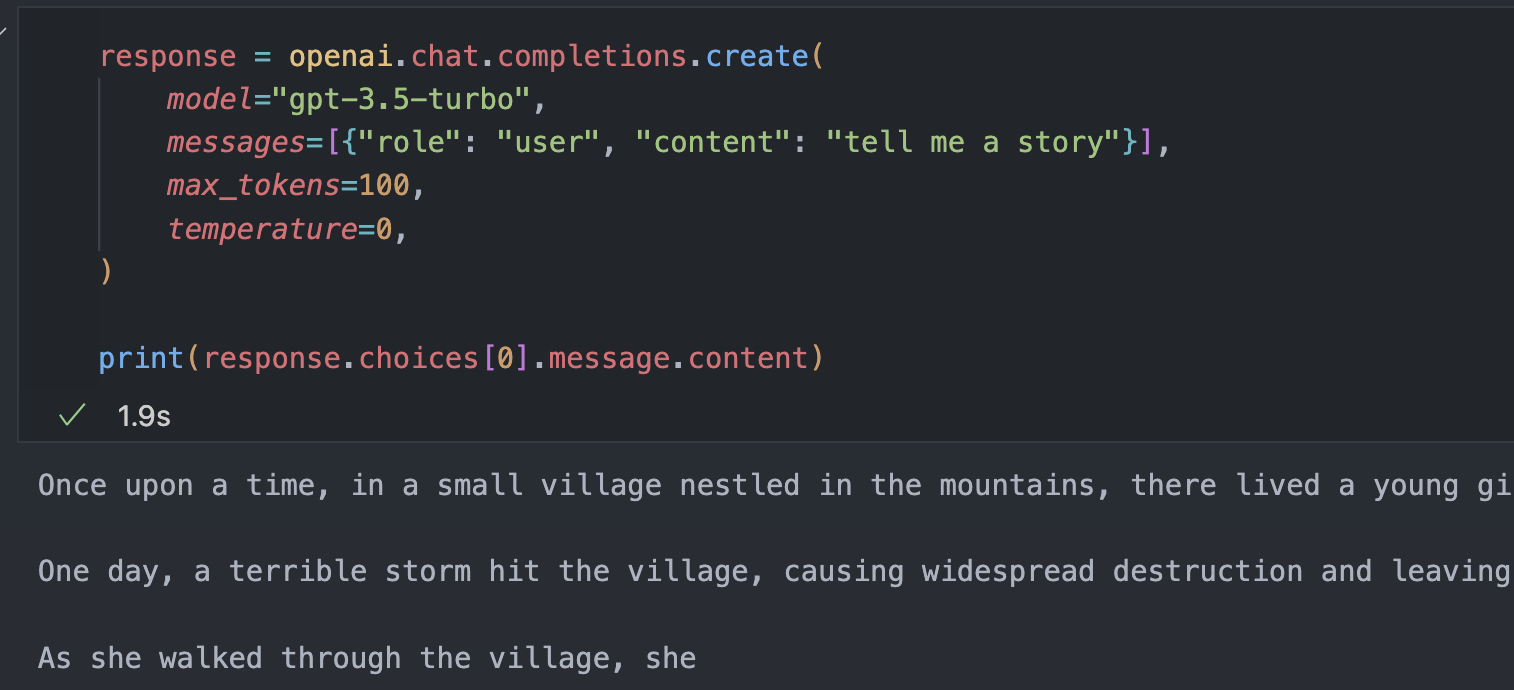
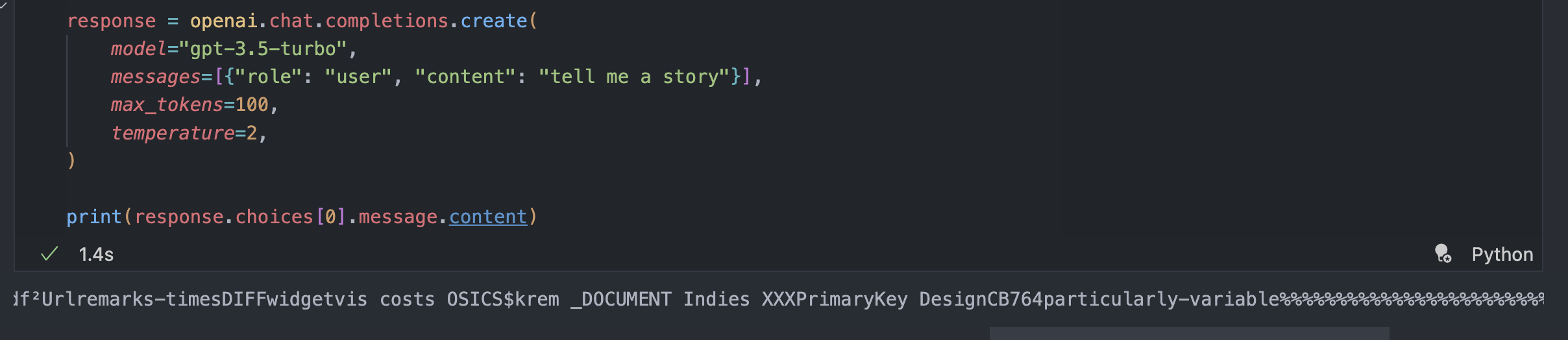
Temperature를 1보다 크게 올리면? - 말이 되지 않는 output을 내놓는 것을 볼 수 있다.
- Temperature를 바꿔가면서 돌리면 모델의 output에 대한 설명이 바뀌는 것을 볼 수 있다.
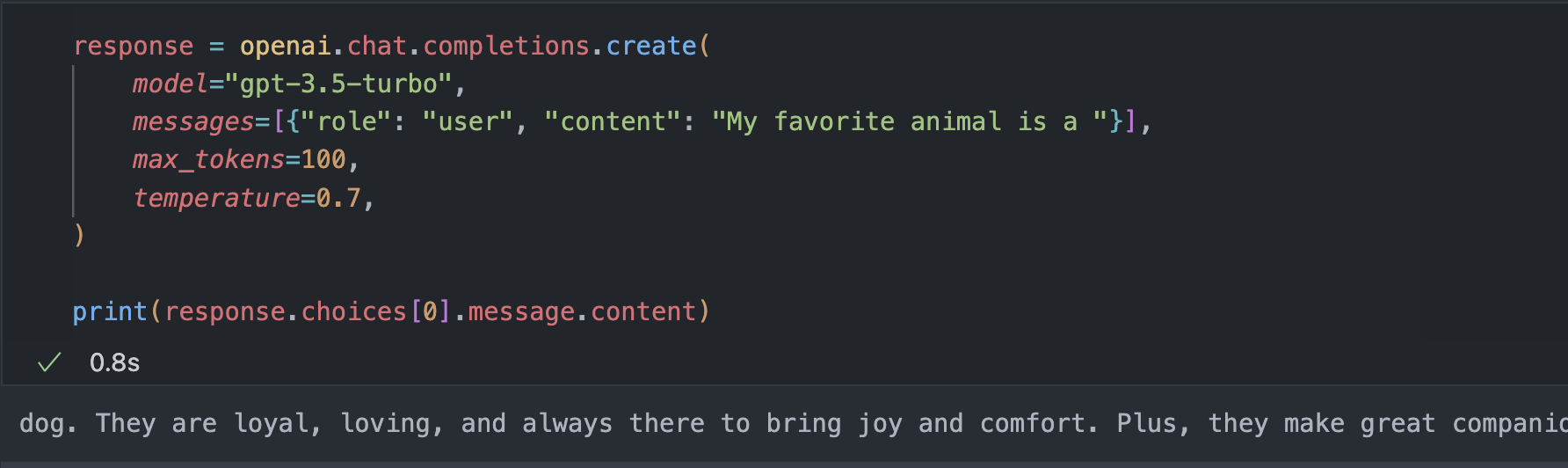
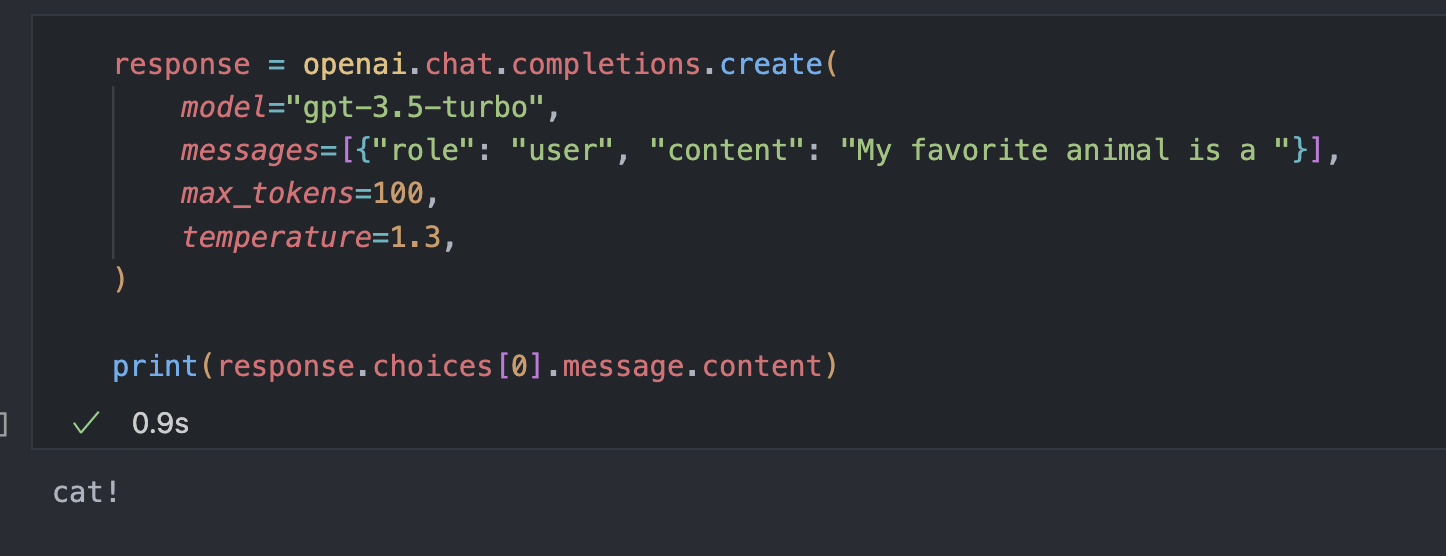
- Loop를 통해 Temperature를 바꾸면서 print하는 코드
def nice_print(dictionary):
    # Setting -2 here will cause the model to repeat the same tokens over and over. Often, it will repeat the newline character ad infinitum.
    for key, value in dictionary.items():
        wrapped_text = "\n".join(textwrap.wrap(value, width=120))
        print(f"{key}:")
        print(wrapped_text)
        print("=" * 120)

nice_print(
    {
        f"Temperature {temperature}": openai.chat.completions.create(
            model="gpt-3.5-turbo",
            messages=[{"role": "user", "content": """My favorite food is""".strip()}],
            max_tokens=75,
            temperature=temperature,
        )
        .choices[0]
        .message.content.strip()
        for temperature in [0, 0.5, 1, 1.5, 2]
    }
)
Top P
-
An alternative to sampling with temperature, called nucleus sampling
-
Its default value is 1
-
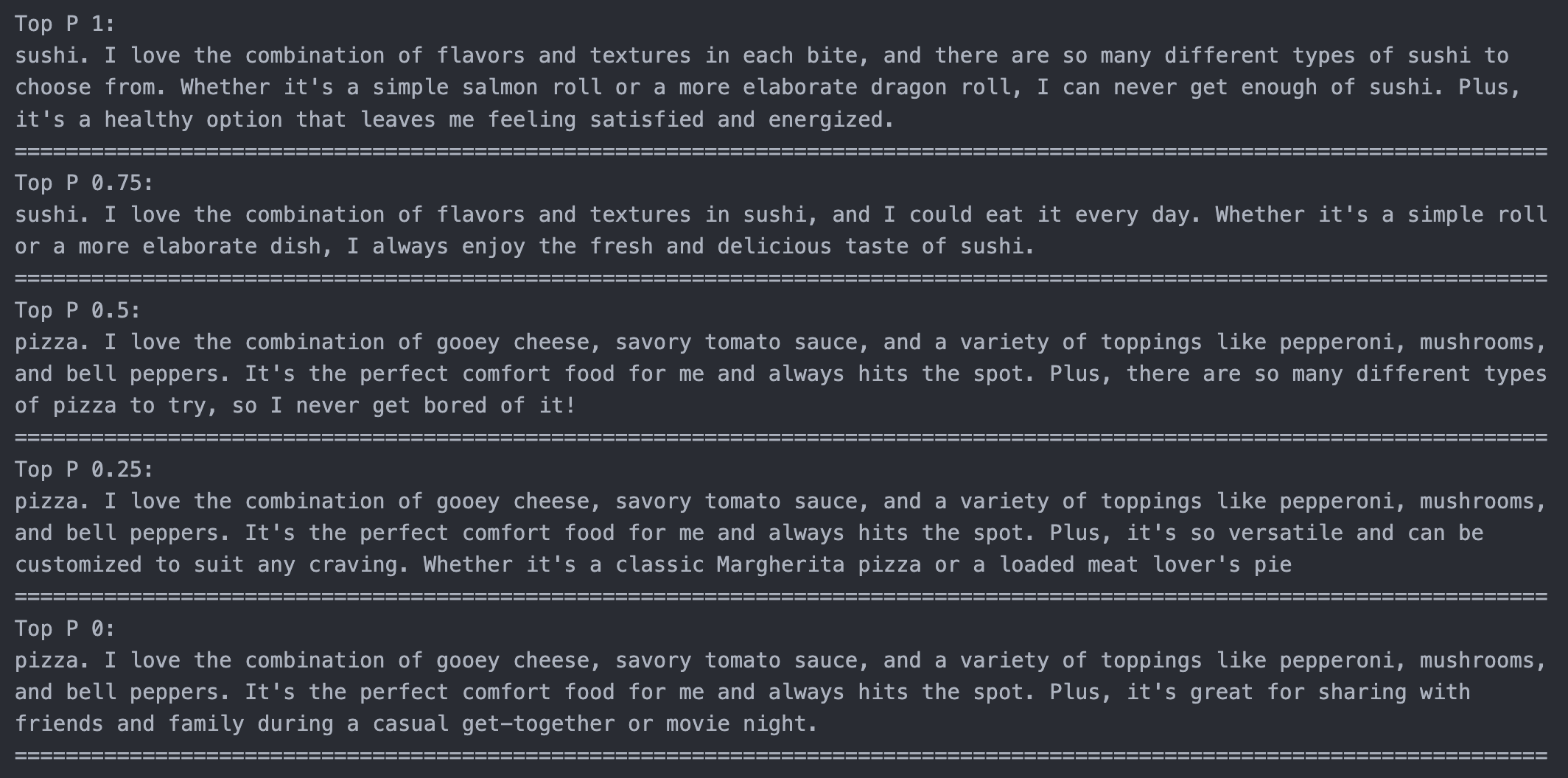
Like temperature, top p alters the "creativity" and randomness of the output
-
Top p controls the set of possible words/tokens that the model can choose from
-
It restricts the candidate words to the smallest set whose cumulative probability is greater than or equal to a threshold, "p"
nice_print(
    {
        f"Top P {top_p}": openai.chat.completions.create(
            model="gpt-3.5-turbo",
            messages=[{"role": "user", "content": """My favorite food is""".strip()}],
            max_tokens=75,
            top_p=top_p,
        )
        .choices[0]
        .message.content.strip()
        for top_p in [1, 0.5, 0]
    }
)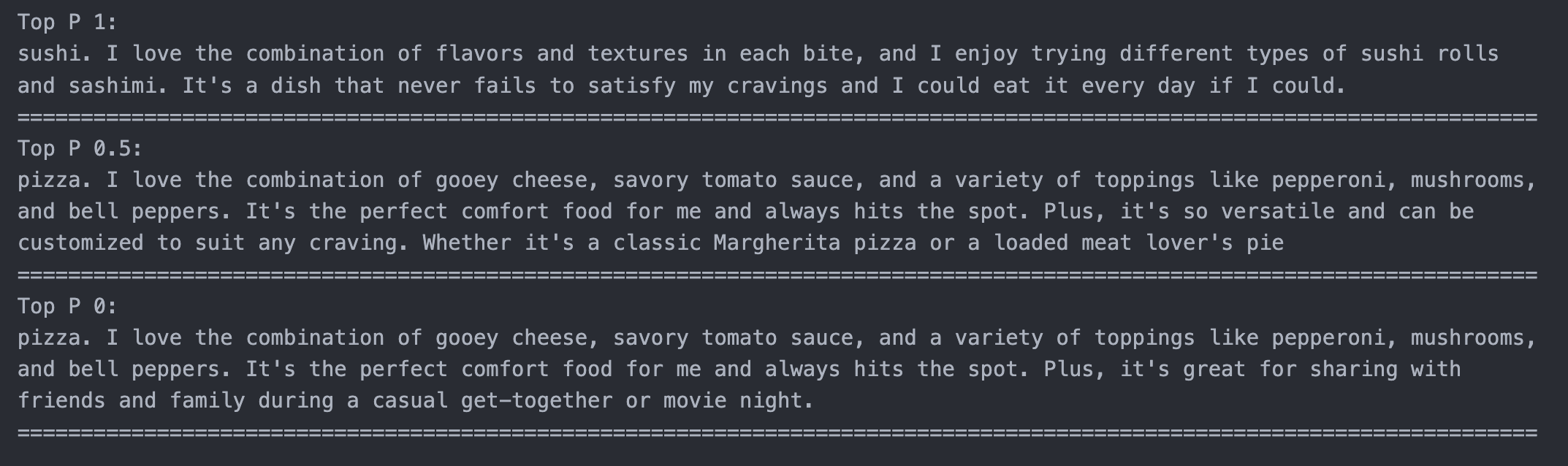
- Temperature는 생성될 확률 자체를 바꾸는 것이고 Top P는 확률은 바꾸지 않고 선택될 window의 사이즈를 바꾸는 것이다. doc에서는 둘 중에 하나만 사용할 것을 권장한다.
nice_print(
    {
        f"Top P {top_p}": openai.chat.completions.create(
            model="gpt-3.5-turbo",
            messages=[{"role": "user", "content": """My favorite food is""".strip()}],
            max_tokens=75,
            top_p=top_p,
        )
        .choices[0]
        .message.content.strip()
        for top_p in [1, 0.75, 0.5, 0.25, 0]
    }
)
Frequency Penalty
- A number from -2 to 2
- Default to 0
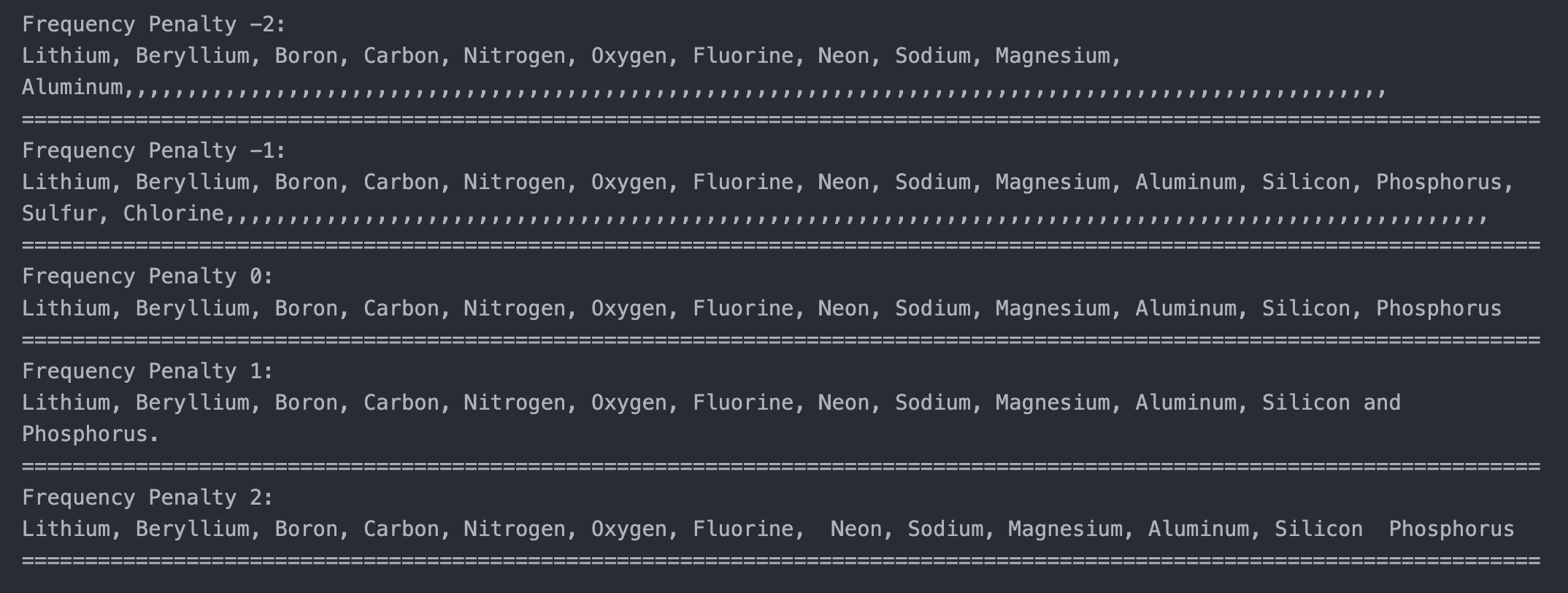
- Postive values penalize new tokens based on their existing frequency in the text so far, decreasing the model's likelihood to repeat the same line verbatim.
nice_print(
    {
        f"Frequency Penalty {x}": openai.chat.completions.create(
            model="gpt-3.5-turbo",
            messages=[
                {
                    "role": "user",
                    "content": """The first 15 elements are Hydrogen, Helium,""".strip(),
                }
            ],
            max_tokens=200,
            frequency_penalty=x,
        )
        .choices[0]
        .message.content.strip()
        for x in [-2, -1, 0, 1, 2]
    }
)-
Freqeuncy penalty가 작을수록 이미 나온 단어가 또 나올 확률이 증가한다.
-
If you want to reduce repetitive samples, try a penalty from 0.1 ~ 1
-
To strongly suppress repetition, you can increase it further BUT this can lead to bad quality outputs
-
Negative values increase the likelyhood of repetition
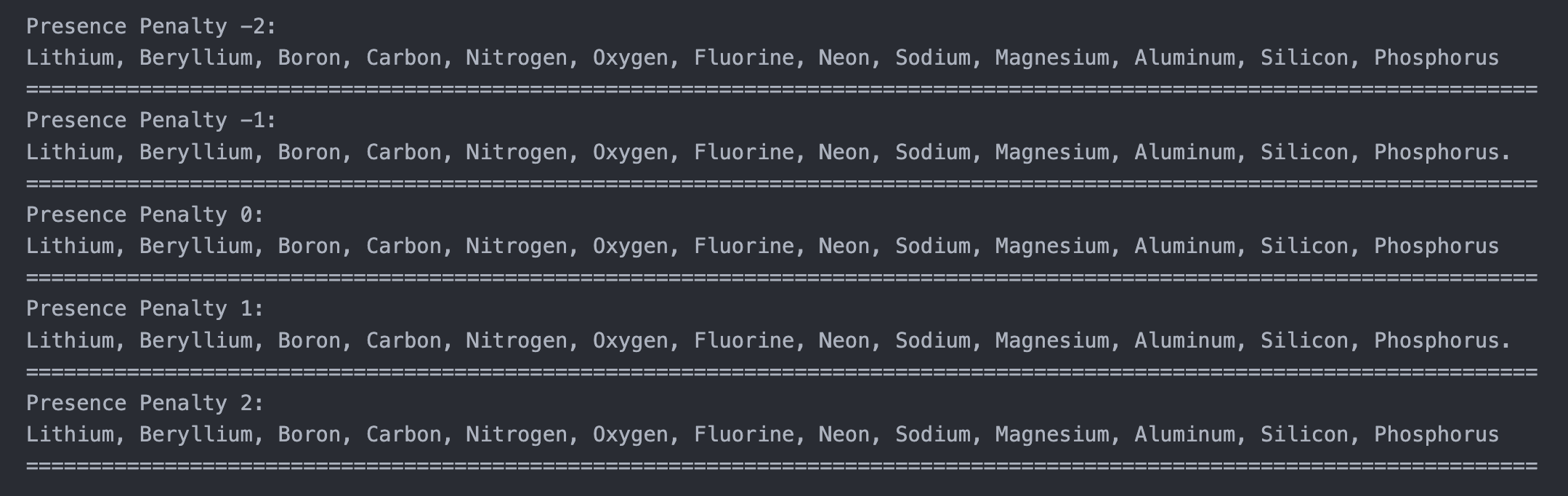
Presence Penalty
- A number from -2 to 2
- Defaults to 0
- Postivie values penalize new tokens based on whether they appear in the text so far, increasing the model's likelihood to talk about new topics.
- Presence penalty is a one-off additive contribution that applies to all tokens that have been sampled at least once (10번 나타나던 1번 나타났던 똑같이 패널티를 부여한다.)
- Frequency penalty is a contribution that is proportional to how often a particular token has already been sampled
nice_print(
    {
        f"Presence Penalty {x}": openai.chat.completions.create(
            model="gpt-3.5-turbo",
            messages=[
                {
                    "role": "user",
                    "content": """The first 15 elements are Hydrogen, Helium,""".strip(),
                }
            ],
            max_tokens=200,
            presence_penalty=x,
        )
        .choices[0]
        .message.content.strip()
        for x in [-2, -1, 0, 1, 2]
    }
)
Stream
for data in openai.chat.completions.create(
    model="gpt-3.5-turbo",
    messages=[
        {"role": "user", "content": "write me a poem about foggy morning commutes"}
    ],
    max_tokens=300,
    stream=True,
):
    print(data.choices[0].delta.content, end="", flush=True)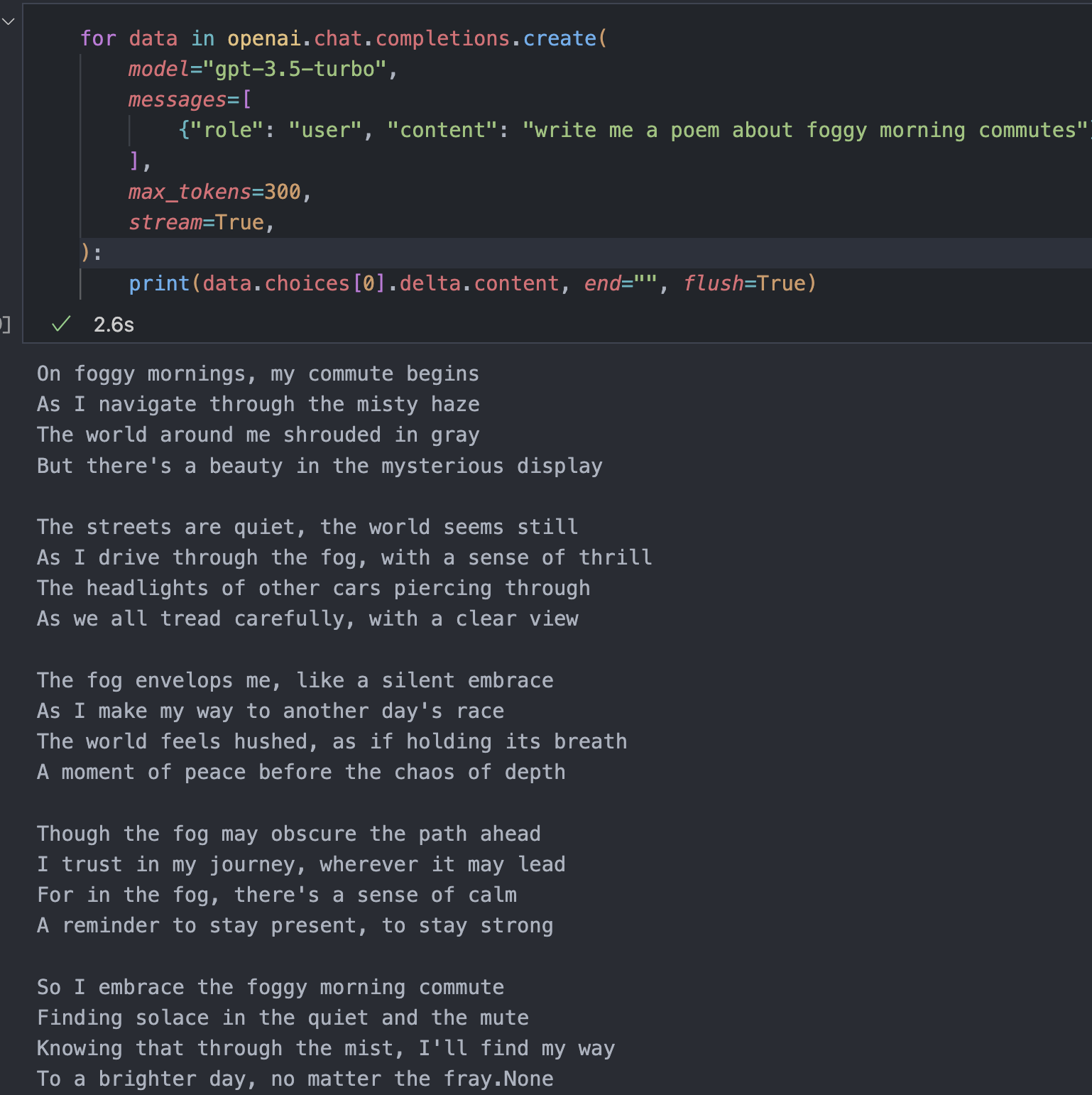
- 한 번에 한 개의 데이터를 생성하는 것을 볼 수 있다. (flush=True)
Chat API
-
The ChatGPT API allows us to use gpt-3.5-turbo and gpt-4
-
It uses a chat format designed to make multi-turn conversations easy
-
It also can be used for any single-turn tasks that we've done with the completion API
-
Input series of messages.
openai.chat.completions.create(
    model="gpt-3.5-turbo",
    messages=[
        {
            "role": "system",
            "content": "You are a helpful assistant that translates English to French.",
        },
        {
            "role": "user",
            "content": "Translate the following English text to French: I want a pet frog",
        },
    ],
)
Chat vs Completions
- 각 대화에 role을 부여해서 content를 부여해야 함
openai.chat.completions.create(
    model="gpt-3.5-turbo",
    messages=[
        {
            "role": "system",
            "content": "You are a helpful assistant that classifies the sentiment in text as either positive, neutral, or negative",
        },
        {
            "role": "user",
            "content": "Classify the sentiment in the following text: 'I really hate chickens'",
        },
        {"role": "assistant", "content": "Negative"},
        {
            "role": "user",
            "content": "Classify the sentiment in the following text: 'I love my dog'",
        },
    ],
)
이미 작성된 prompt를 chat ver으로 바꾸기
def get_and_render_colors_chat(msg):
    messages = [
        {
            "role": "system",
            "content": "You are a color palette generating assistant that responds to text prompts for color palettes. You should generate color palettes that fit the theme, mood, or instructions in the prompt.The palettes should be between 2 and 8 colors.",
        },
        {
            "role": "user",
            "content": "Convert the following verbal description of a color palette into a list of colors: The Mediterranean Sea",
        },
        {
            "role": "assistant",
            "content": '["#006699", "#66CCCC", "#F0E68C", "#008000", "#F08080"]',
        },
        {
            "role": "user",
            "content": "Convert the following verbal description of a color palette into a list of colors: sage, nature, earth",
        },
        {
            "role": "assistant",
            "content": '["#EDF1D6", "#9DC08B", "#609966", "#40513B"]',
        },
        {
            "role": "user",
            "content": f"Convert the following verbal description of a color palette into a list of colors: {msg}",
        },
    ]
    response = openai.chat.completions.create(
        messages=messages,
        model="gpt-4",  # use gpt-3.5-turbo if you don't have gpt-4 access
        max_tokens=200,
    )

    colors = json.loads(response.choices[0].message.content)
    display_colors(colors)
Chat API parameters
- echo는 없고 나머지는 동일하게 존재한다.
- messages를 prompt 대신으로 사용한다.
GPT-4 ChatBot
- 환경 설정
import argparse

from dotenv import dotenv_values
from openai import OpenAI

config = dotenv_values(".env")
client = OpenAI(api_key=config["OPENAI_API_KEY"])- chatbot 기본구조
while True:
    try:
        user_input = input(bold(blue("You: ")))
        messages.append({"role": "user", "content": user_input})

        res = client.chat.completions.create(
            model="gpt-3.5-turbo", messages=messages
)- message 요청 기록 남기기
messages = [{"role": "system", "content": ""}]

while True:
    try:
        user_input = input(bold(blue("You: ")))
        messages.append({"role": "user", "content": user_input})

        res = client.chat.completions.create(
            model="gpt-3.5-turbo", messages=messages
        )

        messages.append(
            {"role": "assistant", "content": res.choices[0].message.content}
        )

        print(bold(red("Assistant: ")), res.choices[0].message.content)

    except KeyboardInterrupt:
        print("Exiting...")
break- 성격 부여하기
parser = argparse.ArgumentParser(
    description="Simple command line chatbot with GPT-4"
)

parser.add_argument(
    "--personality",
    type=str,
    help="A brief summary of the chatbot's personality",
    default="friendly and helpful",
)

args = parser.parse_args()
full code
def bold(text):
    bold_start = "\033[1m"
    bold_end = "\033[0m"
    return bold_start + text + bold_end


def blue(text):
    blue_start = "\033[34m"
    blue_end = "\033[0m"
    return blue_start + text + blue_end


def red(text):
    red_start = "\033[31m"
    red_end = "\033[0m"
    return red_start + text + red_end


def main():
    parser = argparse.ArgumentParser(
        description="Simple command line chatbot with GPT-4"
    )

    parser.add_argument(
        "--personality",
        type=str,
        help="A brief summary of the chatbot's personality",
        default="friendly and helpful",
    )

    args = parser.parse_args()

    initial_prompt = (
        f"You are a conversational chatbot. Your personality is: {args.personality}"
    )
    messages = [{"role": "system", "content": initial_prompt}]

    while True:
        try:
            user_input = input(bold(blue("You: ")))
            messages.append({"role": "user", "content": user_input})

            res = client.chat.completions.create(
                model="gpt-3.5-turbo", messages=messages
            )

            messages.append(
                {"role": "assistant", "content": res.choices[0].message.content}
            )

            print(bold(red("Assistant: ")), res.choices[0].message.content)

        except KeyboardInterrupt:
            print("Exiting...")
            break

    print(res)


if __name__ == "__main__":
    main()
2개의 댓글

Really enjoying your Generative AI series — it's informative and well-structured! Week 3 especially highlights some key ideas around model capabilities and limitations. For those looking to dive deeper and build generative AI from scratch, this in-depth guide offers a clear roadmap from architecture selection to deployment:
build generative ai from scratch
It’s a great companion for anyone wanting to move from theory to hands-on development.
Really enjoying your Generative AI series — it's informative and well-structured! Week 3 especially highlights some key ideas around model capabilities and limitations. For those looking to dive deeper and build generative AI from scratch, this in-depth guide offers a clear roadmap from architecture selection to deployment:
build generative ai from scratch
It’s a great companion for anyone wanting to move from theory to hands-on development.