Dependency 확인
앞의 튜토리얼에서 만들었던 패키지의 의존성을 확인
$ rospack depends1 beginner_tutorials
roscpp
rospy
std_msgs
이렇게 한 패키지에 의존성이 어떻게 설정되어 있는지 알수있다.
Publisher 작성
#!/usr/bin/env python
# license removed for brevity
import rospy
from std_msgs.msg import String

def talker():
    pub = rospy.Publisher('chatter', String, queue_size=10)
    rospy.init_node('talker', anonymous=True)
    rate = rospy.Rate(10) # 10hz
    while not rospy.is_shutdown():
        hello_str = "hello world %s" % rospy.get_time()
        rospy.loginfo(hello_str)
        pub.publish(hello_str)
        rate.sleep()

if __name__ == '__main__':
    try:
        talker()
    except rospy.ROSInterruptException:
pass주의: Python 노드를 작성한 후 실행 가능 모드(executable)로 바꿔주어야 한다 : 참고
$ chmod +x talker.py
작성 후, CMakeLists.txt에 다음을 추가한다.
catkin_install_python(PROGRAMS scripts/talker.py
  DESTINATION ${CATKIN_PACKAGE_BIN_DESTINATION}
)
패키지를 빌드한다.
$ cd ~/catkin_ws
$ catkin_make
Subscriber 작성
#!/usr/bin/env python
import rospy
from std_msgs.msg import String

def callback(data):
    rospy.loginfo(rospy.get_caller_id() + "I heard %s", data.data)

def listener():

    # In ROS, nodes are uniquely named. If two nodes with the same
    # name are launched, the previous one is kicked off. The
    # anonymous=True flag means that rospy will choose a unique
    # name for our 'listener' node so that multiple listeners can
    # run simultaneously.
    rospy.init_node('listener', anonymous=True)

    rospy.Subscriber("chatter", String, callback)

    # spin() simply keeps python from exiting until this node is stopped
    rospy.spin()

if __name__ == '__main__':
    listener()
만든 Python 노드를 실행 가능 모드로 변경
$ chmod +x talker.py
CMakeLists.txt에 추가
catkin_install_python(PROGRAMS scripts/talker.py scripts/listener.py
  DESTINATION ${CATKIN_PACKAGE_BIN_DESTINATION}
)
패키지 빌드
$ cd ~/catkin_ws
$ catkin_make
실행
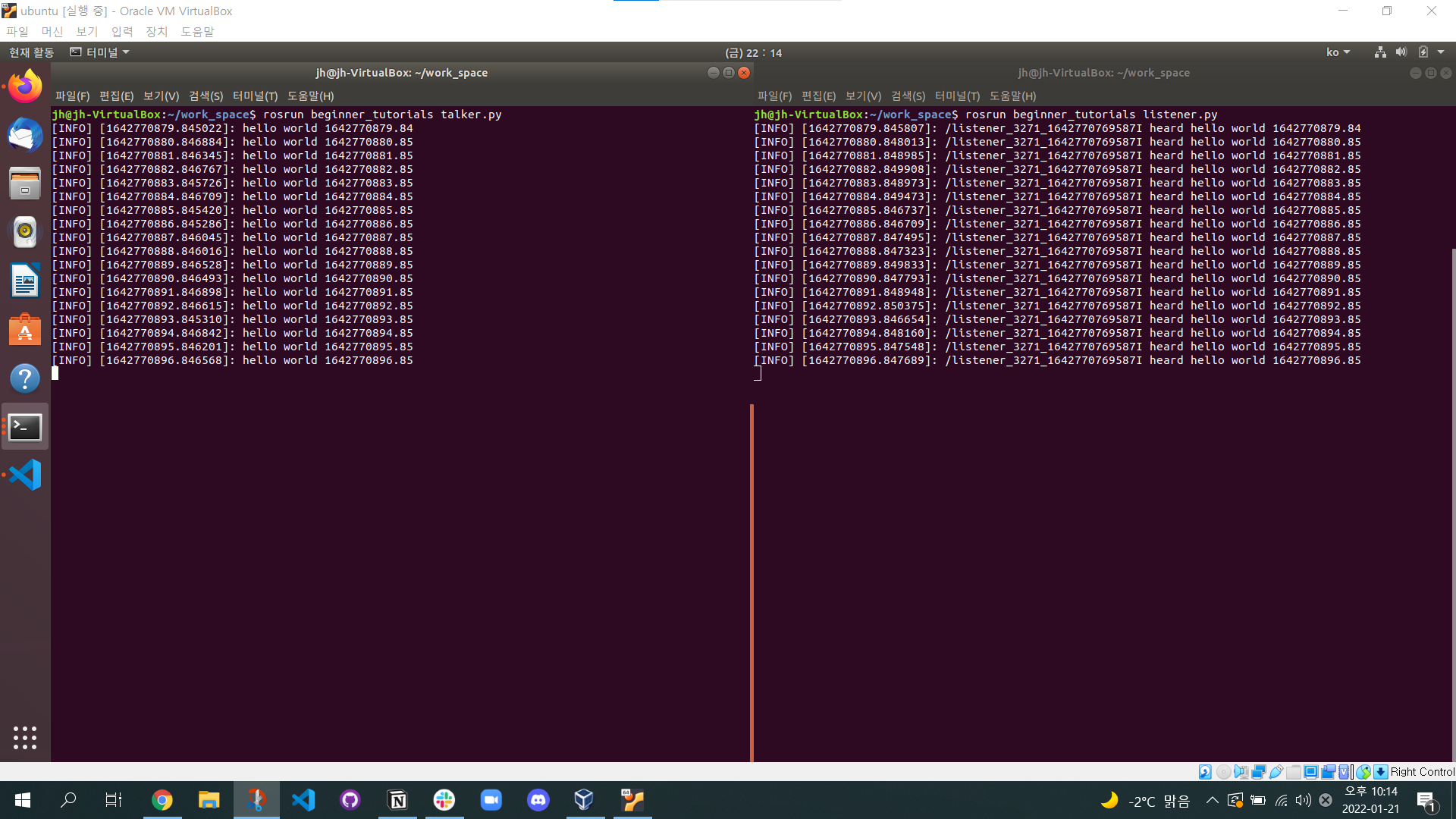
터미널을 3개 열고, 각 터미널마다 다음을 실행
roscorerosrun beginner_tutorials talker.pyrosrun beginner_tutorials listener.pyPublisher 노드에서 나온 topic을 Subscriber의 callback 함수에서 받아 출력하는 것을 알 수 있다.

Mechanical Engineering, SKKU