C# 윈도우폼에서 서버에게 요청을 보내 현재 일시 데이터를 응답받아 텍스트 박스에 출력 해보려고 한다. 이를 위해 .NET에서 제공하는 HttpClient 클래스를 활용
2. 폼 디자인
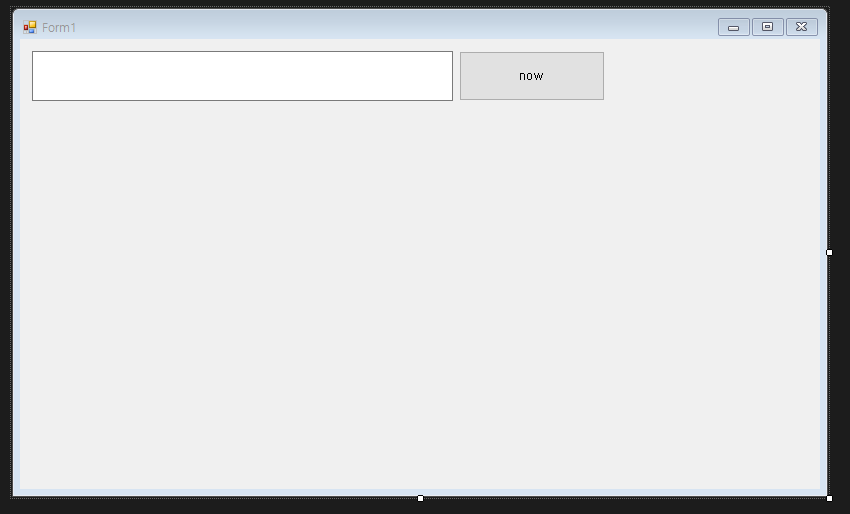
응답 데이터를 출력할 텍스트 박스와 클릭시 서버에게 일시 데이터를 요청할 버튼을 생성
3. HttpClient를 통한 HTTP통신 기능 구현
using System;
using System.Collections.Generic;
using System.ComponentModel;
using System.Data;
using System.Drawing;
using System.Linq;
using System.Text;
using System.Threading.Tasks;
using System.Windows.Forms;
using System.Net.Http;

namespace restApiClient
{

    public partial class Form1 : Form
    {
        private static HttpClient client;

        public Form1()
        {
            InitializeComponent();
        }

        private void btnGetNow_Click(object sender, EventArgs e)
        {
            if(client == null)
            {
                client = new HttpClient();
            }

            HttpResponseMessage response = client.GetAsync("http://127.0.0.1:8080/api/now").GetAwaiter().GetResult();
            string result = response.Content.ReadAsStringAsync().GetAwaiter().GetResult();

            textBox1.Text = result;

            client = null;
        }
    }
}
3. 결과
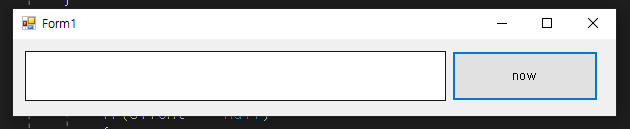
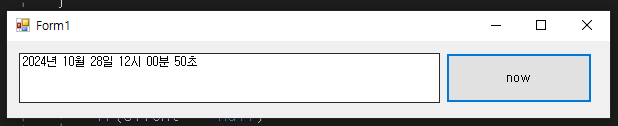
now 버튼을 누르자 현재 일시가 텍스트로 출력된다

오키동키