1. 준비
서버에서 JSON으로 받아온 게시글 리스트를 파싱하기 위해 Newtonsoft.Json을 설치
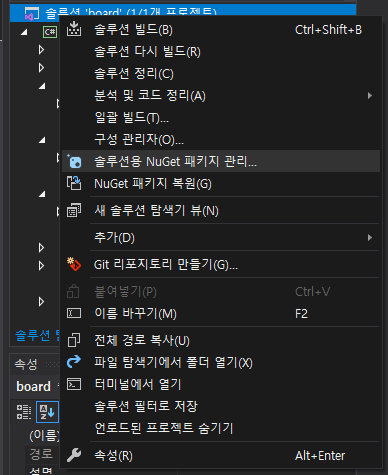
탐색기에서 프로젝트를 우클릭하여 NuGet패키지 관리 클릭
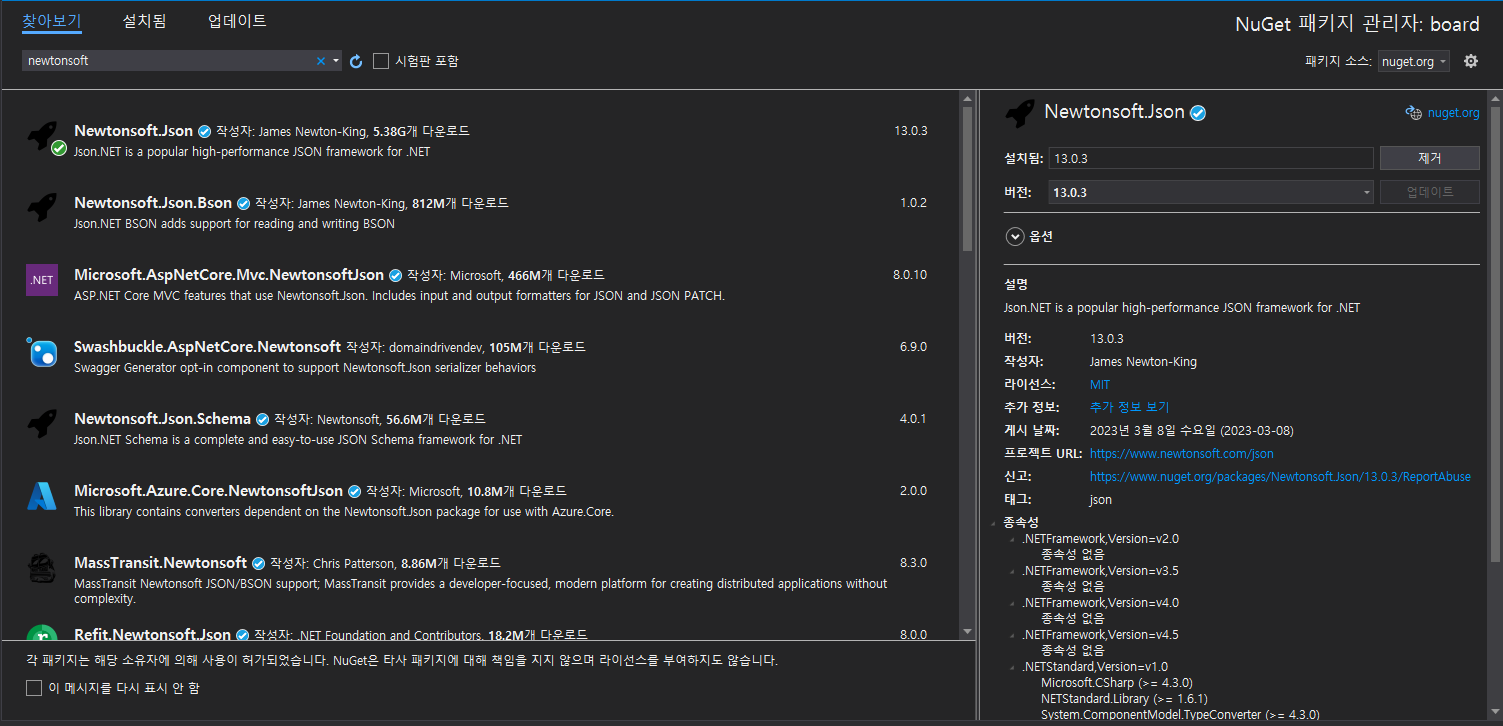
Newtonsoft를 검색하여 설치
2. 디자인
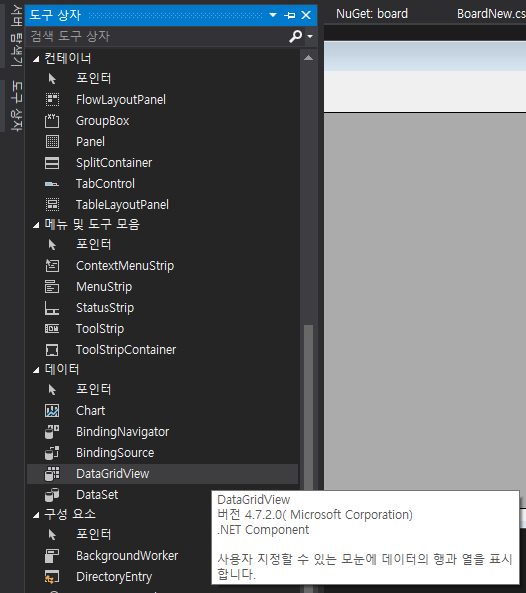
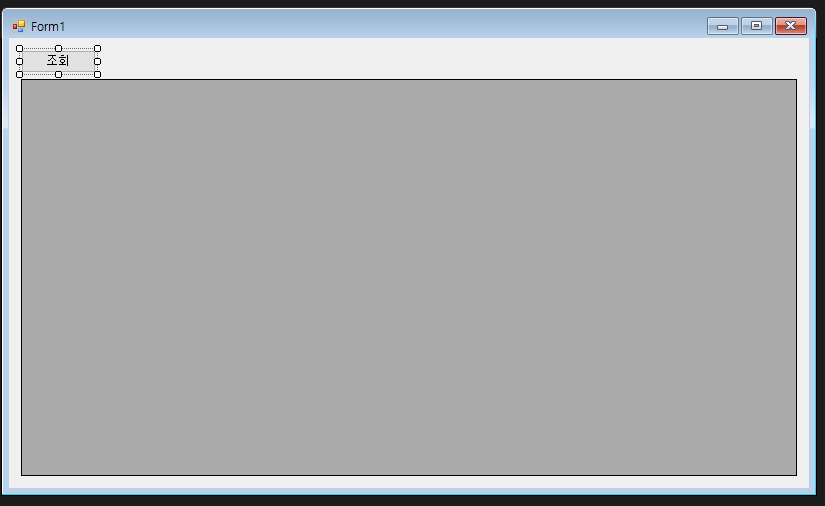
도구상자에서 DataGridView를 찾아서 배치, 조회 버튼 추가
3. 기능 구현
3-1. Json 데이터를 파싱할 클래스 생성
namespace board
{
    // 게시글 목록에 사용할 DTO 클래스 정의
    public class BoardDto
    {
        public long boardSeq { get; set; }
        public string boardTitle { get; set; }
        public string boardContent { get; set; }
        public string boardDttm { get; set; }
        public string userId { get; set; }
    }
}
{ get; set; }은 C# 7.0에서 추가된 자동화 프로퍼티 문법으로 필드의 getter, setter를 생성을 간단하게 추가시켜줌
3-2. Form
- using 추가
using System.Net.Http;
using Newtonsoft.Json;
System.Net.Http : HttpClient 사용
Newtonsoft.Json : Json 파싱
- HttpClient, 폼 로드 이벤트 추가
    public partial class BoardForm : Form
    {
        private static readonly HttpClient client = new HttpClient();
        public BoardForm()
        {
            InitializeComponent();
            Load += BoardForm_Load; // 폼 로드 이벤트 등록
        }

        private async void BoardForm_Load(object sender, EventArgs e)
        {
            await LoadBoardList();
        }
    }
HttpClient 객체를 생성해주고
폼이 실행되면 자동으로 목록을 서버에서 응답받아와서 화면에 출력해주기 위해 폼 로드 이벤트를 추가
- 게시글 목록 조회 메서드 구현
        // 게시글 목록 조회
        private async Task LoadBoardList()
        {
            HttpResponseMessage response = await client.GetAsync("서버 조회 URL");

            if (response.IsSuccessStatusCode)
            {
                string result = await response.Content.ReadAsStringAsync();
                var boards = JsonConvert.DeserializeObject<List<BoardDto>>(result);

                // DataGridView에 데이터 바인딩
                dataGridViewBoard.DataSource = boards;

                // 컬럼 헤더명 설정
                dataGridViewBoard.Columns["boardSeq"].HeaderText = "No.";
                dataGridViewBoard.Columns["boardTitle"].HeaderText = "제목";
                dataGridViewBoard.Columns["boardContent"].HeaderText = "내용";
                dataGridViewBoard.Columns["boardDttm"].HeaderText = "작성 날짜";
                dataGridViewBoard.Columns["userId"].HeaderText = "사용자 ID";
            else
            {
                MessageBox.Show("게시글 목록을 불러오는 데 실패했습니다.");
            }
        }
HttpResponseMessage : 상태코드와 데이터를 포함한 HTTP 응답 메시지
client.GetAsync() : 비동기로 Get 요청
response.IsSuccessStatusCode : HTTP 응답이 성공했는지 여부를 반환
response.Content.ReadAsStringAsync() : HTTP 콘텐츠를 비동기 작업으로 문자열로 변환
JsonConvert.DeserializeObject : Json 문자열을 지정한 클래스를 통해 파싱
dataGridViewBoard.DataSource = boards : 게시글 목록을 DataGridView에 바인딩
dataGridViewBoard.Columns["DTO의 필드명"].HeaderTex = 컬럼명 지정
- 조회 버튼 이벤트 추가
        // 모든 게시글 조회
        private async void btnGetAllBoard_Click(object sender, EventArgs e)
        {
            await LoadBoardList();
        }
위에서 만들어둔 메서드 실행
4. 실행해보기
- URL 요청시 응답 결과 Json
[
    {
        "boardSeq": 1,
        "boardTitle": "첫 게시글",
        "boardContent": "1빠",
        "boardDttm": "20241031145345783",
        "userId": "admin"
    },
    {
        "boardSeq": 2,
        "boardTitle": "2",
        "boardContent": "2번째 게시글 작성!",
        "boardDttm": "20241031175134454",
        "userId": "admin"
    }
]
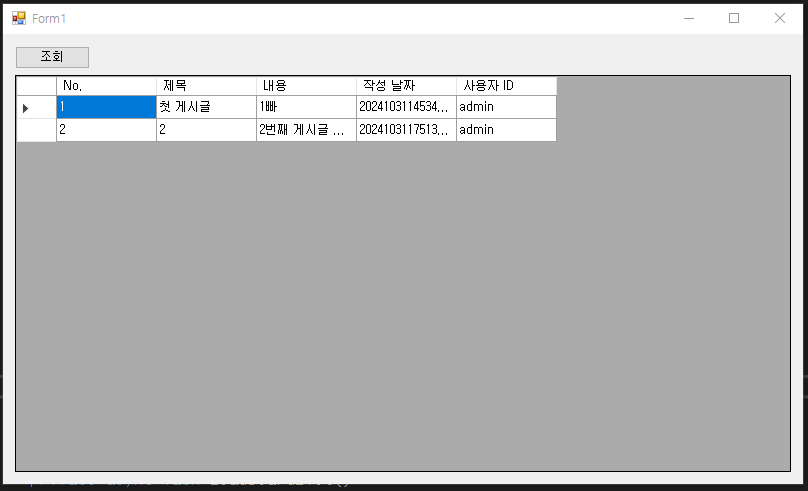
- 윈도우폼 실행 결과

오키동키