Course
Build Real World AI Applications with Gemini and Imagen
Lab
목록
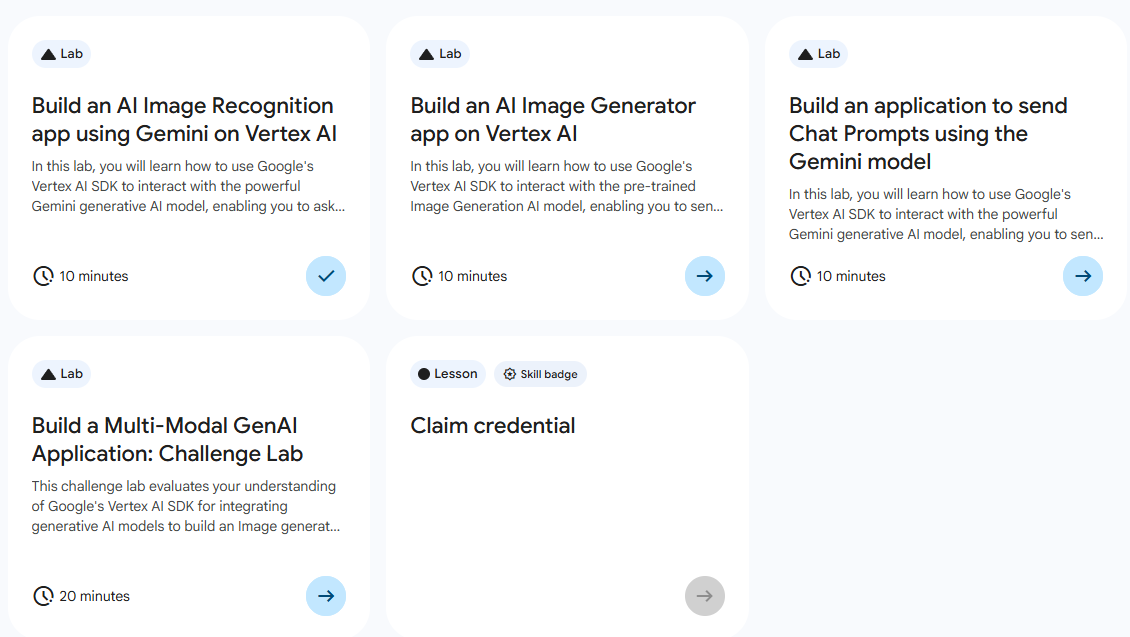
- Build an AI Image Recognition app using Gemini on Vertex AI)
- Build an AI Image Generator app on Vertex AI
- Build an application to send Chat Prompts using the Gemini model
- Build a Multi-Model GenAI Application: Challenge Lab ⬅️ 오늘의 Lab!
🌠Build a Multi-Model GenAI Application: Challenge Lab
개요
시나리오에 맞춰서 애플리케이션 개발하기
실습 과정
주의✨
project와location은 Start Lab 시 주어진 실습용 정보를 입력해야 한다!
1. Task1
시나리오💐
AI 기반 꽃다발 디자인 회사의 개발자입니다. 고객이 원하는 꽃다발을 설명하면 시스템이 사실적인 이미지를 생성하여 고객의 승인을 받을 수 있습니다. 경험을 더욱 향상시키기 위해 최첨단 이미지 분석을 통합하여 생성된 꽃다발에 대한 설명 요약을 제공합니다. 기본 애플리케이션은 사용자의 상호작용에 따라 관련 메서드를 호출합니다. 이를 용이하게 하려면 아래 작업을 완료해야 합니다.
조건
generate_bouquet_image(prompt)라는 이름의 Python 함수를 개발- 이 함수는 제공된 prompt를 사용하여
imagen-3.0-generate-002모델을 호출하고 이미지를 생성하여 로컬에 저장- prompt: 해바라기 2송이와 장미 3송이로 이루어진 꽃다발이 포함된 이미지를 만들어 줘라는 프롬프트를 사용
import vertexai
from vertexai.preview.vision_models import ImageGenerationModel

def generate_image(project_id, location, output_file, prompt):
    vertexai.init(project=project_id, location=location)
    model = ImageGenerationModel.from_pretrained("imagen-3.0-generate-002")
    images = model.generate_images(
        prompt=prompt,
        number_of_images=1,
        seed=1,
        add_watermark=False,
    )
    images[0].save(location=output_file)
    print(f"Image saved to {output_file}")
    return images

generate_image(
    project_id="qwiklabs-gcp-03-ea8de5288802",
    location="europe-west1",
    output_file="bouquet.png",
    prompt="Create an image containing a bouquet of 2 sunflowers and 3 roses"
)
2. Task2
조건
analyze_bouquet_image(image_path)라는 이름의 Python 함수를 개발- 이 함수는 이미지 경로를 입력으로 가져오고 텍스트 프롬프트를 사용하여 전달된 이미지를 기반으로 생일 축하 메시지를 생성하여
gemini-2.0-flash-001모델로 보냄- 대답이 생성되는 즉시 얻을 수 있도록 프롬프트 요청에 스트리밍을 사용 설정
from google import genai
from google.genai.types import Part
import os

def analyze_bouquet_image(image_path):
    client = genai.Client(
        vertexai=True,
        project='qwiklabs-gcp-03-cff556f6ed5d', #개인 실습용 정보 입력
        location='us-central1'					#개인 실습용 정보 입력
    )

    if not os.path.exists(image_path):
        print(f"❌ 에러: {image_path} 파일이 없습니다.")
        return

    with open(image_path, "rb") as f:
        image_data = f.read()

    print("🎂 생일 축하 메시지 생성 중 (Streaming)...")

    complete_text = ""
    try:
        # 2.0-flash-001이 계속 404 에러 발생하여 gemini-2.5-flash로 시도
        responses = client.models.generate_content_stream(
            model='gemini-2.5-flash',
            contents=[
                "Generate a short, cheerful birthday wish based on this image.",
                Part.from_bytes(data=image_data, mime_type="image/png")
            ]
        )

		# Streaming 방식
        for chunk in responses:
            if chunk.text:
                print(chunk.text, end="", flush=True)
                complete_text += chunk.text

        # 결과를 birthday_wishes.txt 파일로 저장
        with open("birthday_wishes.txt", "w", encoding="utf-8") as f:
            f.write(complete_text)

        print(f"\n\n✅ 성공: birthday_wishes.txt 파일 생성 완료")

    except Exception as e:
        print(f"\n❌ 에러 발생: {e}")

if __name__ == "__main__":
    # Task 1에서 생성한 이미지 파일명 확인
    analyze_bouquet_image("image.png")
결과

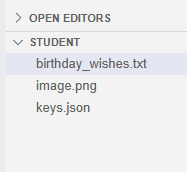
# birthday_wishes.txt 내용
Happy Birthday! May your day be as bright as these sunflowers and as sweet as these roses.
Wishing you a year that blooms with joy!
새싹 개발자