Course
Build Real World AI Applications with Gemini and Imagen
Lab
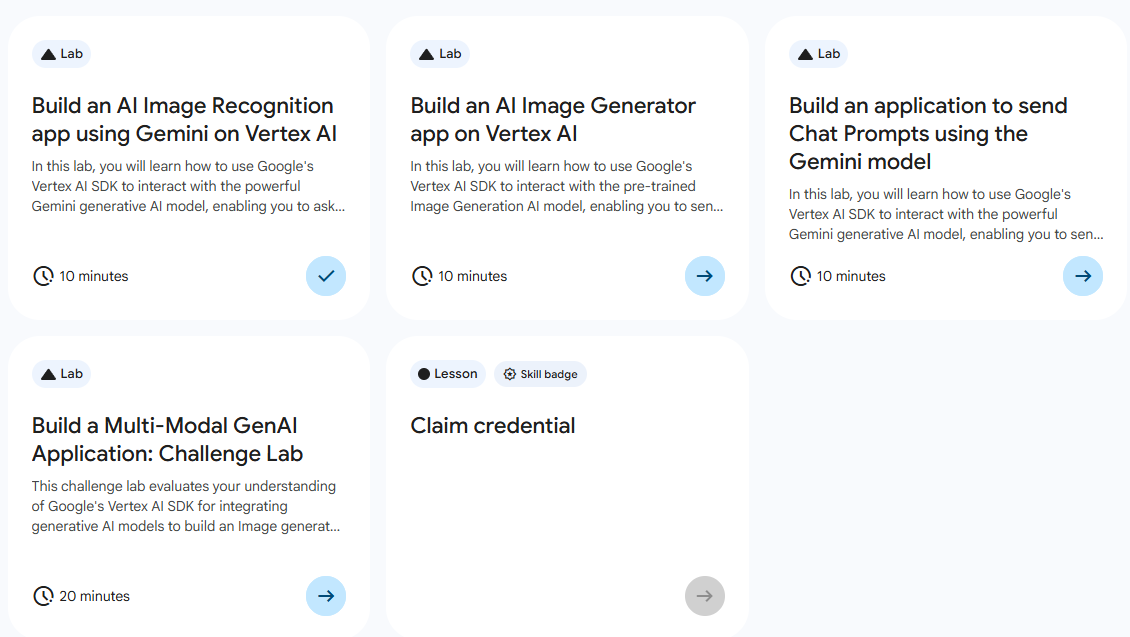
목록
- Build an AI Image Recognition app using Gemini on Vertex AI)
- Build an AI Image Generator app on Vertex AI
- Build an application to send Chat Prompts using the Gemini model ⬅️ 오늘의 Lab!
- Build a Multi-Model GenAI Application: Challenge Lab
🌠Build an AI Image Generator app on Vertex AI
개요
사전 학습된 이미지 생성 모델을 로드 후, AI 모델에 텍스트를 보내서 채팅 대답을 추출한다.
실습 과정
1. 스트림을 사용하지 않는 채팅
비스트리밍(Non-Streaming)
AI가 답변 전체를 완성할 때까지 기다렸다가 한 번에 통째로 결과를 반환
(1) Python 파일 생성
from google import genai
from google.genai.types import HttpOptions, ModelContent, Part, UserContent

import logging
from google.cloud import logging as gcp_logging

# ------  Below cloud logging code is for Qwiklab's internal use, do not edit/remove it. --------
# Initialize GCP logging
gcp_logging_client = gcp_logging.Client()
gcp_logging_client.setup_logging()

client = genai.Client(
    vertexai=True,
    project='"project-id"',
    location='"REGION"',
    http_options=HttpOptions(api_version="v1")
)
chat = client.chats.create(
    model="gemini-2.0-flash-001",
    history=[
        UserContent(parts=[Part(text="Hello")]),
        ModelContent(
            parts=[Part(text="Great to meet you. What would you like to know?")],
        ),
    ],
)
response = chat.send_message("What are all the colors in a rainbow?")
print(response.text)

response = chat.send_message("Why does it appear when it rains?")
print(response.text)
분석🧐
client.chats.create: 대화의 맥락 유지(history설정을 통해 주고받은 이전의 대화 내용을 미리 넣음)response = chat.send_message(...): AI가 답변 생성을 마칠 때까지 프로그램은 다음 줄로 넘어가지 않고 대기response: 답변이 완료되면 텍스트 전체가 담긴 하나의response객체를 반환
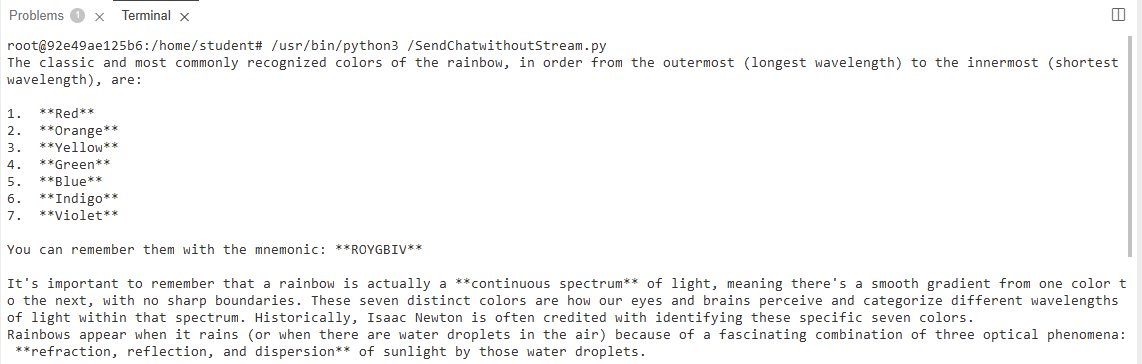
(2) Python 실행
/usr/bin/python3 /SendChatwithoutStream.py(3) 실행결과
2. 스트림을 사용한 채팅
스트리밍(Streaming)
일반적으로 우리가 챗GPT를 쓸 때 글자가 한 자씩 타이핑되듯 나오는 것
(1) Python 파일 생성
from google import genai
from google.genai.types import HttpOptions

import logging
from google.cloud import logging as gcp_logging

# ------  Below cloud logging code is for Qwiklab's internal use, do not edit/remove it. --------
# Initialize GCP logging
gcp_logging_client = gcp_logging.Client()
gcp_logging_client.setup_logging()

client = genai.Client(
    vertexai=True,
    project='"project-id"',
    location='"REGION"',
    http_options=HttpOptions(api_version="v1")
)
chat = client.chats.create(model="gemini-2.0-flash-001")
response_text = ""

for chunk in chat.send_message_stream("What are all the colors in a rainbow?"):
    print(chunk.text, end="")
    response_text += chunk.text
분석🧐
chat.send_message_stream(...): 데이터 조각들을 순차적으로 뱉어내는 Generator를 반환for chunk in chat.send_message_stream(...): AI가 보내주는 데이터 조각(chunk)이 도착할 때마다 루프가 한 번씩 돌면서 즉시 실행print(chunk.text, end=""): 줄바꿈 없이 조각들을 이어 붙여 출력response_text += chunk.text: 전체 답변을 나중에 활용하기 위해 변수에 조각들을 이어 붙여서 저장
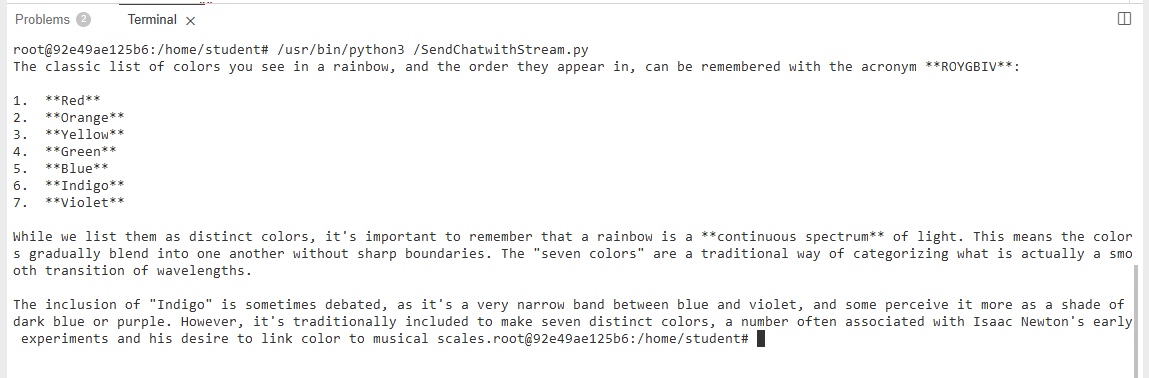
(2) Python 실행
/usr/bin/python3 /SendChatwithStream.py(3) 실행결과

새싹 개발자