Course
Store, Process, and Manage Data on Google Cloud - Command Line
Lab
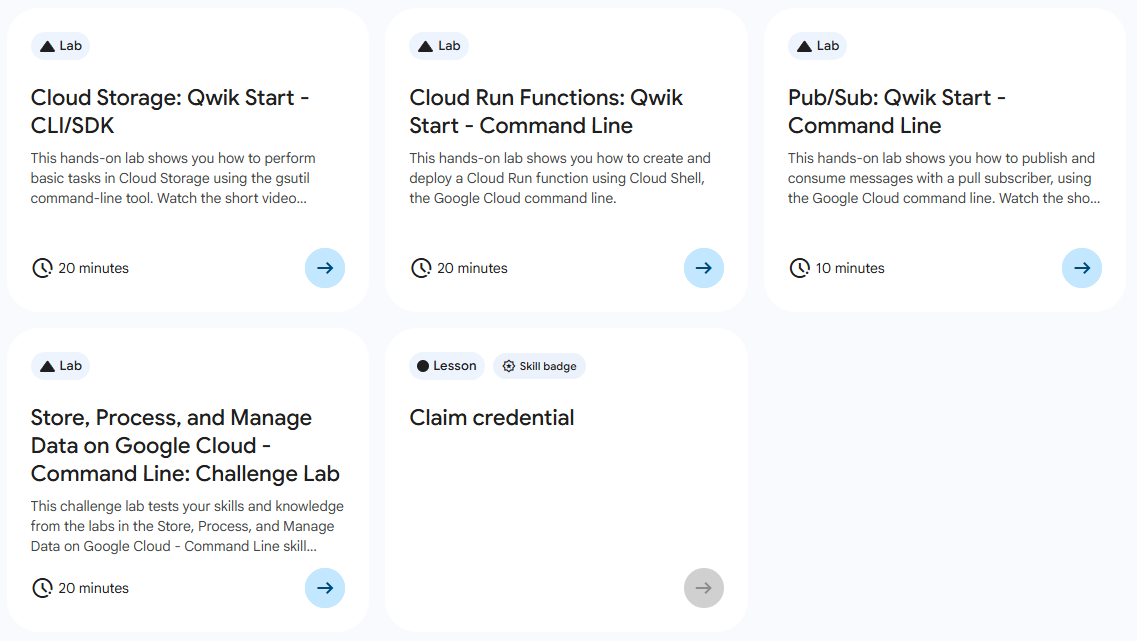
목록
- Cloud Storage: Qwik Start - CLI/SDk ⬅️ 오늘의 Lab!
- Cloud Run Functions: Qwik Start - Command Line
- Pub/Sub: Qwik Start - Command Line
- Store, Process, and Manage Data on Google Cloud - Command Line: Challenge Lab
🌠 Cloud Storage: Qwik Start - CLI/SDK
개요
Google Cloud 명령줄을 사용하여 스토리지 버킷을 만들고, 여기에 객체를 업로드하고, 폴더 및 하위 폴더를 만들고, 객체에 공개적으로 액세스할 수 있도록 설정하는 방법을 해보자!
실습 과정
1. Region 설정
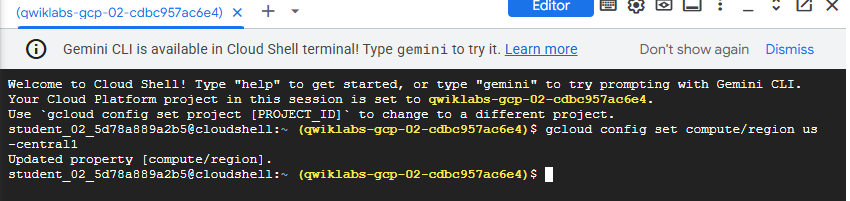
➡️ 실습을 위한 프로젝트 리전 설정
gcloud config set compute/region "REGION"2. 버킷 만들기
gcloud storage buckets create gs://<YOUR-BUCKET-NAME>➡️ Cloud Shell에서 gcloud storage 명령어를 사용하여 Bucket 생성
3. 버킷에 객체 업로드

(1) 버킷에 이 이미지(ada.jpg)를 다운로드 하기
curl https://upload.wikimedia.org/wikipedia/commons/thumb/a/a4/Ada_Lovelace_portrait.jpg/800px-Ada_Lovelace_portrait.jpg --output ada.jpg(2) 현재 저장된 위치의 이미지를 생성한 버킷에 업로드
gcloud storage cp ada.jpg gs://YOUR-BUCKET-NAME(3) 다운로드한 이미지 삭제

rm ada.jpg4. 버킷에서 객체 다운로드

gcloud storage cp -r gs://YOUR-BUCKET-NAME/ada.jpg .5. 버킷의 폴더에 객체 복사

gcloud storage cp gs://YOUR-BUCKET-NAME/ada.jpg gs://YOUR-BUCKET-NAME/image-folder/6. 버킷 또는 폴더의 콘텐츠 목록 표시

gcloud storage ls gs://YOUR-BUCKET-NAME7. 객체 세부정보 표시

gcloud storage ls -l gs://YOUR-BUCKET-NAME/ada.jpg8. 객체에 공개 액세스 설정

gcloud storage objects update gs://YOUR-BUCKET-NAME/ada.jpg --add-acl-grant=entity=allUsers,role=READER
새싹 개발자