Course
Get Started with Sensitive Data Protection
Lab
목록
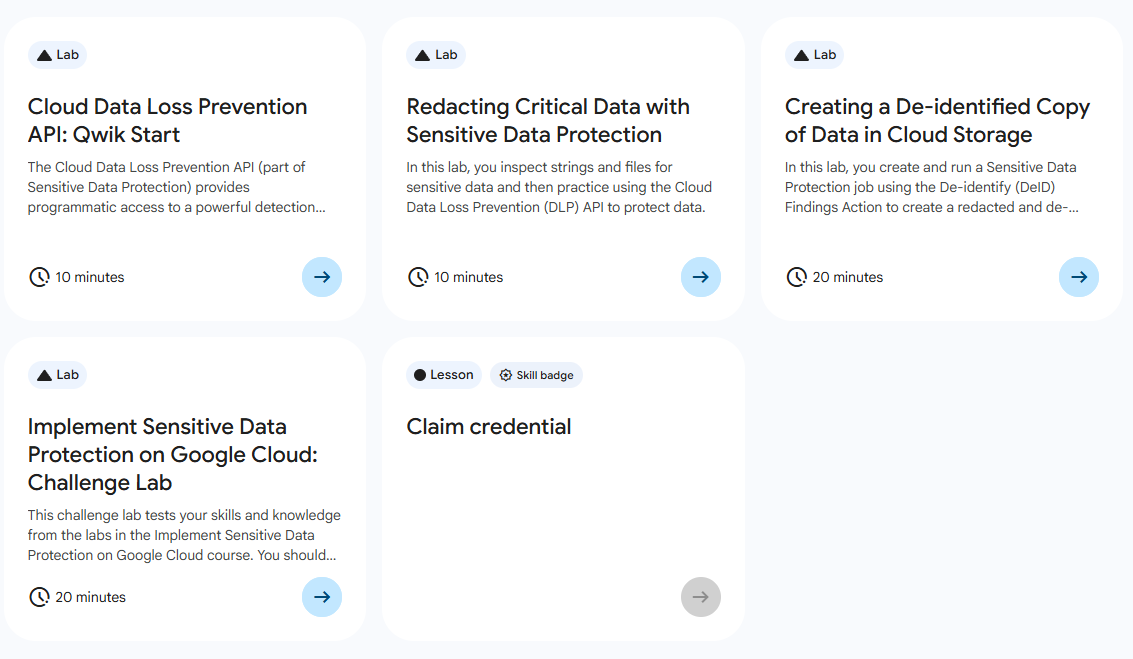
- Cloud Data Loss Prevention API: Qwik Start ⬅️ 오늘의 Lab!
- Redacting Critical Data with Sensitive Data Protection
- Creating a De-identified Copy of Data in Cloud Storage
- Implement Sensitive Data Protection on Google Cloud: Challenge Lab
🌠 Cloud Data Loss Prevention API: Qwik Start
개요
DLP API를 사용하여, 문자열에서 민감한 정보를 검사하고 텍스트 콘텐츠에서 민감한 정보를 수정해보자.
실습과정
1. 프로젝트 ID를 환경 변수 설정

export PROJECT_ID=$DEVSHELL_PROJECT_ID2. 문자열에서 민감한 정보 검사
(1) 민감한 정보가 담긴 문서 생성
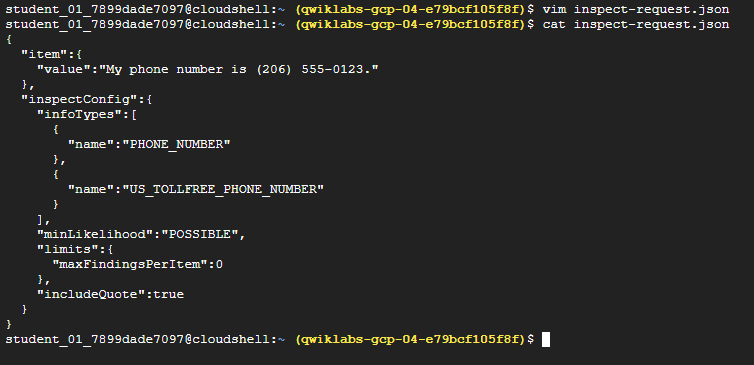
# 파일명: inspect-request.json
{
  "item":{
    "value":"내 전화번호는 (206) 555-0123입니다."
  },
  "inspectConfig":{
    "infoTypes":[
      {
        "name":"PHONE_NUMBER"
      },
      {
        "name":"US_TOLLFREE_PHONE_NUMBER"
      }
    ],
    "minLikelihood":"POSSIBLE",
    "limits":{
      "maxFindingsPerItem":0
    },
    "includeQuote":true
  }
}
(2) 계정을 사용하여 승인 토큰 가져오기 및 환경 변수 설정

# 승인 토큰 가져오기
gcloud auth print-access-token

# 환경 변수 설정하기
export ACCESS_TOKEN=<TOKEN>
(3) content:inspect 요청 만들기
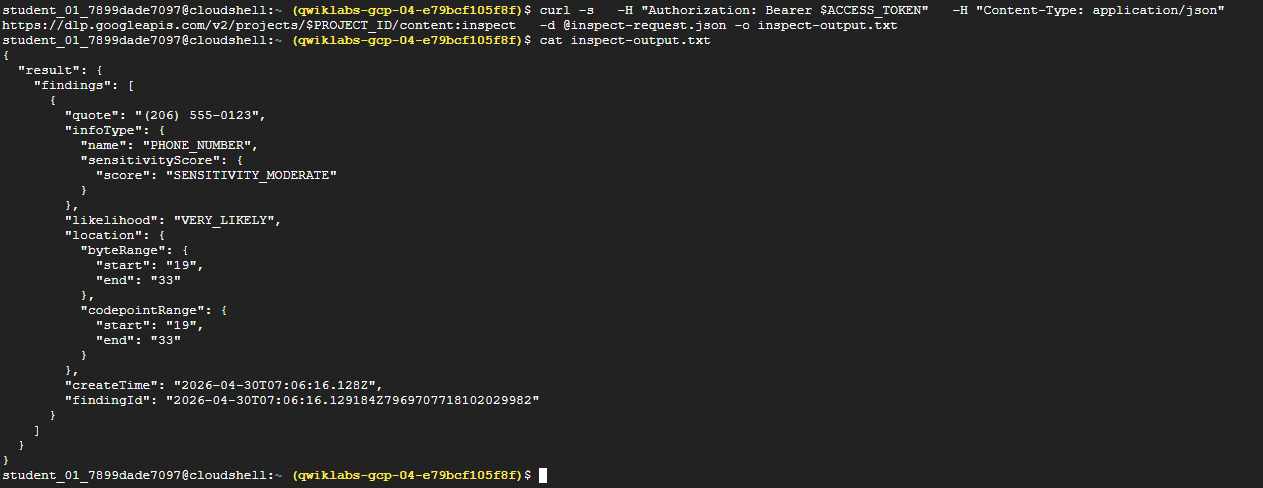
curl -s \
  -H "Authorization: Bearer $ACCESS_TOKEN" \
  -H "Content-Type: application/json" \
  https://dlp.googleapis.com/v2/projects/$PROJECT_ID/content:inspect \
  -d @inspect-request.json -o inspect-output.txt
➡️ curl을 사용하여 content:inspect 요청을 만든다.
참고🤖
https://dlp.googleapis.com/v2/projects/$PROJECT_ID/content:inspect는Cloud DLP(Data Loss Prevention) API를 호출하는데, 특정 데이터 안에 민감한 정보(개인정보 등)가 있는지 실시간으로 검사하는 역할을 하는 기능의 엔드포인트이다.
(4) 처리 결과 파일 확인하기
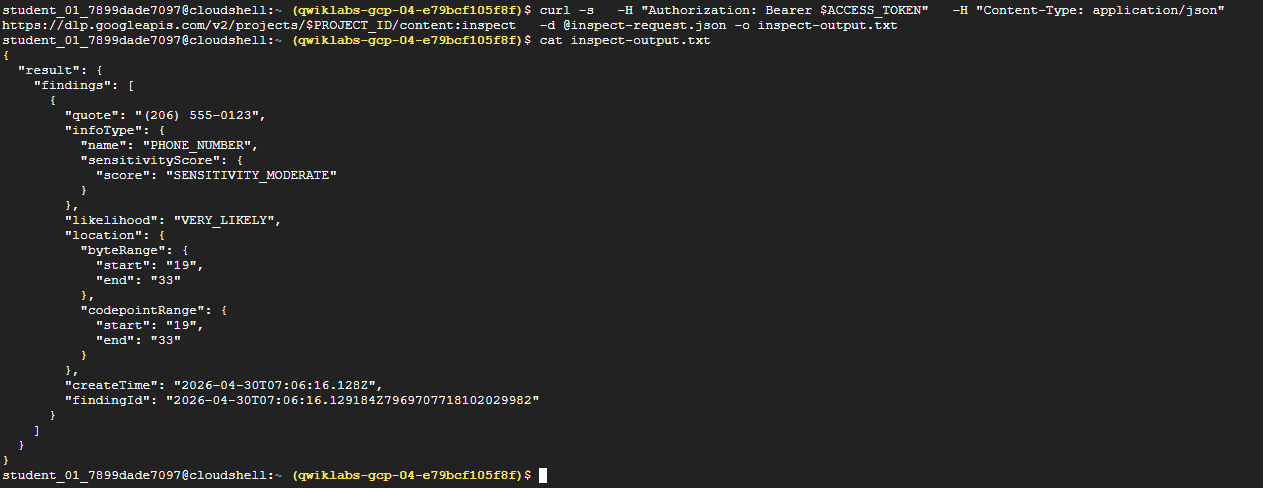
cat inspect-output.txt

# 응답 결과
{
  "result": {
    "findings": [
      {
        "quote": "(206) 555-0123",
        "infoType": {
          "name": "PHONE_NUMBER"
        },
        "likelihood": "LIKELY",
        "location": {
          "byteRange": {
            "start": "19",
            "end": "33"
          },
          "codepointRange": {
            "start": "19",
            "end": "33"
          }
        },
        "createTime": "2026-04-30T07:06:16.128Z"
      }
    ]
  }
}
(5) Cloud Storage에 출력 업로드

gsutil cp inspect-output.txt gs://bucket_name_filled_after_lab_start➡️ 활동 추적 검증을 위해 Cloud Storage에 curl 응답을 업로드한다.
3. 텍스트 콘텐츠에서 민감한 정보 수정
(1) 민감한 정보가 담긴 문서 신규 생성
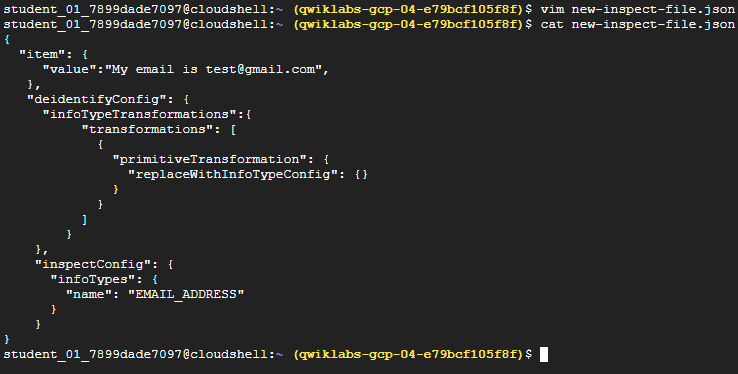
# 파일명: new-inspect-file.json
{
  "item": {
     "value":"내 이메일은 test@gmail.com입니다",
   },
   "deidentifyConfig": {
     "infoTypeTransformations":{
          "transformations": [
            {
              "primitiveTransformation": {
                "replaceWithInfoTypeConfig": {}
              }
            }
          ]
        }
    },
    "inspectConfig": {
      "infoTypes": {
        "name": "EMAIL_ADDRESS"
      }
    }
}
(2) content:deidentify 요청 만들기
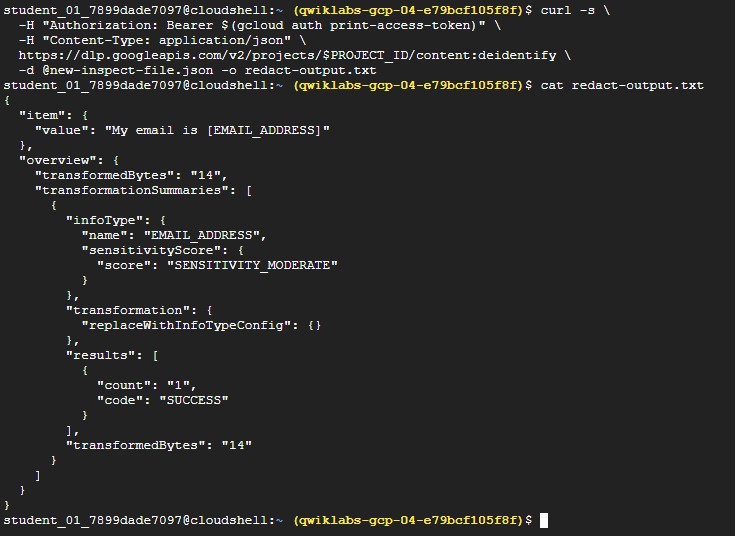
curl -s \
  -H "Authorization: Bearer $(gcloud auth print-access-token)" \
  -H "Content-Type: application/json" \
  https://dlp.googleapis.com/v2/projects/$PROJECT_ID/content:deidentify \
  -d @new-inspect-file.json -o redact-output.txt
✅ ACCESS_TOKEN은 액세스 토큰을 출력하는 명령어로 대체하였다.
참고🤖
https://dlp.googleapis.com/v2/projects/$PROJECT_ID/content:deidentify는 비식별화(Deidentification)를 수행하여 찾은 정보를 가리거나,변형하거나, 삭제하여 데이터를 안전하게 만드는 역할을 한다.
(3) 출력 확인
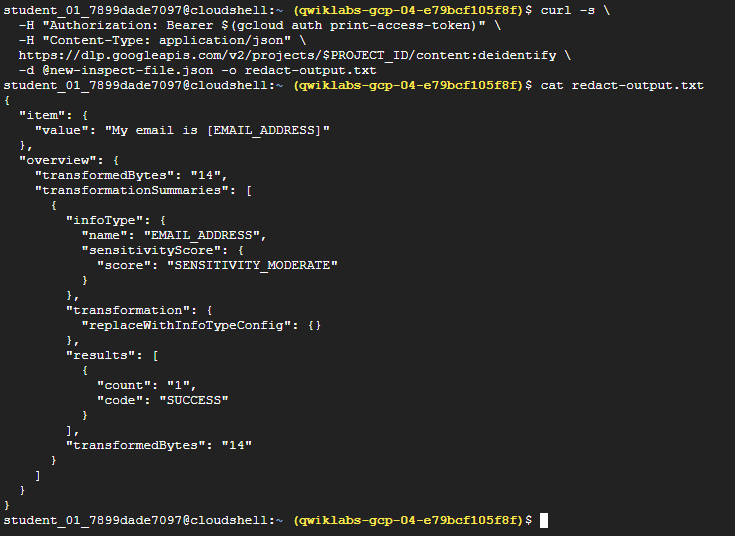
cat redact-output.txt(4) Cloud Storage에 출력 업로드
gsutil cp redact-output.txt gs://bucket_name_filled_after_lab_start
새싹 개발자