Course
Get Started with Sensitive Data Protection
Lab
목록
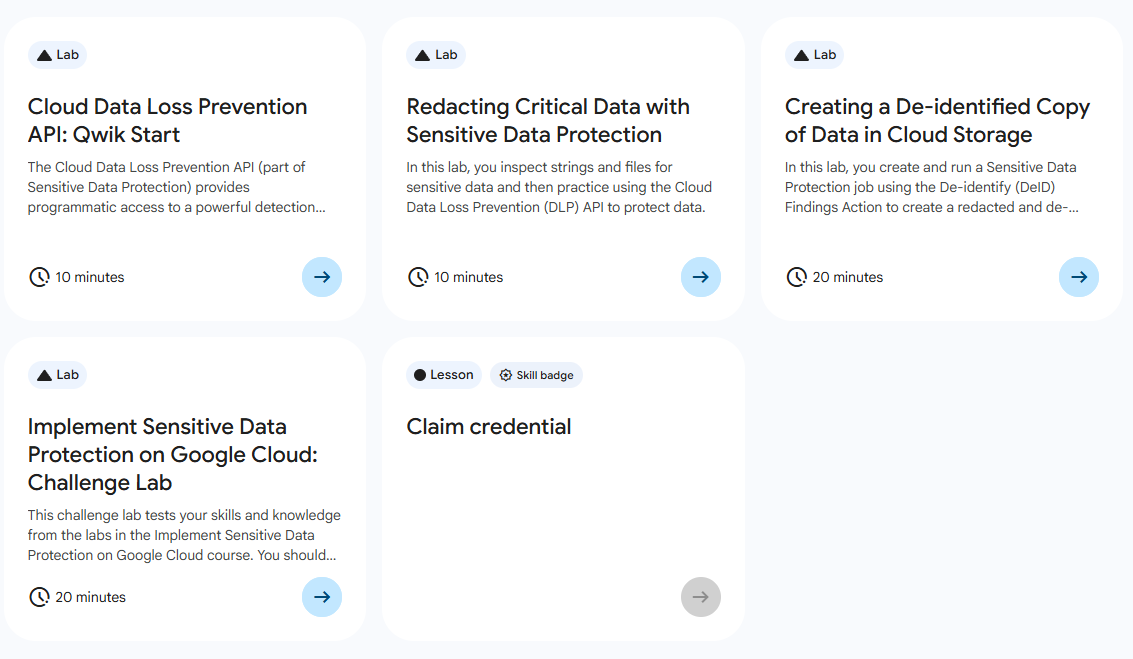
- Cloud Data Loss Prevention API: Qwik Start
- Redacting Critical Data with Sensitive Data Protection
- Creating a De-identified Copy of Data in Cloud Storage
- Implement Sensitive Data Protection on Google Cloud: Challenge Lab ⬅️ 오늘의 Lab!
🌠 Implement Sensitive Data Protection on Google Cloud: Challenge Lab
개요
- 문자열과 파일을 검사하여 익명화를 수행
- 익명화 검사 템플릿을 만들기
- DLP 검사를 실행하도록 작업 트리거를 구성
실습과정
Task1. 텍스트 콘텐츠에서 민감한 정보 수정
(1) 환경변수 설정

# 설정
export PROJECT_ID=$DEVSHELL_PROJECT_ID

# 확인
echo $PROJECT_ID
(2) request 파일 생성
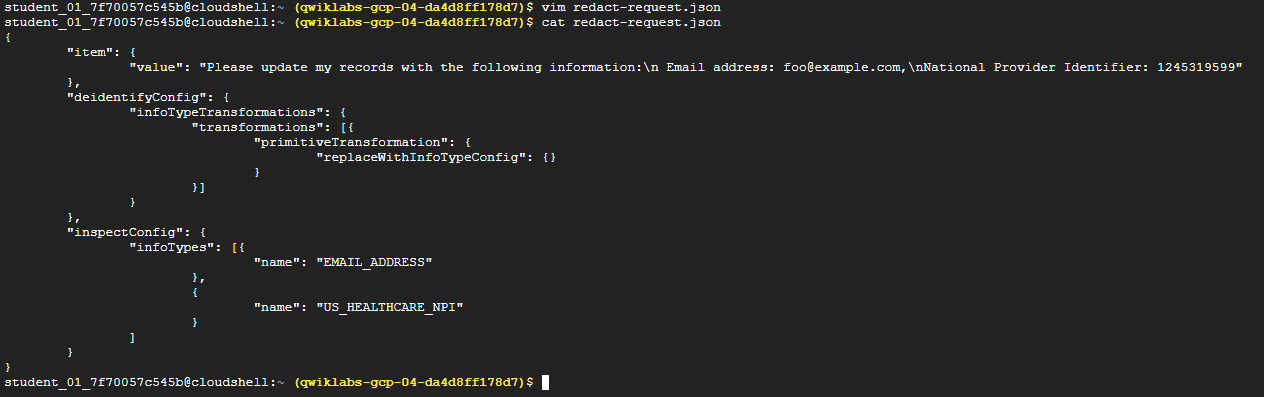
# 파일 생성
vim redact-request.json

# 파일 내용
# value 값은 실습 진행 시 내용 바뀜
{
	"item": {
		"value": "제 개인 정보를 다음과 같이 변경해 주세요:\nEmail address: foo@example.com,\nNational Provider Identifier: 1245319599"
	},
	"deidentifyConfig": {
		"infoTypeTransformations": {
			"transformations": [{
				"primitiveTransformation": {
					"replaceWithInfoTypeConfig": {}
				}
			}]
		}
	},
	"inspectConfig": {
		"infoTypes": [{
				"name": "EMAIL_ADDRESS"
			},
			{
				"name": "US_HEALTHCARE_NPI"
			}
		]
	}
}
(3) content:deidentify 요청
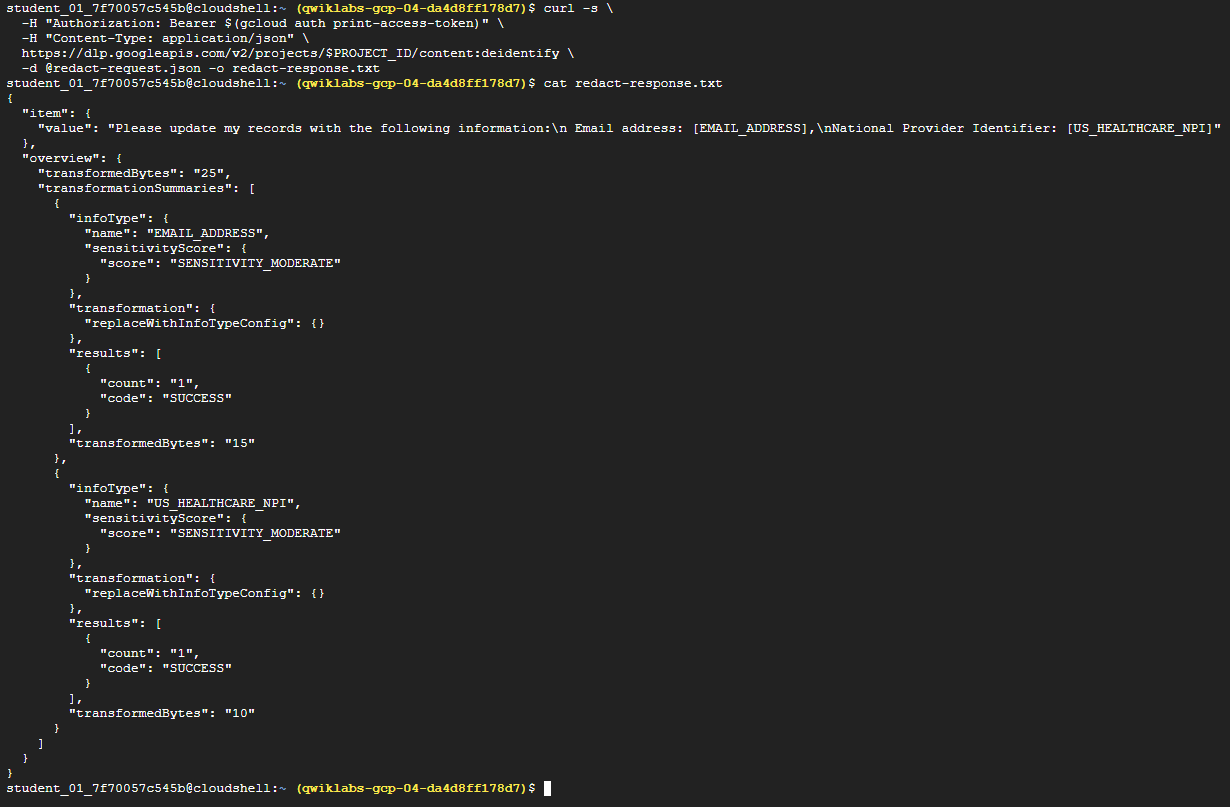
# curl 요청 + 출력을 redact-response.txt에 저장
curl -s \
  -H "Authorization: Bearer $(gcloud auth print-access-token)" \
  -H "Content-Type: application/json" \
  https://dlp.googleapis.com/v2/projects/$PROJECT_ID/content:deidentify \
  -d @redact-request.json -o redact-response.txt
(4) 버킷에 파일 업로드

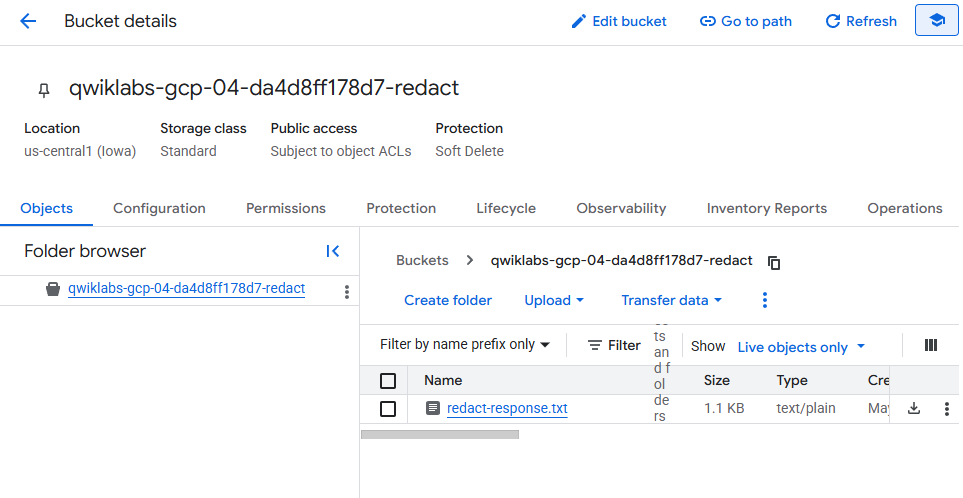
gcloud storage cp redact-response.txt gs://<project_id>/<파일명.txt>Task2. DLP 검사 템플릿 만들기
(1) 공통
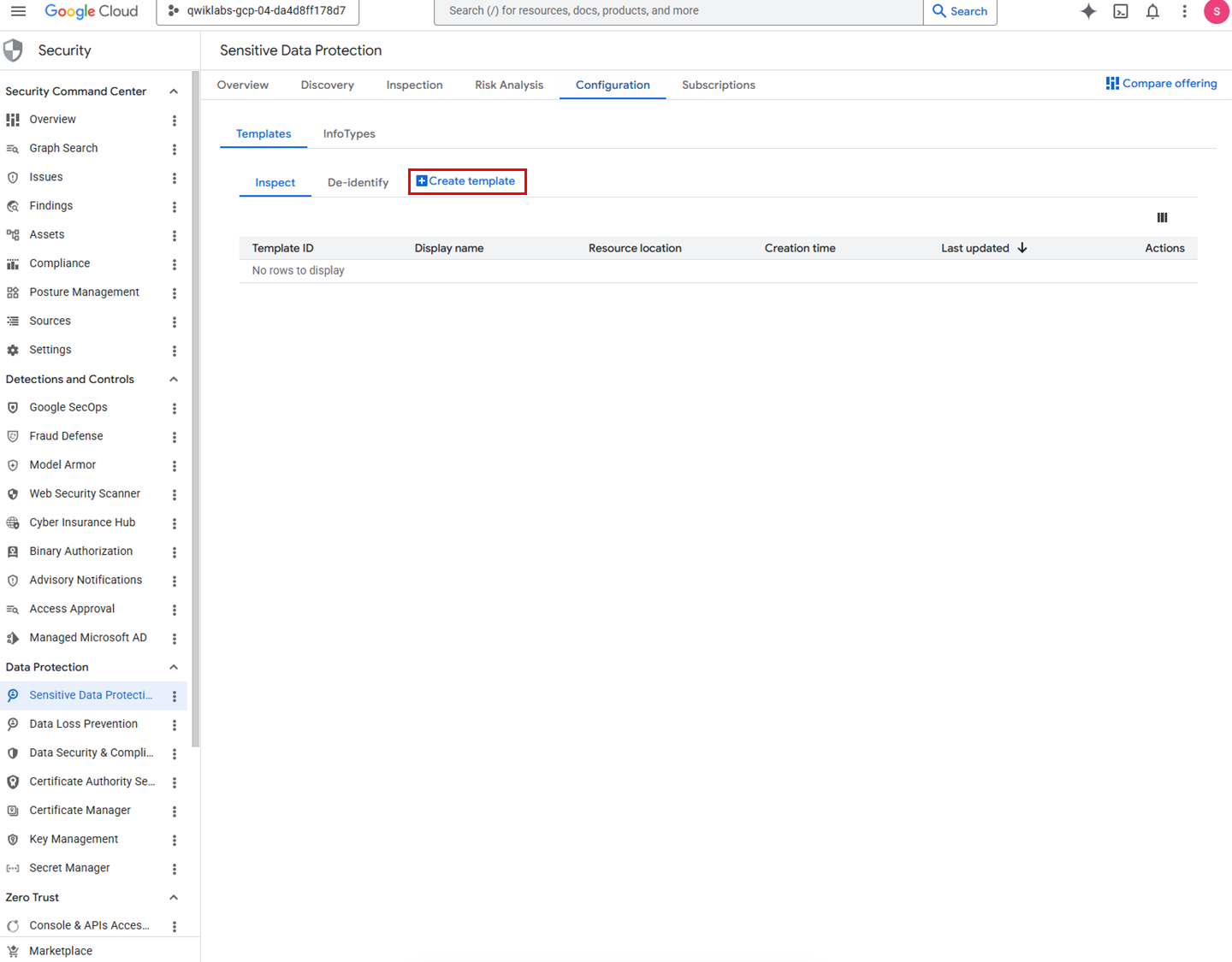
✅ 메뉴
네비게이션 메뉴 > Security > Data Protection > Sensitive Data Protection > Configuration
(2) 정형 데이터용 템플릿 생성
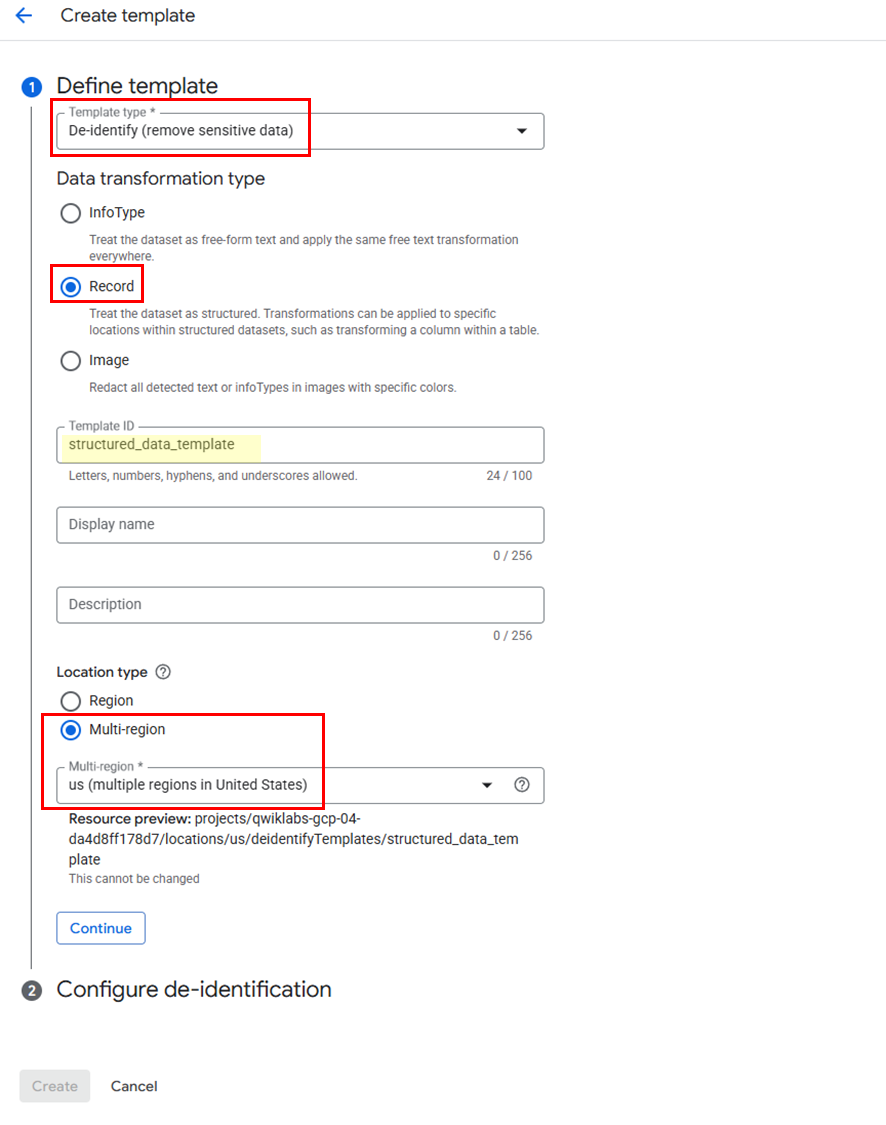
템플릿 설정
➡️ Template Type: De-identity (remove sensitive data)
➡️ Data transformation type: Record
➡️ Template ID:structured_data_template
➡️ Location type: Multi-region > us (multiple regions in United States)
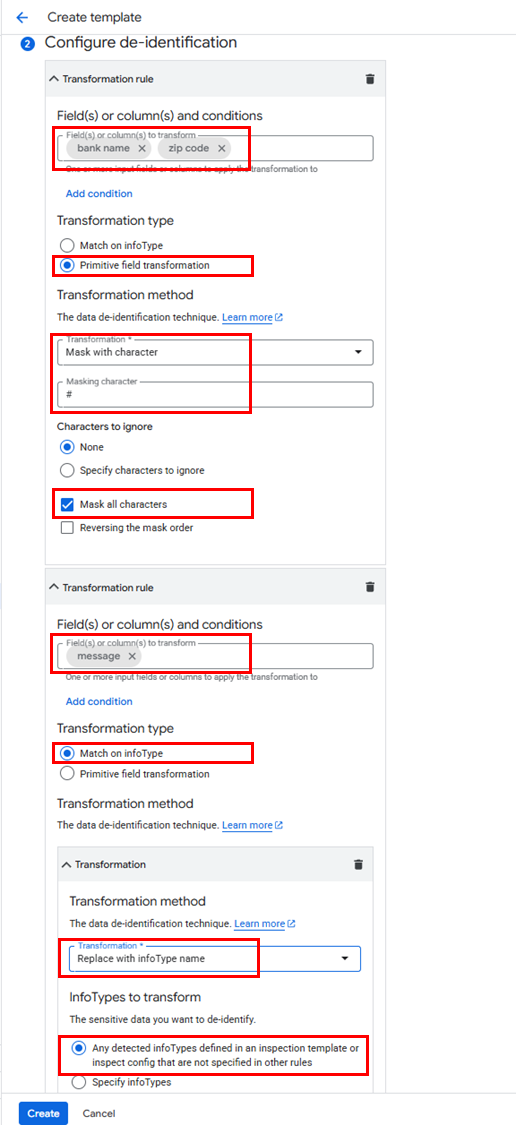
변환 규칙
규칙1
➡️ Transformation Rule fields: bank name, zip code
➡️ Transformation type: Primitive field transformation
➡️ Transformation method: Mask with character
➡️ Masking Character: #
➡️ Mask all characters: Enable mask all characters checkbox and do not ignore any characters
규칙2 (Add)
➡️ Transformation Rule fields: message
➡️ Transformation type: Match on infoType
➡️ Transformation method: Replace with infoType name
(3) 비정형 데이터용 템플릿 생성
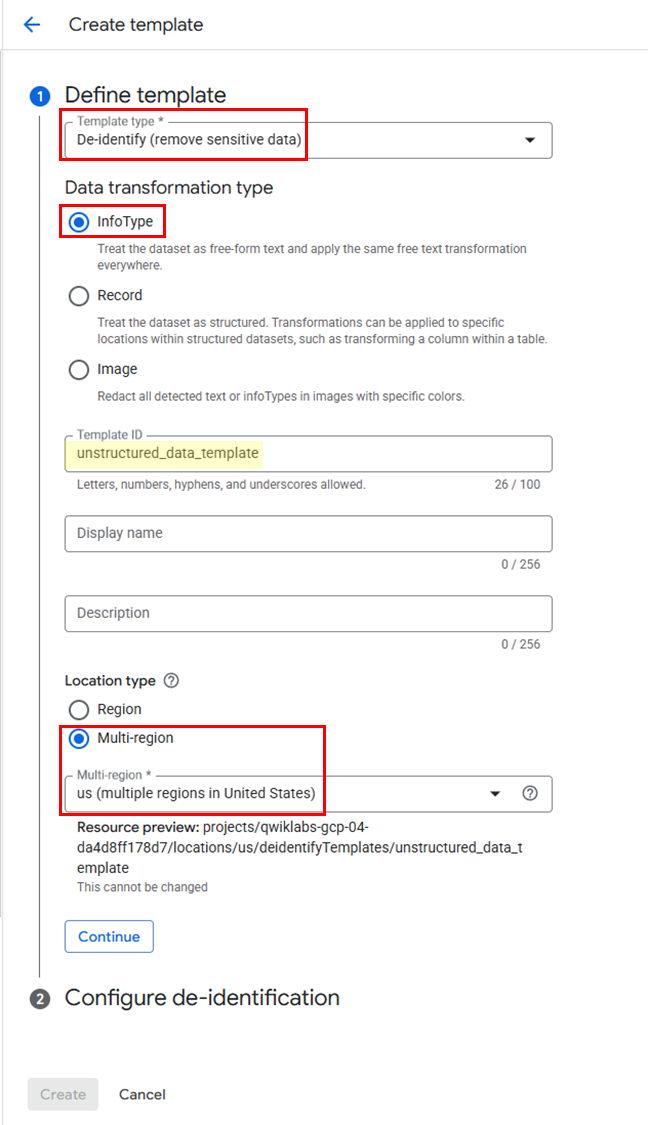
템플릿 설정
➡️ Template Type: De-identity (remove sensitive data)
➡️ Data transformation type: Info Type
➡️ Template ID:unstructured_data_template
➡️ Location type: Multi-region > us (multiple regions in United States)
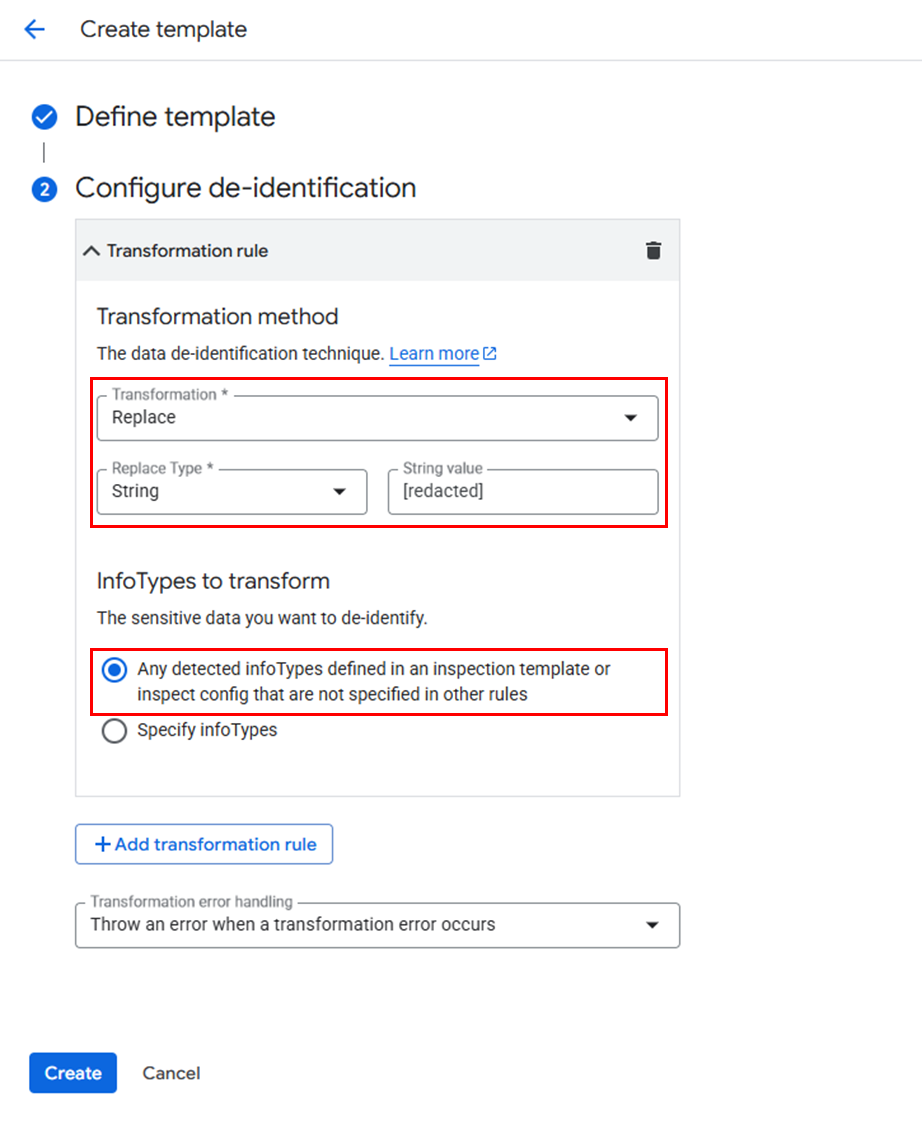
변환 규칙
➡️ Transformation Rule: Replace
➡️ String value: [redacted]
Task3. 작업 트리거 구성
(1) 트리거 생성 메뉴
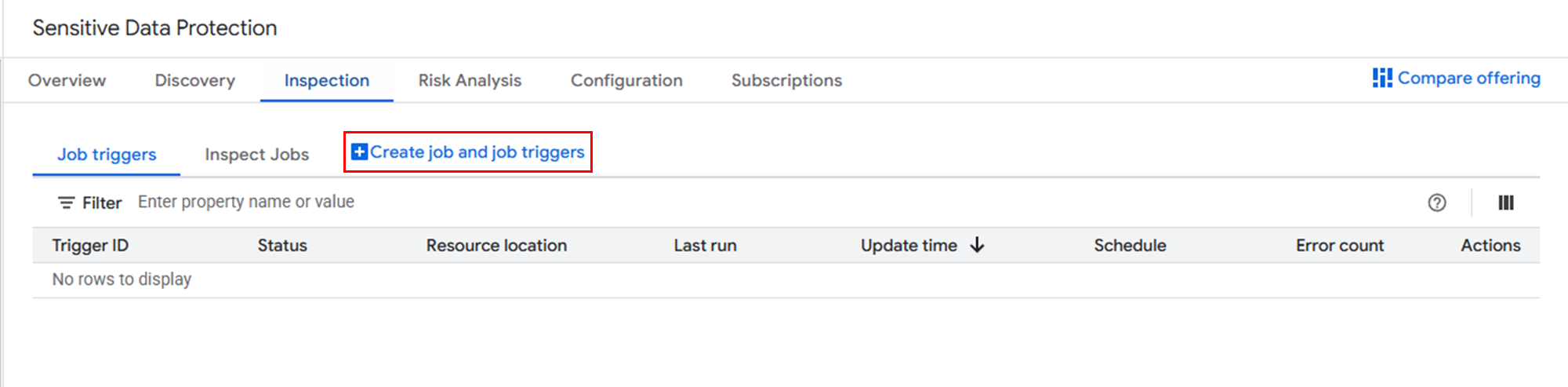
✅ 메뉴
네비게이션 메뉴 > Security > Data Protection > Sensitive Data Protection > Inspection
(2) 트리거 설정
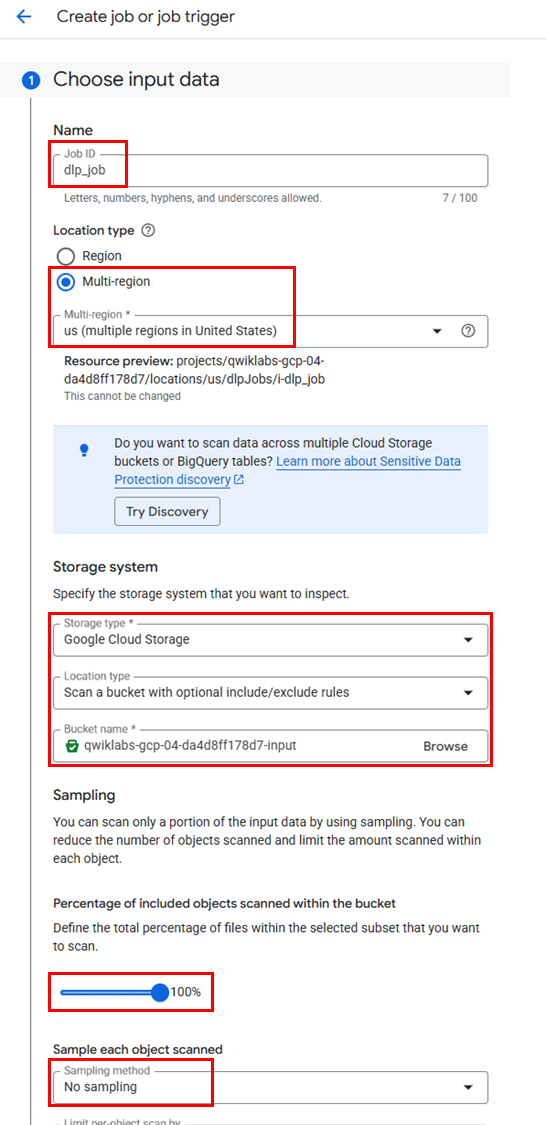
트리거 설정
➡️ Job ID:
dlp_job
➡️ Location Type: Multi-region > us (multiple regions in United States)input Data 설정
➡️ Storage type: Cloud Storage
➡️ Location Type: Scan a bucket with optional include/exclude rules.
➡️ Bucket name: Browse > input 버킷 선택
➡️ Percentage of included objects scanned within the bucket: 100%
➡️ Sampling method: No sampling
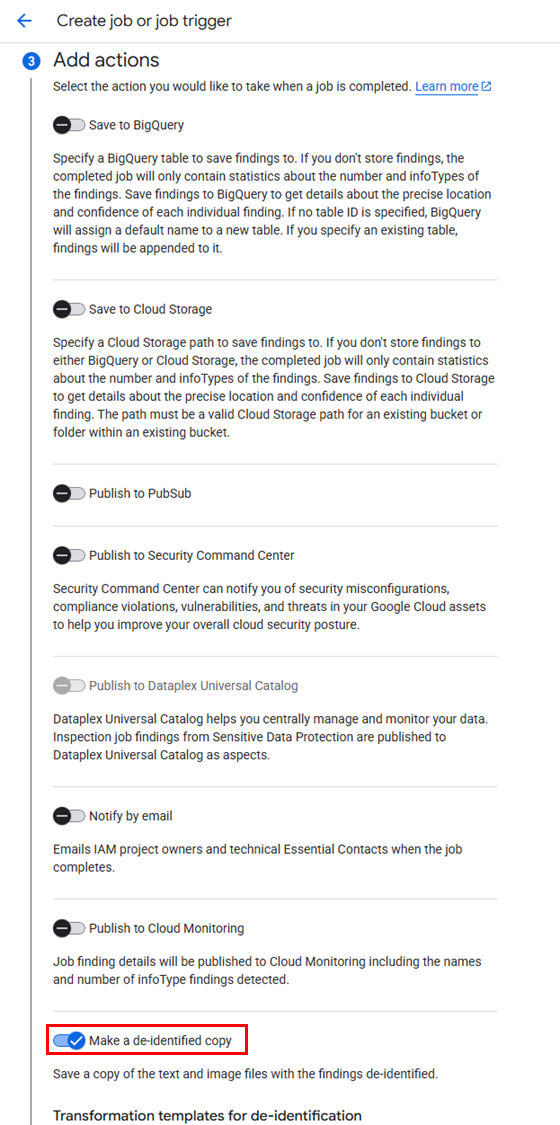
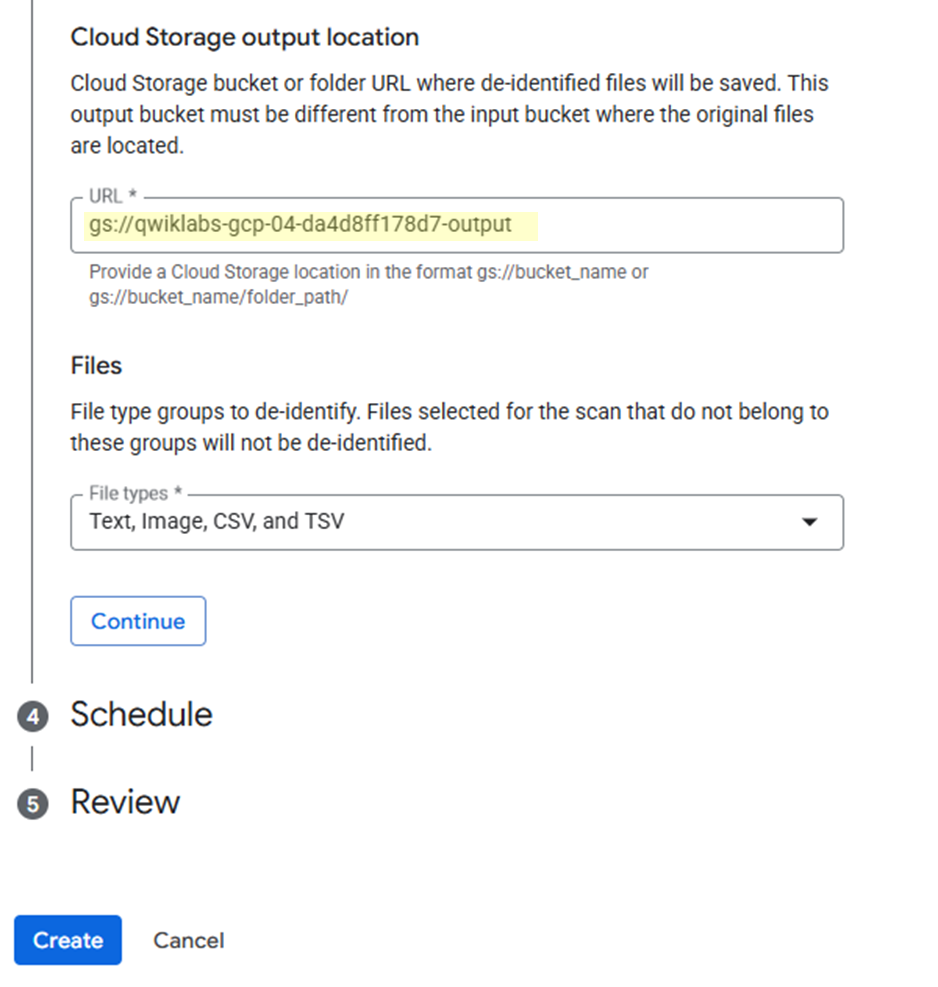
Add Actions 설정
➡️ Toggle Make a de-identify copy
➡️ Cloud Storage output location:gs://<output 버킷 ID>
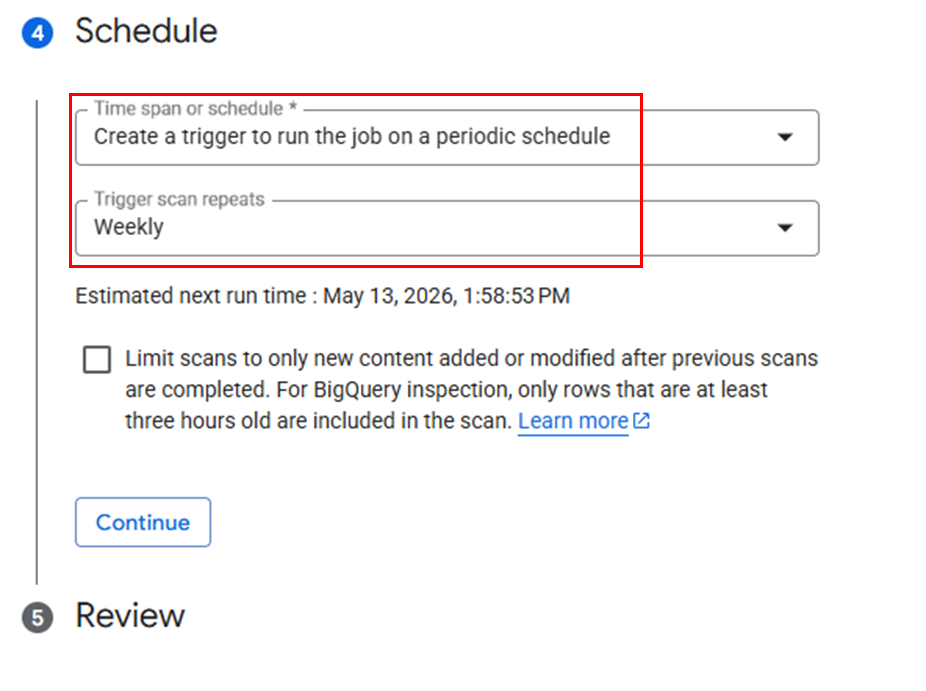
스케줄 설정
➡️ Create a trigger to run the job on a periodic schedule (Weekly)
(3) 트리거 실행
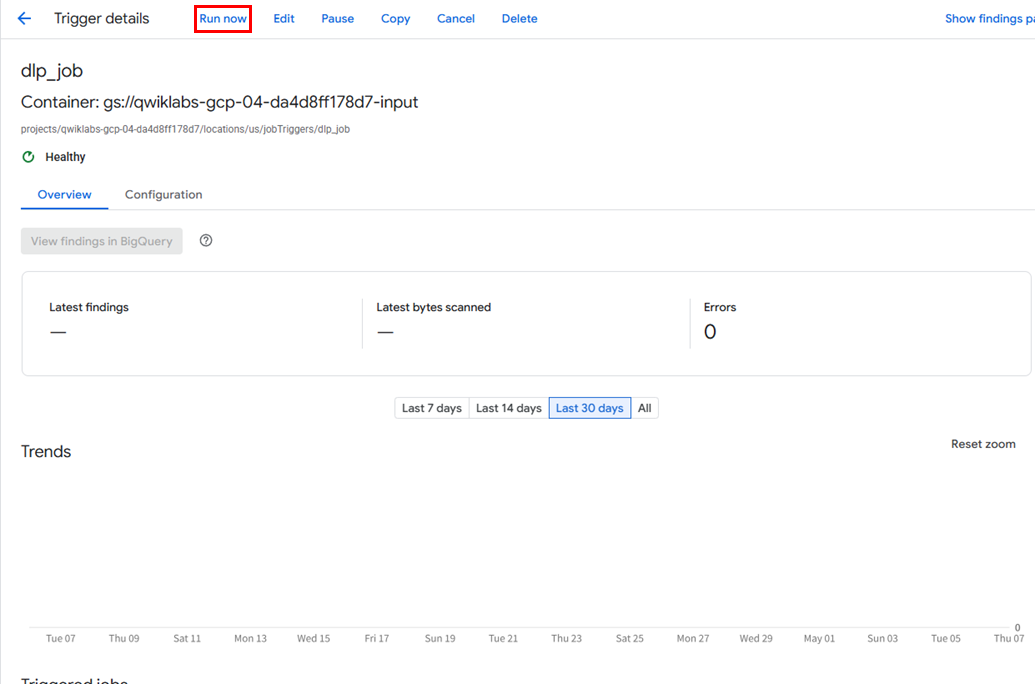
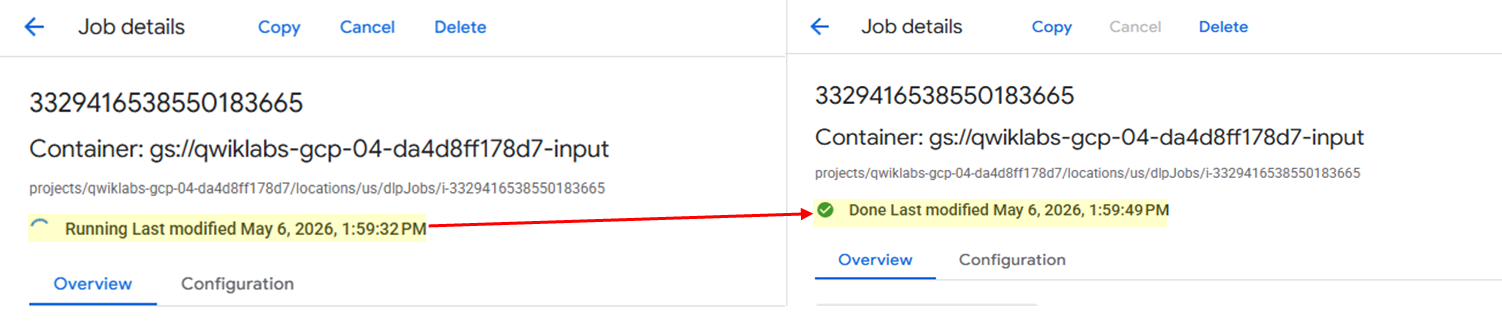
✅ 트리거 실행이 완료되면, Output 버킷에서 결과를 확인하면 된다.
