Course
Get Started with Sensitive Data Protection
Lab
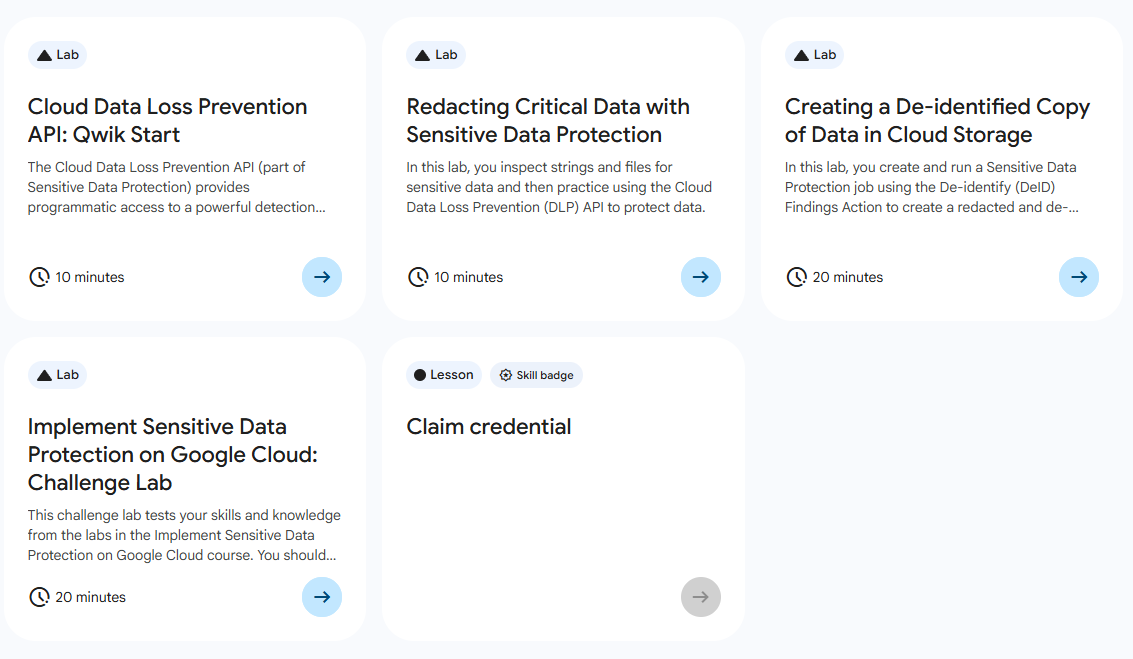
목록
- Cloud Data Loss Prevention API: Qwik Start
- Redacting Critical Data with Sensitive Data Protection
- Creating a De-identified Copy of Data in Cloud Storage ⬅️ 오늘의 Lab!
- Implement Sensitive Data Protection on Google Cloud: Challenge Lab
🌠 Creating a De-identified Copy of Data in Cloud Storage
개요
Sensitive Data Protection은 민감한 정보를 검색, 분류, 보호할 수 있도록 설계된 완전 관리형 서비스이다.
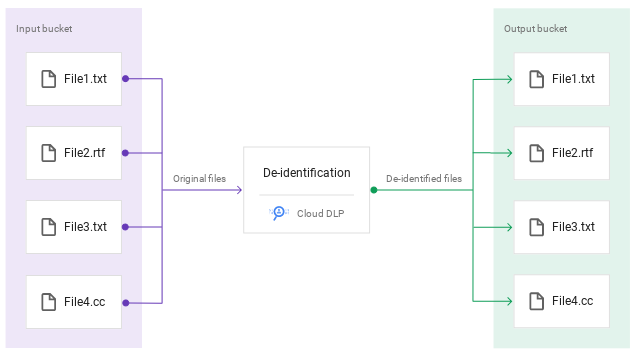
✅ input 버킷: 샘플 폴더와 파일이 포함되어 있음
✅ output 버킷: 수정된 데이터를 위한 버킷
이번에 학습할 내용은 다음과 같다.
- 정형 데이터 및 비정형 데이터용 Sensitive Data Protection 익명화 템플릿 만들기
- 발견 사항 익명화 작업이 사용 설정된 Sensitive Data Protection 검사 작업 트리거 구성
- Sensitive Data Protection 검사 작업 만들기
- 검사 작업의 결과를 보고 Cloud Storage에서 새로 익명화된 파일 보기
실습과정
참고✨
- 정형 데이터
데이터 테이블에 딱 맞는 데이터이며 숫자, 짧은 텍스트, 날짜와 같은 불연속형 데이터 유형을 포함하고, 행과 열이 있는 테이블로 모델링할 수 있다.- 비정형 데이터
크기 또는 특성(예: 오디오 및 비디오 파일, 대용량 텍스트 문서)으로 인해데이터 테이블에 맞지 않고, 미리 정해진 규칙을 따르지 않는다.
1. 익명화 템플릿 만들기 (공통)
(1) 메뉴 접속
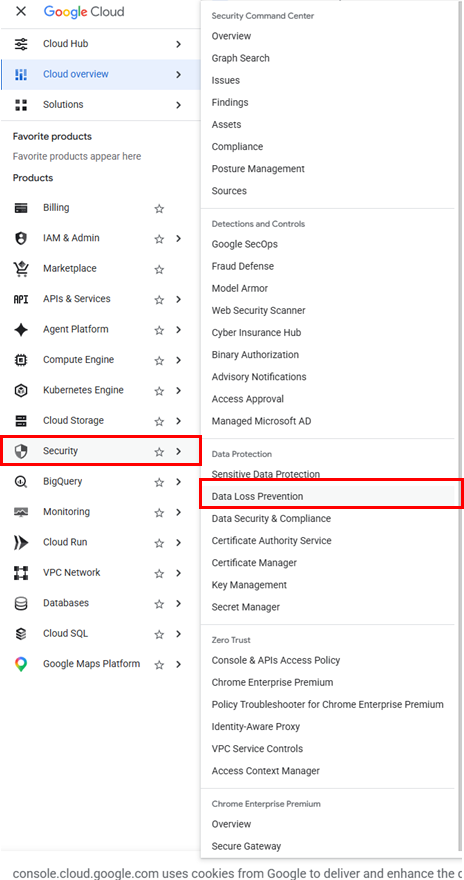
➡️ 네비게이션 메뉴 > Security > Data Loss Prevention
(2) 템플릿 만들기
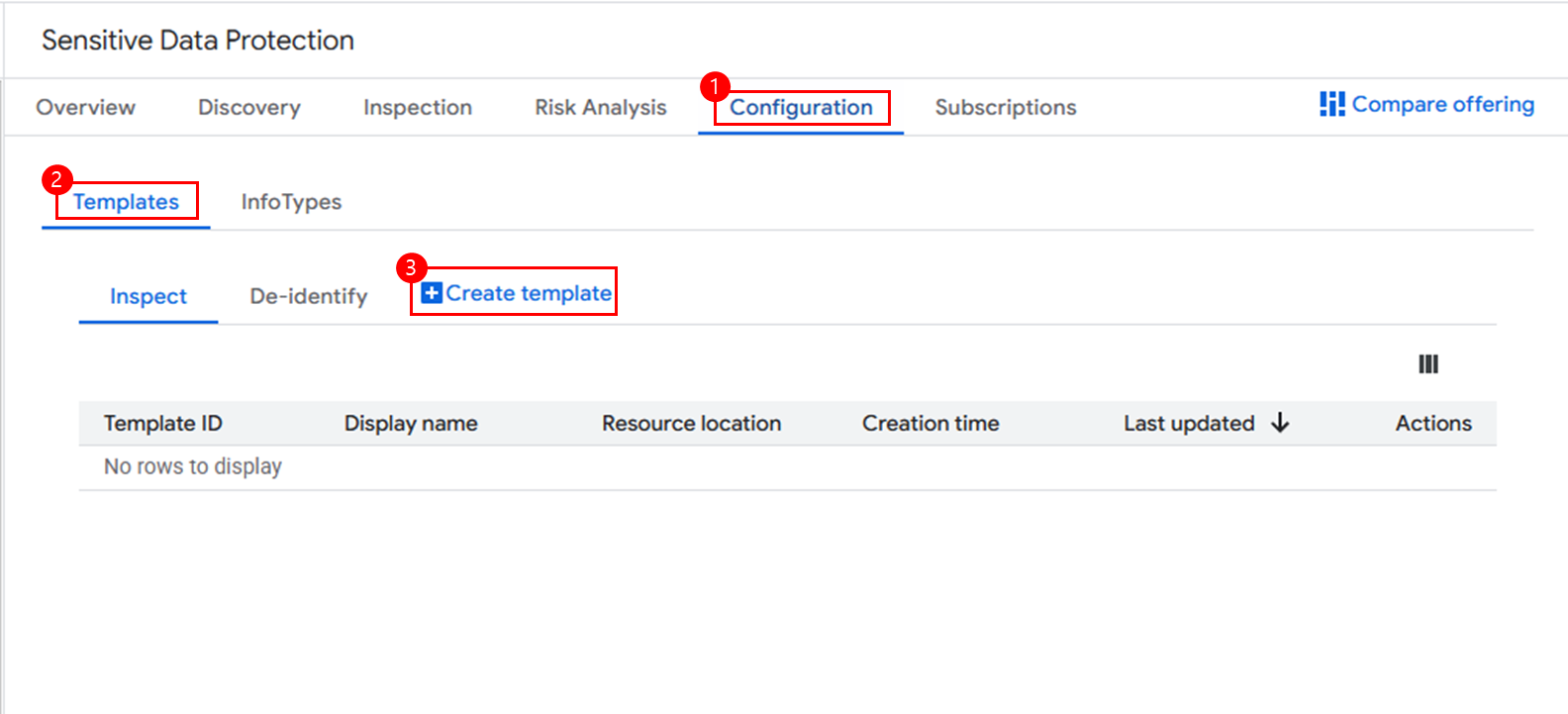
1-1. 비정형 데이터용 템플릿 만들기
(3) 템플릿 정의
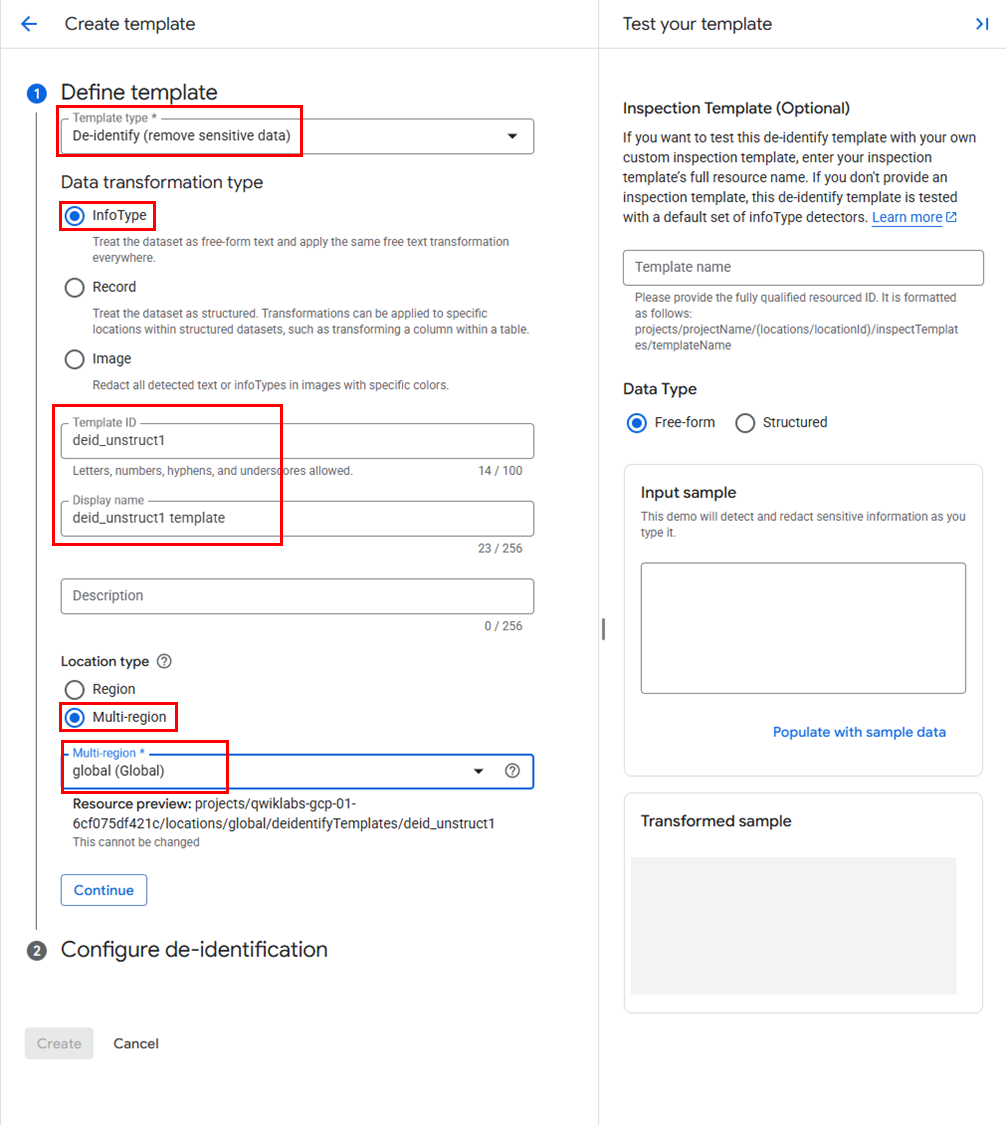
옵션 목록
✅ Template Type: De-identify (remove sensitive data)
✅ Data transformation type: InfoType
✅ Template ID:deid_unstruct1
✅ Display name:deid_unstruct1 template
✅ Resource location: Multi-region (Global)
(4) 반환 규칙 설정
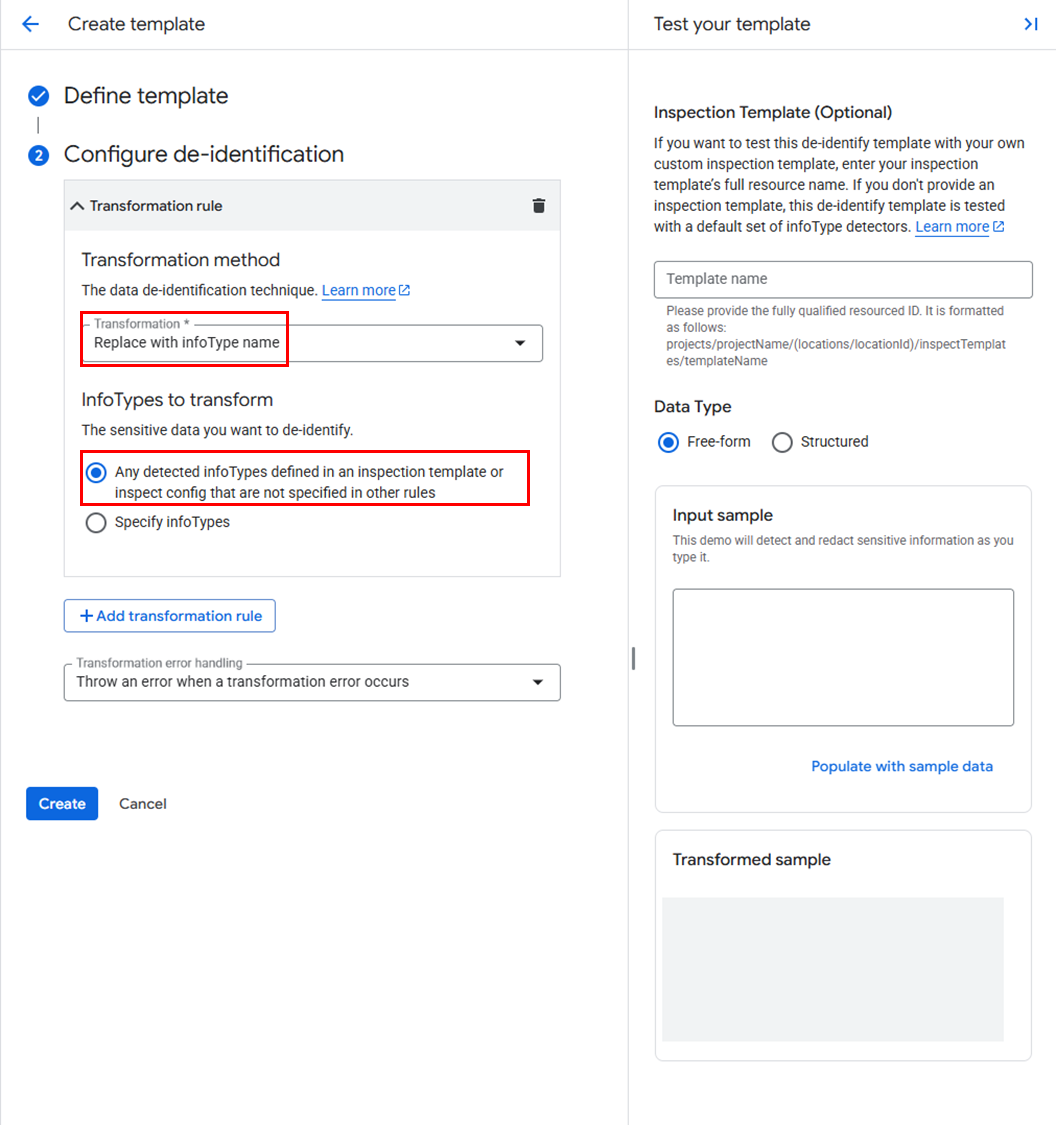
옵션 목록
✅ Transformation Rule: Replace with infoType name
✅ InfoTypes to transform: Any detected infoTypes defined in an inspection template or inspect config that are not specified in other rules
1-2. 정형 데이터용 템플릿 만들기
(3) 템플릿 정의
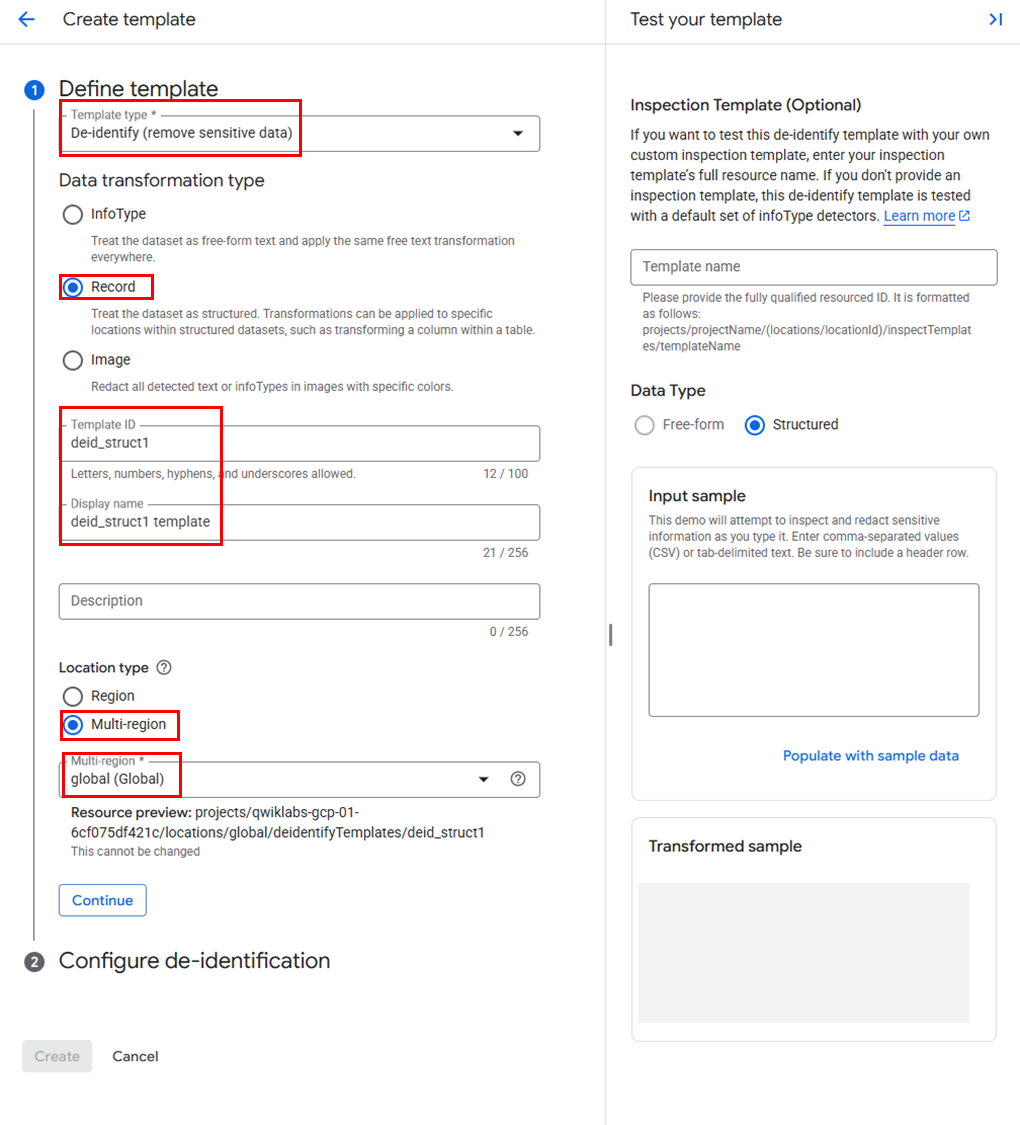
옵션 목록
✅ Template Type: De-identify (remove sensitive data)
✅ Data transformation type: IRecord
✅ Template ID:deid_struct1
✅ Display name:deid_struct1 template
✅ Resource location: Multi-region (Global)
(4) 반환 규칙 설정
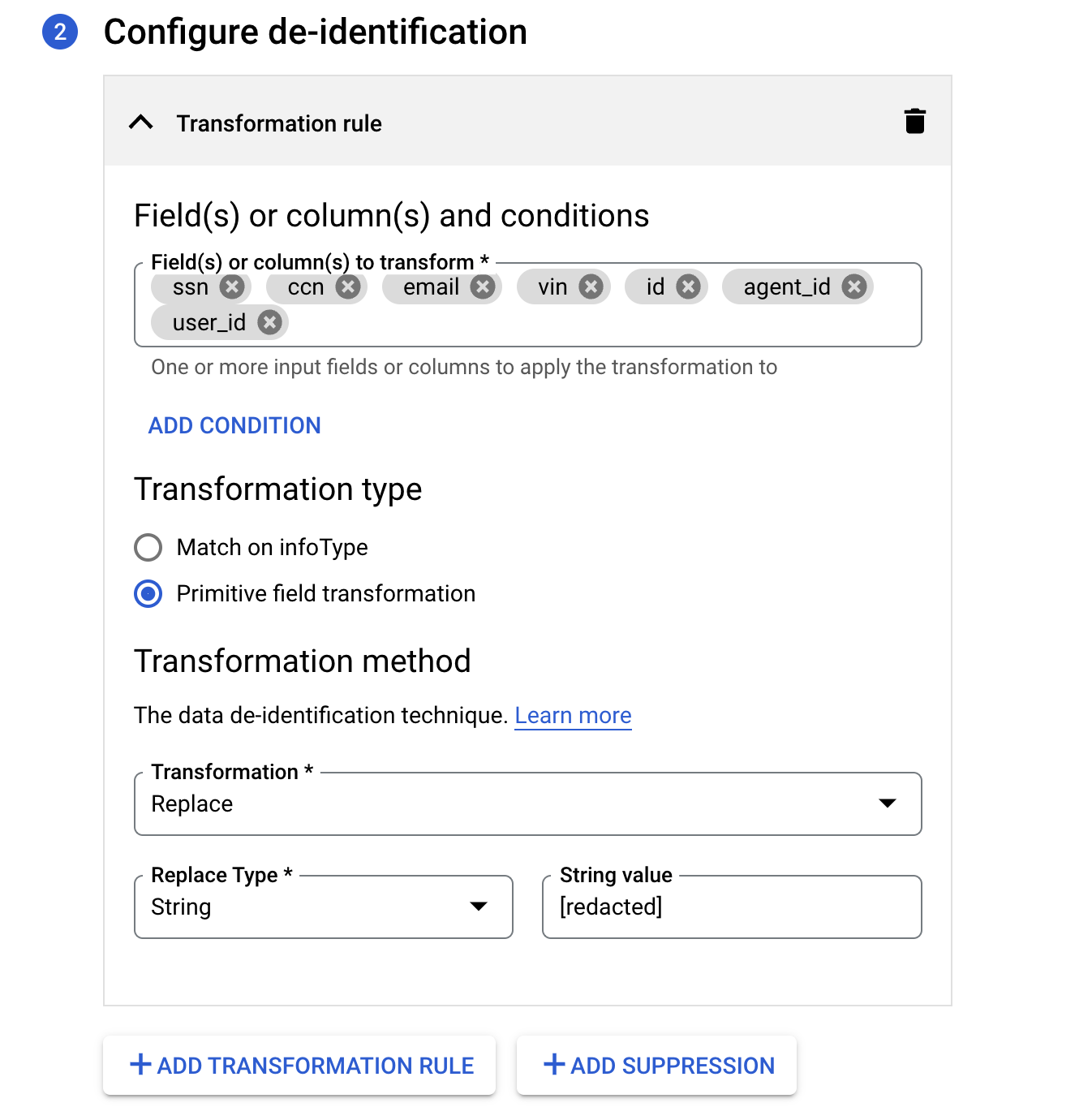
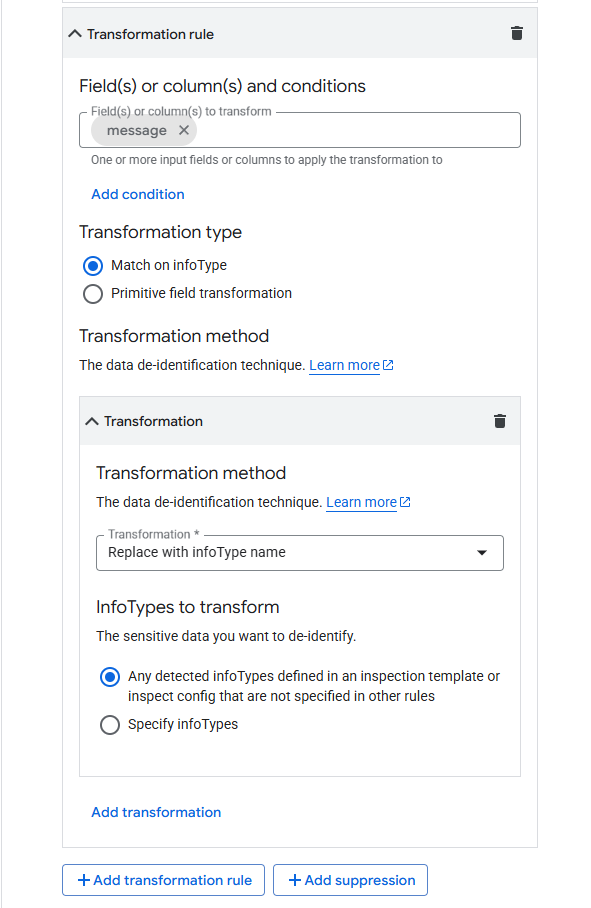
옵션 목록
규칙1
✅ Transformation Rule:ssn,ccn,vin,id,agent_id user_id
✅ Transformation type: Primitive field transformation
규칙2
✅ ransformation Rule:message
✅ Transformation type: Match on infoType
✅ InfoTypes to transform: Any detected infoTypes defined in an inspection template or inspect config that are not specified in other rules
2. DLP 검사 작업 트리거 만들기
(1) 메뉴 이동
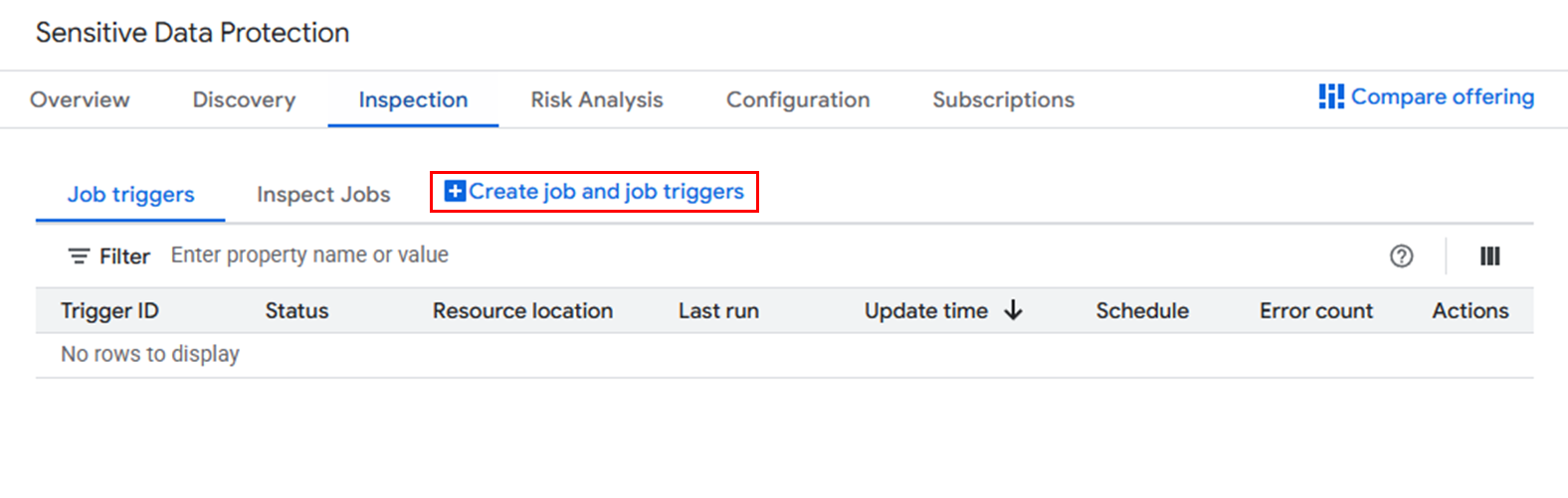
➡️ 네비게이션 메뉴 > Security > Data Loss Prevention > Inspection > Create job and triggers
(2) 입력 데이터 설정
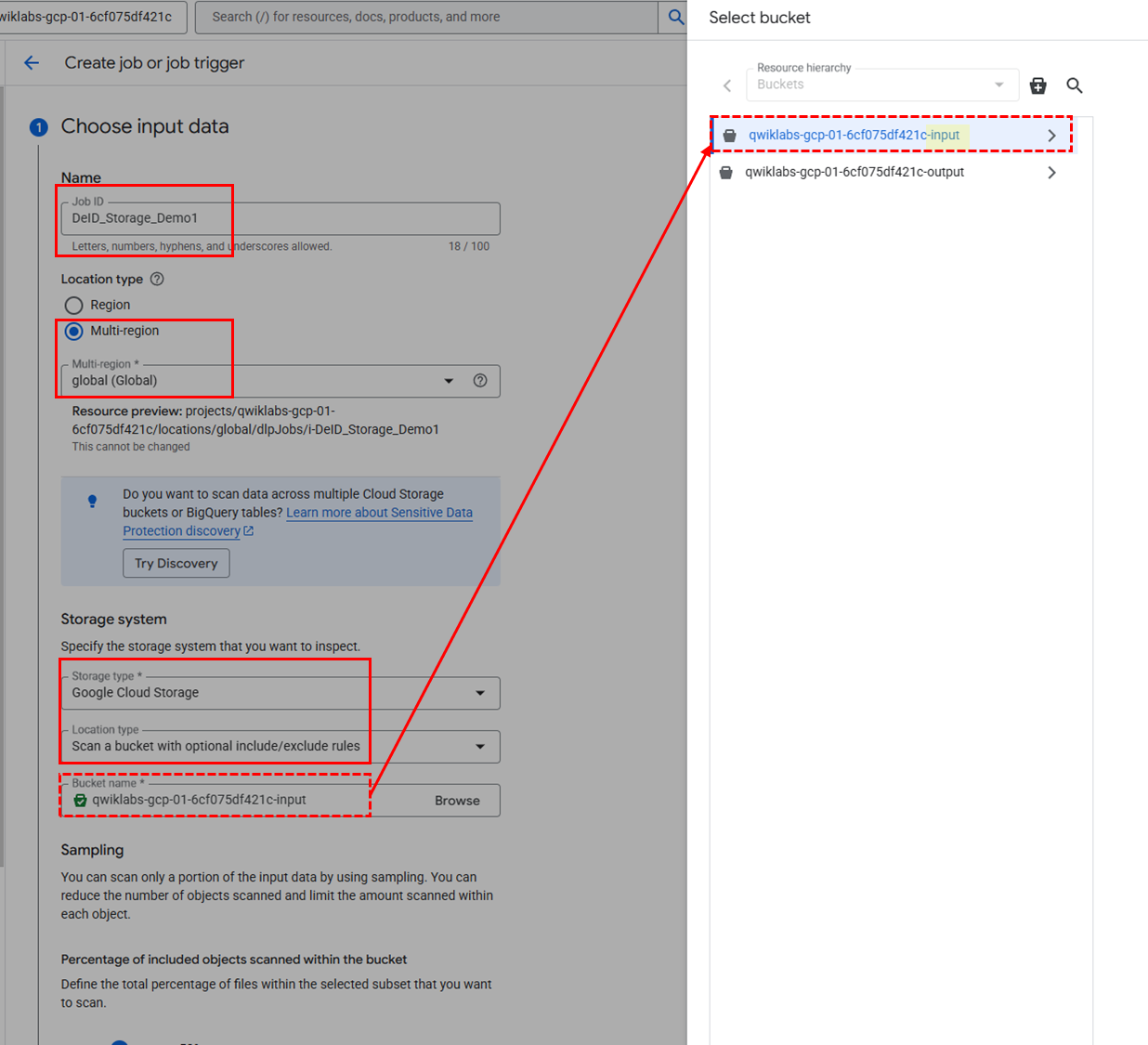
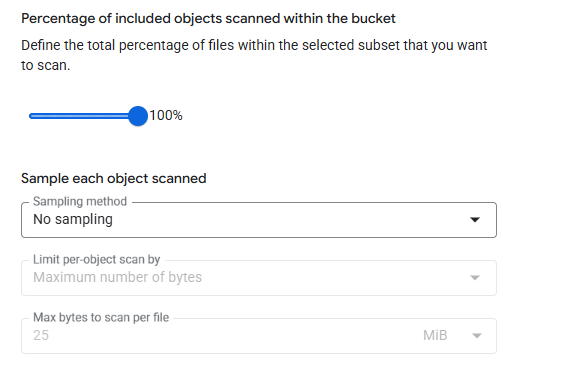
옵션 목록
✅ Job ID:
DeID_Storage_Demo1
✅ Resource location: Global (any region)
✅ Storage type: Google Cloud Storage
✅ Location Type: Scan a bucket with optional include/exclude rules
✅ URL: Browse > input bucket 선택
✅ Percentage of included objects scanned within the bucket: 100%
✅ Sampling method: No sampling
(3) 감지 설정
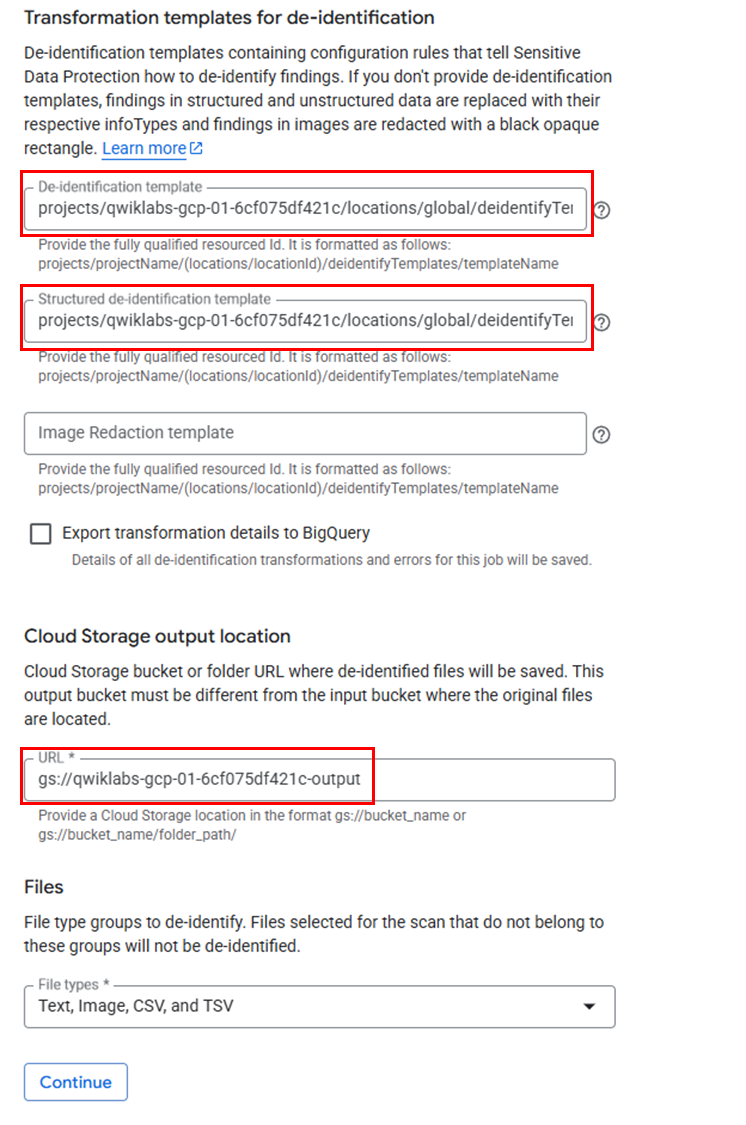
옵션
- Add Actions > Make a de-identify copy 선택
- De-identification template
projects/<project-id>/locations/global/deidentifyTemplates/deid_unstruct1- Structured de-identification template
projects/<project-id>/locations/global/deidentifyTemplates/deid_struct1- Cloud Storage output location: output bucket 이름 입력 (
gs://<output bucket id>)
(4) 스케줄 설정
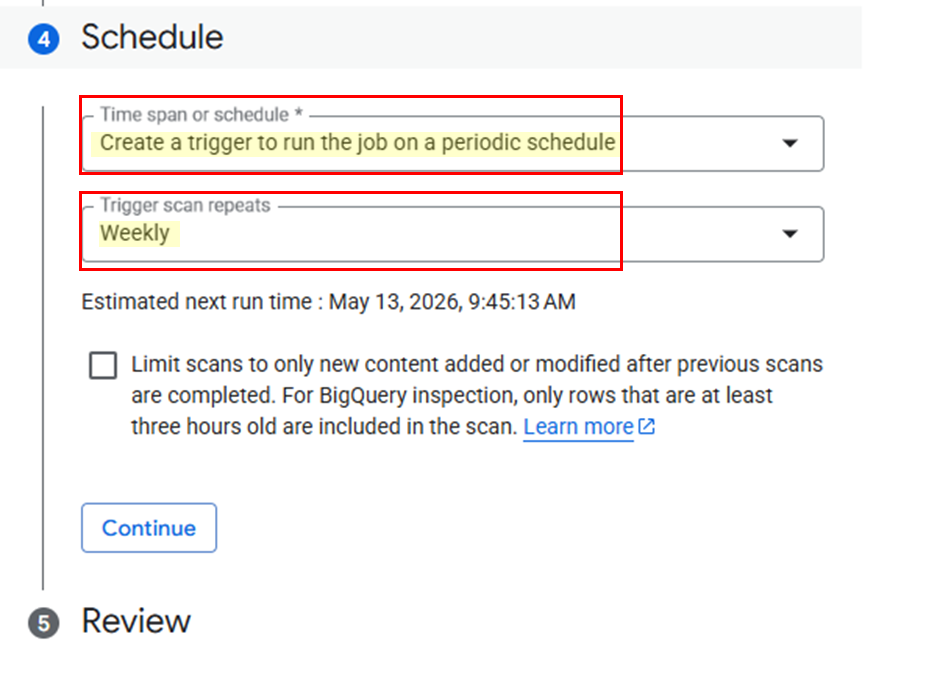
옵션
- Time span or schedule: Create a trigger to run the job on a periodic schedule
- Trigger scan repeats: Weekly
(5) 트리거 생성 확인
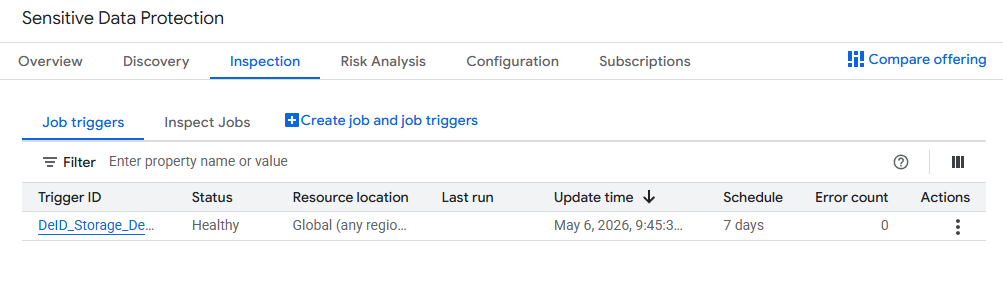
3. 트리거 실행
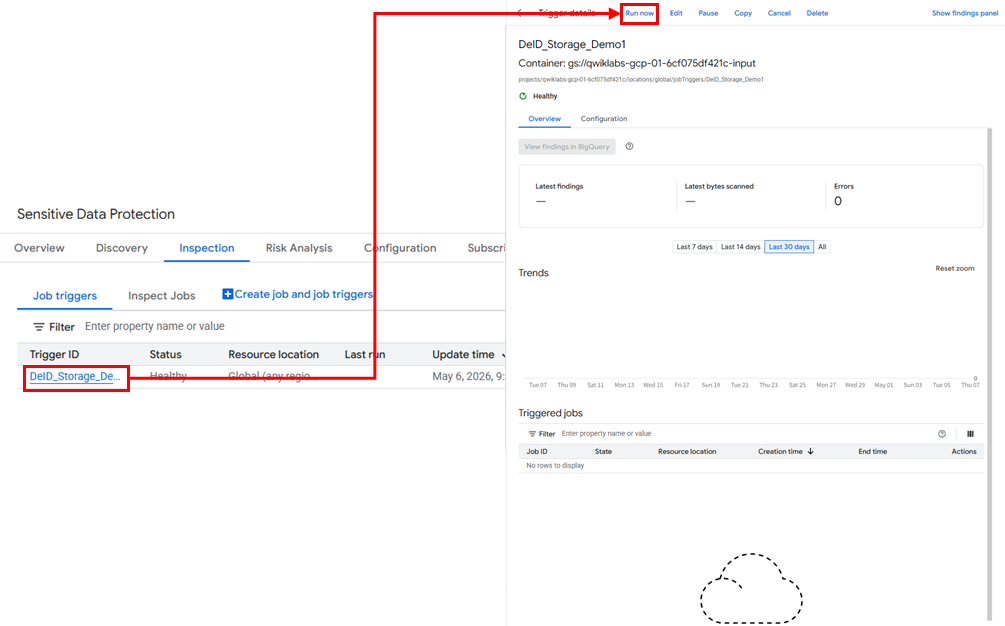
✅ Run Now 클릭
4. 실행 결과 확인
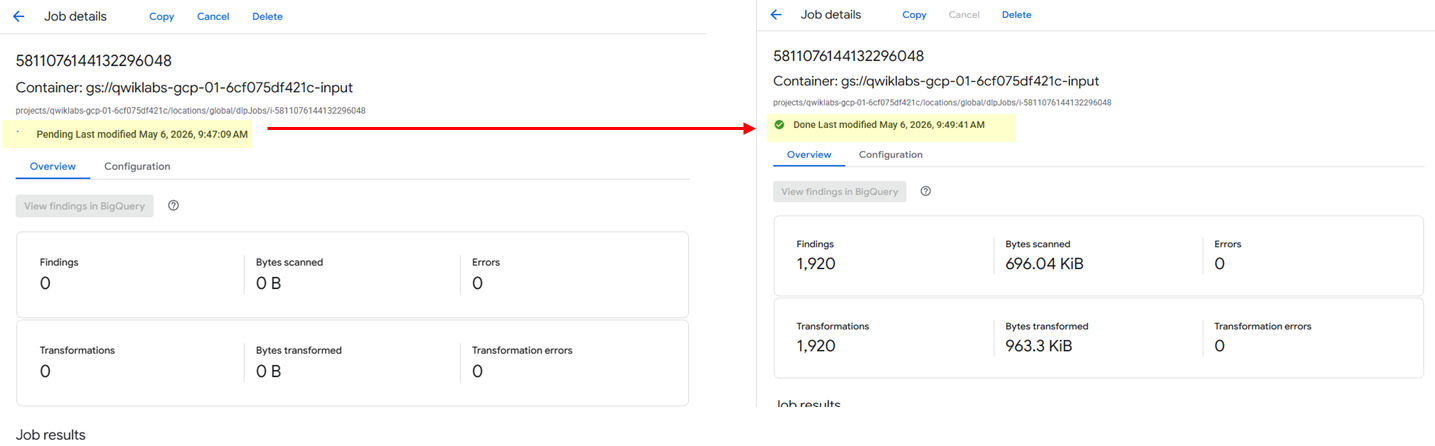
✅ 트리거 실행 완료 확인
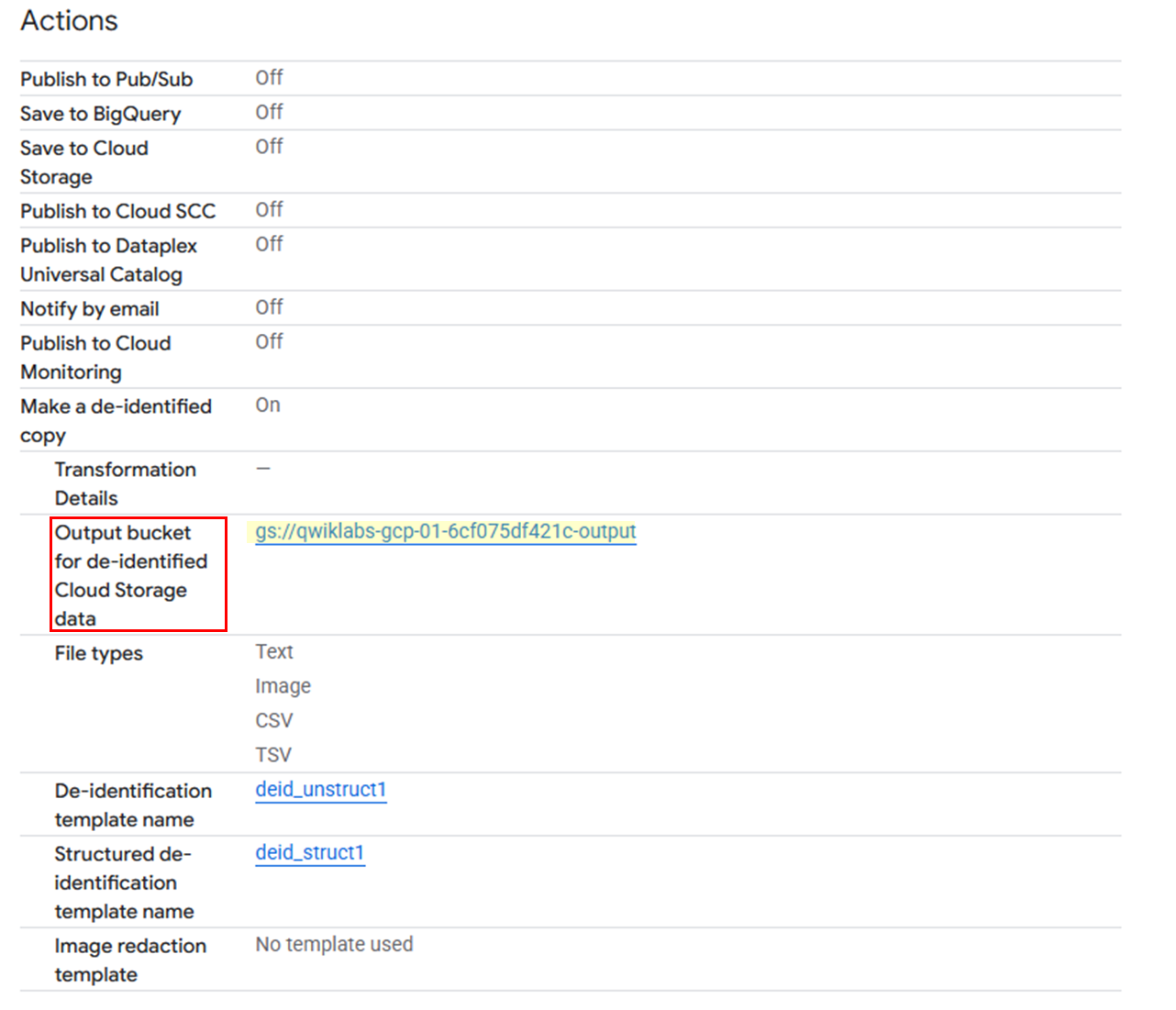
✅ 트리거 실행 페이지 > Configuration > 스크롤 아래에 Actions 섹션 > Output bucket for de-identified Cloud Storage Data > 링크 클릭
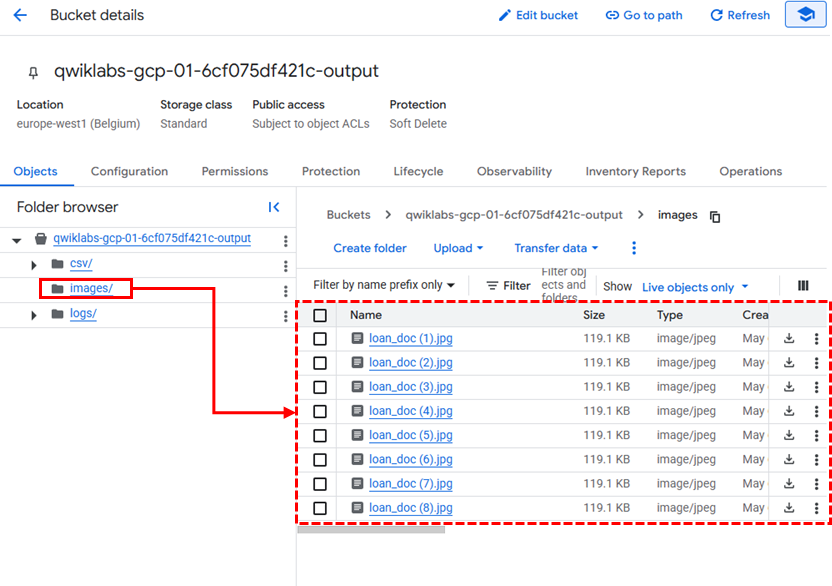
✅ bucket 내 파일에 image 폴더에 있는 이미지 확인
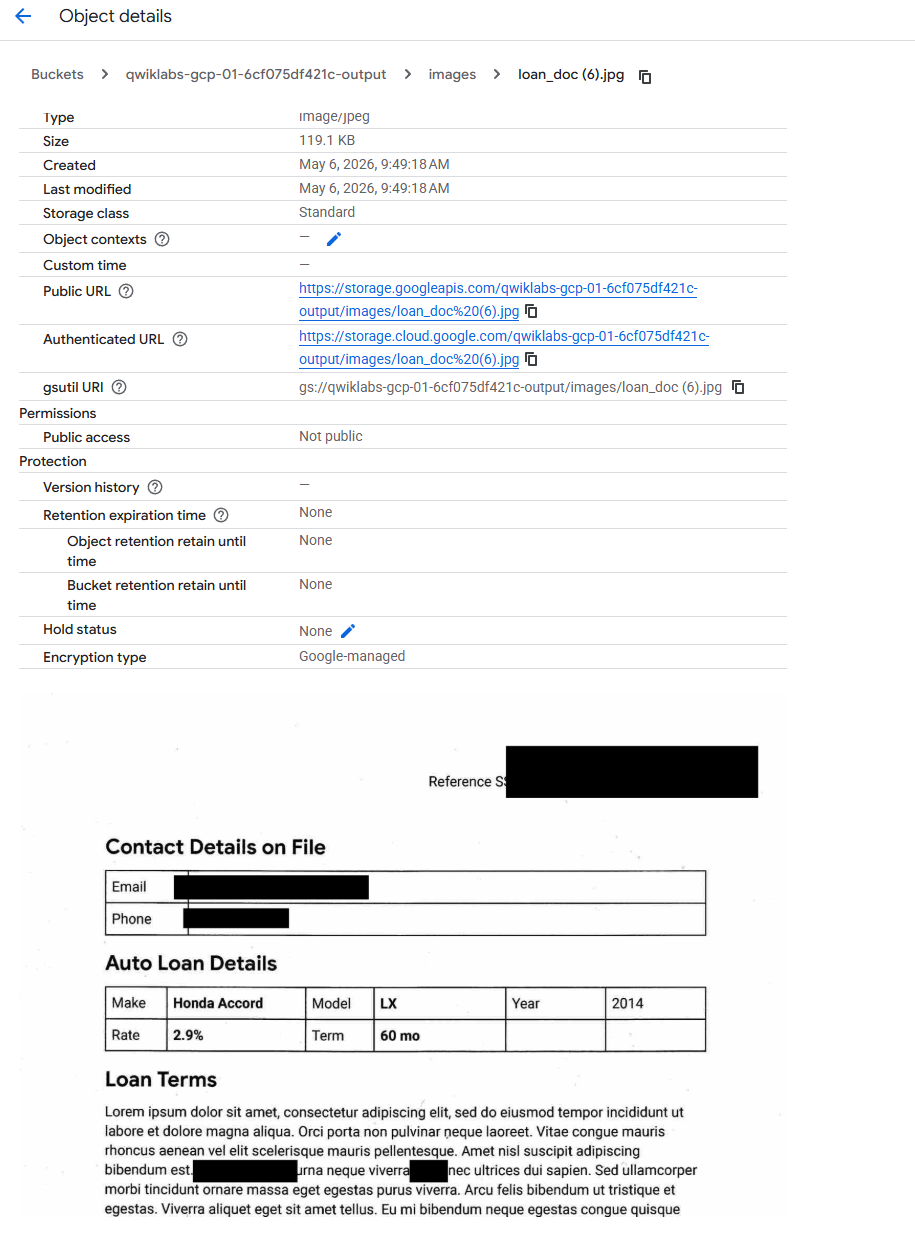
✅ 중요한 정보가 마스킹처리 되어있음을 확인할 수 있다.
