Course
Store, Process, and Manage Data on Google Cloud - Command Line
Lab
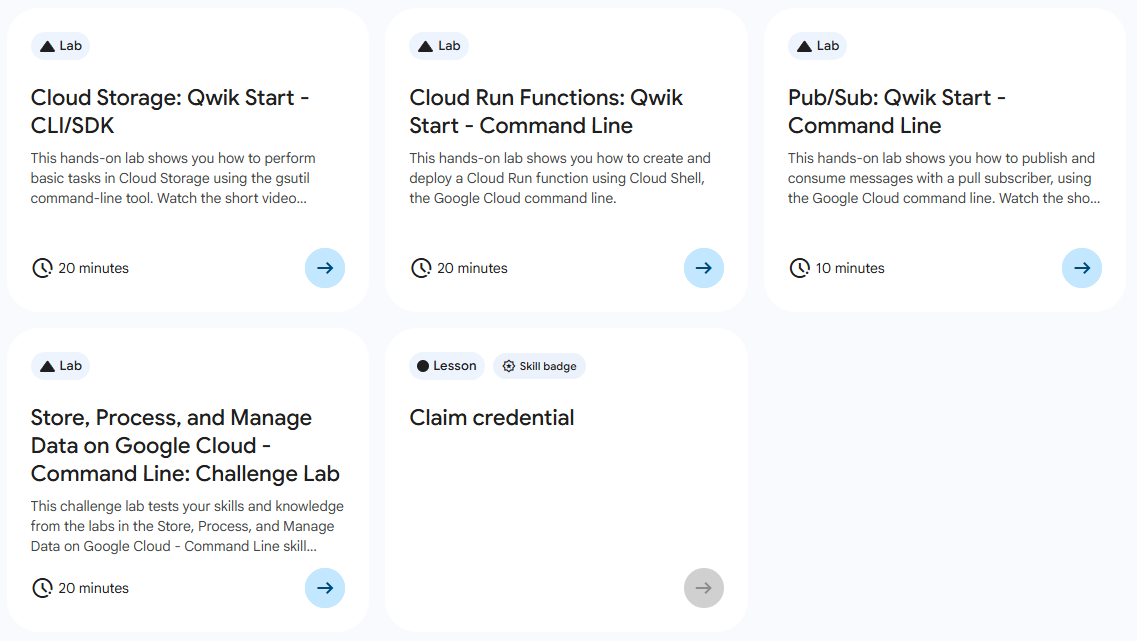
목록
- Cloud Storage: Qwik Start - CLI/SDk
- Cloud Run Functions: Qwik Start - Command Line
- Pub/Sub: Qwik Start - Command Line ⬅️ 오늘의 Lab!
- Store, Process, and Manage Data on Google Cloud - Command Line: Challenge Lab
🌠 Pub/Sub: Qwik Start - Command Line
개요
지난 번엔 Console 창에서 진행했던 실습을 이번엔 Command Line을 사용해서 해보자!
실습 과정
1. Pub/Sub Topic 생성
(1) myTopics

gcloud pubsub topics create myTopic(2) Test1, Test2

gcloud pubsub topics create Test1
gcloud pubsub topics create Test2
(3) 생성한 Topic 보기
---
messageStoragePolicy:
  allowedPersistenceRegions:
  - us-central1
name: projects/qwiklabs-gcp-01-af5b4aaa2d32/topics/myTopic
---
messageStoragePolicy:
  allowedPersistenceRegions:
  - us-central1
name: projects/qwiklabs-gcp-01-af5b4aaa2d32/topics/Test1
---
messageStoragePolicy:
  allowedPersistenceRegions:
  - us-central1
name: projects/qwiklabs-gcp-01-af5b4aaa2d32/topics/Test2
2. Test Topic 삭제
(1) 삭제하기

gcloud pubsub topics delete Test1
gcloud pubsub topics delete Test2
(2) 삭제 확인

gcloud pubsub topics list3. Pub/Sub 구독하기
(1) myTopic > mySubscription 구독 생성

gcloud pubsub subscriptions create --topic myTopic mySubscription(2) 구독 추가 생성

gcloud  pubsub subscriptions create --topic myTopic Test1
gcloud  pubsub subscriptions create --topic myTopic Test2
(3) 구독 확인

gcloud pubsub topics list-subscriptions myTopic4. 구독 삭제하기

gcloud pubsub subscriptions delete Test1
gcloud pubsub subscriptions delete Test2

# 삭제 확인
gcloud pubsub topics list-subscriptions myTopic
5. Pub/Sub 게시 및 단일 메시지 가져오기
(1) Topic에 메시지 게시

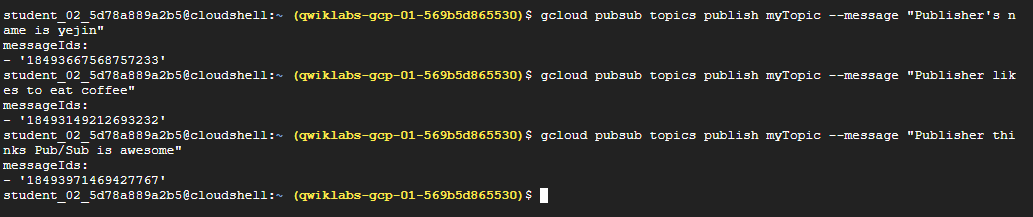
gcloud pubsub topics publish myTopic --message "Hello"
gcloud pubsub topics publish myTopic --message "Publisher's name is <YOUR NAME>"
gcloud pubsub topics publish myTopic --message "Publisher likes to eat <FOOD>"
gcloud pubsub topics publish myTopic --message "Publisher thinks Pub/Sub is awesome"
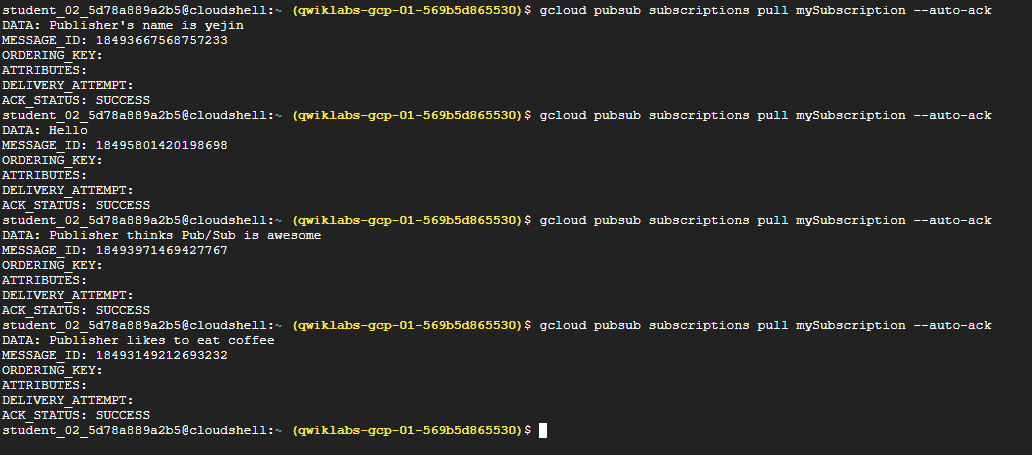
(2) 게시한 메시지 가져오기
참고✨
- 플래그 없이
pull명령어를 사용하면 둘 이상의 메시지가 있는 주제를 구독하더라도 메시지가 하나만 출력된다.- 특정 구독 기반
pull명령어에서 개별 메시지가 출력 되었으면pull명령어로 해당 메시지에 다시 액세스할 수 없다.- 모든 메시지를 반환한 후에도 계속 실행할 경우에는, 다음의 결과가 출력된다.
gcpstaging20394_student@cloudshell:~ (qwiklabs-gcp-3450558d2b043890)$ gcloud pubsub subscriptions pull mySubscription --auto-ack
Listed 0 items.
6. Pub/Sub 구독에서 모든 메시지 가져오기
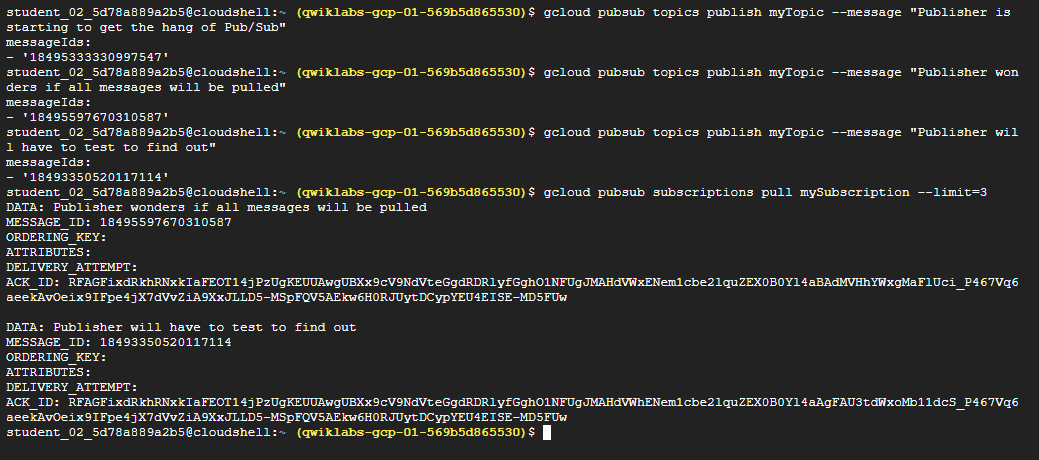
(1) 추가 메시지 등록하기
gcloud pubsub topics publish myTopic --message "Publisher is starting to get the hang of Pub/Sub"

gcloud pubsub topics publish myTopic --message "Publisher wonders if all messages will be pulled"

gcloud pubsub topics publish myTopic --message "Publisher will have to test to find out"
(2) 명령어에 flag 추가
gcloud pubsub subscriptions pull mySubscription --limit=3➡️ --limit=3 플래그를 사용하여 최대 n개까지 한 번에 다 보여주라고 설정

새싹 개발자