🧠 Process: a program in Execution(Stored in RAM)
- Foreground process: Interact directly with users
- Background process(daemon): Runs in the background without user interaction
🗂️ Process Control Block (PCB)
: A data structure in kernel space that stores all the information needed to execute and identify a processs
Stored information (Context):
- Process ID
- Register values: Snapshot of all CPU registers for the process(PC, SP, FP, general-purpose pointer, Link Register etc)
- Process Status
- CPU scheduling
- Memory location: Base register, limit register, page table etc.
- Used I/O devices and files
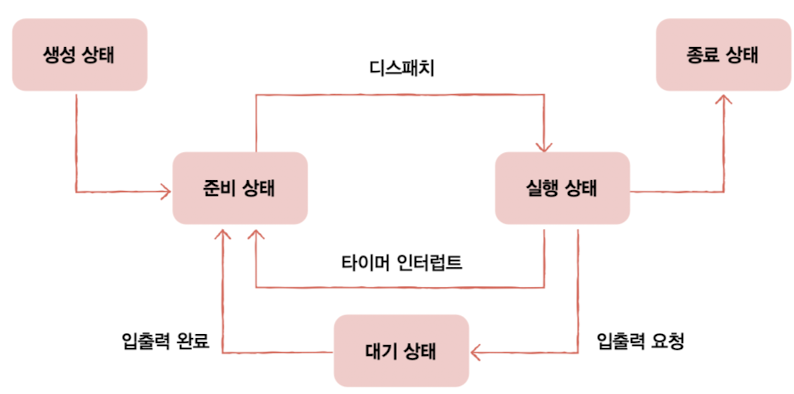
Timer interrupt: Periodically generated by a hardware clock. It ensures the CPU switches between processes, enabling multitasking
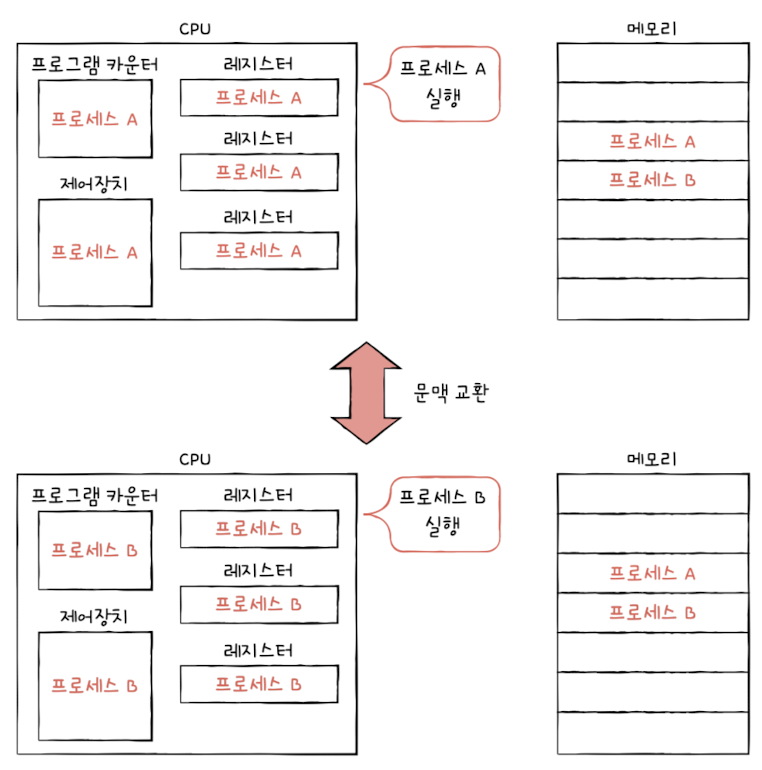
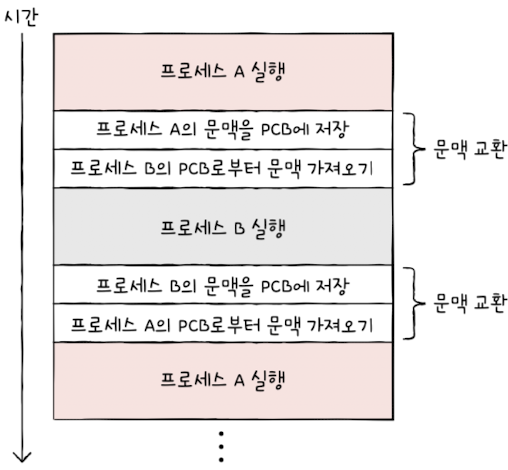
🔄 Context Switching
When switching from one process to another:
1. Save the current process's context into its PCB
2. Load the context of the next process to resume execution
🧩 Process Memory Layout (User Space)
Each process has its own virtual memory divided into segments
- Statically allocated space:
- Code segment(text segment): Contains the instructions(machine code), read-only- Data segment: Store global and static variables, exists throught the process lifetime
- Dynamically allocated space
- Heap: Used for dynamic memory allocation(e.g. malloc, new). Must be manually managed.
- Stack: Stores function parameters, return address, or local variablesMemory leak: Happens when memory is allocated(heap) but not released, causing memory waste.
Process Status & Hierarchy
🧠 Process States
- New: a program is loaded into memory and its PCB is created in kerneal space
- Ready: prepared to run and is waiting for CPU turn
If a timer interrupt occurs during execution, the process moves back to the ready state
- Running: the process is being executed by the CPU
- Blocked: waiting for I/O operation to complete
- Terminate: Release a process from memory and remove PCB
👨👧 Process Hierarchy
A parent process creates one or more child processes, each with:
- different PID
- it's own memory space
Initially, the child's memory contains a copy of parent's memory(before exec) but resides at a different memory addresse.
ex) Turn on computer, initial process creates login process, and then it creates bash process...
🧪 Process Creation
How does a parent process create child processes?
- Fork():
Create a duplicate of a parent process
Child has identical code and data, but a separate memory space - Exec():
Replace the child process's memory with a new program
Used to run a completely different process in the same prcess slot
ex) When a user write "ls" command line in bash
1. shell process calls fork() to create its child process
2. child process calls exec() to replace itself with ls command
3. Now the memory of the child contains the code/data for ls
⚠️ If the child doesn’t call exec(), it continues running the same code as the parent — both processes execute in parallel.
✅ Thread
Review: 🔧 Hardware Threads
- Hardware threads have dedicated sets of registers(e.g. PC, SP, FP), allowing them to independently execute instruction streams
- Register sets exist in parallel, context switching is not required(or is minimal)
- Hardware threads are not restriced to a single process - they can run threads from different processes
🧵 Software Threads
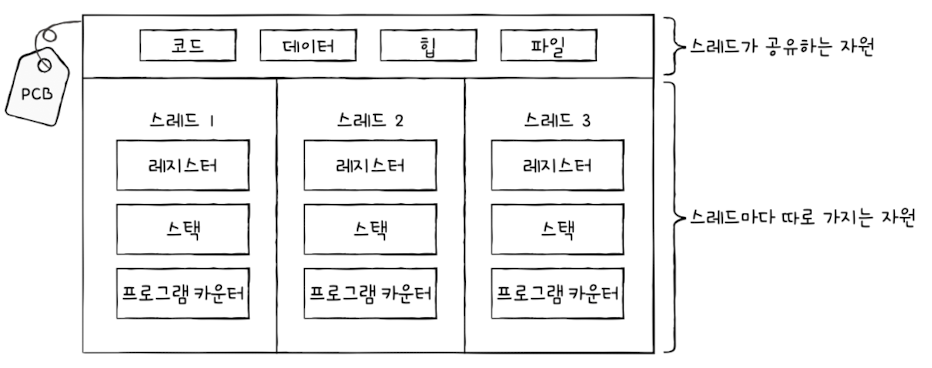
- Threads within the same process share:
- Data and Code segment- Heap
- Open files
- But each thread has its own:
- Stack
- Registers(PC, SP, FP, General-purpose, etc.)
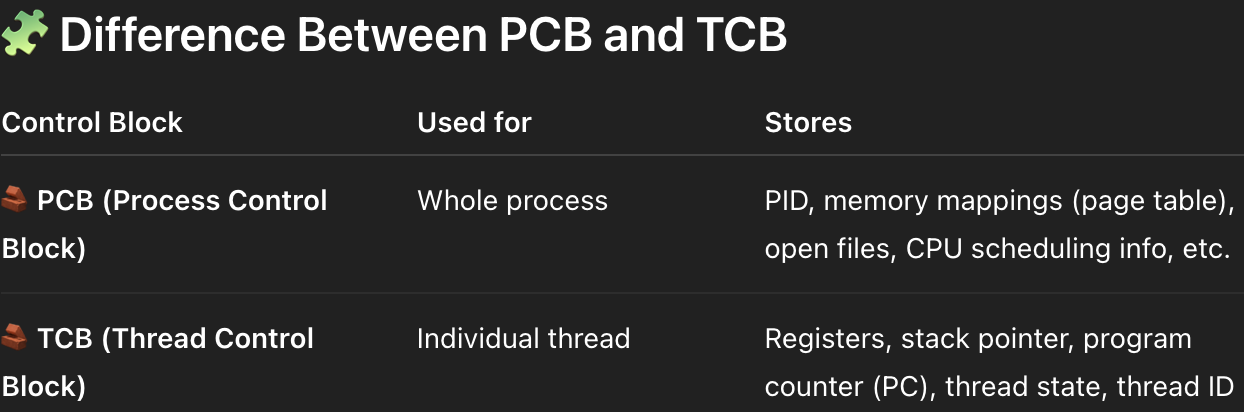
🔄 Thread Switching and PCB
When switching between threads of the same process, the PCB stays the same.
If the CPU switches from Thread 1 to Thread2, it needs to save and restore:
- PC
- SP
- general-purpose registers
- Status Register(ex. flags)
Note: if two different processes are running(created via fork())
each procecss has its own:
code and data segments, and heap, and each has own PCB block in kernel.
IPC(Inter-Process Communication)
- File-based communication
ex) Process A writes in 'hello.txt' and Process B read from 'hello.txt' - Shared memory in memory