BeutifulSoup Basic
- install 방법
- conda install -c anaconda beautifulsoup4 #또는
- pip install beautifulsoup4
1. import:
- bs4라는 가장 상위 패키지에서 BeautifulSoup기능만 사용하겠다
from bs4 import BeautifulSoup- soup 변수는 BeautifulSoup이라는 객체를 가져오고 html이 담긴 data를 읽어오는 역할
- BeautifulSoup이라는 객체 안에 prettify라는 method를 불러오면 들여쓰기 상태로 html코드가 표현된다.
- Webdata를 가져와 그걸 BeautifulSoup에 담아줬다. 여기 담긴 data를 읽어오는 방법.
page = open("../data/03. Erica.html", "r").read()
soup = BeautifulSoup(page, "html.parser")
print(soup.prettify())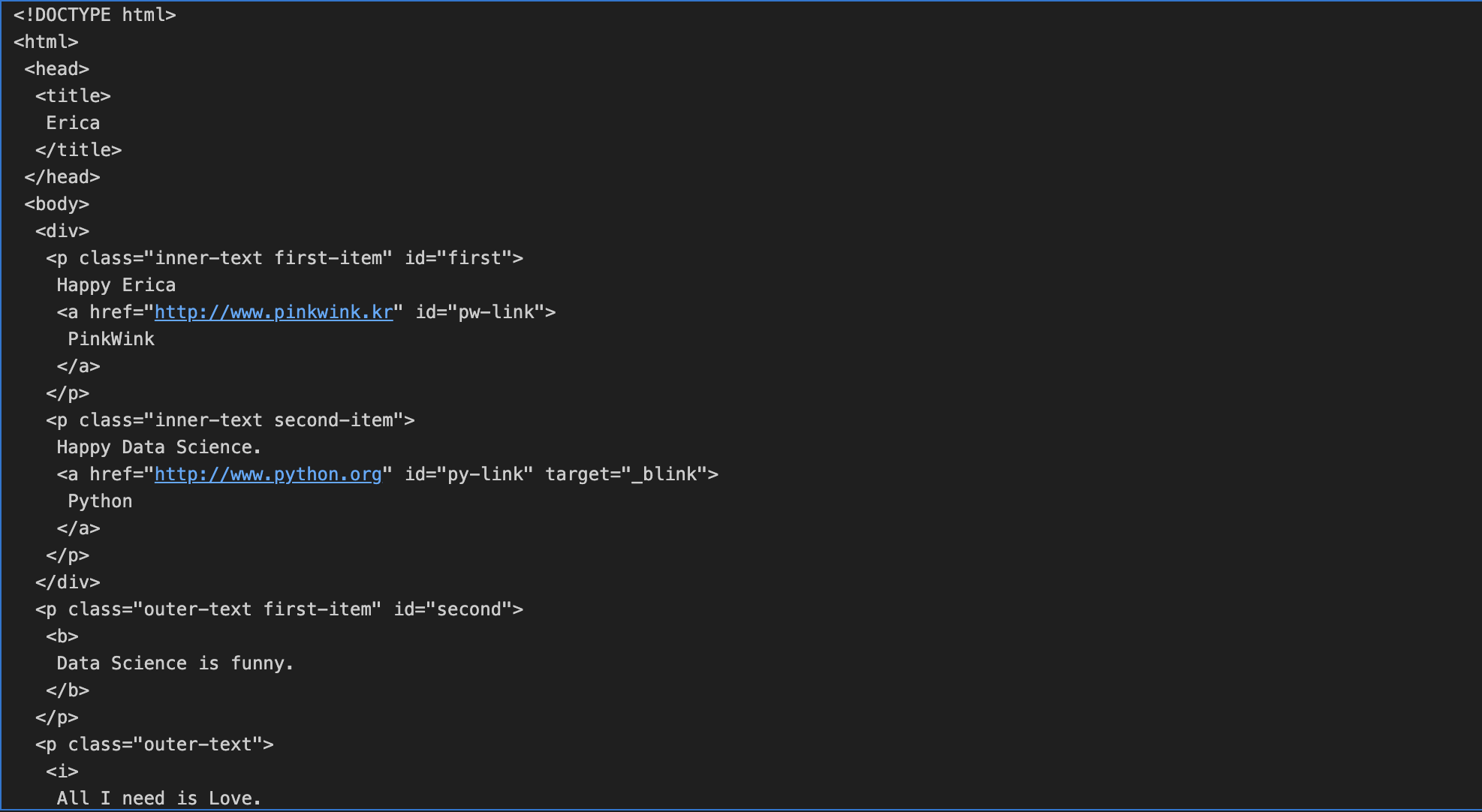
2. head 태그 확인
soup.head
3. body 태그 확인
soup.body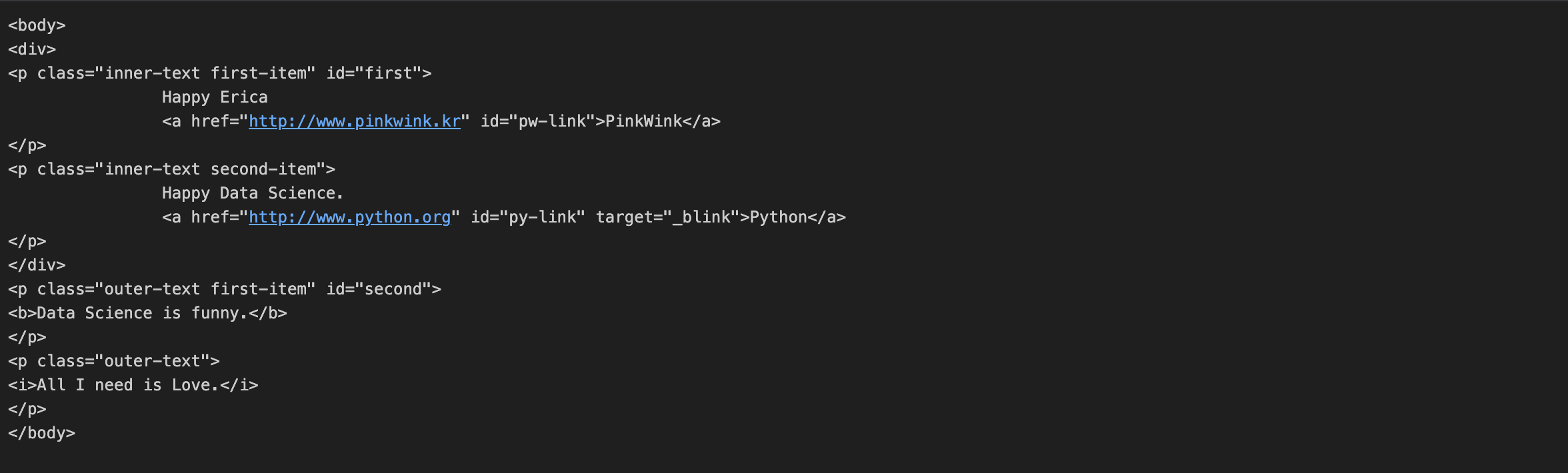
4. p 태그 확인
- 처음 발견한 p 태그만 출력
- find()
soup.p
5. soup.find("p")
- soup이라는 객체이름 써주고, 원하는 tag이름
soup.find("p")
6. class_
- class는 python 예약어에 있는 class 변수명과 겹치기 때문에 이걸 피하기위해 class_ 라고 쓴다
- 파이썬 예약어: class, id, def, list, str, int, tuple......
soup.find("p", class_="inner-text second-item")
7. text.strip()
- 딕셔너리 형태로 key:class value:outer-text first=item 태그는 p인데 value가 outer~ 인걸 찾아라 실행하면
- 이런식으로 html 코드를 보면서 이런것들을 단서로 내가 원하는 값이 여기 있구나 하면서 좁혀나가면 된다.
- 코드값 제외하고 원하는 것만 출력하고 싶은 경우 맨 뒤에 .text를 해주는데 strip()으로 공백을 지워주면 원하는 data만 남는다.
soup.find("p", {"class":"outer-text first-item"}).text.strip()
8. 다중조건
soup.find("p",{"class":"inner-text first-item", "id":"first"})
- id 라는 속성값이 하나 더있으니
- p태그 안에 class 속성값이 이 값이면서 id속성 값이 first인것 다중조건을 주어서 data를 가져올수도 있다.

9. find_all()
- find_all():여러개의 태그를 반환하고, 리스트 형태로 반환한다.
- 4개의 p태그가 모두 가져와진다
- soup에 담긴 webdata 문서에서 p태그가 있는 모든 p태그를 찾아줘
- 그냥 find라고하면 첫 p만 나온다.
soup.find_all("p")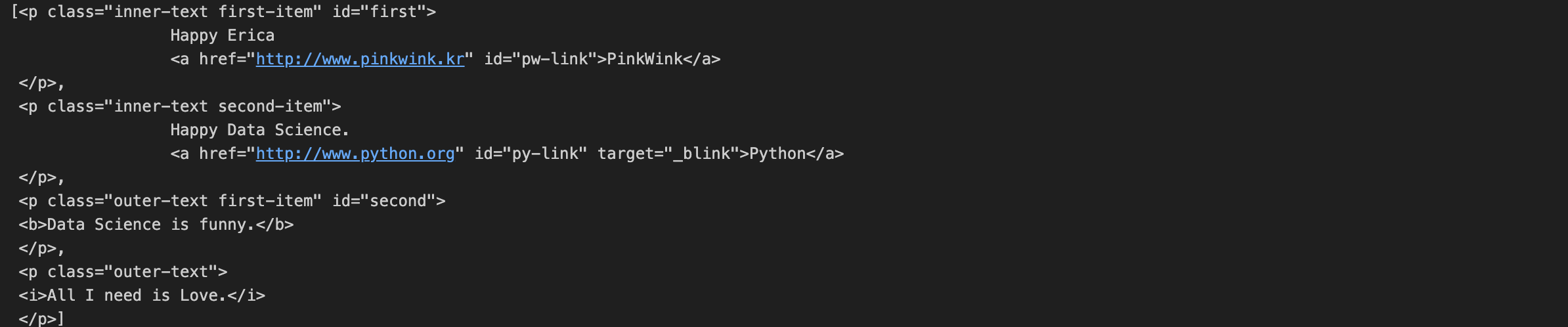
10. 특정 태그 확인
- 리스트 형태의 경우 바로 .text 라고하면 안되고 text를 뽑고싶으면 offset index: [0]까지 사용해야한다.
- 그러면 첫번째 text 반환된다.
soup.find_all(id="pw-link")[0].text
soup.find_all("p", class_='inner-text second-item')
11. p태그 리스트에서 텍스트 속성만 출력
len(soup.find_all("p"))
print(soup.find_all("p")[0].text)
print(soup.find_all("p")[1].string)
print(soup.find_all("p")[1].get_text())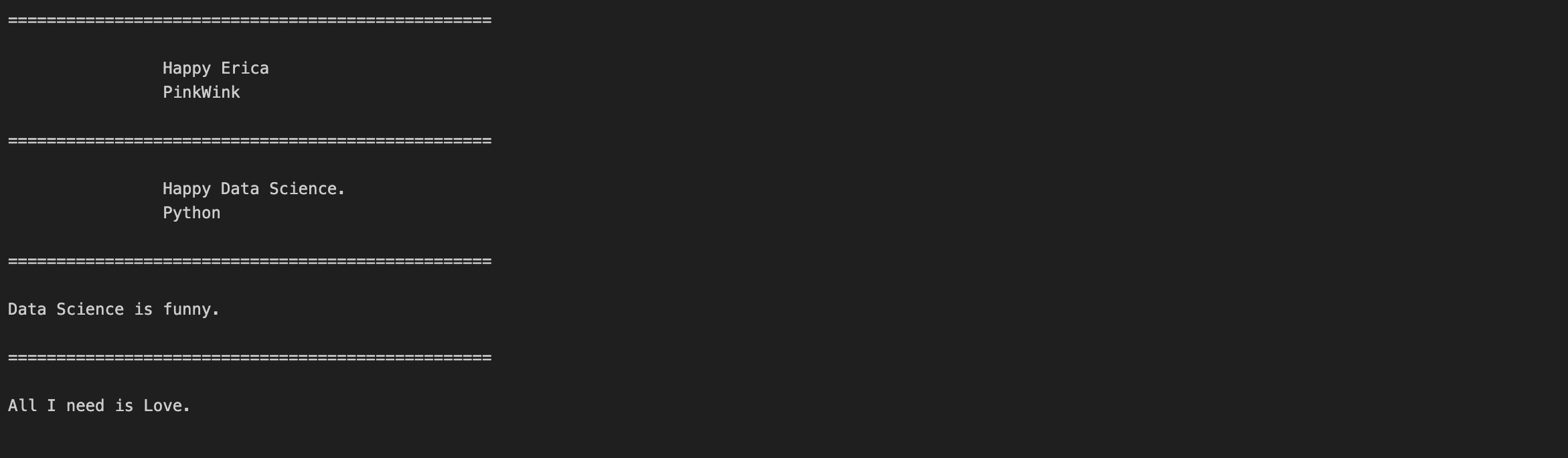
11. a 태그에서 href 속성값에 있는 값 추출
links = soup.find_all("a")
links
- links[0].get("href"), links[1].get("href")
- a태그를 가져와서 그 안에 있는 href속성값을 보여주라
for each in links:
    href = each.get("href") # each["href"]
    text = each.get_text()
    print(text + "=>" + href)

data dreamer