[유니티 2D 게임 개발]이라는 책을 읽고 참고하여 작성된 글입니다.
배회 알고리즘
EnemyObject 프리팹에 써클 콜라이더 2D의 트리거 속성을 선택하고 반지름 속성에 1을 입력한다. 이 써클 콜라이더는 적이 “볼” 수 있는 범위를 나타낸다. 트리거 콜라이더로 만들었으므로 다른 오브젝트를 통과할 수 있다. 콜라이더가 겹쳐서 플레이어를 “발견”한 적은 경로를 바꿔서 플레이어를 추적해야한다.
Wander Script
using System.Collections;
using UnityEngine;

[RequireComponent(typeof(Rigidbody2D))]
[RequireComponent(typeof(CircleCollider2D))]
[RequireComponent(typeof(Animator))]
public class Wander : MonoBehaviour
{
    public float pursuitSpeed;
    public float wanderSpeed;
    float currentSpeed;

    public float directionChangeInterval;

    public bool followPlayer;

    Coroutine moveCoroutine;

    Rigidbody2D rb2d;
    Animator animator;

    Transform targetTransform = null;

    Vector3 endPosition;

    float currentAngle = 0;
}
RequireComponent 를 사용해서 이 스크립트를 추가한 게임 오브젝트에 필요한 컴포넌트가 없으면 자동으로 추가하게 했다.
배회할 방향을 바꿀 땐 기존 각도에 새로운 각도를 더한다. 이 각도를 사용해서 목적지를 나타내는 벡터를 만든다.
 public IEnumerator WanderRoutine()
 {
     while (true)
     {
     //3
         ChooseNewEndPoint();
         //4
         if(moveCoroutine != null)
         {
             StopCoroutine(moveCoroutine);
         }
         //6
         moveCoroutine = StartCoroutine(Move(rb2d, currentSpeed));
         //7
         yield return new WaitForSeconds(directionChangeInterval);
     }
 }
코드 설명 :
//3 : 나중에 작성할 ChooseNewEndPoint() 메소드는 이름 그대로 새로운 목적지를 선택하는 역할을 한다.
//4 : moveCoroutine이 null인지 아닌지 확인해서 적이 이미 이동 중인지 확인한다. null이 아니면 적이 이동 중이라 뜻이므로 새로운 방향으로 이동하기 전에 현재 이동을 중지해야 한다.
//6 : Move() 코루틴을 시작하고 시작한 코루틴의 참조를 moveCoroutine에 저장한다.
//7 : directionChangeInterval에 설정한 값만큼 코루틴의 실행을 양보한 뒤에 다시 루프를 시작해서 새로운 목적지를 선택한다.
새로운 목적지 선택
//1
void ChooseNewEndPoint()
{
    //2
    currentAngle += Random.Range(0, 360);
    //3
    currentAngle = Mathf.Repeat(currentAngle, 360);
    //4
    endPosition += Vector3FromAngle(currentAngle);
}
코드 설명 :
//1 : Wander 클래스에서만 사용할 메서드라 접근 제한자를 생략했다.
//2 : 이 값은 적이 움직일 새로운 방향을 나타내는 “도” 단위의 각도 값이다. 새 각도를 현재 각도에 더한다.
//3 : Mathf.Repeat() 메서드는 %연산자와 마찬가지로 주어진 값이 지정한 값의 범위 안에 들 때까지 반복하므로 반환 값이 절대 0보다 작거나 360보다 클 수 없다. 즉, 0에서 360 사이의 새로운 각도를 currentAngle에 대입한다.
//4 : 각도를 Vector3로 변환하는 메서드를 호출한 결과를 endPosition에 더한다. endPosition은 곧 Move() 코루틴에서 사용할 변수다.
각도, 호도, 벡터
Vector3FromAngle() 메서드는 인수로 전달한 각도를 호도로 변환하고 ChooseNewEndPoint()가 사용할 방향 벡터 Vector3을 반환한다.
Vector3 Vector3FromAngle(float inputAngleDegrees)
{
    //1
    float inputAngleRadians = inputAngleDegrees * Mathf.Deg2Rad;

    //2
    return new Vector3(Mathf.Cos(inputAngleRadians), Mathf.Sin(inputAngleRadians), 0);
}
코드 설명 :
//1 : 입력으로 받은 각도에 유니티가 제공하는 변환 상수 Mathf.Deg2Rad 를 곱해서 호도로 변환한다.
//2 : 변환한 호도를 사용해서 적의 방향으로 사용할 방향 벡터를 만든다.
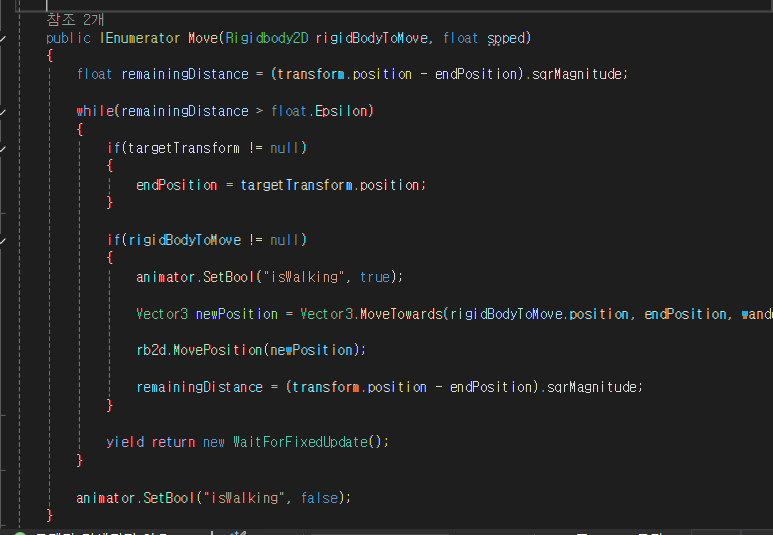
Move() 코루틴
Move() 코루틴은 정해진 속력으로 리지드바디 2D를 현재 위치에서 endPosition 변수의 위치로 옮기는 역할을 한다.
어렵다… ㅋㅋ
 public IEnumerator Move(Rigidbody2D rigidBodyToMove, float spped)
 {
     //1
     float remainingDistance = (transform.position - endPosition).sqrMagnitude;

     //2
     while(remainingDistance > float.Epsilon)
     {
         //3
         if(targetTransform != null)
         {
             endPosition = targetTransform.position;
         }

         //4
         if(rigidBodyToMove != null)
         {
             //5
             animator.SetBool("isWalking", true);

             //6
             Vector3 newPosition = Vector3.MoveTowards(rigidBodyToMove.position, endPosition, wanderSpeed * Time.deltaTime);

             //7
             rb2d.MovePosition(newPosition);

             //8
             remainingDistance = (transform.position - endPosition).sqrMagnitude;
         }

         //9
         yield return new WaitForFixedUpdate();
     }

     //10
     animator.SetBool("isWalking", false);
 }
코드 설명 :
//1 : Vector3의 sqrMagnitude 라는 속성을 사용해서 적의 현재 위치와 목적지 사이의 대략적인 거리를 구한다. 유니티가 제공하는 sqrMagnitude 속성을 사용하면 벡터의 크기를 빠르게 계산할 수 있다.
//3 : 적이 플레이어를 추적 중이면 targetTransform의 값은 null이 아닌 플레이어의 트랜스폼이다. 그럴 땐 endPosition의 원래 값을 targetTransform으로 덮어쓴다. 이제 적은 원래 endPosition이 아닌 플레이어를 향해 움직인다. targetTransform은 사실 플레이어의 트랜스폼이므로 끊임없이 플레이어의 새로운 위치로 변한다.
//6 : Vector3.MoveTowards 메서드는 리지드바디 2D의 움직임을 계산할 때 사용한다. 실제로 리지드바디가 움직이진 않는다. 이 메서드는 현재 위치, 최종 위치, 프레임 안에 이동할 거리, 세 개의 매개변수를 받는다.
//7 : MovePosition()을 사용해서 리지드바디를 앞서 계산한 newPosition으로 옮긴다.
//8 : sqrMagnitude 속성을 사용해서 남은 거리를 수정한다.
//9 : 다음 고정 프레임 업데이트까지 실행을 양보한다.
//10 : 적이 endPosition에 도착해서 새로운 방향의 선택을 기다린다. 따라서 애니메이션 상태를 대기 상태로 변경한다.
추적
추적 로직은 전적으로 MonoBehaviour가 제공하는 OnTriggerEnter2D() 메서드에 달려있다. 트리거 콜라이더를 이용하면 다른 게임 오브젝트가 콜라이더의 범위 안에 들어왔는지 감지할 수 있다. 충돌을 감지하면 OnTriggerEnter2D() 메서드가 불린다.
private void OnTriggerEnter2D(Collider2D collision)
{
    if(collision.gameObject.CompareTag("Player") && followPlayer)
    {
        currentSpeed = pursuitSpeed;

        targetTransform = collision.gameObject.transform;

        if(moveCoroutine != null)
        {
            StopCoroutine(moveCoroutine);
        }
        moveCoroutine = StartCoroutine(Move(rb2d, currentSpeed));
    }
}

void OnTriggerExitt2D(Collider2D collision)
{
    if(collision.gameObject.CompareTag("Player"))
    {
        animator.SetBool("isWalking", false);

        currentSpeed = wanderSpeed;

        if(moveCoroutine != null)
        {
            StopCoroutine(moveCoroutine);
        }

        targetTransform = null;
    }
}
기즈모
왜 유니티가 이 기능을 아직 지원을 안할까… 해줄 법도 한데
기즈모를 구현할려면 MonoBehaviour가 제공하는 OnDrawGizmos() 라는 메서드를 구현해야 한다.
private void OnDrawGizmos()
{
    //1
    if(circleCollider != null)
    {
        //2
        Gizmos.DrawWireSphere(transform.position, circleCollider.radius);
    }
}
코드 설명 :
//2 : Gizmos.DrawWireSphere() 를 호출하고 구를 그릴 때 필요한 위치와 반지름을 전달한다.
private void Update()
{
    Debug.DrawLine(rb2d.position, endPosition, Color.red);
}
Debug.DrawLine() 메서드의 결과는 기즈모를 활성화해야 보인다. 이 메서드의 매개변수는 현재 위치와 목적지, 선의 색상이다.
Wander cs (전체)
using System.Collections;
using Unity.VisualScripting;
using UnityEngine;

[RequireComponent(typeof(Rigidbody2D))]
[RequireComponent(typeof(CircleCollider2D))]
[RequireComponent(typeof(Animator))]
public class Wander : MonoBehaviour
{
    CircleCollider2D circleCollider;

    public float pursuitSpeed;
    public float wanderSpeed;
    float currentSpeed;

    public float directionChangeInterval;

    public bool followPlayer;

    Coroutine moveCoroutine;

    Rigidbody2D rb2d;
    Animator animator;

    Transform targetTransform = null;

    Vector3 endPosition;

    float currentAngle = 0;

    private void Start()
    {
        circleCollider = GetComponent<CircleCollider2D>();

        animator = GetComponent<Animator>();

        currentSpeed = wanderSpeed;

        rb2d = GetComponent<Rigidbody2D>();

        StartCoroutine(WanderRoutine());
    }

    private void Update()
    {
        Debug.DrawLine(rb2d.position, endPosition, Color.red);
    }

    public IEnumerator WanderRoutine()
    {
        while (true)
        {
            ChooseNewEndPoint();

            if(moveCoroutine != null)
            {
                StopCoroutine(moveCoroutine);
            }
            moveCoroutine = StartCoroutine(Move(rb2d, currentSpeed));
            yield return new WaitForSeconds(directionChangeInterval);
        }
    }

    void ChooseNewEndPoint()
    {
        currentAngle += Random.Range(0, 360);
        currentAngle = Mathf.Repeat(currentAngle, 360);
        endPosition += Vector3FromAngle(currentAngle);
    }

    Vector3 Vector3FromAngle(float inputAngleDegrees)
    {
        float inputAngleRadians = inputAngleDegrees * Mathf.Deg2Rad;

        return new Vector3(Mathf.Cos(inputAngleRadians), Mathf.Sin(inputAngleRadians), 0);
    }

    public IEnumerator Move(Rigidbody2D rigidBodyToMove, float spped)
    {
        float remainingDistance = (transform.position - endPosition).sqrMagnitude;

        while(remainingDistance > float.Epsilon)
        {
            if(targetTransform != null)
            {
                endPosition = targetTransform.position;
            }

            if(rigidBodyToMove != null)
            {
                animator.SetBool("isWalking", true);

                Vector3 newPosition = Vector3.MoveTowards(rigidBodyToMove.position, endPosition, wanderSpeed * Time.deltaTime);

                rb2d.MovePosition(newPosition);

                remainingDistance = (transform.position - endPosition).sqrMagnitude;
            }

            yield return new WaitForFixedUpdate();
        }

        animator.SetBool("isWalking", false);
    }

    private void OnTriggerEnter2D(Collider2D collision)
    {
        if(collision.gameObject.CompareTag("Player") && followPlayer)
        {
            currentSpeed = pursuitSpeed;

            targetTransform = collision.gameObject.transform;

            if(moveCoroutine != null)
            {
                StopCoroutine(moveCoroutine);
            }
            moveCoroutine = StartCoroutine(Move(rb2d, currentSpeed));
        }
    }

    void OnTriggerExitt2D(Collider2D collision)
    {
        if(collision.gameObject.CompareTag("Player"))
        {
            animator.SetBool("isWalking", false);

            currentSpeed = wanderSpeed;

            if(moveCoroutine != null)
            {
                StopCoroutine(moveCoroutine);
            }

            targetTransform = null;
        }
    }

    private void OnDrawGizmos()
    {
        if(circleCollider != null)
        {
            Gizmos.DrawWireSphere(transform.position, circleCollider.radius);
        }
    }
}