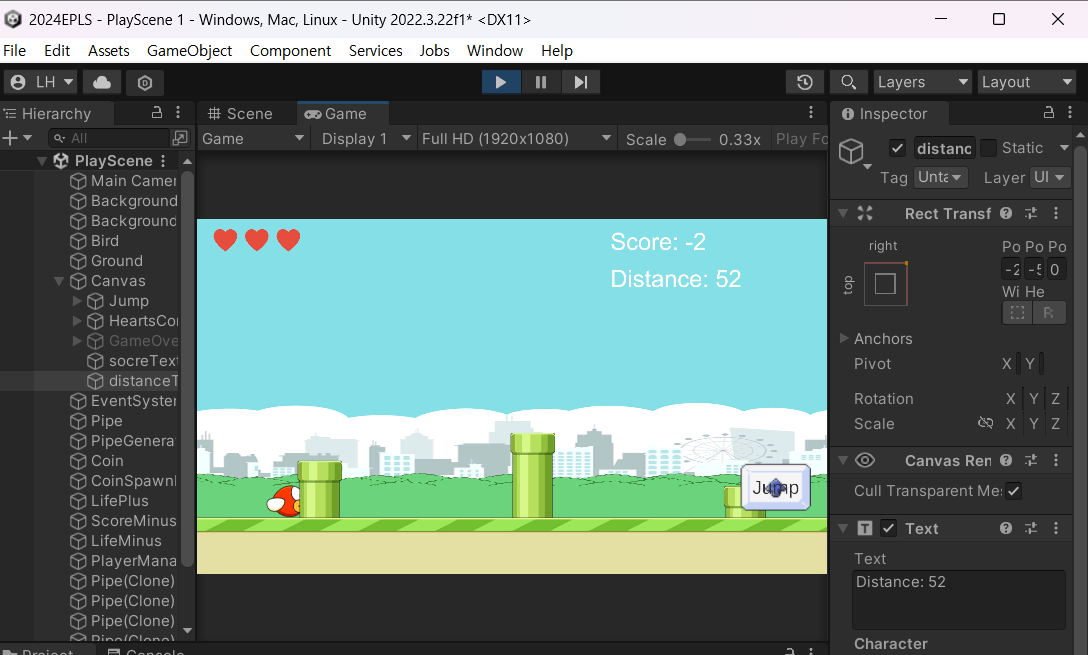
- scoreText gameObject를 복붙해서 distanceText 라 함.
- distance script를 만든다.
이유 : 만약 Player의 x축 위치를 받는다면, EPLS에서 Player의 x축은 대략 -7로 고정임.
Player의 속도도 0이므로, 거리로 삼으면 안됨.
파이프의 이동시간을 기준으로 하면 되는데, 이때 deltaTime이므로 누적시간 (즉, 플레이 시간)으로 바꿔줘야한다.
using System.Collections;
using System.Collections.Generic;
using UnityEngine;
using UnityEngine.UI;
using static UnityEngine.GraphicsBuffer;
public class Distance : MonoBehaviour
{
    public Text distanceText;
    private float distance;
    private float time;
    [SerializeField] private float speed;
    // Start is called before the first frame update
    void Start()
    {

    }

    // Update is called once per frame
    void Update()
    {
        time += Time.deltaTime;
        distance = (speed * time);
        distanceText.text = "Distance: " + Mathf.Round(distance);
    }
}
추가 문제점 발견 : Score가 0으로 리셋되도록 해주기!!

농담곰을 좋아해요 말랑곰탱이