프론트 초기 세팅

라인 개발자들의 추세를 보고 세팅을 하기로 했다.
- React
- Typescript
- vite
모듈 번들러 - Jest
테스트 툴 - Redux
상태 관리 라이브러리 - tailwind
UI 프레임워크 - eslint
- husky
작업 프로세스를 걸어 프로세스 실행 전 원하는 스크립트를 실행할 수 있으며, 걸린 파일을Lint-Staged를 통해 앞써 설명한 분석도구 및 포매팅을 실행합니다. 만약 문법이 올바르지 않다면, commit은 취소될 수 있습니다.
다음과 같이 해당하는 프레임워크와 툴을 정했으니 설치를 하겠다.
vite 프로젝트 만들기
yarn create vite설정은 다음과 같이 하였다.
.은 현재 디렉토리에 프로젝트를 생성하는 것임
√ Project name: ... .
√ Select a framework: » React
√ Select a variant: » TypeScript + SWC
yarn set version berry.gitignore 설정
.yarn/*
!.yarn/cache
!.yarn/patches
!.yarn/plugins
!.yarn/releases
!.yarn/sdks
!.yarn/versions
.yarnrc.yml 에 내용추가
nodeLinker: pnp****
yrn berry를 IDE와 통합 (with. TypeScript)
VSCode Extension에서 ZipFS 설치
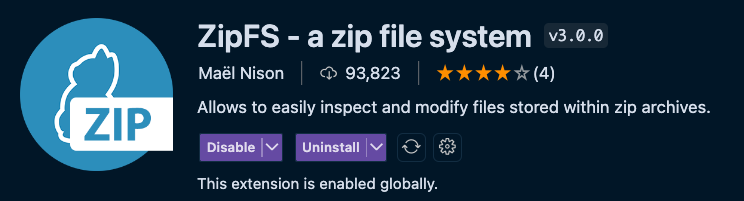
yarn install
// yarn berry용 의존성 설치

yarn dlx @yarnpkg/sdks vscode
// (yarn dlx = npx) 를 실행하여 관련 세팅을 포함한 .vscode 폴더를 생성합니다
// Yarn의 DLX(Distro Less eXecution) 명령어를 사용해 Yarn SDK를 설치하고, Visual Studio Code에 필요한 설정을 생성
설치가 완료되면 아무 타입스크립트 파일이나 들어간 다음
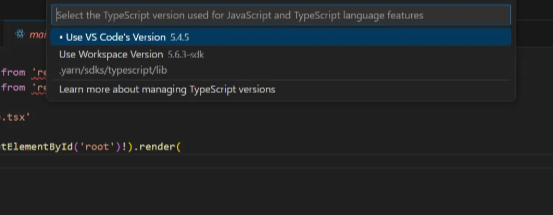
cmd + shift + p 를 눌러 TypeScript 검색
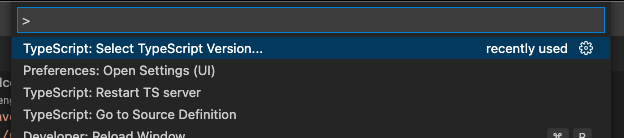
Use Workspace Version 클릭
코드 포멧터 및 설정
Airbnb Style Guid 적용
💡
Eslint v9는 현재 eslint-config-airbnb를 eslint v9와
함께 사용할 수 없으므로 하위 설정으로 적용
💡
eslintrc.json 파일이 삭제되고 eslint.config.js로 변경됨에 따라
flat config라는 형식으로 내용이 변경되어 이전의 airbnb 코드 설정을 적용할 수없었다..
yarn add -D @typescript-eslint/eslint-plugin @typescript-eslint/parser eslint eslint-plugin-react eslint-plugin-react-hooks eslint-plugin-react-refresh eslint-plugin-import eslint-import-resolver-typescript eslint-plugin-jsx-a11y eslint-config-prettier eslint-plugin-prettier prettier💡
오류 발생시
npm install --lts를 실행한다.
nodejs 버전, 혹은 npm 버전이 오래됨에 따라 발생하는 문제일 가능성이 있기 때문이다.
eslint.config.js 파일에 다음과 같은 내용으로 구성 되어있는지 확인
import tseslint from 'typescript-eslint'
import js from '@eslint/js'
import globals from 'globals'
import react from 'eslint-plugin-react'
import reactHooks from 'eslint-plugin-react-hooks'
import reactRefresh from 'eslint-plugin-react-refresh'
import importPlugin from 'eslint-plugin-import'
import jsxA11y from 'eslint-plugin-jsx-a11y'
import prettier from 'eslint-plugin-prettier/recommended'

export default tseslint.config(
  { ignores: ['dist'] },
  {
    // specify the formats on which to apply the rules below
    files: ['**/*.{ts,tsx}'],
    // use predefined configs in installed eslint plugins
    extends: [
      // js
      js.configs.recommended,
      // ts
      ...tseslint.configs.recommended,
      // react
      react.configs.flat.recommended,
      // import
      importPlugin.flatConfigs.recommended,
      // a11y (accessibility
      jsxA11y.flatConfigs.recommended,
      // prettier
      prettier
    ],
    languageOptions: {
      ecmaVersion: 2020,
      globals: globals.browser
    },
    // specify used plugins
    plugins: {
      'react-hooks': reactHooks,
      'react-refresh': reactRefresh
    },
    settings: {
      // for eslint-plugin-react to auto detect react version
      react: {
        version: 'detect'
      },
      // for eslint-plugin-import to use import alias
      'import/resolver': {
        typescript: {
          project: './tsconfig.json'
        }
      }
    },
    rules: {
      // set of custom rules
      'no-console': 'warn',
      'react/button-has-type': 'error',
      'react/react-in-jsx-scope': ['off'],
      'react-refresh/only-export-components': ['warn', { allowConstantExport: true }]
    }
  }
)
.prettierrc 파일을 프로젝트의 최상단 위치에 생성
{
  "singleQuote": true,
  "tabWidth": 2,
  "trailingComma": "none",
  "printWidth": 100,
  "semi": false,
  "arrowParens": "always"
}
ctrl + , 단축어 혹은 file - preference - settings에서
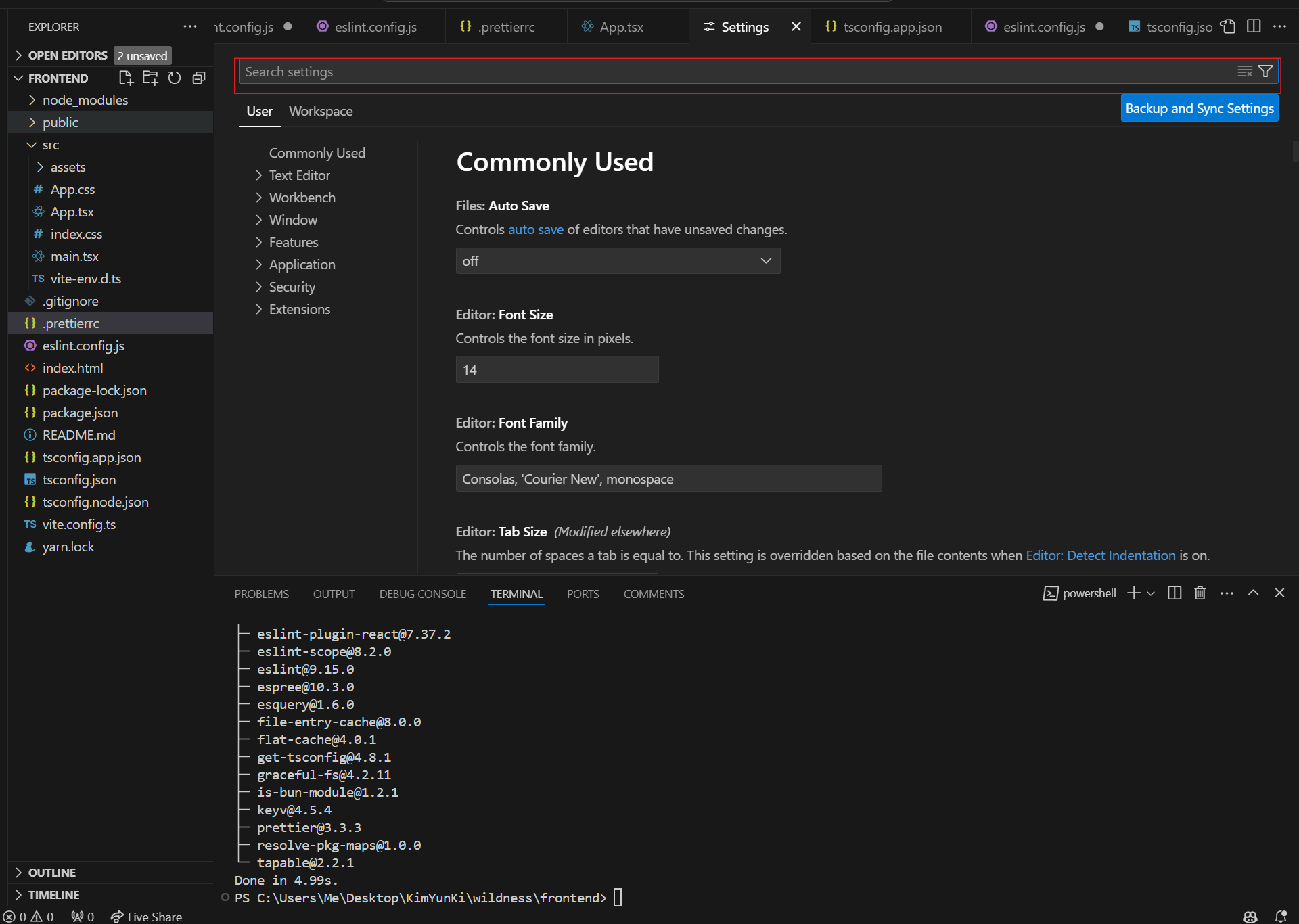
해당 빨간 창 안에 아래의 내용을 검색
Editor: Format On Save
다음과 같이 활성화

Editor: Default Formatter
다음과 같이 활성화

ESLint는 '너 이거 오류야!'라고 설명해 주는 두뇌파라면, Prettier는 '틀린 거 내가 고쳐줄게!'라며 고쳐주는 행동파라고 생각하면 된다. 보통 ESLint와 Prettier를 따로따로 사용하는 경우는 없고, 두 개를 함께 사용하는 편이다.
[React] Vite 프로젝트 세팅하기 - ESLint와 Prettier
eslint 적용하기
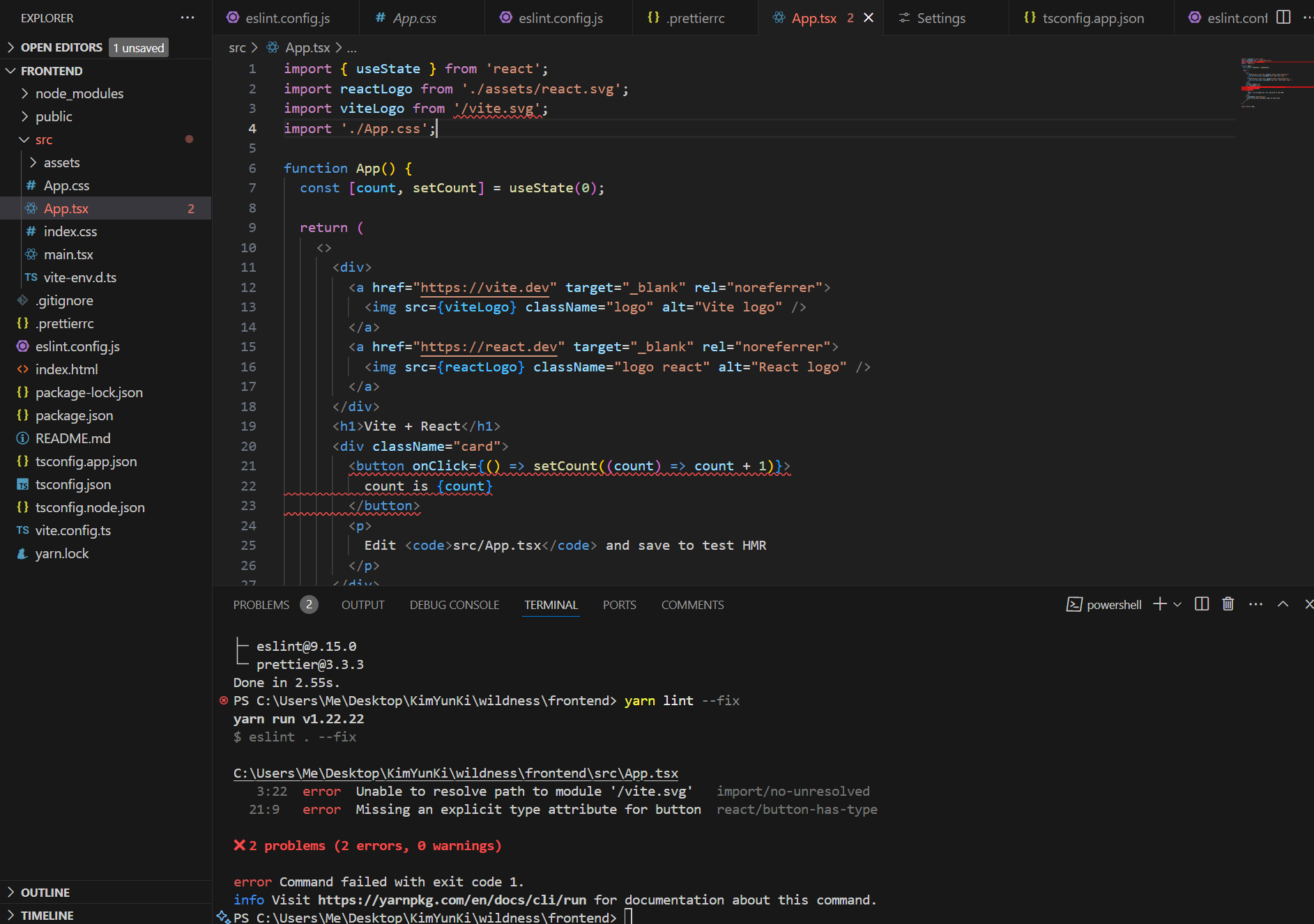
yarn lint --fix 다음과 같이 빨간 줄이 app.tsx에 뜨면 성공
Jest, 테스트 라이브러리 설치
yarn add -D eslint-plugin-jest eslint-plugin-testing-library eslint-plugin-vitesteslint.config.js에 해당 내용을 추가
,
  {
    files: ['**/*.{spec,test}.{ts,tsx}'],
    extends: [js.configs.recommended, ...tseslint.configs.recommended, prettier],
    plugins: { jest, 'testing-library': testingLibrary, vitest },
    languageOptions: {
      globals: jest.environments.globals.globals
    },
    rules: {
      'jest/no-disabled-tests': 'warn',
      'jest/no-focused-tests': 'error',
      'jest/no-identical-title': 'error',
      'jest/prefer-to-have-length': 'warn',
      'jest/valid-expect': 'error',
      'testing-library/await-async-queries': 'error',
      'testing-library/no-await-sync-queries': 'error',
      'testing-library/no-debugging-utils': 'warn',
      'testing-library/no-dom-import': 'off',
      ...vitest.configs.recommended.rules,
      'vitest/max-nested-describe': ['error', { max: 3 }]
    }
  }
결과
import js from '@eslint/js';
import globals from 'globals';
import reactHooks from 'eslint-plugin-react-hooks';
import reactRefresh from 'eslint-plugin-react-refresh';
import tseslint from 'typescript-eslint';
import react from 'eslint-plugin-react';
import importPlugin from 'eslint-plugin-import';
import jsxA11y from 'eslint-plugin-jsx-a11y';
import prettier from 'eslint-plugin-prettier/recommended';
import jest from 'eslint-plugin-jest';
import testingLibrary from 'eslint-plugin-testing-library';
import vitest from 'eslint-plugin-vitest';

export default tseslint.config(
  { ignores: ['dist'] },
  {
    extends: [
      js.configs.recommended,
      ...tseslint.configs.recommended,
      // react
      react.configs.flat.recommended,
      // import
      importPlugin.flatConfigs.recommended,
      // a11y (accessibility
      jsxA11y.flatConfigs.recommended,
      // prettier
      prettier,
    ],
    files: ['**/*.{ts,tsx}'],
    languageOptions: {
      ecmaVersion: 2020,
      globals: globals.browser,
    },
    plugins: {
      'react-hooks': reactHooks,
      'react-refresh': reactRefresh,
    },
    settings: {
      // for eslint-plugin-react to auto detect react version
      'react': {
        version: 'detect',
      },
      // for eslint-plugin-import to use import alias
      'import/resolver': {
        typescript: {
          project: './tsconfig.json',
        },
      },
    },
    rules: {
      // set of custom rules
      'no-console': 'warn',
      'react/button-has-type': 'error',
      'react/react-in-jsx-scope': ['off'],
      'react-refresh/only-export-components': [
        'warn',
        { allowConstantExport: true },
      ],
    },
  },
  {
    files: ['**/*.{spec,test}.{ts,tsx}'],
    extends: [
      js.configs.recommended,
      ...tseslint.configs.recommended,
      prettier,
    ],
    plugins: { jest, 'testing-library': testingLibrary, vitest },
    languageOptions: {
      globals: jest.environments.globals.globals,
    },
    rules: {
      'jest/no-disabled-tests': 'warn',
      'jest/no-focused-tests': 'error',
      'jest/no-identical-title': 'error',
      'jest/prefer-to-have-length': 'warn',
      'jest/valid-expect': 'error',
      'testing-library/await-async-queries': 'error',
      'testing-library/no-await-sync-queries': 'error',
      'testing-library/no-debugging-utils': 'warn',
      'testing-library/no-dom-import': 'off',
      ...vitest.configs.recommended.rules,
      'vitest/max-nested-describe': ['error', { max: 3 }],
    },
  }
);
husk 설치
yarn add -D husky lint-staged

npx husky init
./husky/pre-commit 파일 수정
npx lint-staged.husky\lint-staged.config.js 파일 생성 및 해당 내용 추가
export default {
  '**/*.{ts,tsx}': (stagedFiles) => [`eslint .`, `prettier --write ${stagedFiles.join(' ')}`]
}
Conventional commits 추가
yarn add -D @commitlint/cli @commitlint/config-conventional.husky/commit-msg 파일 생성 및 해당 내용 추가
npx --no-install commitlint --edit "$1".husky/commitlint.config.js 파일 생성 및 해당 내용 추가
export default { extends: ['@commitlint/config-conventional'] };
참고
https://dev.to/leon740/setup-eslint-prettier-husky-with-vite-860