출처: YOUTUBE: ROS 1 (08강 of 25강) - Developers and Creators
r2d2 spawn
$ roslaunch gcamp_gazebo gazebo_world.launch
# gazebo 시뮬레이션이 완전히 켜질때까지 기다립시다
$ rosrun service_tutorial spawn_model_client.py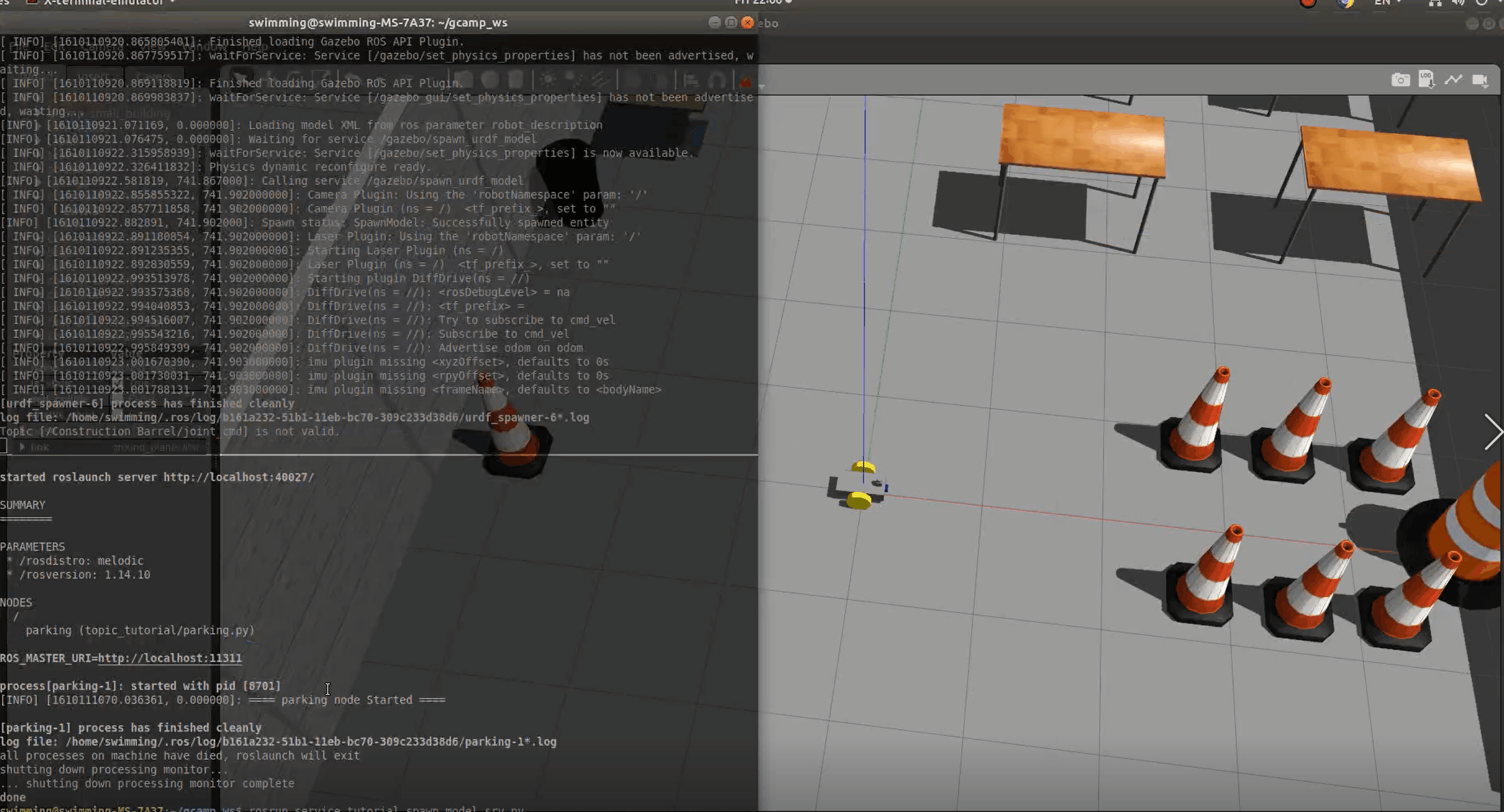
gazebo_ros의 service server에게 r2d2를 등장시켜 달라는 service call을 한 것
ROS Service 개념
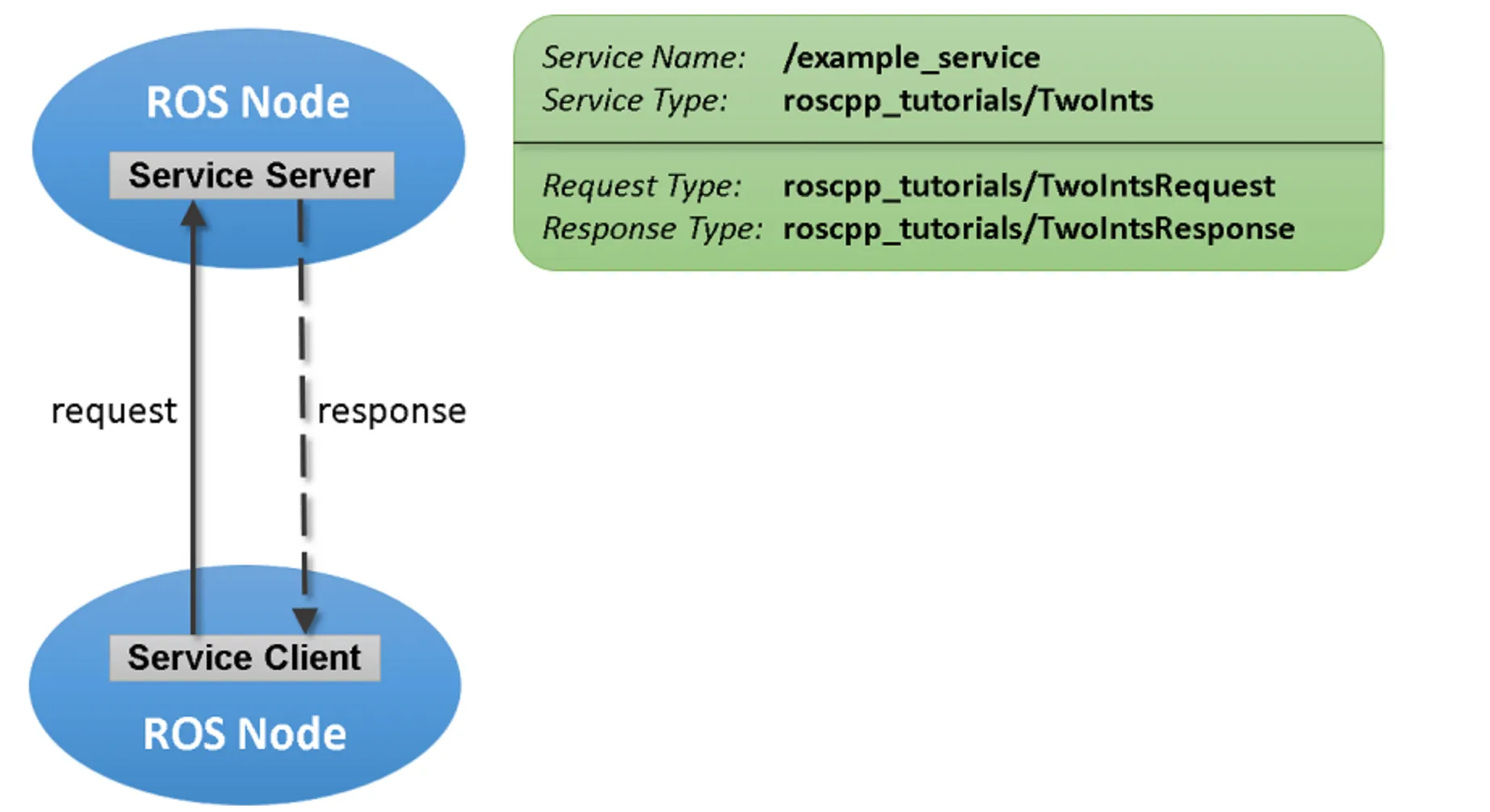
topic과 service의 차이
A topic이 실행되는 동안, 다른B topic도 같이 실행될 수 있음.
다만, service는현재 진행중인 service의 request가 처리되는 동안,다른 service는 기다리고 있어야함.topic publish를 하면,A node도,B node도subscribe 가능. 다만,service는request가 온 대상에게만 response를 줌.
각 메커니즘에 적합한 상황에 맞게 사용하면 됨.
- 분명한 요청의 주체가 있으며, 빠르게 동작이 완료되는 경우:
service - 불특정한 node가 subscribe의 대상이 되며, 지속적으로 데이터의 송수신이 일어나는 경우:
topic
오픈소스 프로젝트 참고해서 사용하는 것도 Good...
rosservice 커맨드
앞서 나온 r2d2 로봇 삭제해 보고자 함.
$ rosservice call /gazebo/delete_model "model_name: 'r2d2'"rostopic처럼 rosservice 또한 여러 옵션을 가진 service용 커맨드임. rosservice call을 통해 /gazebo/delete_model라는 service에게 r2d2를 없애 달라고 요청한 것.
ROS의 간단한 통신 메커니즘을 이용해 터미널에서 model delete를 호출하여 해결한 것.
service client 코드 분석
gazebo service server에 call 해서 r2d2 등장시켰던 코드 분석.
#! /usr/bin/env python

import math
import rospy
import rospkg
from geometry_msgs.msg import Pose
from gazebo_msgs.srv import SpawnModel

rospy.init_node("gazebo_spawn_model")

# model_name
model_name = 'r2d2'

# model_xml
rospack = rospkg.RosPack()
model_path = rospack.get_path('service_tutorial')+'/models/'

with open (model_path + model_name + '.urdf', 'r') as xml_file:
    model_xml = xml_file.read().replace('\n', '')

# robot_namespace
robot_namespace = ''

# initial_pose
initial_pose = Pose()
initial_pose.position.x = -2
initial_pose.position.y = 1
initial_pose.position.z = 1

# z rotation -pi/2 to Quaternion
initial_pose.orientation.z = -0.707
initial_pose.orientation.w = 0.707

# reference_frame
reference_frame = 'world'

# service call
spawn_model_prox = rospy.ServiceProxy('gazebo/spawn_urdf_model', SpawnModel)
result = spawn_model_prox(model_name, model_xml, robot_namespace, initial_pose, reference_frame)

''' result fromat
bool success
string status_message
'''

print(result)- 앞선 topic에서는 msg 형식을 사용했던 것처럼, 서비스는 srv 사용.
import math
import rospy
import rospkg
from geometry_msgs.msg import Pose
from gazebo_msgs.srv import SpawnModel
-
- -부분: request와 response를 구분해주는 칸막이. -
(중요)
rospy.ServiceProxy('<service-server-name>', service-type)
# service call
spawn_model_prox = rospy.ServiceProxy('gazebo/spawn_urdf_model', SpawnModel)
result = spawn_model_prox(model_name, model_xml, robot_namespace, initial_pose, reference_frame) rospy.ServiceProxy()를 통해 service client 객체를 만들고, 필요한 데이터 취합 후, request하는 부분.
그리고 그 후 바로 result에 response가 담겨 있음.
gazebo_world.launch에서| grep gazebo?
: grep 키워드 사용하면, 앞선 키워드의 결과에 추가적으로 검색조건을 붙일 수 있음.(파일/폴더를 찾고 싶은 경우도 사용 가능. 이럴 때는 find 커맨드를 사용하기도 함.)
	$ ls -al | grep <something>
	$ find -name <file-or-directory-name>
🏫 Kookmin University, Major in Electrical Engineering (First Major), AI Big Data & Management (Double Major), Smart Car ICT (Interdisciplinary Major)