
ott 리뷰등을 모아놓은 csv파일이 있는데
이걸 한글에서 영어로 번역해주는 코드가 필요했다.
-
colab 사용.
-
130개 정도의 항목이 존재했고 하나에 양이 어느정도 있었다.
-
총 20분의 시간 소요.
-
번역 내용이나 원본은 중요 문서라 공유 불가.
googletrans의 사용법과 코드, 얻은 지식을 기록.
1. 라이브러리 사용 전.
굳이
googletrans를 사용하는 이유는 '공짜'이기 때문이다.
아니면 보통 간단하게 사용해보는 요지도 존재한다.
Google Cloud Translation API나DeepL을 사용하면 더 퀄리티 높게 가능.
근데 유료임.
- 라이브러리 설치
!pip install googletrans==4.0.0-rc1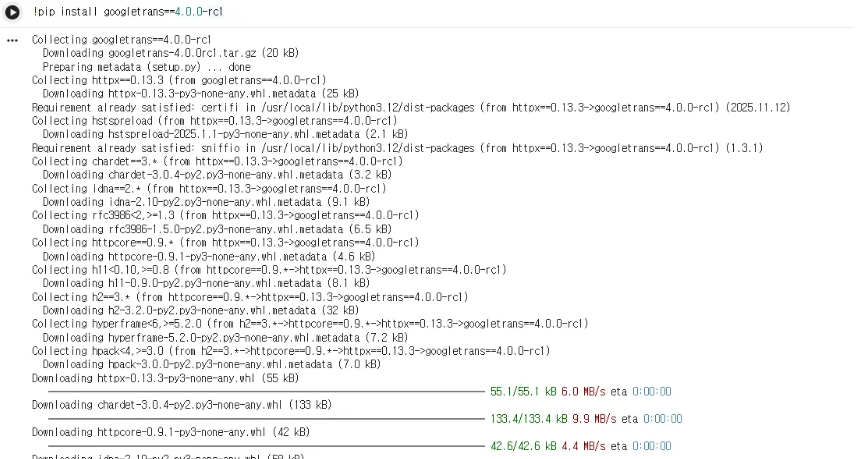
- 오늘 번역을 할 csv 파일
from google.colab import files
import pandas as pd

# 로컬에서 '영상 정보.csv' 선택
uploaded = files.upload()

# 업로드된 파일 읽기
df = pd.read_csv("영상 정보.csv", encoding="cp949")
df.head()- 요즘은 경로 찾아오는게 귀찮아서
from google.colab import files,uploaded = files.upload()로 직접 선택해서 가져온다.

2. 경험 했던 오류 및 해결.
2-1. 라이브러리 설치
- 오류 로그
ModuleNotFoundError Traceback (most recent call last)

/tmp/ipython-input-2136953798.py in <cell line: 0>()
1 import pandas as pd
----> 2 from googletrans import Translator # pip install googletrans==4.0.0-rc1
3
4 # 1. CSV 읽기
5 df = pd.read_csv("C:\\Users\\user\\OneDrive\\Desktop\\영상 정보.csv", encoding="utf-8-sig")


ModuleNotFoundError: No module named 'googletrans'- Colab은 컴퓨터를 껐다가 다시 키면 했던걸 까먹는 친구여서 멍때리고 돌리다보면 맨날 뜬다.
!pip install googletrans==4.0.0-rc1- 이럴땐 그냥 라이브러리를 설치해주자
2-2. 파일 불러오기
- 오류 로그
File "/tmp/ipython-input-1770449099.py", line 5
df = pd.read_csv("C:\Users\user\OneDrive\Desktop\영상 정보.csv", encoding="utf-8-sig") # 필요시 encoding 변경
^
SyntaxError: (unicode error) 'unicodeescape' codec can't decode bytes in position 2-3: truncated \UXXXXXXXX escape
윈도우 경로에서
\때문에 생기는 전형적인 에러다.
문자열 안의\U가 유니코드 이스케이프로 인식돼서 그렇다.
해결 방법 3가지 중 하나 사용
1) 역슬래시를 두 번 쓰기 (가장 많이 사용)
df = pd.read_csv("C:\\Users\\user\\OneDrive\\Desktop\\영상 정보.csv", encoding="utf-8-sig")2) raw string 사용
df = pd.read_csv(r"C:\Users\user\OneDrive\Desktop\영상 정보.csv", encoding="utf-8-sig")3) 슬래시(/)로 바꾸기
파이썬에서 윈도우도 /를 잘 인식한다.
df = pd.read_csv("C:/Users/user/OneDrive/Desktop/영상 정보.csv", encoding="utf-8-sig")위 세 가지 중 하나로 바꾸면 unicodeescape 에러는 사라진다.
→ 나는 요즘 이래서 직접 로컬 파일에서 가져오기를 한다.
2-3. 파일 인코딩 오류
- 오류 로그
UnicodeDecodeError: 'utf-8' codec can't decode byte 0xb1 in position 114: invalid start byte- 맨처음 utf-8 을 인코딩으로 불러왔었는데 인코딩 오류가 발생했다.
# 업로드된 파일 읽기
df = pd.read_csv("영상 정보.csv", encoding="utf-8-sig")- 이런 경우, 아래 다른 방법으로 불러오면 둘 중 하나는 된다.
df = pd.read_csv("영상 정보.csv", encoding="cp949")

#또는
df = pd.read_csv("영상 정보.csv", encoding="euc-kr")
3. 번역해보기(코드)
from googletrans import Translator

translator = Translator()

def translate_text(text, src="ko", dest="en"):
    if pd.isna(text):
        return text
    text = str(text)
    if text.strip() == "":
        return text
    try:
        return translator.translate(text, src=src, dest=dest).text
    except Exception as e:
        print("번역 오류:", e, "원본:", text[:50])
        return text

cols_to_translate = [
    "cast",
    "comments",
    "director",
    "genre",
    "guide",
    "introduction",
    "nation",
    "title",
    "notes",
    "video_type",
    "whitelist",
    "scope",
]

for col in cols_to_translate:
    if col in df.columns:
        print(f"Translating column: {col}")
        df[col + "_en"] = df[col].apply(translate_text)
    else:
        print(f"[경고] 컬럼 없음: {col}")

df.head()
3-1. 사용 팁 및 후기.
- 한 행에 텍스트가 길고 줄바꿈이 많아도 그대로 문자열로 번역되므로 문제 없다.
- 요청량이 많으면
time.sleep을 넣어 속도를 조절하거나, 공식 번역 API로 바꾸는 것을 권장한다.
- 특정 컬럼만 번역하고 싶으면
cols_to_translate에서 빼면 되고, 영어로 이미 되어 있는 컬럼(예:ott,video_type,scope등)은 그대로 두면 된다.
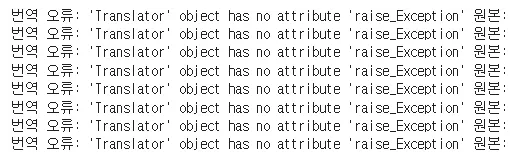
다만 사용하는 라이브러리는 아무래도 공짜여서 길거나 특수 문자가 있는 항목은 애매할 수 있다.
근데 또 길이나 형식은 비슷한데 번역이 되는 얘가 있고 안되는 얘가 있어서 잘 모르겠다.
번역이 멍청할 때가 있다.
→ 이름이 ‘한우재?’ 인가 그랬는데 번역하니까 ‘korea beef’ 라고 한다. 🤔
어느 정도 번역이 되는 거 같긴 한데 완벽하지는 않아서 검수를 해줘야 할 것 같다.
3-2. 번역 안된 것만 골라서 다시 해보게 하기(코드)
# ===== 1. CSV 업로드 & 로드 =====
from google.colab import files
import pandas as pd
import re

uploaded = files.upload()  # '영상 정보_en.csv' 선택

df = pd.read_csv("영상 정보_en.csv", encoding="utf-8-sig")

# ===== 2. googletrans 설치 & 준비 =====
!pip install -q googletrans==4.0.0-rc1

from googletrans import Translator

translator = Translator(service_urls=[
    "translate.google.com",
    "translate.googleapis.com",
])

# 한글 포함 여부 체크용 정규식
kor_pattern = re.compile(r"[가-힣]")

# ===== 3. 한글이 남아 있는 셀만 번역하는 함수 =====
def translate_if_korean(text, src="ko", dest="en"):
    if pd.isna(text):
        return text
    text = str(text)
    if text.strip() == "":
        return text

    # 한글이 전혀 없으면 (이미 번역된 영어라고 보고) 그대로 반환
    if not kor_pattern.search(text):
        return text

    try:
        return translator.translate(text, src=src, dest=dest).text
    except Exception as e:
        # googletrans가 자주 깨지므로, 실패 시 원문 유지 + 로그만 출력
        print("번역 오류, 원문 유지:", e, "|", text[:60])
        return text

# ===== 4. introduction_en / title_en 컬럼에만 재번역 적용 =====
target_cols = ["introduction_en", "title_en"]

for col in target_cols:
    if col in df.columns:
        print(f"Re-translating column (only Korean cells): {col}")
        df[col] = df[col].apply(translate_if_korean)
    else:
        print(f"[경고] 컬럼 없음: {col}")

# ===== 5. 결과를 새 CSV로 저장 & 다운로드 =====
output_name = "영상 정보_en_fix.csv"
df.to_csv(output_name, index=False, encoding="utf-8-sig")

files.download(output_name)
- 한글이 남아 있는 셀만 번역하도록 했다.
-> 시간 단축.
googletrans가 자주 깨지므로, 실패 시 원문 유지 + 로그만 출력
3-3. 다른 언어로 번역해보기(일본어)
-
한글 -> 영어 말고도 여러가지 언어를 지원한다.
-
만약에 일본어로 번역을 하고 싶다면
def translate_text_to_ja(text, src="ko", dest="ja"):함수(dest)를 ja로 변경해주면 된다.
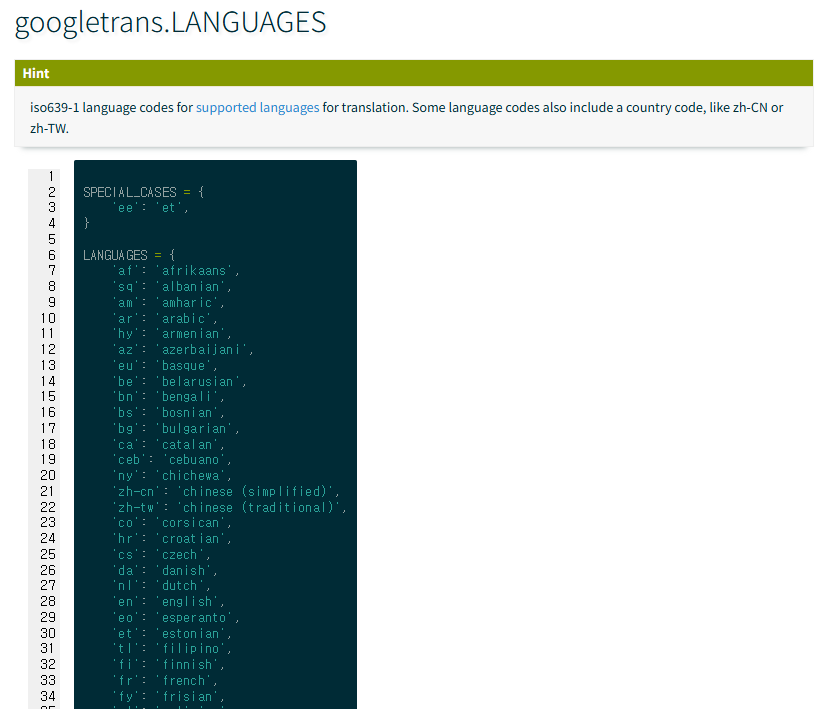
이 외에도 여러가지가 존재하니 공식 문서를 보고 작업을 해보자.
다시 링크를 달아놓겠다.