리액트 디테일 잡기
1. 이벤트
1-1. 합성이벤트(SystheticEvent)
https://ko.reactjs.org/docs/events.html#clipboard-events
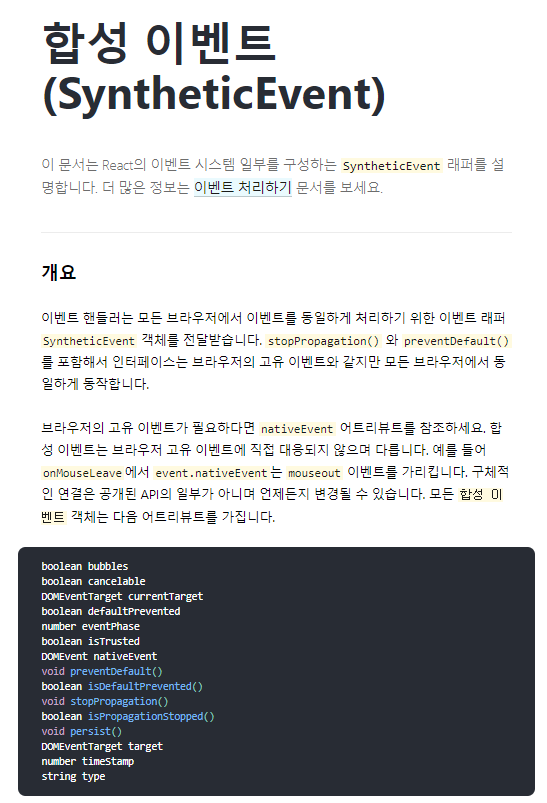
지원하는 이벤트
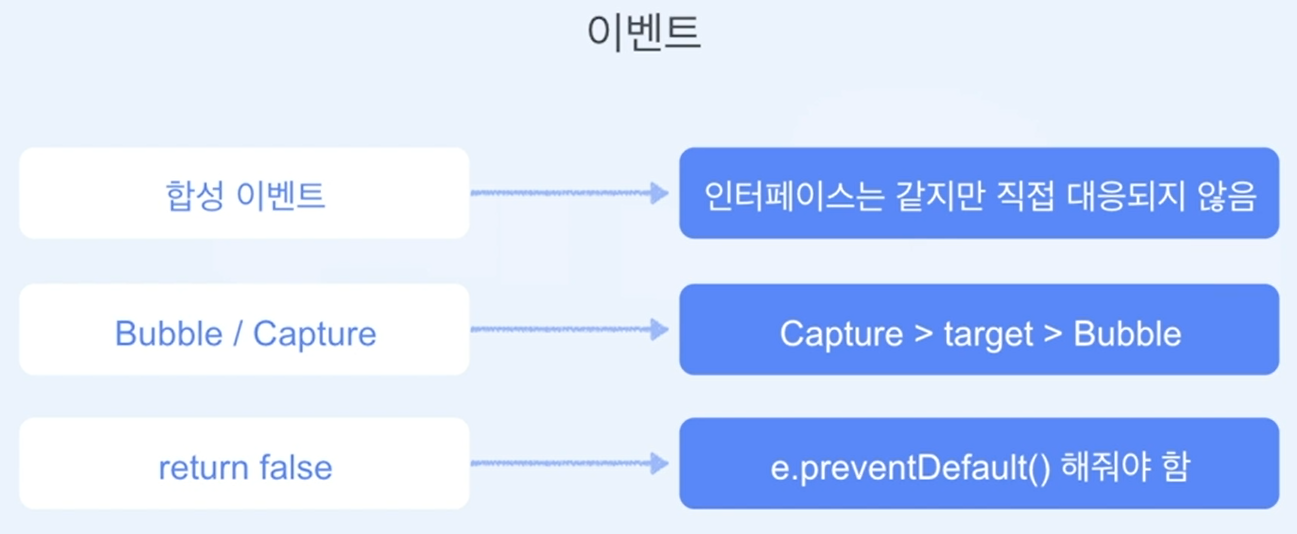
React는 이벤트들을 다른 브라우저에서도 같은 속성을 가지도록 표준화합니다.
다음 이벤트 핸들러는 이벤트 버블링 단계에서 호출됩니다. 캡처 단계에 이벤트 핸들러를 등록하기 위해서는 이벤트 이름에 Capture를 덧붙이세요. 예를 들어 onClick 대신 onClickCapture를 사용해서 캡처 단계에서 클릭 이벤트 핸들러를 사용할 수 있습니다.
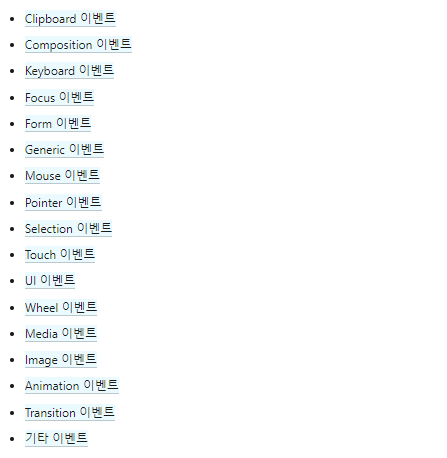
버블링, 캡쳐링 예시
-
캡쳐링은 자식들로 내려가면서 체크
-
버블링은 부모로 올라가면서 체크
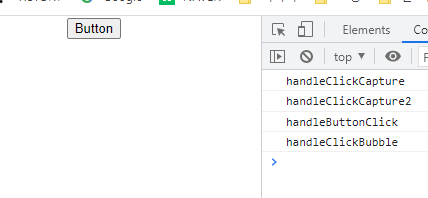
캡쳐링부터 실행된다 -
예시
import React from 'react'

export default function Event() {
  const handleButtonClick = () => {
    console.log('handleButtonClick');
  }

  const handleClickCapture = () => {
    console.log('handleClickCapture');
  }

  const handleClickCapture2 = () => {
    console.log('handleClickCapture2');
  }

  const handleClickBubble = () => {
    console.log('handleClickBubble');
  }

  return (
    <div onClickCapture={handleClickCapture}>
      <div onClickCapture={handleClickCapture2} onClick={handleClickBubble}>
        <button onClick={handleButtonClick}>Button</button>
      </div>
    </div>
  )
}
1-2. 이벤트 처리하기
https://ko.reactjs.org/docs/handling-events.html
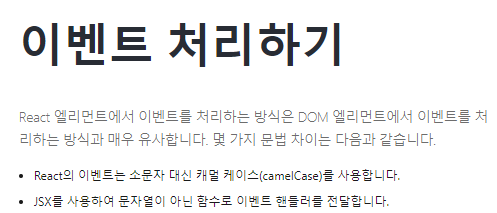
예를 들어
- html
<button onclick="activateLasers()">
  Activate Lasers
</button>- react
<button onClick={activateLasers}>
  Activate Lasers
</button>
또 다른 차이점으로, React에서는 false를 반환해도 기본 동작을 방지할 수 없습니다. 반드시 preventDefault를 명시적으로 호출해야 합니다. 예를 들어, 일반 HTML에서 폼을 제출할 때 가지고 있는 기본 동작을 방지하기 위해 다음과 같은 코드를 작성할 수 있습니다.
//html
<form onsubmit="console.log('You clicked submit.'); return false">
  <button type="submit">Submit</button>
</form>
React에서는 다음과 같이 작성할 수 있습니다.
// react
function Form() {
  function handleSubmit(e) {
    e.preventDefault();
    console.log('You clicked submit.');
  }

  return (
    <form onSubmit={handleSubmit}>
      <button type="submit">Submit</button>
    </form>
  );
}
여기서 e는 합성 이벤트입니다. React는 W3C 명세에 따라 합성 이벤트를 정의하기 때문에 브라우저 호환성에 대해 걱정할 필요가 없습니다. React 이벤트는 브라우저 고유 이벤트와 정확히 동일하게 동작하지는 않습니다.
2. 조건부 렌더링
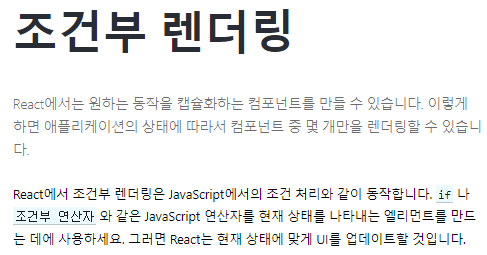
https://ko.reactjs.org/docs/conditional-rendering.html#gatsby-focus-wrapper
예시
import React from 'react'

function UserGreeting(props) {
  // return <h1>{props.name && `${props.name},`} Welcome {Boolean(props.count) && `It's ${props.count} times`}</h1>;
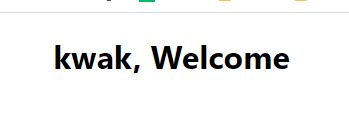
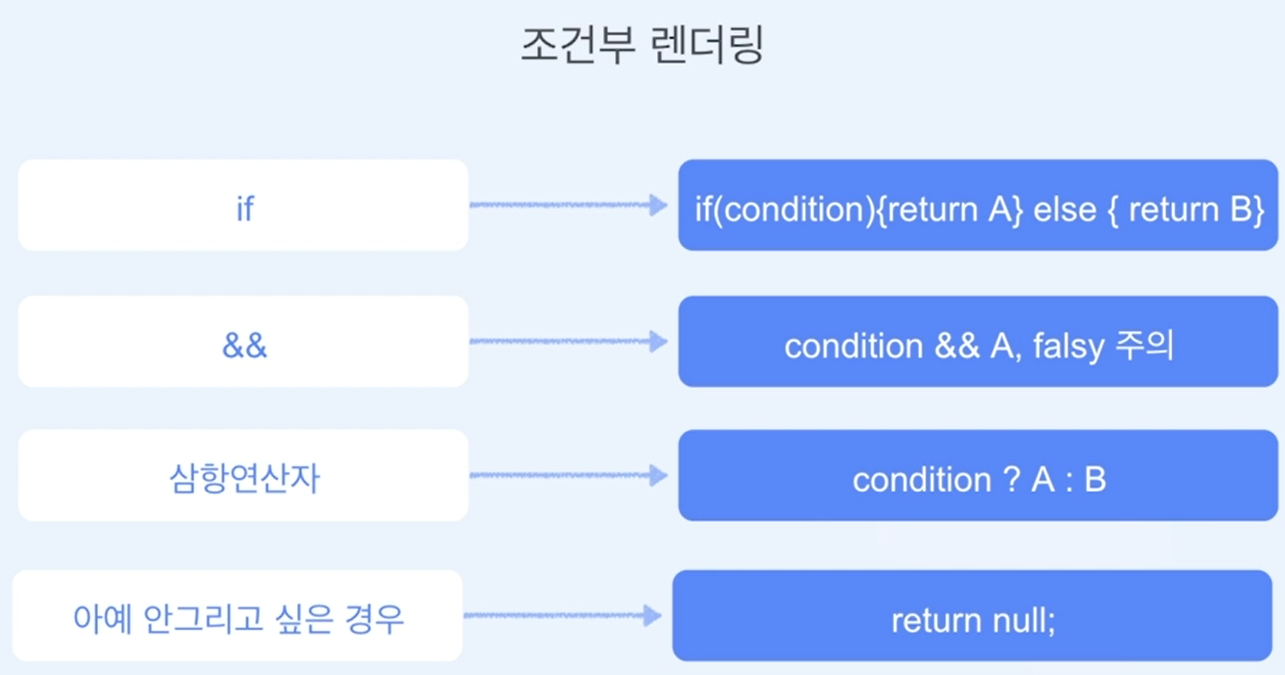
  return <h1>{props.name && `${props.name},`} Welcome {props.count ? `It's ${props.count} times` : null}</h1>;
}

function GuestGreeting(props) {
  return <h1>Please sign up.</h1>;
}

function Greeting(props) {
  //const isLoggedIn = props.isLoggedIn;
  // if (props.isLoggedIn) {
  //   return <UserGreeting />;
  // }
  // return <GuestGreeting />;
  return props.isLoggedIn ? <UserGreeting name="kwak" count={0} /> : <GuestGreeting />;
}

export default function Condition() {
  const isLoggedIn = true;
  return (
    <div>
       <Greeting isLoggedIn={isLoggedIn} />
    </div>
  )
}
3. List
https://ko.reactjs.org/docs/lists-and-keys.html#rendering-multiple-components
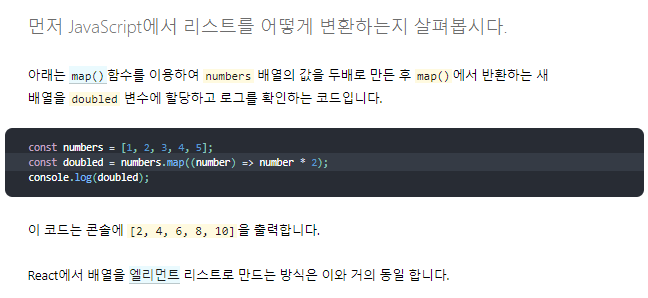
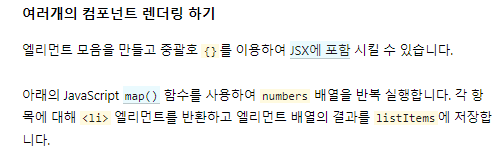
const numbers = [1, 2, 3, 4, 5];
const listItems = numbers.map((number) =>
  <li>{number}</li>
);
listItems 배열을 <ul>엘리먼트 안에 포함하고 DOM에 렌더링합니다.
ReactDOM.render(
  <ul>{listItems}</ul>,
  document.getElementById('root')
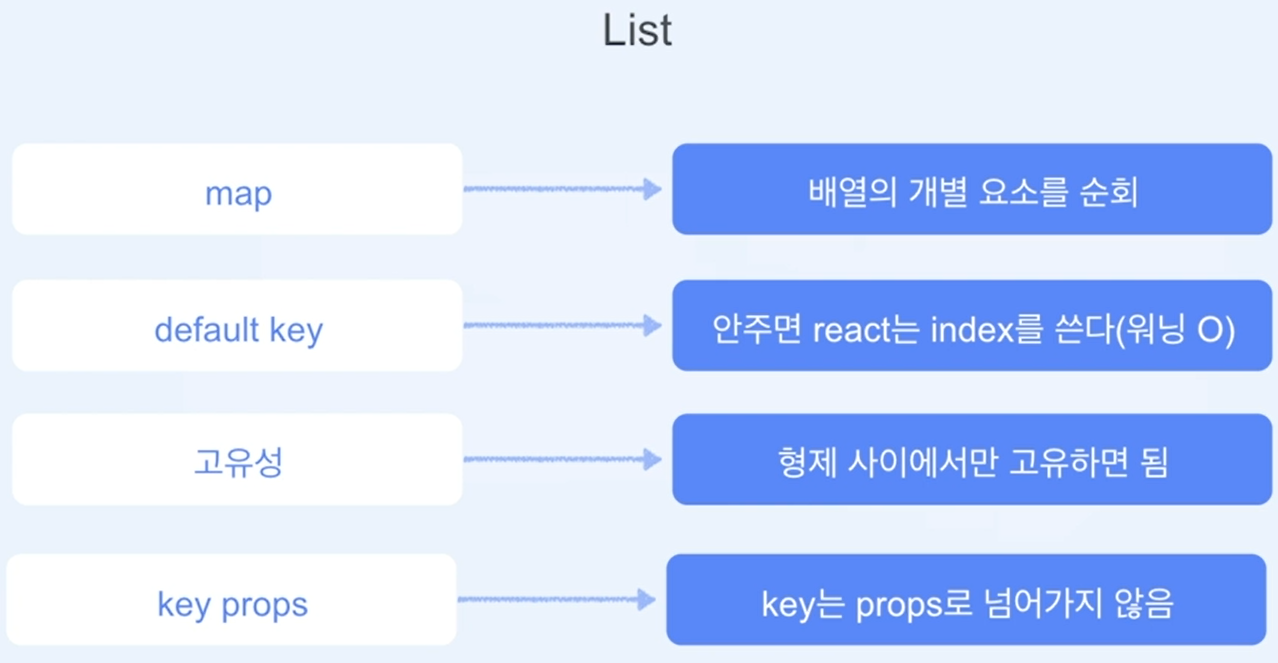
);- key

예시
import React from 'react'

export default function List() {
  // const numbers = [1,2,3,4,5];
  // return (
  //   <div>
  //     {numbers.map(item => (
  //       <li key={item.toString()}>{item}</li>
  //     ))}
  //   </div>
  // )
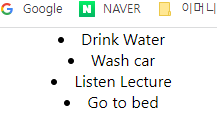
  const todos = [
    {id: 1, text: 'Drink Water'},
    {id: 2, text: 'Wash car'},
    {id: 3, text: 'Listen Lecture'},
    {id: 4, text: 'Go to bed'},
  ];

  const Item = (props) => {
    return <li>{props.text}</li>
  }

  const todoList = todos.map((todo) => <Item key={todo.id}{...todo} />)

  return <>{todoList}</>
}
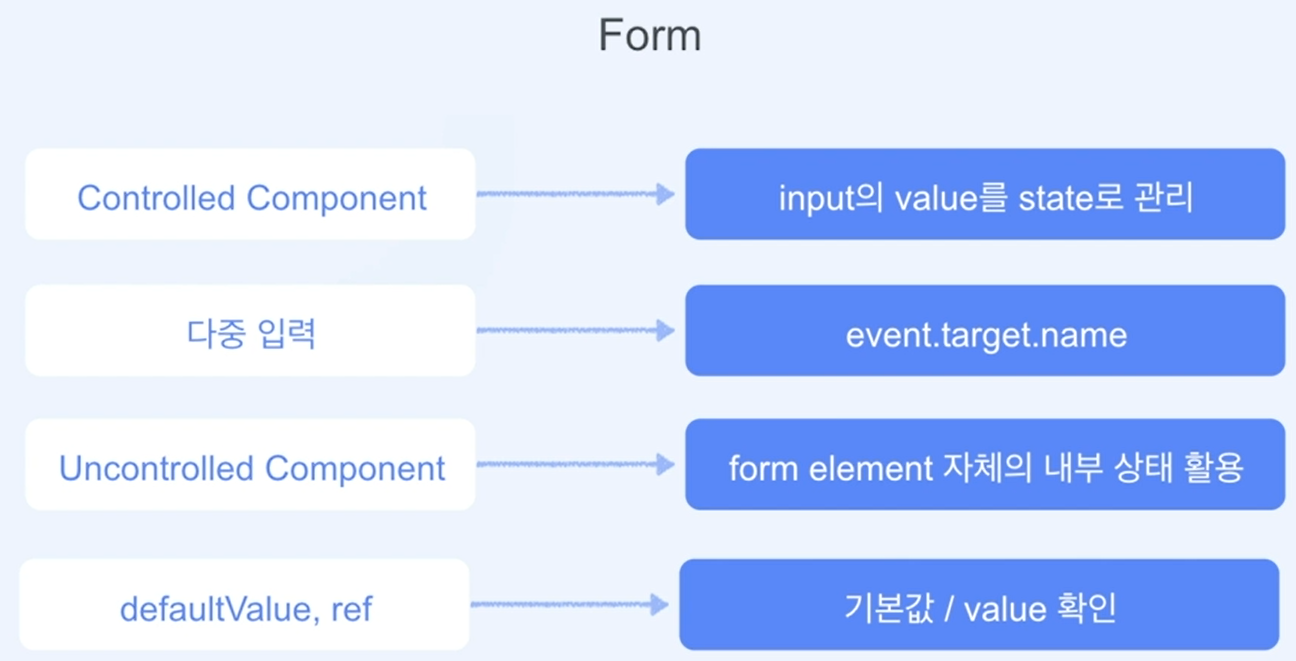
4. Form
https://ko.reactjs.org/docs/forms.html#gatsby-focus-wrapper
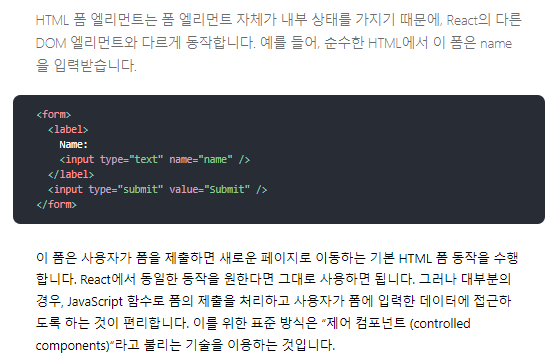
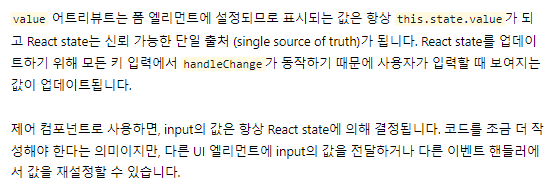
제어 컴포넌트
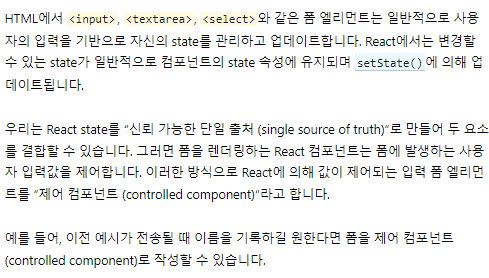
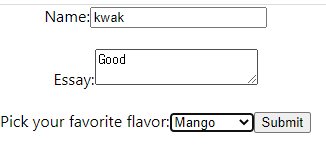
- 예시
import React, { useState } from 'react'

export default function ControlledComponent() {
  const [name, setName] = useState('');
  const [essay, setEssay] = useState('Please write an essay about your favorite DOM element.');
  const [flavor, setFlavor] = useState('coconut');

  function handleChange(event) {
    setName(event.target.value);
  }

  function handleSubmit(event) {
    alert(`name: ${name}, essay: ${essay}, flavor: ${flavor} `);
    event.preventDefault();
  }

  function handleEssayChange(event) {
    setEssay(event.target.value);
  }

  function handleFlavorChange(event) {
    setFlavor(event.target.value);
  }

  return (
    <form onSubmit={handleSubmit}>
      <label>
        Name:
        <input type="text" value={name} onChange={handleChange} />
      </label>
      <br />
      <br />
      <label>
        Essay:
        <textarea value={essay} onChange={handleEssayChange} />
      </label>
      <br />
      <br />
      <label>
        Pick your favorite flavor:
        <select value={flavor} onChange={handleFlavorChange}>
          <option value="grapefruit">Grapefruit</option>
          <option value="lime">Lime</option>
          <option value="coconut">Coconut</option>
          <option value="mango">Mango</option>
        </select>
      </label>
      <input type="submit" value="Submit" />
    </form>
  )
}
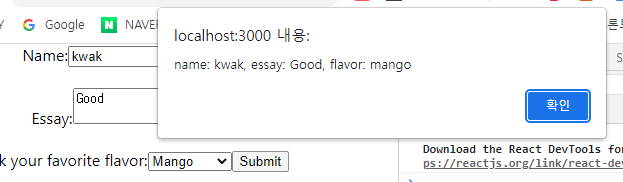
다중 입력제어
import React, { useState } from 'react'

export default function ControlledComponent() {
  const [name, setName] = useState('');
  const [essay, setEssay] = useState('Please write an essay about your favorite DOM element.');
  const [flavor, setFlavor] = useState('coconut');

  function handleChange(event) {
    const name = event.target.name;
    if (name === 'name'){
      setName(event.target.value);
    } else if(name === 'essay'){
      setEssay(event.target.value);
    } else if(name === 'flavor') {
      setFlavor(event.target.value);
    }
  }

  function handleSubmit(event) {
    alert(`name: ${name}, essay: ${essay}, flavor: ${flavor} `);
    event.preventDefault();
  }

  // function handleEssayChange(event) {
  //   setEssay(event.target.value);
  // }

  // function handleFlavorChange(event) {
  //   setFlavor(event.target.value);
  // }

  return (
    <form onSubmit={handleSubmit}>
      <label>
        Name:
        <input name="name" type="text" value={name} onChange={handleChange} />
      </label>
      <br />
      <br />
      <label>
        Essay:
        <textarea name="essay" value={essay} onChange={handleChange} />
      </label>
      <br />
      <br />
      <label>
        Pick your favorite flavor:
        <select name="flavor" value={flavor} onChange={handleChange}>
          <option value="grapefruit">Grapefruit</option>
          <option value="lime">Lime</option>
          <option value="coconut">Coconut</option>
          <option value="mango">Mango</option>
        </select>
      </label>
      <input type="submit" value="Submit" />
    </form>
  )
}
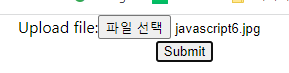
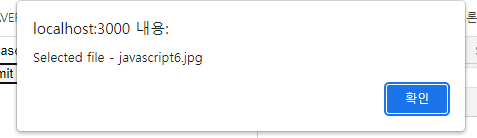
비제어 컴포넌트
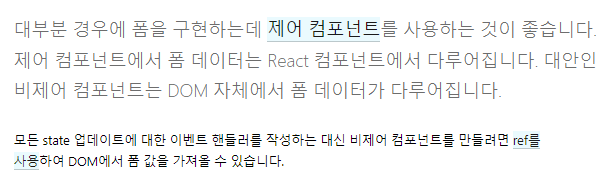
- 예시
import React, {useRef} from 'react'

export default function UncontrolledComponent() {

  const fileInputRef = useRef(null);

  function handleSubmit(e) {
    e.preventDefault();
    alert(
      `Selected file - ${fileInputRef.current.files[0].name}`
    );
  }

  return (
    <form onSubmit={handleSubmit}>
        <label>
          Upload file:
          <input type="file" ref={fileInputRef} />
        </label>
        <br />
        <button type="submit">Submit</button>
      </form>
  )
}