설치 확인
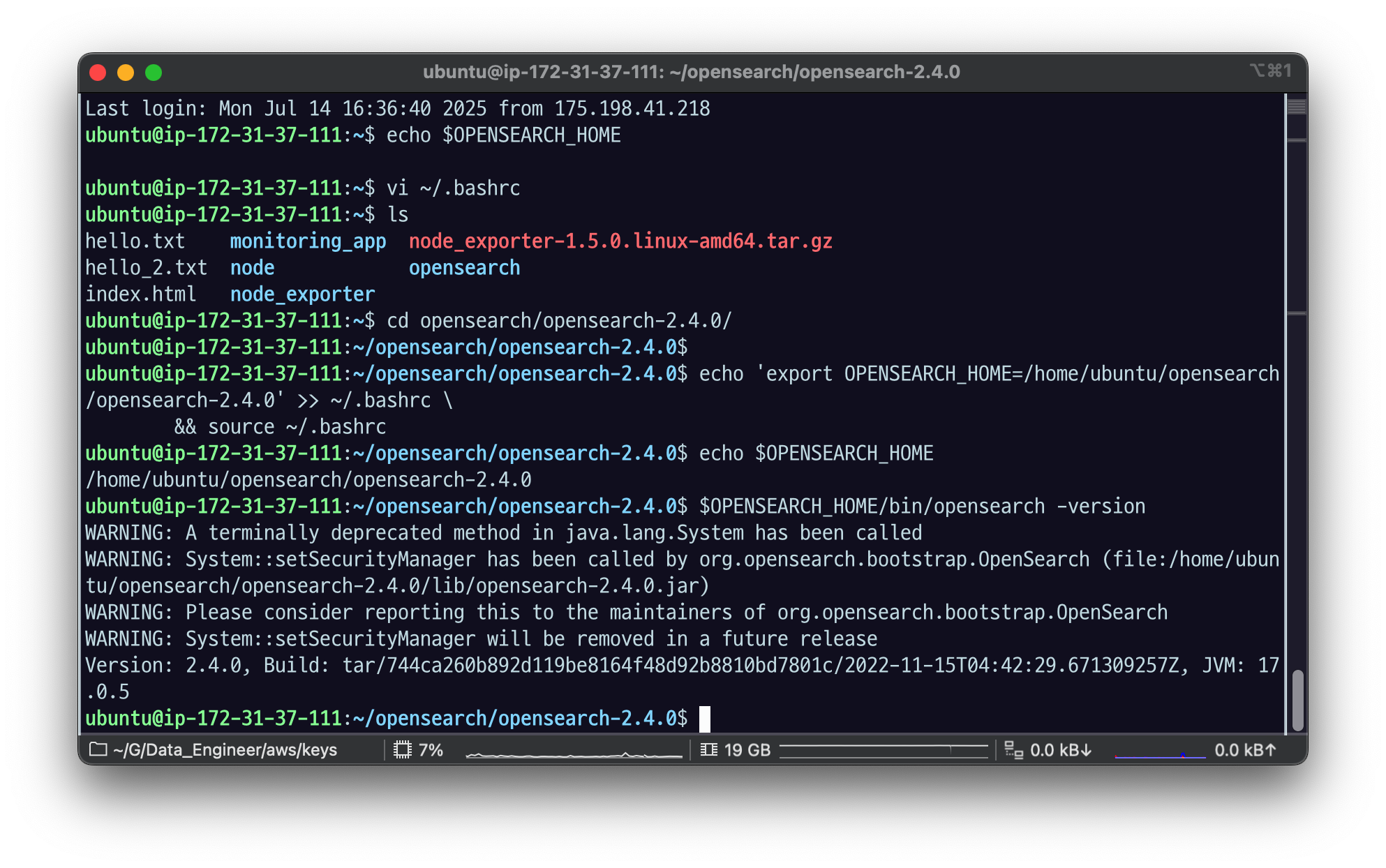

systemctl 설정 안 해 놓았었나 보다.
환경변수 설정
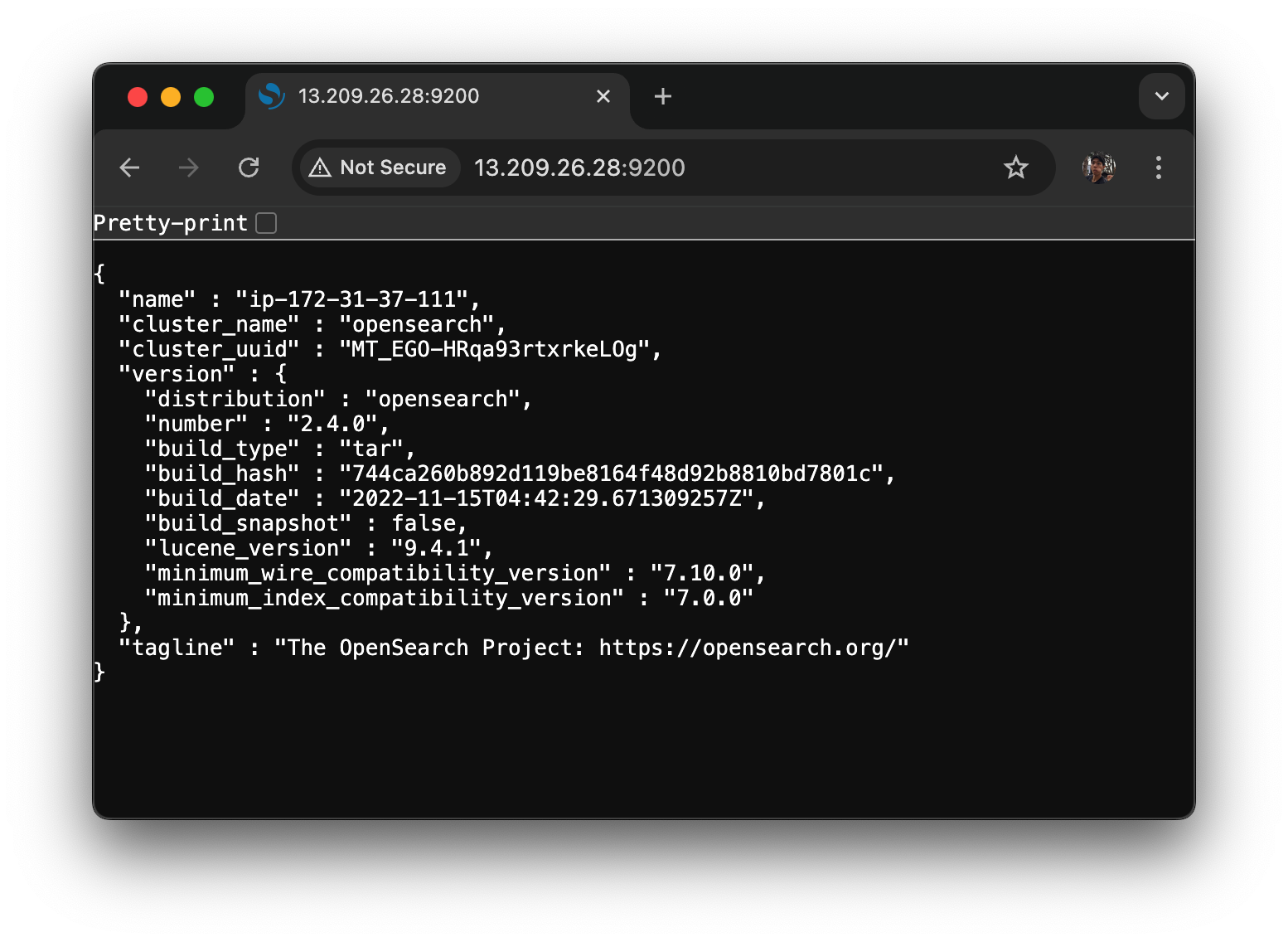
export OPENSEARCH_REST_API=http://13.209.26.28:9200
- 13.209.26.28 : 오픈서치 깔린 컴터 주소
- 웹에서 검색하면 이렇게 됨
1.3 OpenSearch CRUD
OpenSearch REST API를 사용하여 인덱스, 매핑, 도큐먼트를 직접 생성하고 삭제해보자.
JSON 응답을 읽기 쉽도록 특정 예제에서 ?pretty=true 쿼리를 사용했다. 그 외에도 OpenSearch에서는 모든 REST API 작업에서 사용할 수 있는 공통 쿼리를 지원하고 있다. (https://opensearch.org/docs/1.1/opensearch/common-parameters/)
1.3.1 인덱스 생성: PUT /:index
다음 명령어로 movie 인덱스를 생성할 수 있다.
$ curl -XPUT $OPENSEARCH_REST_API/movie{"acknowledged":true,"shards_acknowledged":true,"index":"movie"}
acknowledged 거의 모든 응답에 필드로 있을 텐데, ack가 true가 오면, 내가 원하는 동작이 제대로 적용 되었다는 의미.
1.3.2 인덱스 확인: HEAD /:index
다음 명령어로 movie 인덱스 존재 여부를 확인할 수 있다.
$ curl --head $OPENSEARCH_REST_API/movie

HTTP/1.1 200 OK
content-type: application/json; charset=UTF-8
content-length: 231
인덱스 확인 API는 200 또는 404만 반환하는데, 200일 경우 인덱스가 존재함을, 404일 경우 인덱스가 존재하지 않음을 의미한다.

200ok 나오면 인덱스가 존재한다는 것 없으면 404
1.3.3 인덱스 조회: GET /:index
다음 명령어로 movie 인덱스 정보를 조회할 수 있다.
movie 인덱스 설정이나 매핑을 확인할 수 있다. 아직 매핑 설정을 하지 않았기 때문에 mappings 필드값이 빈 객체임을 확인할 수 있다.
$ curl -XGET $OPENSEARCH_REST_API/movie?pretty=true{
"movie" : {
"aliases" : { },
"mappings" : { },
"settings" : {
"index" : {
"number_of_shards" : "1",
"blocks" : {
"read_only_allow_delete" : "true"
},
"provided_name" : "movie",
"creation_date" : "1752513461717",
"number_of_replicas" : "1",
"uuid" : "7gSOgnffTBio-Z0UBMu_xg",
"version" : {
"created" : "136257827"
}
}
}
}
}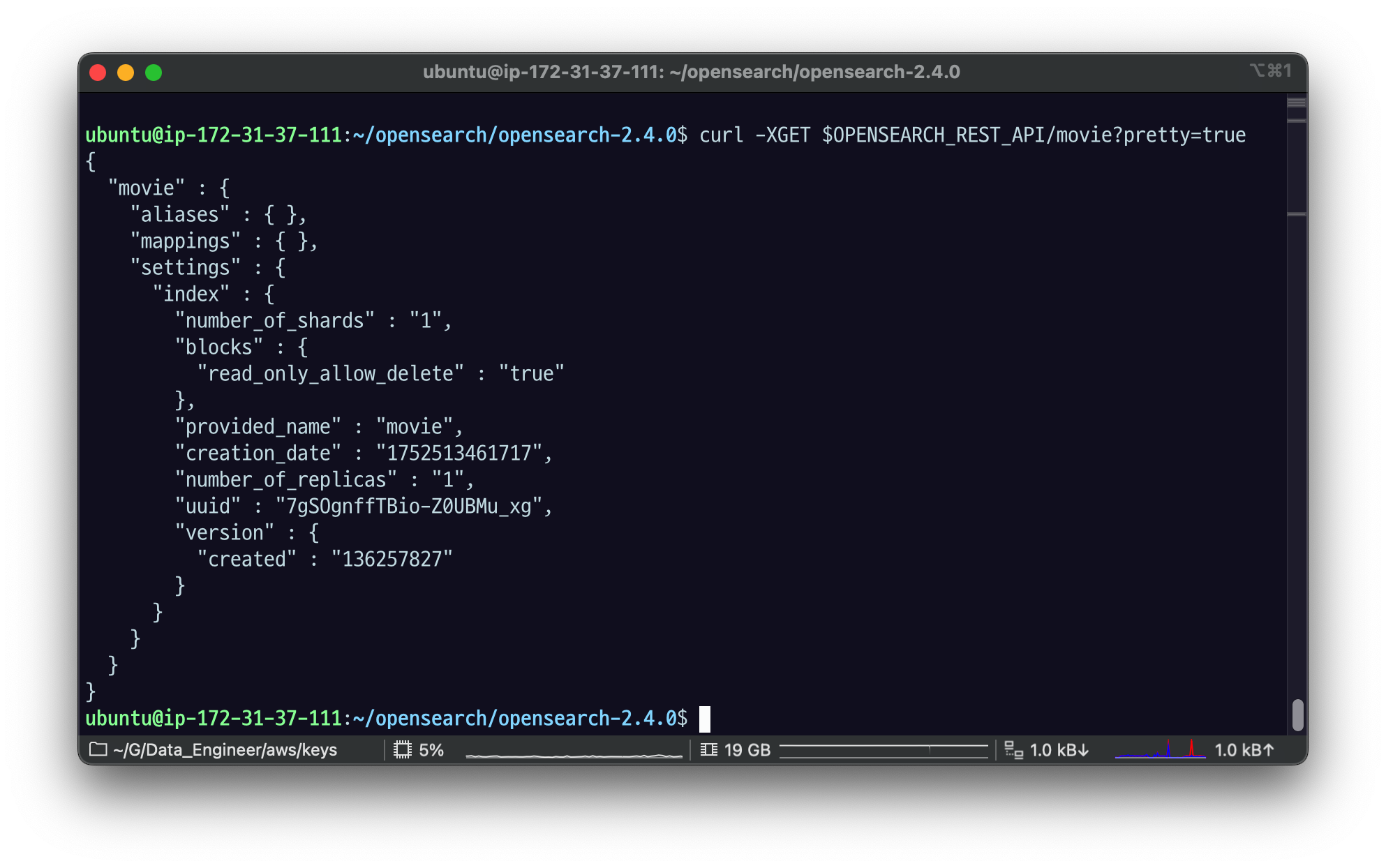
물음표가 커맨드라인 쓰면 \로 넣어줘야 됐던 것 같은데 지금은 안그러나 봄. 잘 나온다.
알리아스,맵핑 안 걸려있고,
shards 하나, 리플리카 하나. 이런 식으로 나온다.
1.3.4 명시적 매핑: PUT /:index/_mapping
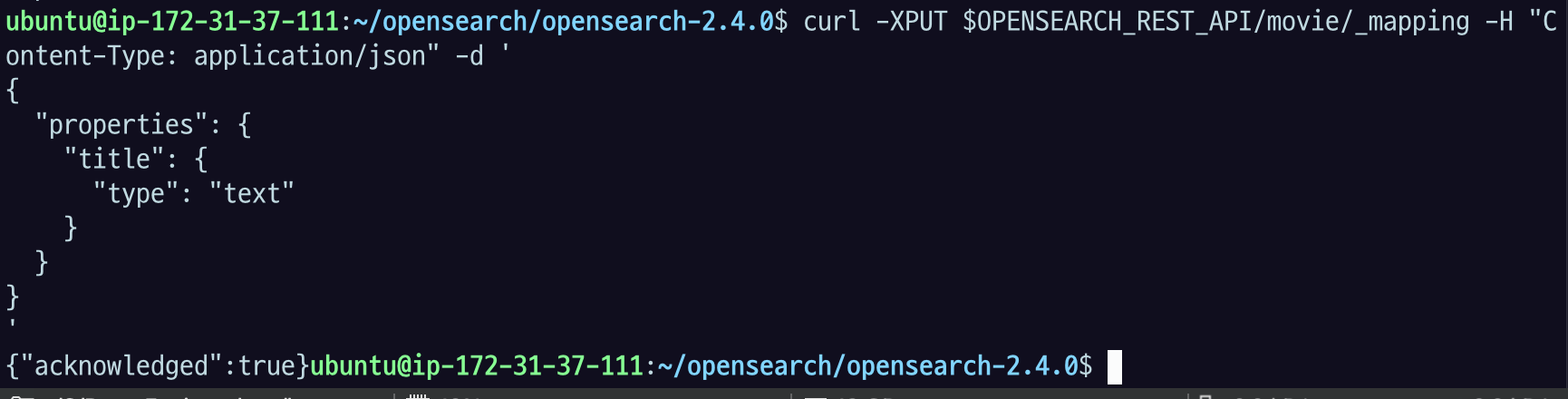
다음 명령어로 movie 인덱스에 매핑을 생성할 수 있다. movie 인덱스에 저장할 도큐먼트의 title 필드 타입을 text로 설정해보자.
$ curl -XPUT $OPENSEARCH_REST_API/movie/_mapping \
	-H "Content-Type: application/json" \
	-d '
{
  "properties": {
    "title": {
      "type": "text"
    }
  }
}
'{"acknowledged":true}-H : 헤더
-d : 데이터
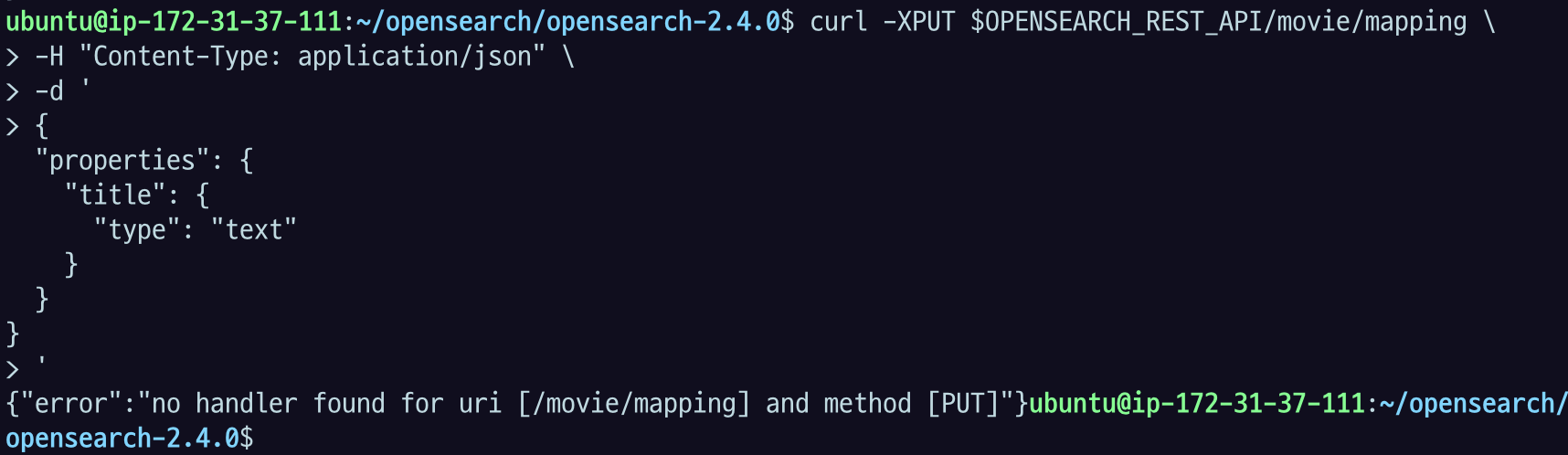
mapping 앞에 _ 붙여서 넣었는지 확인!!
GET /:index를 호출해보면 mappings 필드에 값이 잘 들어간 것을 확인할 수 있다.
$ curl -XGET "$OPENSEARCH_REST_API/movie?pretty=true"{
"movie": {
"aliases": {},
"mappings": {
"properties": {
"title": {
"type": "text"
}
}
},
"settings": {
"index": {
"creation_date": "1671238681112",
"number_of_shards": "1",
"number_of_replicas": "1",
"uuid": "4aBMDFDIROOxrvDdcho1Hw",
"version": {
"created": "136257827"
},
"provided_name": "movie"
}
}
}
}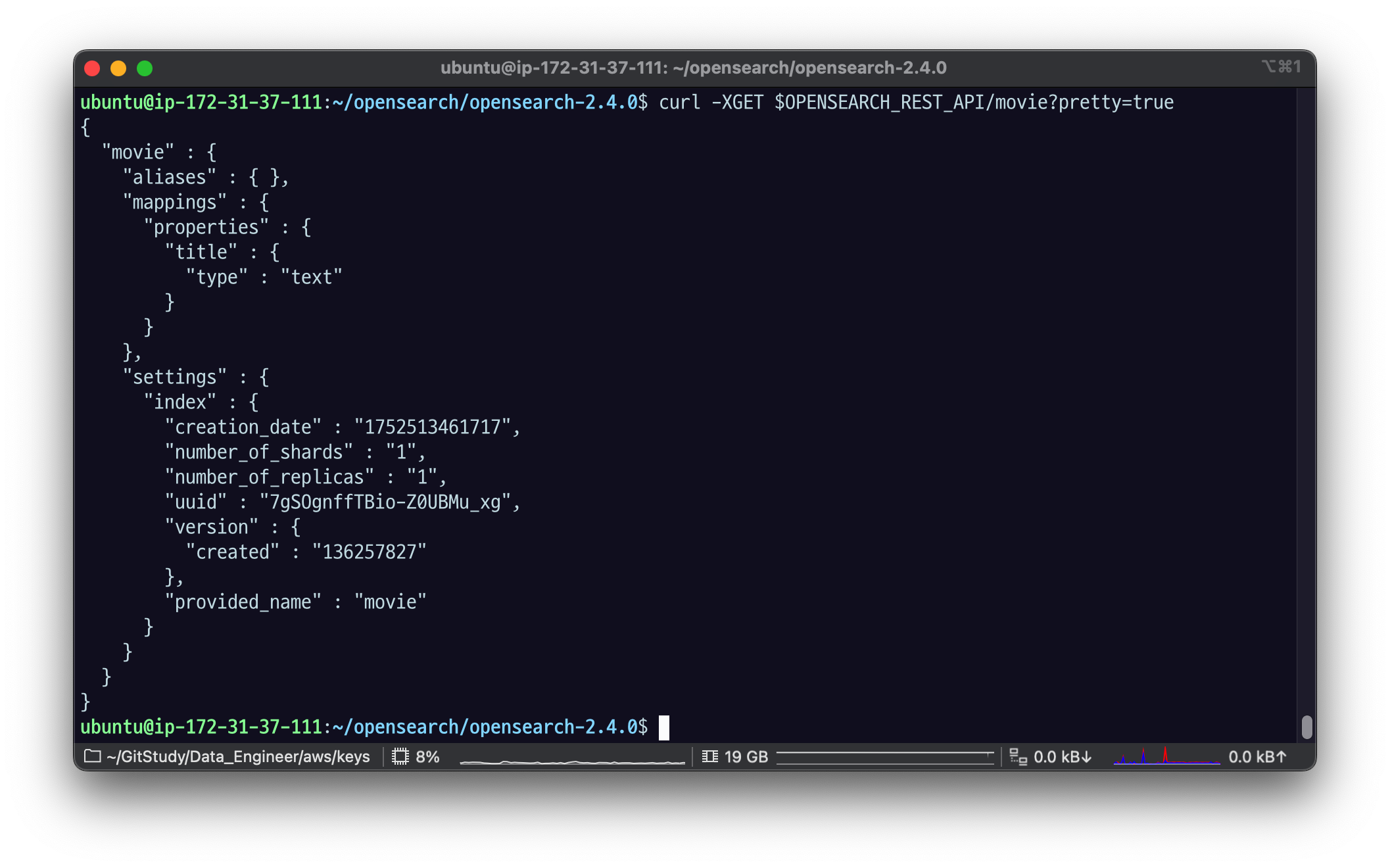
Mapping 정보 보면 내가 아까 설정한
프로퍼티들 중에 title이라는 프로퍼티는 type이 txt야 라는매핑 정보가 잘 들어간 걸 볼 수 있다.
아직 데이터가 없는데도 매핑 정보가 잘 세팅된 모습.
매핑에 새로운 필드를 추가하는 것은 자유롭다. 다음 명령어로 movie 인덱스에 genre 필드를 추가해보자. 필드 타입은 keyword로 설정한다.
$ curl -XPUT $OPENSEARCH_REST_API/movie/_mapping \
	-H "Content-Type: application/json" \
	-d '
{
  "properties": {
    "genre": {
      "type": "keyword"
    }
  }
}
'
{"acknowledged":true}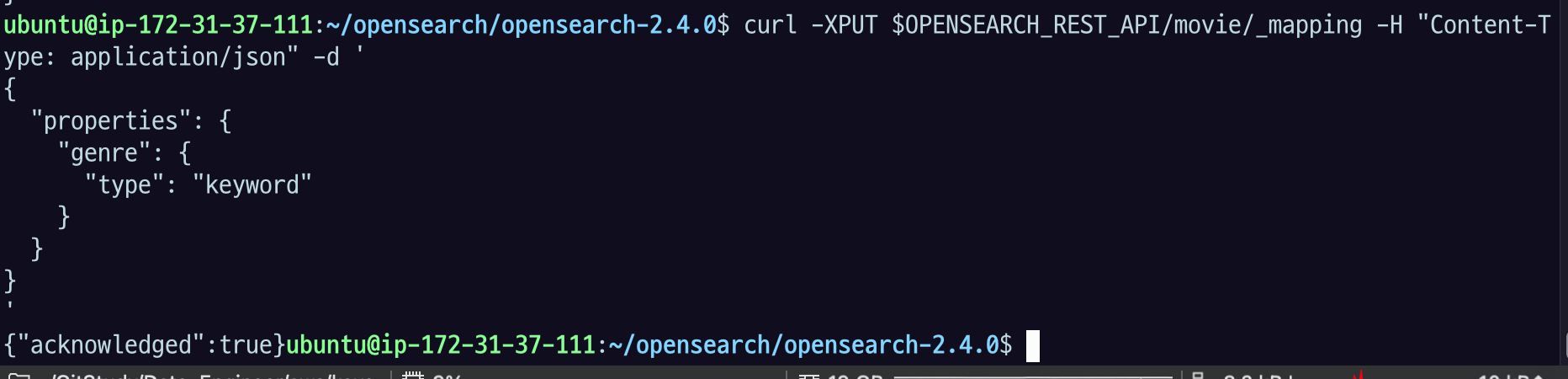
장르 정보는 로멘스,호러 이렇게 딱딱 정해져있다.
장르처럼 어떤 글자의 전체 내용이 의미가 있다. 그리고 그거 별로 인덱싱이 되어야 한다. 라는 경우엔 keyword라는 매핑 타입을 사용함.
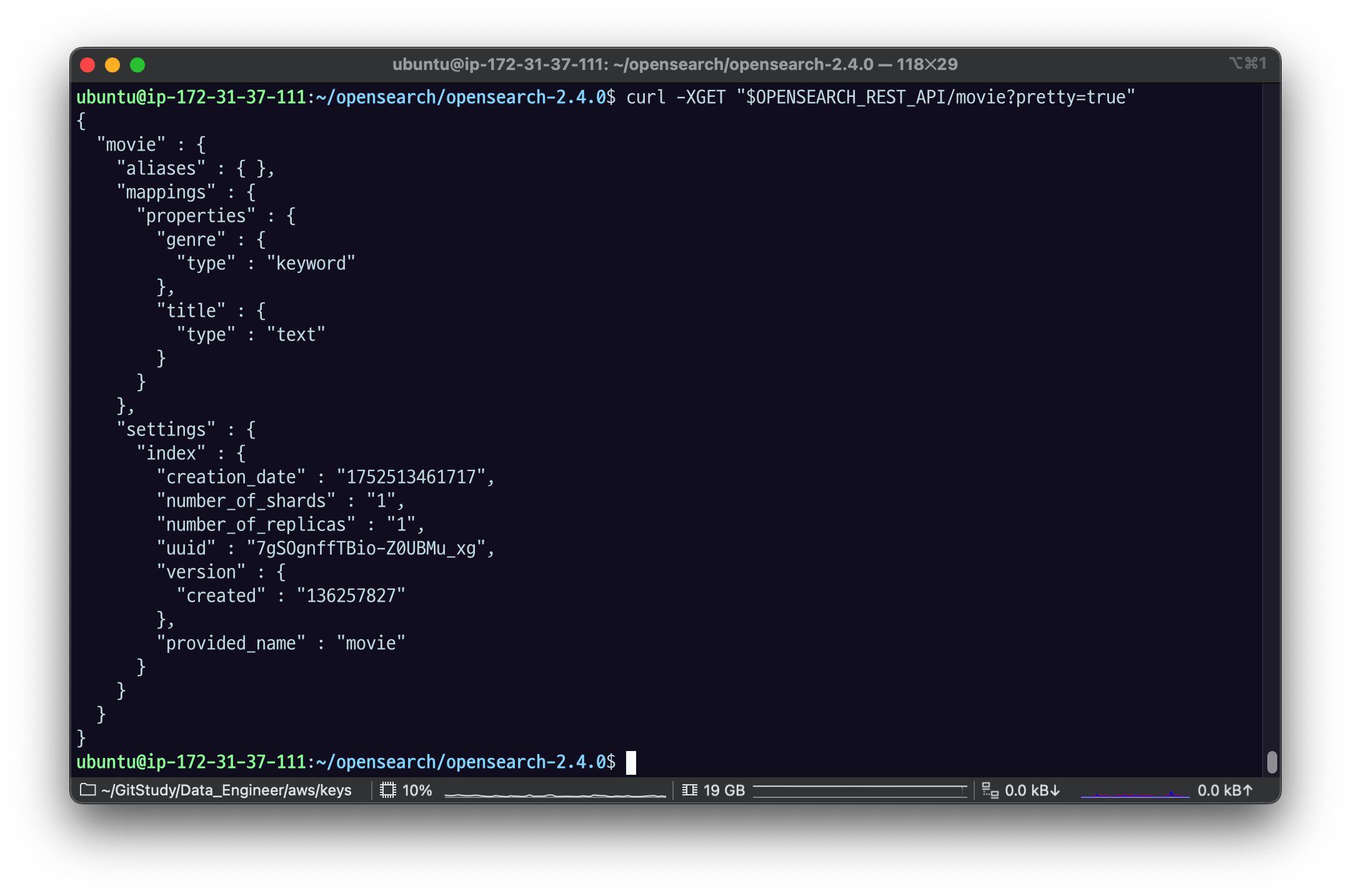
GET /:index를 호출해보면 mappings 값에 genre 필드가 추가된 것을 확인할 수 있다.
$ curl -XGET "$OPENSEARCH_REST_API/movie?pretty=true"

{
  "movie": {
    "aliases": {},
    "mappings": {
      "properties": {
        "genre": {
          "type": "keyword"
        },
        "title": {
          "type": "text"
        }
      }
    },
    "settings": {
      "index": {
        "creation_date": "1671238681112",
        "number_of_shards": "1",
        "number_of_replicas": "1",
        "uuid": "4aBMDFDIROOxrvDdcho1Hw",
        "version": {
          "created": "136257827"
        },
        "provided_name": "movie"
      }
    }
  }
}
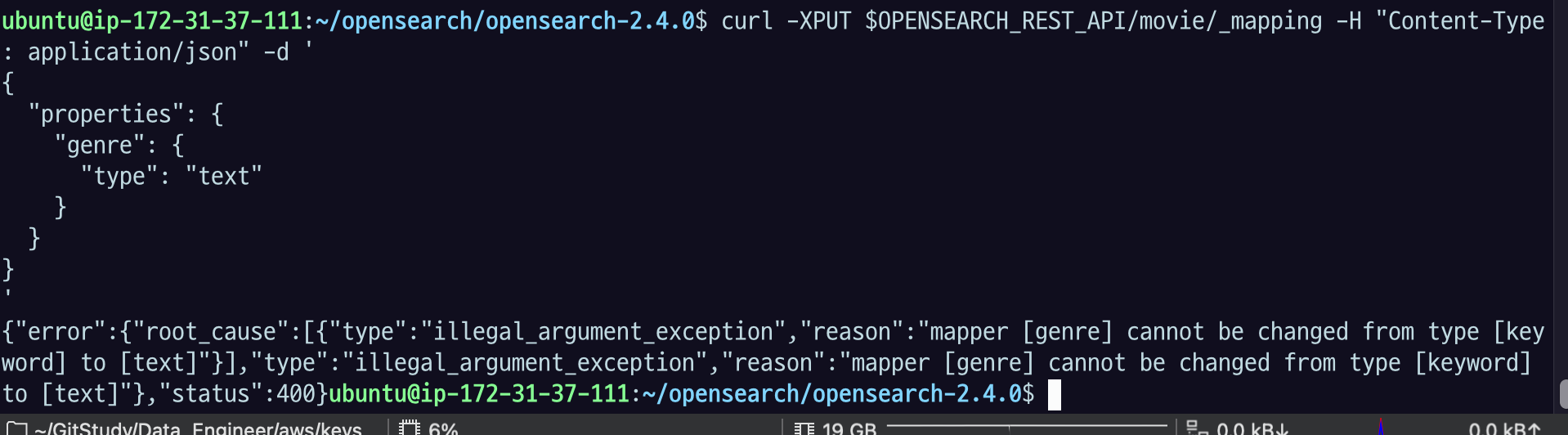
genre 필드 타입을 text로 변경하기 위해 다음 명령어를 실행하면 400 에러가 발생한다. 이미 매핑된 필드를 수정하거나 삭제할 수 없기 때문이다. 필드 이름이나 데이터 타입을 변경하고 싶다면 새로운 인덱스를 만들거나 reindex API를 사용해야 한다. reindex API는 다른 챕터에서 설명할 예정이다.
$ curl -XPUT "$OPENSEARCH_REST_API/movie/_mapping?pretty=true" \
	-H "Content-Type: application/json" \
	-d '
{
  "properties": {
    "genre": {
      "type": "text"
    }
  }
}
'
{
"error": {
"root_cause": [
{
"type": "illegal_argument_exception",
"reason": "mapper [genre] cannot be changed from type [keyword] to [text]"
}
],
"type": "illegal_argument_exception",
"reason": "mapper [genre] cannot be changed from type [keyword] to [text]"
},
"status": 400
}
illegal_argument_exception,
mapper [genre]가 에서 keyword에서 text로 바뀔 수 없다. 라는 메세지 > 실제 매핑된 것을 이렇게 단순하게 변경할 수는 없다.
1.3.5 도큐먼트 생성과 다이나믹 매핑: POST /:index/_doc
다음 명령어로 도큐먼트를 movie 인덱스에 저장해보자. (1.3.4에서 명시적으로 매핑한 필드 사용) POST를 사용하여 인덱싱할 경우 OpenSearch가 도큐먼트의 ID를 자동으로 생성해주며, 응답 본문의 _id 필드를 통해 생성된 ID 값을 알 수 있다.
$ curl -XPOST "$OPENSEARCH_REST_API/movie/_doc?pretty=true" \
	-H "Content-Type: application/json" \
	-d '
{
  "title": "Love Actually",
  "genre": "Drama"
}
'
{
"_index": "movie",
"_id": "O5UXCpgBGReK92tuxBm4",
"_version": 1,
"result": "created",
"_shards": {
"total": 2,
"successful": 1,
"failed": 0
},
"_seq_no": 0,
"_primary_term": 1
}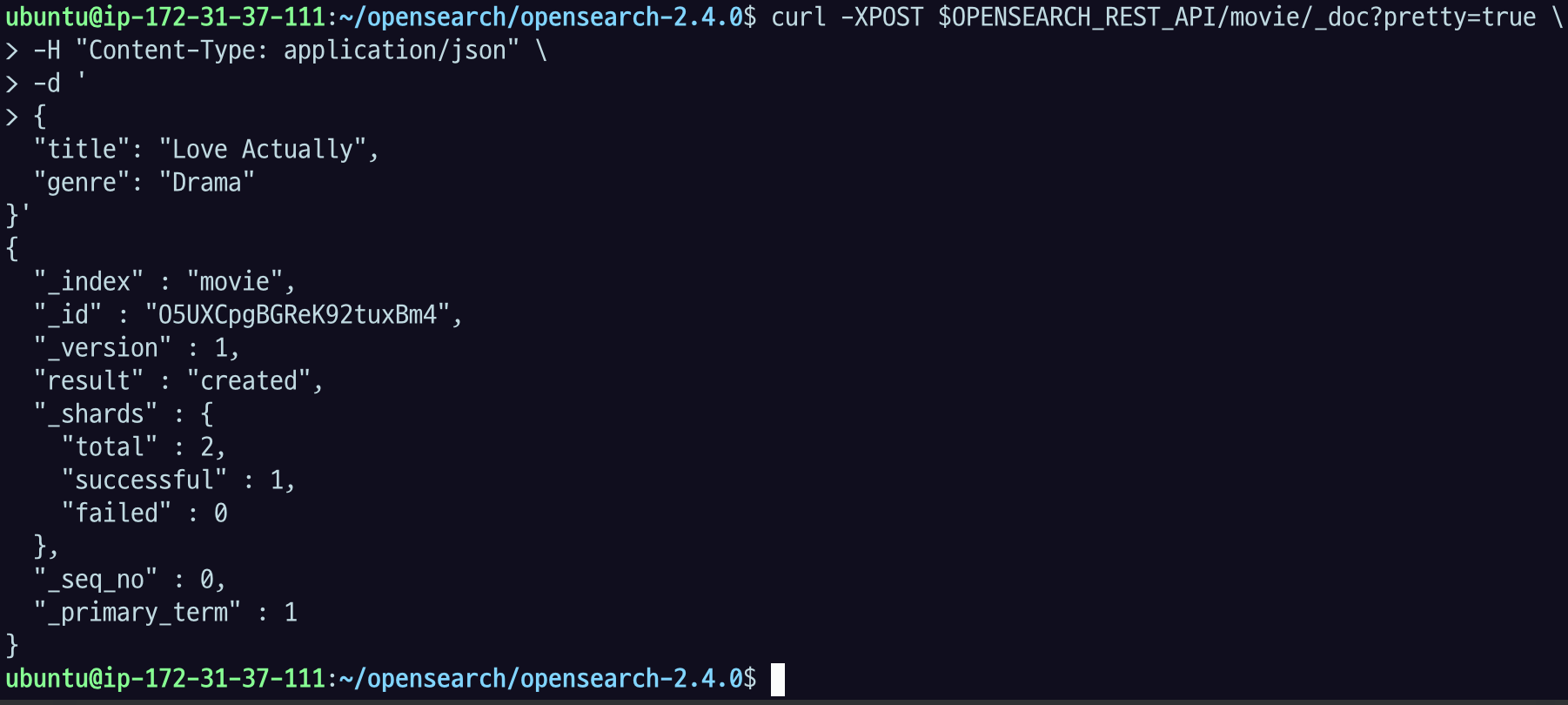
movie 라는 index,
id 는 자동으로 지정한 글자 값으로 들어갔고,
version : 1 이다
그리고 하나 더 데이터를 보내보자.
장르 정보를 빼고 보내볼 것.
아까 index 된 게 사실상 오픈서치, 엘라스틱 서치는
모든필드가 nullable이니까 상관이 없다고 했었다.
도큐먼트에 title 필드 값만 있어도 인덱싱할 수 있다. 즉, 매핑한 모든 필드를 사용할 필요는 없다.
$ curl -XPOST "$OPENSEARCH_REST_API/movie/_doc?pretty=true" \
	-H "Content-Type: application/json" \
	-d '
{
  "title": "Interstellar"
}
'
{
"_index": "movie",
"_id": "PJUcCpgBGReK92tuAhlg",
"_version": 1,
"result": "created",
"_shards": {
"total": 2,
"successful": 1,
"failed": 0
},
"_seq_no": 3,
"_primary_term": 1
}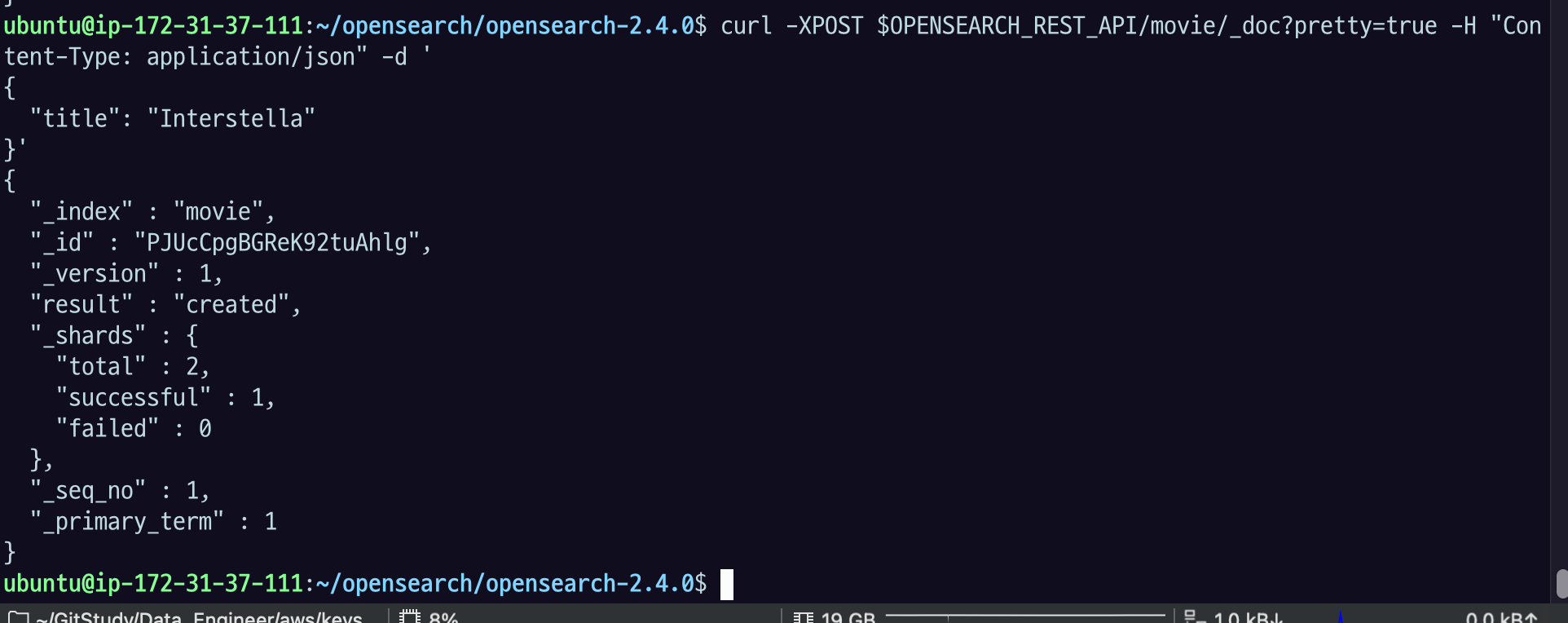
이렇게 데이터를 보내면 이것도 잘 들어가는 모습.
조회를 해보자
_doc에다가 id를 넣어주면 내가 넣었던 데이터 정보가 잘 나오는 것을 볼 수 있다.
title만 있는 모습.

1.3.4에서 명시적으로 매핑한 필드(title과 genre) 외의 다른 필드를 사용해서 도큐먼트를 생성할 수 있다. 이것이 바로 다이나믹 매핑이다. 다음 명령어로 도큐먼트를 생성해보자.
$ curl -XPOST "$OPENSEARCH_REST_API/movie/_doc?pretty=true" \
	-H "Content-Type: application/json" \
	-d '
{
  "title": "Top Gun: Maverick",
  "rate": 8.4,
  "director": "Joseph Kosinski"
}
'
{
"_index": "movie",
"_id": "U2WZHYUBtcIfY_yDN7fc",
"_version": 1,
"result": "created",
"_shards": {
"total": 2,
"successful": 1,
"failed": 0
},
"_seq_no": 1,
"_primary_term": 1
}GET /:index를 호출해보면 mappings에 rate와 director 필드가 추가된 것을 확인할 수 있다.
$ curl -XGET "$OPENSEARCH_REST_API/movie?pretty=true"{
"movie": {
"aliases": {},
"mappings": {
"properties": {
"director": {
"type": "text",
"fields": {
"keyword": {
"type": "keyword",
"ignore_above": 256
}
}
},
"genre": {
"type": "keyword"
},
"title": {
"type": "text"
},
"rate": {
"type": "float"
}
}
},
"settings": {
"index": {
"creation_date": "1671238681112",
"number_of_shards": "1",
"number_of_replicas": "1",
"uuid": "4aBMDFDIROOxrvDdcho1Hw",
"version": {
"created": "136257827"
},
"provided_name": "movie"
}
}
}
}다이나믹 매핑을 사용하면 OpenSearch가 도큐먼트의 필드 값을 보고 데이터 타입을 자동으로 추론해주는데, string 필드의 경우 다이나믹 매핑을 사용하면 text와 keyword 타입이 모두 지원되는 멀티 필드로 구성된다.
멀티 필드는 동일한 필드를 여러 방식으로 인덱싱하고 싶을 때 사용하며 fields 파라미터로 생성할 수 있다. 위의 응답 본문에서
{
"director": {
"type": "text",
"fields": {
"keyword": {
"type": "keyword",
"ignore_above": 256
}
}
}
}는 director 필드를 text 타입으로 매핑하고, keyword라는 서브 필드를 만들어 keyword 타입으로 매핑하겠다는 뜻이다. 이렇게 멀티 필드로 구성할 경우 OpenSearch는 director 필드의 동일한 값을 text 타입으로 한 번, keyword 타입으로 한 번, 총 두 번 인덱싱한다.
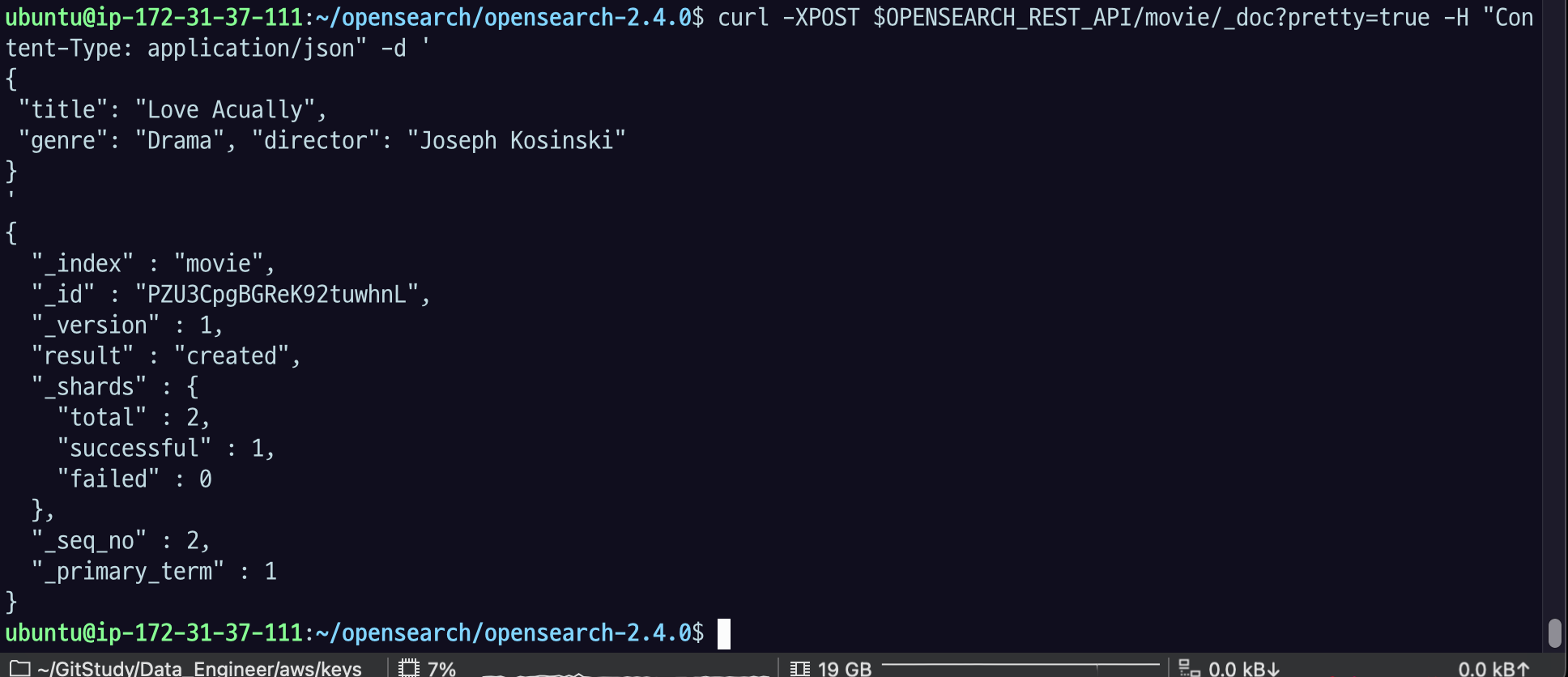
여기서 index 정보만 가져오는 API를 호출하면
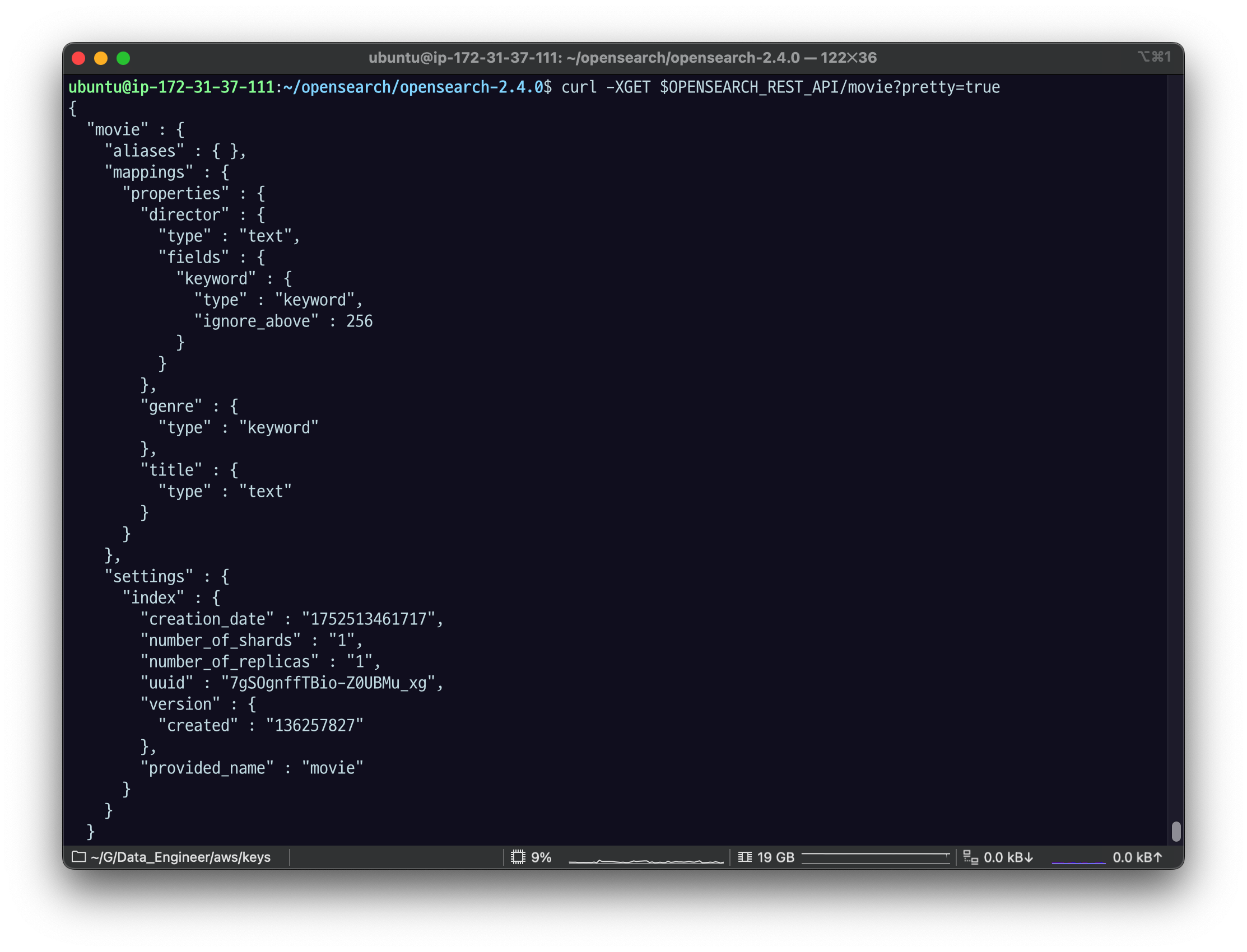
장르랑 타이틀은 내가 명시적으로 매핑한 게 있고,
디렉터랑 정보는 "Text" 타입인데 "fields"인데 "keyword"라는 필드, "type"은 "keyword"라고 하고.
이건 내가 설정해준 적은 없지만 다이나믹 맵핑을 통해 들어간 것.
기본적으로 text타입이고 director.keyword라는 필드로 키워드 타입의 데이터가 있다. 이거는 다이나믹 매핑으로 했을 때 따옴포료 감싸진 텍스트 데이터가 들어오면 모두 이렇게 만들어짐. 그래서 텍스트로도 검색할 수 있고 .keyword로 키워드로도 검색할 수 있도록 두가지 매핑을 다 만들어 준다.
만약 이렇게 만들어진 게 싫으면
reindex를 해야됨. 업데이트 할 방법은 없음 ㅋㅋ
"director" 밑에 "fields" 이렇게 되어 있는데, 이거를 멀티 필드라고 함. 멀티필드는 동일한 필드를,
실제 필드는 "director"이거 인데 여러 방식으로 인덱싱 하고싶을 때 멀티필드라는 걸 내가 원하는 필드의 하위에 "fields" 라는 키로 이렇게 설정을 할 수 있음.
그래서 "keywrod"라는 서브필드를 만들어서 사실상 키워드 파일로 맵핑하겠다 라는 의미.
이렇게 하면 똑같은 디렉터 필드에 대한 값, 디렉터가 가지고 있는 값에 대해 텍스트로도 인덱싱하고 키워드로도 인덱싱 해서 두 번 인덱싱 하는 것.
어쨋든 오픈서치 돼서 부담은 늘어남.
"rate": "7.9" 로 넣으면?
curl -XPOST "$OPENSEARCH_REST_API/movie/_doc?pretty=true" \
-H "Content-Type: application/json" \
-d '
{
"title": "Titanic",
"rate": "7.9"
}
'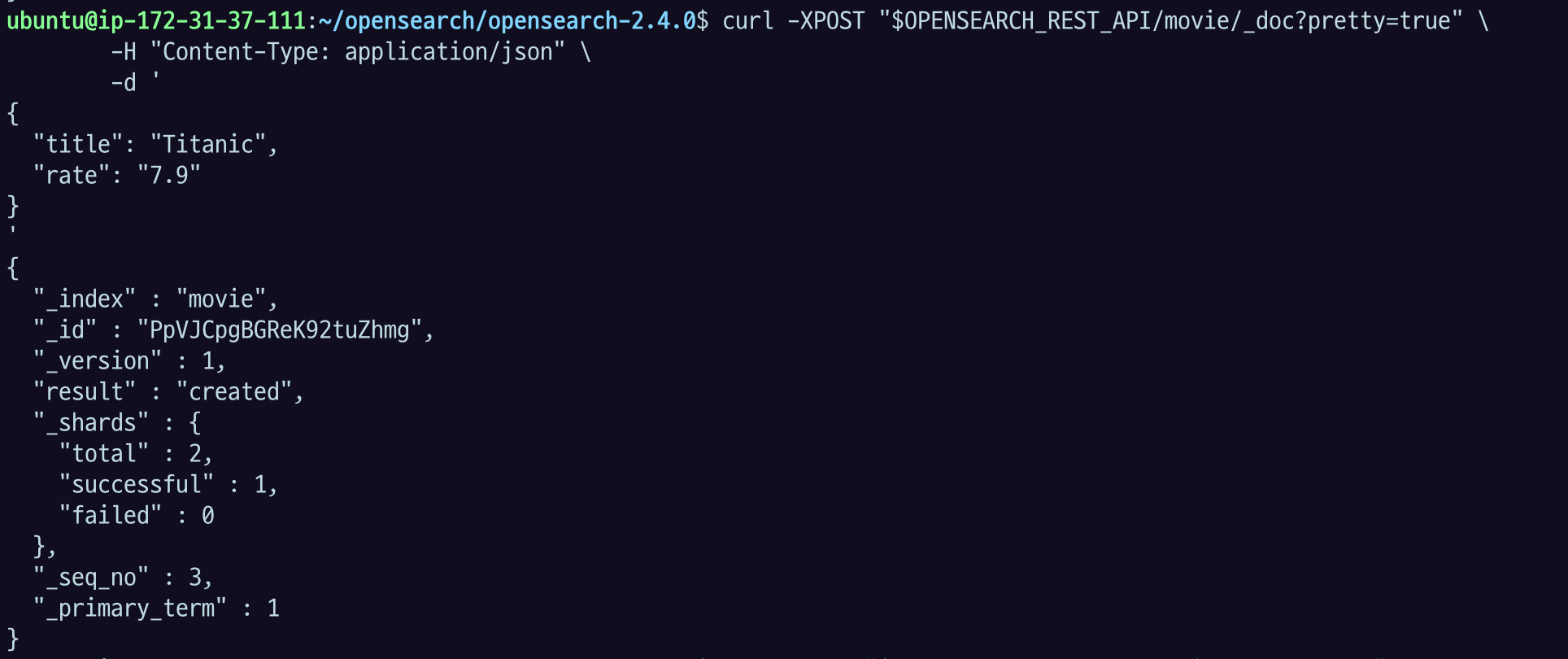
잘 들어갔고
curl -XGET "$OPENSEARCH_REST_API/movie?pretty=true"XGET 으로 확인해보면
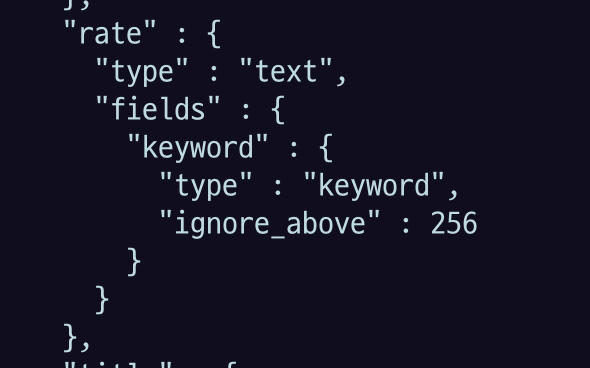
type 이 "text"로 들어감.

id로 검색해도 text로 잘 나오는 모습.
"rate": 7.9 로 넣으면 어떻게 될까?
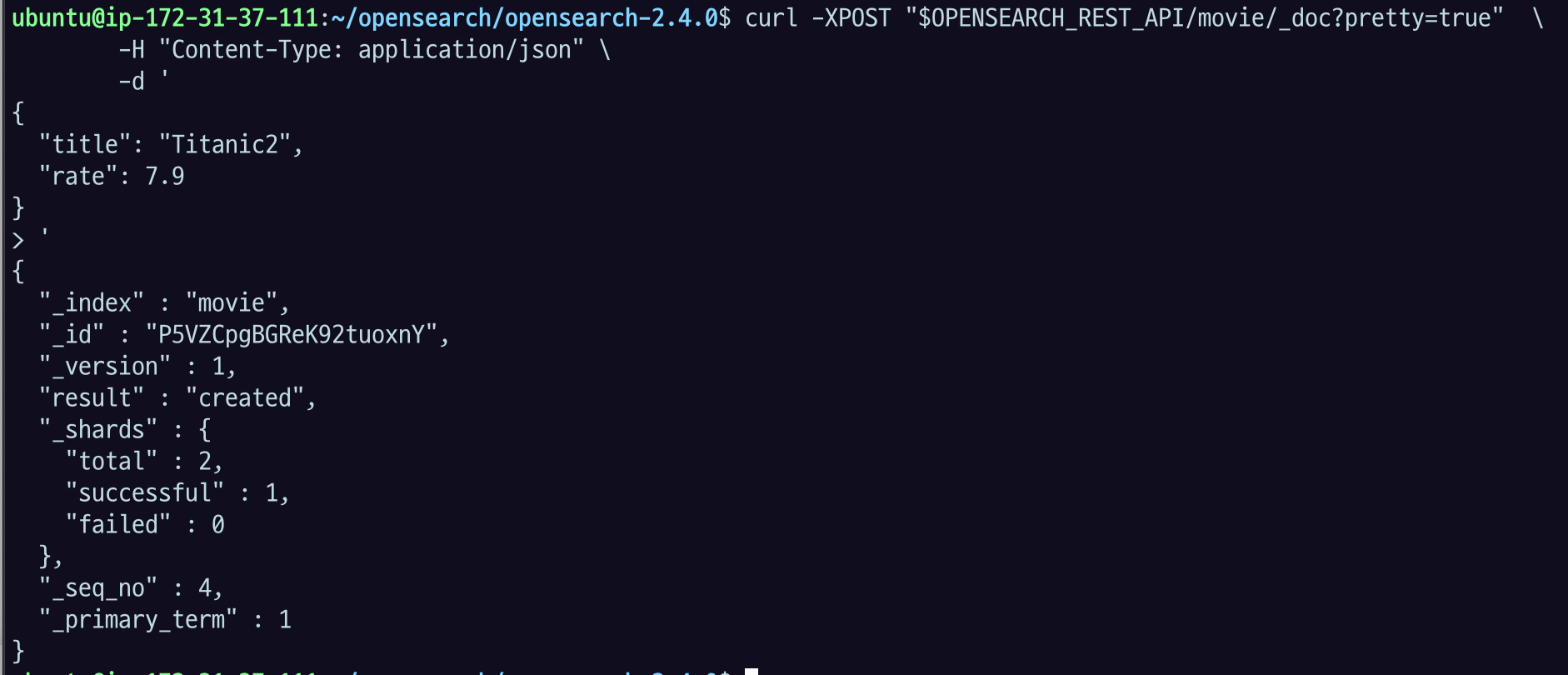
curl -XGET "$OPENSEARCH_REST_API/movie?pretty=true"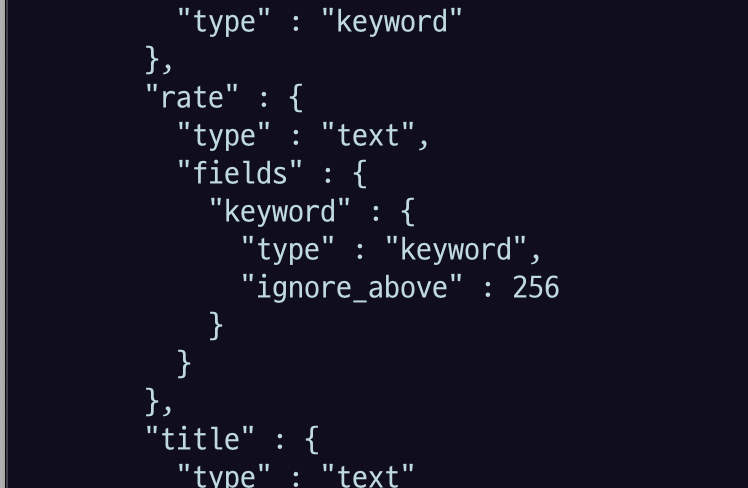
rate의 type은 여전히 text다.
curl -XGET "$OPENSEARCH_REST_API/movie/_doc/P5VZCpgBGReK92tuoxnY"아까 넣었던 Titanic2 의 id로 검색을 해보면,

넣었던 값 자체를 잘 출력해준다.
실제로 인덱싱은 텍스트랑 키워드로 되었는데,
맨 처음에 넣어서 다이나믹 매핑된 게 텍스트랑 키워드니까.
그런데 내가 7.9로 숫자로 넣었어. 그런데 toString을 얘가 자동으로 해 준 거임.
그래서 인덱싱은 됐고, 그런데 원본데이터 자체는
request를 하면 7.9 로 잘 리턴을 해준다.
인덱싱된 타입으로 실제 데이터가 아예 바뀌어서 데이터의 값 자체가 바뀌는 건 아니고 인덱싱을 위한 형변환만 한다. 이렇게 이해하면 됨.
그리고 데이터 타입을 잘못입력한 도큐먼트를 이제 인덱싱 하려고 하면 오픈서치가 자동으로 데이터타입을 변환해주는 게 있는데
데이터 타입을 잘못 입력한 도큐먼트를 인덱싱하려고 하면 OpenSearch는 자동으로 데이터 타입을 변환해준다. 예를 들어 float 타입으로 매핑된 rate 필드에 string 타입 값 “7.9”를 넣으려고 하면 인덱싱 과정에서 강제로 float 타입으로 변환된다.
$ curl -XPOST "$OPENSEARCH_REST_API/movie/_doc?pretty=true" \
-H "Content-Type: application/json" \
-d '
{
"title": "Titanic",
"rate": "7.9"
}
'
{
  "_index": "movie",
  "_id": "U2WZHYUBtcIfY_yDN7fc",
  "_version": 1,
  "result": "created",
  "_shards": {
    "total": 2,
    "successful": 1,
    "failed": 0
  },
  "_seq_no": 1,
  "_primary_term": 1
}자동 타입 변환이 불가능한 경우도 있다. 이 때는 400 에러가 발생한다.
$ curl -XPOST "$OPENSEARCH_REST_API/movie/_doc?pretty=true" \
	-H "Content-Type: application/json" \
	-d '
{
  "title": "Good Will Hunting",
  "rate": "Impressive"
}
'
{
"error": {
"root_cause": [
{
"type": "mapper_parsing_exception",
"reason": "failed to parse field [rate] of type [float] in document with id 'VmWsHYUBtcIfY_yDp7cA'. Preview of field's value: 'Impressive'"
}
],
"type": "mapper_parsing_exception",
"reason": "failed to parse field [rate] of type [float] in document with id 'VmWsHYUBtcIfY_yDp7cA'. Preview of field's value: 'Impressive'",
"caused_by": {
"type": "number_format_exception",
"reason": "For input string: \"Impressive\""
}
},
"status": 400
}1.3.6 도큐먼트 조회: GET /:index/_doc/:id, GET /:index/_search
1.3.5에서 인덱싱한 도큐먼트를 조회해보자.
다음 명령어는 ID로 조회하는 방법이다.
$ curl -XGET "$OPENSEARCH_REST_API/movie/_doc/UmWZHYUBtcIfY_yDBLc2?pretty=true"{
"_index" : "movie",
"_id" : "UmWZHYUBtcIfY_yDBLc2",
"_version" : 1,
"_seq_no" : 0,
"_primary_term" : 1,
"found" : true,
"_source" : {
"title" : "Love Actually",
"genre" : "Drama"
}
}또는 쿼리 DSL를 사용해서 movie 인덱스 내의 모든 도큐먼트를 조회할 수도 있다.
$ curl -XGET "$OPENSEARCH_REST_API/movie/_search?pretty=true"{
"took" : 1,
"timed_out" : false,
"_shards" : {
"total" : 1,
"successful" : 1,
"skipped" : 0,
"failed" : 0
},
"hits" : {
"total" : {
"value" : 4,
"relation" : "eq"
},
"max_score" : 1.0,
"hits" : [
{
"_index" : "movie",
"_id" : "UmWZHYUBtcIfY_yDBLc2",
"_score" : 1.0,
"_source" : {
"title" : "Love Actually",
"genre" : "Drama"
}
},
{
"_index" : "movie",
"_id" : "U2WZHYUBtcIfY_yDN7fc",
"_score" : 1.0,
"_source" : {
"title" : "Top Gun: Maverick",
"rate" : 8.4,
"director" : "Joseph Kosinski"
}
},
{
"_index" : "movie",
"_id" : "VGWcHYUBtcIfY_yDsrdt",
"_score" : 1.0,
"_source" : {
"title" : "Titanic",
"rate" : "7.9"
}
},
{
"_index" : "movie",
"_id" : "VWWnHYUBtcIfY_yD0bdt",
"_score" : 1.0,
"_source" : {
"title" : "Interstellar"
}
}
]
}
}title이 Titanic인 도큐먼트를 찾고 싶다면 다음과 같이 검색하면 된다.
$ curl -XGET "$OPENSEARCH_REST_API/movie/_search?q=title:Titanic&pretty=true"{
"took" : 27,
"timed_out" : false,
"_shards" : {
"total" : 1,
"successful" : 1,
"skipped" : 0,
"failed" : 0
},
"hits" : {
"total" : {
"value" : 1,
"relation" : "eq"
},
"max_score" : 1.4599355,
"hits" : [
{
"_index" : "movie",
"_id" : "VGWcHYUBtcIfY_yDsrdt",
"_score" : 1.4599355,
"_source" : {
"title" : "Titanic",
"rate" : "7.9"
}
}
]
}
}쿼리 DSL에 대해 더 알고 싶다면 공식 문서를 참고하자. (https://opensearch.org/docs/latest/opensearch/query-dsl/index/)
1.3.7 도큐먼트 수정: PUT /:index/_doc/:id, POST /:index/_update/:id
아래 명령어로 1.3.5에서 인덱싱한 도큐먼트를 업데이트할 수 있다.
$ curl -XPUT "$OPENSEARCH_REST_API/movie/_doc/VGWcHYUBtcIfY_yDsrdt?pretty=true" \
	-H "Content-Type: application/json" \
	-d '
{
  "director": "Richard Curtis"
}
'
{
"_index": "movie",
"_id": "VGWcHYUBtcIfY_yDsrdt",
"_version": 2,
"result": "updated",
"_shards": {
"total": 2,
"successful": 1,
"failed": 0
},
"_seq_no": 4,
"_primary_term": 3
}

업데이트 후 도큐먼트를 조회해보니 기존에 인덱싱했던 title과 genre 필드가 없어졌다. PUT을 사용하면 동일한 도큐먼트 ID가 존재할 경우 덮어쓰기 작업을 수행하기 때문이다. ID가 존재하지 않는다면 요청된 ID를 사용하여 새로운 도큐먼트를 만들게 된다.
- XPUT은 id가 없다면 id에 있는 document 내용으로 아예 만들어 버린다. (upsert 같은 거)
$ curl -XGET "$OPENSEARCH_REST_API/movie/_doc/VGWcHYUBtcIfY_yDsrdt?pretty=true"{
"_index" : "movie",
"_id" : "VGWcHYUBtcIfY_yDsrdt",
"_version" : 2,
"_seq_no" : 4,
"_primary_term" : 3,
"found" : true,
"_source" : {
"director" : "Richard Curtis"
}
}덮어쓰기 말고 특정 필드 값만 업데이트하고 싶다면 POST /:index/_update/:id를 사용하면 된다. 아래 명령어로 rate와 genre 필드 값을 업데이트하고, rank 필드를 새롭게 추가해보자.
$ curl -XPOST "$OPENSEARCH_REST_API/movie/_update/U2WZHYUBtcIfY_yDN7fc?pretty=true" \
	-H "Content-Type: application/json" \
	-d '
{
  "doc": {
    "rate": 10,
    "genre": "Drama",
    "rank": 1
  }
}
'
{
"_index": "movie",
"_id": "U2WZHYUBtcIfY_yDN7fc",
"_version": 2,
"result": "updated",
"_shards": {
"total": 2,
"successful": 1,
"failed": 0
},
"_seq_no": 5,
"_primary_term": 3
}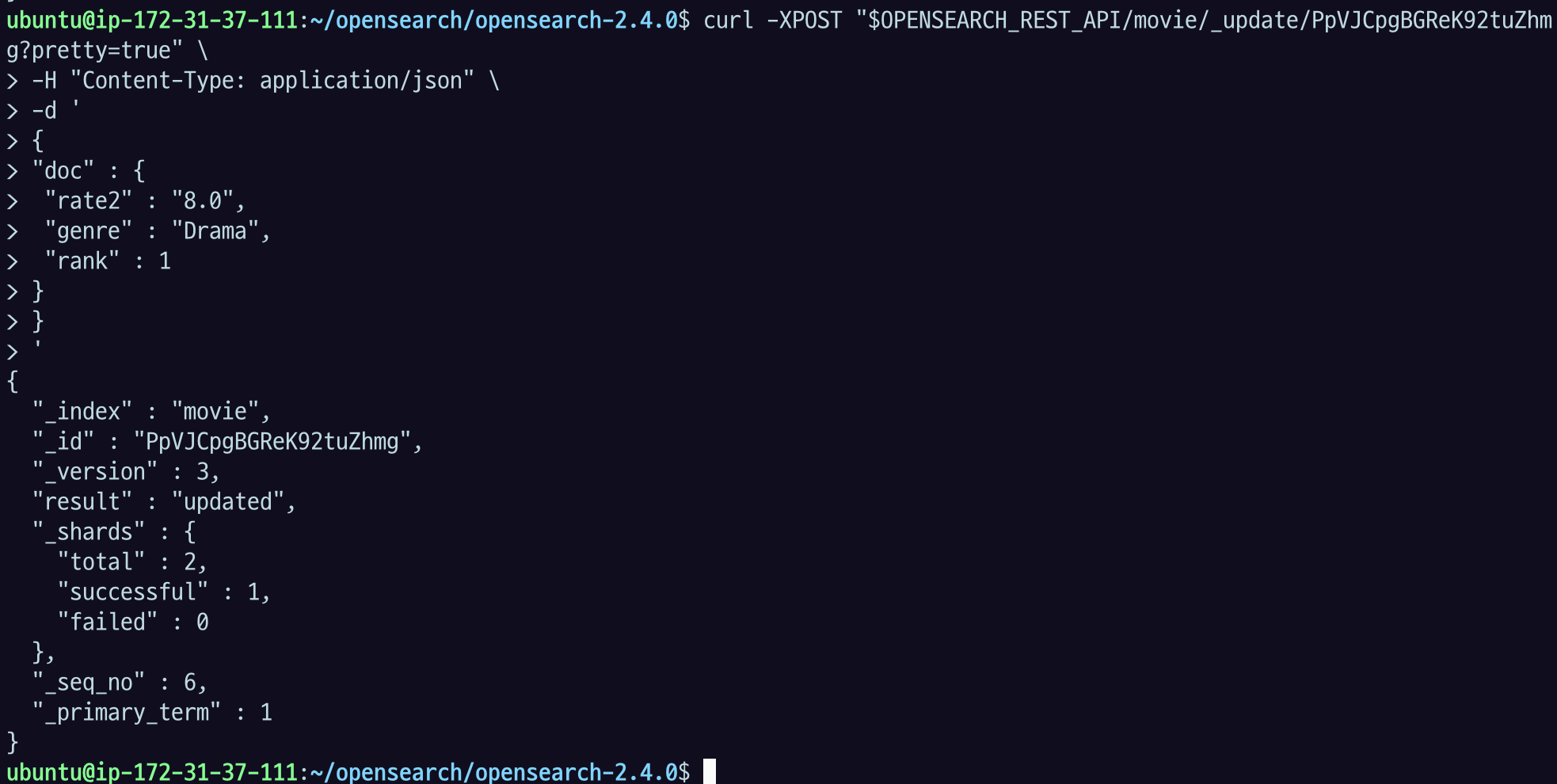
도큐먼트가 성공적으로 업데이트된 것을 확인할 수 있다.
curl -XGET "$OPENSEARCH_REST_API/movie/_doc/U2WZHYUBtcIfY_yDN7fc?pretty=true"

{
  "_index" : "movie",
  "_id" : "U2WZHYUBtcIfY_yDN7fc",
  "_version" : 2,
  "_seq_no" : 5,
  "_primary_term" : 3,
  "found" : true,
  "_source" : {
    "title" : "Top Gun: Maverick",
    "rate" : 10.0,
    "director" : "Joseph Kosinski",
    "genre" : "Drama",
    "rank" : 1
  }
}
rank 필드도 인덱스 mappings에 새롭게 추가된 것을 확인할 수 있다. 도큐먼트 업데이트 API로 필드를 추가해도 다이나믹 매핑이 작동한다.
$ curl -XGET "$OPENSEARCH_REST_API/movie/_mappings?pretty=true"

{
  "movie" : {
    "mappings" : {
      "properties" : {
        "director" : {
          "type" : "text",
          "fields" : {
            "keyword" : {
              "type" : "keyword",
              "ignore_above" : 256
            }
          }
        },
        "genre" : {
          "type" : "keyword"
        },
        "title" : {
          "type" : "text"
        },
        "rank" : {
          "type" : "long"
        },
        "rate" : {
          "type" : "float"
        }
      }
    }
  }
}
1.3.8 도큐먼트 삭제: DELETE /:index/_doc/:id
다음 명령어로 movie 인덱스에 저장된 도큐먼트를 삭제할 수 있다. 삭제한 도큐먼트는 복구할 수 없으므로 주의해야 한다.
$ curl -XDELETE "$OPENSEARCH_REST_API/movie/_doc/VGWcHYUBtcIfY_yDsrdt?pretty=true"

{
  "_index": "movie",
  "_id": "VGWcHYUBtcIfY_yDsrdt",
  "_version": 3,
  "result": "deleted",
  "_shards": {
    "total": 2,
    "successful": 1,
    "failed": 0
  },
  "_seq_no": 6,
  "_primary_term": 3
}
1.3.9 인덱스 닫기: POST /:index/_close
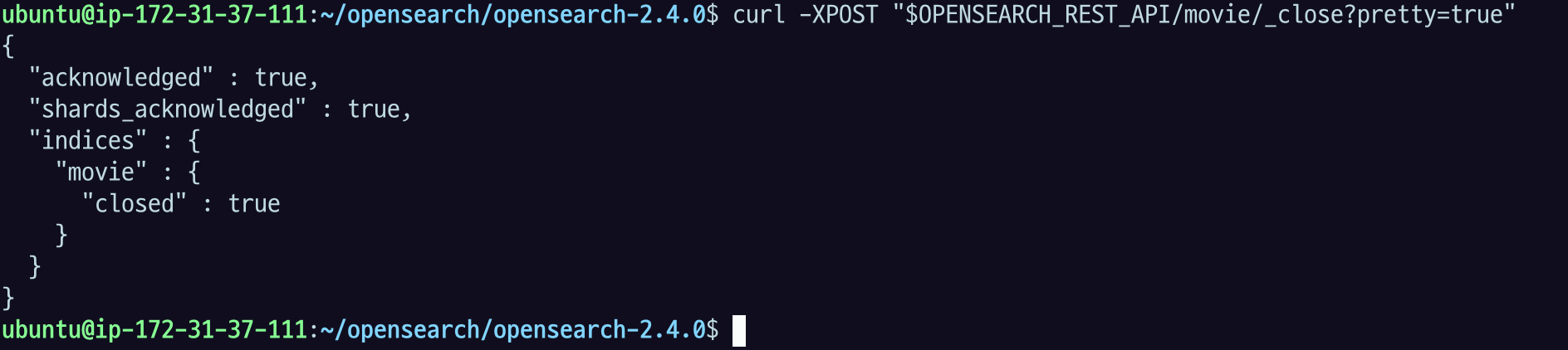
다음 명령어로 movie 인덱스를 닫을 수 있다. 사용하지 않는 인덱스가 있다면 힙 메모리, 검색 성능에 영향을 미칠 수 있으므로 오버헤드를 줄이기 위해 임시로 닫아주는 것이 좋다. 닫힌 인덱스는 디스크에는 저장되어 있지만, 힙 메모리에 로드되지 않아 오버헤드를 주지 않고, 읽기, 쓰기, 검색 모두 불가능한 상태가 된다.
$ curl -XPOST "$OPENSEARCH_REST_API/movie/_close?pretty=true"{
"acknowledged": true,
"shards_acknowledged": true,
"indices": {
"movie": {
"closed": true
}
}
}
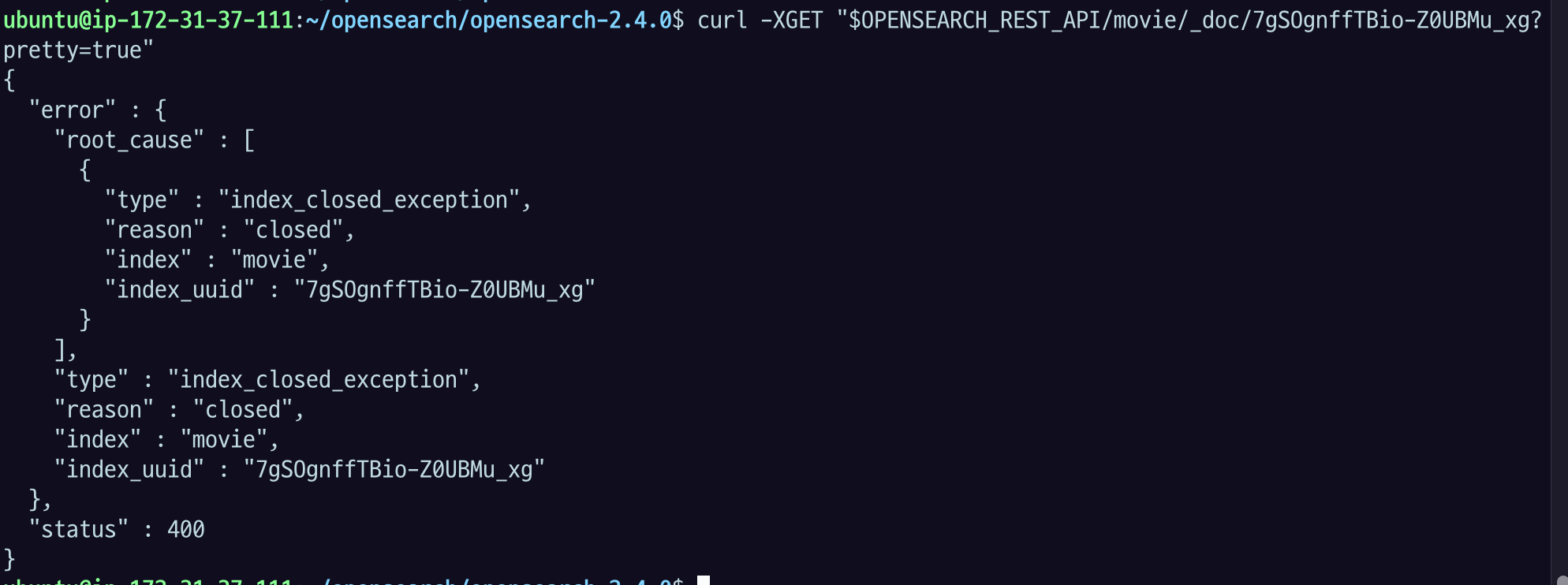
인덱스를 닫은 후에 검색 작업을 하려고 하면 400 에러가 발생하는 것을 확인할 수 있다.
$ curl -XGET "$OPENSEARCH_REST_API/movie/_search?pretty=true"{
"error" : {
"root_cause" : [
{
"type" : "index_closed_exception",
"reason" : "closed",
"index" : "movie",
"index_uuid" : "4aBMDFDIROOxrvDdcho1Hw"
}
],
"type" : "index_closed_exception",
"reason" : "closed",
"index" : "movie",
"index_uuid" : "4aBMDFDIROOxrvDdcho1Hw"
},
"status" : 400
}
1.3.10 인덱스 열기: POST /:index/_open
다음 명령어로 닫힌 movie 인덱스를 활성화할 수 있다.
curl -XPOST $OPENSEARCH_REST_API/movie/_open{"acknowledged":true,"shards_acknowledged":true}검색 작업이 가능하다면 성공적으로 인덱스가 활성화된 것이다.
curl -XGET "$OPENSEARCH_REST_API/movie/_search?pretty=true"{
"took" : 2,
"timed_out" : false,
"_shards" : {
"total" : 1,
"successful" : 1,
"skipped" : 0,
"failed" : 0
},
"hits" : {
"total" : {
"value" : 4,
"relation" : "eq"
},
"max_score" : 1.0,
"hits" : [
{
"_index" : "movie",
"_id" : "UmWZHYUBtcIfY_yDBLc2",
"_score" : 1.0,
"_source" : {
"title" : "Love Actually",
"genre" : "Drama"
}
},
{
"_index" : "movie",
"_id" : "U2WZHYUBtcIfY_yDN7fc",
"_score" : 1.0,
"_source" : {
"title" : "Top Gun: Maverick",
"rate" : 8.4,
"director" : "Joseph Kosinski"
}
},
{
"_index" : "movie",
"_id" : "VGWcHYUBtcIfY_yDsrdt",
"_score" : 1.0,
"_source" : {
"title" : "Titanic",
"rate" : "7.9"
}
},
{
"_index" : "movie",
"_id" : "VWWnHYUBtcIfY_yD0bdt",
"_score" : 1.0,
"_source" : {
"title" : "Interstellar"
}
}
]
}
}지금은 데이터가 얼마 안 돼서 문제가 되지 않았지만 용량이 크면 문제가 될 수 있다.
닫으면 메모리가 다 내려가 있다가
다시 열면서 인덱싱을 하려면 시간이 좀 걸린다. 그리고 그 인덱스가 큰 인덱스라면 순간적으로 부하가 더 있을 수 있음.
그리고 메모리가 거의 풀로 가득 찬 상태라면 이것 때문에 메모리 문제가 생길 수 있음. 그래서 닫았다가 여는 거는 메모리 용량도 보고, 데이터 사이즈도 보고, 트래픽 양도 보고 해서 조금 조심스럽게 할 필요가 있음
1.3.11 인덱스 삭제: DELETE /:index
다음 명령어로 movie 인덱스와 인덱싱된 모든 도큐먼트를 삭제할 수 있다. 삭제한 인덱스와 도큐먼트는 복구할 수 없으므로 주의해야 한다.
$ curl -XDELETE $OPENSEARCH_REST_API/movie

{"acknowledged":true}
1.3.12 도큐먼트 벌크 API
인덱싱 성능을 높이기 위해 도큐먼트 벌크 API를 사용할 수 있다. 도큐먼트 벌크 API를 사용하면 한 번의 요청으로 많은 도큐먼트를 생성, 수정, 삭제할 수 있기 때문에 네트워크 오버헤드가 줄어들고, 더 많은 인덱싱 스루풋을 확보할 수 있다. 그래서 가능하면 배칭 작업으로 인덱싱을 처리하는 것이 좋다.
- 실무적으로는 우리가 코딩을 통해서 데이터 넣는 작업을 만들 텐데, 이런 벌크API로 일정 주기나 일정 개수별로 묶어서 데이터를 넣도록 하는 게 좋다.
벌크 작업 중 중간에 몇 개가 실패해도 전체 작업이 중단되지는 않는다. 실패한 작업이 있는지 확인하고 싶다면 벌크 API 응답에 포함된 items 배열을 확인하면 된다.
다음 명령어로 벌크 데이터를 생성해볼 수 있다.
curl -XPOST "$OPENSEARCH_REST_API/_bulk?pretty=true" \
	-H "Content-Type: application/json" \
	-d '
{ "index" : { "_index" : "test", "_id" : "1" } }
{ "field1" : "value1" }
{ "delete" : { "_index" : "test", "_id" : "2" } }
{ "create" : { "_index" : "test", "_id" : "3" } }
{ "field1" : "value3" }
{ "update" : {"_id" : "1", "_index" : "test"} }
{ "doc" : {"field2" : "value2"} }
'
{
"took": 204,
"errors": false,
"items": [
{
"index": {
"_index": "test",
"_id": "1",
"_version": 1,
"result": "created",
"_shards": {
"total": 2,
"successful": 1,
"failed": 0
},
"_seq_no": 0,
"_primary_term": 1,
"status": 201
}
},
{
"delete": {
"_index": "test",
"_id": "2",
"_version": 1,
"result": "not_found",
"_shards": {
"total": 2,
"successful": 1,
"failed": 0
},
"_seq_no": 1,
"_primary_term": 1,
"status": 404
}
},
{
"create": {
"_index": "test",
"_id": "3",
"_version": 1,
"result": "created",
"_shards": {
"total": 2,
"successful": 1,
"failed": 0
},
"_seq_no": 2,
"_primary_term": 1,
"status": 201
}
},
{
"update": {
"_index": "test",
"_id": "1",
"_version": 2,
"result": "updated",
"_shards": {
"total": 2,
"successful": 1,
"failed": 0
},
"_seq_no": 3,
"_primary_term": 1,
"status": 200
}
}
]
}더 자세한 설명은 공식 문서를 참고하면 된다. (https://opensearch.org/docs/latest/api-reference/document-apis/bulk/)