"Data Science is fun!"이라는 문장에서"Science"라는 단어가 토큰으로 추출되었다면,
그 위치 정보는(5, 12)로 표현할 수 있다.
"Data Science is fun!""Science"는 5번째 문자에서 시작해 12번째 문자에서 끝난다.- 공백 포함 인덱스 계산:
인덱스: 0 1 2 3 4 5 6 7 8 9 10 11 12 13 14 15 16 17 18 문자: D a t a S c i e n c e i s f u n !- 따라서
"Science"는 index(5, 12)범위에 해당한다.
OpenSearch 텍스트 분석 실습
GET /_analyze API로 텍스트를 분석해볼 수 있다.
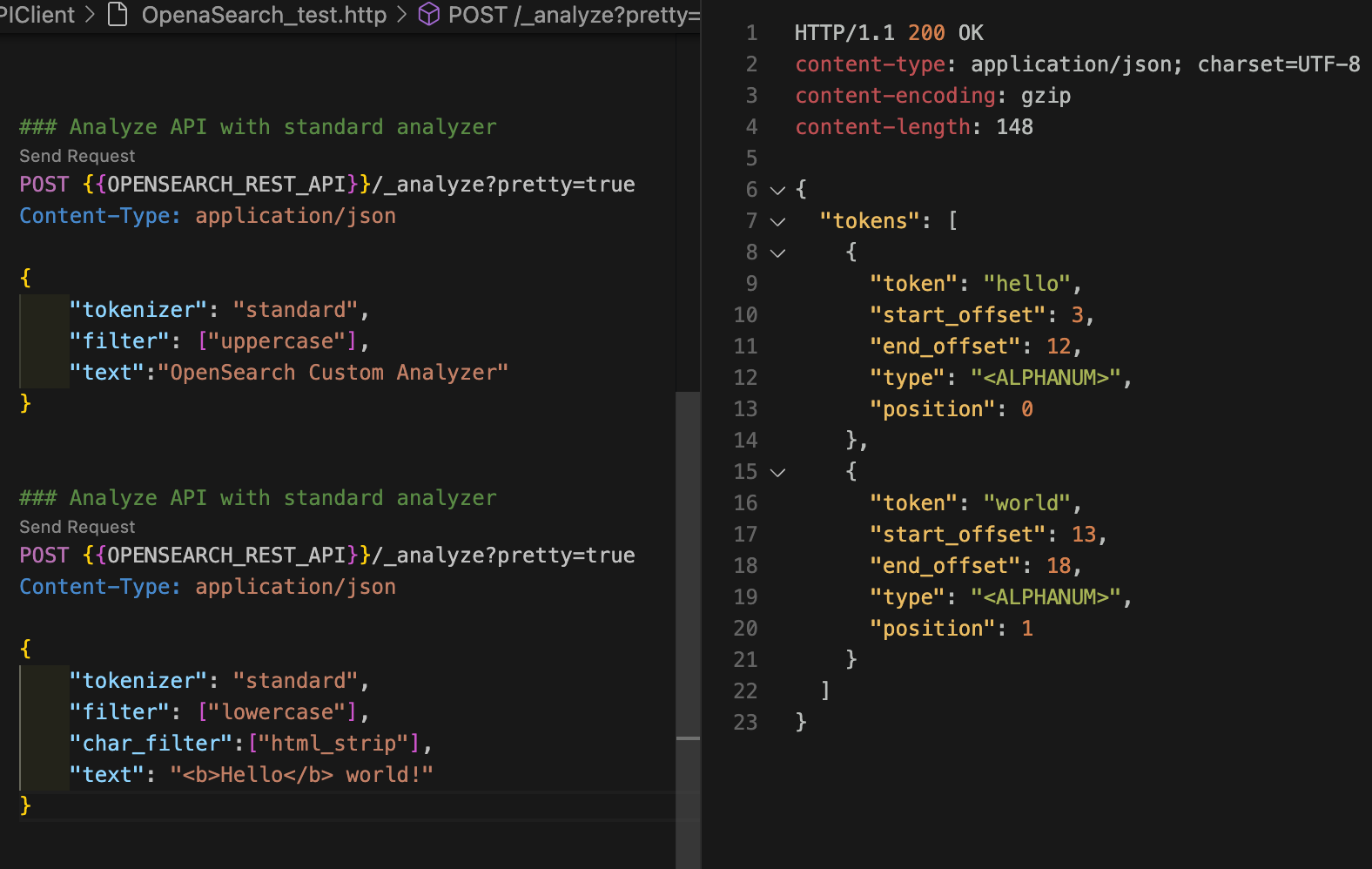
아래 명령어로 "Hello, world!"라는 텍스트를 standard 분석기로 분석해보자. 응답 본문을 보면 "Hello,"가 "hello"로, "world!"가 "world"로 토크나이징된 것을 확인할 수 있다. 토크나이저에서 모든 기호를 삭제하고, 토큰 필터 체인에서 모든 문자를 소문자로 변환했기 때문이다. 또한 start_offset과 end_offset 정보를 통해 어떤 토큰이 어떤 단어와 매칭되는지 알 수 있다.
이번 실습에서는 편의를 위해 VScode의 REST Client extention을 사용했다.
우선 OpenSEARCH 가 설치된 컴퓨터에서 실행을 시켜주자.
$OPENSEARCH_HOME/bin/opensearchcurl -XGET "$OPENSEARCH_REST_API/_analyze?pretty=true" \
-H "Content-Type: application/json" \
-d '
{
"analyzer": "standard",
"text": "Hello, world!"
}
'
{
  "tokens" : [
    {
      "token" : "hello",
      "start_offset" : 0,
      "end_offset" : 5,
      "type" : "<ALPHANUM>",
      "position" : 0
    },
    {
      "token" : "world",
      "start_offset" : 7,
      "end_offset" : 12,
      "type" : "<ALPHANUM>",
      "position" : 1
    }
  ]
}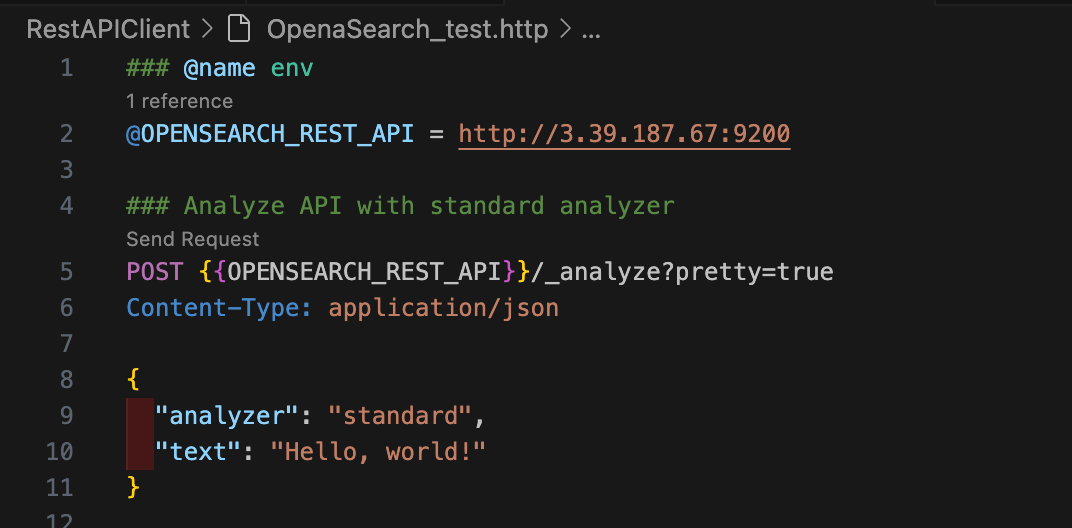
POST 위에 Send Request 를 눌러주면
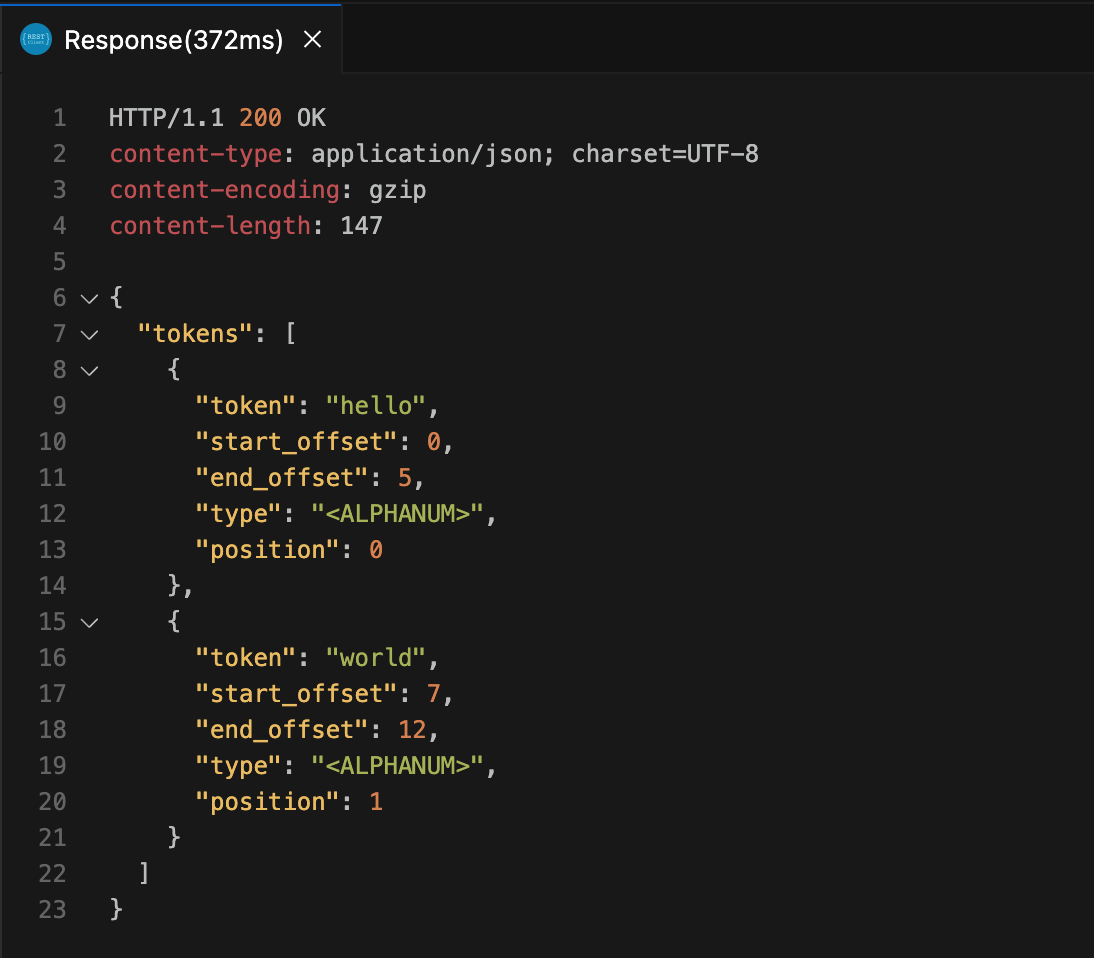
이렇게 결과가 나온다.
터미널에서 귀찮게 입력하지 않아도 자동완성 기능과 함께 응답 결과를 볼 수 있어서 매우 편리하다.
한 번에 여러 개 텍스트를 검색하고 싶으면
다음 명령어로 텍스트 배열을 분석할 수도 있다.
curl -XGET "$OPENSEARCH_REST_API/_analyze?pretty=true" \
	-H "Content-Type: application/json" \
	-d '
{
  "analyzer" : "standard",
  "text" : ["first array element", "second array element"]
}
'
{
  "tokens" : [
    {
      "token" : "first",
      "start_offset" : 0,
      "end_offset" : 5,
      "type" : "<ALPHANUM>",
      "position" : 0
    },
    {
      "token" : "array",
      "start_offset" : 6,
      "end_offset" : 11,
      "type" : "<ALPHANUM>",
      "position" : 1
    },
    {
      "token" : "element",
      "start_offset" : 12,
      "end_offset" : 19,
      "type" : "<ALPHANUM>",
      "position" : 2
    },
    {
      "token" : "second",
      "start_offset" : 20,
      "end_offset" : 26,
      "type" : "<ALPHANUM>",
      "position" : 3
    },
    {
      "token" : "array",
      "start_offset" : 27,
      "end_offset" : 32,
      "type" : "<ALPHANUM>",
      "position" : 4
    },
    {
      "token" : "element",
      "start_offset" : 33,
      "end_offset" : 40,
      "type" : "<ALPHANUM>",
      "position" : 5
    }
  ]
}
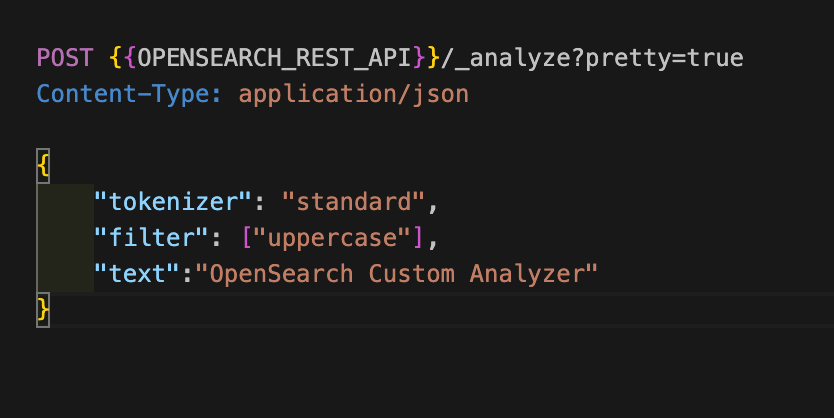
토크나이저, 토큰 필터, 캐릭터 필터를 임시로 커스텀해서 분석할 수도 있다. 다음 명령어로 uppercase 토큰 필터를 사용하여 텍스트를 대문자로 변환할 수 있다.
curl -XGET "$OPENSEARCH_REST_API/_analyze?pretty=true" \
	-H "Content-Type: application/json" \
	-d '
{
	"tokenizer": "standard",
  "filter": ["uppercase"],
  "text": "OpenSearch Custom Analyzer"
}
'
{
"tokens" : [
{
"token" : "OPENSEARCH",
"start_offset" : 0,
"end_offset" : 10,
"type" : "<ALPHANUM>",
"position" : 0
},
{
"token" : "CUSTOM",
"start_offset" : 11,
"end_offset" : 17,
"type" : "<ALPHANUM>",
"position" : 1
},
{
"token" : "ANALYZER",
"start_offset" : 18,
"end_offset" : 26,
"type" : "<ALPHANUM>",
"position" : 2
}
]
}
다음 명령어로 html_strip 캐릭터 필터를 사용하여 텍스트에서 HTML 태그를 제거할 수 있다.
curl -XGET "$OPENSEARCH_REST_API/_analyze?pretty=true" \
	-H "Content-Type: application/json" \
	-d '
{
  "tokenizer": "standard",
  "filter": ["lowercase"],
  "char_filter": ["html_strip"],
  "text": "<b>Hello</b> world!"
}
'
{
"tokens" : [
{
"token" : "hello",
"start_offset" : 3,
"end_offset" : 12,
"type" : "<ALPHANUM>",
"position" : 0
},
{
"token" : "world",
"start_offset" : 13,
"end_offset" : 18,
"type" : "<ALPHANUM>",
"position" : 1
}
]
}
모든 text 타입 필드는 인덱싱 또는 검색할 때 standard 분석기를 기본으로 사용한다. 다른 분석기를 사용하고 싶다면 인덱스 매핑을 추가할 때 analyzer를 지정해주면 된다. 다음 명령어로 book 인덱스에서 description 필드는 whitespace 분석기를 사용하도록 설정해보자.
curl -XPUT "$OPENSEARCH_REST_API/book" \
	-H "Content-Type: application/json" \
	-d '
{
	"mappings": {
		"properties": {
			"description": {
				"type": "text",
				"analyzer": "whitespace"
			}
		}
	}
}
'
{"acknowledged":true,"shards_acknowledged":true,"index":"book"}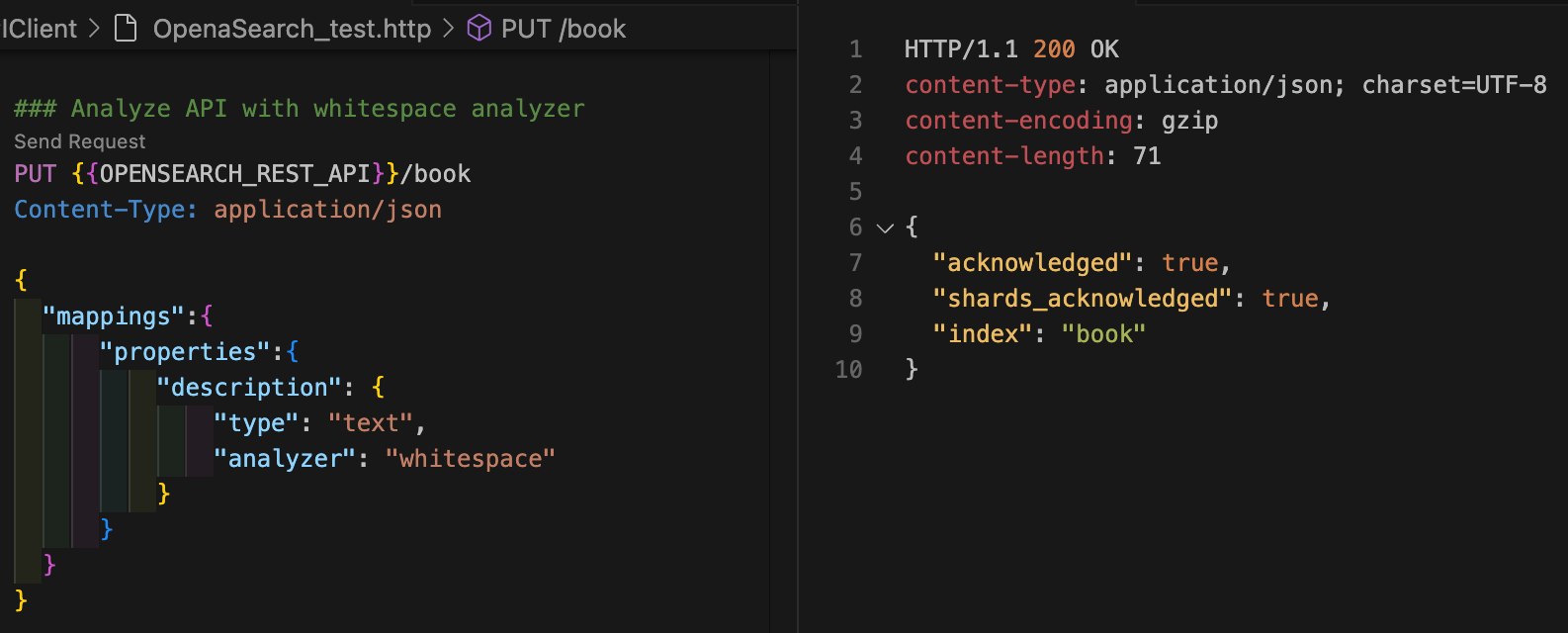
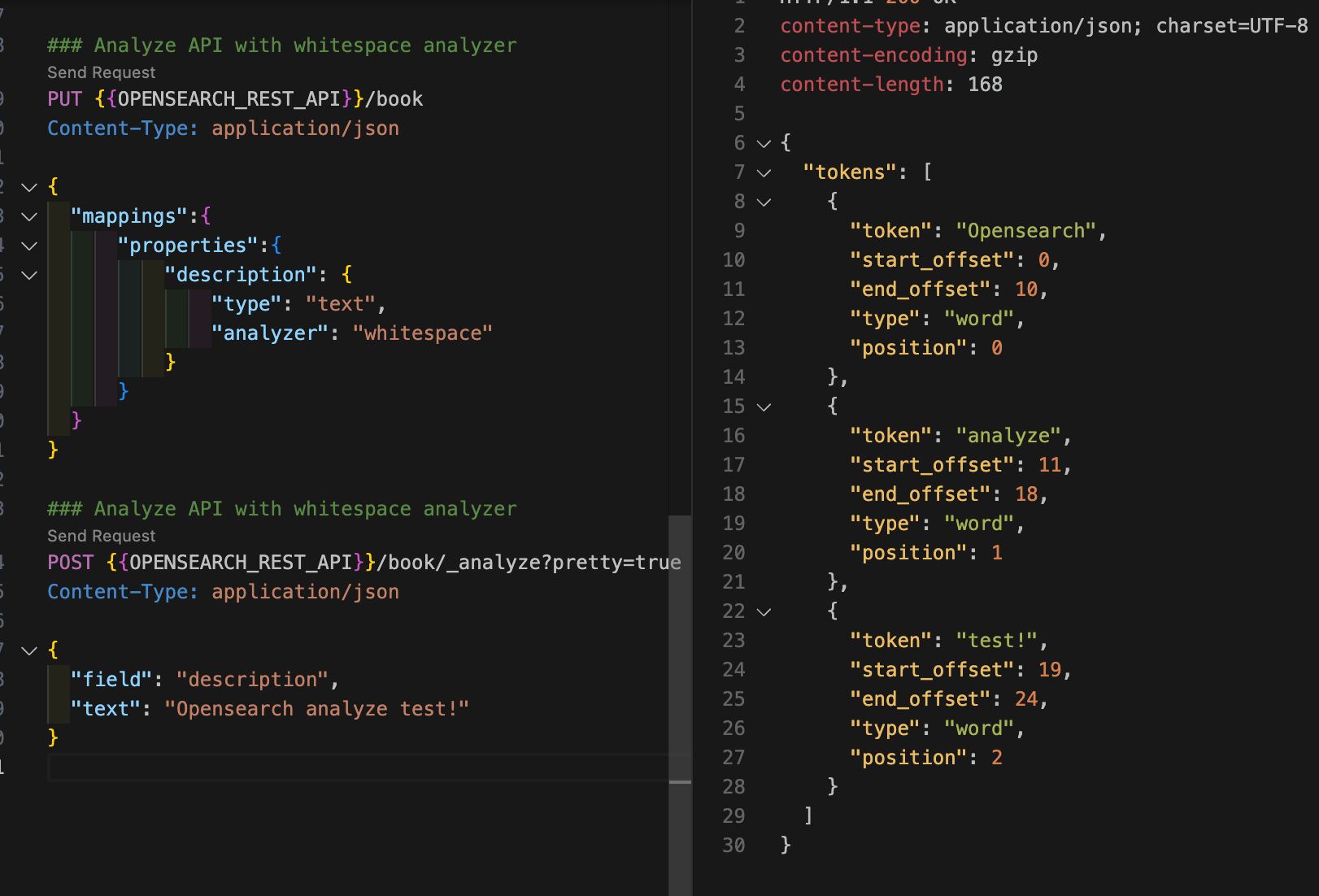
이제 이 book에 대해서 여기 설정된 analyzer를 사용하려면 어떻게 해야되냐면
analyze API 경로에 인덱스 이름을 추가하고(GET /:index/_analyze), 요청 본문에 필드 이름을 추가하면 analyze API는 해당 필드의 분석기 사용하여 텍스트를 분석한다. 다음 명령어로 book 인덱스의 description 필드에 분석기가 잘 설정됐는지 확인할 수 있다. standard 분석기가 사용됐다면 "test!"가 "test"로 변환됐을텐데 whitespace 분석기를 사용했기 때문에 느낌표가 제거되지 않았다.
curl -XGET "$OPENSEARCH_REST_API/book/_analyze?pretty=true" \
	-H "Content-Type: application/json" \
	-d '
{
  "field" : "description",
  "text" : "OpenSearch analyze test!"
}
'
{
"tokens" : [
{
"token" : "OpenSearch",
"start_offset" : 0,
"end_offset" : 10,
"type" : "word",
"position" : 0
},
{
"token" : "analyze",
"start_offset" : 11,
"end_offset" : 18,
"type" : "word",
"position" : 1
},
{
"token" : "test!",
"start_offset" : 19,
"end_offset" : 24,
"type" : "word",
"position" : 2
}
]
}
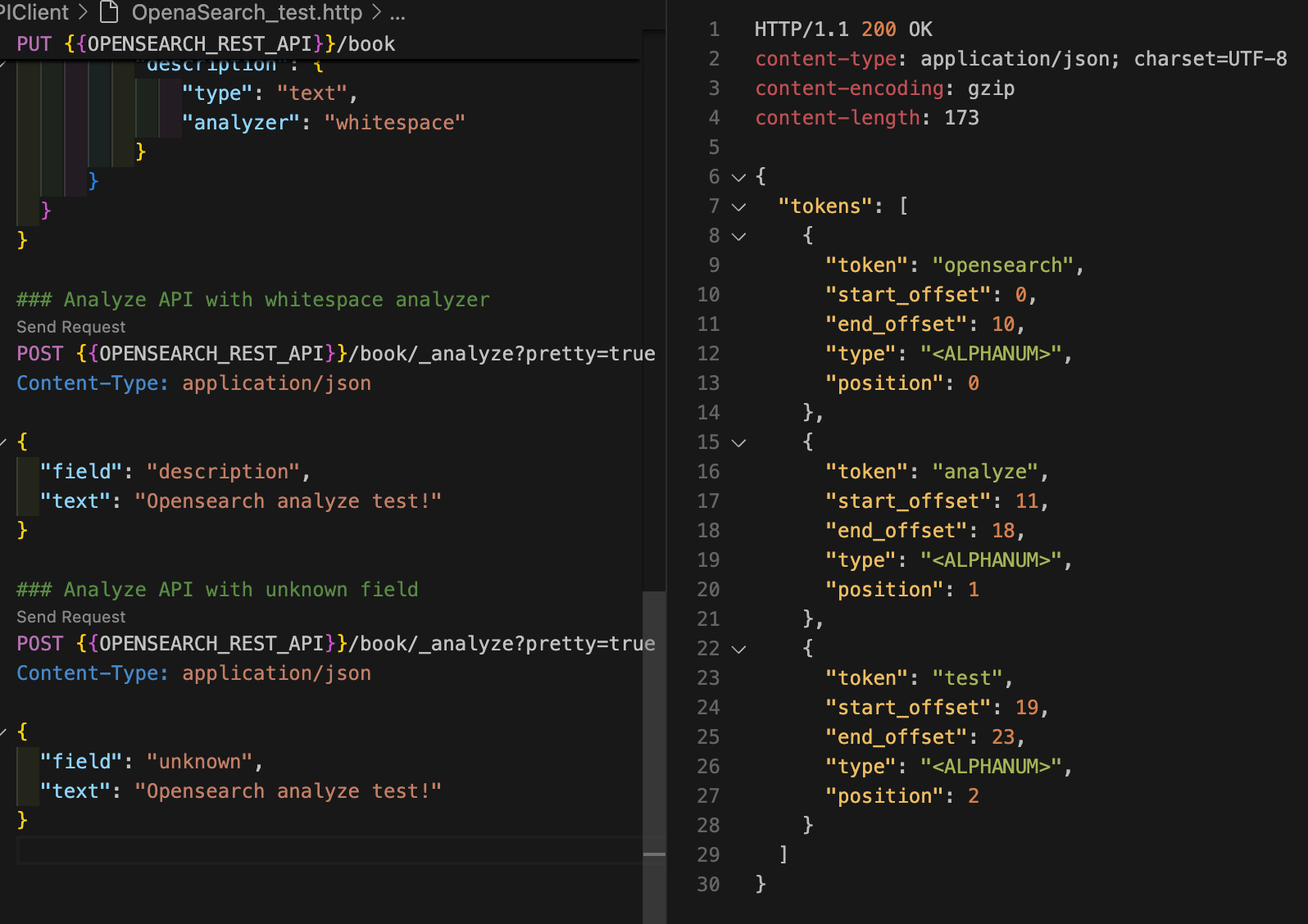
만약 인덱스에 해당 필드 매핑이 없다면(분석기가 없으면) standard 분석기를 사용하게 된다.
curl -XGET "$OPENSEARCH_REST_API/book/_analyze?pretty=true" \
        -H "Content-Type: application/json" \
        -d '
{
  "field" : "unknown",
  "text" : "OpenSearch analyze test!"
}
'
{
"tokens" : [
{
"token" : "opensearch",
"start_offset" : 0,
"end_offset" : 10,
"type" : "<ALPHANUM>",
"position" : 0
},
{
"token" : "analyze",
"start_offset" : 11,
"end_offset" : 18,
"type" : "<ALPHANUM>",
"position" : 1
},
{
"token" : "test",
"start_offset" : 19,
"end_offset" : 23,
"type" : "<ALPHANUM>",
"position" : 2
}
]
}
그러면 내가 쓸 텍스트 타입에다가 직접 다 필드마다 해야되는 건가?
나는 이 인덱스에 들어오는 모든 도큐먼트에다가 Analyer를 세팅하고 싶은데...? 라고 한다면
text 타입 필드에 기본 분석기를 설정할 수 있다. 다음 명령어로 인덱스에 기본 분석기를 설정해보자.
curl -XPUT "$OPENSEARCH_REST_API/music" \
	-H "Content-Type: application/json" \
	-d '
{
  "settings": {
    "analysis": {
      "analyzer": {
        "default": {
          "type": "whitespace"
        }
      }
    }
  }
}
'
{"acknowledged":true,"shards_acknowledged":true,"index":"music"}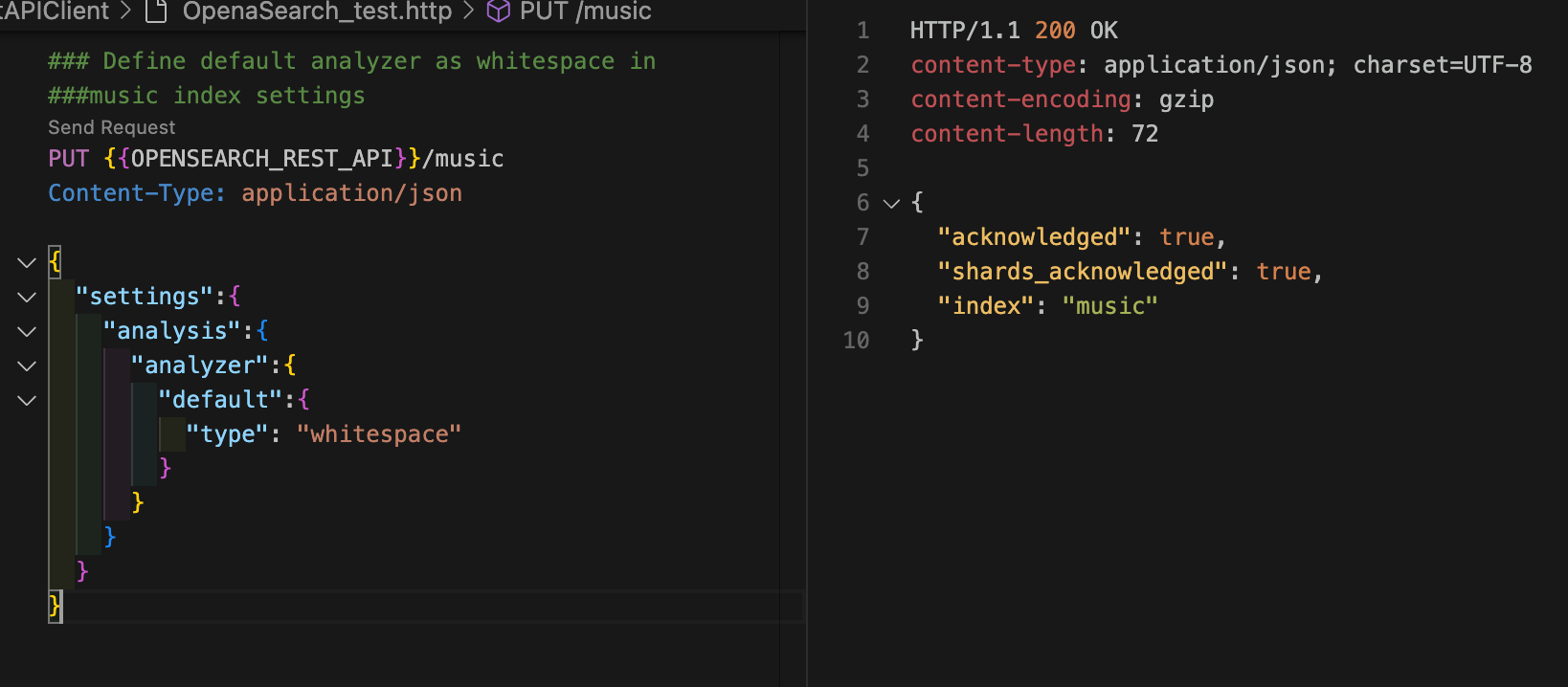
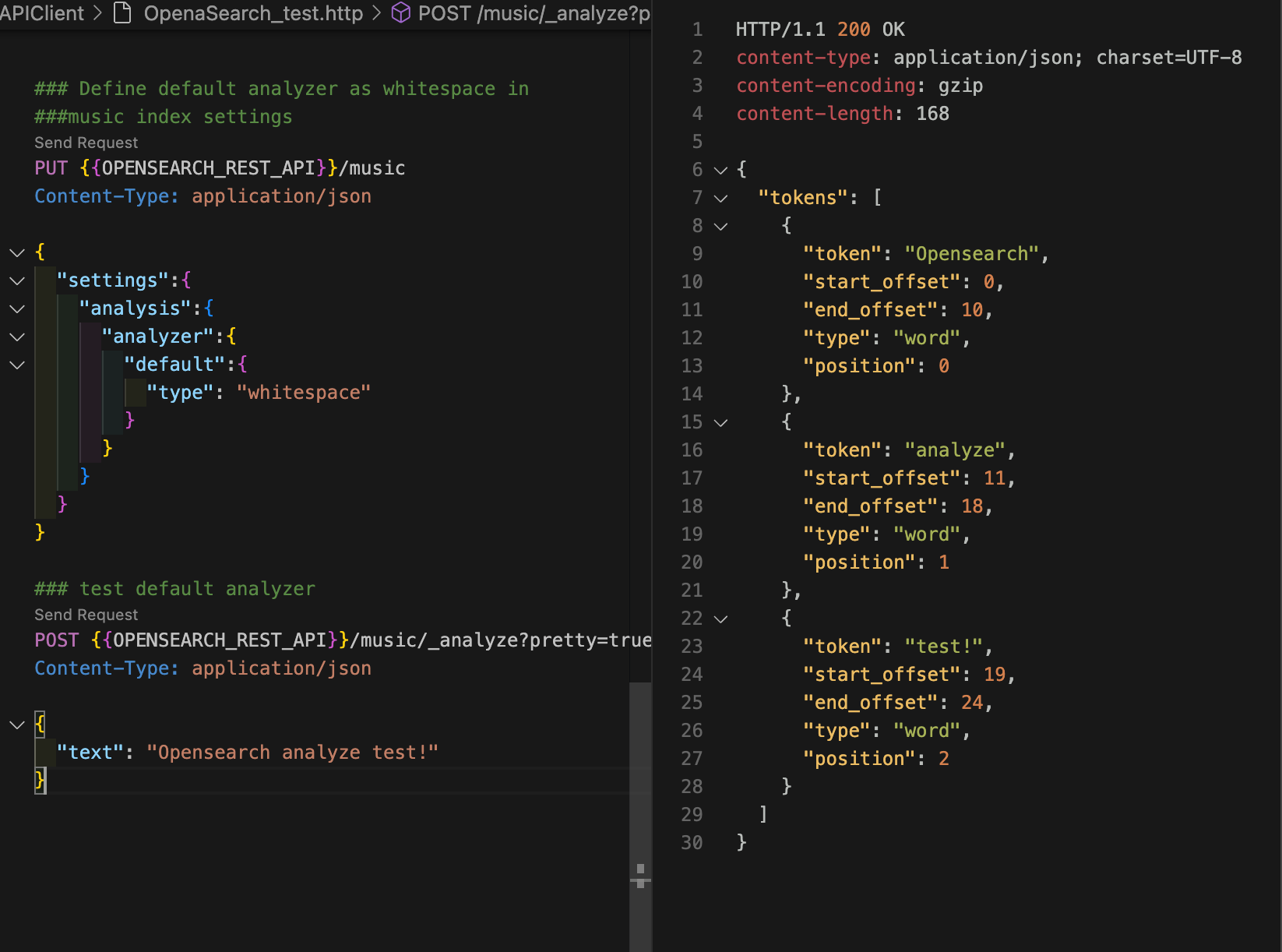
GET /:index/_analyze API에서 필드를 지정하지 않으면 인덱스의 기본 분석기를 사용해서 텍스트를 분석한다. 다음 명령어로 music 인덱스에 기본 분석기가 잘 설정됐는지 확인해보자.
curl -XGET "$OPENSEARCH_REST_API/music/_analyze?pretty=true" \
        -H "Content-Type: application/json" \
        -d '
{
  "text" : "OpenSearch analyze test!"
}
'
{
"tokens" : [
{
"token" : "OpenSearch",
"start_offset" : 0,
"end_offset" : 10,
"type" : "word",
"position" : 0
},
{
"token" : "analyze",
"start_offset" : 11,
"end_offset" : 18,
"type" : "word",
"position" : 1
},
{
"token" : "test!",
"start_offset" : 19,
"end_offset" : 24,
"type" : "word",
"position" : 2
}
]
}
2.2 OpenSearch의 역인덱스(Inverted index)
텍스트를 분석하고 토크나이징 한 게 결국 inverted index를 위한 것.
2.1에서 text 타입 필드는 분석기를 사용하여 인덱싱한다는 것을 알았다. 앞서 인덱싱은 검색 효율을 높이기 위해 데이터를 구조화하는 방법이라고 배웠다. 그렇다면 텍스트를 분석하고 토크나이징하는 것이 어떻게 검색 효율을 높일 수 있다는 것일까? 답은 분석한 데이터를 저장하는 구조에 달렸다.
2.2.1 역인덱스와 전문 검색(Full text search)
2.2.4 OpenSearch 쿼리 실습
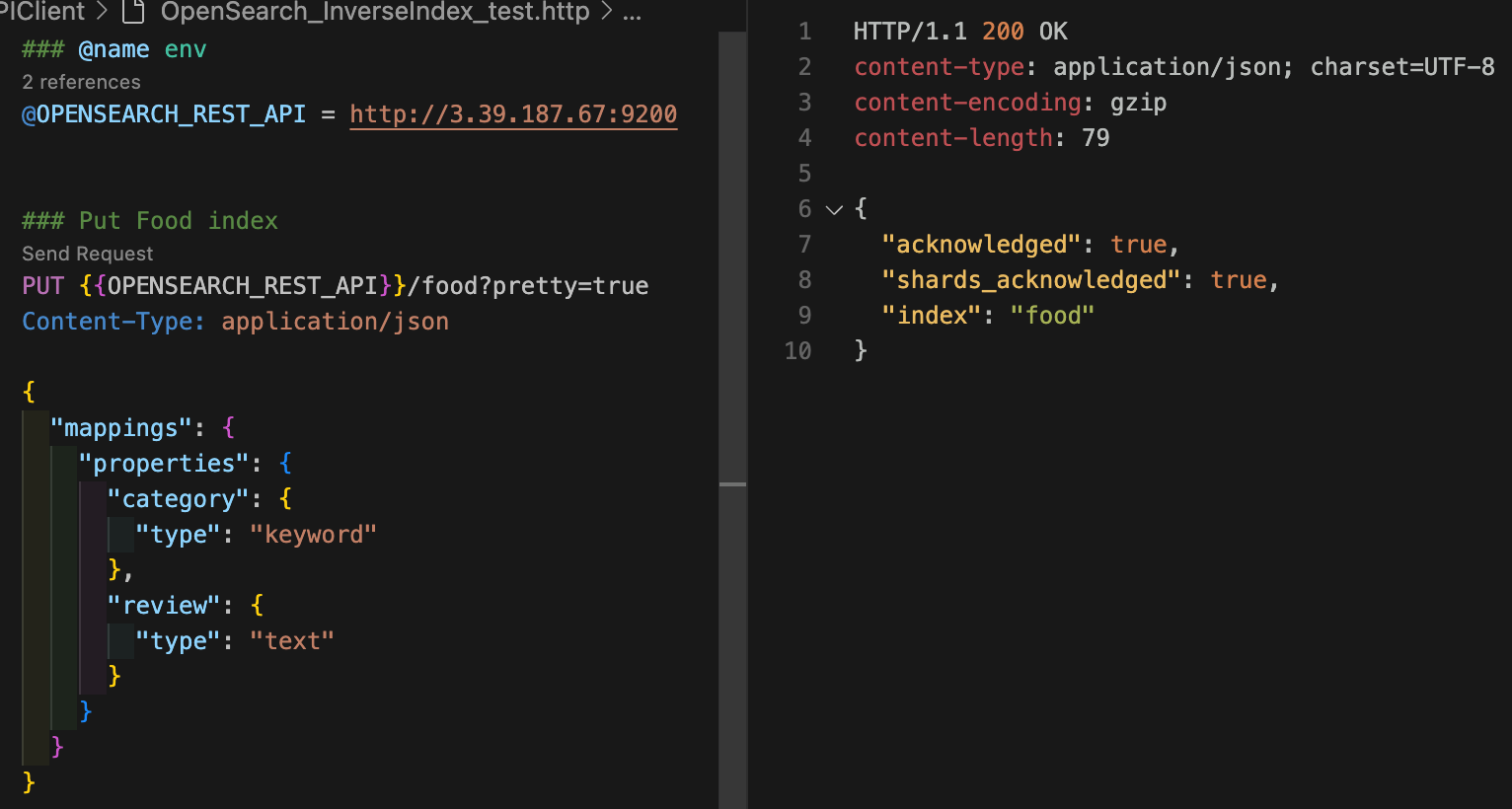
다음 명령어로 실습을 위한 인덱스를 생성한다. category 필드는 keyword 타입으로, review 필드는 text 타입으로 매핑한다.
curl -XPUT "$OPENSEARCH_REST_API/food?pretty=true" \
	-H "Content-Type: application/json" \
	-d '
{
	"mappings": {
		"properties": {
			"category": {
				"type": "keyword"
			},
			"review": {
				"type": "text"
			}
		}
	}
}
'
{
"acknowledged" : true,
"shards_acknowledged" : true,
"index" : "food"
}
도큐먼트 벌크 API를 사용하여 도큐먼트를 생성하자.
curl -XPOST "$OPENSEARCH_REST_API/_bulk?pretty=true" \
	-H "Content-Type: application/json" \
	-d '
{ "index" : { "_index" : "food", "_id" : "1" } }
{ "category" : "Fruit", "review": "Fruits are the means by which flowering plants disseminate their seeds." }
{ "index" : { "_index" : "food", "_id" : "2" } }
{ "category" : "Meat", "review": "Meat is animal flesh that is eaten as food." }
{ "index" : { "_index" : "food", "_id" : "3" } }
{ "category" : "Vegetable", "review": "Vegetables are parts of plants that are consumed by humans or other animals as food." }
{ "index" : { "_index" : "food", "_id" : "4" } }
{ "category" : "Bread", "review": "Bread is a staple food prepared from a dough of flour and water, usually by baking." }
{ "index" : { "_index" : "food", "_id" : "5" } }
{ "category" : "Fish", "review": "Fish are aquatic, craniate, gill-bearing animals that lack limbs with digits." }
'
{
"took" : 40,
"errors" : false,
"items" : [
{
"index" : {
"_index" : "food",
"_id" : "1",
"_version" : 1,
"result" : "created",
"_shards" : {
"total" : 2,
"successful" : 1,
"failed" : 0
},
"_seq_no" : 0,
"_primary_term" : 1,
"status" : 201
}
},
{
"index" : {
"_index" : "food",
"_id" : "2",
"_version" : 1,
"result" : "created",
"_shards" : {
"total" : 2,
"successful" : 1,
"failed" : 0
},
"_seq_no" : 1,
"_primary_term" : 1,
"status" : 201
}
},
{
"index" : {
"_index" : "food",
"_id" : "3",
"_version" : 1,
"result" : "created",
"_shards" : {
"total" : 2,
"successful" : 1,
"failed" : 0
},
"_seq_no" : 2,
"_primary_term" : 1,
"status" : 201
}
},
{
"index" : {
"_index" : "food",
"_id" : "4",
"_version" : 1,
"result" : "created",
"_shards" : {
"total" : 2,
"successful" : 1,
"failed" : 0
},
"_seq_no" : 3,
"_primary_term" : 1,
"status" : 201
}
},
{
"index" : {
"_index" : "food",
"_id" : "5",
"_version" : 1,
"result" : "created",
"_shards" : {
"total" : 2,
"successful" : 1,
"failed" : 0
},
"_seq_no" : 4,
"_primary_term" : 1,
"status" : 201
}
}
]
}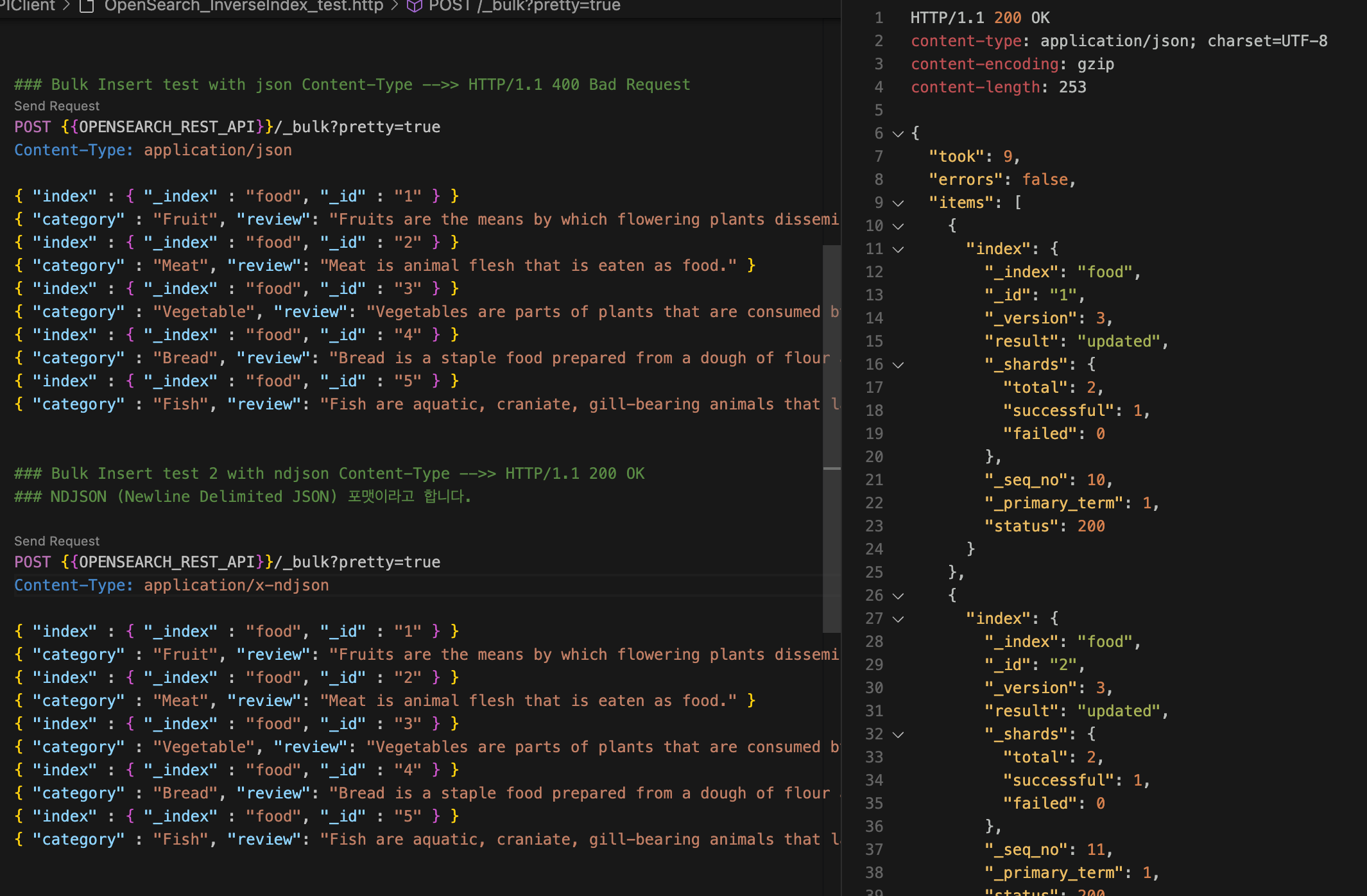
Bulk 넣을 때, Content-Type 주의!!
Content-Type: application/json
Content-Type: application/x-ndjson
text 타입인 review 필드에 대해 전문 쿼리를 해보자. "flour, water"라는 일부 단어만으로 해당 단어가 포함되는 도큐먼트를 찾아냈다.
curl -XGET "$OPENSEARCH_REST_API/food/_search?pretty=true" \
	-H "Content-Type: application/json" \
	-d '
{
  "query": {
    "match": {
      "review": "flour, water"
    }
  }
}
'
{
"took" : 2,
"timed_out" : false,
"_shards" : {
"total" : 1,
"successful" : 1,
"skipped" : 0,
"failed" : 0
},
"hits" : {
"total" : {
"value" : 1,
"relation" : "eq"
},
"max_score" : 2.496951,
"hits" : [
{
"_index" : "food",
"_id" : "4",
"_score" : 2.496951,
"_source" : {
"category" : "Bread",
"review" : "Bread is a staple food prepared from a dough of flour and water, usually by baking."
}
}
]
}
}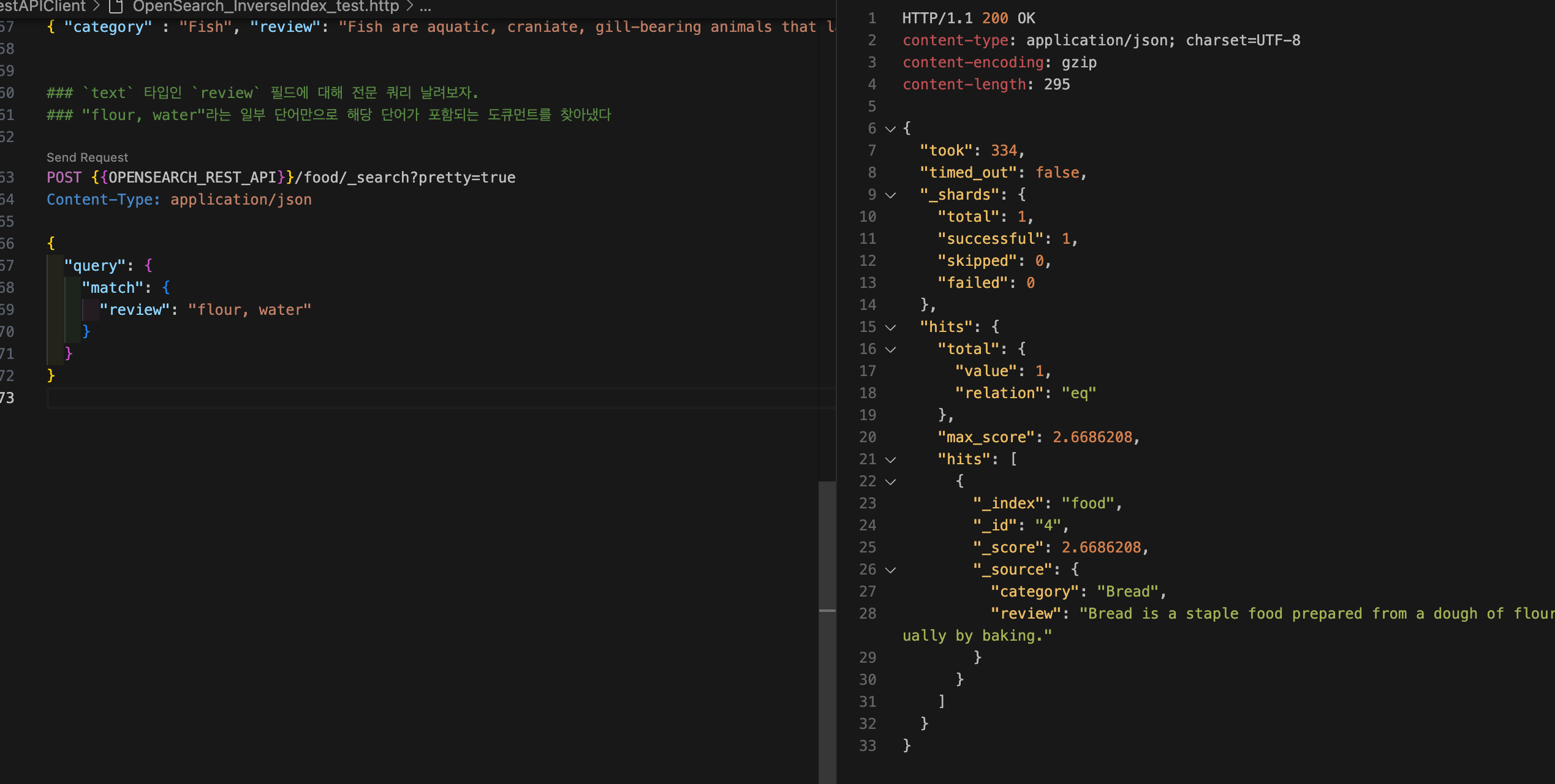
"took" : 334 -> 334ms 걸렸다.
"_shards" : 하나의 샤드에서 hit 했고
"total" : total value가 하나인데, relation이 동일하다.
"score" : 상관관계를 점수로 표현
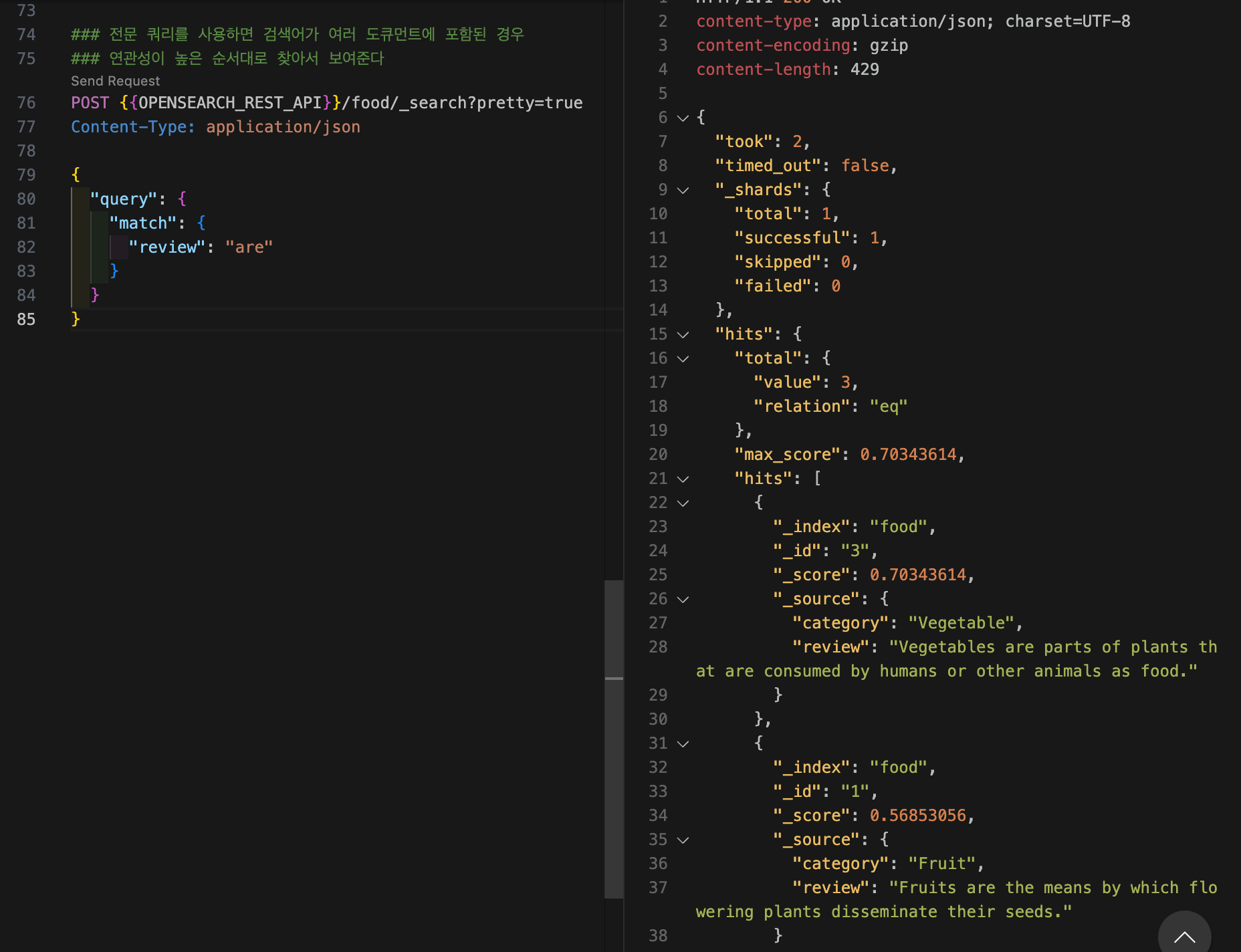
전문 쿼리를 사용하면 검색어가 여러 도큐먼트에 포함된 경우 연관성이 높은 순서대로 찾아서 보여준다.
curl -XGET "$OPENSEARCH_REST_API/food/_search?pretty=true" \
	-H "Content-Type: application/json" \
	-d '
{
  "query": {
    "match": {
      "review": "are"
    }
  }
}
'
{
"took" : 2,
"timed_out" : false,
"_shards" : {
"total" : 1,
"successful" : 1,
"skipped" : 0,
"failed" : 0
},
"hits" : {
"total" : {
"value" : 3,
"relation" : "eq"
},
"max_score" : 0.70343614,
"hits" : [
{
"_index" : "food",
"_id" : "3",
"_score" : 0.70343614,
"_source" : {
"category" : "Vegetable",
"review" : "Vegetables are parts of plants that are consumed by humans or other animals as food."
}
},
{
"_index" : "food",
"_id" : "1",
"_score" : 0.56853056,
"_source" : {
"category" : "Fruit",
"review" : "Fruits are the means by which flowering plants disseminate their seeds."
}
},
{
"_index" : "food",
"_id" : "5",
"_score" : 0.549705,
"_source" : {
"category" : "Fish",
"review" : "Fish are aquatic, craniate, gill-bearing animals that lack limbs with digits."
}
}
]
}
}
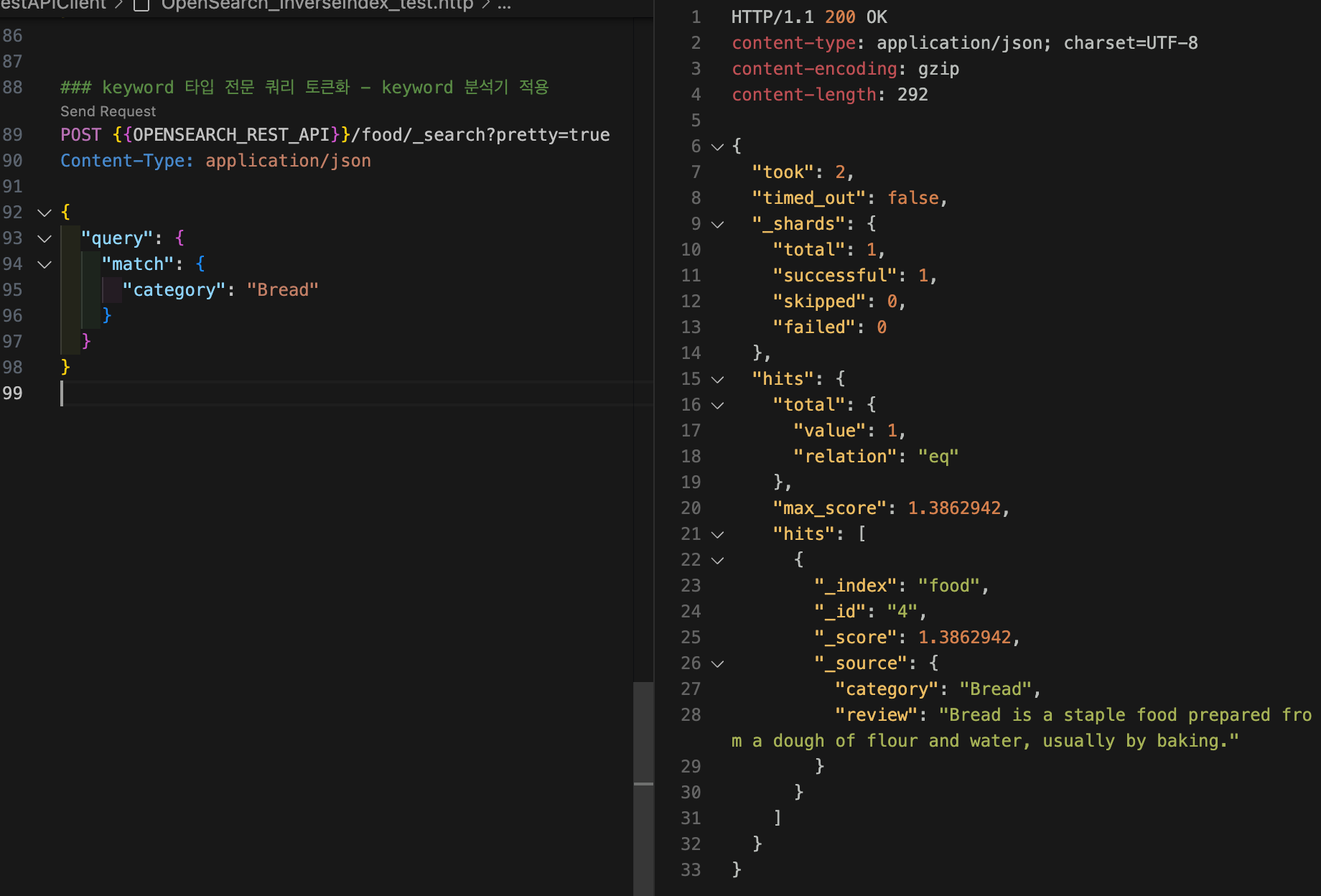
keyword 타입인 category 필드에 대해 전문 쿼리를 해보자. keyword 타입에 전문 쿼리를 사용하는 경우에도 검색어는 토큰화되는데, keyword 타입은 매핑할 때 keyword 분석기가 적용되기 때문에 검색어 또한 standard 분석기가 아닌 keyword 분석기를 사용하여 토큰화된다. keyword 분석기는 텍스트 전체를 단일 토큰으로 변환하는 분석기다. 따라서 "Bread"를 쿼리하면 "Bread" 자체로 토큰화되기 때문에 일치하는 도큐먼트를 찾을 수 있는 것이다.
curl -XGET "$OPENSEARCH_REST_API/food/_search?pretty=true" \
	-H "Content-Type: application/json" \
	-d '
{
  "query": {
    "match": {
      "category": "Bread"
    }
  }
}
'
{
"took" : 2,
"timed_out" : false,
"_shards" : {
"total" : 1,
"successful" : 1,
"skipped" : 0,
"failed" : 0
},
"hits" : {
"total" : {
"value" : 1,
"relation" : "eq"
},
"max_score" : 1.3862942,
"hits" : [
{
"_index" : "food",
"_id" : "4",
"_score" : 1.3862942,
"_source" : {
"category" : "Bread",
"review" : "Bread is a staple food prepared from a dough of flour and water, usually by baking."
}
}
]
}
}
검색할 떄 검색어에다가 분석기를 달 수 있다. 검색할 때는 인덱시 된 분석기랑 똑같은 분석기가 기본으로 들어간다고 했는데, 위의 예제에서 검색어 분석기에 standard 분석기를 적용해보자. 이 경우 검색어 토큰화에만 standard 분석기가 적용되기 때문에 "Bread"는 "bread"로 토큰화되는 반면, 인덱싱된 텍스트는 여전히 "Bread"이기 때문에 일치하는 문서를 찾을 수 없다.
curl -XGET "$OPENSEARCH_REST_API/food/_search?pretty=true" \
	-H "Content-Type: application/json" \
	-d '
{
  "query": {
    "match": {
      "category": {
				"query": "Bread",
				"analyzer": "standard"
			}
    }
  }
}
'
{
"took" : 1,
"timed_out" : false,
"_shards" : {
"total" : 1,
"successful" : 1,
"skipped" : 0,
"failed" : 0
},
"hits" : {
"total" : {
"value" : 0,
"relation" : "eq"
},
"max_score" : null,
"hits" : [ ]
}
}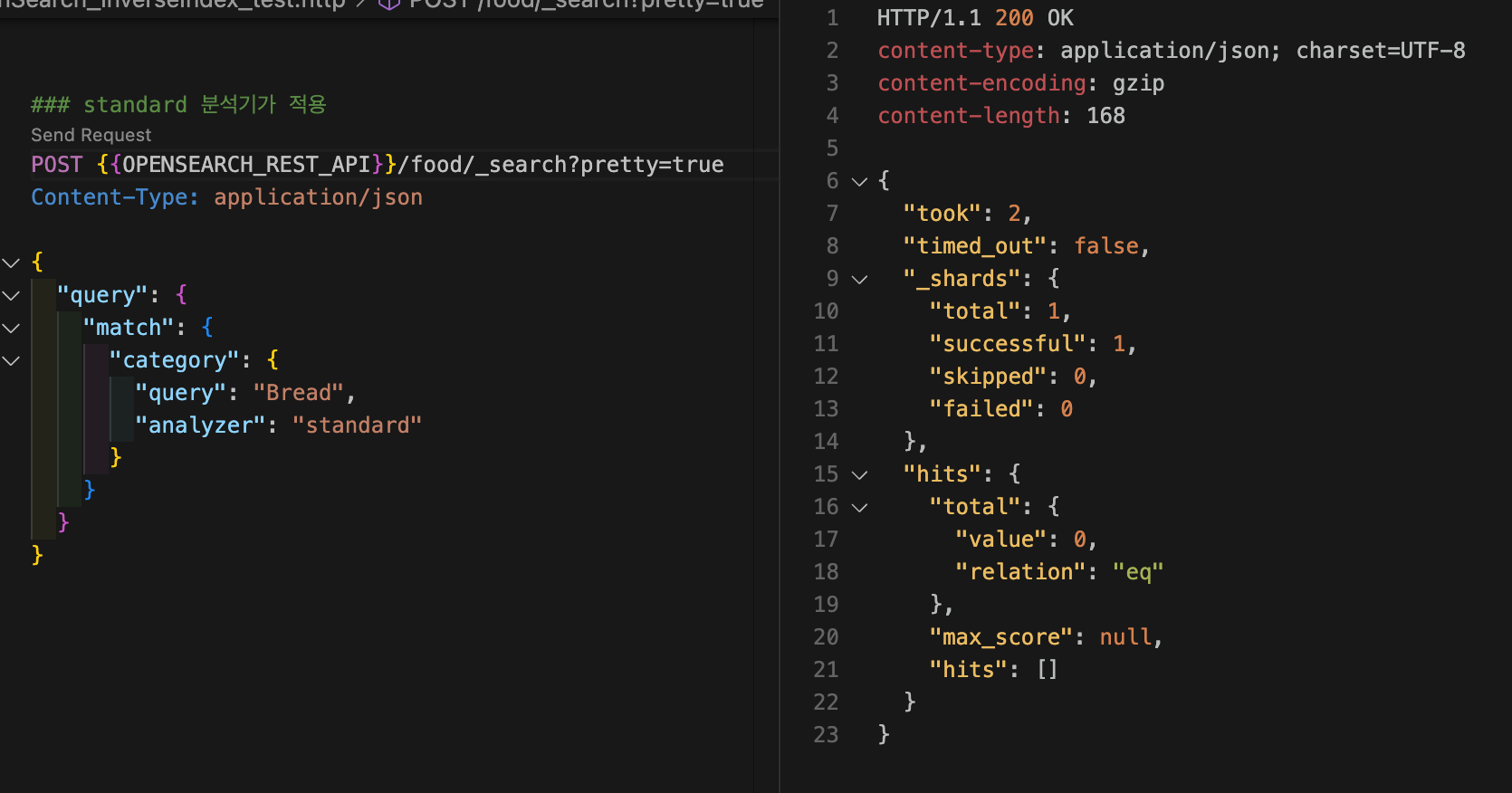
보면 히트된 게 없다. 아까 브레드로 히트된 게 있었는데?
이거 왜그러냐면 스탠다드 분석기를 통해서 첫글짜가 대문자인"Bread"가 소문자로 바뀐 "bread" 가 된 것임.
카테고리는keyword니까 정확히 대소문자가 일치해야 하는데
소문자 b 들어간 bread는 카테고리가 없어서 지금 실패한 모습.
keyword 타입인 category 필드에 대해 용어 수준 쿼리를 해보자.
curl -XGET "$OPENSEARCH_REST_API/food/_search?pretty=true" \
	-H "Content-Type: application/json" \
	-d '
{
  "query": {
    "term": {
      "category": "Bread"
    }
  }
}
'
{
"took" : 2,
"timed_out" : false,
"_shards" : {
"total" : 1,
"successful" : 1,
"skipped" : 0,
"failed" : 0
},
"hits" : {
"total" : {
"value" : 1,
"relation" : "eq"
},
"max_score" : 1.3862942,
"hits" : [
{
"_index" : "food",
"_id" : "4",
"_score" : 1.3862942,
"_source" : {
"category" : "Bread",
"review" : "Bread is a staple food prepared from a dough of flour and water, usually by baking."
}
}
]
}
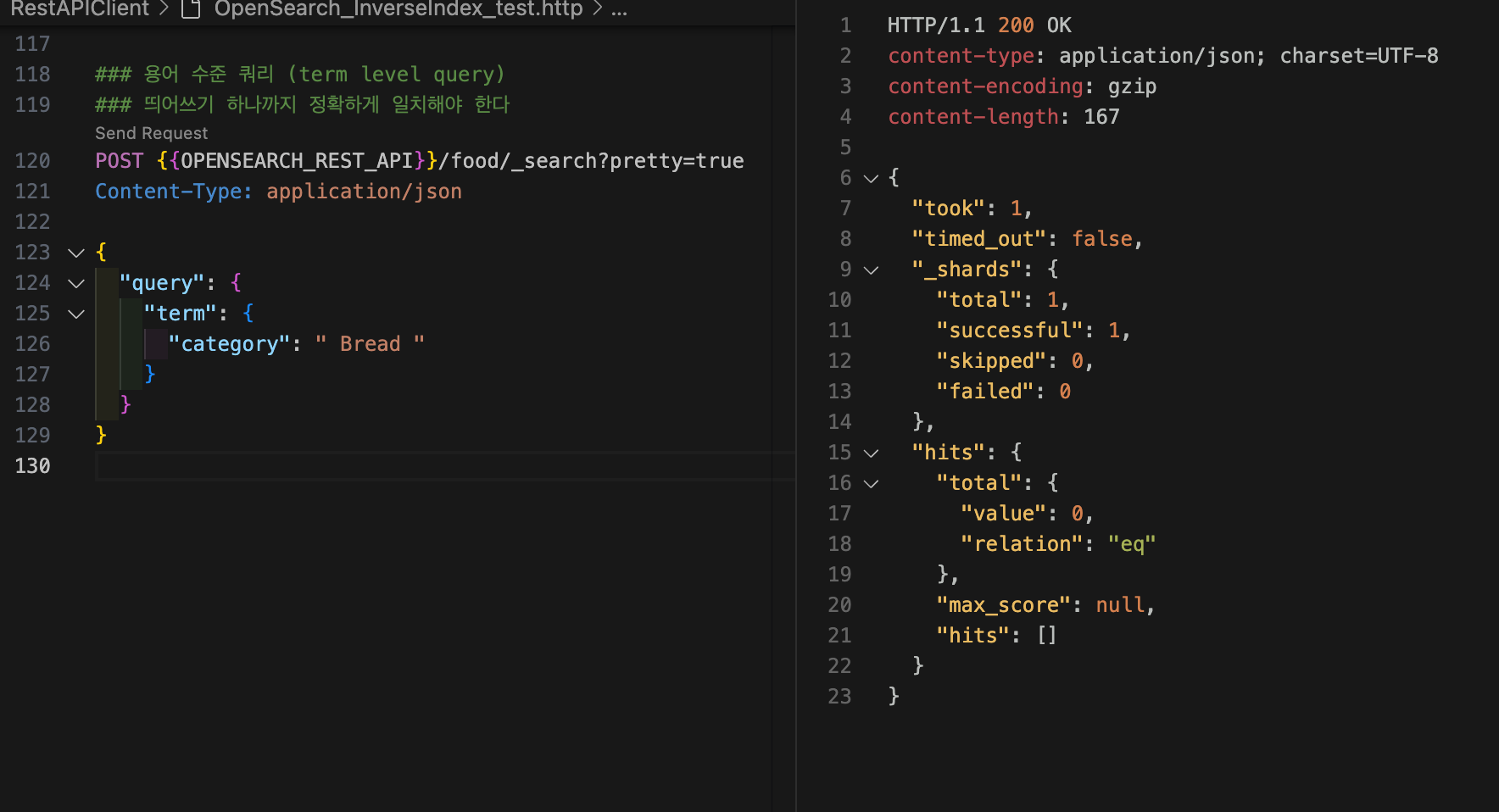
}용어 수준 쿼리는 띄어쓰기 하나까지 정확하게 일치해야 한다.
curl -XGET "$OPENSEARCH_REST_API/food/_search?pretty=true" \
	-H "Content-Type: application/json" \
	-d '
{
  "query": {
    "term": {
      "category": " Bread "
    }
  }
}
'
{
"took" : 1,
"timed_out" : false,
"_shards" : {
"total" : 1,
"successful" : 1,
"skipped" : 0,
"failed" : 0
},
"hits" : {
"total" : {
"value" : 0,
"relation" : "eq"
},
"max_score" : null,
"hits" : [ ]
}
}
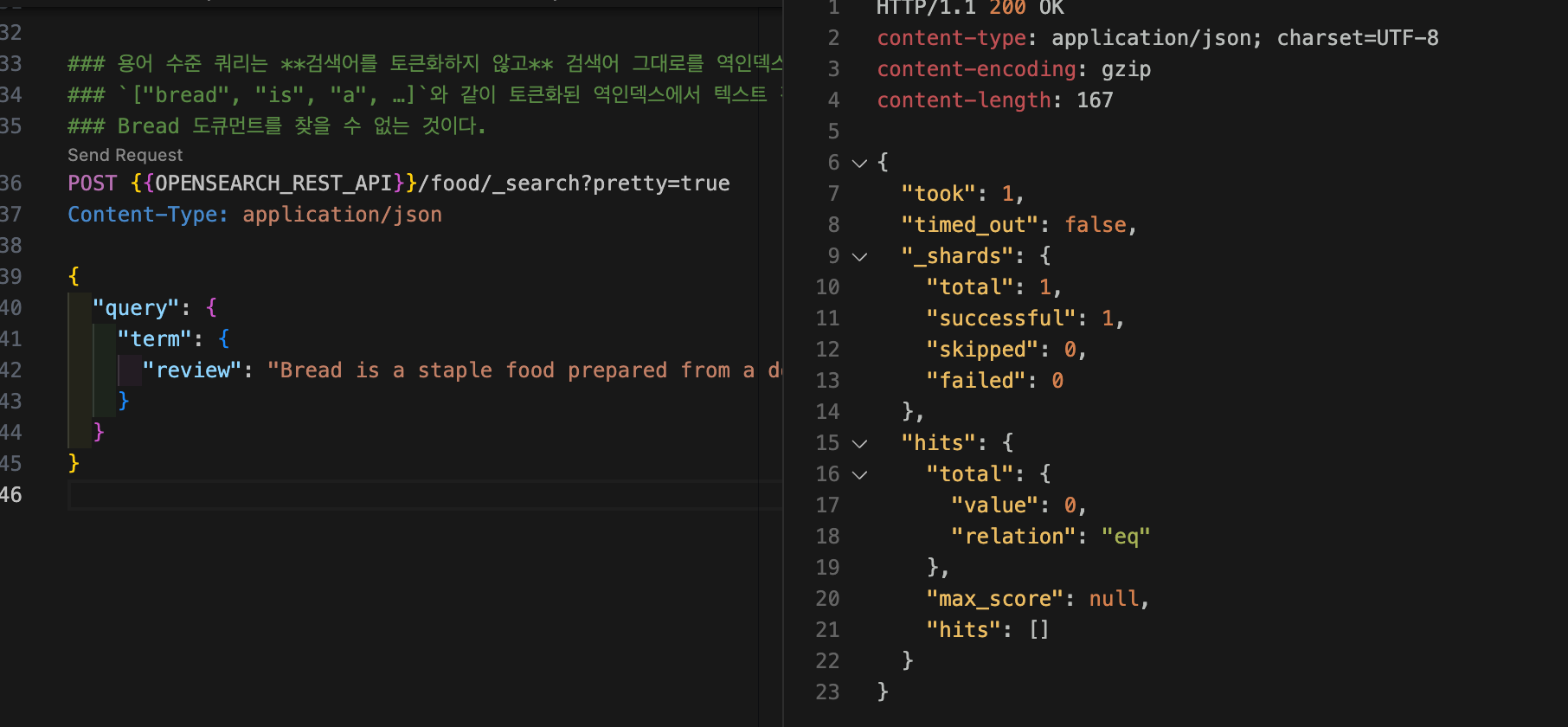
text 타입인 review 필드에 대해 용어 수준 쿼리를 해보자. 다음 명령어로 용어 수준 쿼리를 하면서 Bread 도큐먼트를 찾아오지 않을까 기대한 사람도 있을 것이다. 용어 수준 쿼리는 검색어를 토큰화하지 않고 검색어 그대로를 역인덱스에서 찾는다. ["bread", "is", "a", …]와 같이 토큰화된 역인덱스에서 "Bread is a staple food prepared from a dough of flour and water, usually by baking." 텍스트 전체와 일치하는 용어가 있는지 찾기 때문에 Bread 도큐먼트를 찾을 수 없는 것이다.
curl -XGET "$OPENSEARCH_REST_API/food/_search?pretty=true" \
	-H "Content-Type: application/json" \
	-d '
{
  "query": {
    "term": {
      "review": "Bread is a staple food prepared from a dough of flour and water, usually by baking."
    }
  }
}
'
{
"took" : 1,
"timed_out" : false,
"_shards" : {
"total" : 1,
"successful" : 1,
"skipped" : 0,
"failed" : 0
},
"hits" : {
"total" : {
"value" : 0,
"relation" : "eq"
},
"max_score" : null,
"hits" : [ ]
}
}
text 타입인 review 필드에 대해 용어 수준 쿼리를 하면서 Bread 도큐먼트를 찾아오고 싶다면, 직접 검색어를 토큰화해야 한다. 예를 들어 "Bread"는 standard 분석기 기준으로 "bread"로 토큰화되므로, "bread"로 찾으면 Bread 도큐먼트를 찾을 수 있다.
curl -XGET "$OPENSEARCH_REST_API/food/_search?pretty=true" \
	-H "Content-Type: application/json" \
	-d '
{
  "query": {
    "term": {
      "review": "bread"
    }
  }
}
'
{
"took" : 2,
"timed_out" : false,
"_shards" : {
"total" : 1,
"successful" : 1,
"skipped" : 0,
"failed" : 0
},
"hits" : {
"total" : {
"value" : 1,
"relation" : "eq"
},
"max_score" : 1.2484756,
"hits" : [
{
"_index" : "food",
"_id" : "4",
"_score" : 1.2484756,
"_source" : {
"category" : "Bread",
"review" : "Bread is a staple food prepared from a dough of flour and water, usually by baking."
}
}
]
}
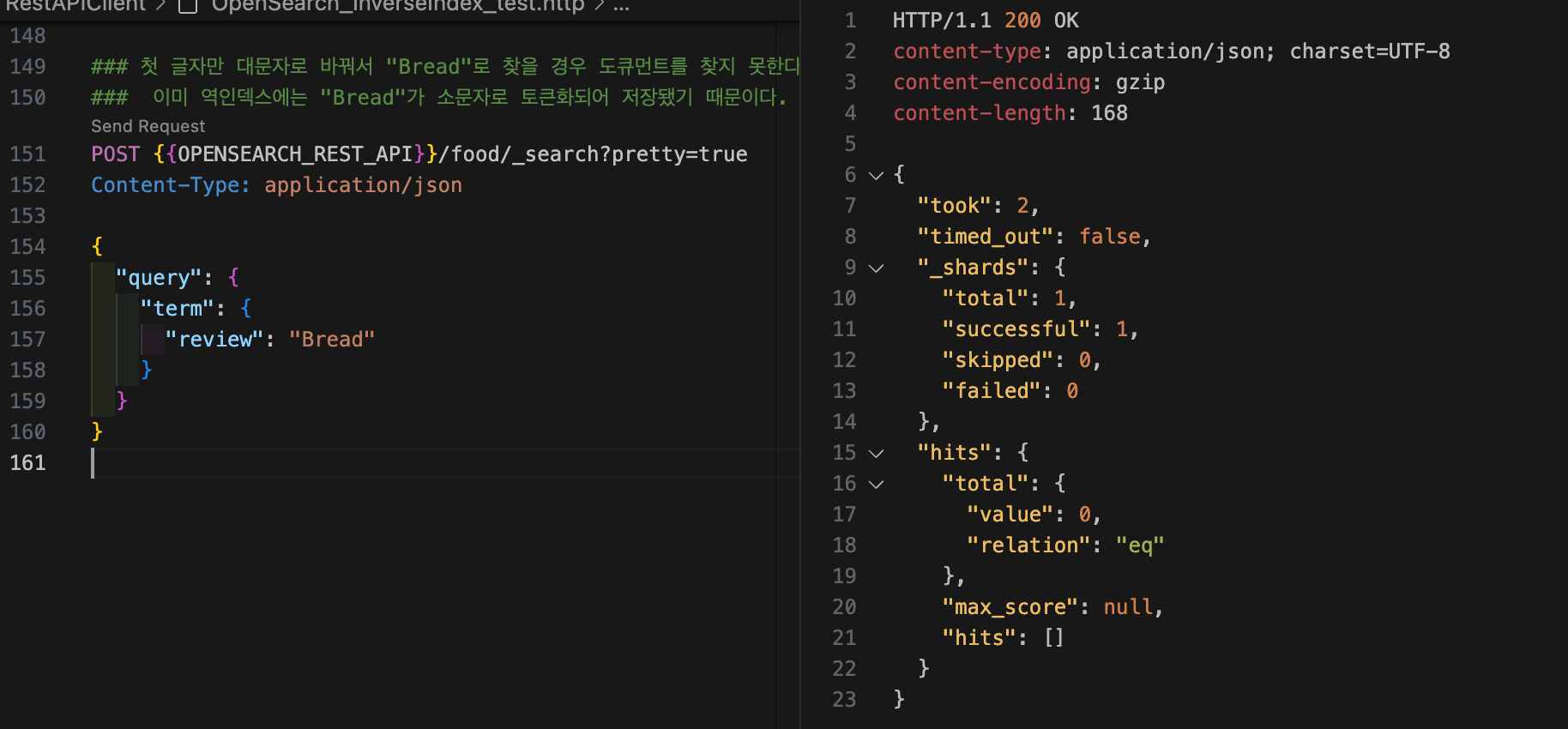
}그러나 첫 글자만 대문자로 바꿔서 "Bread"로 찾을 경우 도큐먼트를 찾지 못한다. 이미 역인덱스에는 "Bread"가 소문자로 토큰화되어 저장됐기 때문이다.
analyzer가 어떻게 텍스트를 분석하고 인버티드 인덱스를 어떻게 구성하는지가 내가 검색할 때 결과에 직접적인 영향을 미친다.
이런 경우가 가끔씩 실제로 발생한다. 분명히 데이터는 존재하고, 키바나나 오픈대시보드를 통해 해당 데이터를 확인했음에도 불구하고 검색 결과가 나오지 않는 상황이다.
이러한 상황이 발생했을 때는 우선 해당 인덱스의 세팅 정보를 확인해야 한다. 기본 analyzer가 무엇으로 설정되어 있는지 확인하고, 별도로 설정이 되어 있지 않다면 기본적으로 standard analyzer가 사용되었음을 알 수 있다.
standard analyzer는 입력된 텍스트를 토크나이즈하고, stop word를 제거하며, 구두점 및 공백 문자를 제거하고 모든 문자를 소문자로 변환한다. 즉, 점(.), 콤마(,), 공백 등은 모두 제거된다.
또한, 검색할 때 term-level 쿼리를 사용했는지도 확인해야 한다. term 쿼리는 analyzer를 거치지 않기 때문에, 인덱싱 시 생성된 토큰과 정확히 일치하지 않으면 검색 결과가 나오지 않는다. 이러한 방식으로 문제의 원인을 추적할 수 있다.