
오늘은 개인 과제에 집중
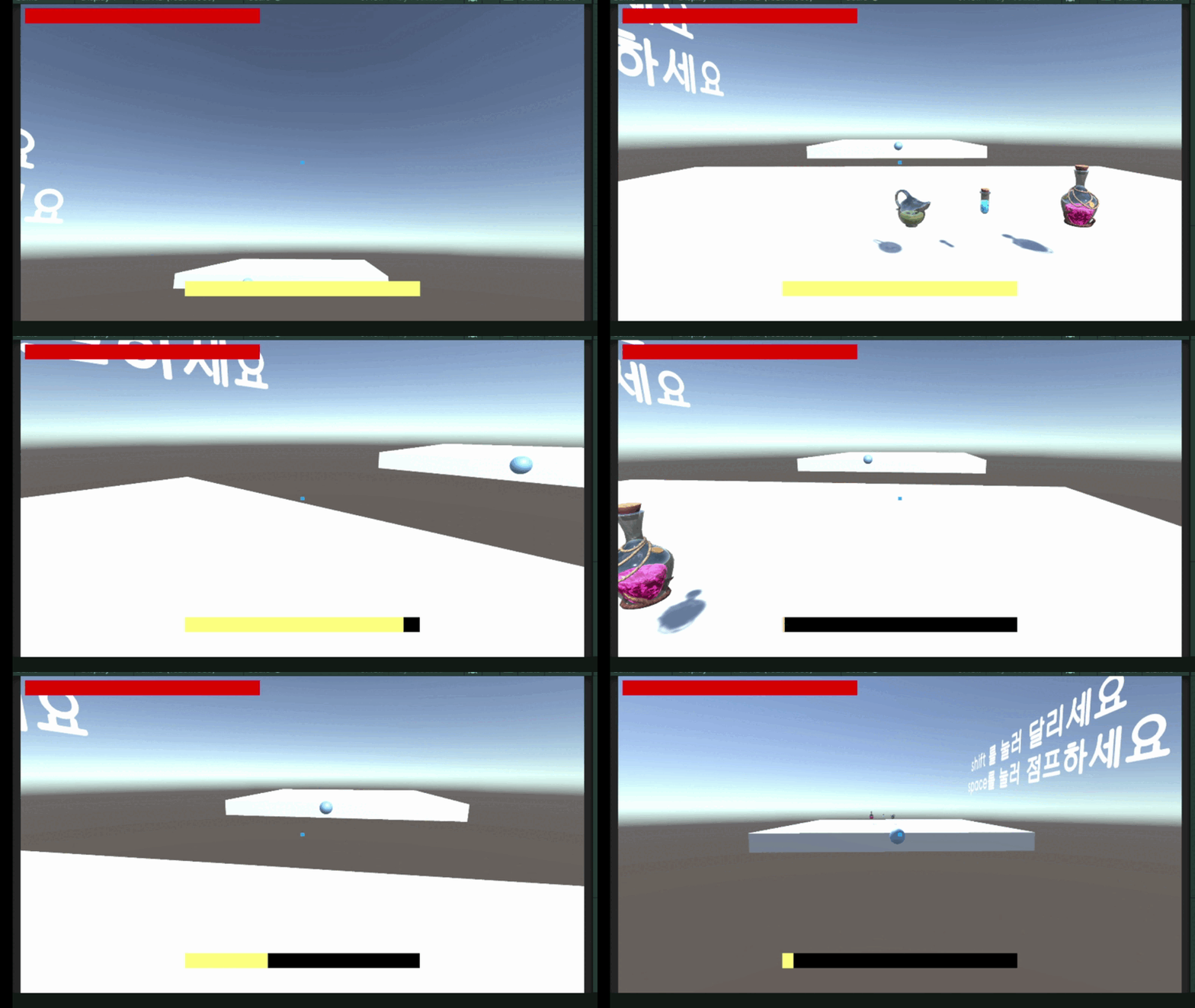
오늘 작업한 내용
화면 움직임 추가
Cursor.lockState = CursorLockMode.Locked;사용해서 마우스 커서를 안보이게 설정하고
void CameraLook()
    {
        // 위아래 (Pitch) 카메라 회전 - X축
        camCurXRot -= mouseDelta.y * lookSensitivity; // Y값은 위아래니까 y 기준
        camCurXRot = Mathf.Clamp(camCurXRot, minXLook, maxXLook);
        cameraContainer.localEulerAngles = new Vector3(camCurXRot, 0, 0);

        // 좌우 (Yaw) 캐릭터 회전 - Y축
        transform.Rotate(Vector3.up * mouseDelta.x * lookSensitivity);
    }
이 코드로 마우스 움직임을 가져오고
public void OnLook(InputAction.CallbackContext context)
   {
       mouseDelta = context.ReadValue<Vector2>();
   }
input system을 사용했으니 연결해줄 함수도 설정
체력이랑 스태미너 UI도 추가한 뒤에 플레이어가 shift를 누르면 빠르게 달리는 기능 추가
 void Update()
    {
        // 이동 여부
        bool isMoving = playerController.curMovementInput != Vector2.zero;
        // 실제로 달리는 중인지 체크
        bool isSprinting = playerController.isSprinting && isMoving;

        if (isSprinting)
        {
            // 스테미너 감소 및 회복 딜레이 타이머 리셋
            stamina.Add(-staminaUseage * Time.deltaTime);
            recoverTimer = staminaRecoverDelay;
        }
        else
        {
            // 회복 대기 시간 경과 후에만 스태미너 회복 시작
            if (recoverTimer > 0f)
            {
                recoverTimer -= Time.deltaTime;
            }
            else
            {
                stamina.Add(stamina.passiveValue * Time.deltaTime);
            }
        }
    }
플레이어가 달리는 중에는 스태미너를 회복하지 않고 2초 뒤에 회복할 수 있도록 설정
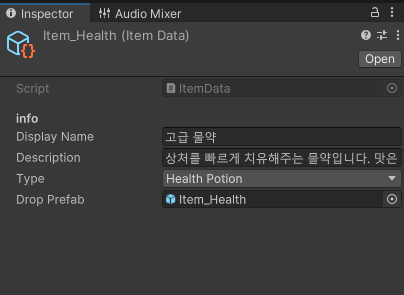
ScriptableObject 를 이용해서 아이템 데이터를 관리
public enum ItemType
{
    SpeedBoost,
    JumpBoost,
    HealthPotion
}

[SerializeField]
public class ItemDataConsumable
{
    public ItemType _itemType;
    public float value;
}

[CreateAssetMenu(fileName = "Item", menuName = "New Item")]
public class ItemData : ScriptableObject
{
    [Header("info")]
    public string displayName;
    public string description;
    public ItemType type;
    public GameObject dropPrefab;

    [Header("Consumable")]
    public ItemDataConsumable[] consumables;
}
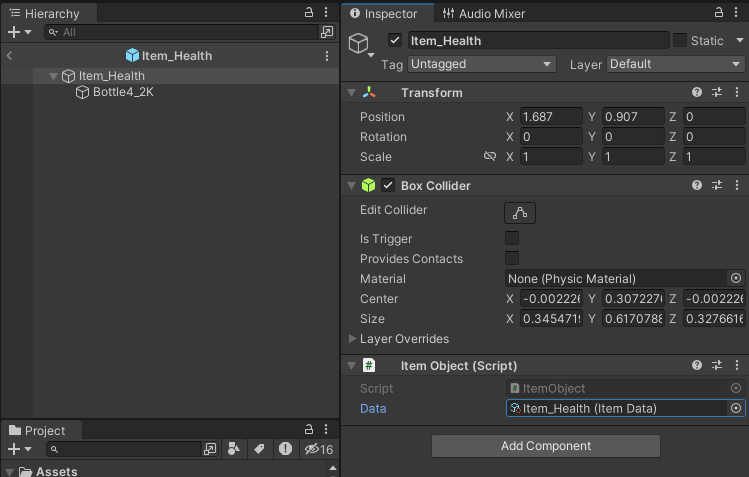
화면 중앙에 맞춰 Ray를 사용해서 아이템 정보를 불러옴
void Update()
    {
        if (Time.time - lastCheckTime > checkRate)
        {
            lastCheckTime = Time.time;

            Ray ray = camera.ScreenPointToRay(new Vector3(Screen.width / 2, Screen.height / 2));
            RaycastHit hit;

            if (Physics.Raycast(ray, out hit, maxCheckDistance, layerMask))
            {
                if (hit.collider.gameObject != curInteractGameObject)
                {
                    curInteractGameObject = hit.collider.gameObject;
                    curInteractable = hit.collider.GetComponent<IInteractable>();
                    SetPromptText();
                }
            }
            else
            {
                curInteractGameObject = null;
                curInteractable = null;
                promptText.gameObject.SetActive(false);
            }
        }
    }
파랑색 공을 점프대로 만들어서 맵에 활용
[Header("점프대")]
    public float pushForce;

    private void OnTriggerEnter(Collider other)
    {
        Rigidbody rb = other.attachedRigidbody;

        if (rb != null)
        {
            rb.velocity = new Vector3(rb.velocity.x, 0f, rb.velocity.z);
            rb.AddForce(Vector3.up * pushForce, ForceMode.Impulse);
        }
    }