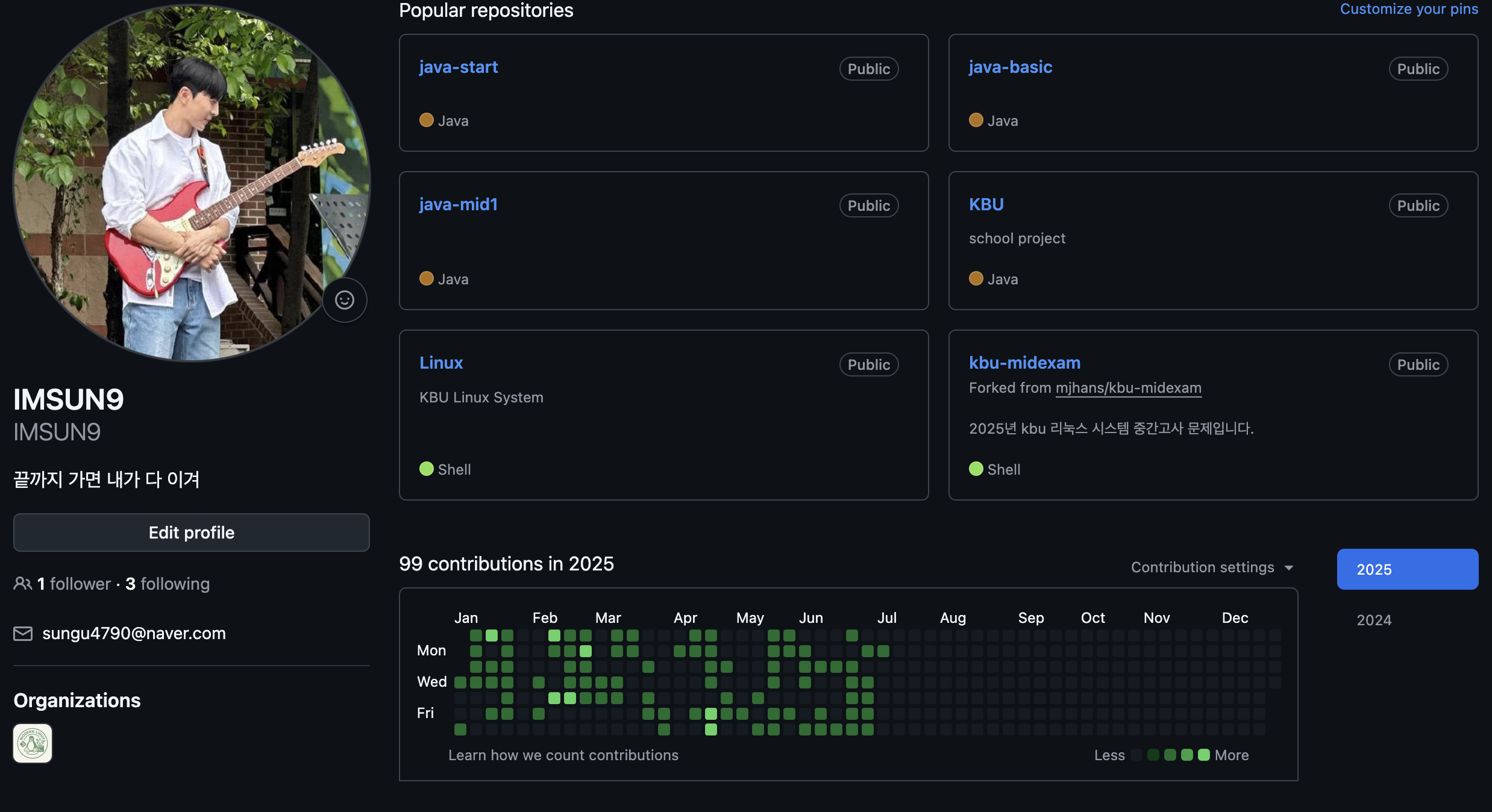
 오늘의 잔디
🔍 일정 검색 기능 구현 (2025-07-07)
✅ 목표
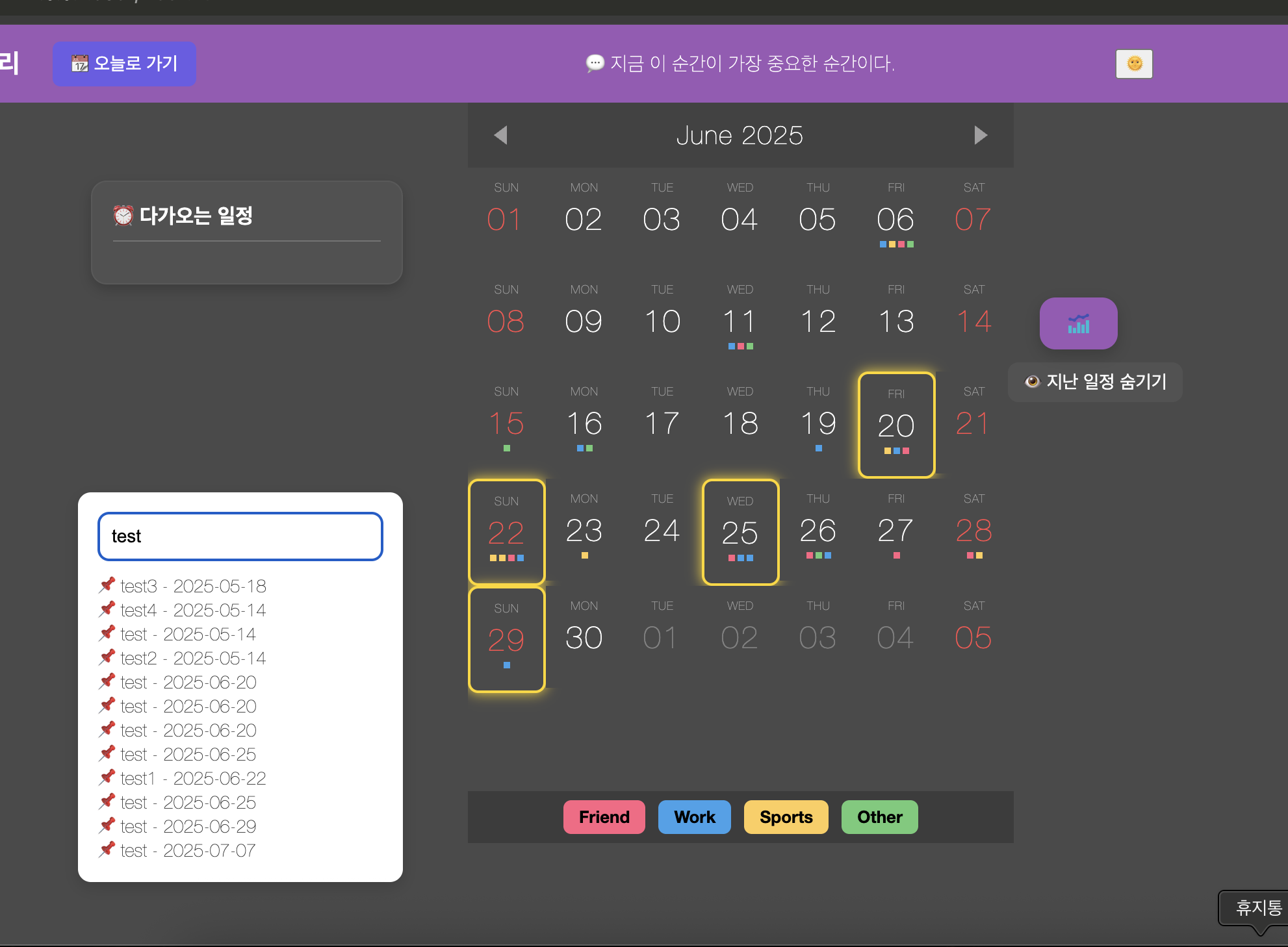
- 사용자가 등록한 일정 중 원하는 키워드로 일정을 검색하고, 해당 날짜로 즉시 이동하며 강조 표시까지 되도록 구현
🧩 구현 구성요소
1. searchInput & searchResults UI 추가 (HTML)
<!-- ✅ 🔍 일정 검색창 -->
<div id="search-container" style="margin: 40px 0 0 60px; text-align: left;">
  <input
    type="text"
    id="searchInput"
    placeholder="🔍 일정 검색 (예: 운동, 회의)"
    style="padding: 10px; width: 250px; border-radius: 8px; border: 1px solid #ccc;"
  />
</div>

<!-- ✅ 🔍 검색 결과 표시 영역 -->
<div id="searchResults" style="margin: 10px 0 0 60px; text-align: left; color: white;"></div>
2. 전체 일정 저장용 변수
let allEvents = []; // 서버에서 받아온 전체 일정을 저장fetch 이후 위치에서 아래처럼 저장:
.then(eventList => {
  ...
  allEvents = eventList; // ✅ 검색을 위한 원본 데이터 저장
});
3. 검색 기능 구현 (index.js)
document.getElementById("searchInput").addEventListener("input", function () {
  const keyword = this.value.trim().toLowerCase();
  const resultBox = document.getElementById("searchResults");
  resultBox.innerHTML = "";

  if (keyword === "") return;

  const matched = allEvents.filter(ev =>
    ev.title.toLowerCase().includes(keyword)
  );

  if (matched.length === 0) {
    resultBox.innerHTML = "<p>🔍 검색 결과가 없습니다.</p>";
    return;
  }

  matched.forEach(ev => {
    const div = document.createElement("div");
    div.classList.add("search-result-item");
    div.textContent = `📌 ${ev.title} - ${ev.date}`;
    div.style.marginBottom = "6px";
    div.style.cursor = "pointer";

    // ✅ 검색 결과 클릭 시 해당 날짜로 이동 + 강조 효과
    div.addEventListener("click", () => {
      currentMonth = moment(ev.date);
      renderCalendar();

      setTimeout(() => {
        const target = document.querySelector(`.day[data-date="${ev.date}"]`);
        if (target) {
          target.classList.add("highlight");
          setTimeout(() => target.classList.remove("highlight"), 2000);
        }
      }, 100);
    });

    resultBox.appendChild(div);
  });
});
4. 강조 스타일 (style.css)
.highlight {
  outline: 3px solid yellow;
  border-radius: 8px;
}
🎯 결과
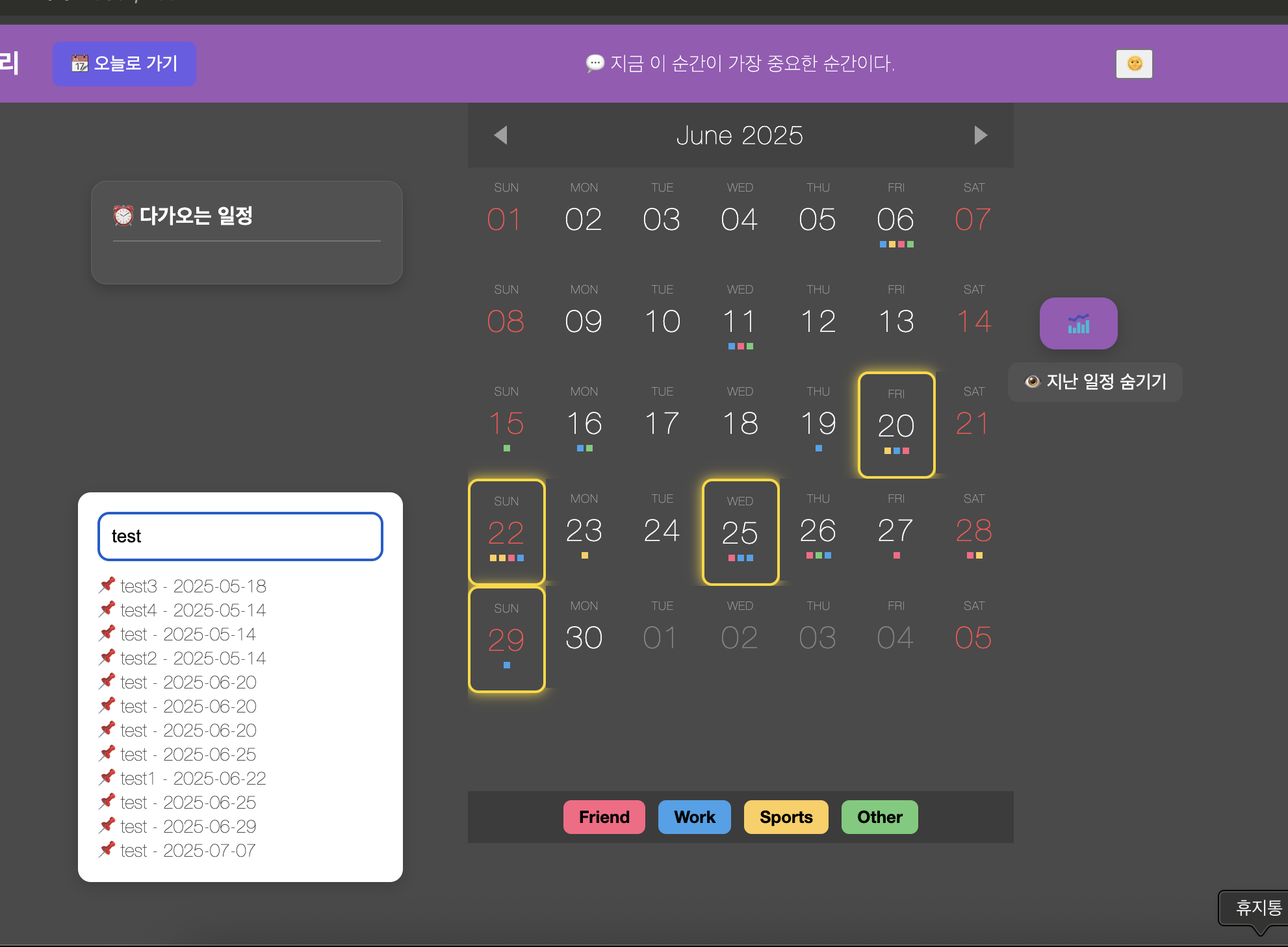

- 키워드 검색 시 실시간으로 일치하는 일정 리스트가 표시됨
- 클릭 시 해당 날짜로 자동 이동하며 노란색 강조 효과 적용
- UX가 직관적이고 시각적으로도 깔끔하게 완성됨
끝까지 가면 내가 다 이겨