목차
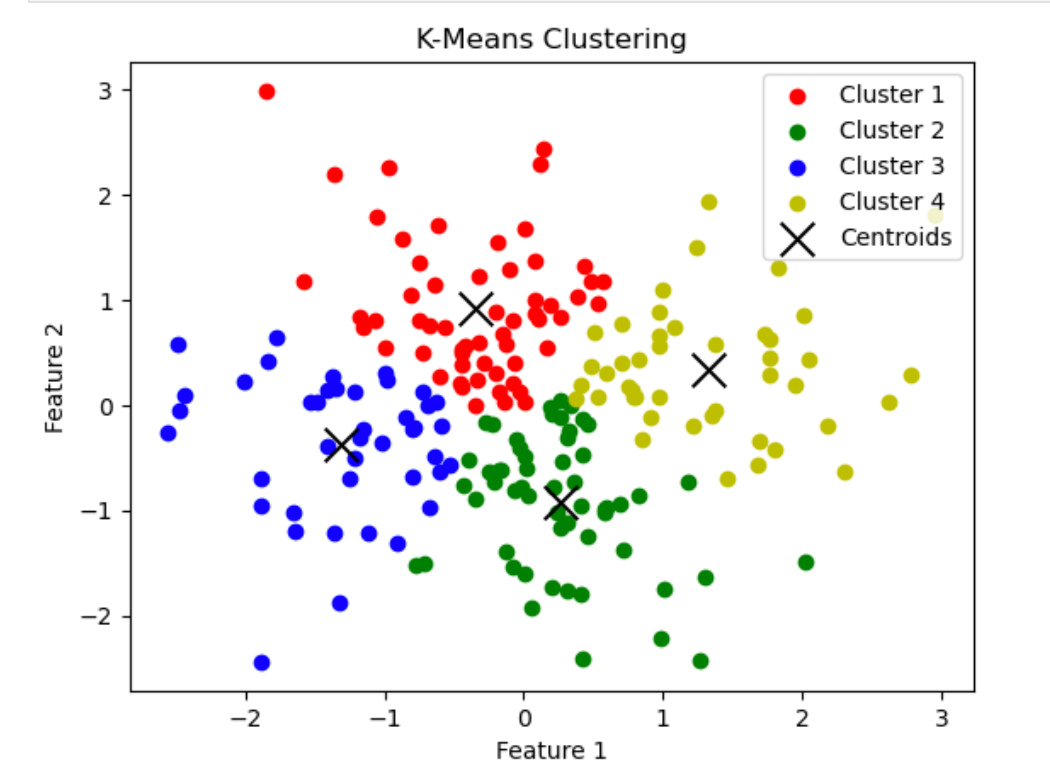
파트 1: K-Means 클러스터링
개념
- 데이터를 k개의 군집으로 나누는 비지도 학습 알고리즘
- 중심(centroid)을 반복 갱신하며 군집 할당
코드 스니펫
# 1) 라이브러리 임포트
import numpy as np
from sklearn.cluster import KMeans

# 2) 데이터 로드
samples = np.loadtxt('data.csv', delimiter=',')       # → 파일 경로/이름 수정

# 3) 모델 선언 및 학습
model = KMeans(n_clusters=3)                          # → k 값 수정
model.fit(samples)

# 4) 클러스터 할당
labels = model.predict(samples)
print(labels)                                         # 예: [0 0 1 1 0 1 …]

# 5) 새로운 샘플 예측
new_samples = np.array([[…], […], […]])              # → 예측할 데이터 입력
new_labels = model.predict(new_samples)
print(new_labels)

# 6) 클러스터 평가 (관성: inertia)
print(model.inertia_)                                 # 값이 낮을수록 응집도 높음

# 7) 시각화 (산점도)
import matplotlib.pyplot as plt
xs = samples[:, 0]                                     # → 사용할 차원 인덱스 조정
ys = samples[:, 1]
plt.scatter(xs, ys, c=labels)
plt.show()
파트 2: 계층적 군집화 & t-SNE
개념
계층적 군집화: 덴드로그램으로 군집 구조 파악
t-SNE: 고차원 데이터를 2차원으로 축소해 시각화
- 계층적 군집화
# 라이브러리 임포트
from scipy.cluster.hierarchy import linkage, dendrogram, fcluster
import matplotlib.pyplot as plt

# 병합 연산 (linkage)
mergings = linkage(samples, method='complete')         # method: 'single','average','ward' 등

# 덴드로그램 시각화
dendrogram(
    mergings,
    labels=country_names,                             # → 레이블 리스트 입력
    leaf_rotation=90,
    leaf_font_size=6
)
plt.show()

# 클러스터 레이블 추출
labels = fcluster(mergings, 15, criterion='distance') # → 거리 컷오프 값 조정
print(labels)- t-SNE
from sklearn.manifold import TSNE
import matplotlib.pyplot as plt

# 모델 선언 및 변환
model = TSNE(learning_rate=100)                       # → learning_rate 조정 (50–200 권장)
transformed = model.fit_transform(samples)

# 시각화
xs = transformed[:, 0]
ys = transformed[:, 1]
plt.scatter(xs, ys, c=species)                        # → 군집 비교용 레이블 입력
plt.show()
파트 3: NMF (Non-Negative Matrix Factorization)
개념
음수가 아닌 행렬 분해를 통해 잠재 요인(topic) 추출
문서·이미지 처리, 추천 시스템 등에 활용
# 1) 라이브러리 임포트
import numpy as np
from sklearn.decomposition import NMF
import matplotlib.pyplot as plt

# 2) 모델 선언 및 학습
model = NMF(n_components=2)                           # → 컴포넌트 수 수정
model.fit(samples)

# 3) 특징 행렬 변환
nmf_features = model.transform(samples)
print(nmf_features)

# 4) 컴포넌트 행렬 확인
print(model.components_)                              # (n_components, n_features)

# 5) 이미지 재구성 예시
bitmap = sample.reshape((height, width))              # → sample, 크기 수정
plt.imshow(bitmap, cmap='gray', interpolation='nearest')
plt.show()

# 6) 추천 시스템 적용 예시
nmf = NMF(n_components=6)                             # → 추천용 토픽 수 조정
nmf_features = nmf.fit_transform(articles)            # → articles: 문서×단어 행렬

發現(발현)