📢 학습 목표
- YOLO v6 모델에 친칠라 데이터 셋을 입력하여 학습시키고 활용할 수 있다.
- 친칠라 이미지를 학습시켜 친칠라 영역 탐지가 잘 되는지 확인할 수 있다.
데이터 셋 확인
- images
- train/valid/test 3개의 그룹으로 묶여 존재
- jpg 파일로 존재
- labels
- bounding box 의 4개 꼭짓점에 대한 좌표
- txt 파일로 존재
data.yaml- 데이터에 대한 경로 정보
- 절대 경로로 수정
- AS-IS
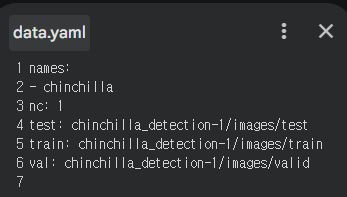
- TO-BE
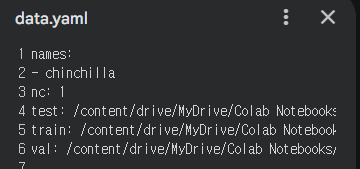
- AS-IS
YOLO 셋팅
!git clone https://github.com/meituan/YOLOv6
%cd YOLOv6
!pip -q install -r requirements.txt
!pip install torch==2.5.0
!pip install torch--2.5.0 torchvision torchaudioYOLO 모델 훈련시키기
# yolo 모델 훈련시키기

# yolo 메뉴얼 페이지의 train 스크립트를 가져다가 사용
# !python tools/train.py --batch 32 --conf configs/yolov6s.py --epochs 100 --img-size 416 --data {dataset.location}/data.yaml --device 0

!python tools/train.py --batch 32 --conf configs/yolov6s_finetune.py --epochs 100 --img-size 640 --data /content/drive/MyDrive/Colab Notebooks/LGDX_DL/chinchilla_detection-1/data.yaml --device 0 {dataset.location}: 데이터 위치 경로--img-size: 이미지 사이즈 변경 (416 → 640)--conf: finetune 으로 변경 (사전 학습된 모델을 사용하겠다는 의미)
훈련 결과
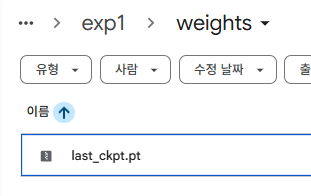
YOLOv6/runs/train/exp[N]
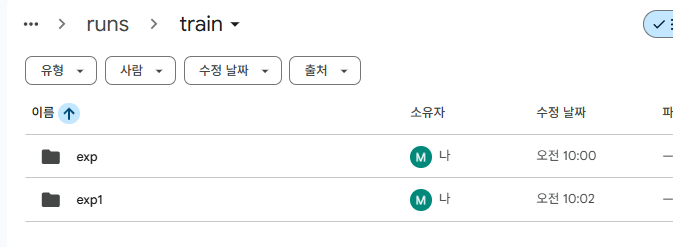
weights 하위에 가중치 값 존재
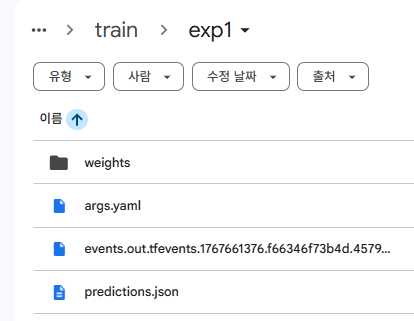
예측
- = Inference
# 예측 (추론)
# !python tools/infer.py --yaml {dataset.location}/data.yaml --img-size 416 --weights runs/train/exp/weights/best_ckpt.pt --source {dataset.location}/images/test/ --device 0

!python tools/infer.py --yaml "/content/drive/MyDrive/Colab Notebooks/LGDX_DL/chinchilla_detection-1/data.yaml" --weights runs/train/exp1/weights/last_ckpt.pt --source "/content/drive/MyDrive/Colab Notebooks/LGDX_DL/chinchilla_detection-1/images/test/" --device 0{dataset.location}: 데이터 위치 경로--img-size: 삭제 (지우면 알아서 예측)--weights: 사용할 모델에 맞는 이름 변경
- std
Namespace(weights='runs/train/exp1/weights/last_ckpt.pt', source='/content/drive/MyDrive/Colab Notebooks/LGDX_DL/chinchilla_detection-1/images/test/', webcam=False, webcam_addr='0', yaml='/content/drive/MyDrive/Colab Notebooks/LGDX_DL/chinchilla_detection-1/data.yaml', img_size=[640, 640], conf_thres=0.4, iou_thres=0.45, max_det=1000, device='0', save_txt=False, not_save_img=False, save_dir=None, view_img=False, classes=None, agnostic_nms=False, project='runs/inference', name='exp', hide_labels=False, hide_conf=False, half=False)
Loading checkpoint from runs/train/exp1/weights/last_ckpt.pt
/content/drive/MyDrive/Colab Notebooks/LGDX_DL/YOLOv6/yolov6/utils/checkpoint.py:25: FutureWarning: You are using `torch.load` with `weights_only=False` (the current default value), which uses the default pickle module implicitly. It is possible to construct malicious pickle data which will execute arbitrary code during unpickling (See https://github.com/pytorch/pytorch/blob/main/SECURITY.md#untrusted-models for more details). In a future release, the default value for `weights_only` will be flipped to `True`. This limits the functions that could be executed during unpickling. Arbitrary objects will no longer be allowed to be loaded via this mode unless they are explicitly allowlisted by the user via `torch.serialization.add_safe_globals`. We recommend you start setting `weights_only=True` for any use case where you don't have full control of the loaded file. Please open an issue on GitHub for any issues related to this experimental feature.
  ckpt = torch.load(weights, map_location=map_location)  # load

Fusing model...
Switch model to deploy modality.
100% 5/5 [00:02<00:00,  1.74it/s]
Results saved to runs/inference/exp
예측 결과
YOLOv6/runs/inference/exp
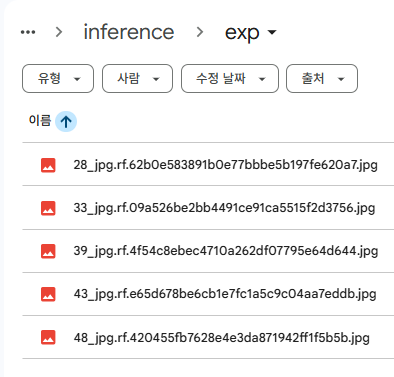

원래 bounding box 가 그려져 있어야 하는데 안그려져있음
→ 데이터 수 적어서 제대로 학습 안 된 듯!