본글은 개발하는 남자님의 영상을 보고 공부하며 작성하는 글입니다.
코드는 제가 작성하며 다르게 작성한 부분이 있습니다.
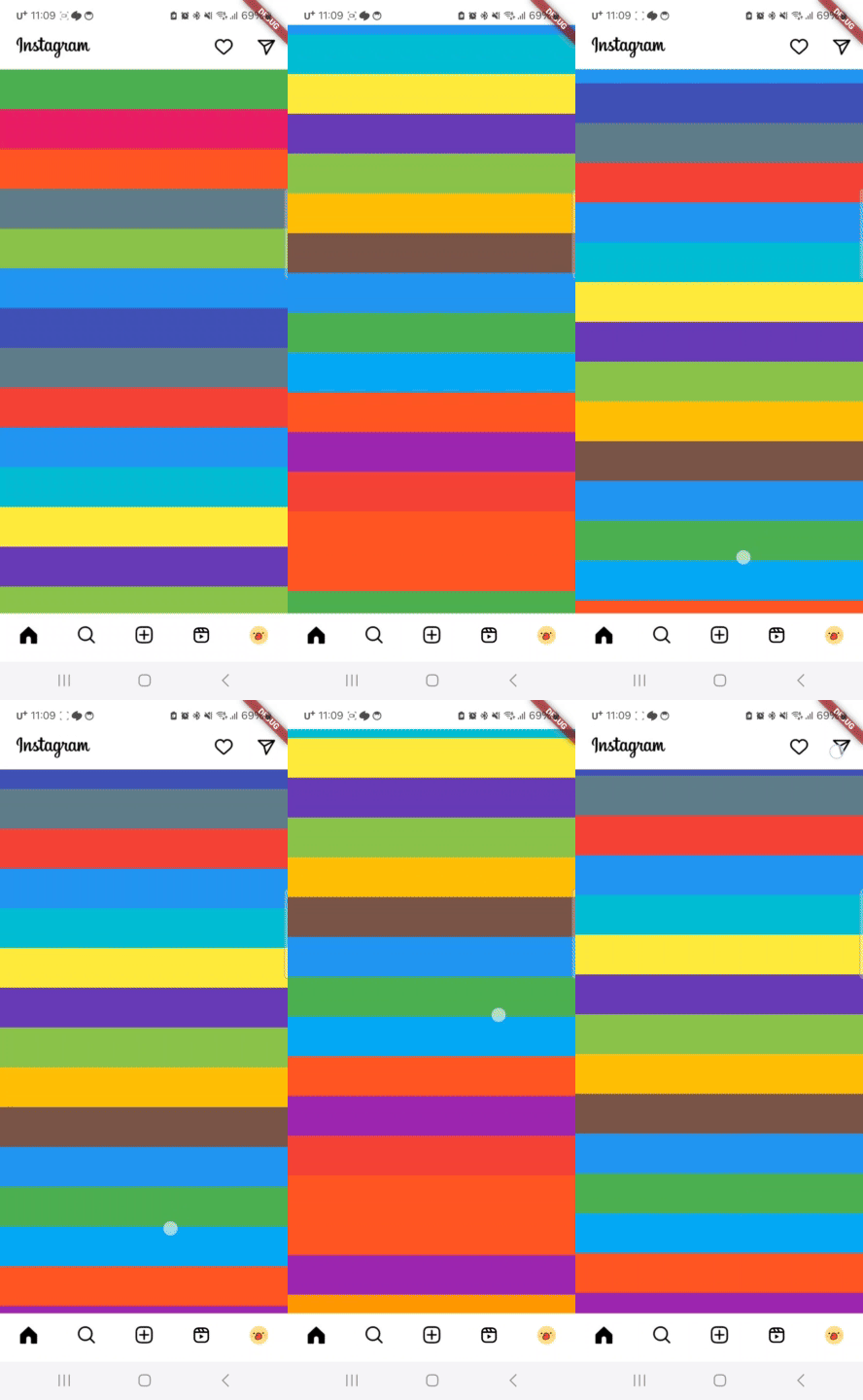
결과

지난번에는 BottomNavigationBar를 만들었으니 이제 화면을 하나씩 채워봅시다.
제일먼저 홈화면을 구성해보려합니다. 홈화면은 다음과같이 구성되어있습니다.
- 상단앱바
- 알림
- DM
- 스토리
- 내스토리
- 스토리
- 피드
일단 오늘은 상단 앱바를 만들어봅시다.
SliverAppBar
인스타 피드화면을 스크롤해보면 앱바가 숨겨지는것을 확인할 수 있습니다. 처음 안드로이드로 이런 앱바를 개발할 때 엄청 고생했었는데 다행히 Flutter는 간단하게 구현이 가능합니다.
먼저 HomeScene.dart을 하나 만들어줍시다.
Widget build(BuildContext context) {
return SafeArea(
child: Scaffold(
body: CustomScrollView(
slivers: [
_appBar(),
],
),
),
);
}그런 다음 Scaffold안에 CustomScrollView를 하나 만들어줍시다.
이제 AppBar를 구성해주면 끝입니다.
Widget _appBar() {
    return SliverAppBar(
      backgroundColor: Colors.white,
      flexibleSpace: FlexibleSpaceBar(
        background: Container(
          color: Colors.white,
        ),
      ),
      floating: true,
      title: ImageData(
        path: ImagePath.logo,
        width: 300,
      ),
      actions: [
        GestureDetector(
          onTap: () {},
          child: Padding(
            padding: const EdgeInsets.all(15.0),
            child: ImageData(path: ImagePath.active),
          ),
        ),
        GestureDetector(
          onTap: () {},
          child: Padding(
            padding: const EdgeInsets.all(15.0),
            child: ImageData(path: ImagePath.dm),
          ),
        ),
      ],
    );
  }
무언가 복잡해보이지만 title영역에 로고, actions영역에 버튼2개를 제외하면 아주 간단합니다. 그리고 배경색이 이미지 배경색과 달라서 따로 설정해주었습니다.
Widget build(BuildContext context) {
return SafeArea(
child: Scaffold(
body: CustomScrollView(
slivers: [
_appBar(),
_body()
],
),
),
);
}Widget _body() {
return SliverList.builder(
itemCount: 50,
itemBuilder: (context, index) => Container(
height: 50,
color:
Colors.primaries[Random().nextInt(Colors.primaries.length)],
));
}스크롤이 잘 동작하는지 확인하려면 임의의 Body를 넣어보고 스크롤 해보면 됩니다.

kotlin 주력 앱개발자