(Jetson Project#10)Implementing Obstacle Avoidance
Developing Self Driving with Jetson Nano
목록 보기
21/33
With motor control established, Now implement obstacle avoidance by subscribing to the LIDAR's "/scan" topic and publishing motor commands based on detected obstacles.
5.1. Creating the Obstacle Avoidance Node
- Navigate to the motor_control Package's Scripts Directory:
cd ~/catkin_ws/src/motor_control/scripts- Create the obstacle_avoidance_node.py Script:
nano obstacle_avoidance_node.py
- Add the Following Content:
#!/usr/bin/env python3
import rospy
from sensor_msgs.msg import LaserScan
from std_msgs.msg import String

class ObstacleAvoidanceNode:
    def __init__(self):
        rospy.init_node('obstacle_avoidance_node', anonymous=True)

        # Parameters
        self.obstacle_distance = rospy.get_param('~obstacle_distance', 0.5)  # meters
        self.scan_topic = rospy.get_param('~scan_topic', '/scan')
        self.command_topic = rospy.get_param('~command_topic', '/motor_command')

        # Publisher to motor_command
        self.motor_pub = rospy.Publisher(self.command_topic, String, queue_size=10)

        # Subscriber to LaserScan
        rospy.Subscriber(self.scan_topic, LaserScan, self.scan_callback)

        # State
        self.obstacle_detected = False

    def scan_callback(self, scan_data):
        # Find the minimum distance in the front sector
        front_angles = range(-30, 31)  # +/-30 degrees
        front_indices = [i for i, angle in enumerate(scan_data.angle_min + i*scan_data.angle_increment for i in range(len(scan_data.ranges))) if -0.5235987755982988 <= angle <= 0.5235987755982988]  # -30 to +30 degrees in radians

        # Get minimum distance in the front sector
        min_distance = min([scan_data.ranges[i] for i in front_indices if not rospy.is_shutdown() and not rospy.is_num(scan_data.ranges[i]) and scan_data.ranges[i] > 0], default=float('inf'))

        rospy.loginfo(f"Minimum distance in front: {min_distance:.2f} meters")

        if min_distance < self.obstacle_distance:
            if not self.obstacle_detected:
                rospy.logwarn("Obstacle detected! Stopping.")
                self.motor_pub.publish('S')
                self.obstacle_detected = True
        else:
            if self.obstacle_detected:
                rospy.loginfo("Path clear. Moving forward.")
                self.motor_pub.publish('F')
                self.obstacle_detected = False

    def run(self):
        rospy.spin()

if __name__ == '__main__':
    try:
        node = ObstacleAvoidanceNode()
        node.run()
    except rospy.ROSInterruptException:
        pass
Explanation of the Script:
Parameters:
obstacle_distance: Threshold distance to detect obstacles.
scan_topic: Topic to subscribe for LIDAR data.
command_topic: Topic to publish motor commands.
Functionality:
Subscribes to the LIDAR's /scan topic.
Monitors the minimum distance in the front sector (e.g., +/-30 degrees).
If an obstacle is detected within obstacle_distance, publishes a stop command (S).
If the path is clear, publishes a forward command (F).
- Make the Script Executable:
chmod +x obstacle_avoidance_node.py
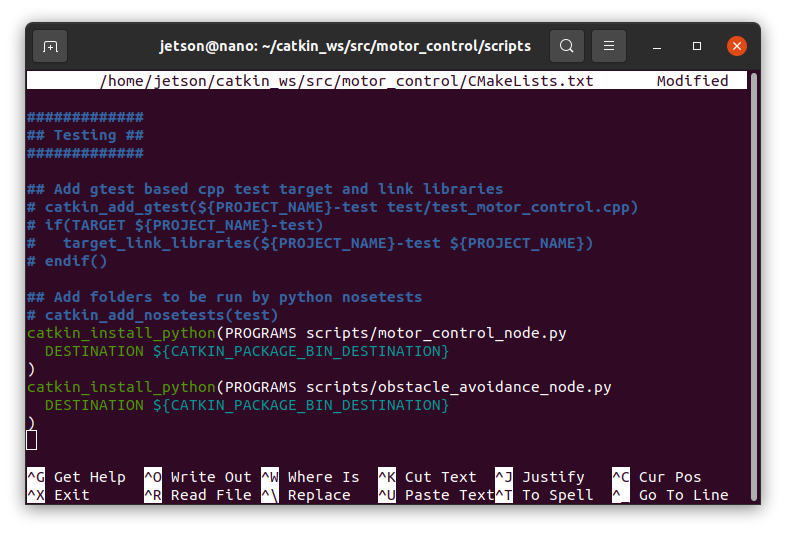
5.1.1. Update CMakeLists.txt for the New Script
- Edit CMakeLists.txt:
nano ~/catkin_ws/src/motor_control/CMakeLists.txt- Add the Following Lines:
catkin_install_python(PROGRAMS scripts/obstacle_avoidance_node.py
  DESTINATION ${CATKIN_PACKAGE_BIN_DESTINATION}
)
5.1.2. Create a Launch File for Obstacle Avoidance
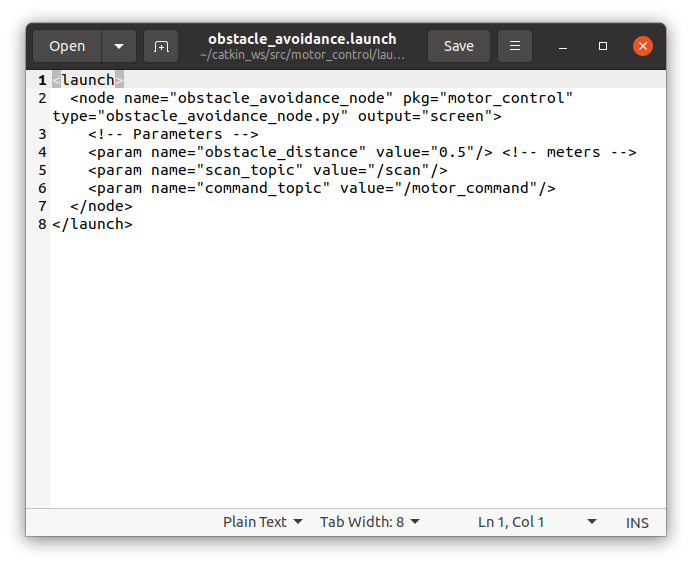
- Navigate to the Launch Directory:
mkdir -p ~/catkin_ws/src/motor_control/launch
cd ~/catkin_ws/src/motor_control/launch- Create the obstacle_avoidance.launch File:
nano obstacle_avoidance.launch- Add the Following Content:
<launch>
  <node name="obstacle_avoidance_node" pkg="motor_control" type="obstacle_avoidance_node.py" output="screen">
    <!-- Parameters -->
    <param name="obstacle_distance" value="0.5"/> <!-- meters -->
    <param name="scan_topic" value="/scan"/>
    <param name="command_topic" value="/motor_command"/>
  </node>
</launch>
5.1.3. Build the ROS Package
- Navigate to Your Catkin Workspace:
cd ~/catkin_ws
- Build the Workspace:
catkin_make- Source the Workspace:
source devel/setup.bash5.1.4. Launch the Obstacle Avoidance Node
- Run the Launch File:
roslaunch motor_control obstacle_avoidance.launch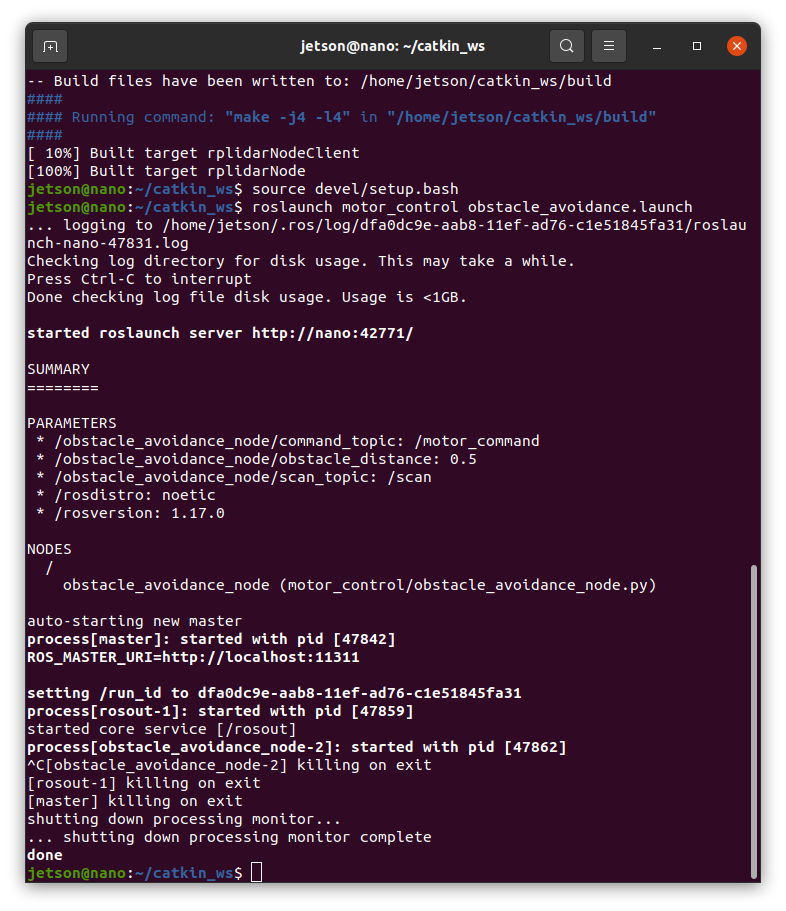
- Verify Functionality:
- Move obstacles in front of the robot and observe if it stops (S command).
- Remove obstacles and check if the robot resumes moving forward (F command).

..