Ros2 Cartographer Setup(2)_custom serial communication node
Developing Self Driving with Jetson Nano

In order to develop the usb serial communication between ESP32 and Jetson Nano, I make custom Ros2 node.
Actually, I was going to make node from
" git clone https://github.com/ros-drivers/ros2_serial_example.git
"
But, it doesn't support now
So, I make the custom node.
Custom node's operations
- Send command to ESP32 to control motor motion
- Get data from ESP32 if necessary
command
1. Preparing Workspace
cd ~/ros2_ws/src2. Make new ROS2 package
ros2 pkg create --build-type ament_python serial_communication
3. Check "serial_node.py" location
cd ~/ros2_ws/src/serial_communication/serial_communication

ls
Maybe in serial_communication file, empty or "init.py"
4. After check directory, make Python script
sudo nano ~/ros2_ws/src/serial_communication/serial_communication/serial_node.py
Write 'serial_node.py' code
#!/usr/bin/env python3

import rclpy
from rclpy.node import Node
import serial
from std_msgs.msg import String

class SerialCommunicationNode(Node):
    def __init__(self):
        super().__init__('serial_communication_node')

        # serial port edit
        self.serial_port = '/dev/ttyUSB1' #This port should be changed to real port number
        self.baud_rate = 115200

        # port open
        try:
            self.ser = serial.Serial(self.serial_port, self.baud_rate, timeout=1)
            self.get_logger().info(f'Serial port {self.serial_port} opened at {self.baud_rate} baud.')
        except serial.SerialException as e:
            self.get_logger().error(f'Failed to open serial port: {e}')
            exit(1)

        # timer edit for reading data periodically
        self.timer = self.create_timer(0.1, self.read_from_serial)

        # Subscribe to Ros2 topics to receive motor control commands
        self.subscription = self.create_subscription(
            String,
            'motor_commands',
            self.write_to_serial,
            10)
        self.subscription  # prevent unused variable warning

    def read_from_serial(self):
        if self.ser.in_waiting > 0:
            data = self.ser.readline().decode('utf-8').rstrip()
            self.get_logger().info(f'Received from ESP32: {data}')
            # Data can be published as ROS2 topic if necessary

    def write_to_serial(self, msg):
        command = msg.data + '\n'
        self.ser.write(command.encode('utf-8'))
        self.get_logger().info(f'Sent to ESP32: {msg.data}')

def main(args=None):
    rclpy.init(args=args)
    node = SerialCommunicationNode()
    rclpy.spin(node)
    node.destroy_node()
    rclpy.shutdown()

if __name__ == '__main__':
    main()
After wirte code, Give Authority
chmod +x ~/ros2_ws/src/serial_communication/serial_communication/serial_node.py
5. Edit setup.py
edit package file and add dependency, save launch file
sudo nano ~/ros2_ws/src/serial_communication/setup.py
setup.py code
from setuptools import setup

package_name = 'serial_communication'

setup(
    name=package_name,
    version='0.0.0',
    packages=[package_name],
    py_modules=[],
    data_files=[
        ('share/ament_index/resource_index/packages',
            ['resource/' + package_name]),
        ('share/' + package_name, ['package.xml']),
    ],
    install_requires=['setuptools', 'pyserial'],
    zip_safe=True,
    maintainer='mseokq23',
    maintainer_email='minseok1270@gmail.com',
    description='Serial communication node for ROS2',
    license='Apache License 2.0',
    tests_require=['pytest'],
    entry_points={
        'console_scripts': [
            'serial_node = serial_communication.serial_node:main',
        ],
    },
)
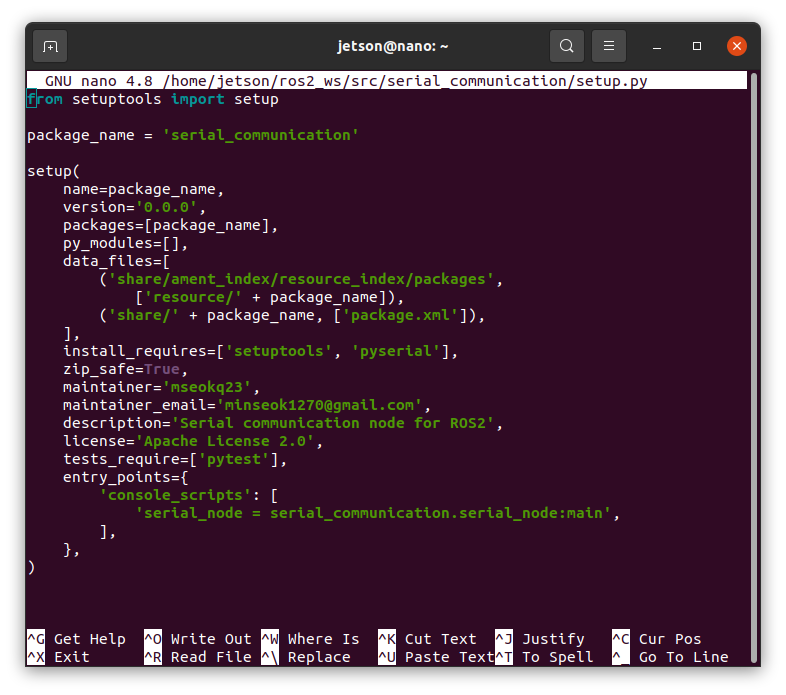
Add pyserial to "install_requires"
edit entry_points to launch "serial_communication.serial_node:main"
6. Edit package.xml
modify files to specify dependencies
move to package.xml location
cd ~/ros2_ws/src/serial_communication

ls

sudo nano package.xml
or
sudo nano ~/ros2_ws/src/serial_communication/package.xml
package.xml code
<?xml version="1.0"?>
<?xml-model href="http://download.ros.org/schema/package_format3.xsd" schematyp>
<package format="3">
  <name>serial_communication</name>
  <version>0.0.0</version>
  <description>Custom serial communication node using PySerial</description>
  <maintainer email="minseok1270@gmail.com">mseokq23</maintainer>
  <license>Apache License 2.0</license>

  <test_depend>ament_copyright</test_depend>
  <test_depend>ament_flake8</test_depend>
  <test_depend>ament_pep257</test_depend>
  <test_depend>python3-pytest</test_depend>

  <exec_depend>rclpy</exec_depend>
  <exec_depend>std_msgs</exec_depend>
  <exec_depend>pyserial</exec_depend>

  <export>
    <build_type>ament_python</build_type>
  </export>
</package>
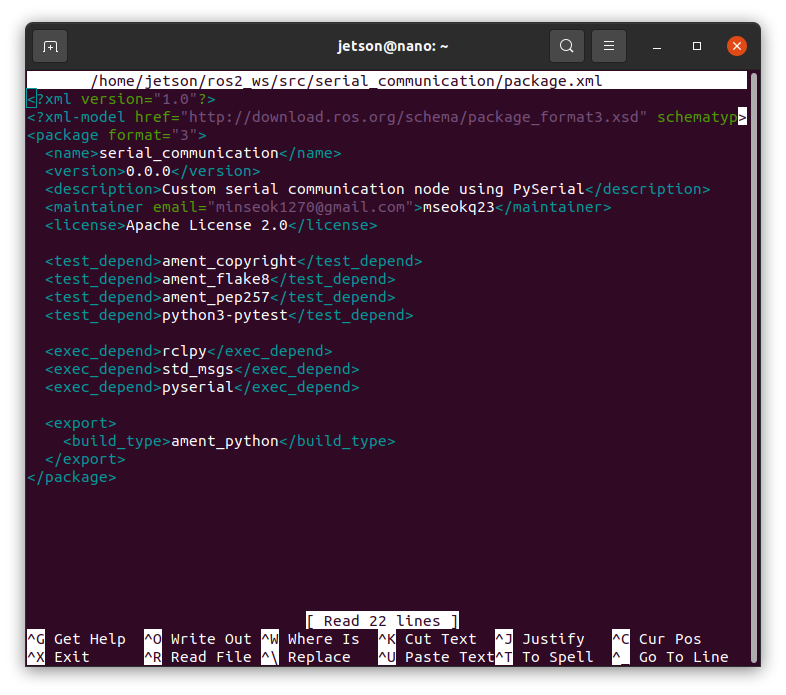
Add dependencies rclpy, std_msgs, pyserial
7. Package build in ROS2 workspace
cd ~/ros2_ws
colcon build --packages-select serial_communication
After Build, workspace sourcing
source install/setup.bashEasily, just close the existing terminal and open the new one

8. launch Node & Test
you need any esp32 board
Connect Jetson nano & ESP32 via USB cable
ros2 run serial_communication serial_node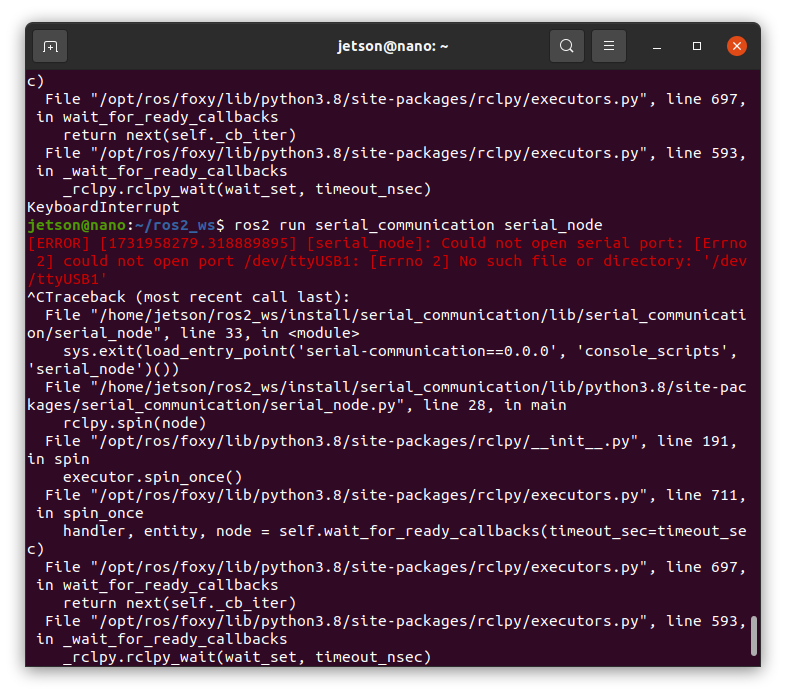
if you didn't connect esp32, error as shown
enable to serial port, add current user to "dialout" group
sudo usermod -a -G dialout $USERafter command this code, you should reboot for apply changes
esp32 code
void setup() {
  Serial.begin(115200); // same Jetson Nano board rate}

void loop() {
  if (Serial.available() > 0) {
    String command = Serial.readStringUntil('\n');
    Serial.println("Received: " + command);
    // add motor control logic
    if (command == "forward") {
      // you should edit code about motor move forward for moving robot
    } else if (command == "backward") {
      // motor move back
    }
    // if need, you can edit any movement
  }
}
for match jetson nano's board rate, 115200
Get command and move logic