-
로컬에서 설정하려다가 오류가 나서 리눅스 환경에서 설정하기!
초기세팅 | 리눅스 wsl 설정
깃 설치
apt-get install git지금 사용하고 있는(커밋할) 계정입력
git config --global user.name "자신의 계정"
git config --global user.email "자신의 이메일"
까지 해줘야 리눅스에서 깃 클론을 사용가능하게 된다
리눅스에서 git해오기
ssh 키 생성
ssh-keygen
결과
> root@DESKTOP-GDPLMAE:~# ssh-keygen
Generating public/private rsa key pair.
Enter file in which to save the key (/root/.ssh/id_rsa):
Enter passphrase (empty for no passphrase):
Enter same passphrase again:
Your identification has been saved in /root/.ssh/id_rsa
Your public key has been saved in /root/.ssh/id_rsa.pub
The key fingerprint is:
....
The key's randomart image is:
+---[RSA 3072]----+
|                 |
|  . .. . .       |
|   + .o o        |
|  + . o...       |
| + . o =S        |
|o=+ + + .o       |
|X. B.o ..        |
|*+*.B.oo         |
|E*o*o*o..        |
+----[SHA256]-----+
생성된 키 확인
cd ~/.ssh
ls -al
cat id_rsa.pub-
ssh-rsa 부터 나온key값을 복사 (ssh키는 리눅스 환경 하나당 하나!!)
-
리눅스 환경에서 명령어 작성하기!
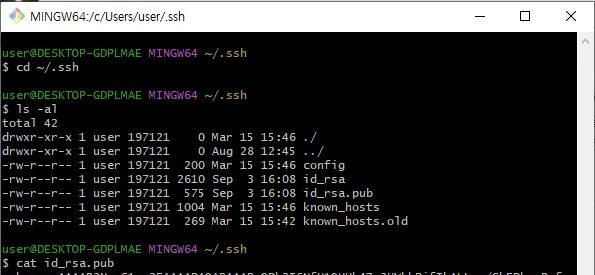
-
리눅스 환경 결과값
> root@DESKTOP-GDPLMAE:~# cd ~/.ssh
> root@DESKTOP-GDPLMAE:~/.ssh# ls -al
total 20
drwx------ 2 root root 4096 Sep  3 18:01 .
drwx------ 8 root root 4096 Sep  3 17:57 ..
-rw------- 1 root root 2610 Sep  3 18:01 id_rsa
-rw-r--r-- 1 root root  574 Sep  3 18:01 id_rsa.pub
-rw-r--r-- 1 root root  142 Sep  3 17:54 known_hosts
root@DESKTOP-GDPLMAE:~/.ssh# cat id_rsa.pub
ssh-rsa sshkey내용
github에 ssh키 등록
settings → SSH and gpg keys → new ssh key
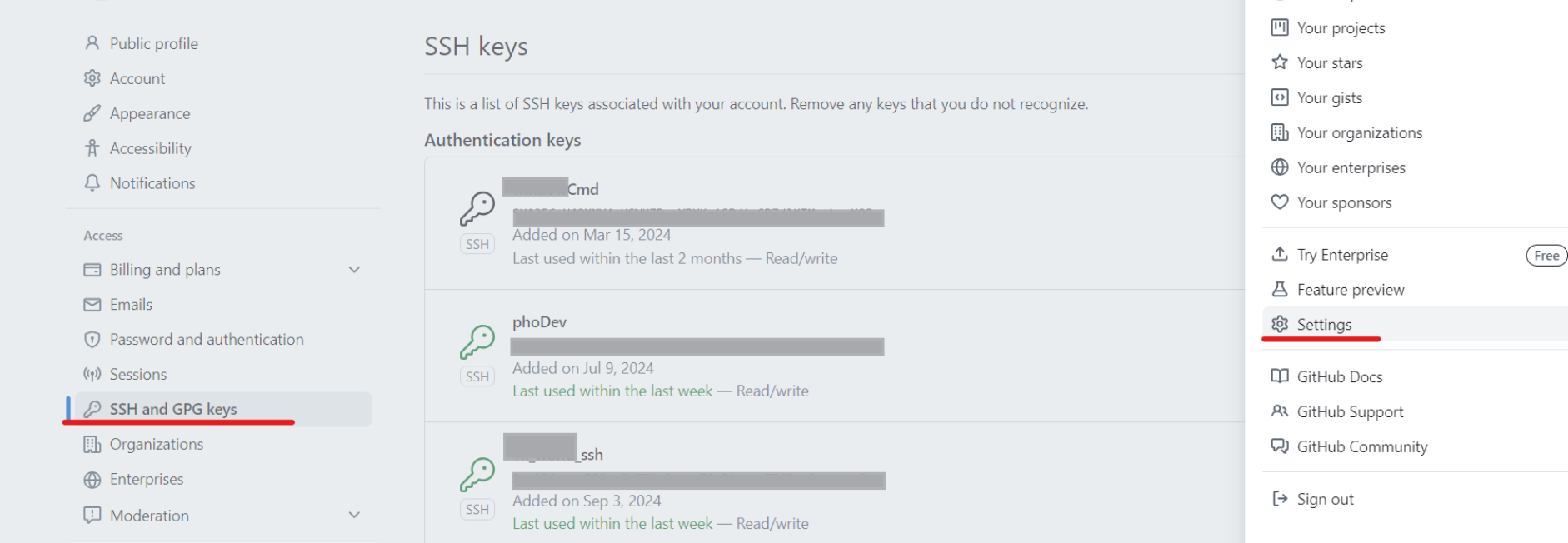
복사한 키 등록

title은 아무것나 상관없음
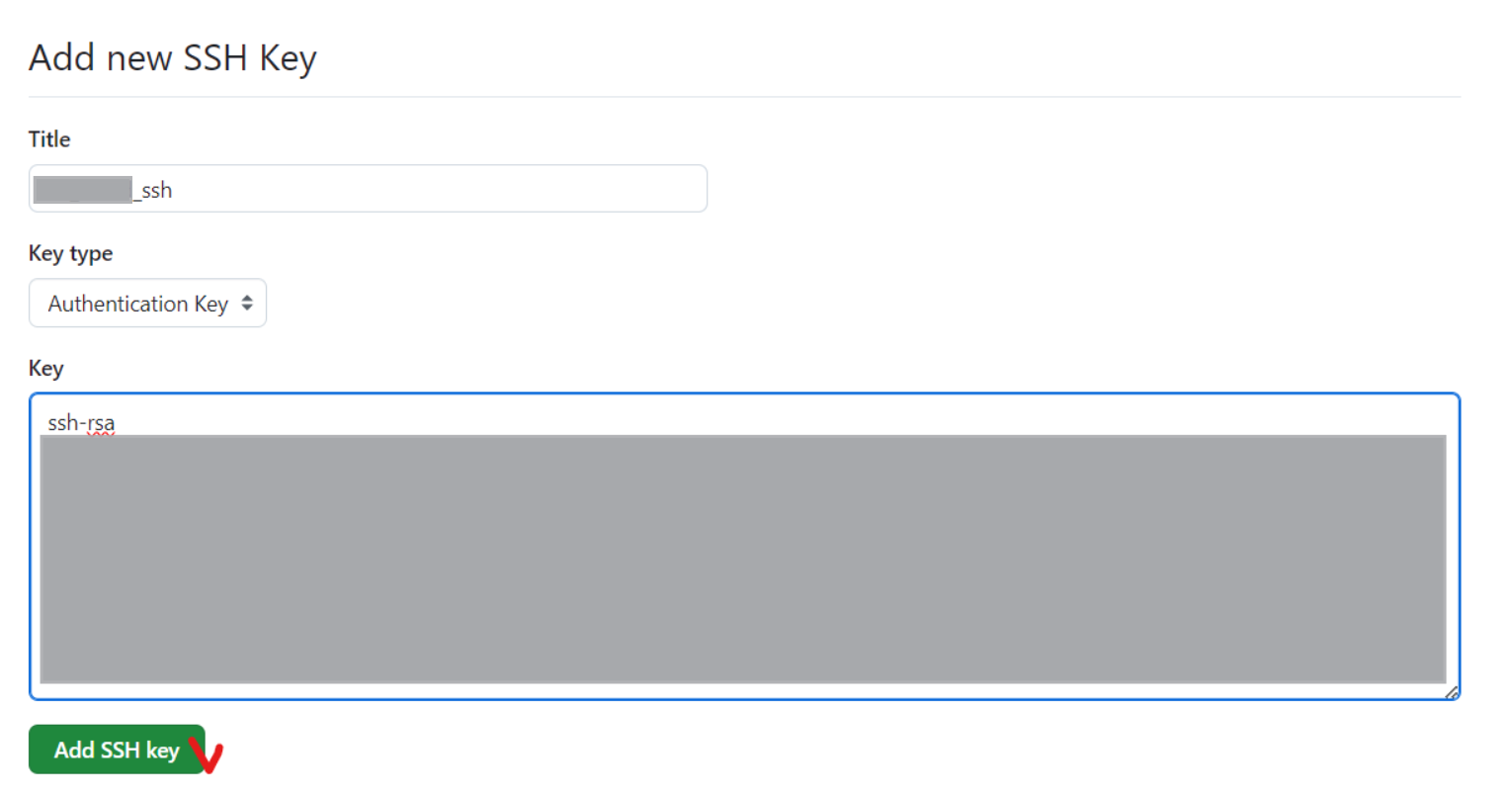
git clone
이제 리눅스 환경에서 깃클론 할거임
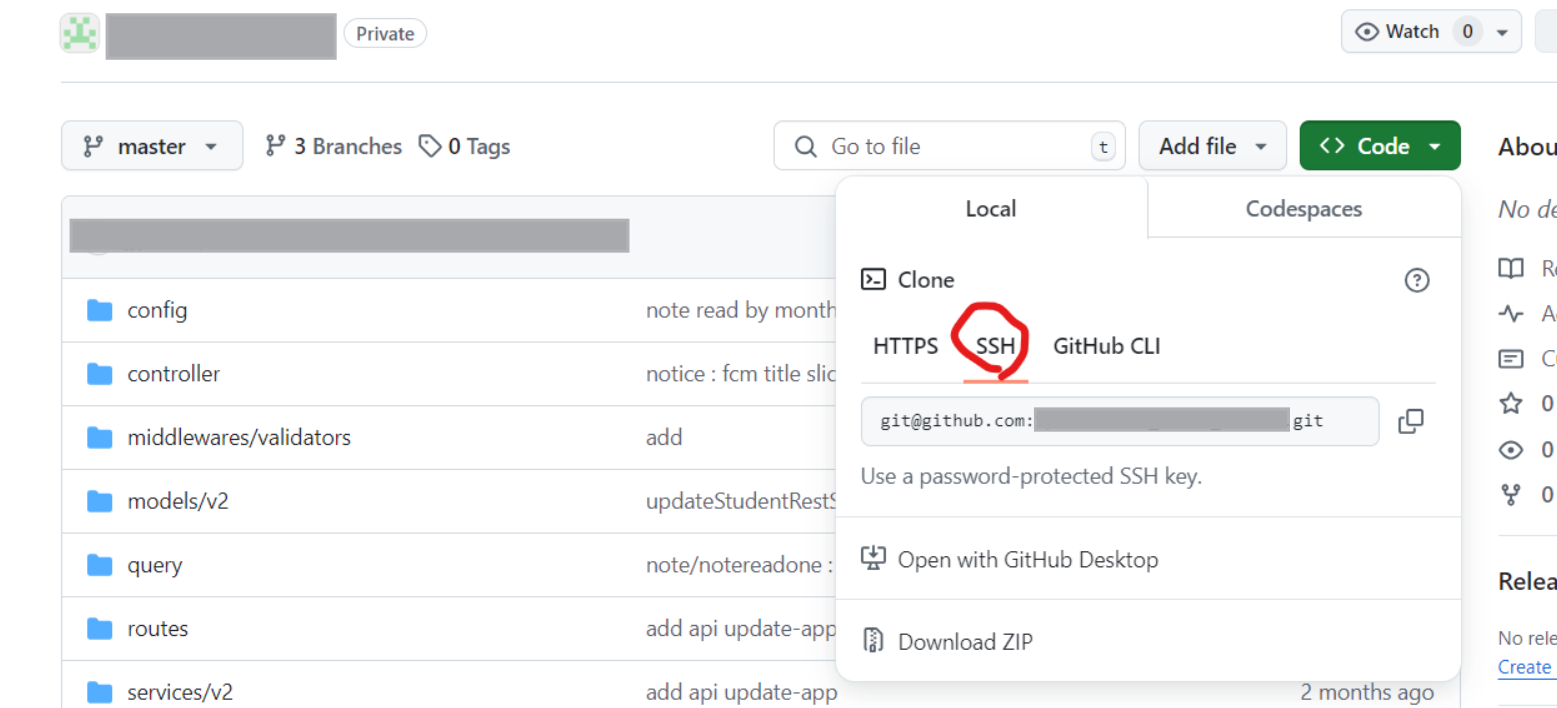
등록해준 후 git clone할 디렉토리로 가서 git해주기
# 폴더 생성
mkdir 원하는폴더명

# 폴더로 이동
cd 원하는폴더명

# 해당 폴더에 git clone 해오기
git clone git@github.com:원하는-리포지토리.git
기록하는 습관