
Ansible 연습 - Lineinfile 모듈
참고 자료: https://docs.ansible.com/ansible/2.9/modules/lineinfile_module.html#lineinfile-module
lineinfile 모듈을 이용해 파일 안의 내용을 변경해보자.
inven.list에 정의된 web1에 포함된 모든 서버의 selinux라는 파일의 내용을 변경해보자.
사용한 코드>
ansible -i inven.list web1 -m lineinfile -a "path=/etc/sysconfig/selinux regexp='^SELINUX=enforcing' line='SELINUX=disabled'"
입력은 되지만 내용을 변경하는게 아니라 마지막 줄에 추가 되는 모습...
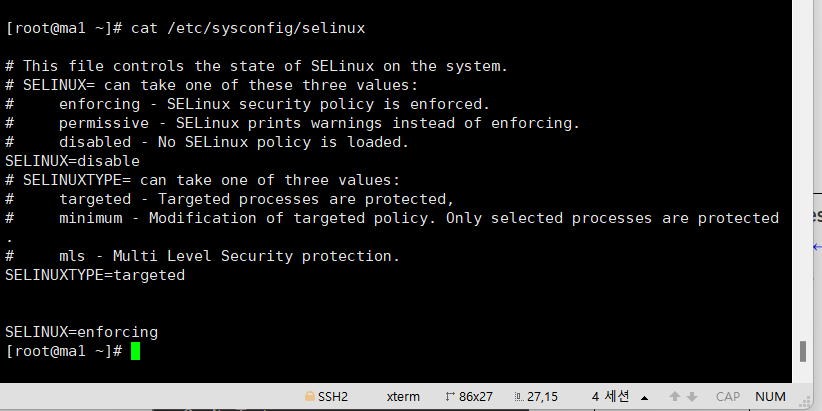
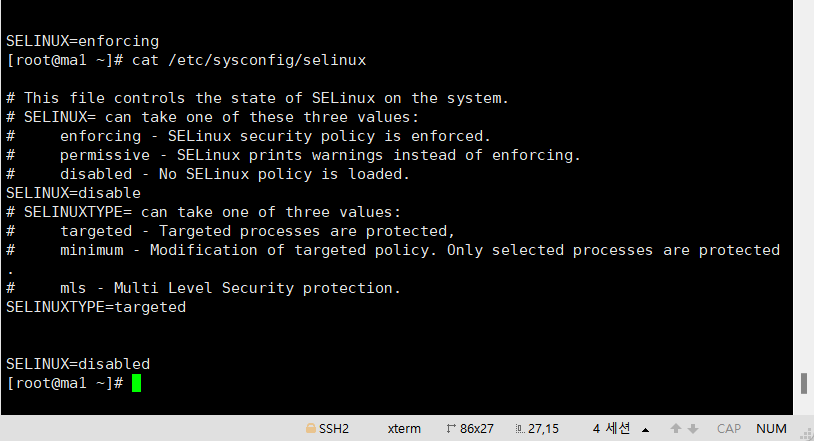
Lineinfile 모듈은 regexp에 입력된 패턴과 일치하는 라인의 내용을 line에 입력된 값으로 변경하는 동작을 한다. 하지만 파일에 일치하는 라인이 없는 경우, 파일의 마지막 라인에 해당 내용을 저장한다. 따라서 지금처럼 SELINUX의 설정값이 이미 disable로 설정되있는 경우에는 SELINUX 파일 마지막줄에 SELINUX=enforcing이 추가 된다.
Ansible 명령어를 yml 파일로 만들어 보기
연습) httpd 설치 + 방화벽 80/tcp 열기 + health.html 복사
(/etc/httpd/conf/httpd.conf -> index.html를 controller의 /root 디렉토리에 health.html로 이름 변경 후 복사.)
오류 화면 1) 실행은 되지만 html 파일이 적용이 안됨
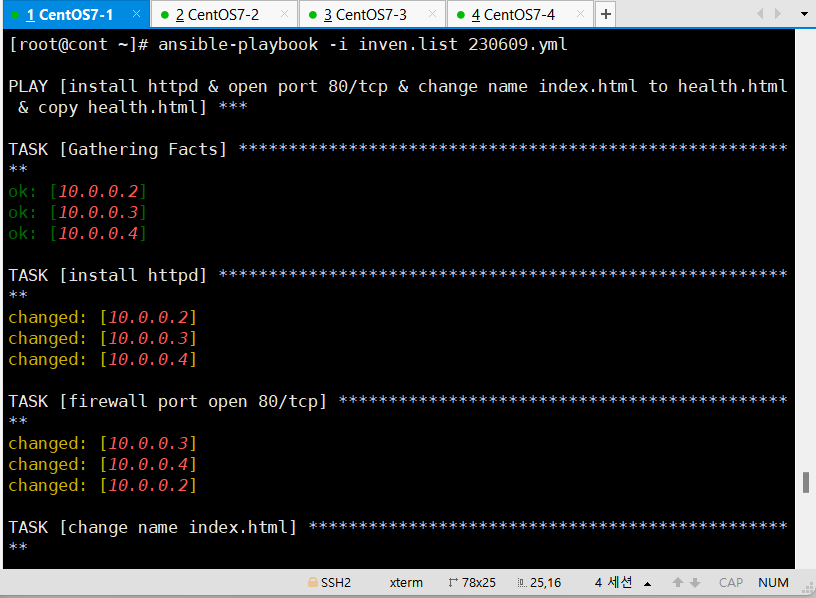
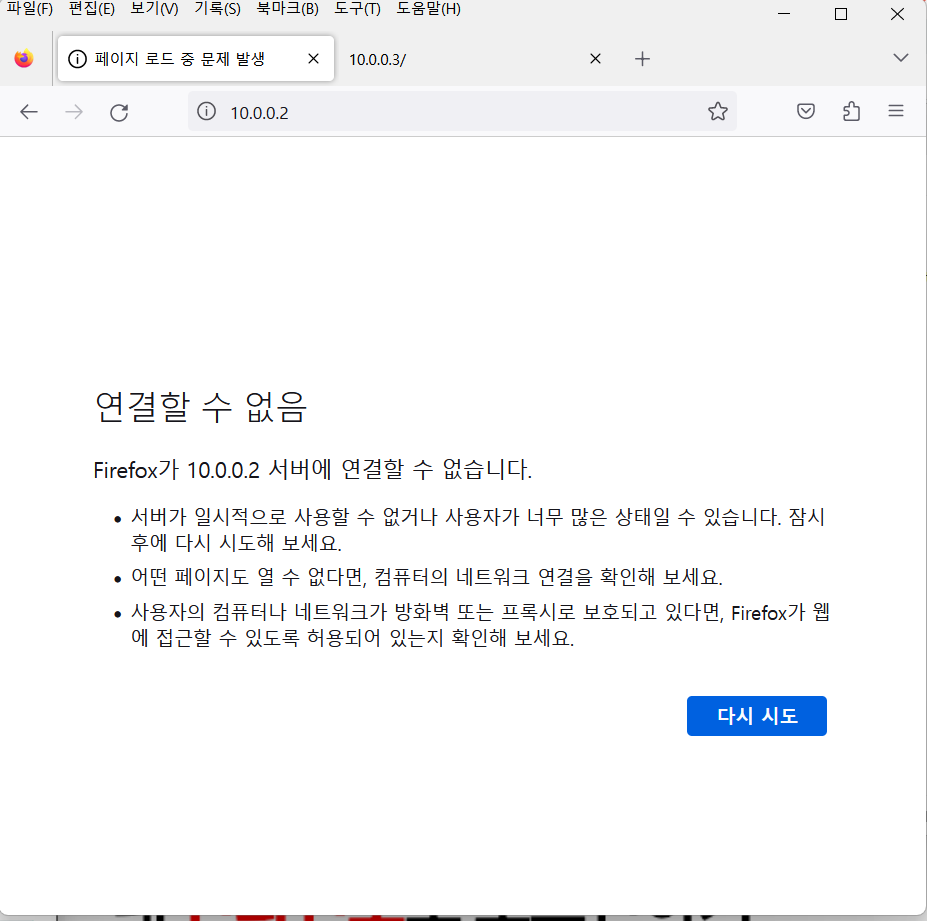
-> 원인: yml 파일에 lineinfile 명령어 부분이 'DirectoryIndex index.html'이 아니라 '^DirectoryIndex index.html'로 입력되어 정상적으로 라인 입력이 안됨.
-> 이유: httpd.conf 파일에서 DorectoryIndex 앞에 띄어쓰기가 있기 때문에 yml파일의 lineinfile에서^을 앞에 포함시키면 해당 라인을 인식하지 못함.
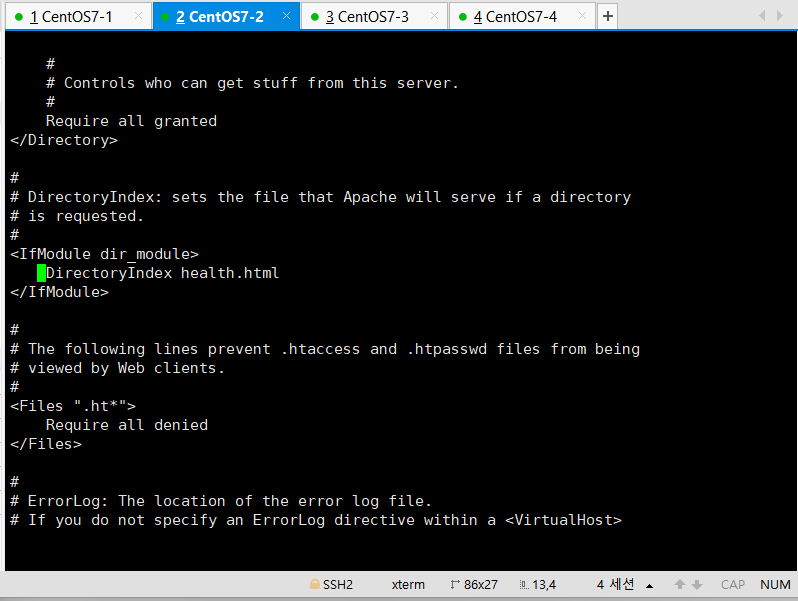
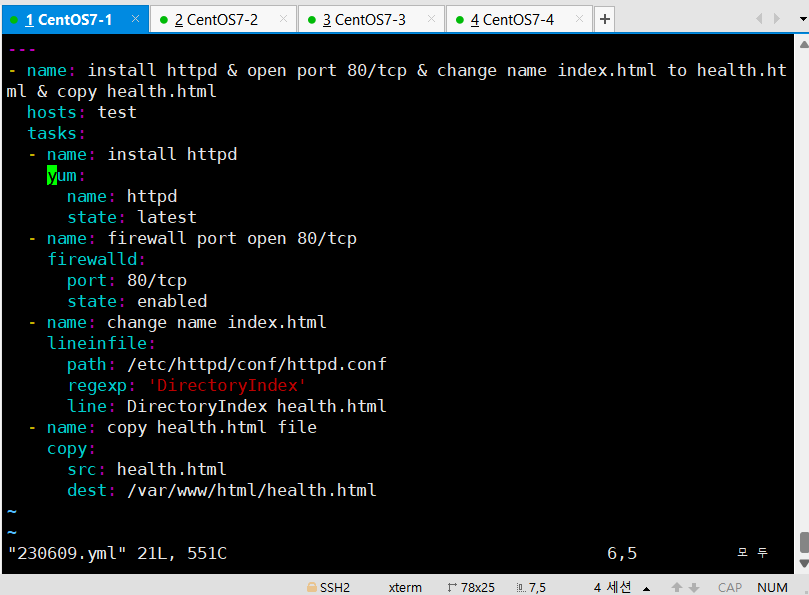
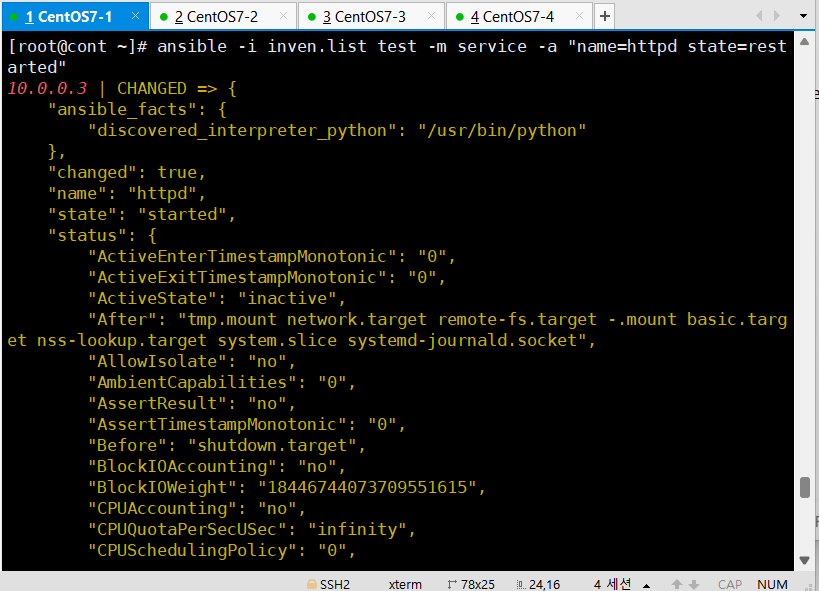
-> 해결 방법: 각 서버의 httpd.conf 파일에 잘못 추가된 줄을 지우고, yml 파일 수정(^ 제거) 후 yml 실행 및 각 서버의 httpd 재시작
수정한 yml 파일 내용
httpd 재시작 모습
최종 ansible 코드
ansible -i inven.list -m yum -a "name=httpd state=latest"
ansible -i inven.list -m firewalld -a "port=80/tcp state=enabled"
ansible -i inven.list -m lineinfile -a "path=/etc/httpd/conf/httpd.conf regexp='^DirectoryIndex index.html' line='DirectoryIndex health.html'"
ansible -i inven.list -m copy -a "src=httpd.html dest=/var/www/html/health.html"
최종 yml파일 코드
---
- name: install httpd & open port 80/tcp & change name index.html to health.html & copy health.html
  hosts: test
  tasks:
  - name: install httpd
    yum:
      name: httpd
      state: latest
  - name: firewall port open 80/tcp
    firewalld:
      port: 80/tcp
      state: enabled
  - name: change name index.html
    lineinfile:
      path: /etc/httpd/conf/httpd.conf
      regexp: 'DirectoryIndex index.html'
      line: 'DirectoryIndex health.html'
  - name: copy health.html file
    copy:
      src: httpd.html
      dest: /var/www/html/health.html
  - name: httpd deamon restart
    service:
      name: httpd
      state: restarted