*fact를 이용한 모니터링
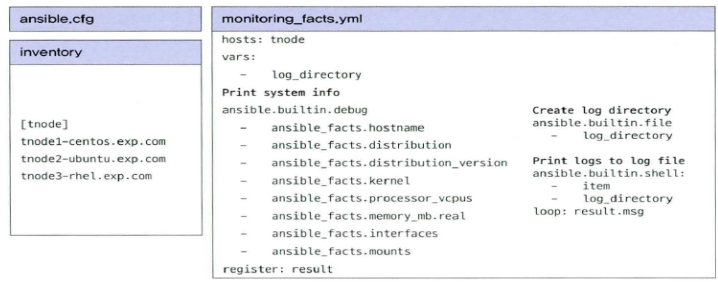
- ansible.cfg, inventory 복제 후 inventory 수정
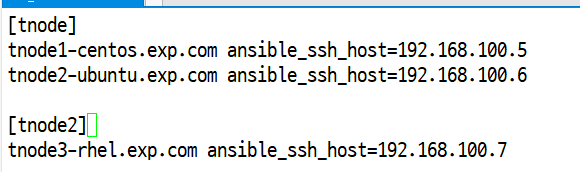
- 인벤토리 수정
*monitoring_facts.yml
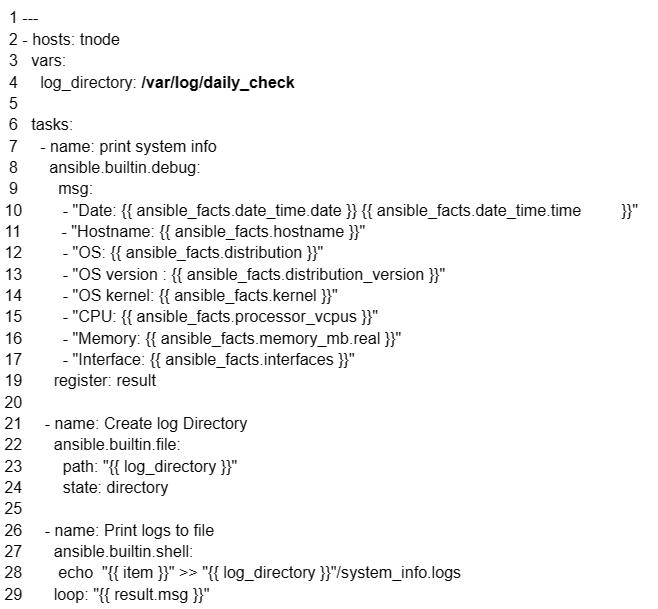
- /root/day44-1/monitoring_facts.yml
- 시스템 정보, log를 보여주는 메세지 정의
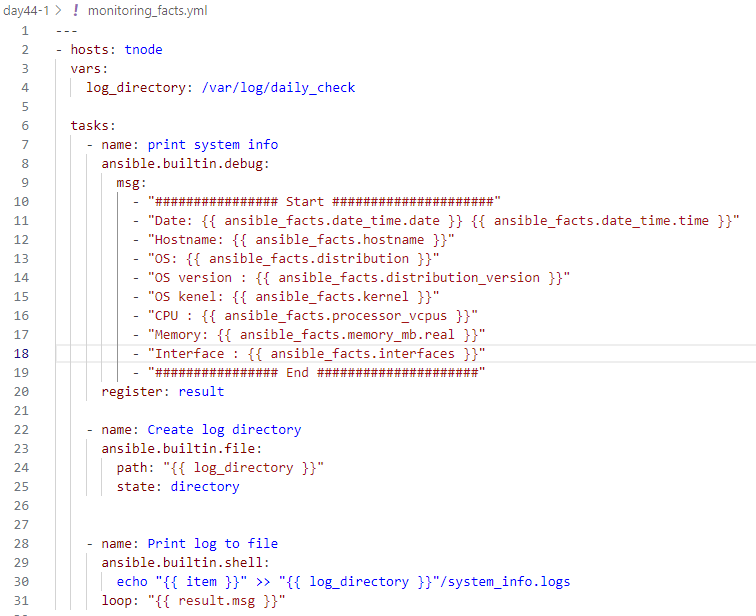
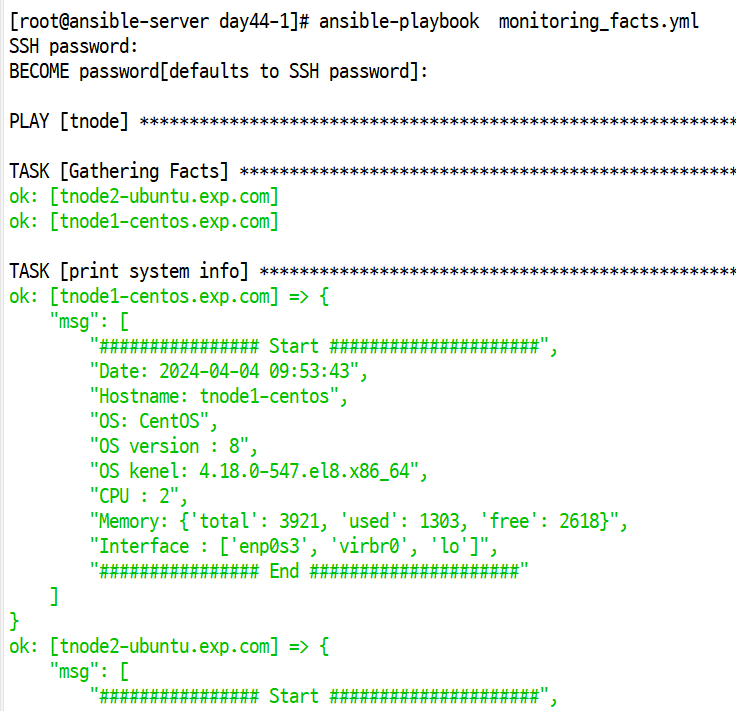
*실행 하면 등록된 노드에 대한 정보가 확인 되며 각노드로 접속 후 저장된 정보 확인 가능
- tnode1 # cat /var/log/daily_check/system_info.logs
- 실행후 메세지 확인
*모니터링 두번째 방법
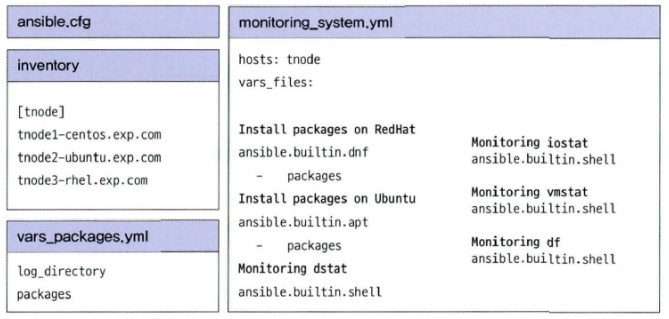
vi vars_packages.yml
- ansible.cfg, inventory 복제
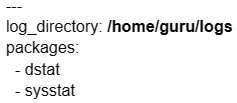
- /root/day44-2/vars_packages.yml
- 변수 입력(설치할 패키지)
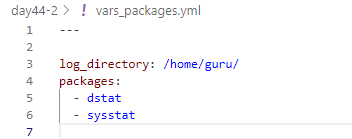
vi monitoring_system.yml
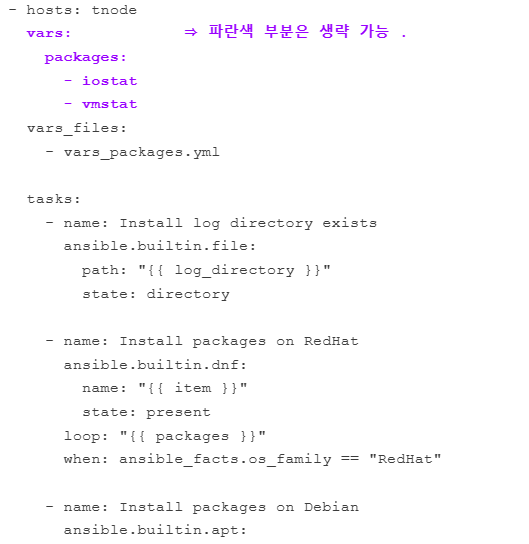
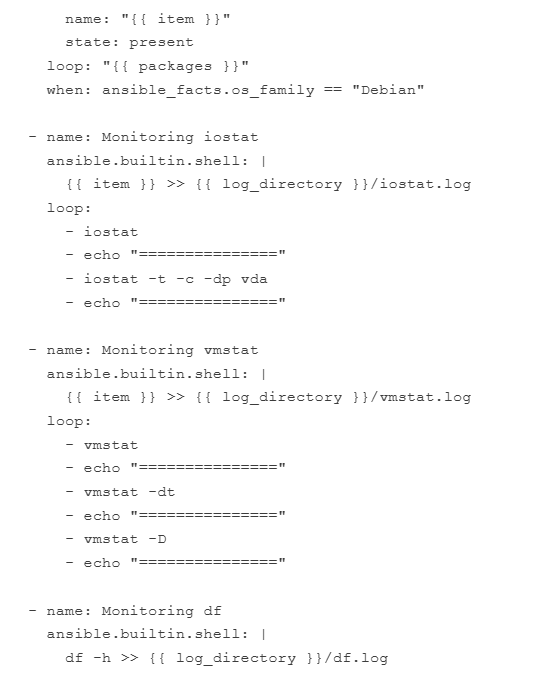
- /root/day44-2/monitoring_system.yml
- Redhhat과 Debian 계열에 directory에 state 상태를 확인하는 파일 저장을 정의
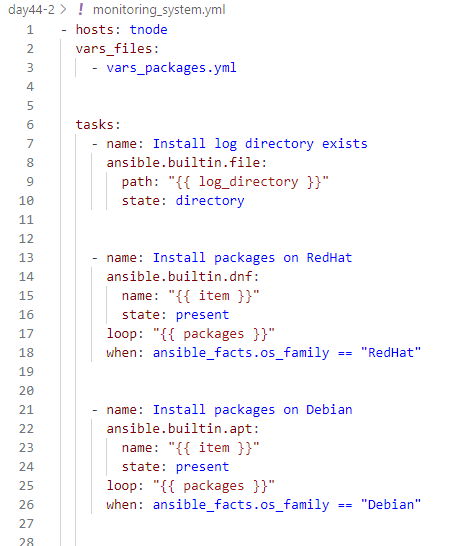
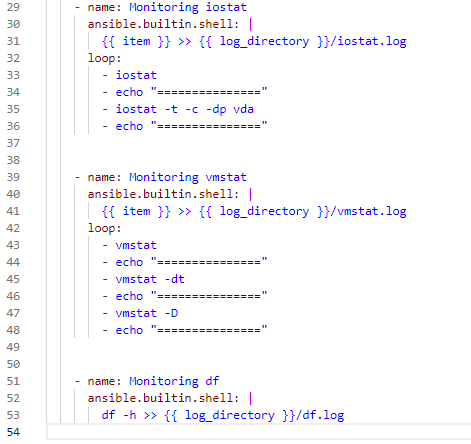
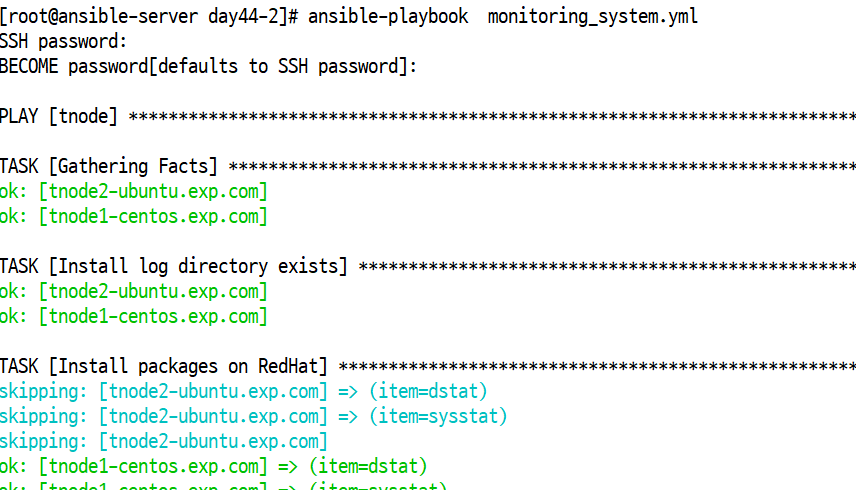
- 플레이 북 작성
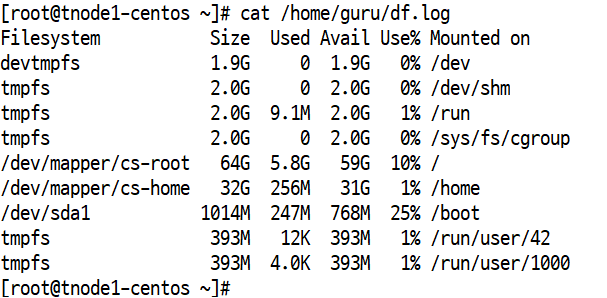
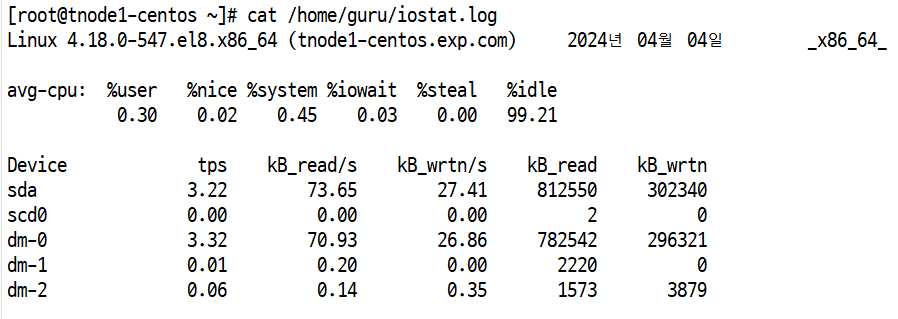
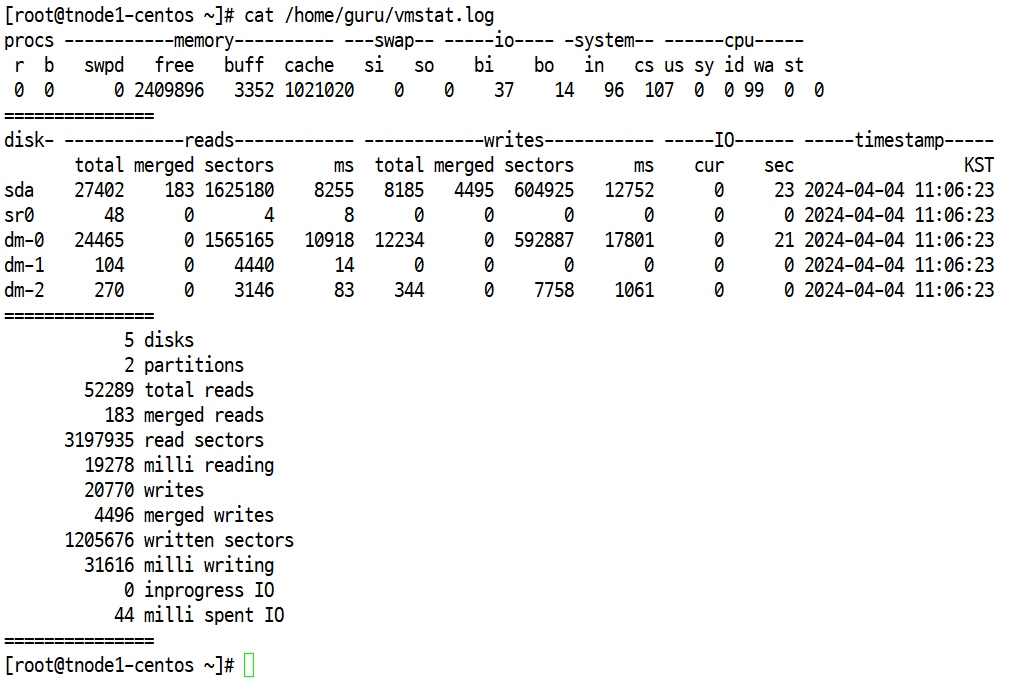
- 원격 접속해서 파일 생성 확인
- df.log 내용 확인
- iostat.log 내용 확인
- vmstat.log 내용 확인

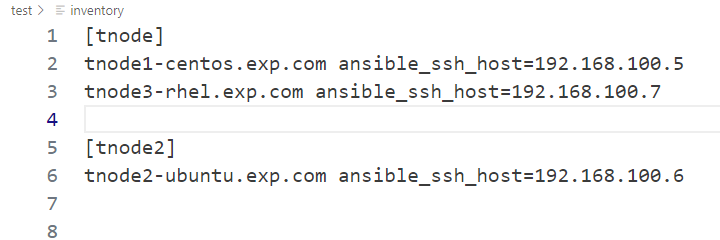
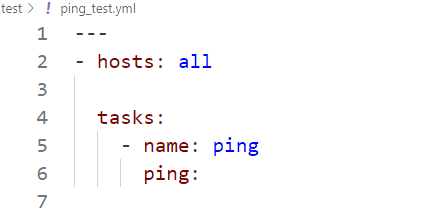
앤서블을 이용해서 [tnode] 와 [tnode2] 에 대해 핑 테스트를 하시오.
- 파일명 : ping_test.yml 을 생성 후 테스트
- inventory
- /root/test/ping_test.yml 파일에서
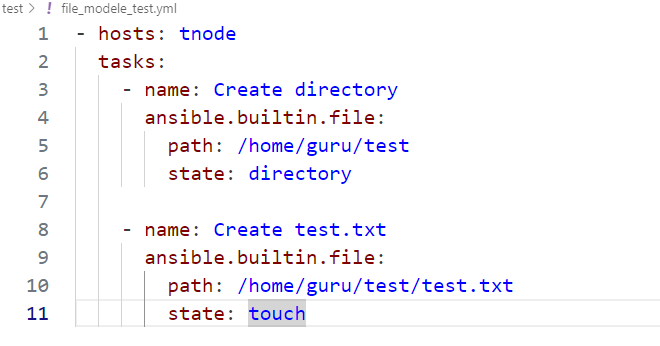
tnode] 에 대해서 /home/guru/test 디렉토리 생성과 test 디렉토리에 test.txt 파일을 생성하는 야물파일을 생성 하여 실행 하고 노드에 생성된것 확인
*앤서블? -> 자동화 관리 툴 : SSH를 통한 관리 ,
-제어노드: work
-관리노드: servera, b, c, d
- 앤서블 설치 : 리눅스 기준 , 윈도우: 베어그란트 설치
- 인벤토리 : 관리할 노드 목록
- ansible.cfg : 환경설정파일 ssh접속 관련
- 플레이북 : 하나 이상의 작업 목록을 모아 놓은것. = 파일명.yaml, yml
- 애드-혹 : 하나씩만 동작시키면서 진행.
- tasks : 모듈을 실행하는 작업.
- ansible-galaxy : 공유
- ansible-galaxy init role : 하나의 작업을 단계별로 구분지어 놓은것.
- 필요한 경우에 필요한 부분만 가져다 사용 가능.
- ansible-galaxy init role : 하나의 작업을 단계별로 구분지어 놓은것.
- 플레이북 기본 작성법
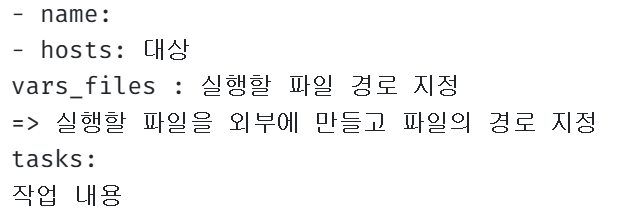
- 설정(시스템 설정, 환경 설정, 모니터링)