WordCloud
import plotly.graph_objs as go
from plotly import tools
import matplotlib.pyplot as plt
import pandas as pd
from wordcloud import WordCloud

timesData = pd.read_csv('timesData.csv', encoding='utf-8')

x2011 = timesData.country[timesData.year == 2011]
plt.subplots(figsize=(8,8))
wordcloud = WordCloud(
                          background_color='white',
                          width=512,
                          height=384
                         ).generate(" ".join(x2011))
plt.imshow(wordcloud)
plt.axis('off')
plt.savefig('graph.png')

plt.show()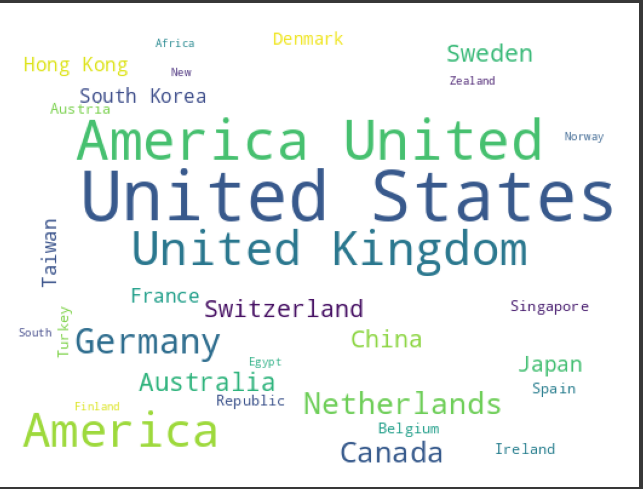
한국 데이터로 해보기
import plotly.graph_objs as go
from plotly import tools
import matplotlib.pyplot as plt
import pandas as pd
from wordcloud import WordCloud
from wordcloud.wordcloud import FONT_PATH

# 사용할 한글 폰트의 경로를 설정한다.
FONT_PATH = "/usr/share/fonts/truetype/nanum/NanumSquareRoundR.ttf"

timesData = pd.read_csv('jejuTaG.CSV', encoding='utf-8')
timesData = timesData.head(20)

x2011 = timesData.태그명
plt.subplots(figsize=(8,8))
wordcloud = WordCloud(
                          background_color='gray',
                          width=512,
                          height=384,
                          font_path=FONT_PATH,
                         ).generate(" ".join(x2011))
plt.imshow(wordcloud)
plt.axis('off')
plt.savefig('graph.png')

plt.show()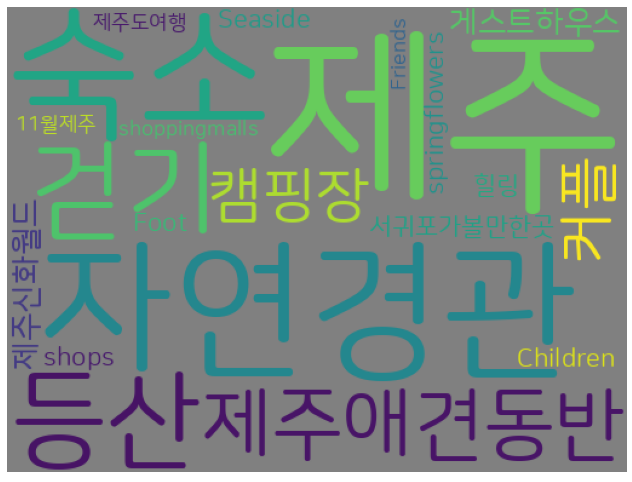

안녕하세요 게임개발을 공부하고 있는 돼지인간 입니다.
디자인이 아쉽네요