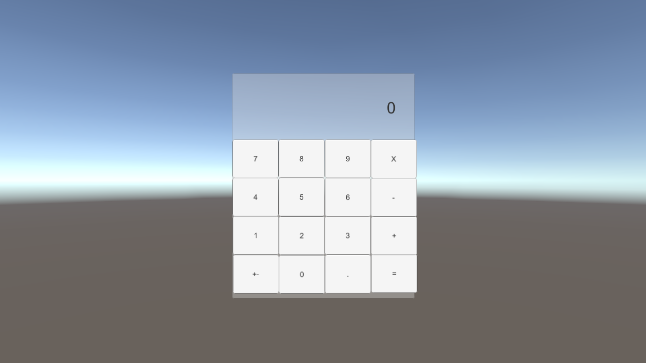
(UI가 굉장히 조잡하다)
00.계산기 구현
01. 사고의 과정
-
0~9까지의 버튼을 만들고 각 버튼에 스크립트를 부착하여 해당 버튼이 클릭될 때마다 결과를 보여줄 text필드를 갱신하도록 한다.
-
버튼마다 스크립트를 만들면 굉장히 생산적이지 못 한 방법이기 때문에 다른 방법이 있을 것이라 판단하였다.
-
결과가 보여지는 텍스트 필드의 컴포넌트 변수를 가지는 스크립트를 생성하여 각 버튼에 부착한다.
-
스크립트가 부착된 버튼이 눌려지면 값을 갱신하도록 한다.
-
+연산자가 클릭되면 왼쪽 값이 저장되고 대입연산자가 클릭되면 오른쪽 값도 저장하여 두 값의 합을 결과로 출력한다. (+연산만 수행하고 세세한 예외는 생략)
02.구현
-
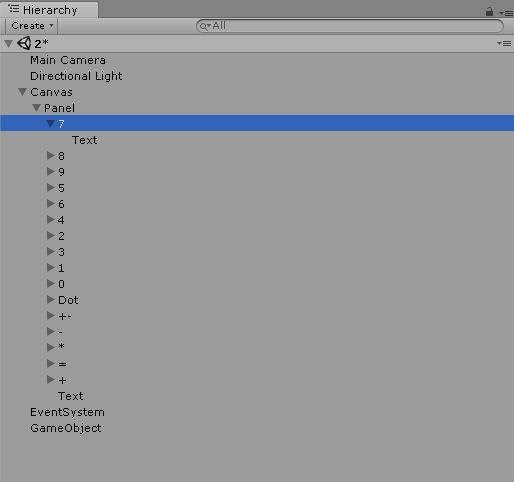
Hierarchy는 위와 같다.
-
Panel아래에 각각의 버튼을 생성하였다.
-
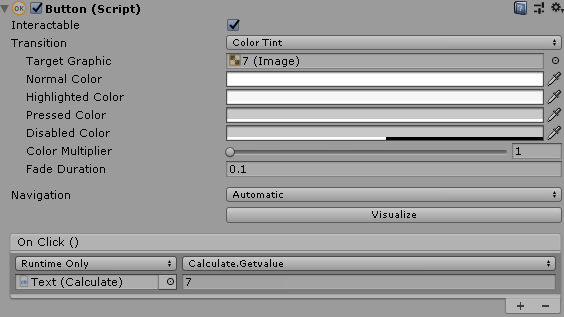
버튼의 On Click함수에 위와 같은 스크립트를 부착하여 클릭될 때마다 전달할 값을 정한다.
(이 경우는 7번 버튼이라 7을 전달)03.코드
1 2 3 4 5 6 7 8 9 10 11 12 13 14 15 16 17 18 19 20 21 22 23 24 25 26 27 28 29 30 31 32 33 34 35 36 37 38 39 40 41 42 43 44 45 46 47 48 49 50 51 52 53 54 55 56 57 58 59 60 61 62 63 64 65 66 67 68 69 70 71 72 73 74 75 76 77 78 79 80 81 82 83 84 85 86 87 88 | using System; using System.Collections; using System.Collections.Generic; using UnityEngine; using UnityEngine.UI; public class Calculate : MonoBehaviour { public Text Viewer; private int leftValue; private int rightValue; private bool isLeft; // Use this for initialization void Start () { Viewer = GetComponent<Text>(); Viewer.text = "0"; leftValue = 0; isLeft = true; } // Update is called once per frame void Update () { } public void Getvalue(string value) { if (Viewer.text == "0") { Viewer.text = value; } else if (Viewer.text == "0" && value == "0") { Viewer.text = value; } else if (!isLeft && value == "+") { //Debug.Log("print"); GetRightValue(); Viewer.text = "0"; leftValue += rightValue; //Viewer.text = leftValue.ToString(); } else if (value == "+") { isLeft = false; GetLeftValue(); Viewer.text = "0"; } else if(value == "=" && isLeft == false) { GetRightValue(); Viewer.text = (leftValue + rightValue).ToString(); leftValue = leftValue + rightValue; isLeft = true; } else if(value == ".") { init(); } else { Viewer.text += value; } } public void GetLeftValue() { leftValue = Convert.ToInt32(Viewer.text); } public void GetRightValue() { rightValue = Convert.ToInt32(Viewer.text); } private void init() { leftValue = 0; rightValue = 0; Viewer.text = "0"; isLeft = true; } } | cs |
- line30~69: 매개변수로 전달되는 값이 연산자(+, ., =)일 경우 다음과 같은 프로세스를 거친다.
1) +이면 viewer.text의 값을 정수로 변환하여 leftValue에 값을 저장하고 viewer.text를 0으로 초기화 한다.
2) =이면 viewer.text의 값을 정수로 변환하여 rightvalue에 값을 저장하고 leftValue와 rightValue의 합을 viewer.text의 값에 대입하여 결과를 보여준다.
3) .이면 init메소드를 호출하여 값을 초기화한다.
- line30~69: 연산자가 아닐 경우(정수) viewer.text의 값이 0이면 매개변수의 값을 그대로 대입하고 0이 아닐 경우 viewer.text의 값에 이어붙인다.
-
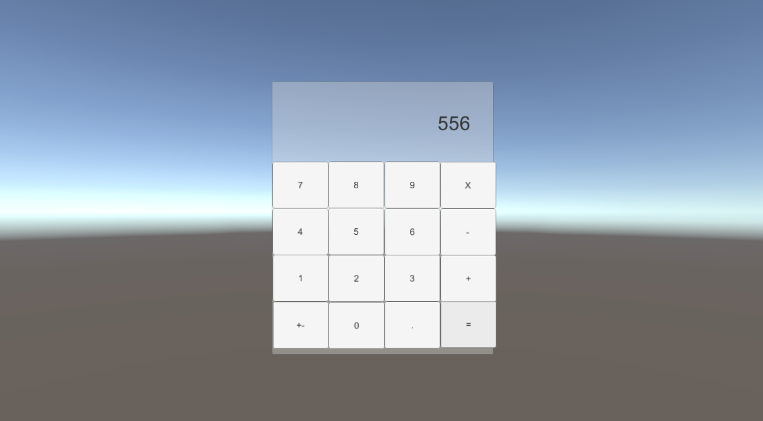
결과

코 익 인 간
여기 계산기를 쓰고 업비트 잔고가 늘어났습니다 감사합니다