Pandas pivot table
- index, columns, values, aggfunc
df = pd.read_excel("../data/02. sales-funnel.xlsx")
df.head()

index 설정
- Name 컬럼을 인덱스로 설정
- pd.pivot_table(df, index="Name")
df.pivot_table(index="Name")
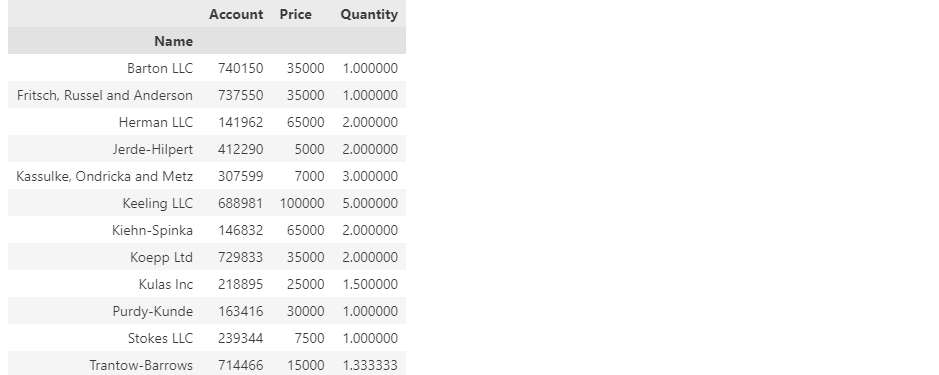
df.pivot_table(index=["Name", "Rep", "Manager"])

df.pivot_table(index=["Manager", "Rep"])

values 설정
df.pivot_table(index=["Manager", "Rep"], values="Price")

df.pivot_table(index=["Manager", "Rep"], values="Price", aggfunc=np.sum)

df.pivot_table(index=["Manager", "Rep"], values="Price", aggfunc=[np.sum, len])

columns 설정
df.pivot_table(index=["Manager", "Rep"], values="Price", columns="Product", aggfunc=np.sum)

df.pivot_table(index=["Manager", "Rep"], values="Price", columns="Product", aggfunc=np.sum, fill_value=0)

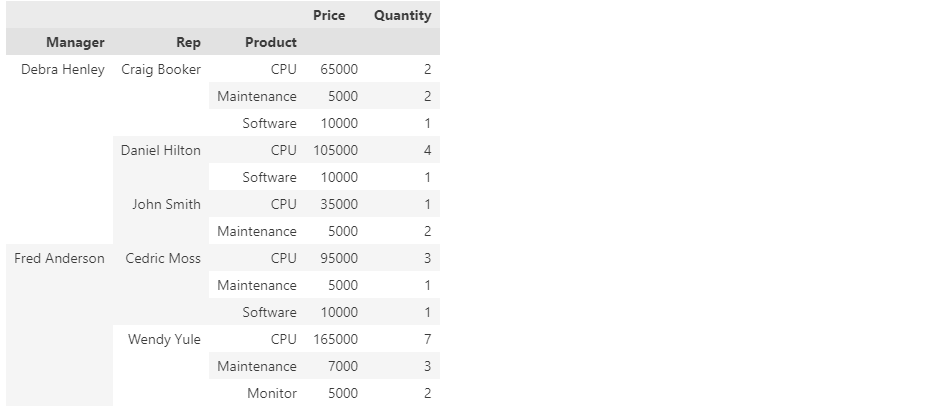
df.pivot_table(index=["Manager", "Rep", "Product"], values=["Price", "Quantity"], aggfunc=np.sum, fill_value=0)
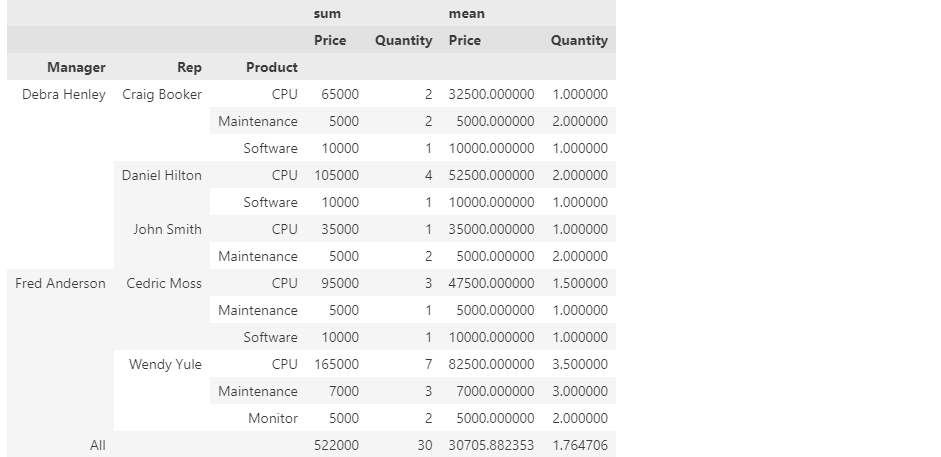
df.pivot_table(
    index=["Manager", "Rep", "Product"],
    values=["Price", "Quantity"],
    aggfunc=[np.sum, np.mean],
    fill_value=0,
    margins=True)