
요구사항
- git hub 에 repo 를 하나 만든다. 로컬에서 개발자는 index.html 파일을 간단히 작성하여 원격저장소에 push 한다.
- 앤서블 플레이 북이 실행되면 원격저장소로 부터 처음에는 clone 이 된다. 해당 정보는 웹서버의 기본 디렉토리로 clone 되어야 하며 http://192.168.121.X/ansiblelab3 으로 접속시 개발자가 push 한 내용을 확인할 수 있어야 한다.
- 만약 개발자가 index.html 파일 내용을 수정하여 다시 원격저장소에 push 했다면 이후 playbook 을 실행했을 대에는 pull 해야 하고 이는 새로운 페이지로 갱신이 되어야 한다.
- clone, update(pull) 이 발생한다면 매번 관리자가 systemctl restart httpd 를 할 수는 없다. trigger 를 이용하여 clone , update 가 발행하면 자동으로 httpd 를 재실행하고 해당 내용은 변수에 담겨 debug 로 처리된다.
Git
git clone https://github.com/taewoocode/ansiblelab3.git
git config --golbal user.email " qkrxodn6035@gmail.com"
git config --global user.name "taewoocode"

git add .
git commit -m 'hello'
git remote add origin https://github.com/taewoocode/ansiblelab3.git
git push origin master

curl -L 10.10.10.11/ansiblelab3
ansible-playbook play.yaml
원격레파지토리와 로컬서버를 연동한다.
토큰을 이용하여 접속하였다.
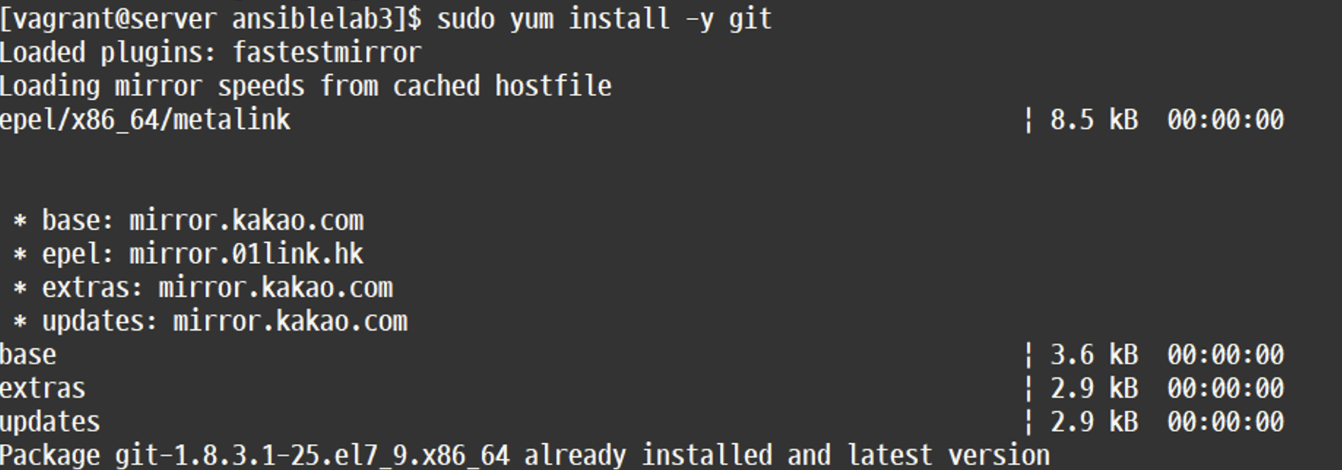
git 설치
-
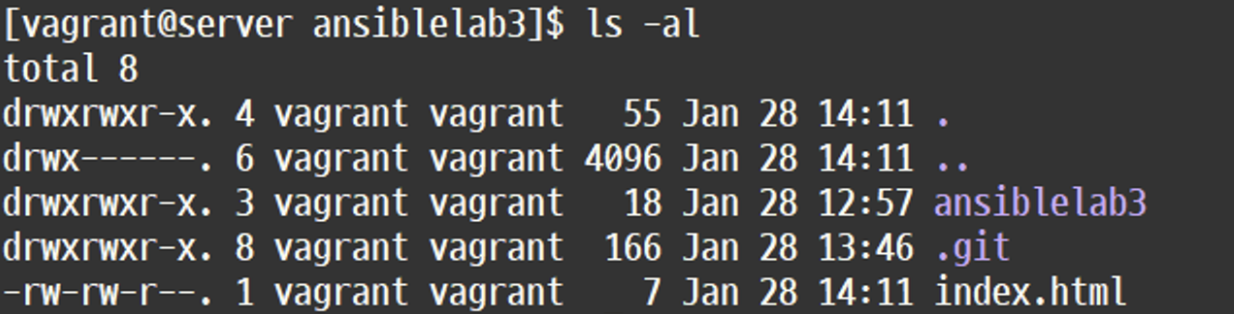
.git이 설치가 된 것을 확인할 수 있다.
-
git이 있어야 clone을 할 수 있다.
playbook.yaml 작성
---
- name: Deploy and Update Web Content
  hosts: centos
  become: yes
  vars:
    dest_directory: "/var/www/html/ansiblelab3"

  tasks:
    - name: Centos git install
      ansible.builtin.package:
        name: git
        state: present

    - name: Centos httpd install
      ansible.builtin.package:
        name: httpd
        state: present

    - name: Centos curl install
      ansible.builtin.package:
        name: curl
        state: present

    - name: CentOS > start web server
      ansible.builtin.service:
        name: httpd
        state: started

    - name: Clone or pull the Git repository
      ansible.builtin.git:
        repo: "https://github.com/taewoocode/ansiblelab3.git"
        dest: "{{ dest_directory }}"
        update: yes
      register: git_result

    - name: Display Git status
      ansible.builtin.debug:
        var: git_result.stdout_lines

    - name: CentOS > firewalld
      ansible.builtin.service:
        name: firewalld

state: stopped
        enabled: no

    - name: git 변경 확인하고 pull
      ansible.builtin.debug:
        msg: "Changes pulled from Git repository"
      when: git_result.changed

    - name: Display debug information
      ansible.builtin.debug:
        var: local_ansible_html
    - name: httpd restart를 위한 trigger set
      ansible.builtin.set_fact:
        restart_httpd: true
      when: git_result.changed

  handlers:
    - name: restart httpd
      ansible.builtin.service:
        name: httpd
        state: restarted
      when: restart_httpd
      listen: result
코드실행
ansible-playbook play.yaml # 실행
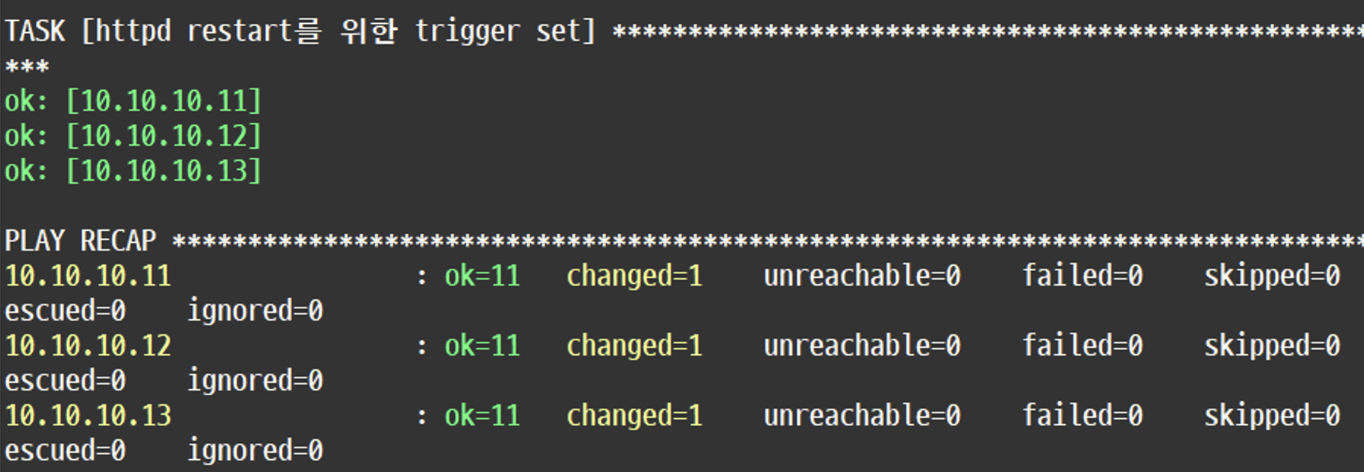
결과
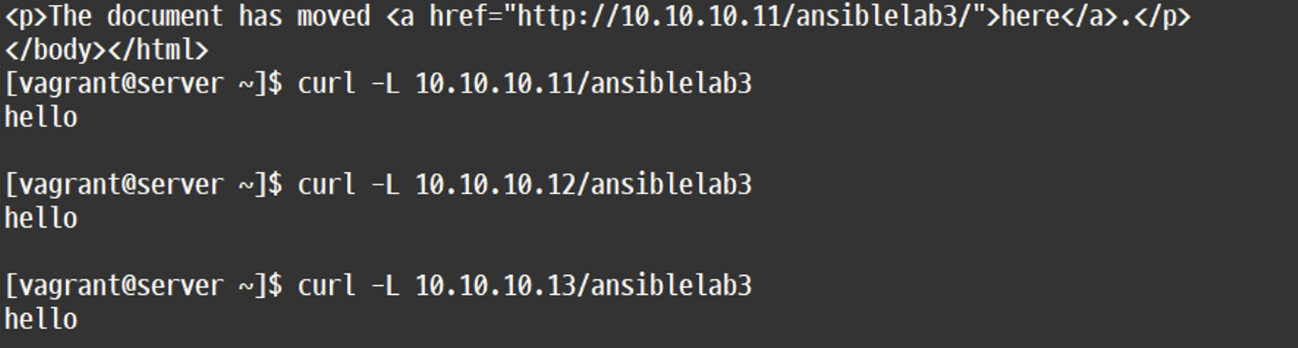
각 노드별로 반영이 되었다는 것을 확인할 수 있다.
이번 실습의 초점은 개발자들이 index.html에서 파일을 수정하거나 추가된 내용들을 반영할 때 마다 매번 관리자가 systemctl restart httpd 를 할 수는 없다. 그래서 trigger 를 이용하여 clone , update 가 발행하면 자동으로 반영되게끔 해주는 것이 실습의 초점이었던 거 같다.
실제로 index.html에서 파일을 수정한 다음, playbook을 실행하였을 때 래파지토리의 내용들이 pull로 반영되는 것을 확인할 수 있었다.
Reference
https://docs.ansible.com/ansible/latest/playbook_guide/playbooks_intro.html
https://docs.ansible.com/ansible/latest/playbook_guide/playbooks_intro.html#playbook-syntax

안녕하세요