
[Project] 모노레포 pnpm 설정
⚙️ 일단 해보자
진행 과정 정리 목적 포스팅:수정 예정
Last Update 2024.12.30
1. pnpm Install
- npm을 사용해 pnpm을 설치했다.
npm install -g pnpm pnpm init
을 하면package.json이 생성된다.{ "name": "STD", "version": "1.0.0", "description": "", "main": "index.js", "scripts": { "test": "echo \"Error: no test specified\" && exit 1" }, "keywords": [], "author": "", "license": "ISC" }pnpm --version을 터미널에 입력하면 다음과 같이 잘 설치되어 있는 것을 볼 수 있다.

{ "name": "STD", "version": "1.0.0", "description": "", "packageManager": "pnpm@9.15.1", "workspaces": [ "apps/*", "packages/*" ], "scripts": { "test": "echo \"Error: no test specified\" && exit 1" }, "keywords": [], "author": "", "license": "ISC" }--version으로 확인한 버전을 packageManager에 작성했다. (패키지 관리 일관성 보장을 위함)- 그리고 workspaces를 추가했다.
- 워크스페이스 설정을 위해
pnpm-workspace.yaml파일을 생성했다.packages: - "apps/*" - "packages/*"
2. 코어 기술스택 Next.js 설정
-
프로젝트 구조에 맞게 폴더를 생성했다.
mkdir apps
cd apps

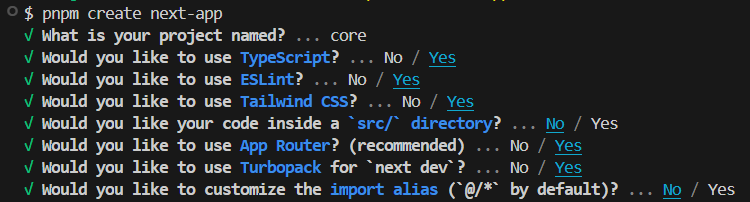
pnpm create next-app
-
설정은 우선 요렇게 해줬다 😁
-
그리고 core 폴더로 이동(
cd core/)해서pnpm dev로 next-app을 실행했다.
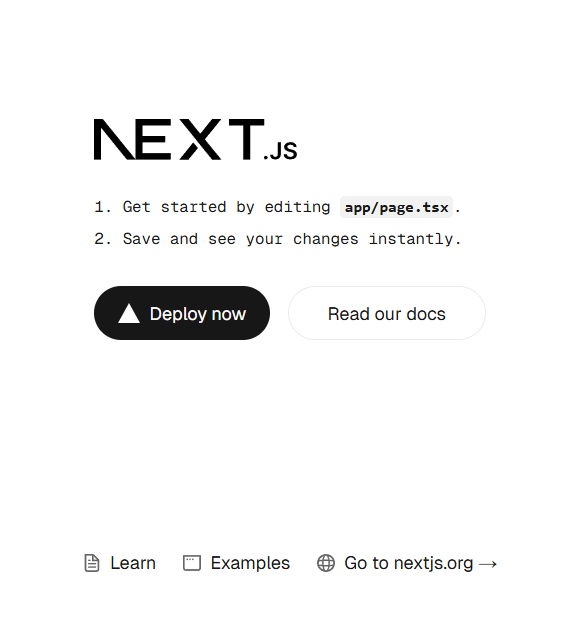
실행되는 것을 확인했다.
3. 추가 기술스택 React.js 설정
-
프로젝트 구조에 맞게 폴더를 생성했다.
mkdir stacks cd stacks -
프로젝트 이름을 React로 하려고 했는데 (사유 : core 내에 바로 프로젝트 들어갔듯 React에 바로 프로젝트 들어가게 하고 싶었음) 잊고 있었다. 패키지 이름은 소문자만 사용할 수 있다는 것을...
react로 바꿨는데 이건 npm에 등록된 패키지 이름이라 안 됨 -
우선 프로젝트 초기 설정을 하고, 이후에 처음부터 설정하거나 바꾸자! 라고 생각해서...
mkdir React
cd React

pnpm create react-app react-app --template typescript
일단 react app을 만들었다.
-
그리고 react-app 폴더로 이동(
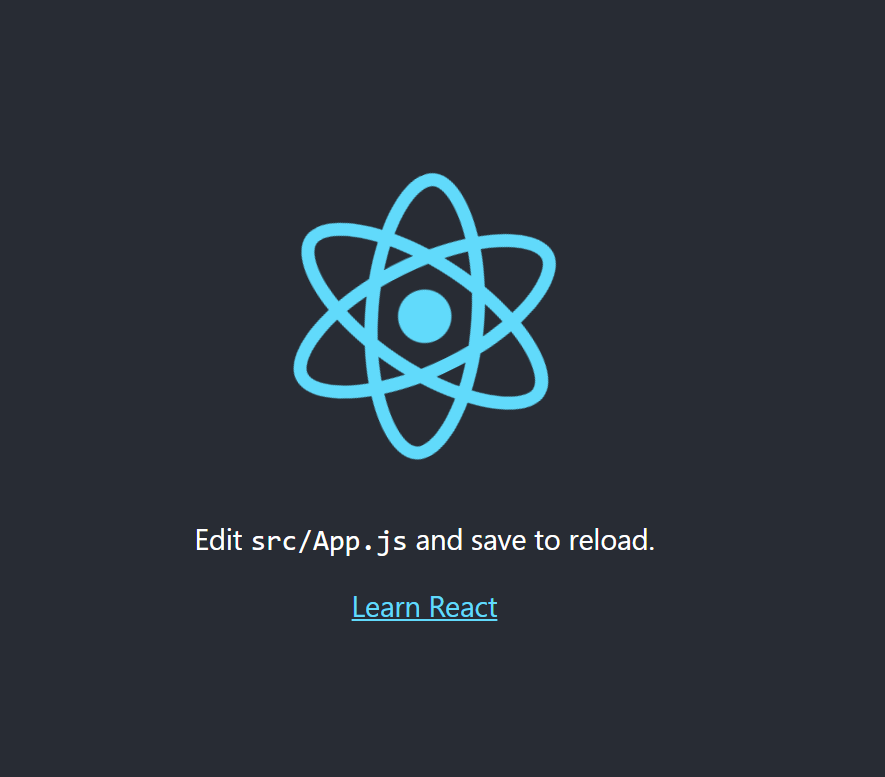
cd react-app/)해서pnpm start로 react-app을 실행했다.- 실행했는데 오류가 생겼다. 확인해보니 reportWebVitals.ts에서 web-vitals import 문제가 있어서 생긴 오류 같았다.
그래서 설치(pnpm install web-vitals)를 했는데, 크게 오류가 해결되거나 하지는 않았다... - 타입스크립트 설정에 문제가 있다고 생각해
tsconfig.json파일을 추가했다.// gpt { "compilerOptions": { "target": "es5", // JavaScript 버전 "lib": ["dom", "dom.iterable", "esnext"], // 사용할 라이브러리 "allowJs": true, // JS 파일도 처리 가능하게 설정 "skipLibCheck": true, // 라이브러리 체크 건너뛰기 "esModuleInterop": true, // CommonJS와 ES Module 간 호환성 "allowSyntheticDefaultImports": true, // default import 허용 "strict": true, // 모든 엄격한 타입 검사 활성화 "forceConsistentCasingInFileNames": true, // 파일명 대소문자 일관성 강제 "module": "esnext", // 모듈 시스템 "moduleResolution": "node", // Node 방식으로 모듈 해석 "resolveJsonModule": true, // JSON 모듈 지원 "isolatedModules": true, // 개별 모듈로 실행 "noEmit": true, // 컴파일된 파일을 출력하지 않음 (타입 체크만) "jsx": "react-jsx" // JSX 구문을 React에서 처리 }, "include": [ "src/**/*" // src 폴더 내 모든 파일을 포함 ] }
- 실행했는데 오류가 생겼다. 확인해보니 reportWebVitals.ts에서 web-vitals import 문제가 있어서 생긴 오류 같았다.
-
오류가 해결되지 않아서 참고 포스팅을 참고하며 다시 설정했다.
- 근데 그래도 오류가 발생해서... 찾아보니까
Eslint error 해결 방법 | 'extensions' has been removed, 'resolvepluginsrelativeto' has been removed.
이 내용을 따라가니 또 다른 오류 발생
[에러] Plugin "react" was conflicted between "package.json
이 내용을 따라갔다.package.json에서"eslintConfig"부분을 삭제,node modules 폴더/package-lock.json파일 삭제pnpm install react-scripts,pnpm start
- 근데 그래도 오류가 발생해서... 찾아보니까
... 전부 eslint 오류인가?
🧪🧪🧪
- eslint는 각각의 프로젝트에서 설정?
ORroot에서 설정? - 이렇게 각각의 프로젝트 폴더에 install? (진행 과정이 맞는가...)
- 프로젝트 폴더 내에 바로 접근 가능?(core의 Next.js)
ORReact/react-app으로 접근?