1. children
태그 사이에 있는 값 : children
<MyButton>children</MyButton>children이 props보다 우선시 된다.
//App.js

import React from 'react';
import { StyleSheet,  View} from 'react-native';
import MyButton from './MyButton';

export default function App() {
  return (
    <View style={styles.container}>
      <MyButton title="MyButton title1" onPress = {()=>alert('1')}/>
      <MyButton title="MyButton title2" onPress ={()=>alert('2')}/>
      <MyButton>ader</MyButton>
    </View>
  );
}

const styles = StyleSheet.create({
  container: {
    flex: 1,
    backgroundColor: '#fff',
    alignItems: 'center',
    justifyContent: 'center',
  },
});
//MyButton.js
import React from 'react';
import { TouchableOpacity, View, Text } from 'react-native';
const MyButton = (props)=>{
console.log(props.children)
return(
<TouchableOpacity
onPress={props.onPress}
>
<View style={{backgroundColor: 'red', padding:10, margin:10}}>
<Text style={{fontSize:20, color:'white'}}>{props.title}</Text>
</View>
</TouchableOpacity>
)
}
export default MyButton;
앞에 두개의 undefined는 태그 안에 내용이 없기 때문에 undefined가 나오는 것이다.
만약 children이 있으면 children을 출력하고 없으면 props로 받아온 title을 출력
import React from 'react';
import { TouchableOpacity, View, Text } from 'react-native';

const MyButton = (props)=>{
    return(
        <TouchableOpacity
            onPress={props.onPress}
        >
            <View style={{backgroundColor: 'red', padding:10, margin:10}}>
                {/* // 만약 children이 있으면 children을 출력하고 없으면 props로 받아온 title을 출력 */}
                <Text style={{fontSize:20, color:'white'}}>{props.children||props.title}</Text>
            </View>
        </TouchableOpacity>
    )
}

export default MyButton;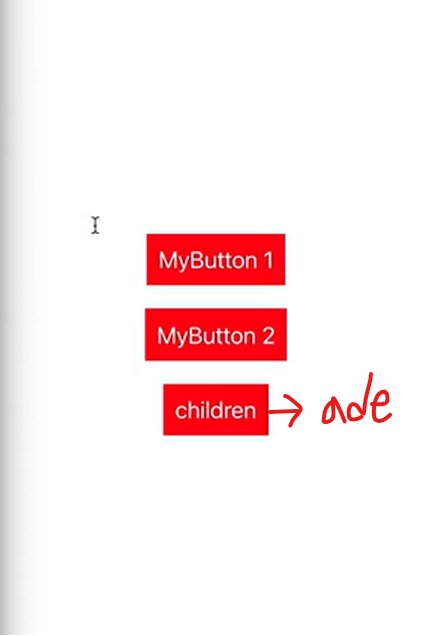
2. defaultProps
props의 기본값 설정
만약 props로 전달하는 값이 없다면
//App.js
import React from 'react';
import { StyleSheet,  View} from 'react-native';
import MyButton from './MyButton';

export default function App() {
  return (
    <View style={styles.container}>
      <MyButton/> // 전달되는 props가 없음
      <MyButton title="MyButton title2" onPress ={()=>alert('2')}/>
      <MyButton>ader</MyButton>
    </View>
  );
}

const styles = StyleSheet.create({
  container: {
    flex: 1,
    backgroundColor: '#fff',
    alignItems: 'center',
    justifyContent: 'center',
  },
});
위에 같이 나오게 되는데 props에 기본값을 설정하게 되면 아래 사진처럼 UI를 설정할 수 있다.
//MyButton.js

import React from 'react';
import { TouchableOpacity, View, Text } from 'react-native';

const MyButton = ({title="title", onPress=()=>{}, children})=>{
    return(
        <TouchableOpacity
            onPress={onPress}
        >
            <View style={{backgroundColor: 'red', padding:10, margin:10}}>
                <Text style={{fontSize:20, color:'white'}}>{children||title}</Text>
            </View>
        </TouchableOpacity>
    )
}

export default MyButton;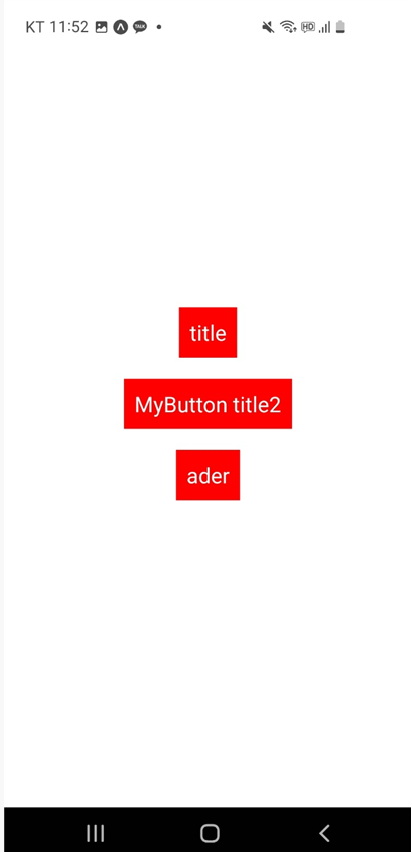
defaultProps를 활용하여 기본값을 설정해줄 수 있다.
import React from 'react';
import { TouchableOpacity, View, Text } from 'react-native';

const MyButton = ({title, onPress, children})=>{
    return(
        <TouchableOpacity
            onPress={onPress}
        >
            <View style={{backgroundColor: 'red', padding:10, margin:10}}>
                <Text style={{fontSize:20, color:'white'}}>{children||title}</Text>
            </View>
        </TouchableOpacity>
    )
}

MyButton.defaultProps = {
    title:"default",
    onPress:()=>alert('default')
}

export default MyButton;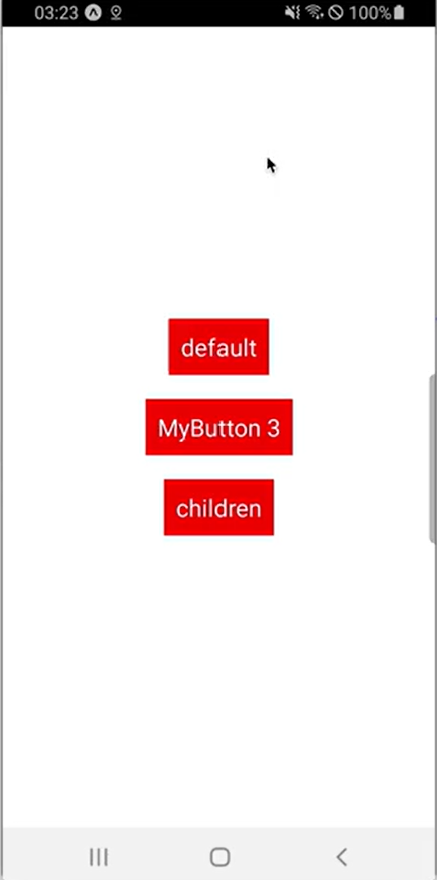
3. propTypes
전달되지 않는 props의 기본값을 지정해준다고 해도 추가적으로 전달되어 오는 props가 숫자, 문자 등등 데이터의 타입이 정해져야 하는 경우가 있습니다.
propTypes를 활용하면 타입을 지정할 수도 반드시 넘어와야 하는 데이터를 지정할 수도 있습니다.
propsTypes를 사용하려면 라이브러리 설치 필요
$ npm install --save prop-types//MyButton.js
import React from 'react';
import { TouchableOpacity, View, Text } from 'react-native';
import PropTypes from 'prop-types'
const MyButton = ({title, onPress, children})=>{
return(
<TouchableOpacity
onPress={onPress}
>
<View style={{backgroundColor: 'red', padding:10, margin:10}}>
<Text style={{fontSize:20, color:'white'}}>{children||title}</Text>
</View>
</TouchableOpacity>
)
}
MyButton.defaultProps = {
title:"default",
onPress:()=>alert('default')
}
MyButton.propTypes={
title: PropTypes.string, // title은 반드시 string으로 넘어와야 하고
onPress:PropTypes.func // onPress는 반드시 함수로 넘어와야 한다.
}
export default MyButton;//App.js
import React from 'react';
import { StyleSheet, View} from 'react-native';
import MyButton from './MyButton';
export default function App() {
return (
<View style={styles.container}>
<MyButton title={123}/> // propTypes와 다른 값을 주게 되면
<MyButton title="MyButton title2" onPress ={()=>alert('2')}/>
<MyButton>ader</MyButton>
</View>
);
}
const styles = StyleSheet.create({
container: {
flex: 1,
backgroundColor: '#fff',
alignItems: 'center',
justifyContent: 'center',
},
});
이런식으로 오류가 뜨게 된다.
3-1. isRequired
반드시 넘어와야 하는 항목 설정. 타입스크립트 사용할때 유용!
MyButton.propTypes={
    title: PropTypes.string,
    onPress:PropTypes.func,
    title2: PropTypes.string.isRequired,
    // 반드시 넘어와야 하는 항목 설정하고 싶을떄는 isRequired를 설정한다.
}
반드시 넘어와야 하는 title2가 값이 넘어오지 않았다면 아래와 같이 오류가 발생한다.