🔎 Stanford CS231n 강의를 듣고 기록용도로 정리하는 게시글입니다.
CPU vs GPU
- GPU: Graphics Processing Unit
- originally developed for rendering computer graphics
- NVIDIA vs AMD (NVIDIA is dominant)
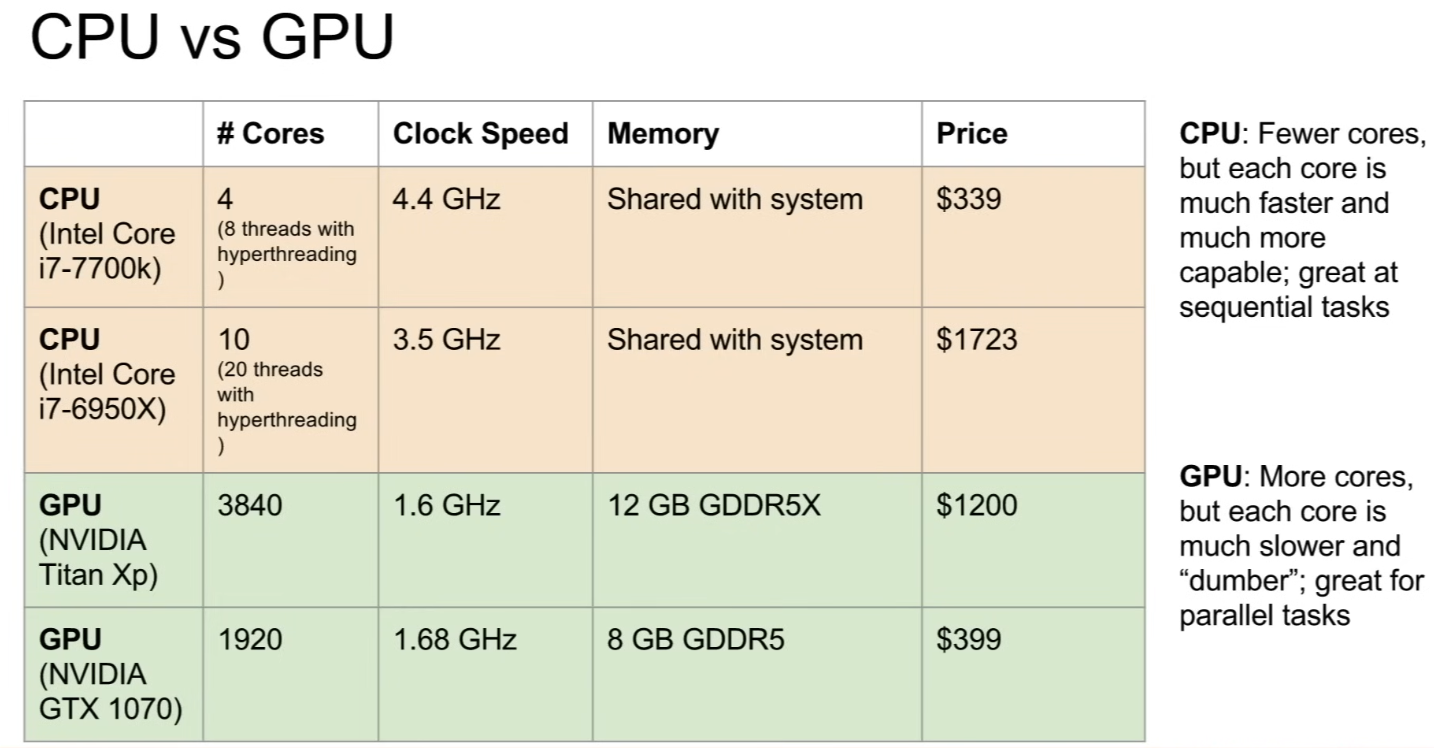
- they are both a general purpose computing machine that can execute programs and arbitrary instructions
Cores
- CPUs: few cores with hyperthreading tech (= can run 8 or up to 20 threads concurrently)
- GPUs: thousands of cores, but each of the cores runs at a much slower clock speed and can't do quite as much
- each core cannot work independently, they need to work together and sort of paralyze one 1 task across many cores rather than each core totally doing its own thing
- but good when you need to do a lot of things all at the same time, and those things are all pretty much the same flavor
Memory
- CPUs: has some cache on CPU but very small, and the majority of the memory for your CPU is pulling from your system memory (RAM - 12, 16, 32 GB)
- GPUs: has own RAM built into the chip, has a large bottleneck(병목현상) communicating between the RAM in your system and the GPU → has a relatively large block of memory within the card itself
- has own caching system, where there are sort of multiple hierarchies of caching between the 12GB or GPU memory and the actual GPU cores
Matrix multiplication
-
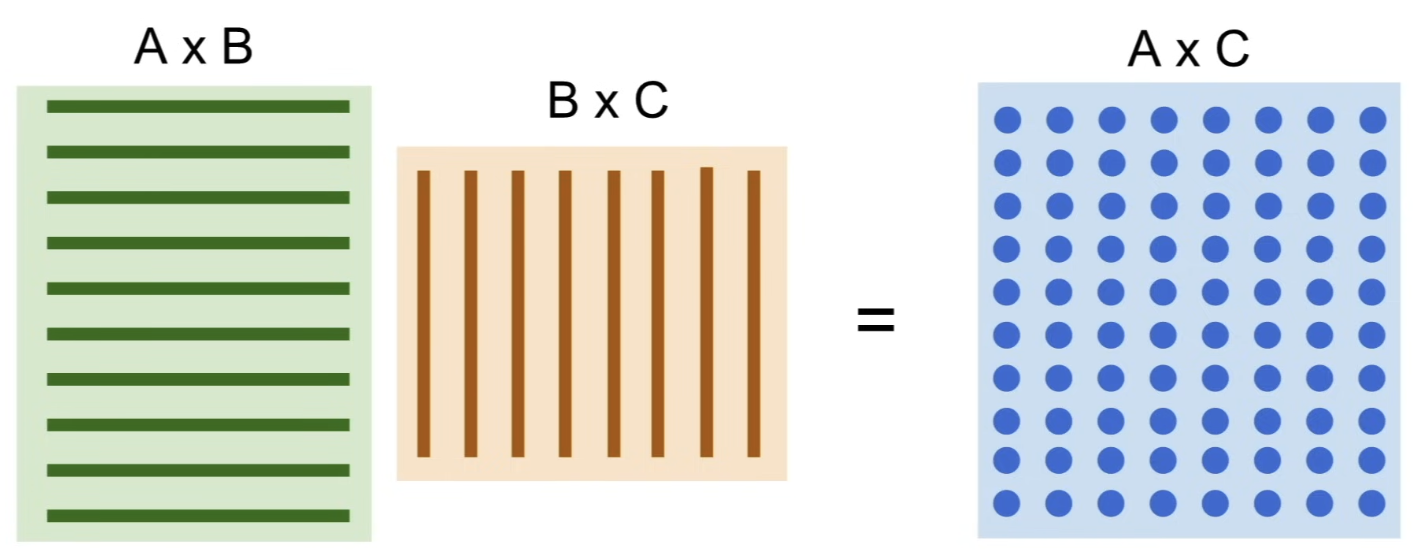
prototypical algorithm that works really well and is perfectly suited on GPUs
-
dot products are all independent
- you can split it up completely and have each of those different elements of the output matrix all being computed in parallel
-
whereas CPU might have to go in and step through sequentially and compute each of these elements one by one
-
convolution is the same
- input tensor, weight tensor, every point in the output tensor after convolution is dot product between some part of the weights and some part of the input ⇒ GPU can parallelize this computation, split it all up across the cores and compute it quickly
Programs on GPU
- you can write programs that run directly on GPUs
- CUDA (NVIDIA only)
- Write C-like code that runs directly on the GPU (but writing CUDA code is really tricky)
- Higher level APIs: cuBLAS, cuFFT, cuDNN, etc
- these are the libraries that NVIDIA released that implement common computational primitives that are very highly optimized for GPUs
- OpenCL
- Similar to CUDA, but runs on anything
- Usually slower
- Udacity: Intro to Parallel Programming
- https://www.udacity.com/course/cs344
- for deep learning, just use existing libraries
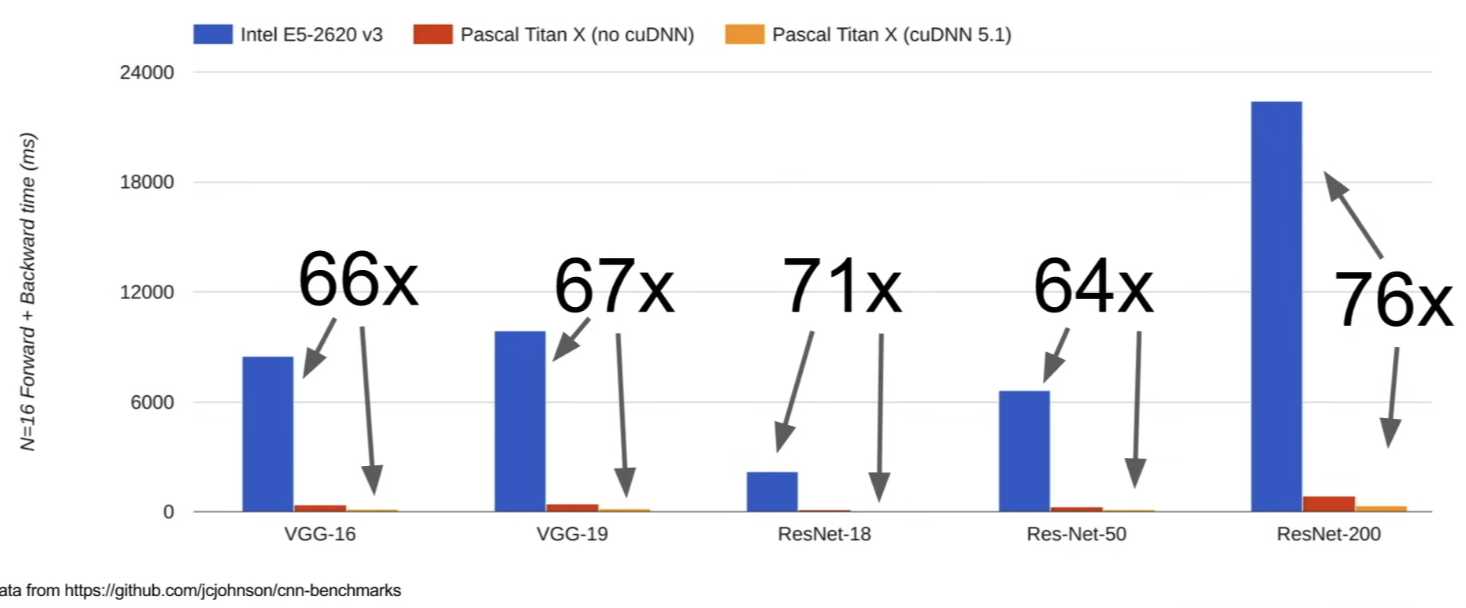
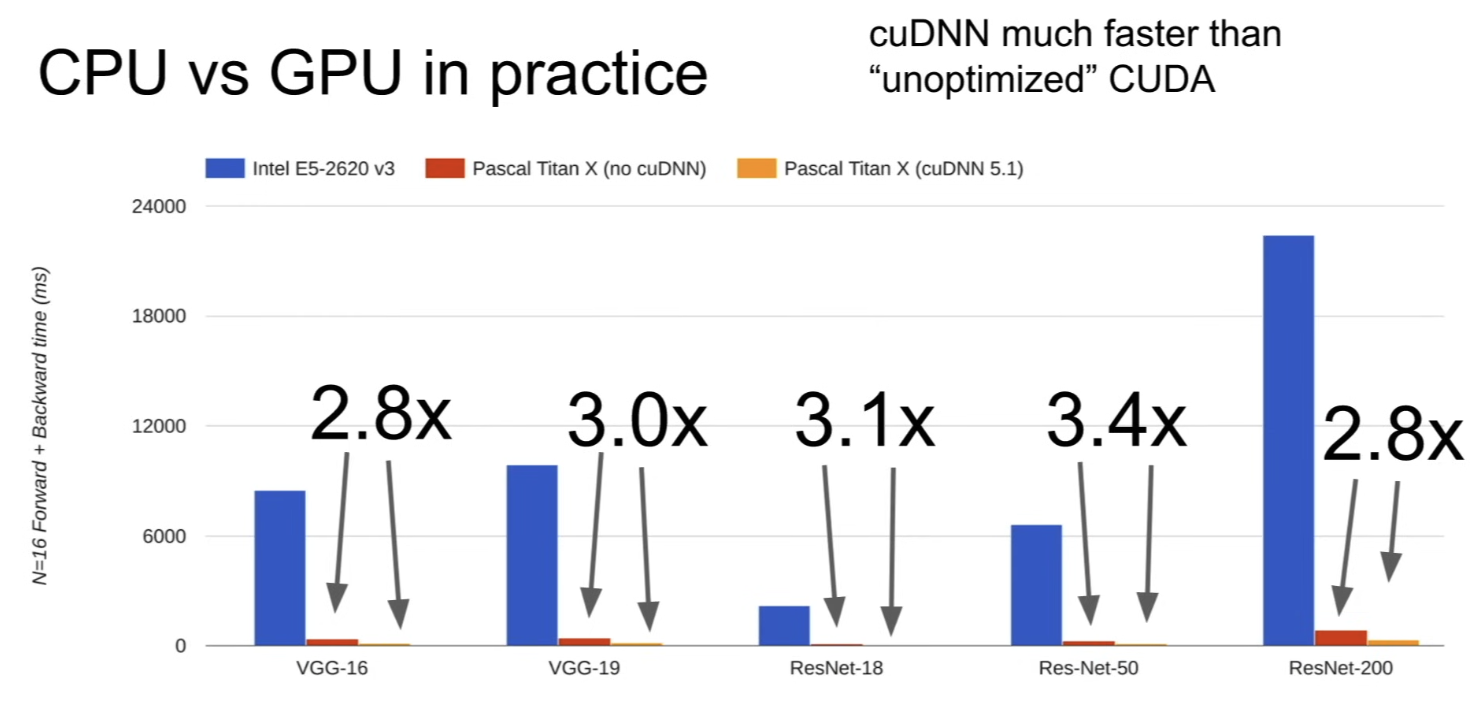
- benchmarks comparing a decent Intel CPU against a bunch of different GPUs
CPU/GPU Communication
-
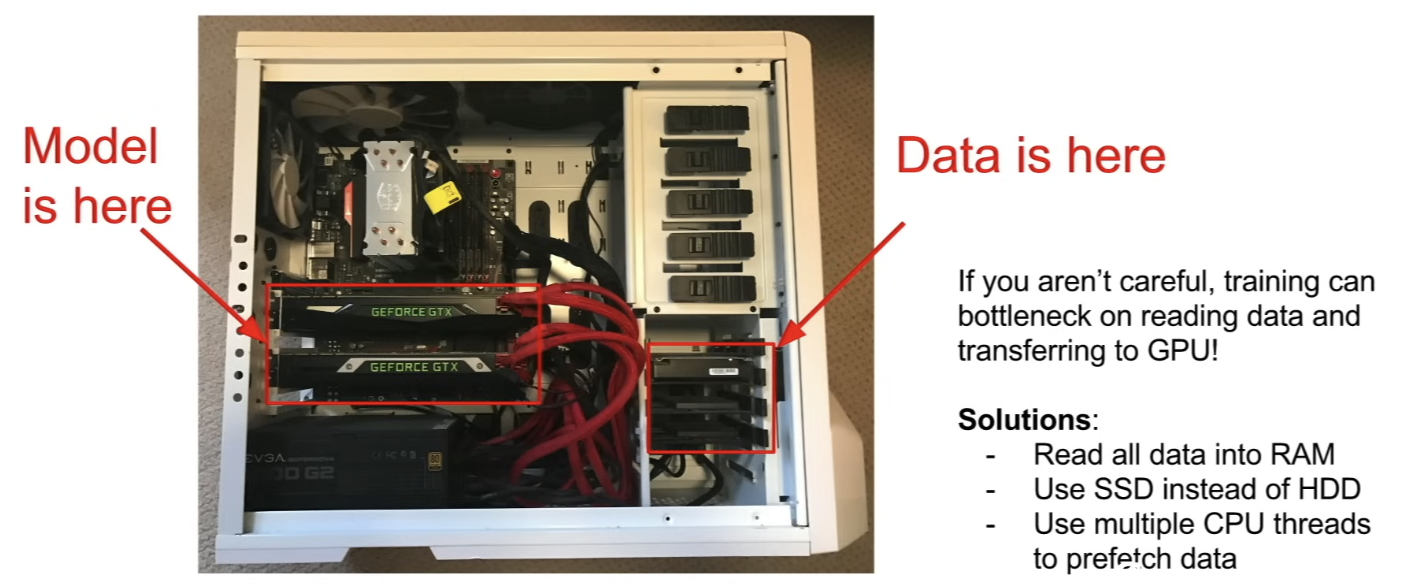
another problem in practice
- the model is on the GPU (weights of that model is 12 GB on local storage on the GPU)
- but the big dataset is on a hard drive or and SSD
- so, if you are not careful, you might bottleneck your training by just trying to read the data off the disk- b/c GPU is very fast, it can compute forward and backward quite fast, but you're reading sequentially off a spinning disk → can bottleneck the training which is bad and can slow you down
-
solutions
- if dataset is small, read the whole dataset into RAM
- or even if your dataset isn't so small but you have a giant server with a ton of RAM you might do it anyway
- make sure to use an SSD instead of hard drive (can help a lot with read throughput(처리량))
- use multiple threads on CPU that are prefetching data off RAM or off disk, buffering it in RAM so that then you can continue feeding that buffer data down to the GPU w/ good performance
- if dataset is small, read the whole dataset into RAM
Deep Learning Frameworks
Recall: Computational Graphs
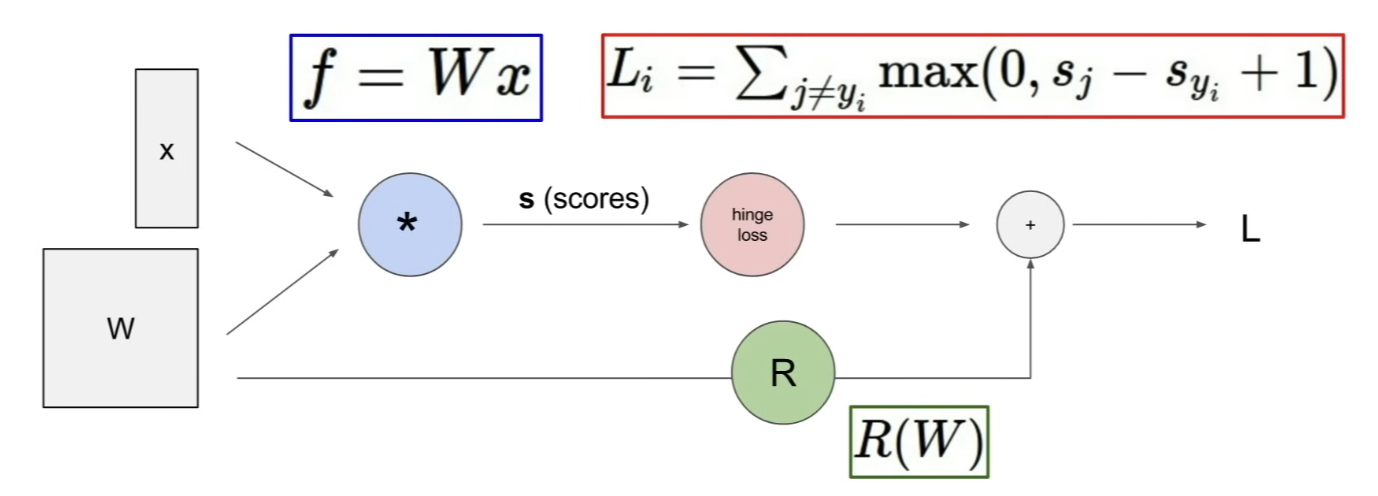
- whenver you're doing deep learning, you want to think about building some computational graph that computes whatever function you want to compute
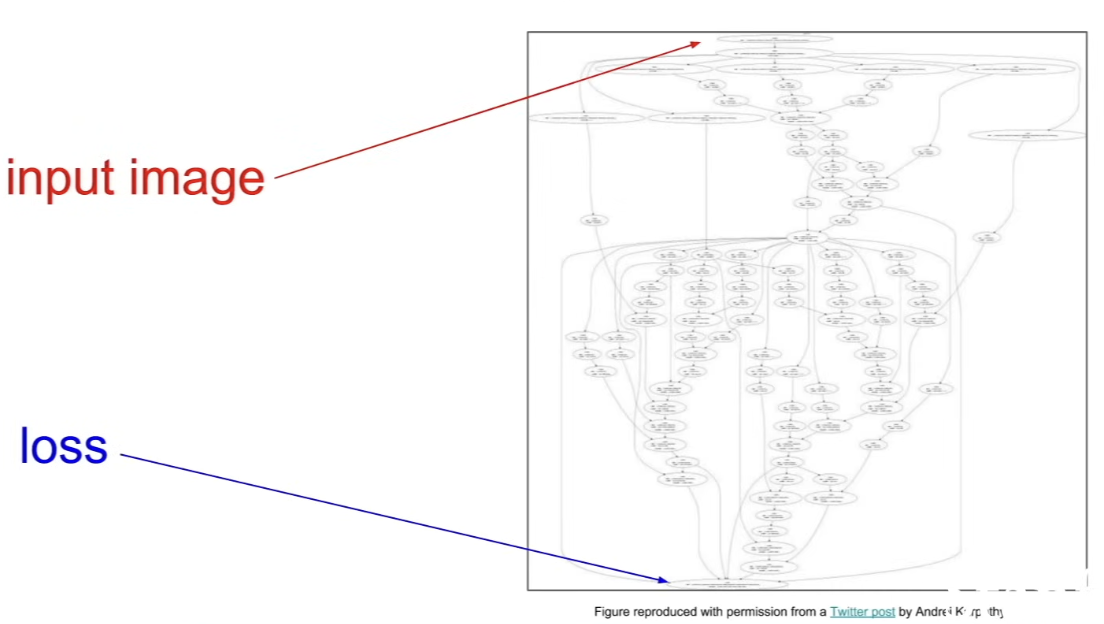
- structures can get complex
Reasons to use frameworks
- Easily build big computational graphs
- without worrying about a lot of those bookkeeping details yourself
- Easily compute gradients in computational graphs
- you don't want to have to write the codes that compute gradients yourself
- you want the frameworks to handle all the backpropagation details for you so you can just think about writing down the forward and backward pass for your network
- Run it all efficiently on GPU (wrap cuDDN, cuBLAS, etc)
Computational Graphs
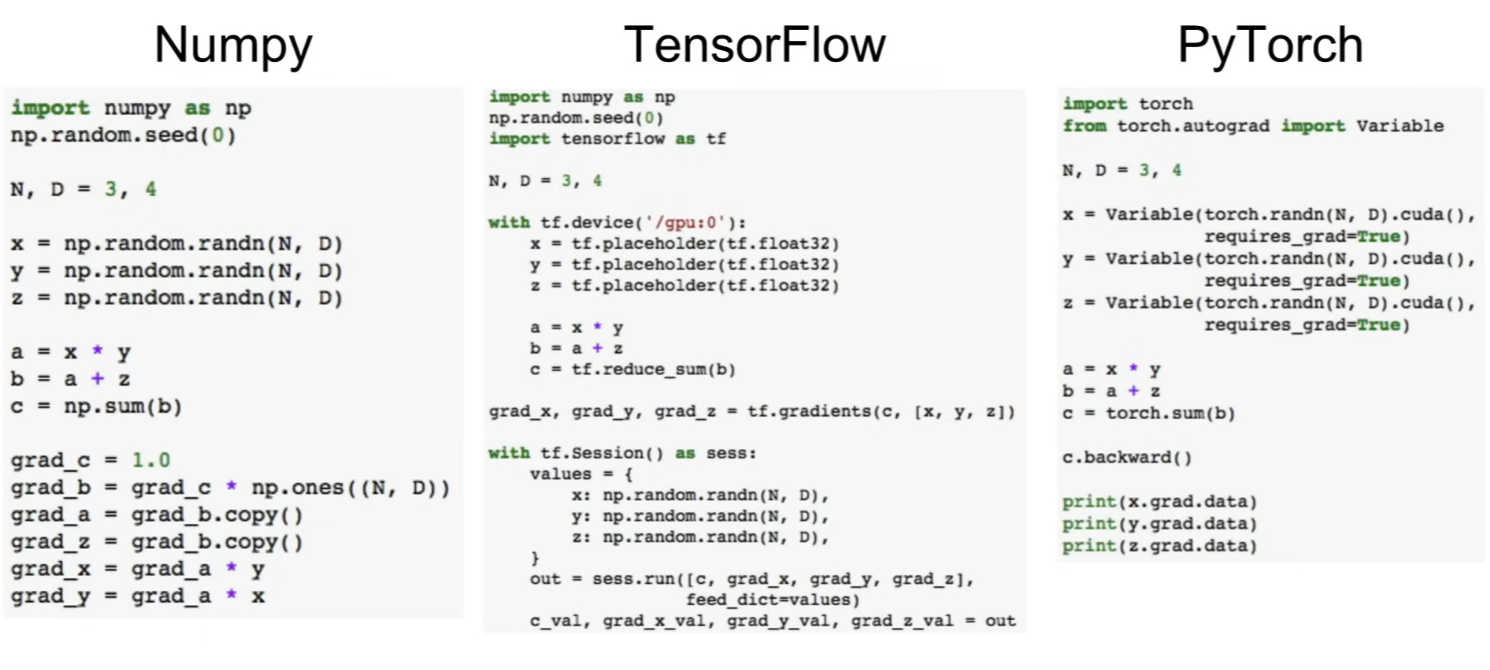
Using NumPy
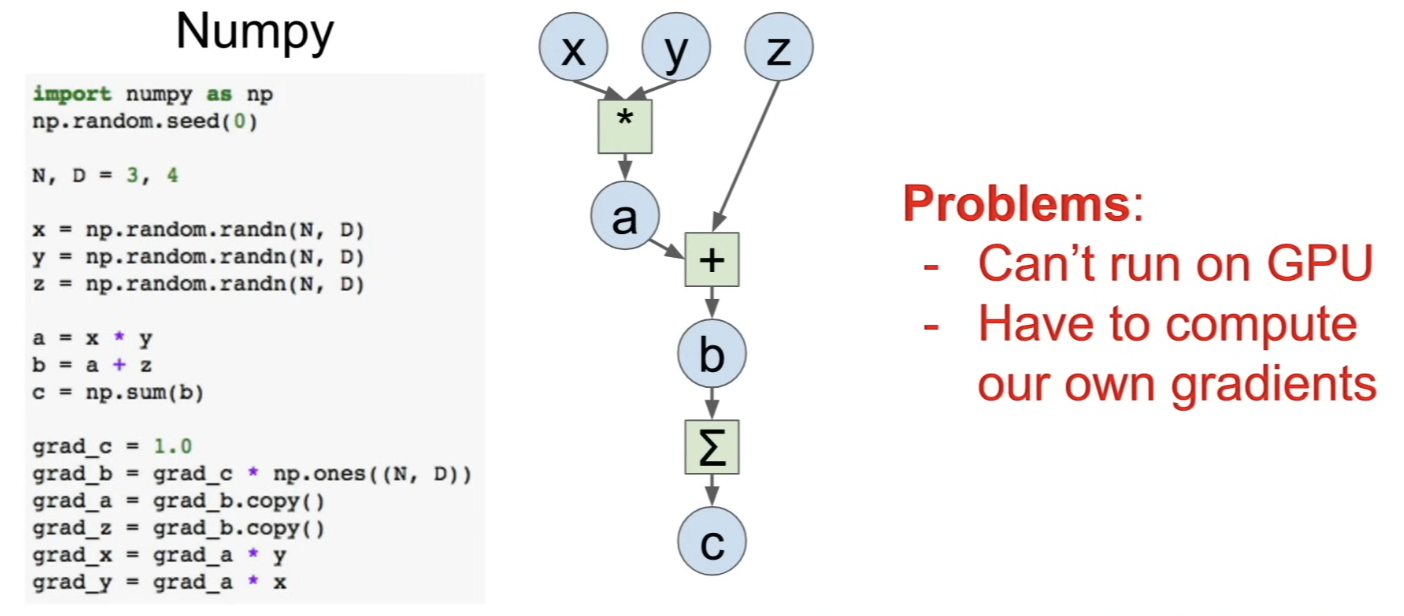
- easy to write codes that do things like generate random data, multiply ...
- computing the gradient? - have to write the backward pass yourself
Using Frameworks
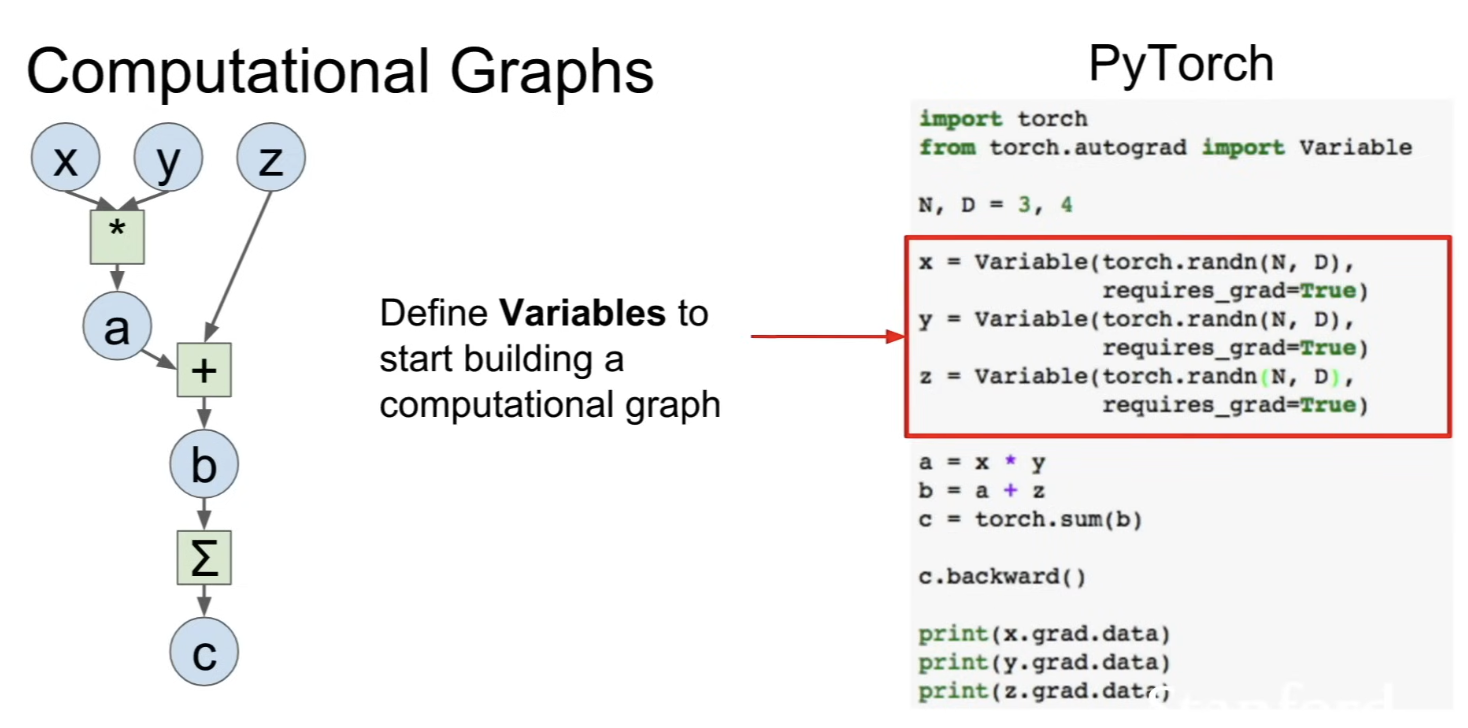
- lets you write code in the forward pass that looks similar to NumPy, but lets you run them on GPU, and automatically compute gradients
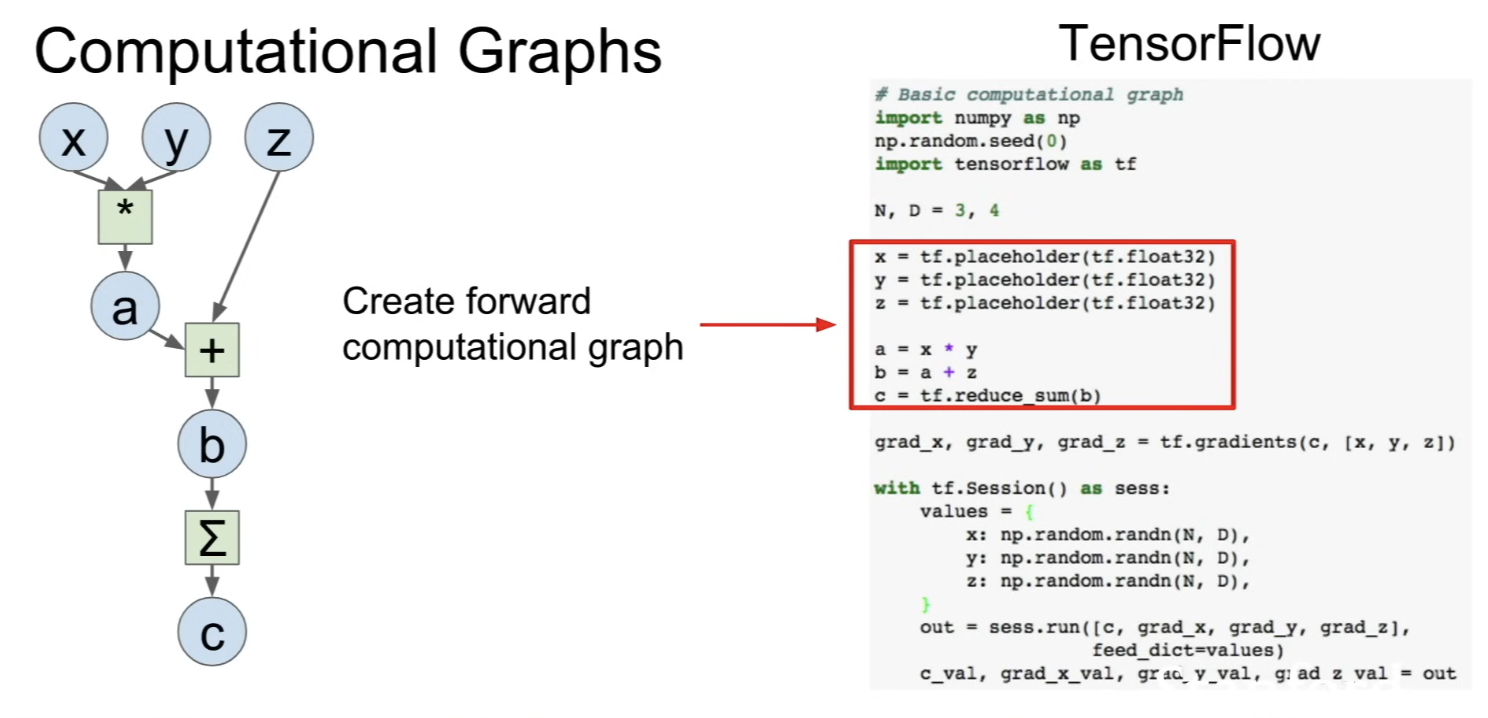
- end up with code that looks similar to the NumPy forward pass
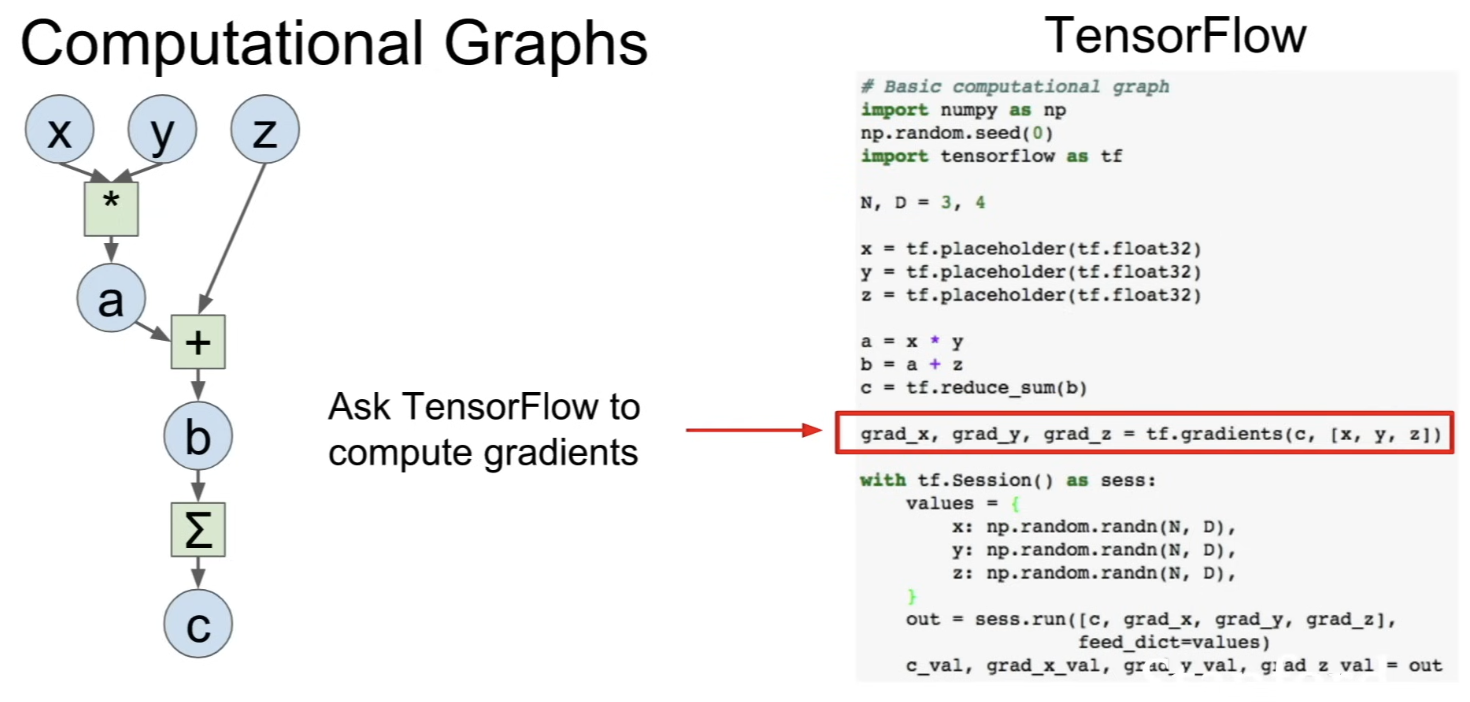
- computes all the gradients for you, so you don't have to write code for backward pass
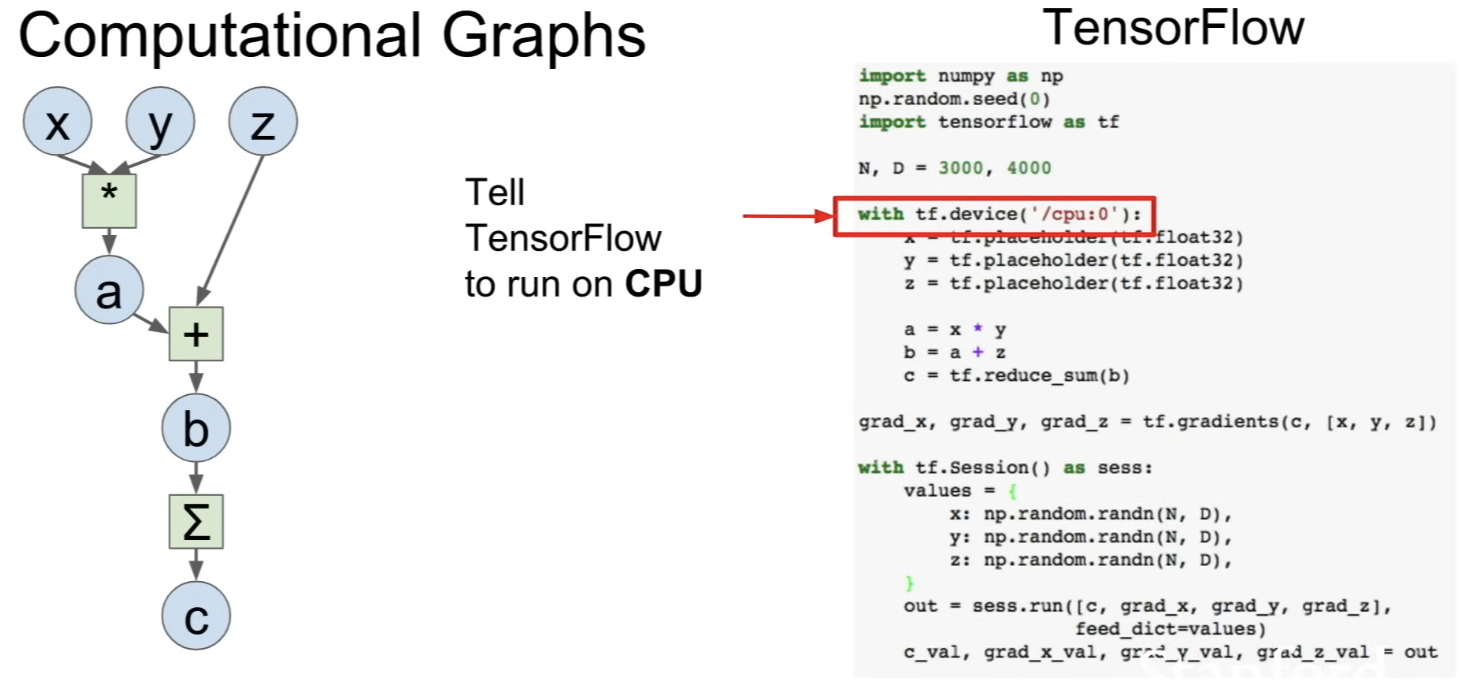
- with 1 line, you can switch computation between CPU and GPU
- adding the
withstatement before forward pass → explicitly tell the framework to run this code on CPU or GPU
- adding the
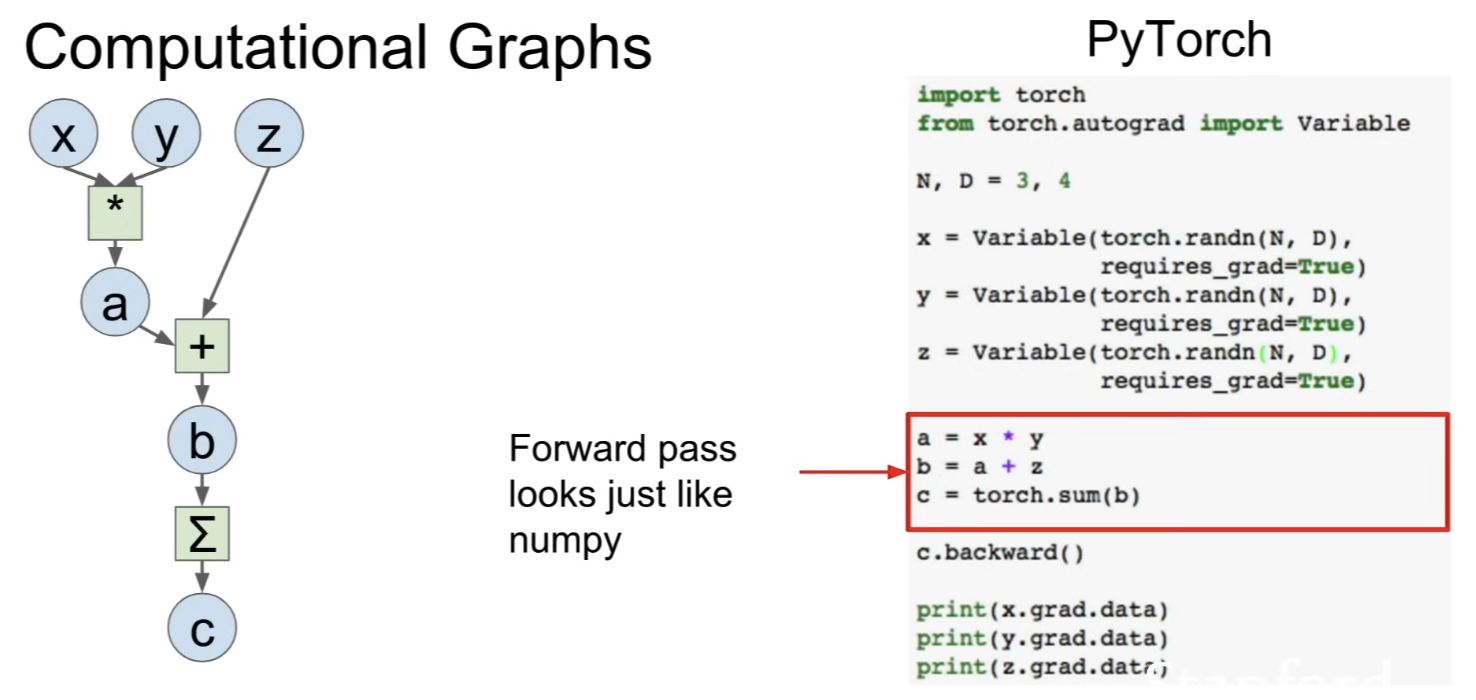
- forward pass looks very similar to NumPy code (in this case, identical)
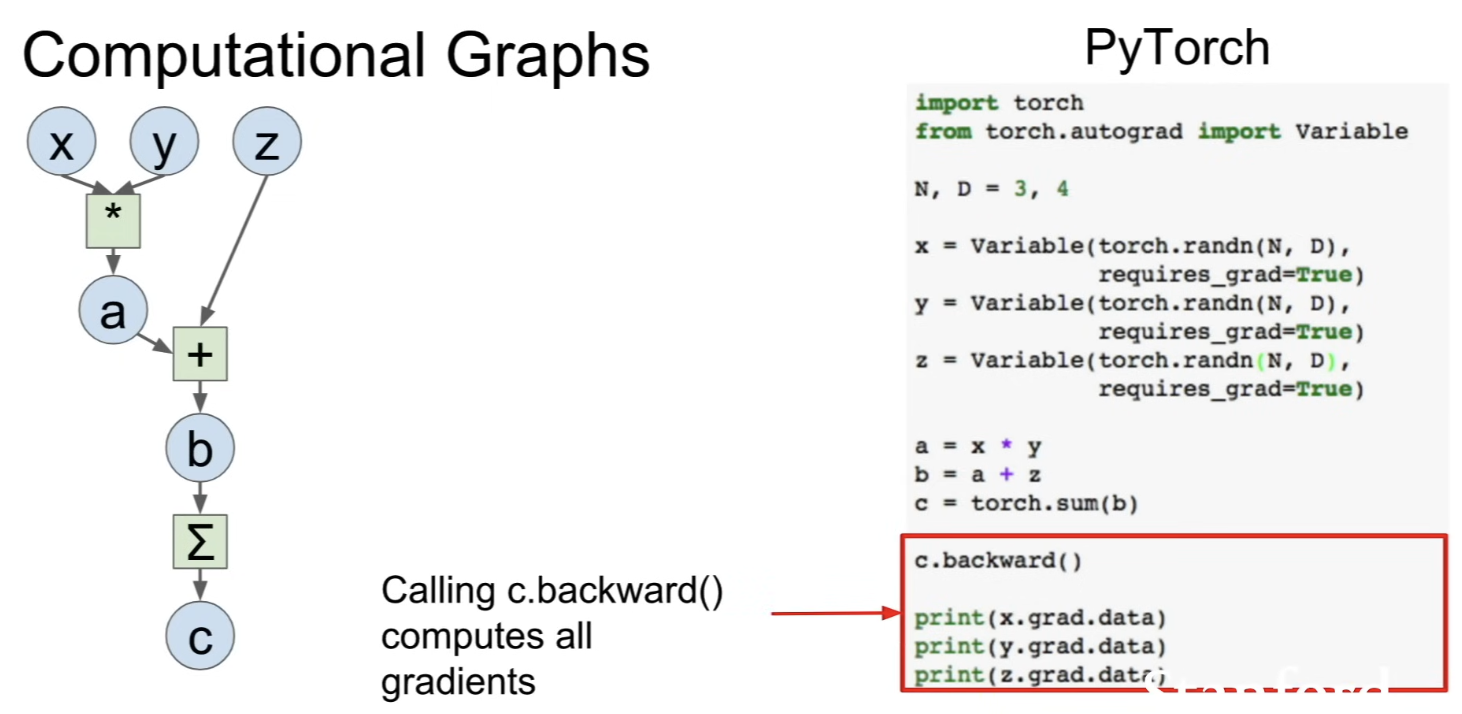
- use PyTorch to compute gradients
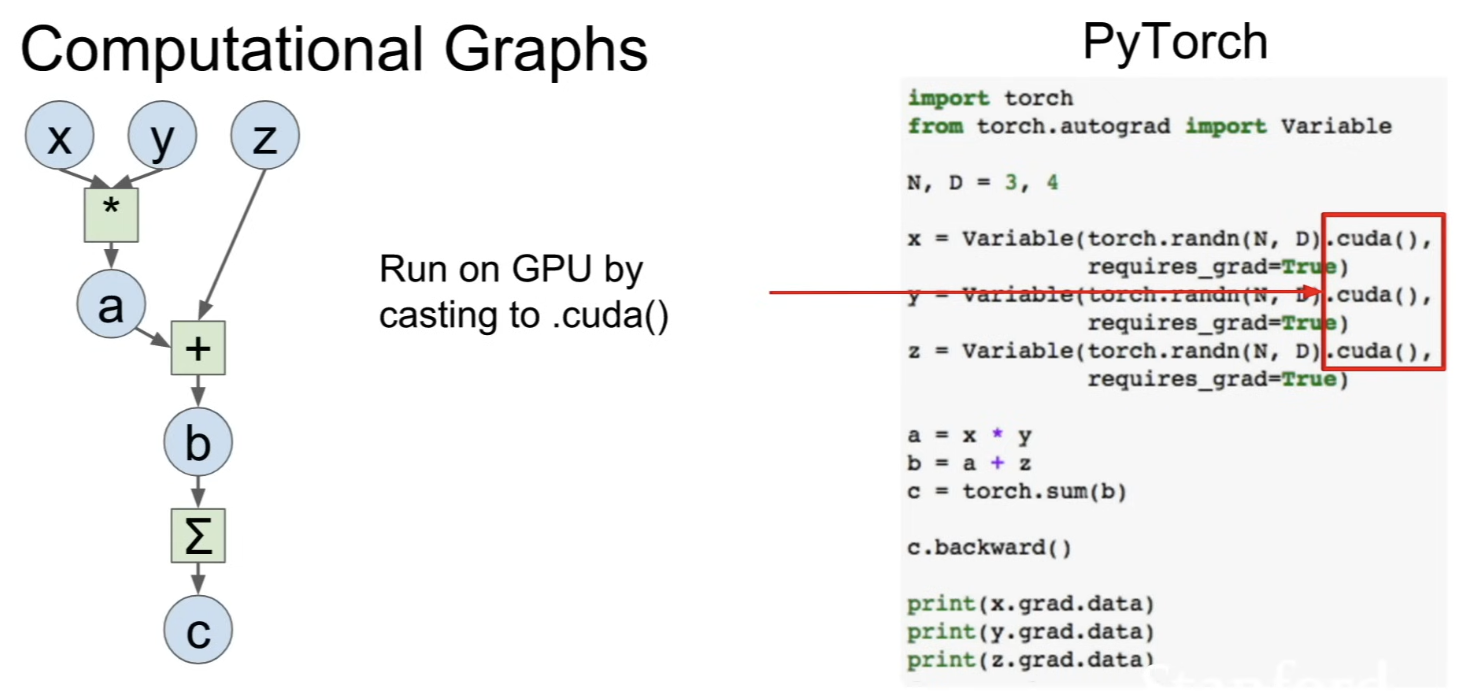
- easy to switch to GPU: just cast all the data type to CUDA data type before running computation
- Training 2-layer fully connected ReLU network on random data with L2 loss
Caffe / Caffe2
Caffe
-
core written in C++
-
has python and Matlab bindings
-
good for training or finetuning feedforward classification models
-
often no need to write code
-
not used as much in research anymore, but still popular for deploying models
-
convert data (into HDF5 or LMDB ...) → Define network(prototxt) → define solver (prototxt - defines learning rate, optimization ...) → train
-
good for feedforward networks
-
good for finetuning existing networks
-
train models without writing any code
-
python interface is pretty useful
-
can deploy without python
-
need to write C++ / CUDA for new GPU layers
-
not good for recurrent networks
-
cumbersome for big networks (GoogleNet, ResNet)
Caffe2
- successor to Caffe from Facebook
- very new
- static graphs, somewhat similar to TensorFlow
- core written in C++
- nice python interface
- can train model in Python, then serialize and deploy without Python
- no longer write python scripts to generate prototxt files
- work on iOS/Android, etc
Theano / Tensorflow
Neural Net
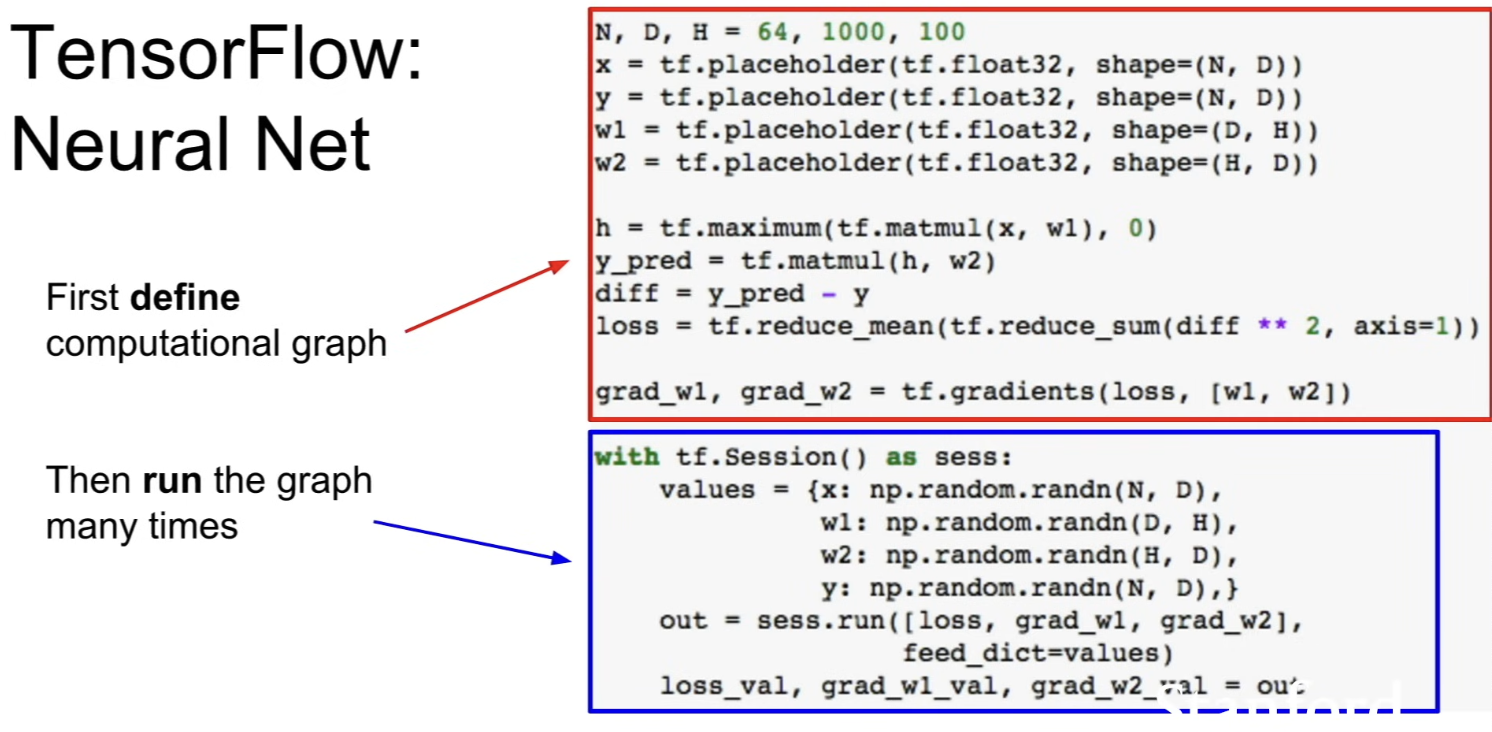
- in tensorflow, divide computation into 2 major stages
- define computational graph
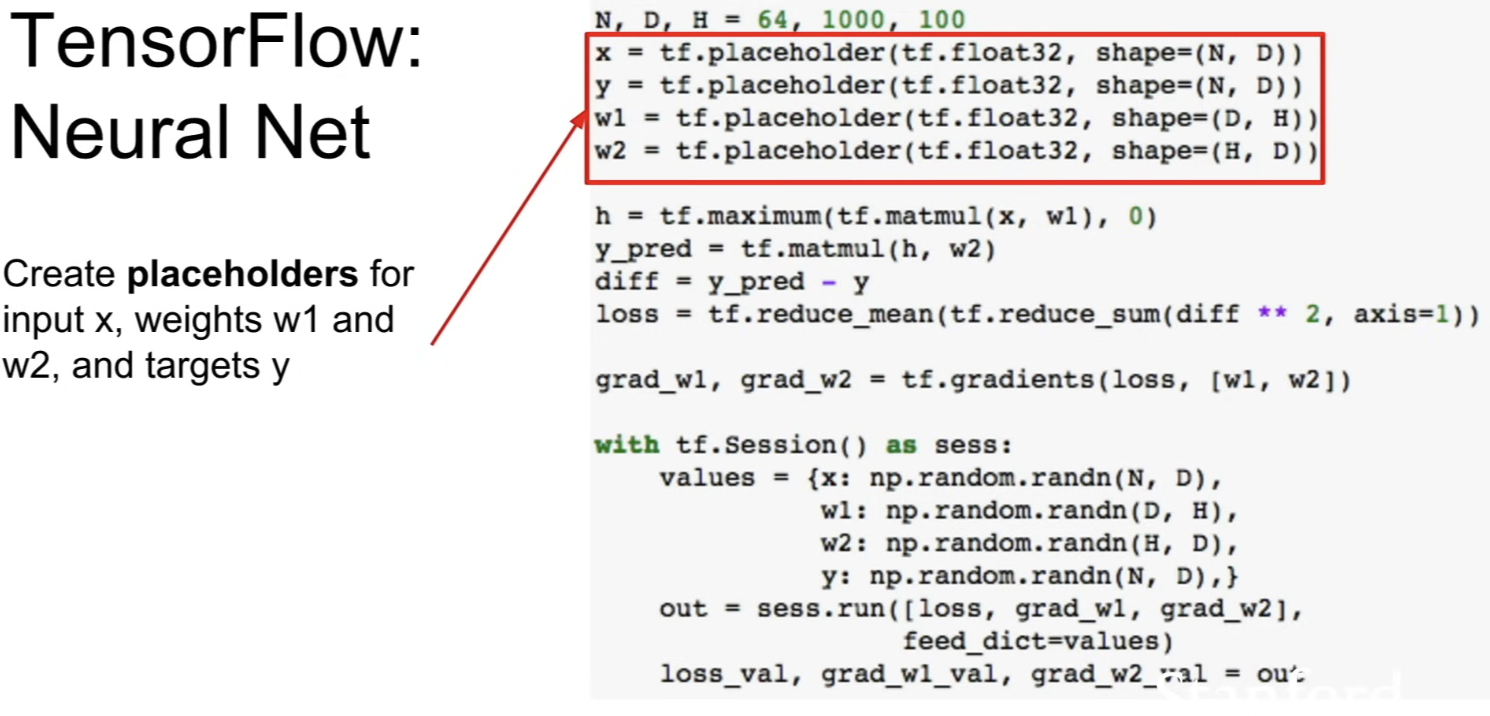
- defining
x,y,w1,w2and creatingtf.placeholderprojects- these are input nodes to the graph (entry points, feed the data)
- not allocating any memory, just setting up the input slots to the graph
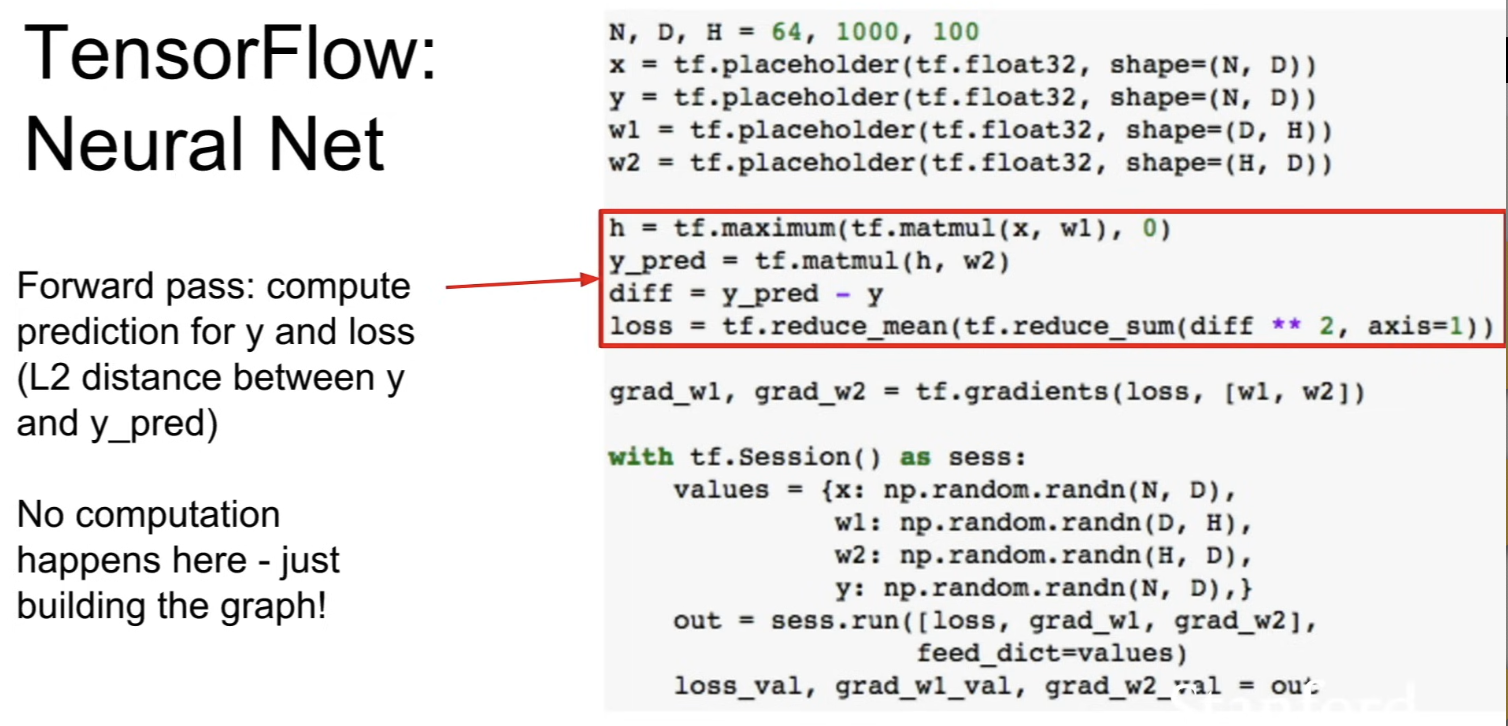
- perform different TensorFlow operations on those symbolic variables in order to set up what computation we want to run on those variables
- in this case, matrix multiplication between
xandw1and then dotf.maximum()to do a ReLU nonlinearity → another matrix multiplication to compute output predictions - then compute Euclidean distance (L2 loss) between the prediction and the target
y - these lines of code are not actually computing, since there are no data yet
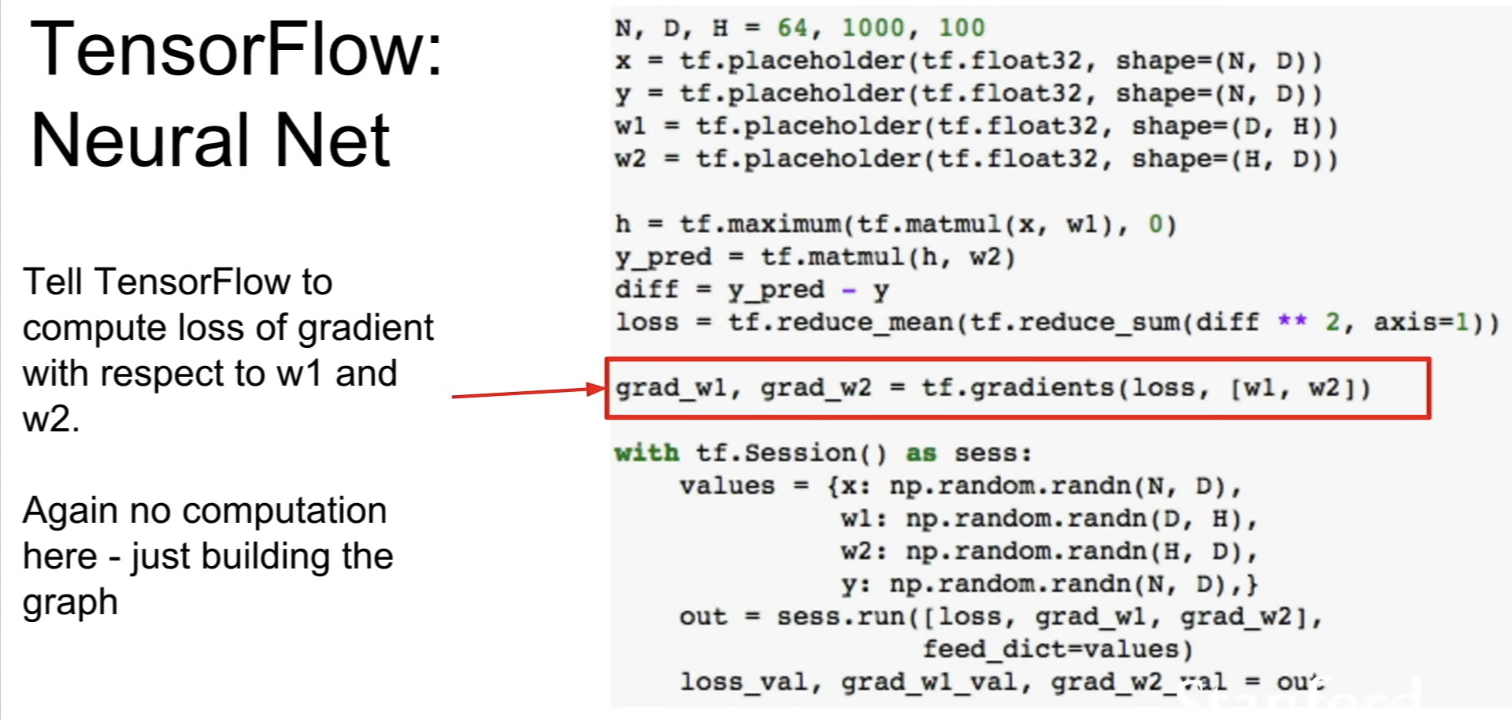
- compute the gradients of the loss with respect to
w1andw2 - again, no computation here
- defining
- run the graph over and over again and feed the data into the graph
- now at this point, we computed our computational graph that knows what operations we want to perform to compute loss in gradients
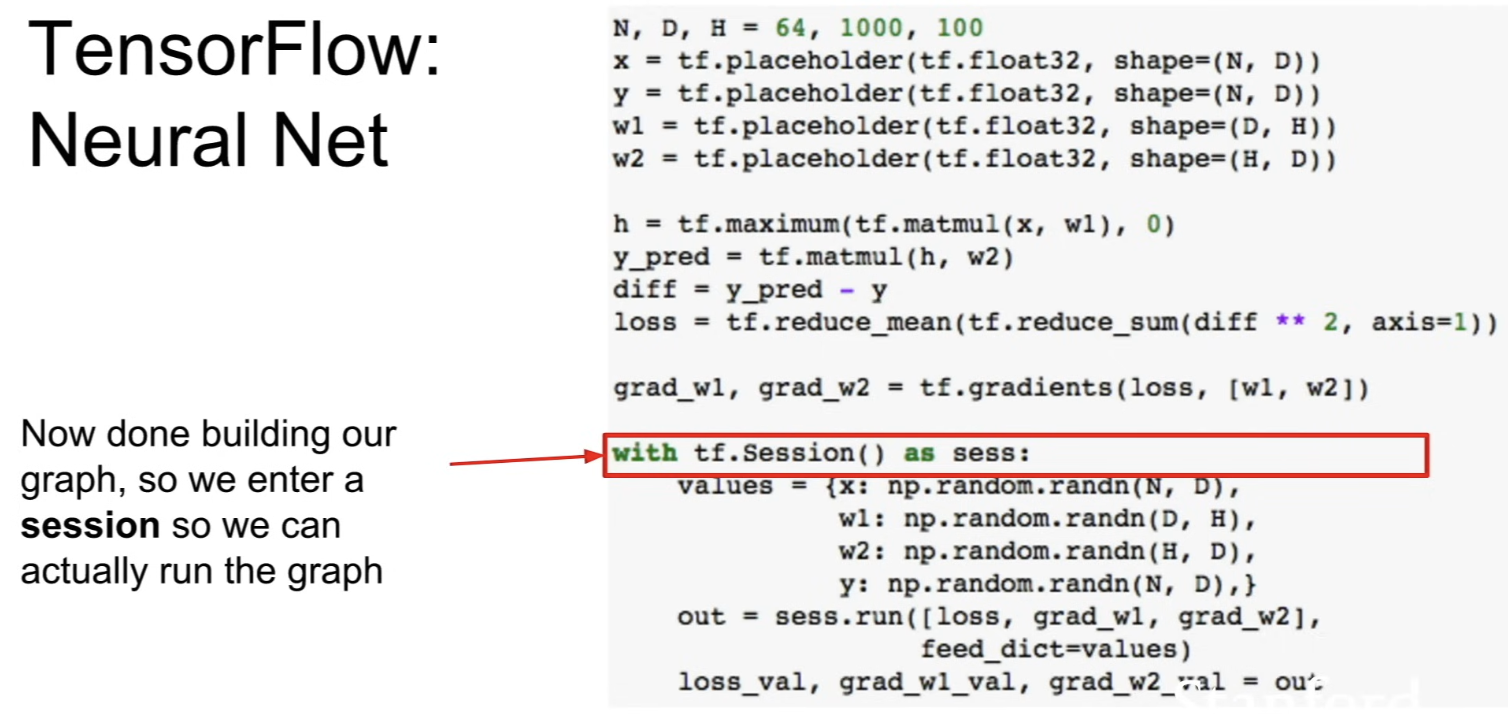
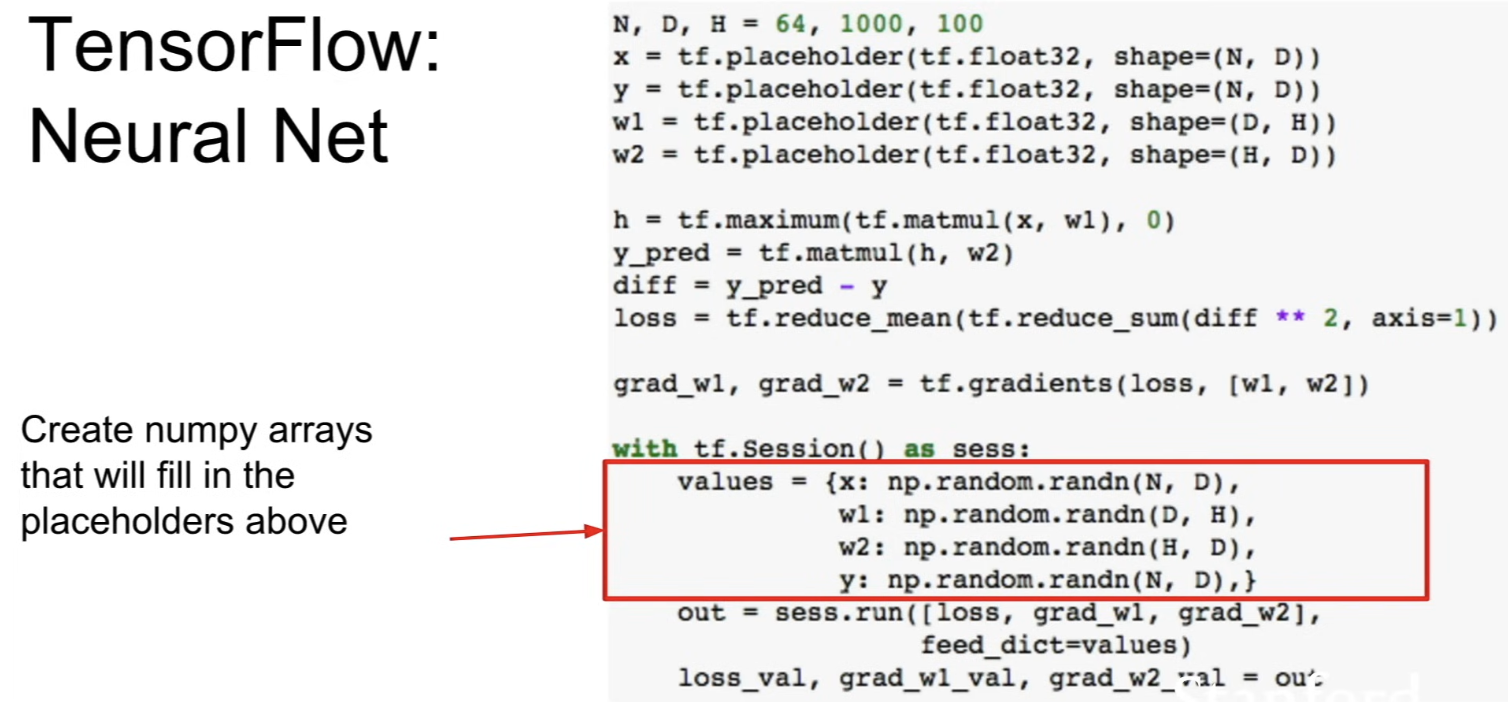
- actually construct some concrete values that will be fed to the graph
- most cases, data in NumPy arrays
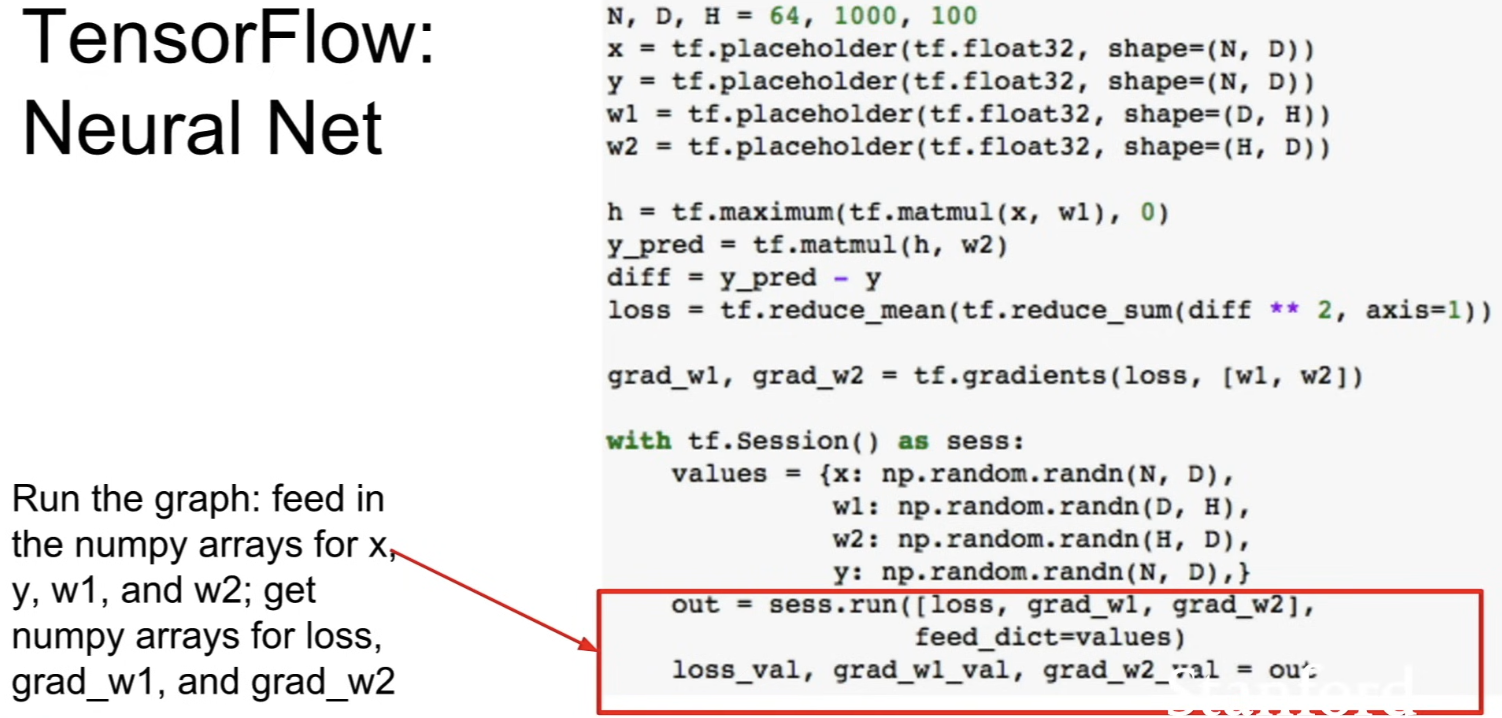
- actually run the graph
- call
session.run()to actually execute some part of the graph- first arg,
loss: tells which part of the graph we want as output (in this case, tell that we want to compute loss and grad1 and gradw2 - second arg: pass in with this feed dict parameter the actual concrete values
- first arg,
- then unpack the output in the second line - get NumPy arrays with loss and the gradients
- now at this point, we computed our computational graph that knows what operations we want to perform to compute loss in gradients
Train
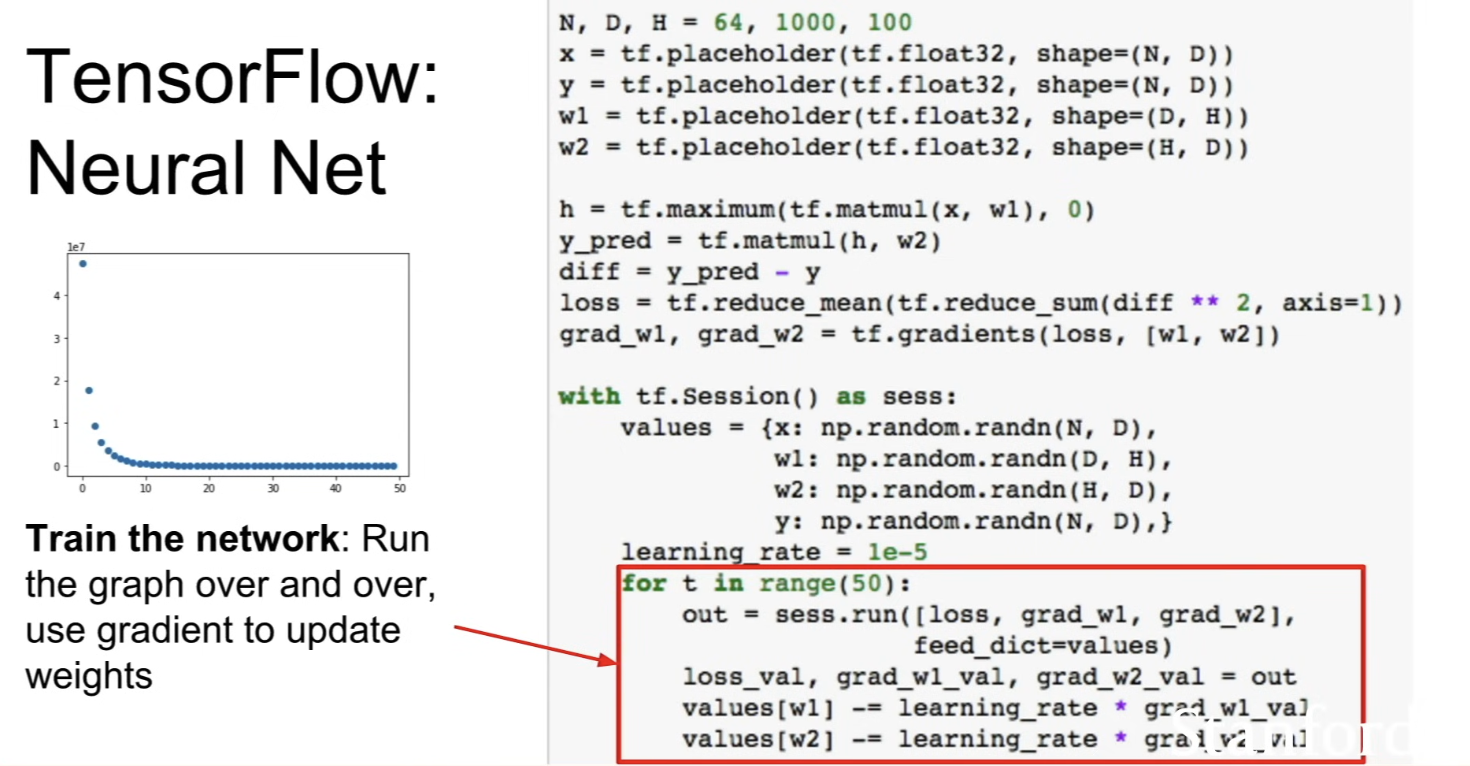
- running the graph many times in a loop
- for each iteration, call
session.run()to compute the loss and the gradients - do a manual gradient discent step, using those computed gradients to update the values of the weights
- problem
- when doing forward pass, everytime we execute this graph, we're actually feeding in the weights
- we have weights as NumPy arrays
- when graph finished executing, it will give us gradients which is same size as weights → whenever we run the graph here, we're copying the weights from NumPy arrays into TensorFlow, and get the gradients and copy them from TensorFlow to NumPy arrays
- very expensive to copy data between CPU memory and GPU memory
- when doing forward pass, everytime we execute this graph, we're actually feeding in the weights
- solution
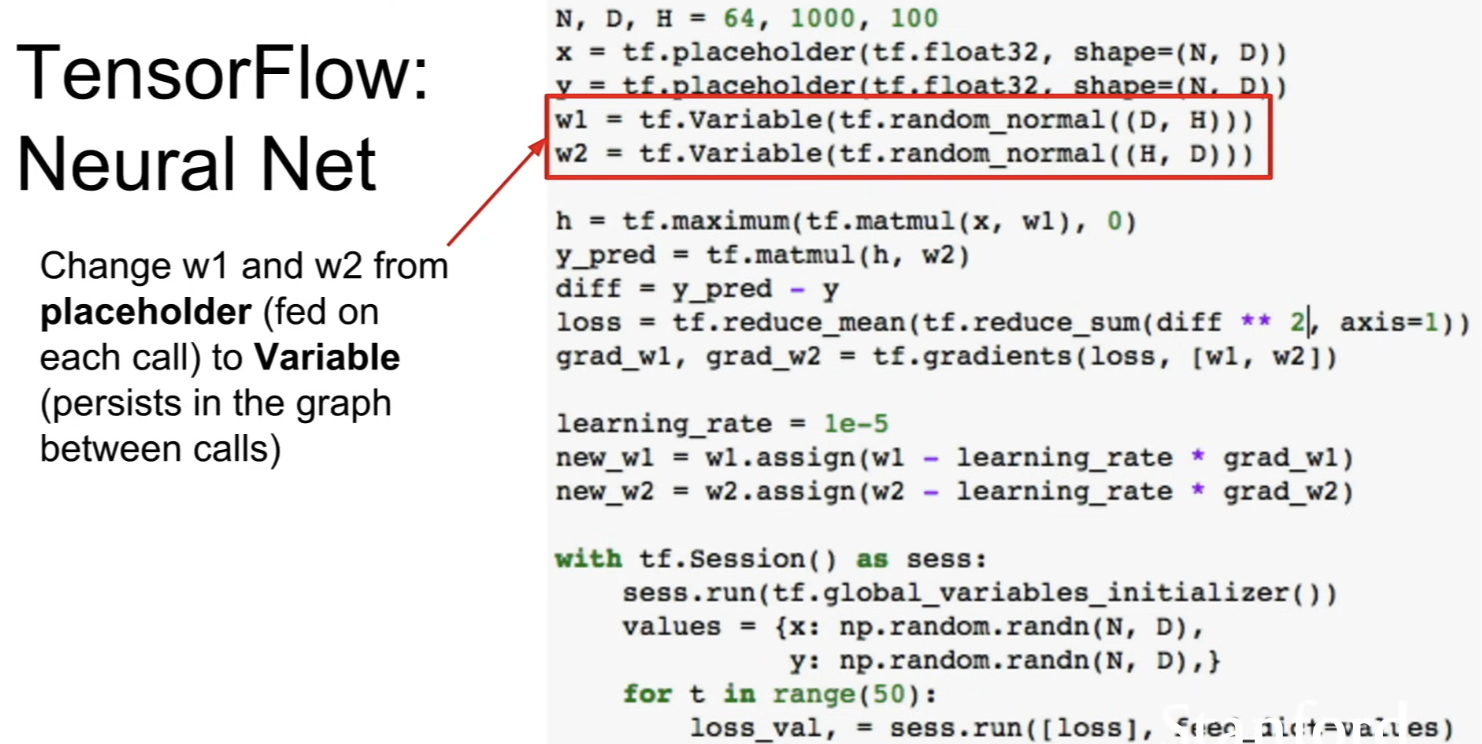
-
rather than
w1w2being placeholders, define them as variables -
variable is a value that lives inside the graph → persist inside the graph across differnt times when you run graph
-
also, we should initialize them! → pass
tf.random_normal()to tell the TensorFlow how we want them to be initialized (this is not actually initializing them)
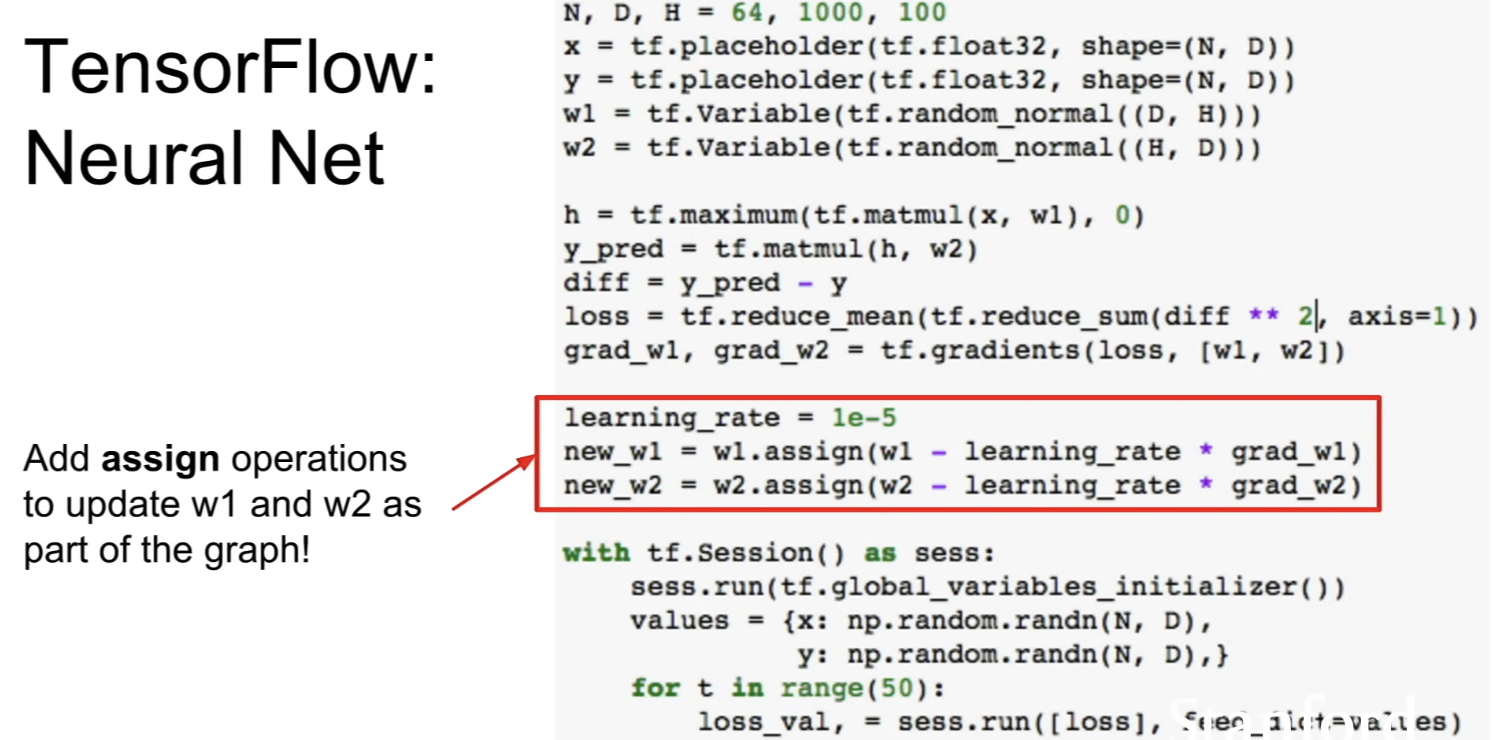
-
because weights live inside the graph, update also needs to be an operation inside the graph
- useassign()to mutate the variable inside the computational graph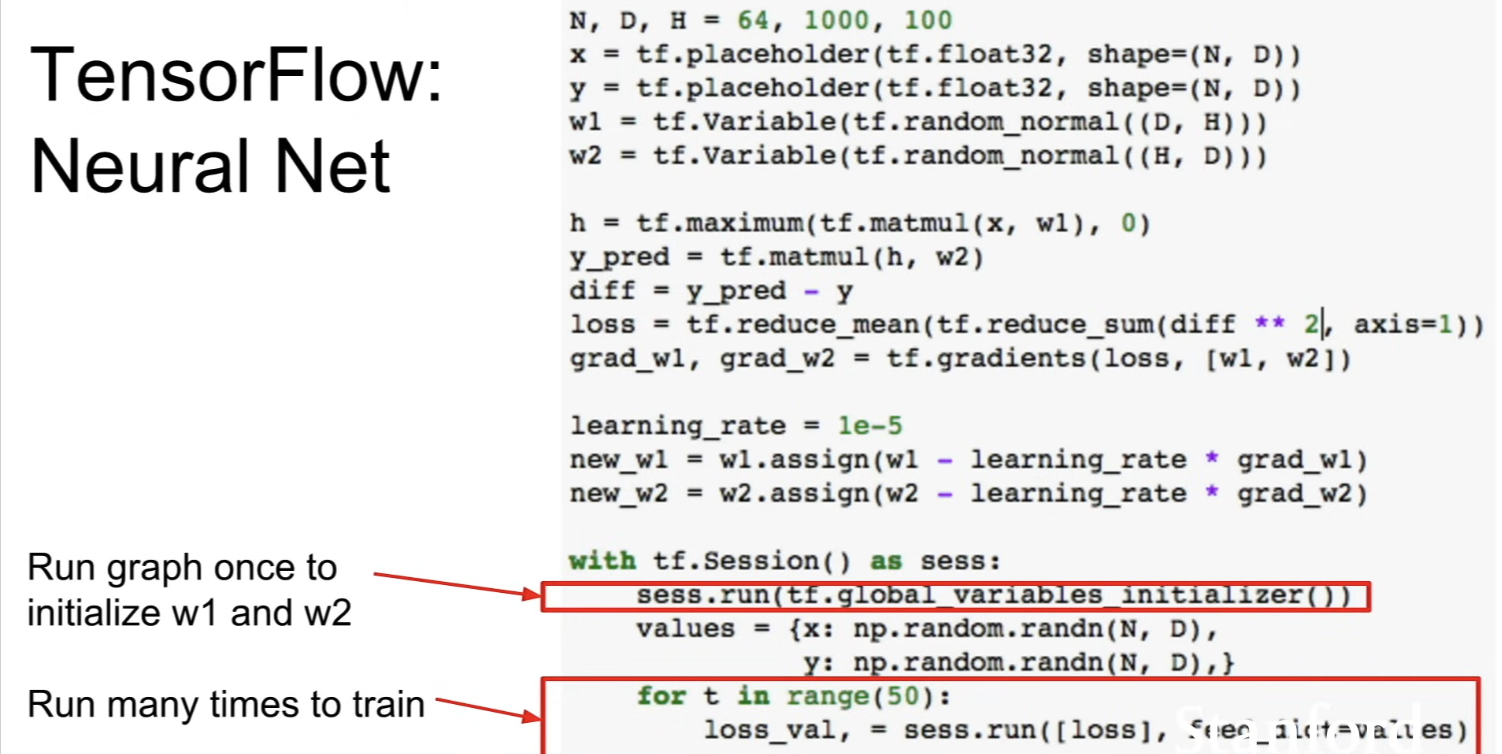
-
we need to run the graph once with special incantation to tell TensorFlow to set up these variables that are in the graph
-
now we can run the graph over and over again
-
now we're only feeding in the data and labels x and y
-
ask the TensorFlow to compute the loss for us != train
-
problem
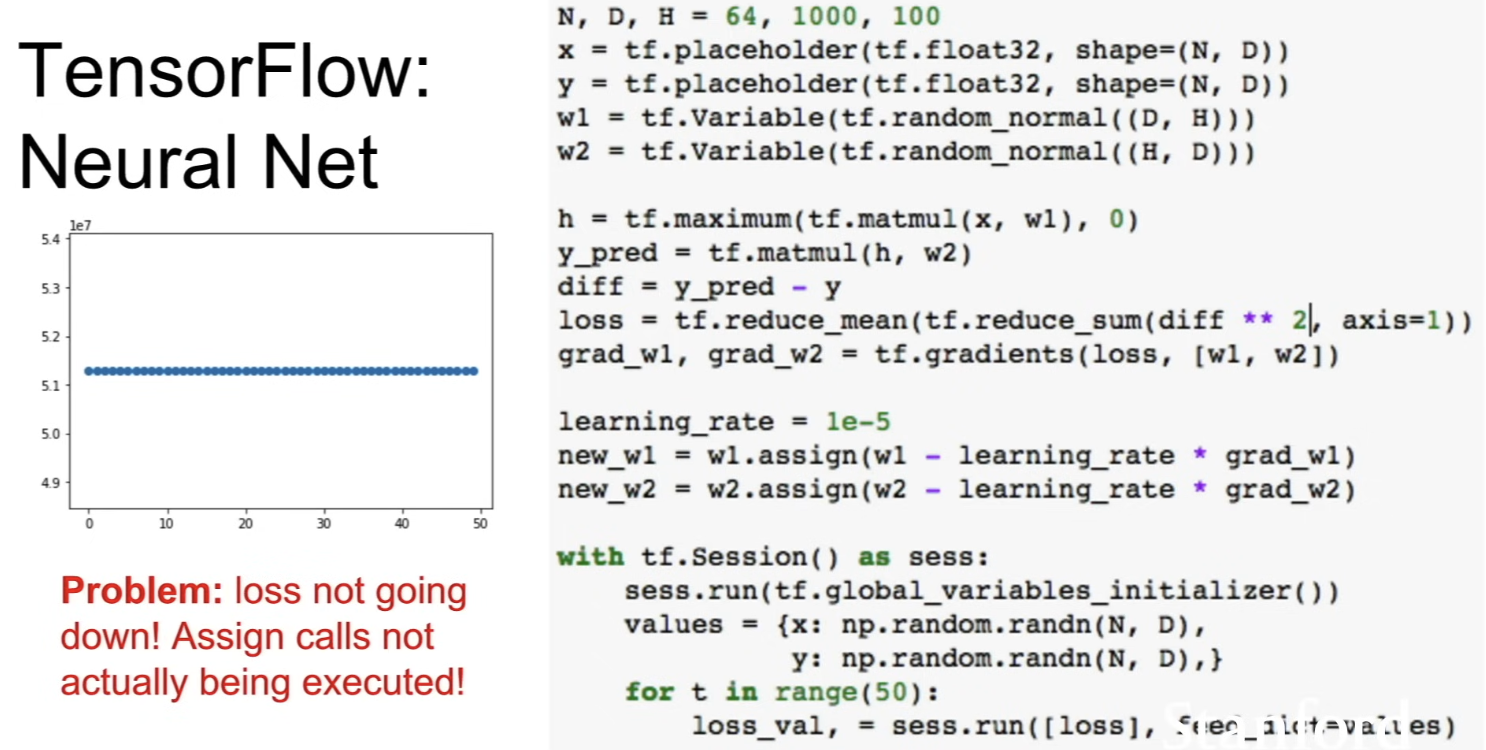
- we need to explicitly tell TensorFlow to perform those update operations -
solution
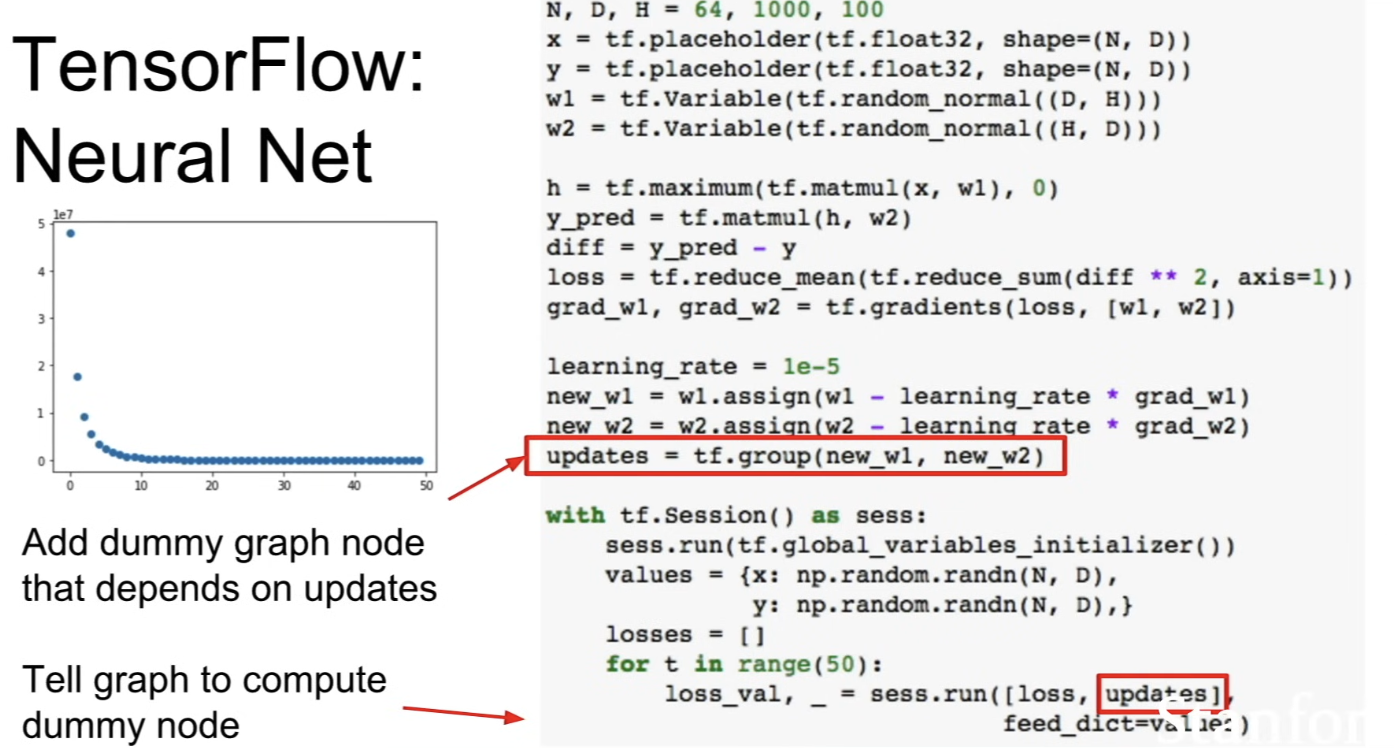
- addnew_w1andnew_w2as outputs and tell the Tensorflow that we want to produce these values as outputs?- but this is a problem too because
new_w1,new_w2values are big tensors ⇒ meaning that we'll get the copying behavior between CPU and GPU at every iteration - So, add a dummy note to the graph with fake data dependencies
- and say that these dummy node
updateshas the data dependencies ofnew_w1andnew_w2- when running the graph, tell it to comute both the loss and this dummy node
- dummy node doesn't actually return any value, but b/c of this dependency of the node, it ensures that when we run
updatesvalue, we run the update operation
- and say that these dummy node
- but this is a problem too because
-
Optimizer
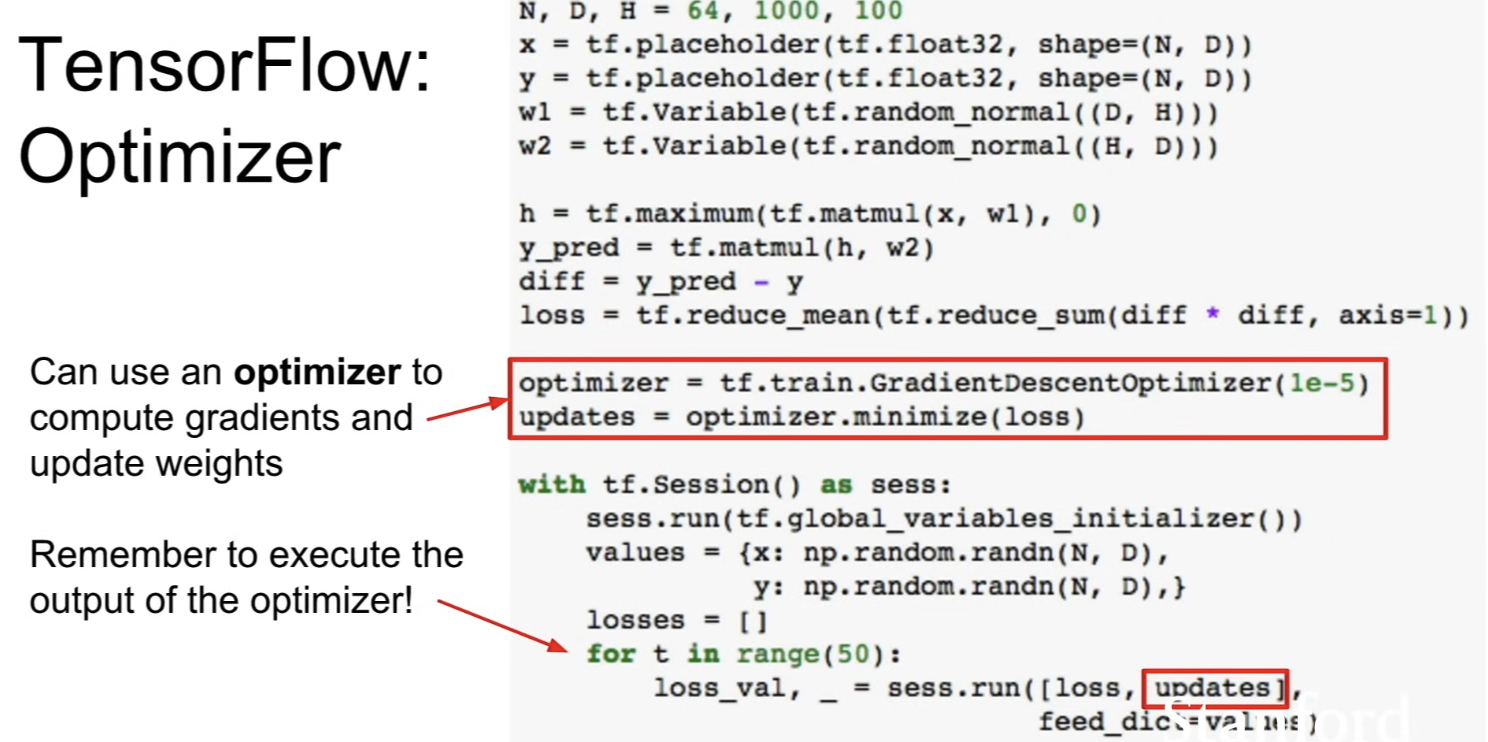
tf.train.GradientDesceptOptimizer([learning rate])optimizer.minimize(loss)is aware that variablesw1andw2are marked as trainable by default → internally, it's adding node to the graph which will compute gradient of loss with respect tow1andw2
- does update operation, grouping operation, assigns
- gives youupdatesvalue- when running the graph, do the same pattern; to compute loss and updates
- every time we tell the graph to update, it'll actually go and update the graph
Loss
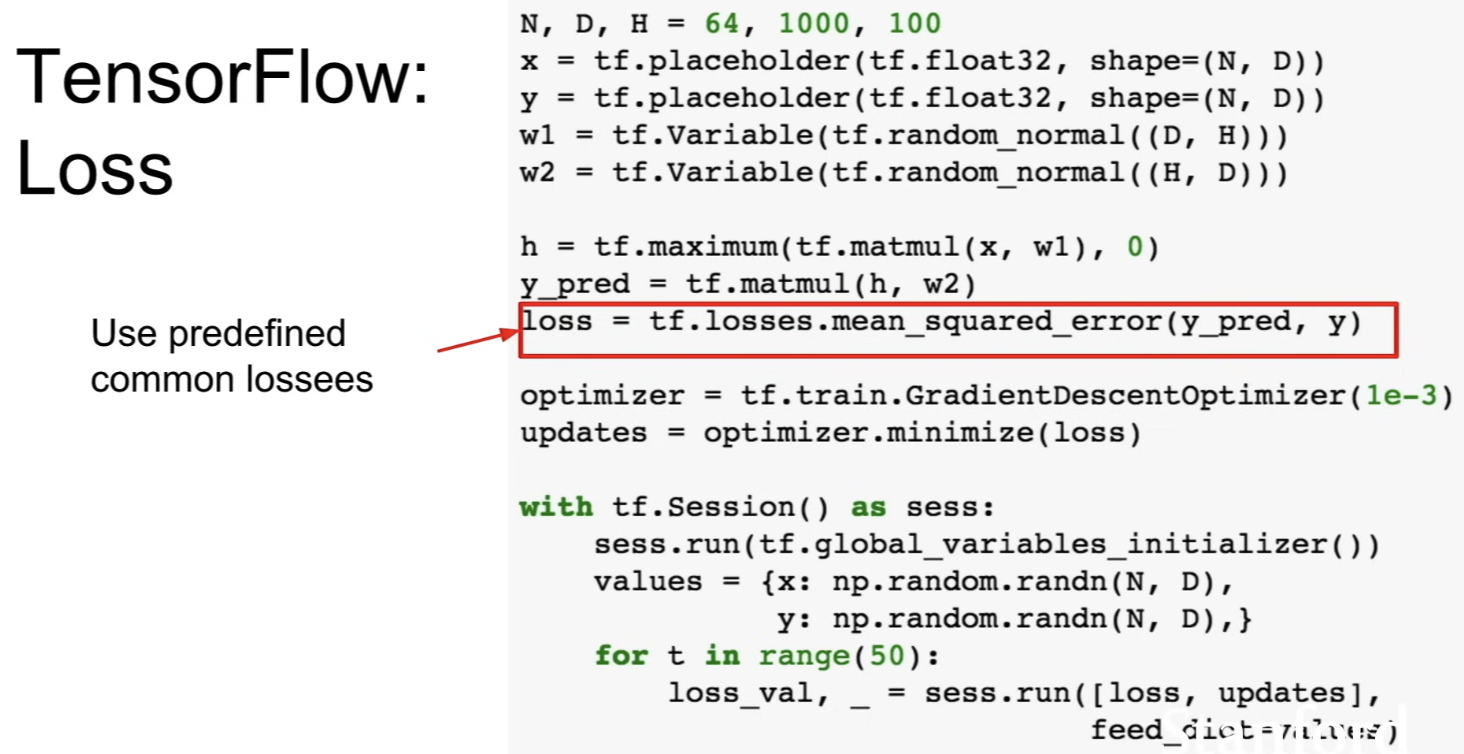
- convenient function that compute loss (we don't have to do basic Tensor operations)
tf.losses.mean_squared_error()does the L2 loss
Layers
- it's annoying to explicitly define inputs and define weights, chain them together in the forward pass using a matrix multiply
- and when we put bias, we need to initialize it, get it in the right shape, broadcast the biases against the output....
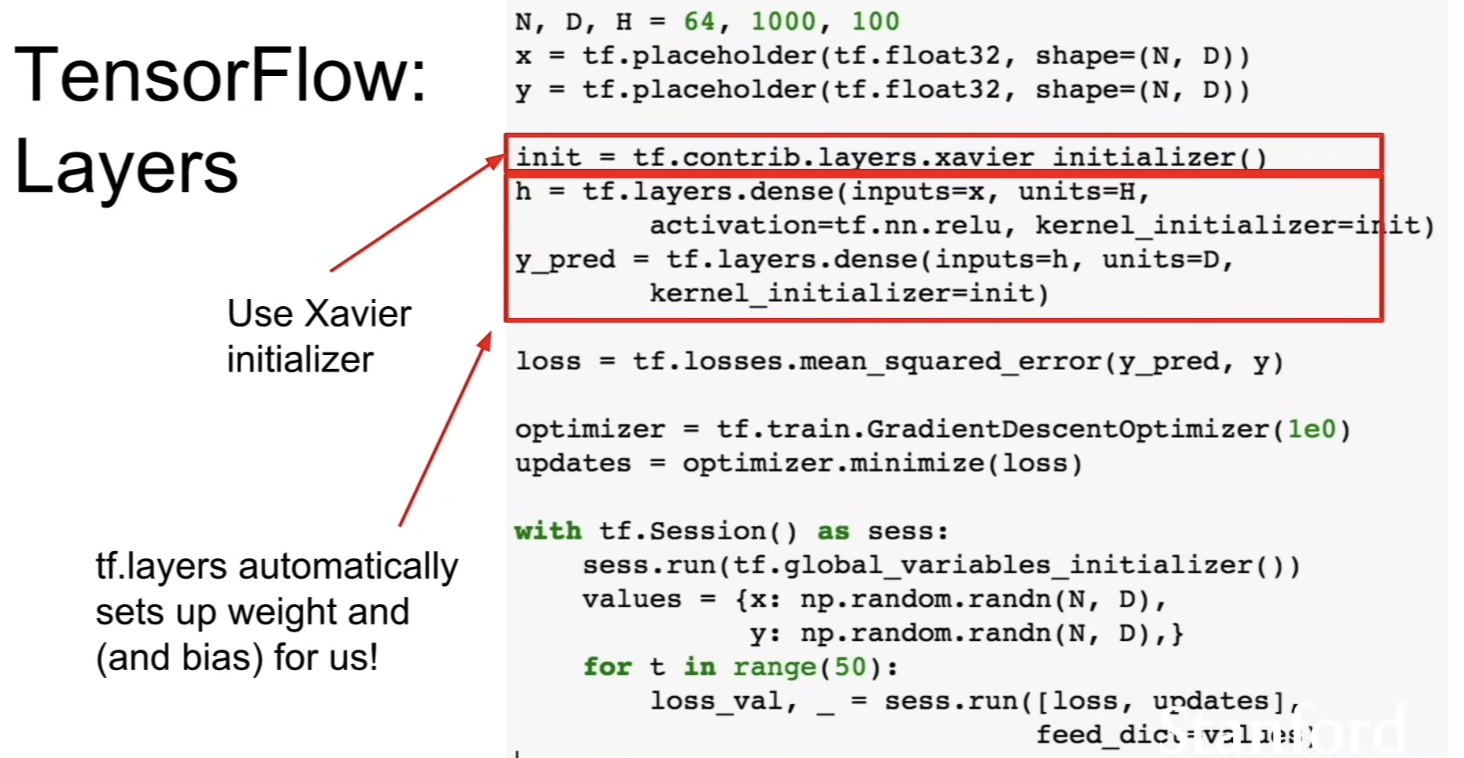
tf.layersdoes this for you- now only explicitly declaring the
xandy, which are the placeholder for the data and labels tf.layers.dense()- sets up w1 and b1 with right shapes and uses Xavier initializer to set up an initialization strategy for those- and does ReLU activation function inside
- before, we did this with
tf.random_normal()
Keras: High-level Wrapper
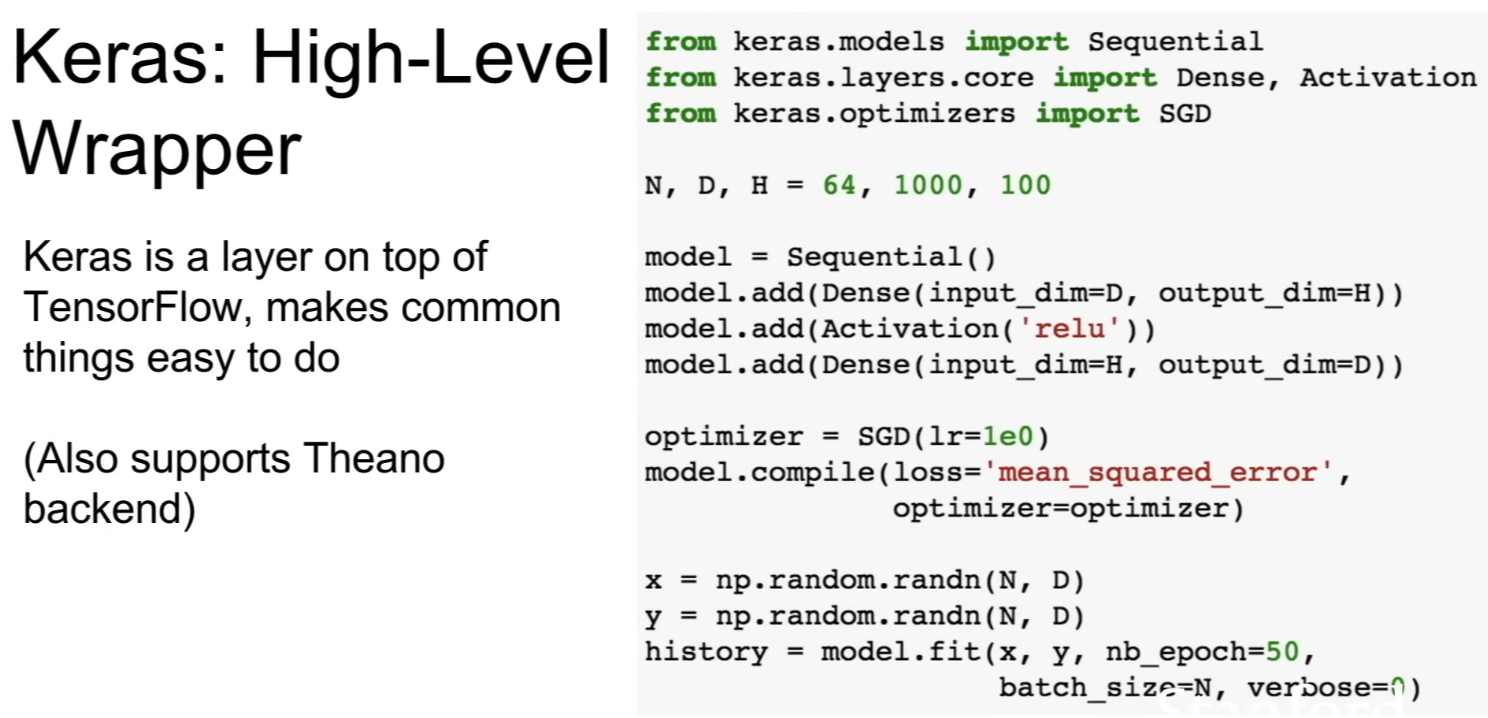
- handles building up computational graph in the backend
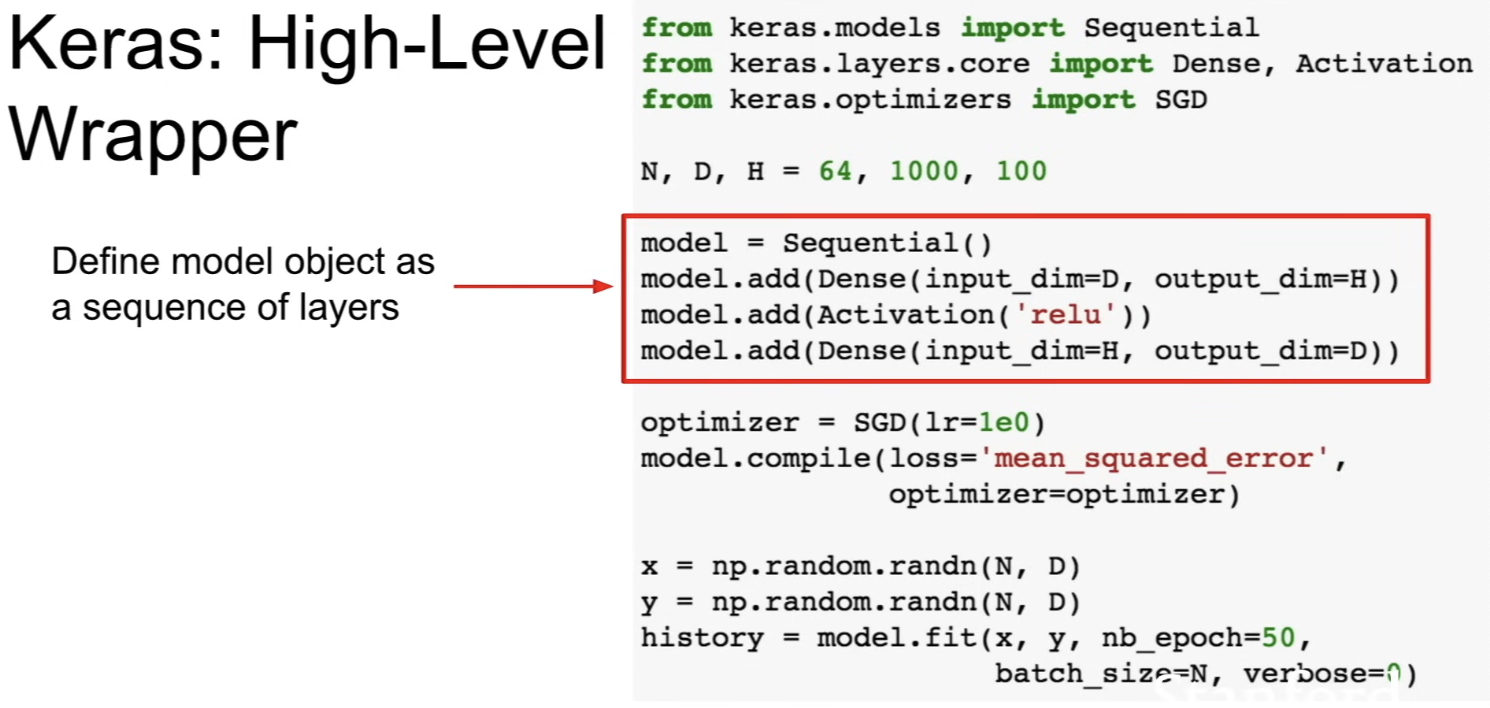
- build the model as a sequence of layers
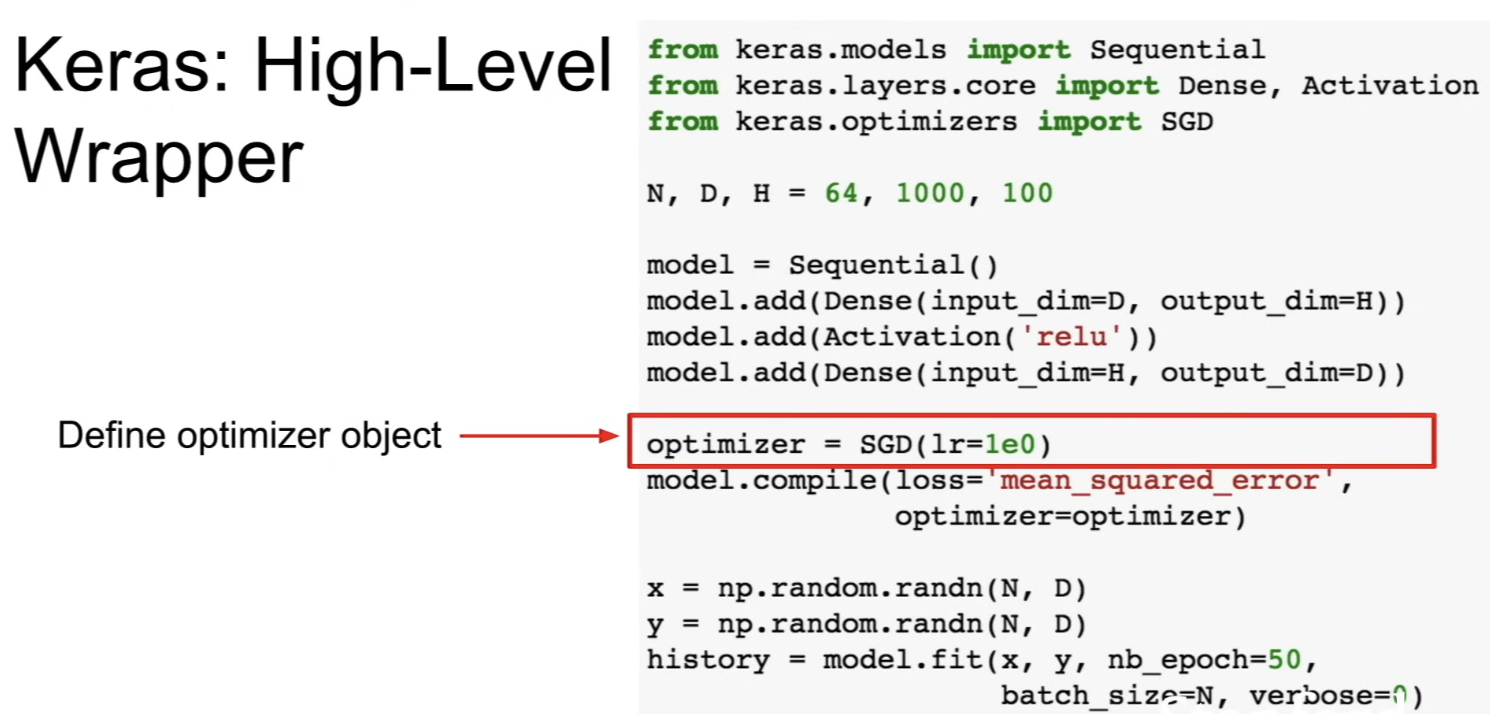
- build a optimizer object
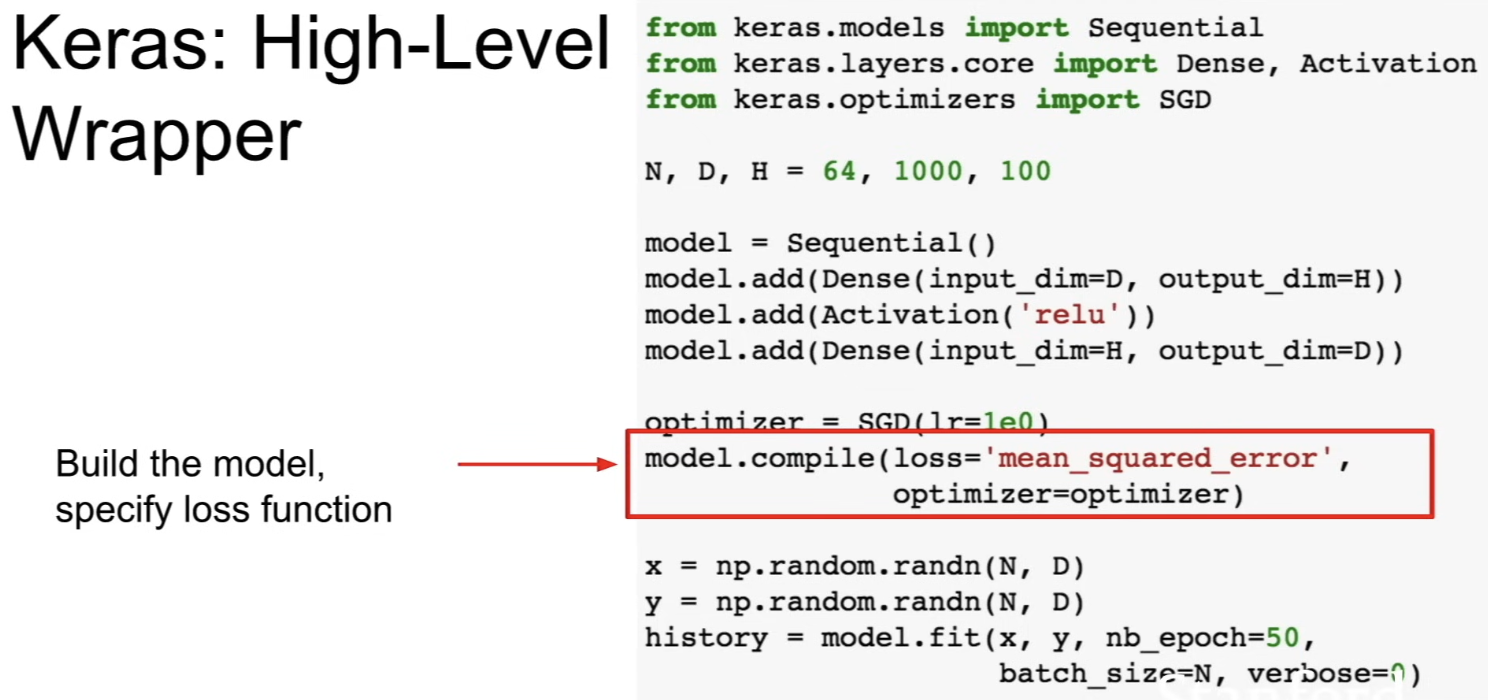
- call
model.compilethat builds the graph
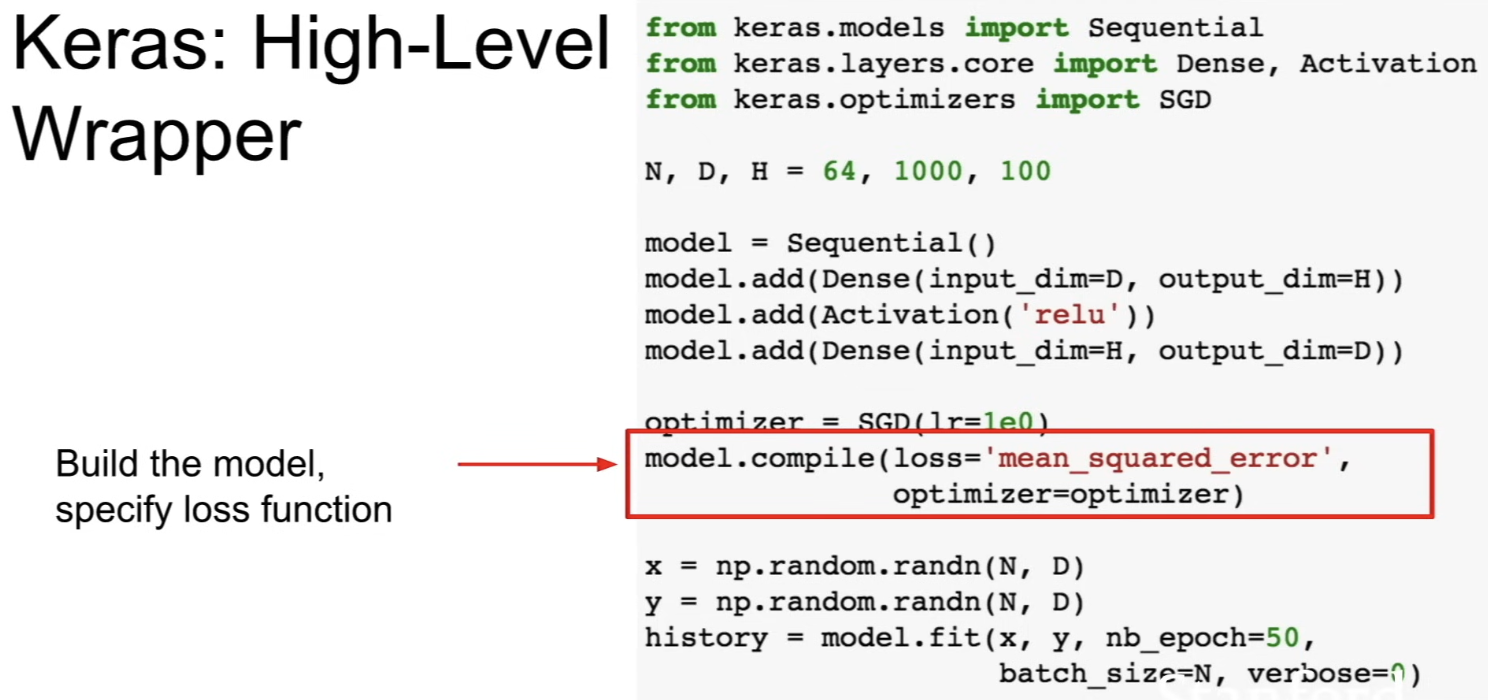
- call
model.fitto do the whole train procedure
High-Level Wrappers
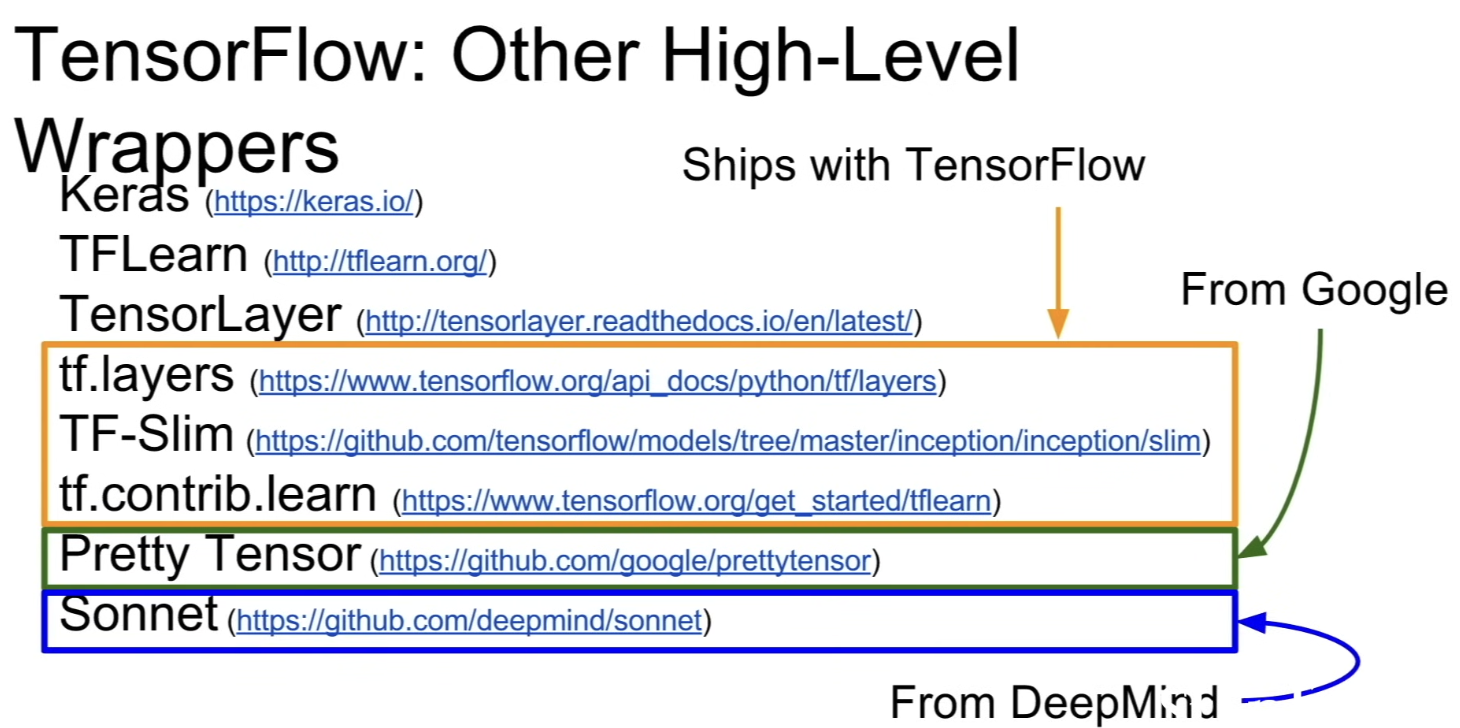
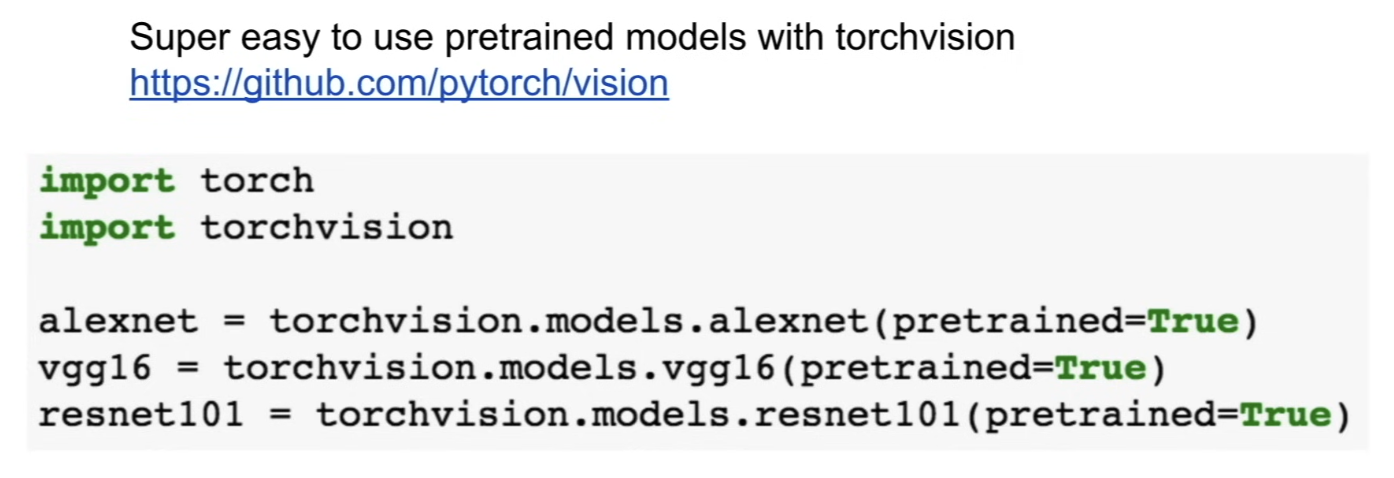
Pre-trained models
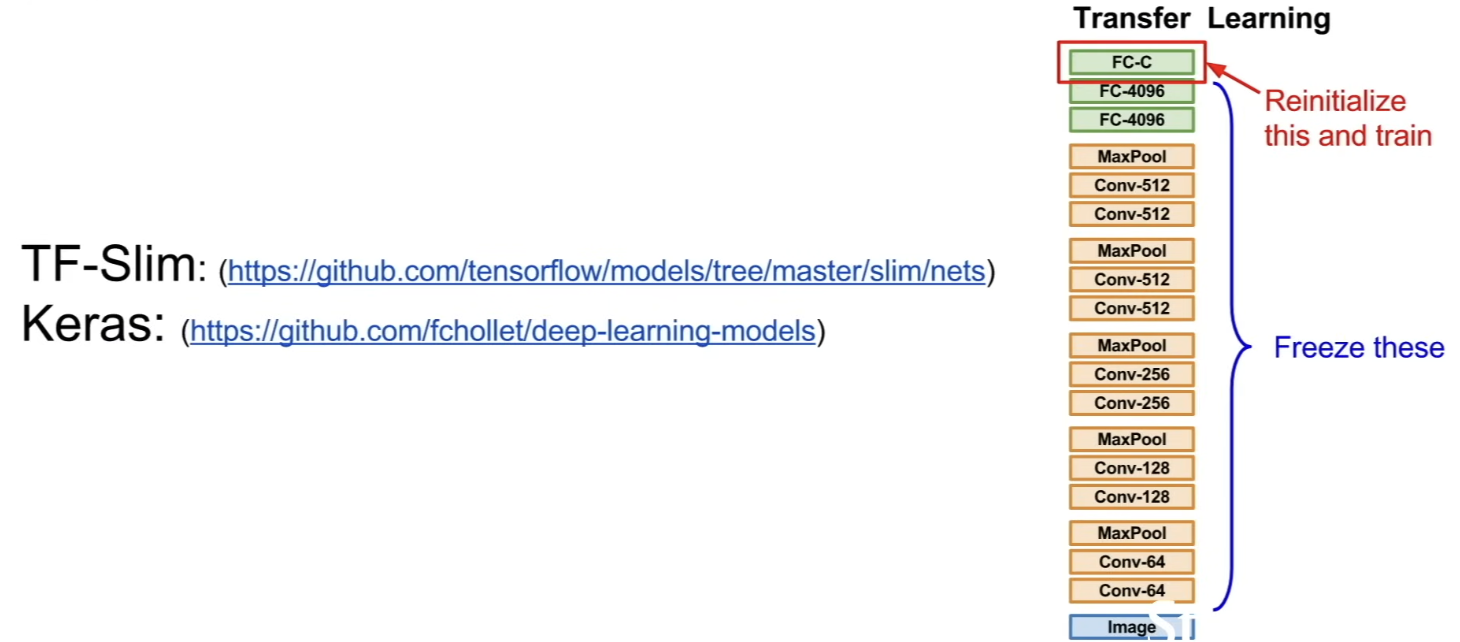
- pretrained models are super important when training your own things
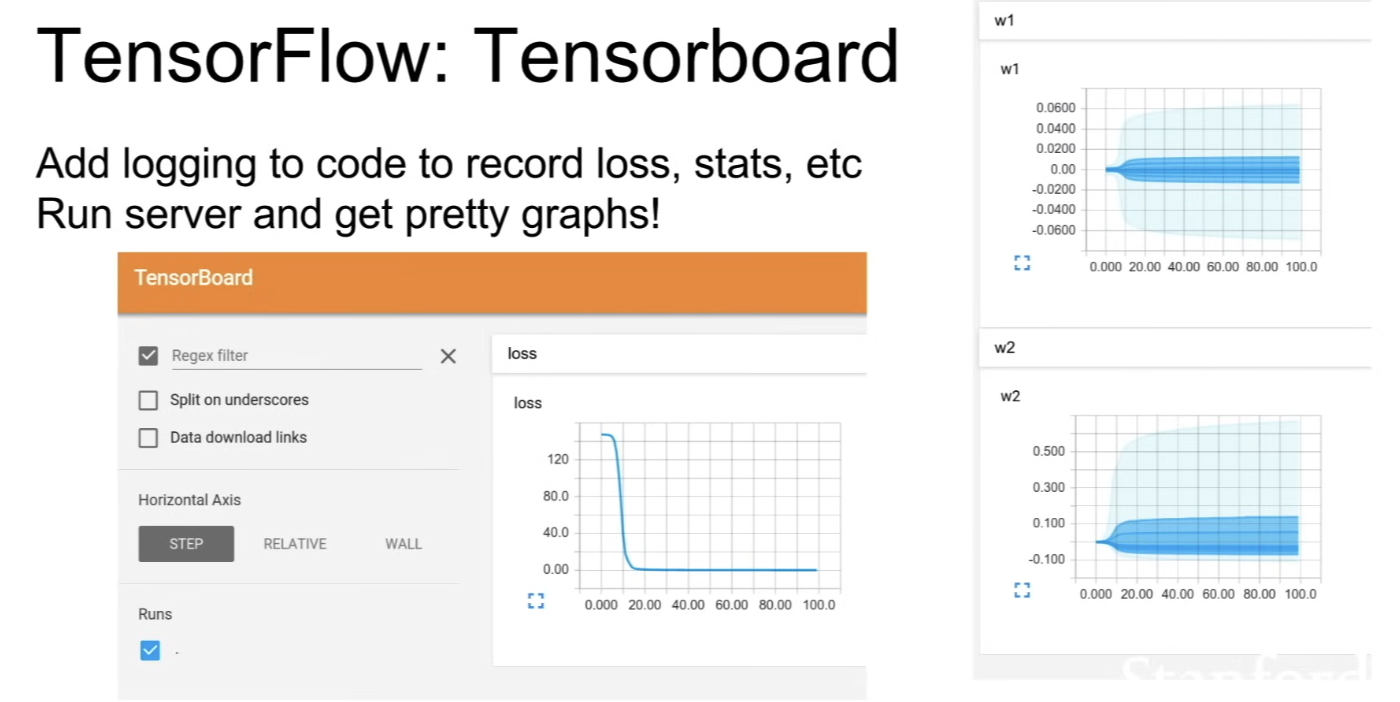
Tensorboard
- add instrumentation to your code, plot losses and things
Distributed Version
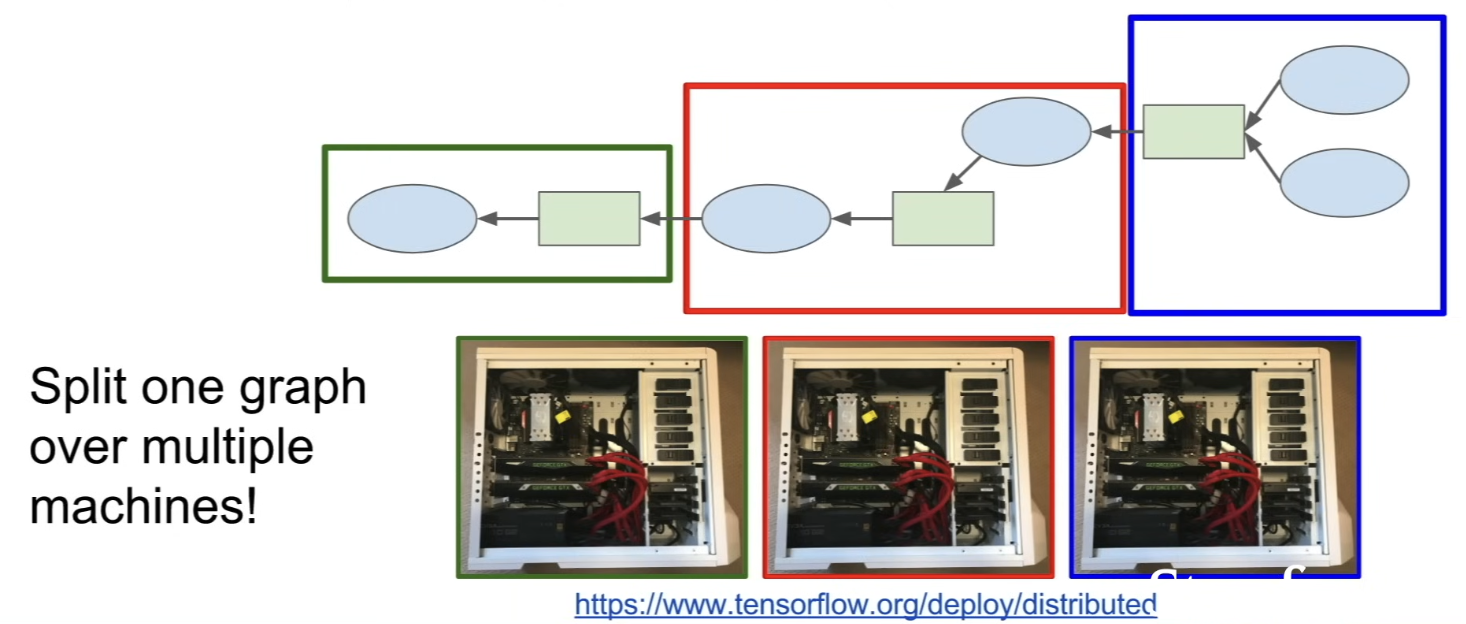
- break up a computational graph and run on different machines
Side node: Theano
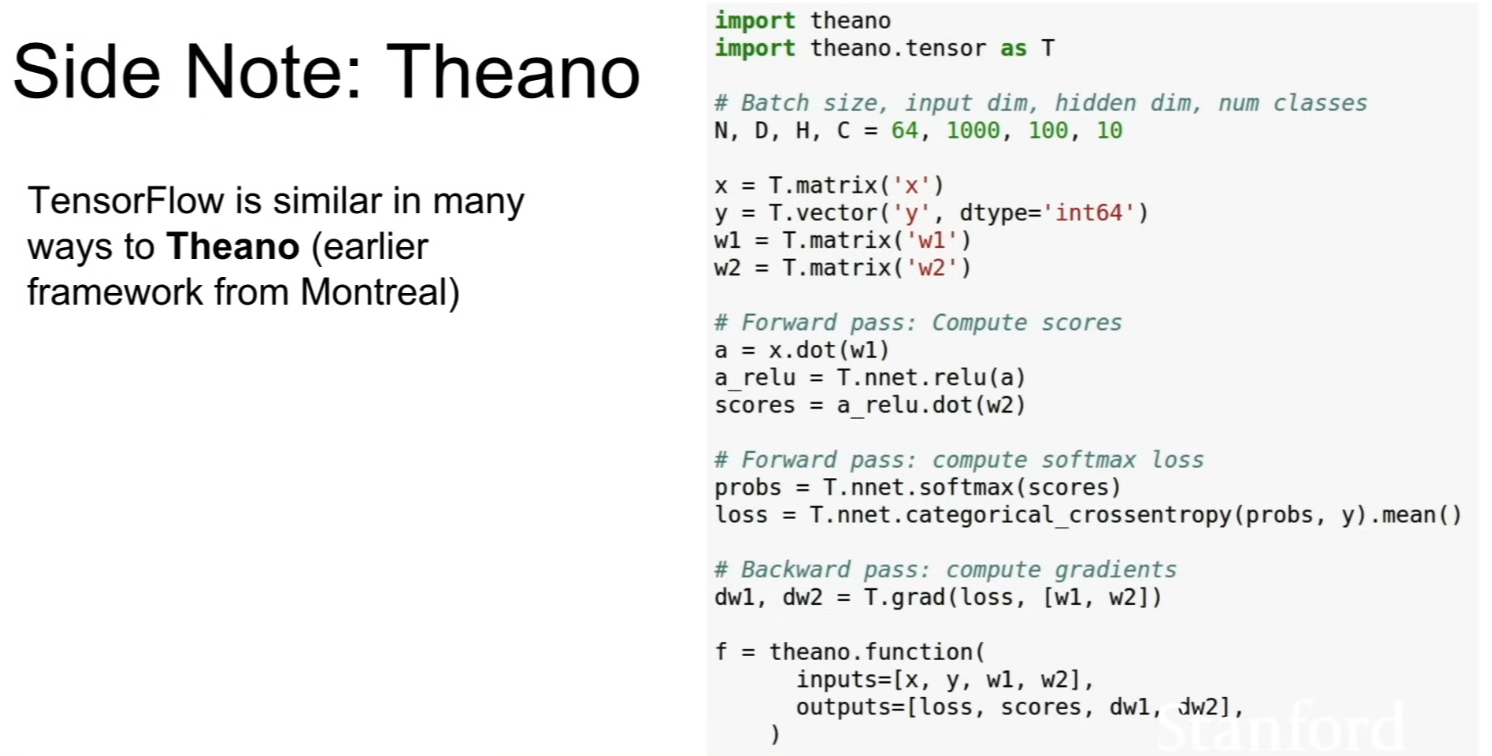
- code for Theano looks similar to TensorFlow
- TensorFlow is inspired by the early framework called Theano
Torch / PyTorch
- 3 levels of abstraction
- has Tensor object - (like a NumPy array) imperative ndarray, but runs on GPU
- in TensorFlow, Numpy Array
- Variable object - node in a computational graph
- in TensorFlow, Tensor, Variable, Placeholder
- Module object - neural network layer, you can compose these Modules together to build big networks
- in Tensorflow, tf.layers, TFSlim, TFLearn, Sonnet ...
Tensors
-
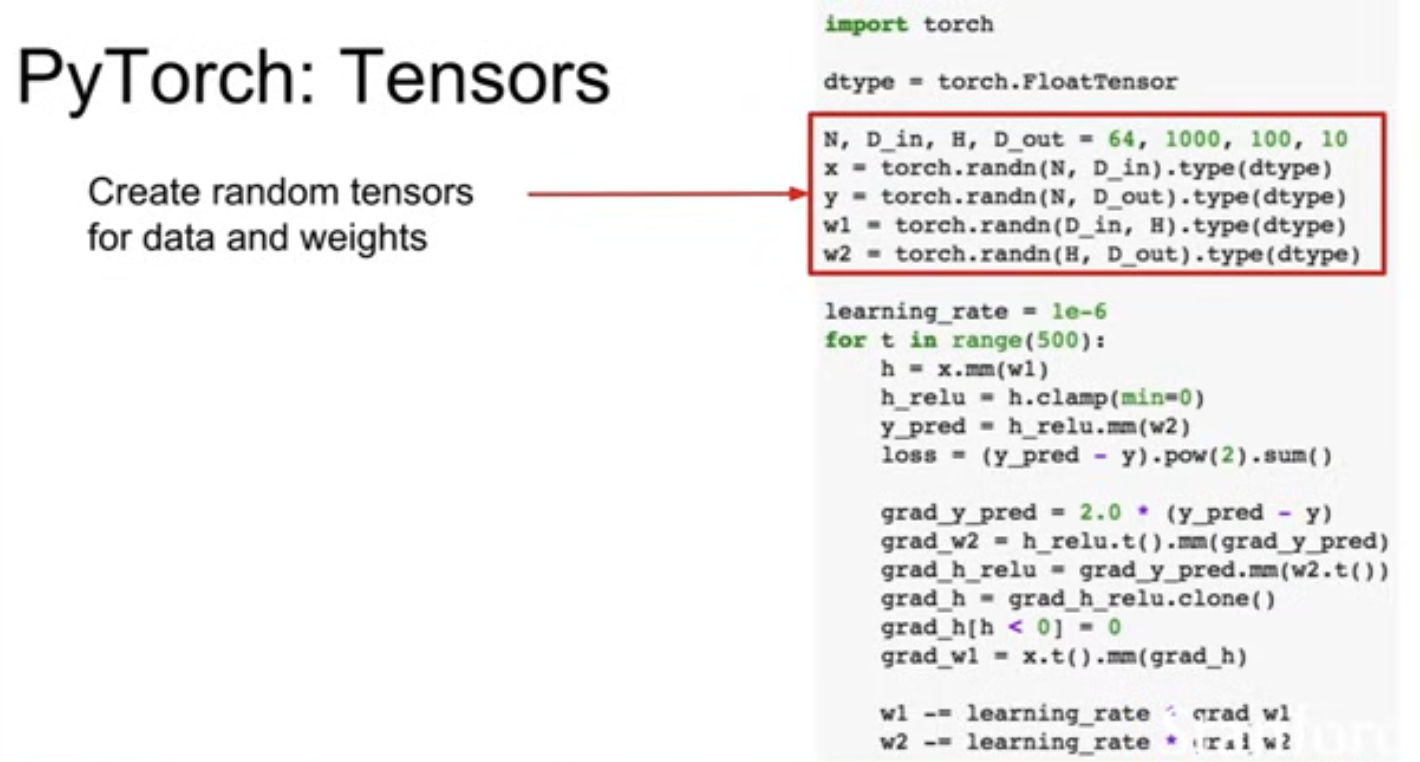
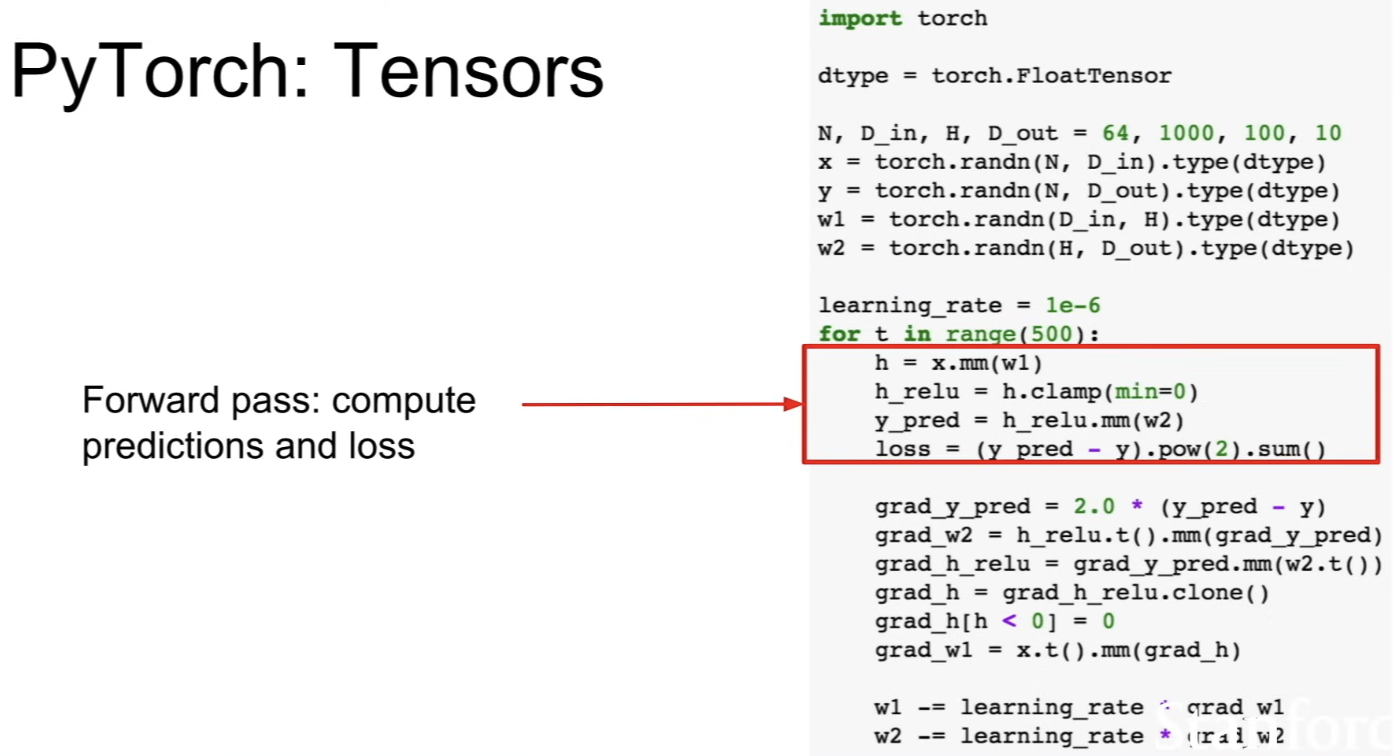
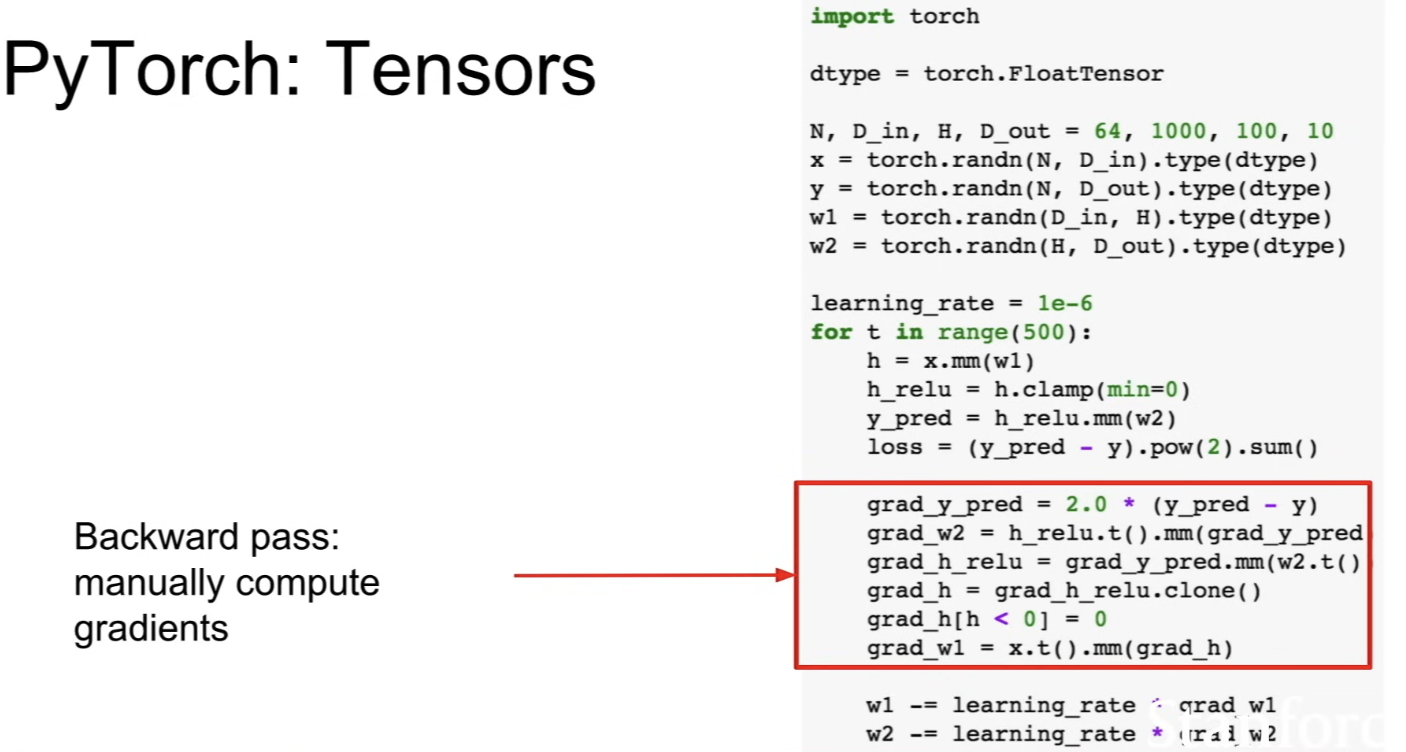
are just like numpy arrays
-
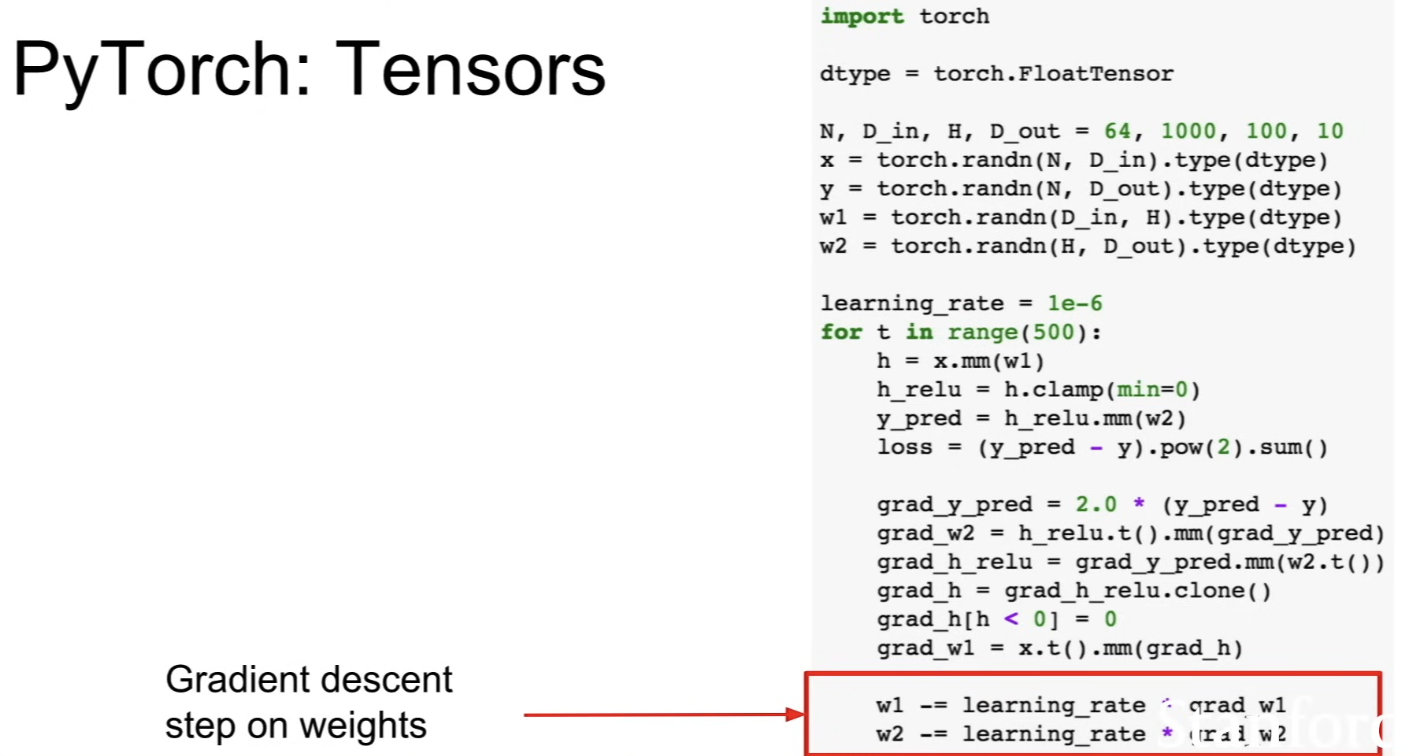
2 layer network example
-
manual update of the weights using a learning rate and computed gradients
-
major difference between the PyTorch tensor and NumPy arrays - they run on GPU → to make this code run on GPU is using a different data type
- use
torch.cuda.FloatTensor, rather thantorch.FloatTensor
- use
Autograd
- once we moved from tensors to variables, now we're building computational graph
- if
xis variable,x.datais tensor,x.gradis another variable containing the gradient of the loss with respect to that tensor →x.grad.datais an actual Tensor containing those gradients - PyTorch Tensors and Variables have the exact same API → you can make any code that worked on PyTorch Tensors inot variables instead and run the same code
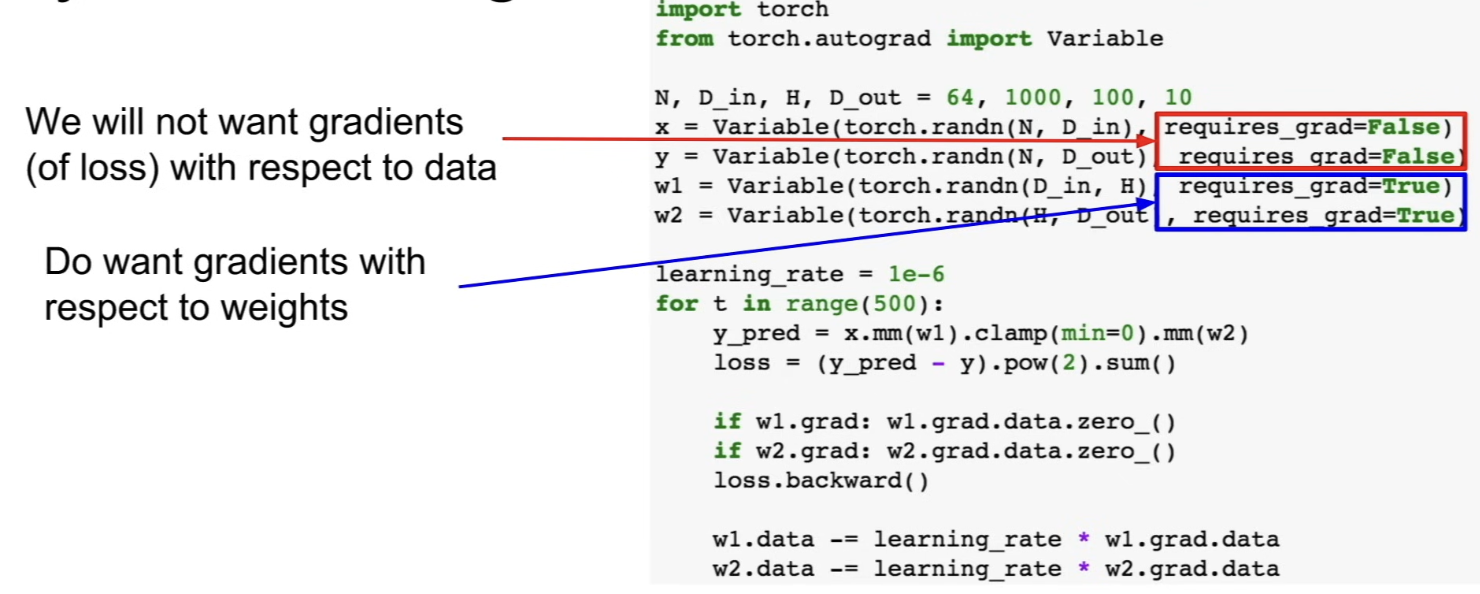
- each call to the variable constructor wraps a PyTorch Tensor and gives a flag whether or not we want to compute gradients with respect to this variable
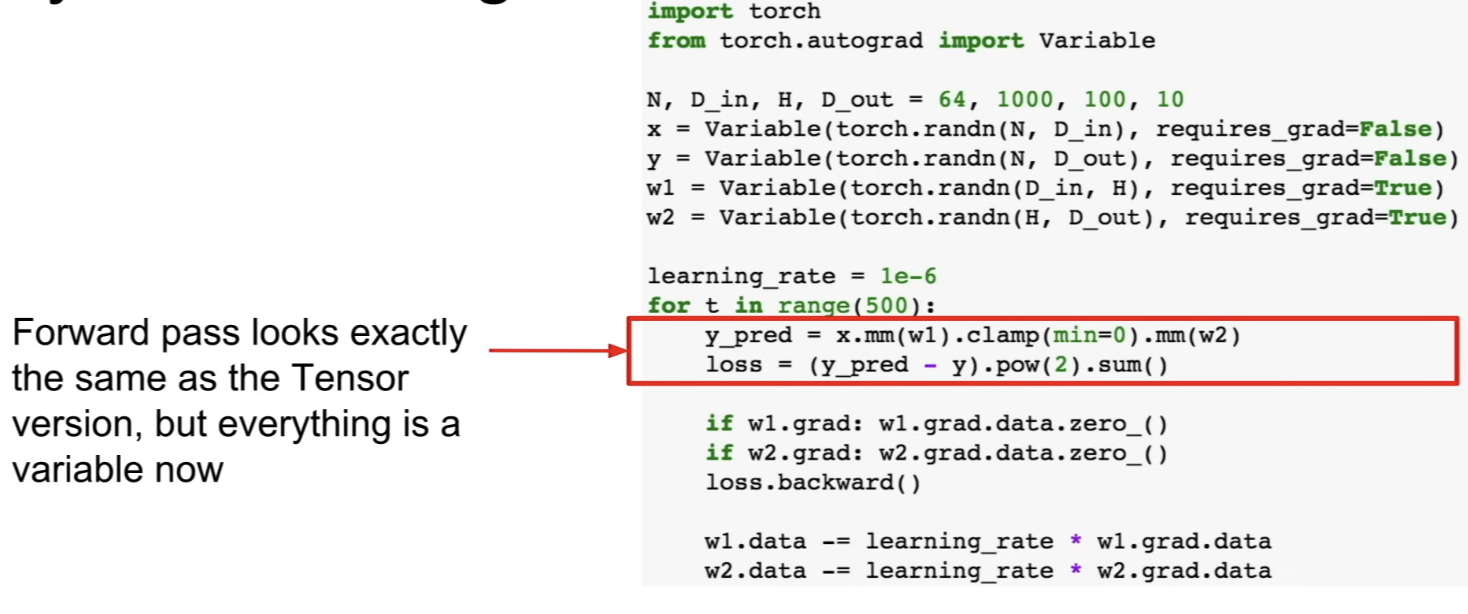
- doing forward pass
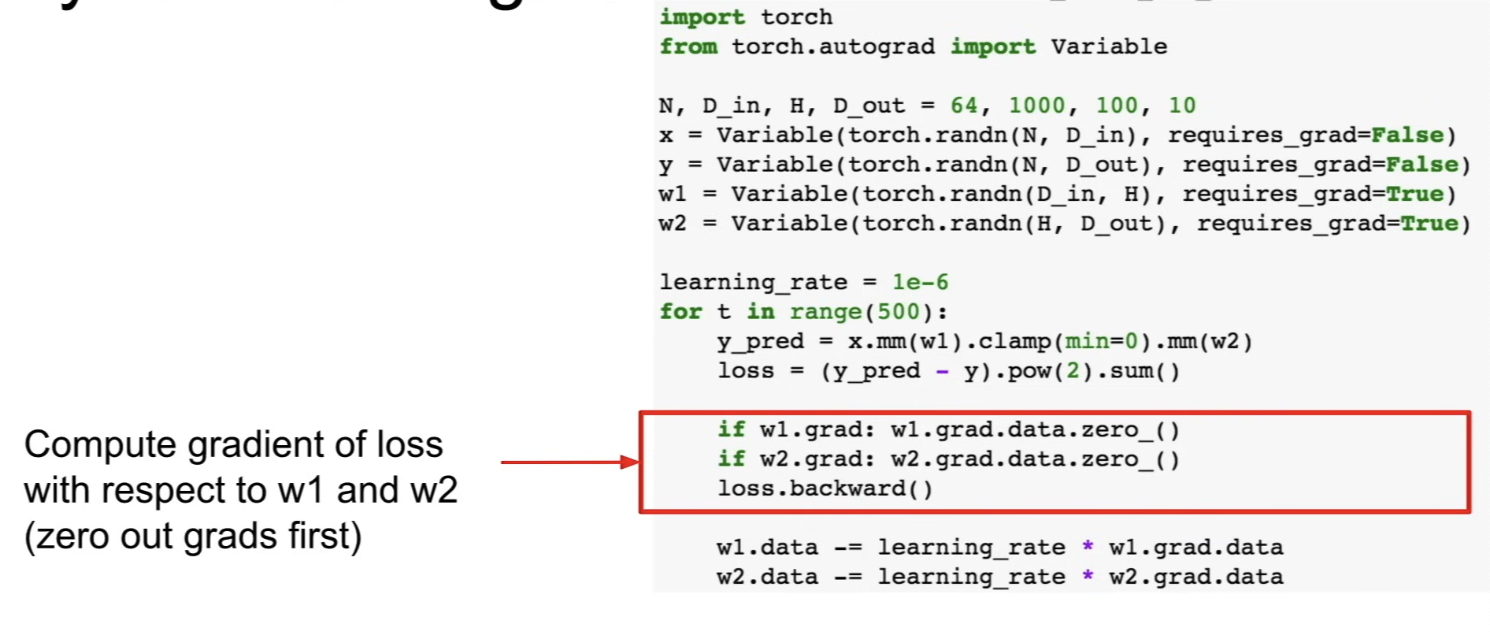
- call
loss.backwards()for gradients
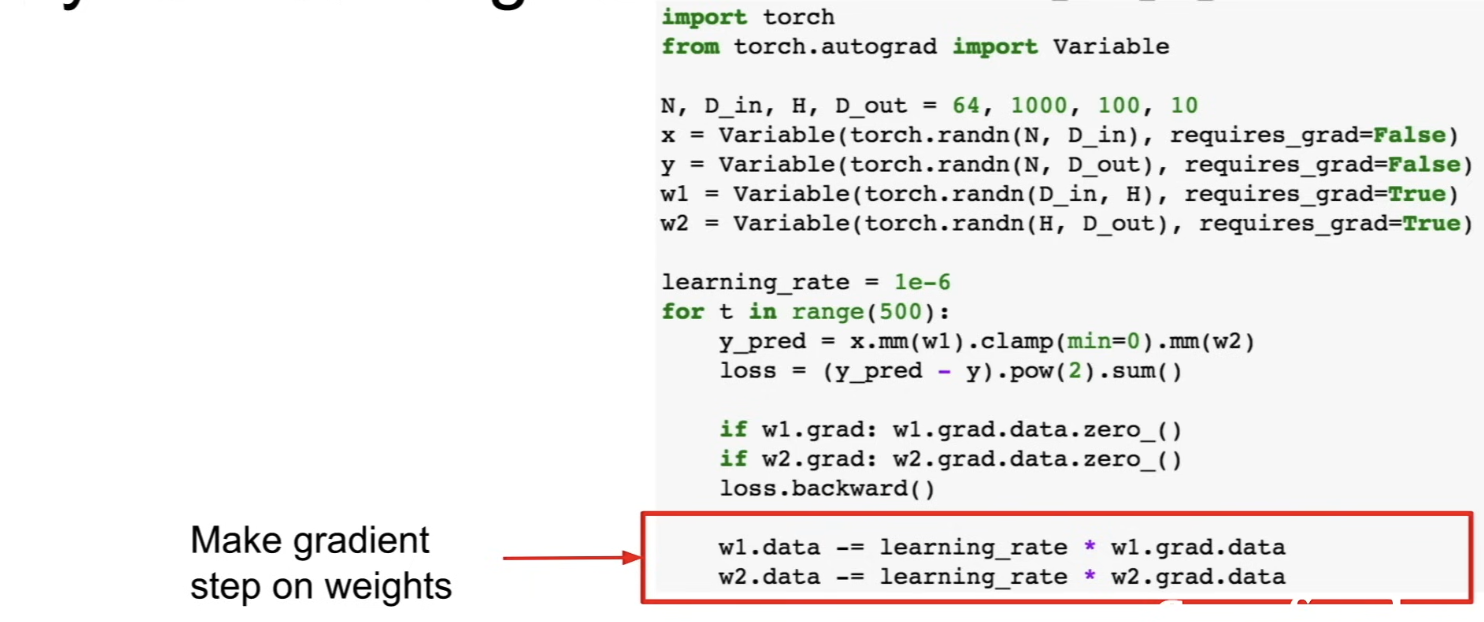
- make a gradient update step on weights, using the gradient present in
w1.grad.data
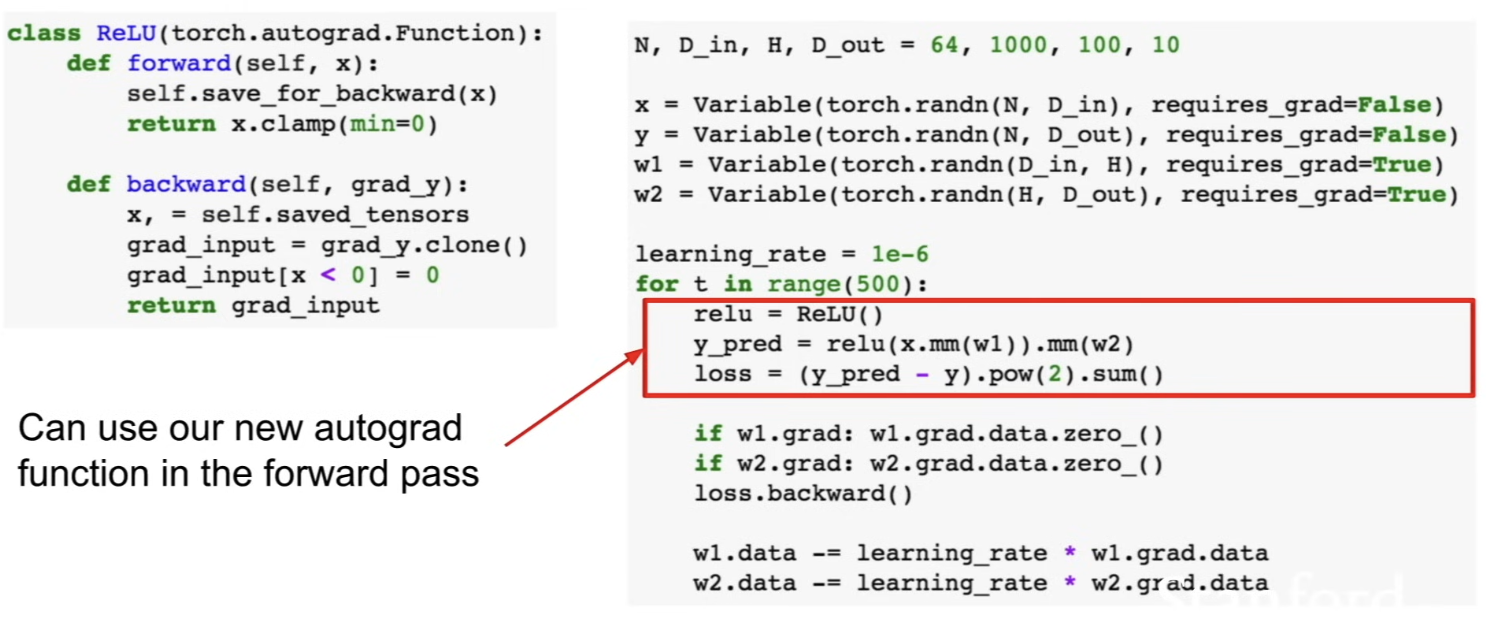
New Autograd Functions
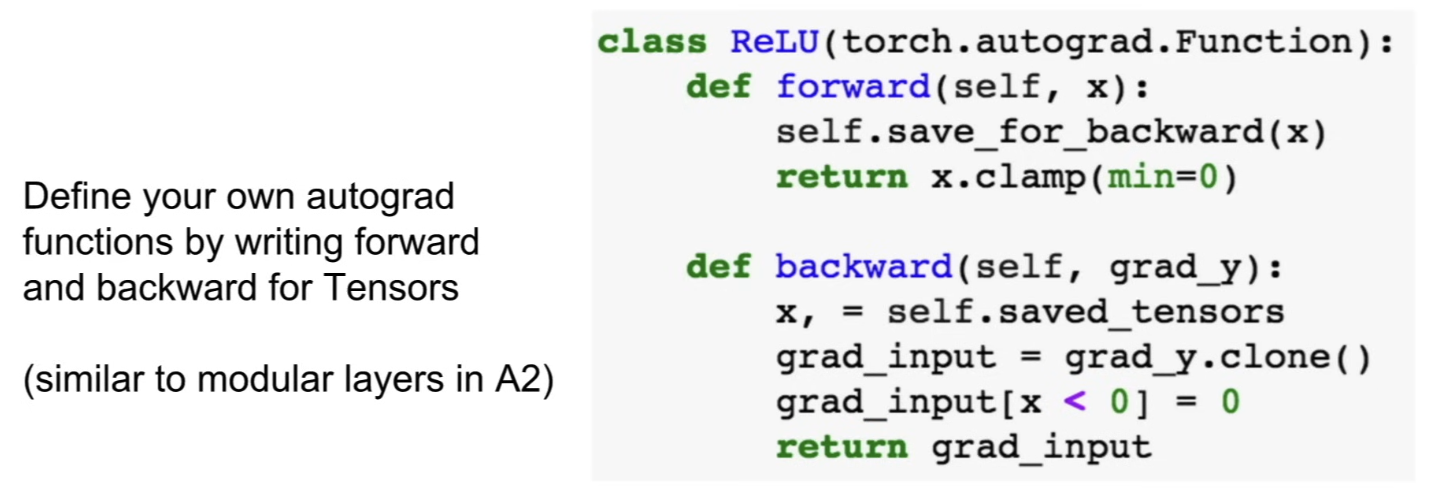
- you can define your own new autograd functions by defining forward and backward in terms of Tensors
nn package
- provides higher-level wrappers
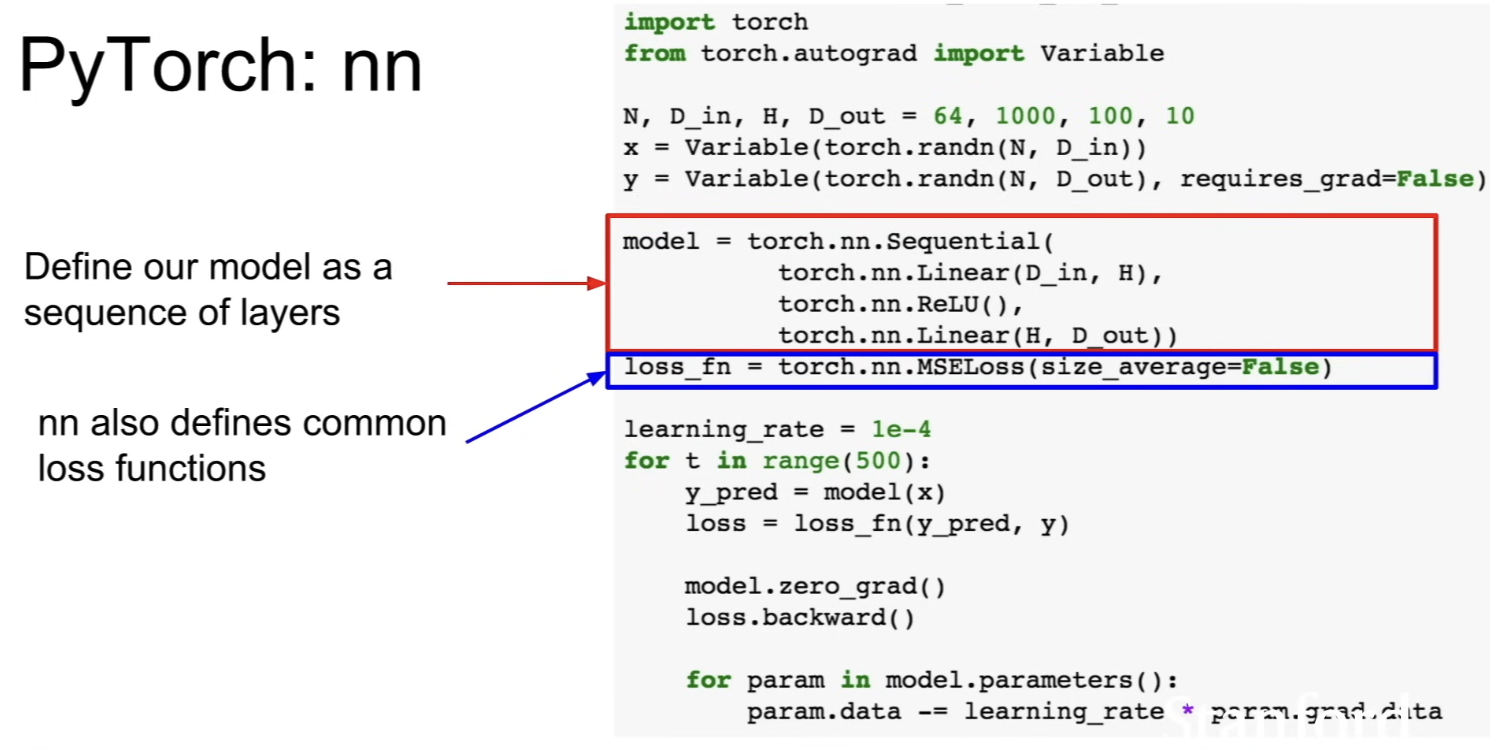
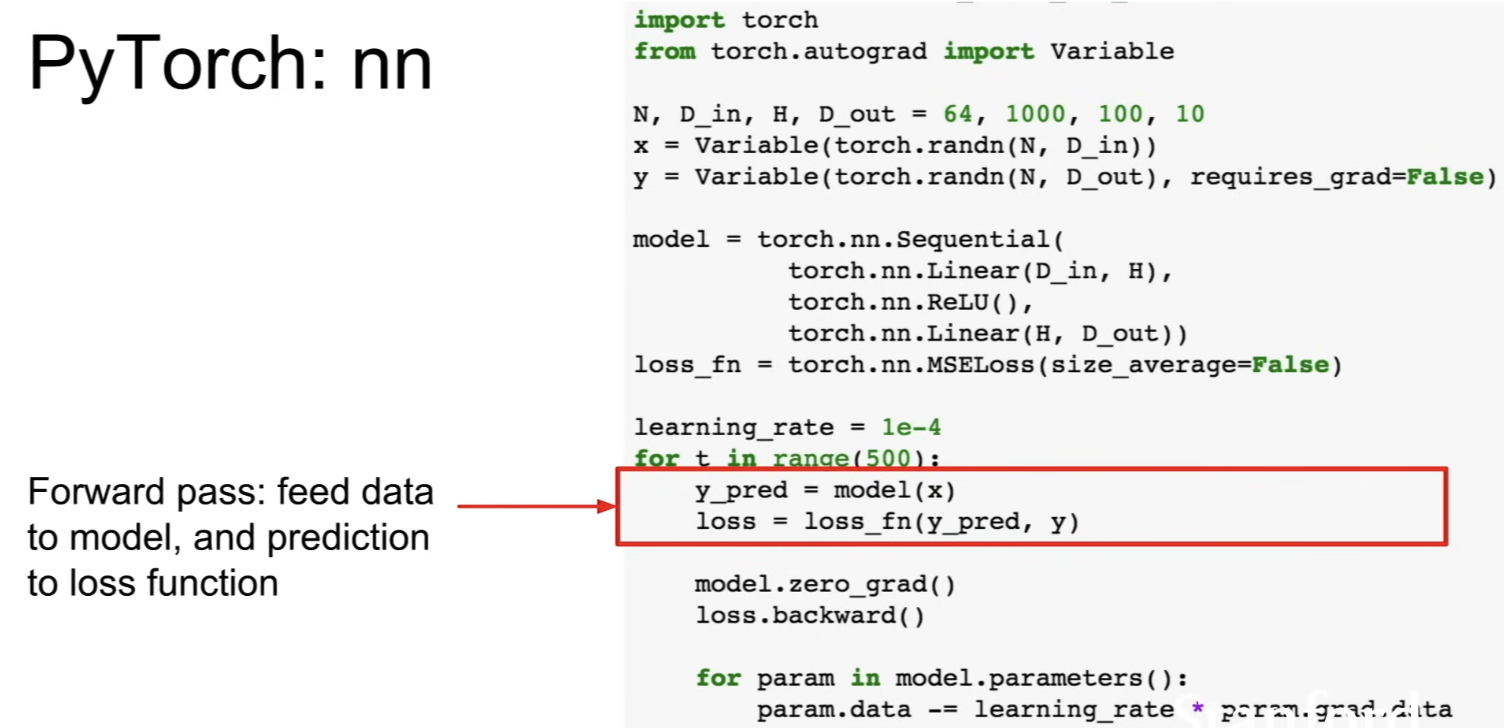
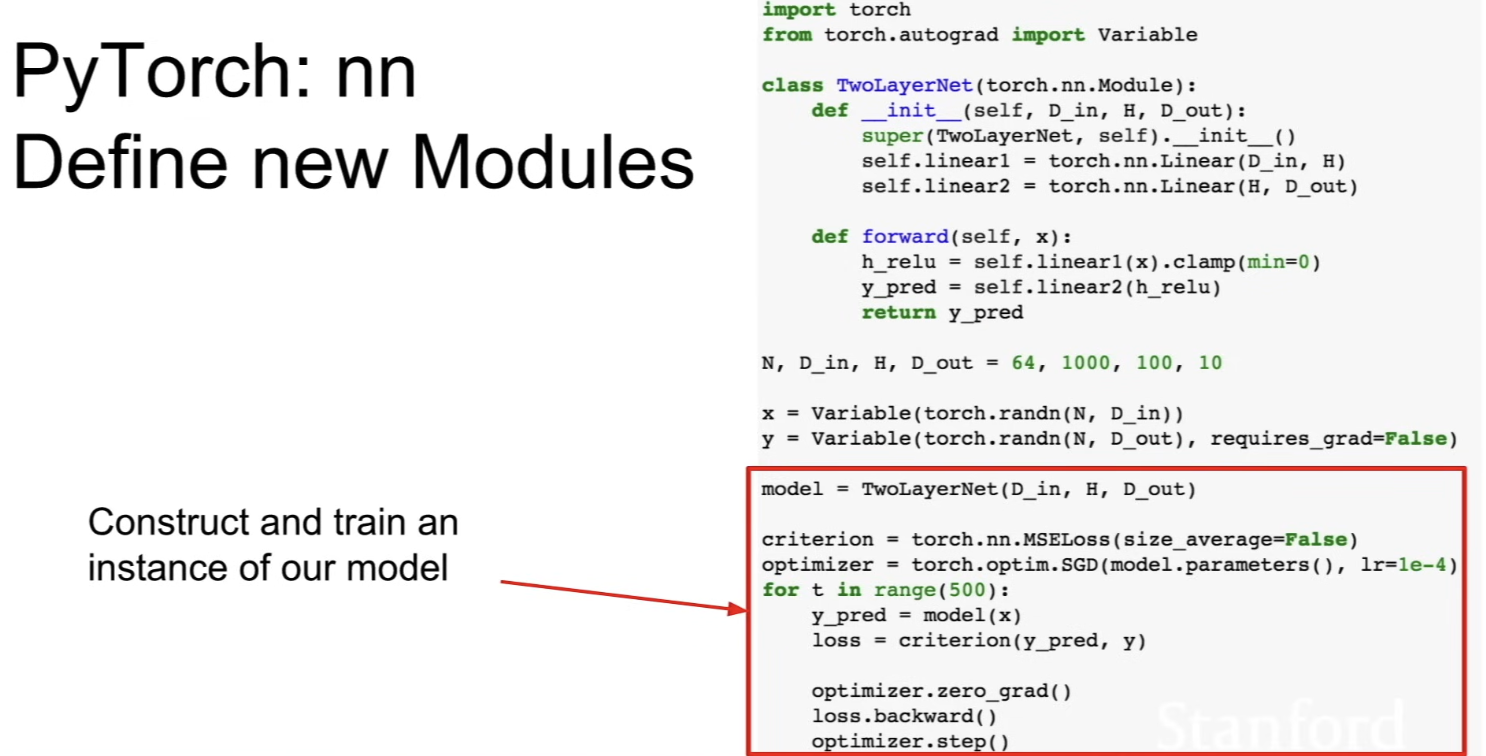
- for each generation of loop, run data forward through the model to get predictions
- run predictions forward through the loss function to get scale or loss
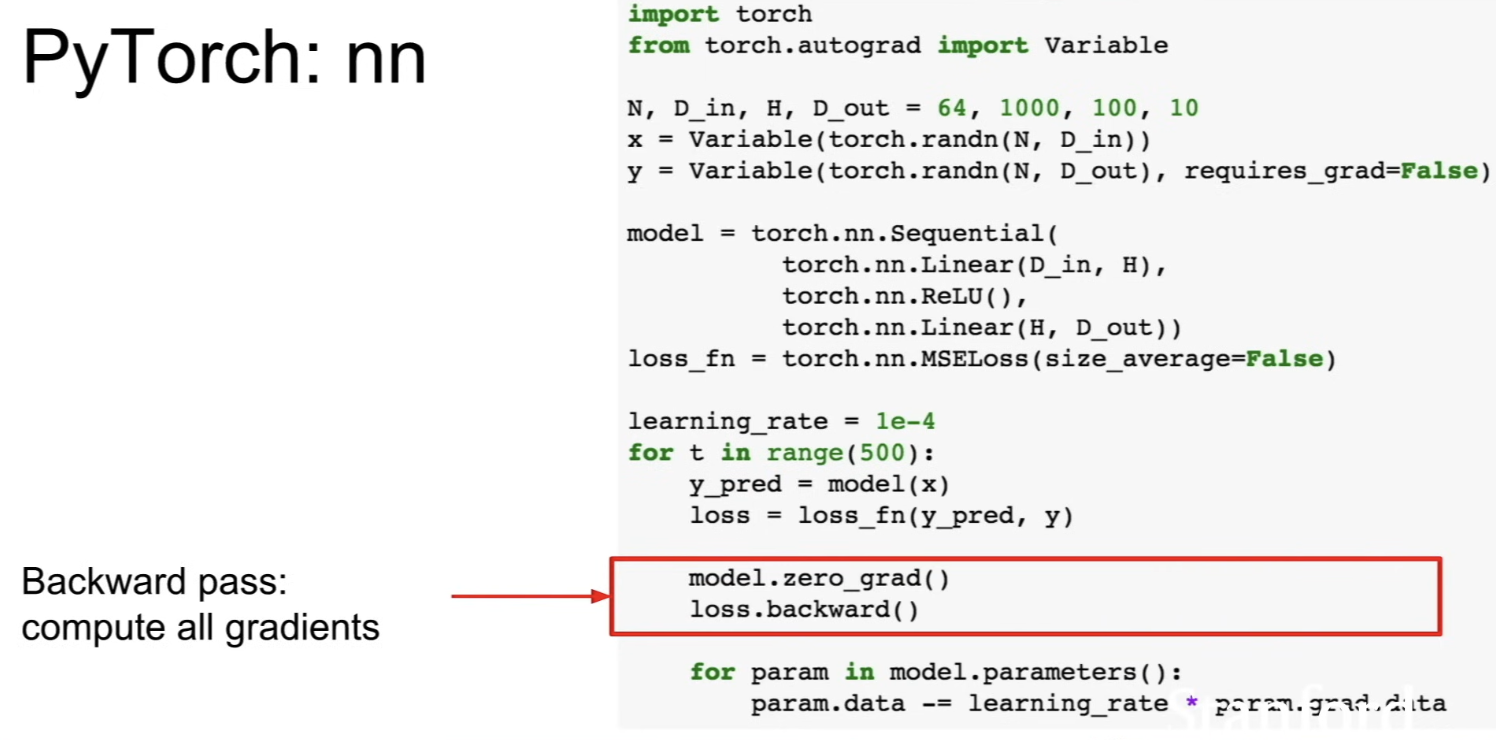
- call
loss.backward()to get all gradients
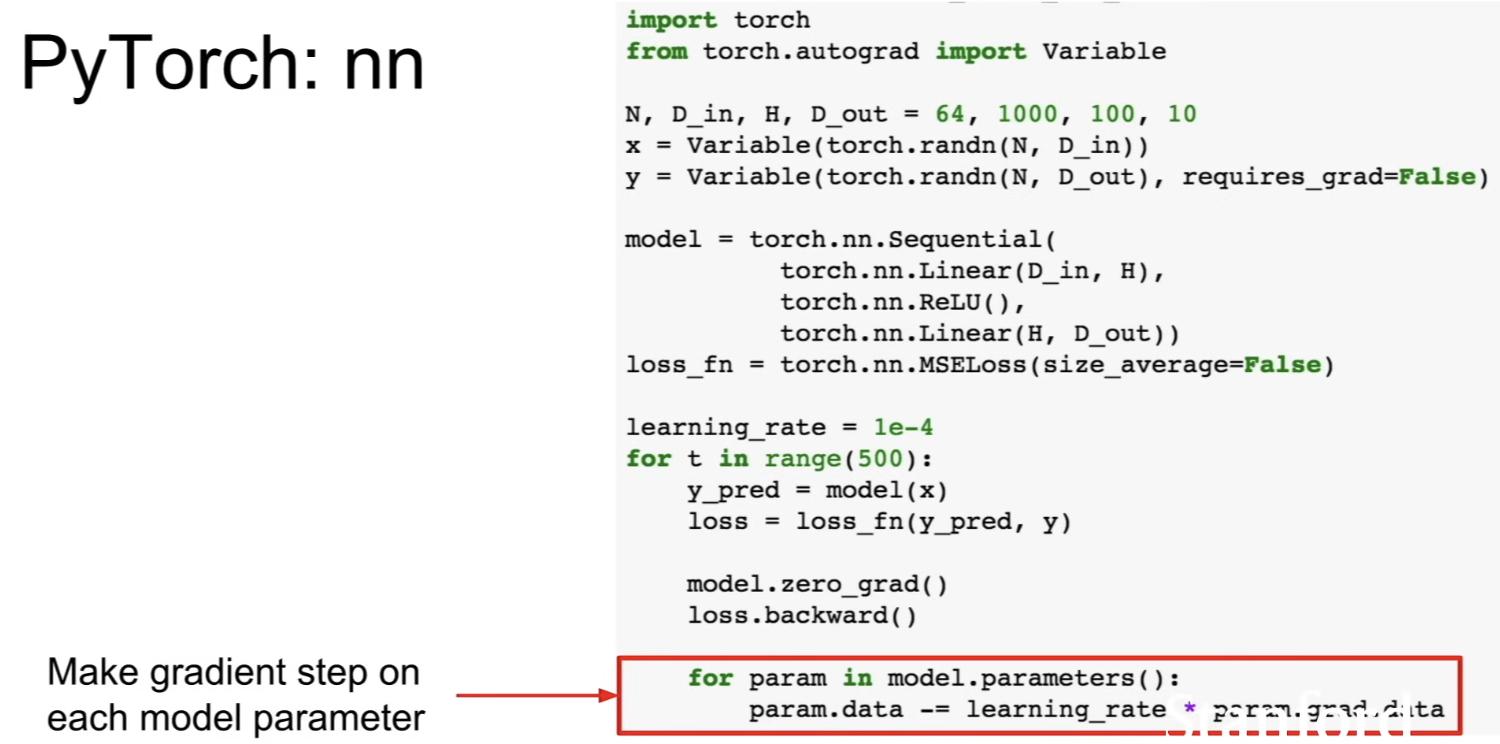
- loop over the parameters of the model and do explicit gradient descent step to update the models
optim
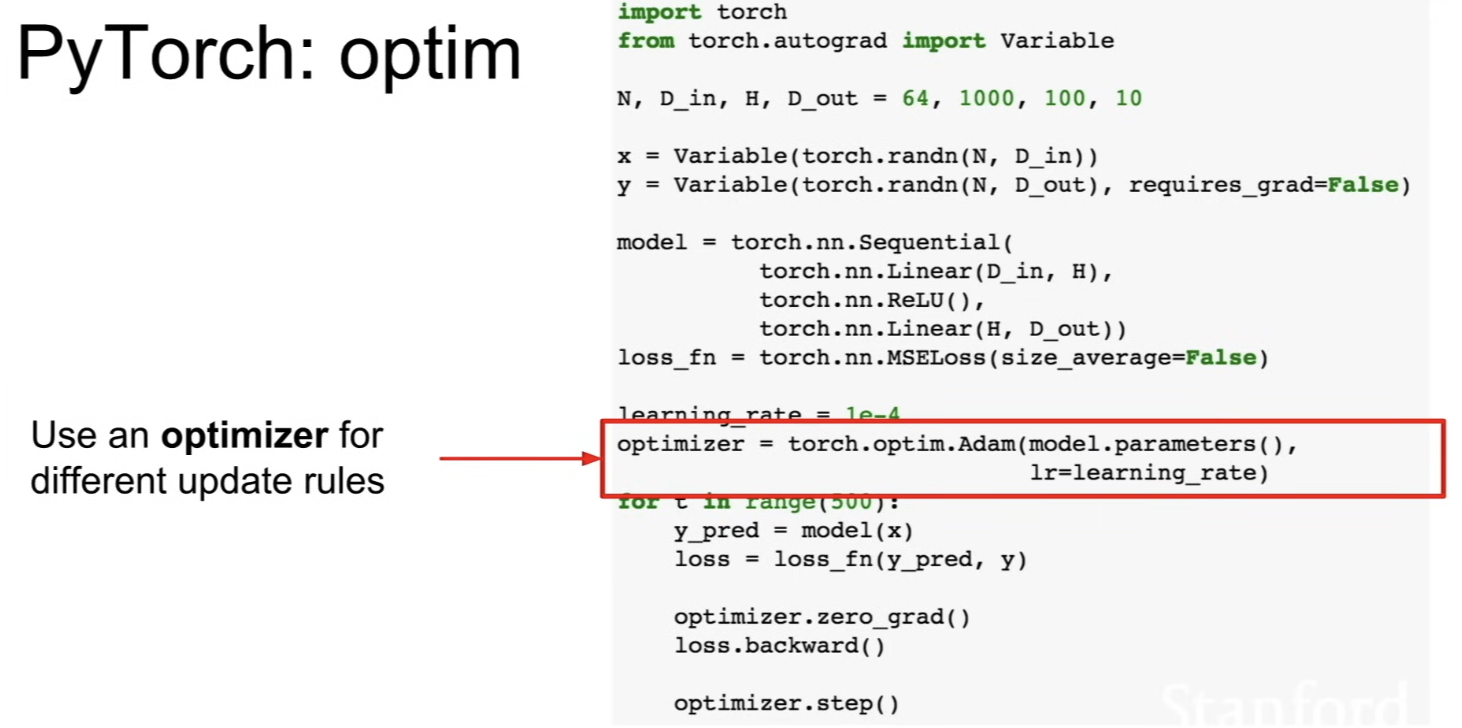
- abstracts away the updating logic and implement fancier update rules like Adam
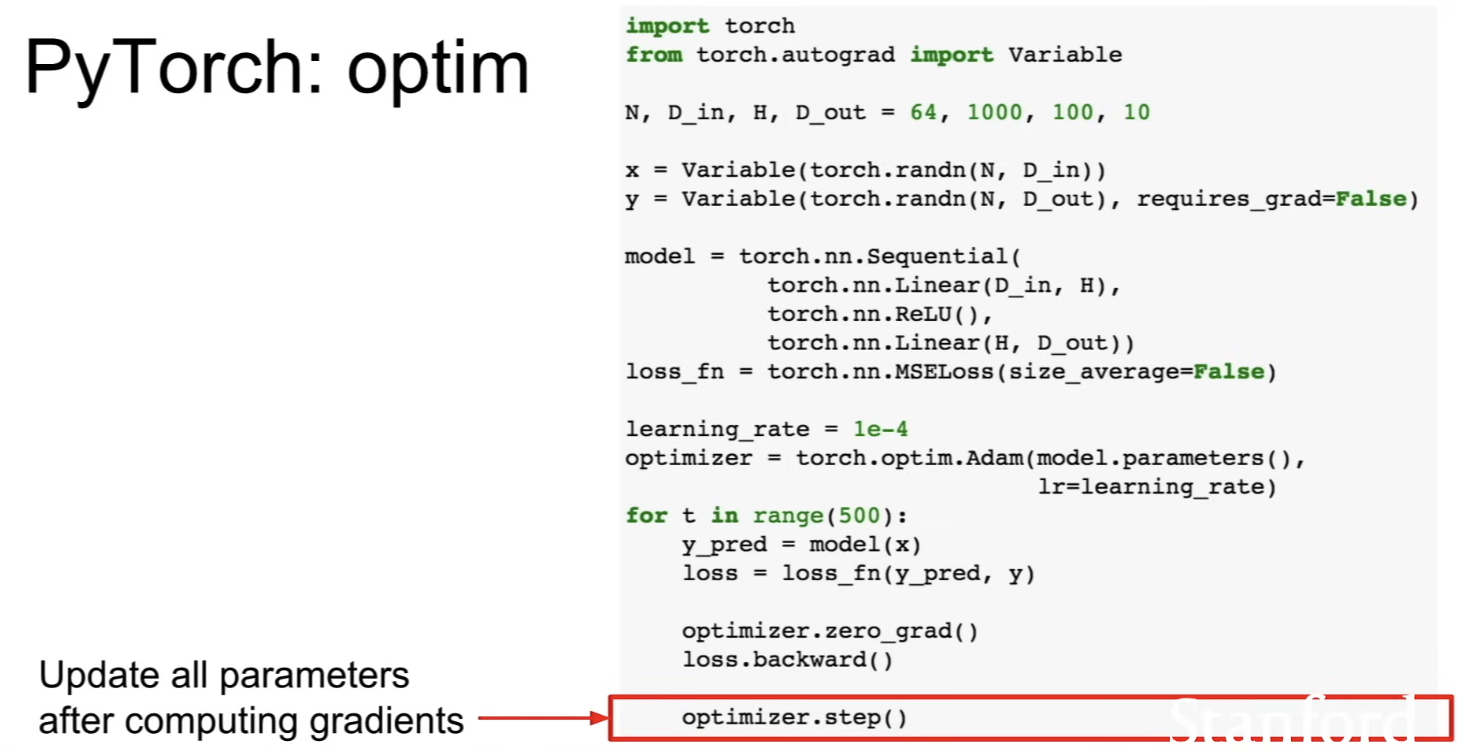
- after computing gradients, call
optimizer.step()to update all the parameters of the model
nn; Define new modules
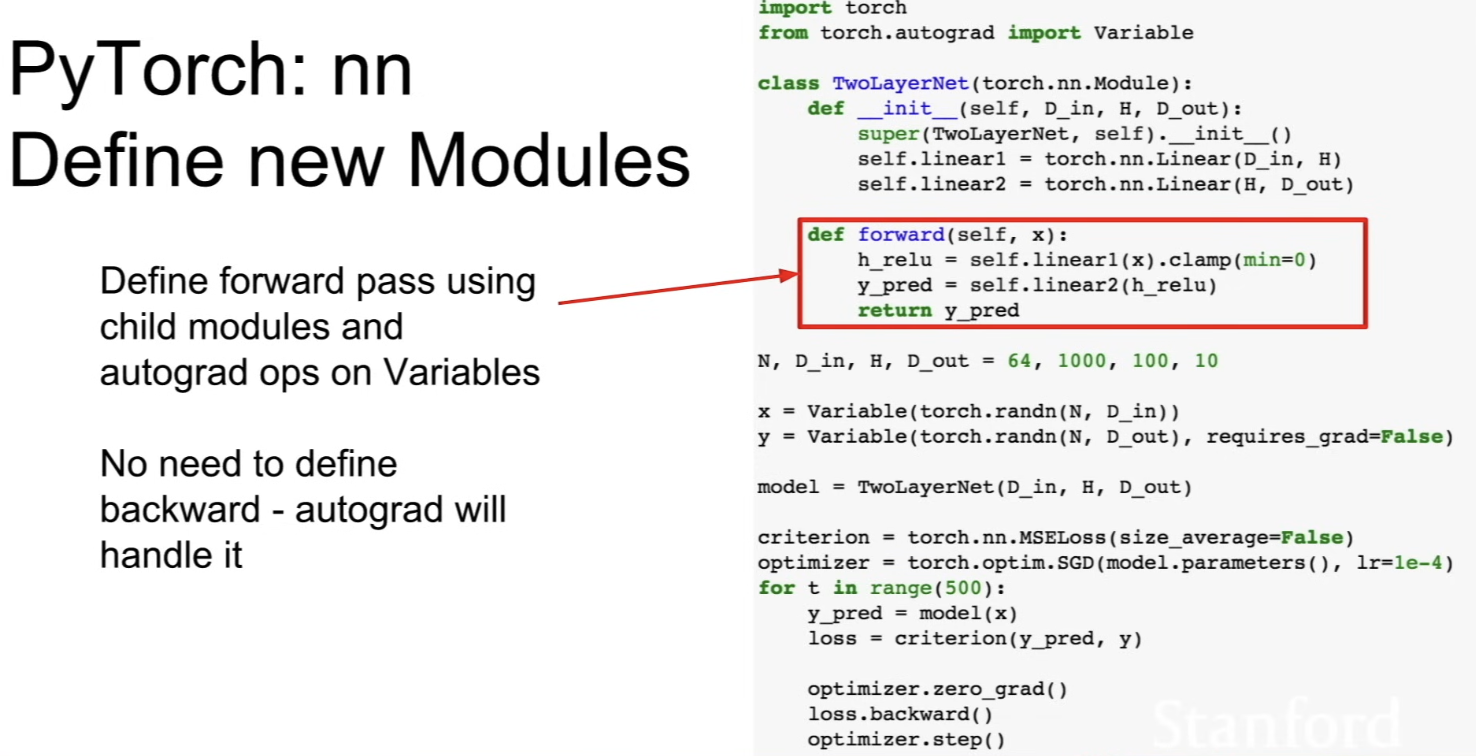
- typically, you'll write your own class which defines entire model as a single new nn module class
- module is a kind of neural network layer that can contain either other modules or trainable weights or other kinds of state
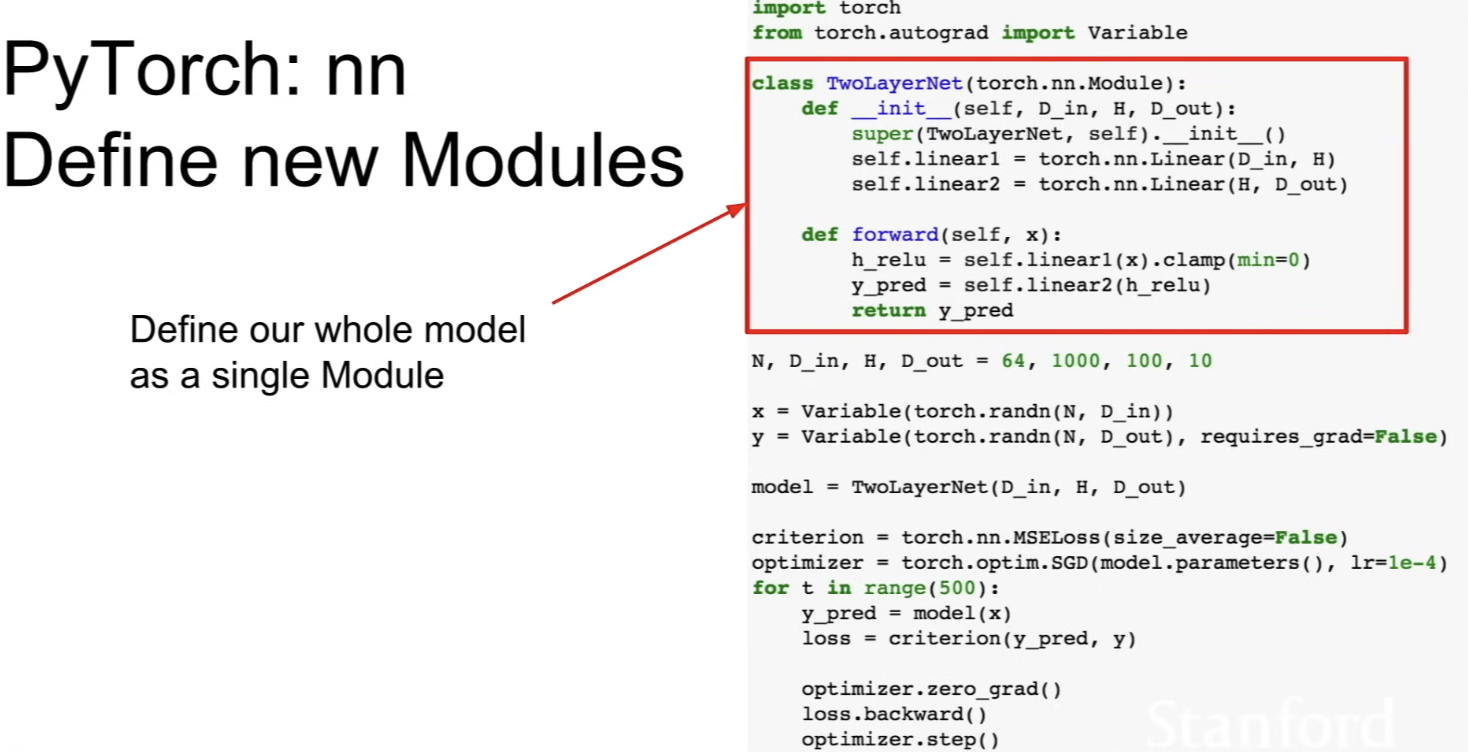
- redo the 2-layer net example
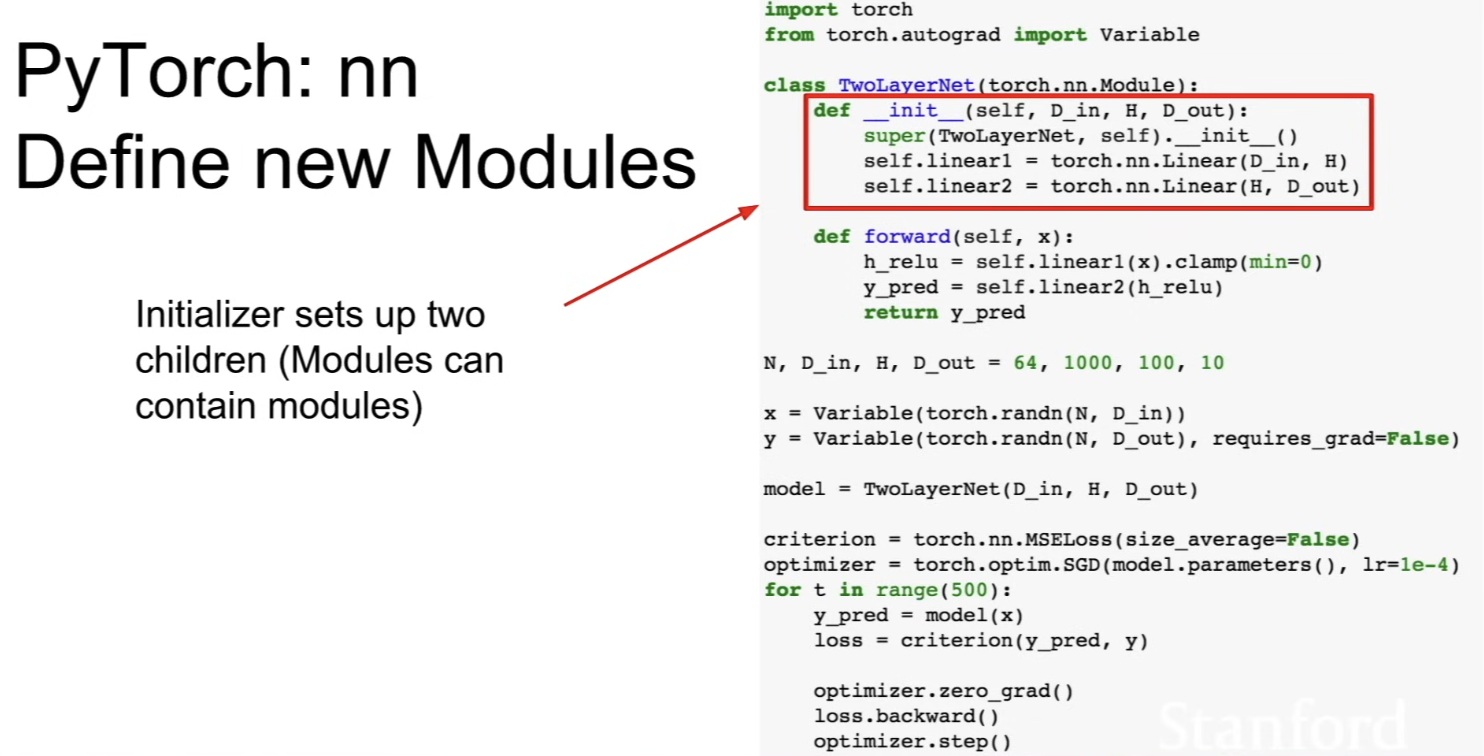
- in initializer, assign linear1 and linear2 and consruct these new module objects and store them inside the class
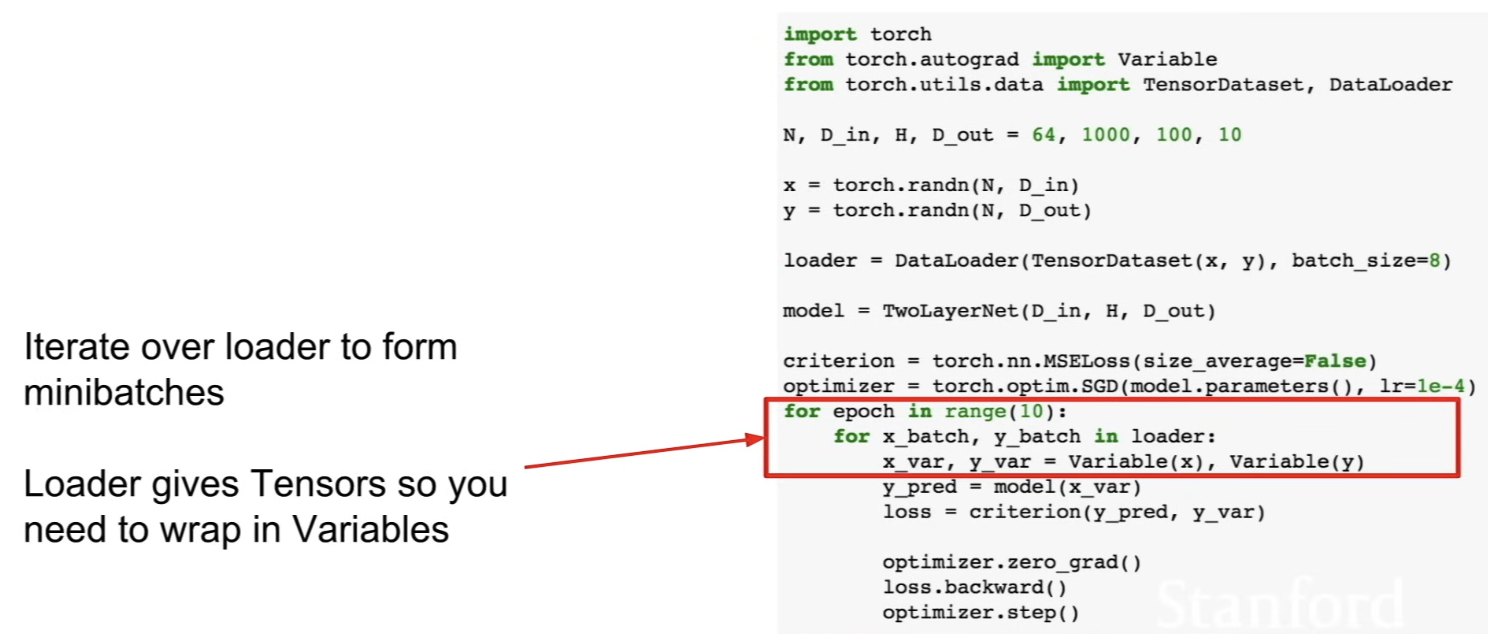
Dataloader
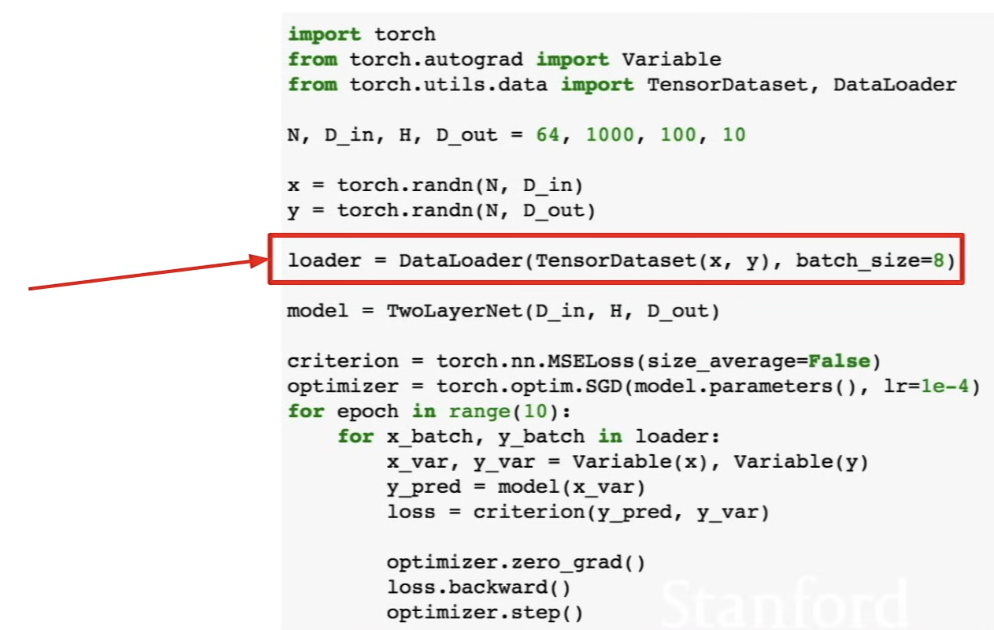
- handle building mini-batches, multi-threading, and use multi-thread in the background to build mini-batches
- wraps a dataset and provide abstractions
- when you want to run your own data, write your own dataset class which knows how to read your particular type of data off whatever source you want and wrap it with dataloader
Pretrained models
Visdom
- lets you visualize loss statistics (similar to Tensorboard)
- diff: Tensorboard visualizes the structure of the computational graph but Visdom does not yet
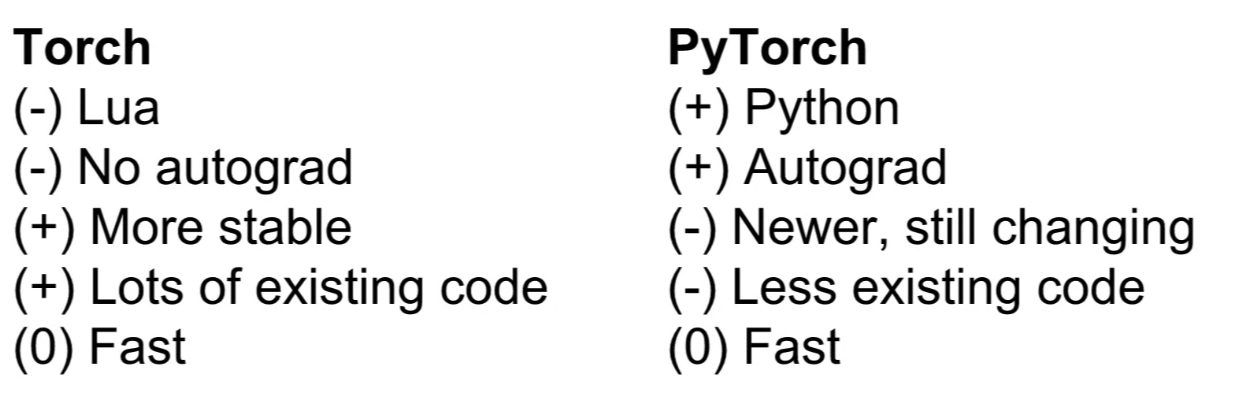
Aside: Torch
- PyTorch is better
Static v. Dynamic graph
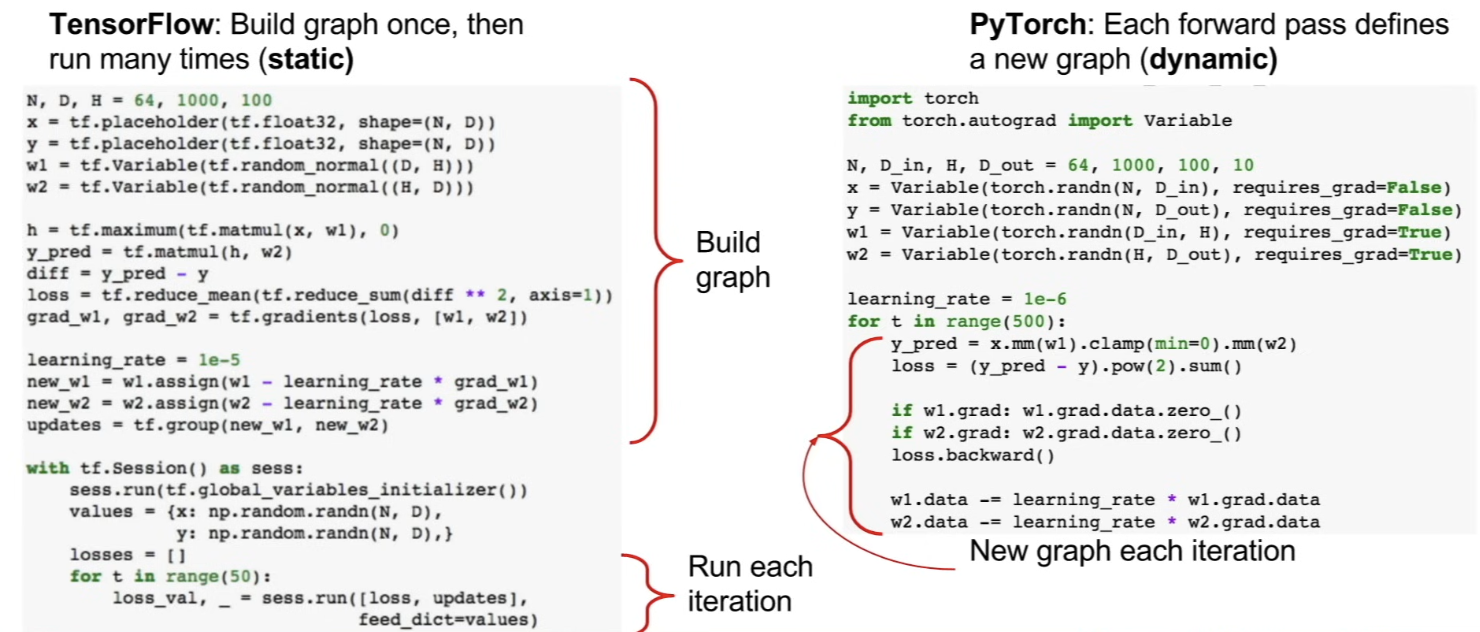
- static graph - in TensorFlow, we have 2 stages, where we build up graph and run the graph many times, reusing the graph
- frameworks can optimize the graph for you before it runs
- b/c reusing the graph, the optimization process is expensive but we can amortize the cost with the speedups we got
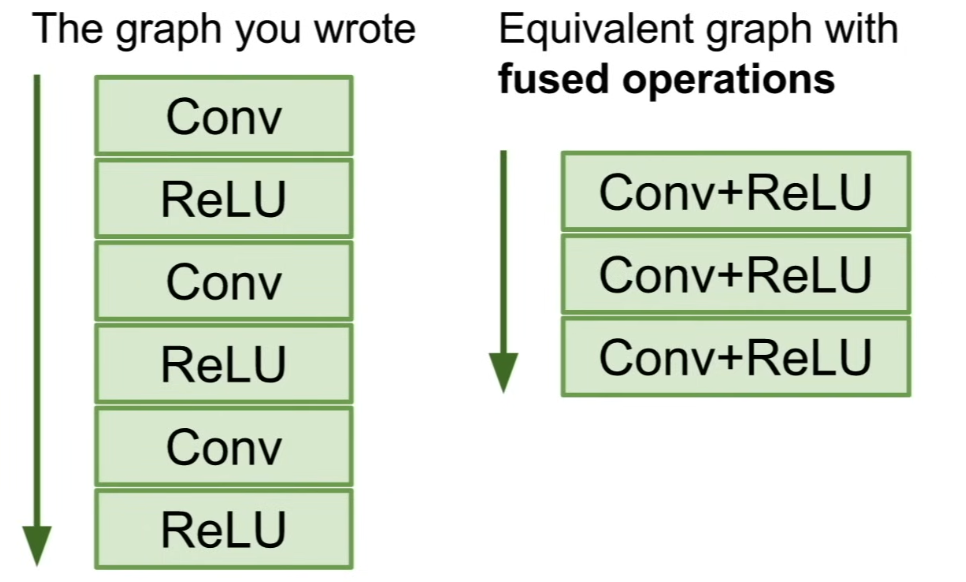
- some fancy optimizer can emit custom code which has fused operations (fusing Conv and ReLU) → doing the same thing but executed more efficiently
- b/c reusing the graph, the optimization process is expensive but we can amortize the cost with the speedups we got
- Serialization
- with static graph, once you've built the graph, you have this data structure in memory that represents the entire structure of network
- so, later, you can reload that thing and run that computational grpah without access to the original code that built it
- whereas with dynamic graph, b/c we're interleaving these processes of graph buildling and graph execution, you need the original code all the time if you want to reuse the model in the future
- frameworks can optimize the graph for you before it runs
- dynamic graph - in PyTorch, build up new graph on every forward pass
- conditional
- suppose doing a conditional operation, where depending on the value of , do different operations
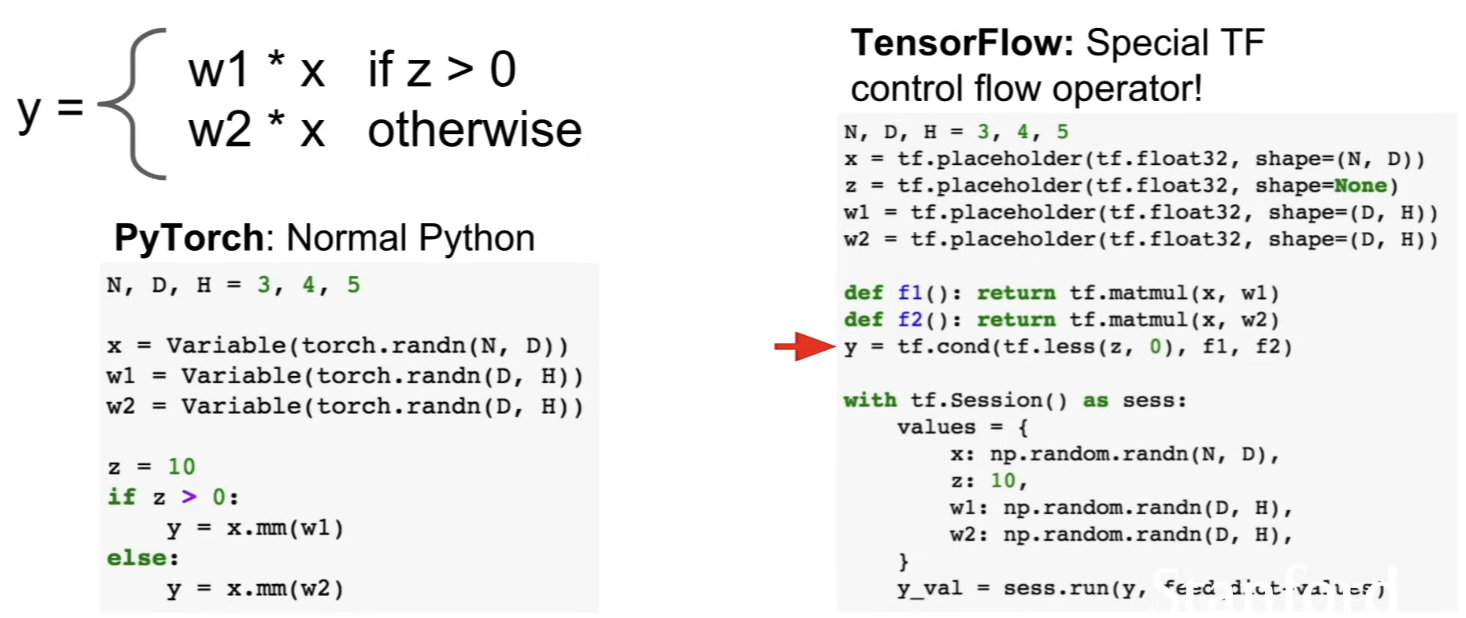
- in TensorFlow it's more complicated
- b/c build the graph once, the control flow operator needs to be an explicit operator in the graph, so we do
tf.cond()(which is like an if statement)
- suppose doing a conditional operation, where depending on the value of , do different operations
- loops
- no matter the size of input sequence, we want to compute this same recurrence relation
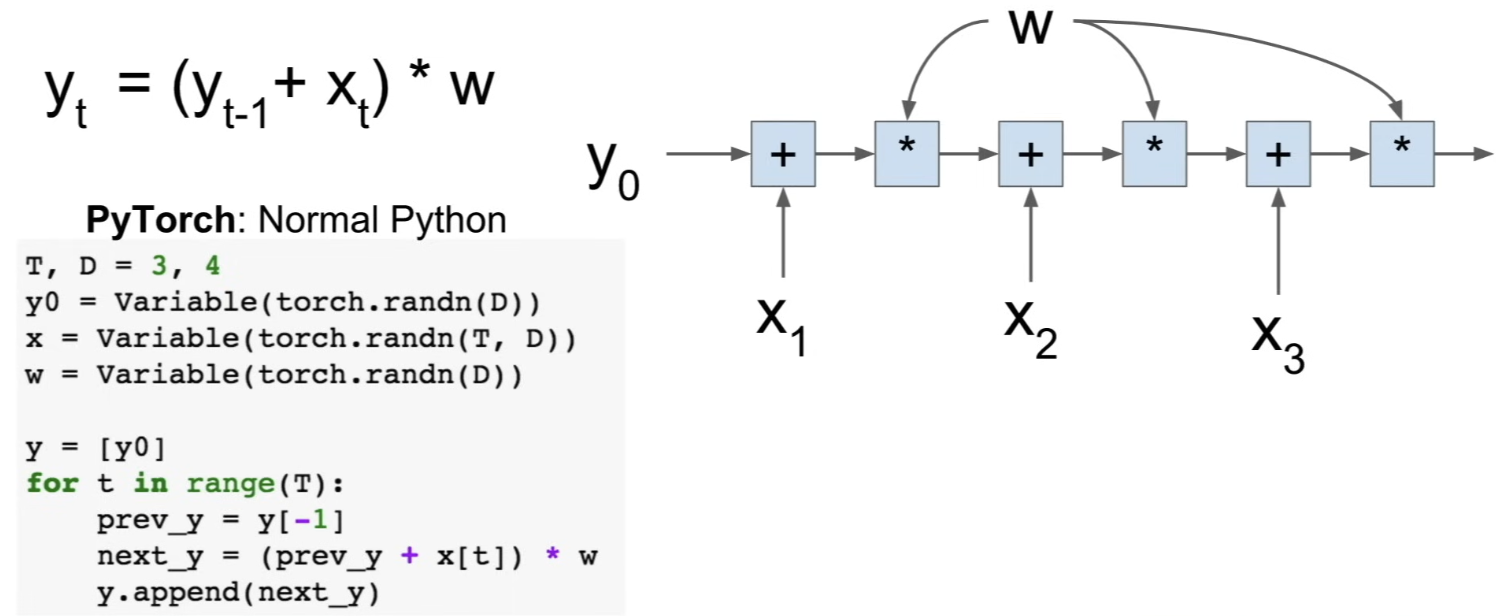
- in PyTorch, it's easy → normal Python for loop
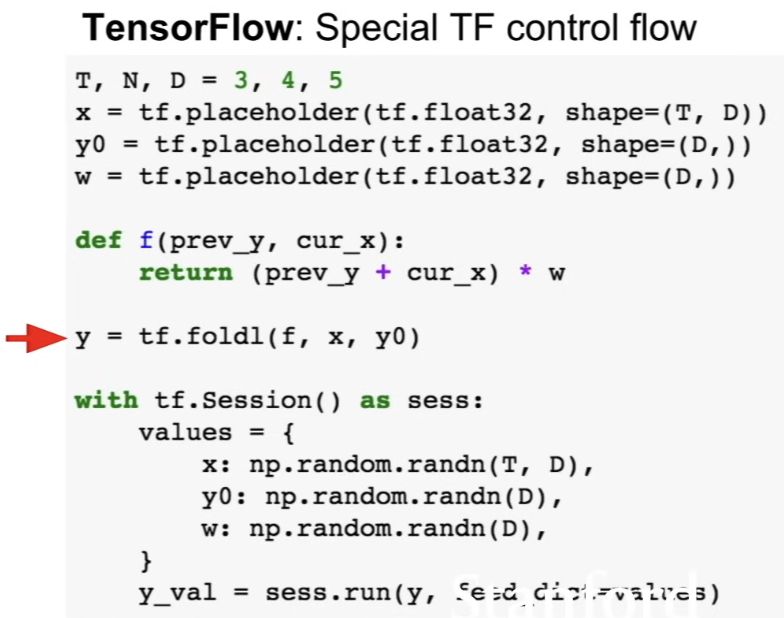
- in TensorFlow, it's uglier → b/c we need to construct graph all at once, this control flow looping construct needs to be an explicit node in the TensorFlow graph
- use
tf.foldl()
- in PyTorch, it's easy → normal Python for loop
- no matter the size of input sequence, we want to compute this same recurrence relation
- conditional
Dynamic Graph Applications
- recurrent networks
- ex) image captioning - operates over sequences of different lengths (this sequence(=sentence) can vary depending on the data), and depending on the size of the sentence, computational graph might need to have more of fewer elements
- recursive networks
- ex) computing a parse tree of a sentence → have a neural networks that operate recursively up this parse tree
- modular networks
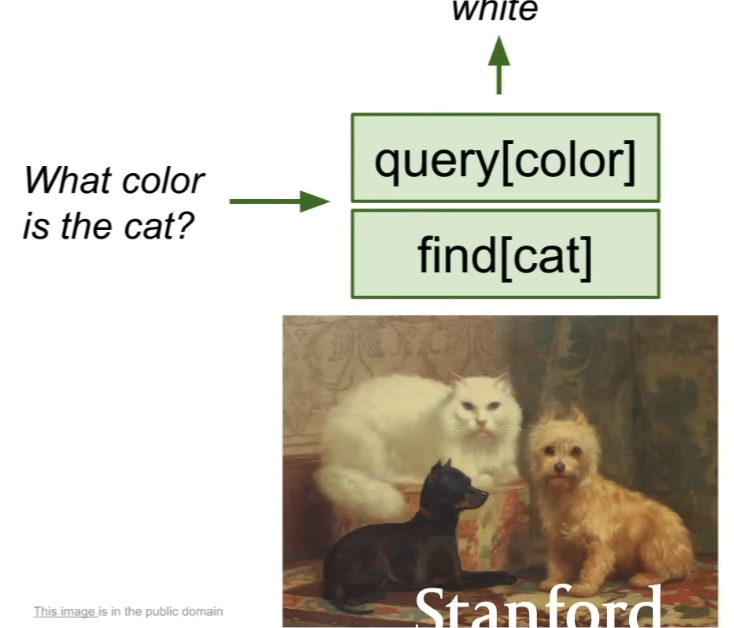
- ask questions about the images where we input this image of cats and dogs and ask "what color is the cat?" → internally, the system can read the question and have a specialized neural network modules for performing operations like asking for colors and finding cats
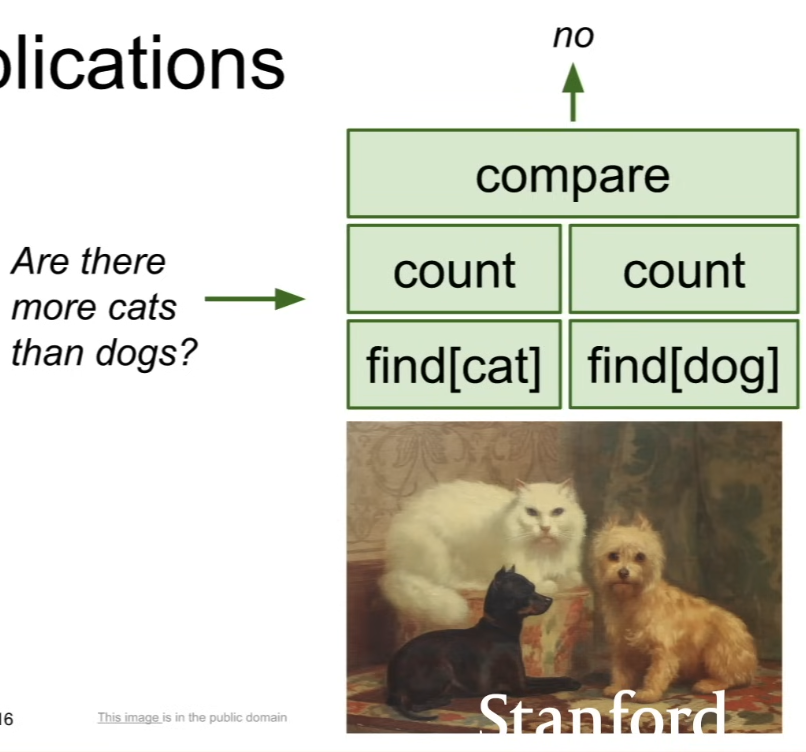
- if asking "are there more cats than dogs?" → have the same basic set of modules for doing thing like finding cats and dogs and counting, but arrange them in a different order → get a dynamism where different data points might give rise to different computational graphs
- ask questions about the images where we input this image of cats and dogs and ask "what color is the cat?" → internally, the system can read the question and have a specialized neural network modules for performing operations like asking for colors and finding cats