시작하며
어제에 이어 남은 모듈에 대해 마저 배웠다.
모듈 (Module)
time 모듈
- 시간의 측정, 지연, 변환과 같은 시간 관련 기능 제공
import time

# 1. 시간 봔환
# time()
# Unix 타임 스탬프로 반환(1970.01.01 부터 경과 초)
time.time() # 1753752318.19134

# ctime() : 현재 시간을 문자열로 반환
time.ctime() # 'Tue Jul 29 10:26:00 2025'
# 0을 입력시 기준시(Unix) 반환
time.ctime(0) # 'Thu Jan  1 09:00:00 1970'

# strftime() : 원하는 포맷의 문자열로 시간 객체 변환
lt = time.localtime()
formatted = time.strftime("%Y-%m-%d %H:%M:%S", lt)
formatted # 2025-07-29 10:30:35

# strptime() : 문자열을 struct_time 객체로 변환
parsed = time.strptime(formatted, "%Y-%m-%d %H:%M:%S")
parsed # time.struct_time(tm_year=2025, tm_mon=7, tm_mday=29, tm_hour=10, tm_min=32, tm_sec=12, tm_wday=1, tm_yday=210, tm_isdst=-1)

# 2. 시간 지연
# sleep(seconds) : 지정한 초만큼 프로그램이 일시 중지
time.sleep(1)- 시간 측정
import time

start = time.time()

for i in range(5):
    print(i)
    time.sleep(1)

end = time.time()
print(f"수행시간 : {end-start: .2f}초")
# 0
# 1
# 2
# 3
# 4
# 수행시간 :  5.02초
sys 모듈
- 파이썬 인터프리터와 관련된 다양한 기능 제공
import sys

# 파이썬 버전 정보
sys.version

# 운영체제 정보
sys.platform

# 프로그램 강제 종료
sys.exit()

# 터미널에서 인수 전달
args = sys.argv[1:]

print(args)
# ['dog', 'cat', 'monkey']- sys.argv 활용
# 입력값의 합계 계산
import sys

args = sys.argv[1:]

print(args)

total = 0
for i in args:
    total += int(i)

print(total)
# ['1', '2', '3', '4', '5']
# 15
os 모듈
- 운영체제와 상호작용 할 수 있도록 도와주는 기능 제공
import os

# getcwd() : 현재 작업 디렉토리 반환
os.getcwd()

# listdir() : 현재 폴더내 파일, 디렉터리 목록 반환
os.listdir()

# 폴더 생성하기
folder_name = "sample_folder"
if not os.path.exists(folder_name):
    os.mkdir(folder_name)
else:
    print(f"{folder_name} 폴더가 이미 존재합니다.")

print(os.listdir())
여러 모듈에 어떤 기능들이 있는지 한번씩 사용해보며 알게 되었고, 노션에 잘 정리해서 이후에 해당 기능이 필요할 때 찾아서 사용해보면 좋을 것 같다.
이후에는 파일 입출력에 대해 배웠는데 처음 접하는 개념이라 조금 어려웠다.
파일 입출력 (File)
- 저장장치에 저장된 파일을 읽어오거나 저장하는 작업
파일 열기 : open( )
open("파일 경로", mode="r", encoding="원하는 인코딩")- encoding : 사람이 읽는 문자를 컴퓨터가 저장하고 처리할 수 있는 이진수로 바꾸는 방식
- encoding : 사람이 읽는 문자를 컴퓨터가 저장하고 처리할 수 있는 이진수로 바꾸는 방식
- 인코딩 방식
- utf-8 : 국제 표준 인코딩, 전 세계 언어 지원, 웹 표준
- cp949 : 마이크로소프트의 한글 인코딩, 옛 Window에서 한글 처리에 사용
- ascii : 영어 및 숫자 중심
- 파일 열기 모드 종류
- r : 읽기 전용
- w : 쓰기 전용, 덮어쓰기
- a : 추가 모드, 이어쓰기
- b : 바이너리 모드
- x : 배타적 생성 모드
파일 닫기 : close( )
- 열린 파일을 닫아 시스템 자원을 해제하는 내장 함수
- close( )를 반드시 해야하는 이유
- 시스템 자원이 해제되지 않아 누수가 발생
- 파일이 잠긴 채로 남아 다른 프로그램이 접근하지 못할 수 있음
- 프로그램이 사용하는 자원이 계속 증가할 수 있음
# open("파일 경로", mode="r", encoding="원하는 인코딩")
# open으로 파일을 읽으면 '파일객체'를 반환함

f = open("example.txt", "w", encoding="utf-8")
f.write("입력1\n")
f.write("입력2")

# 파일 닫기 : close()
# 열린 파일을 닫아 시스템 자원을 해제함

f.close()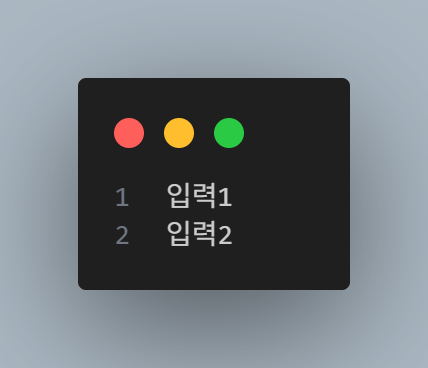
파일 읽기
read( ): 전체 내용을 한번에 읽기f = open("example.txt", "r", encoding="utf-8") content = f.read() print(content) f.close() # 입력1 # 입력2readline( ): 한 줄씩 순차적으로 읽기f = open("example.txt", "r", encoding="utf-8") line1 = f.readline() line2 = f.readline() print("첫번째 줄 :", line1.strip()) print("두번째 줄 :", line2) f.close() # 첫번째 줄 : 입력1 # 두번째 줄 : 입력2readlines( ): 모든 줄을 한번에 리스트로 읽기f = open("example.txt", "r", encoding="utf-8") contents = f.readlines() print(contents) f.close() # ['입력1\n', '입력2']tell( ): 현재 읽고 있는 위치 (바이트)를 반환 (한글은 한 글자에 2~3 바이트, 영어는 1바이트)f = open("example.txt", "r", encoding="utf-8") print("처음 위치 :", f.tell()) f.read(5) print("바이트 읽은 후 위치 :", f.tell()) f.close() # 처음 위치 : 0 # 바이트 읽은 후 위치 : 12seek( ): 파일 포인터 위치를 이동f = open("example.txt", "r", encoding="utf-8") print(f.read(2)) f.seek(0) print(f.read()) f.close() # 입력 # 입력1 # 입력2- for 문으로 읽기
f = open("example.txt", "r", encoding="utf-8")

for line in f:
    print(line.strip())

f.close()
# 입력1
# 입력2
파일 쓰기 write( )
- w 모드 : 덮어 쓰기
f = open("example.txt", "w", encoding="utf-8")

f.write("파일 쓰기 입력 1\n")
f.write("파일 쓰기 입력 2")

f.close()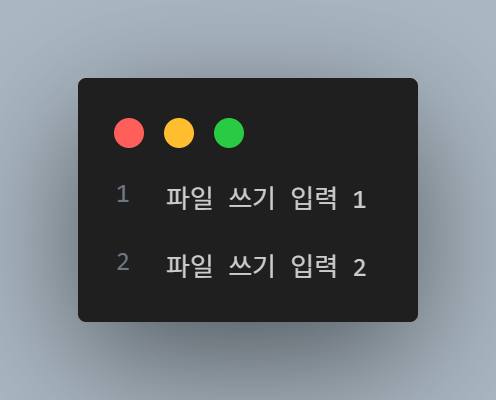
- a 모드 : 추가 쓰기
f = open("example.txt", "a", encoding="utf-8")

f.write("\n추가한 내용입니다.")

f.close()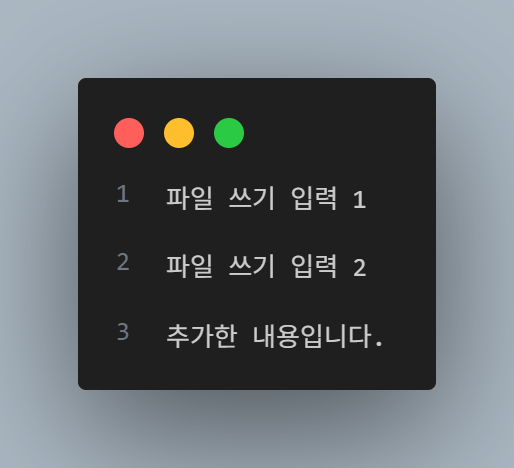
with 문
-
파일 입출력시에 자동으로 close( )를 호출해주는 구문
-
파일 쓰기
with open("with_example.txt", "w", encoding="utf-8") as f1:
    f1.write("with문으로 작성한 파일입니다.\n")
    f1.write("안녕하세요.")
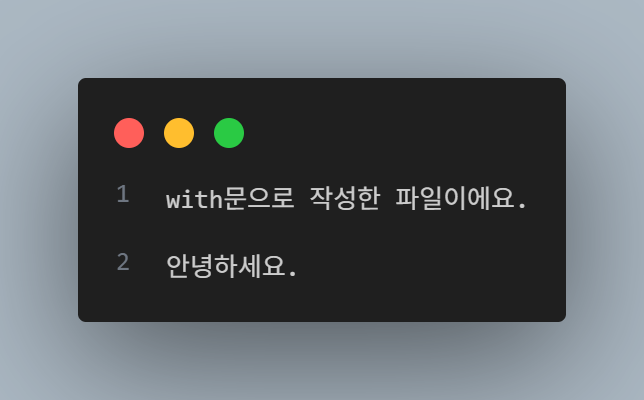
- 파일 읽기
with open("with_example.txt", "r", encoding="utf-8") as f2:
    data = f2.read()
    print(data)
# with문으로 작성한 파일이에요.
# 안녕하세요.
바이너리 파일 읽고 쓰기
- 바이너리 파일 : 0과 1로 이루어진 이진 데이터를 포함한 파일
- 이미지, 오디오, 영상, 실행 파일 등이 대표적인 바이너리 파일
# 바이너리 파일 읽기
with open("./images/dog.jpg", "rb") as f:
    img = f.read()
    print(img)

# 바이너리 파일 쓰기
with open("./output/dog_copy.jpg", "wb") as f:
    f.write(img)
pickle 모듈
- 객체의 형태를 그대로 유지하면서 파일에 저장하고 불러올 수 있는 모듈
- 리스트나 딕셔너리등의 자료 구조도 포함
pickle.dump: 쓰기pickle.load: 읽기
마치며
오늘로 파이썬 파트가 끝이났다. 물론 아직 모르는 기능들도 상당히 많지만 당장 데이터 분석을 위한 기초 지식은 이 정도면 가능하다는 것 같다.
앞으로는 배웠던 내용들을 계속 복습하며 기초를 단단히 다지고, 추가로 다른 내용들도 공부를 이어갈 것이다.
NOTION

Hello I'm TaeHyunAn, Currently Studying Data Analysis