프로그래머스에서 진행중인 자율주행 데브코스 - Planning & Control : ROS 기초부터 정리를 시작한다.
강의에서는 Ubuntu 18.04 - ROS Melodic로 진행하였으나
필자는 WSL - Ubuntu 20.04 - ROS Noetic 환경에서 강의를 정리하고 다시 코드를 실행하려 한다.
0.사전언급
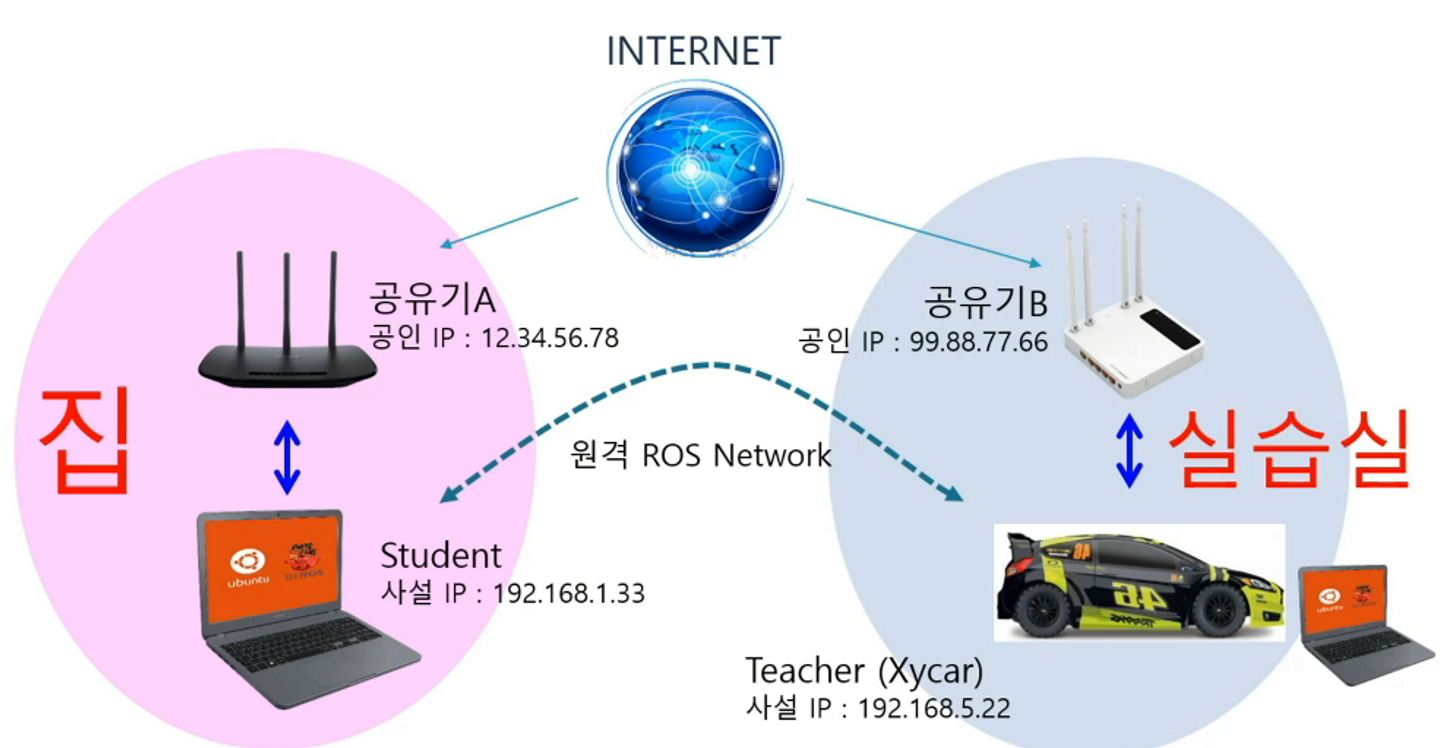
원래는 ROS원격 통신 (2기종 이상의 PC혹은 임베디드 보드)간 통신이 주 인 강의이나, 강의에 포함된 Xycar 보드가 현재 포스트를 작성하는 시점에는 갖고있지 않기에
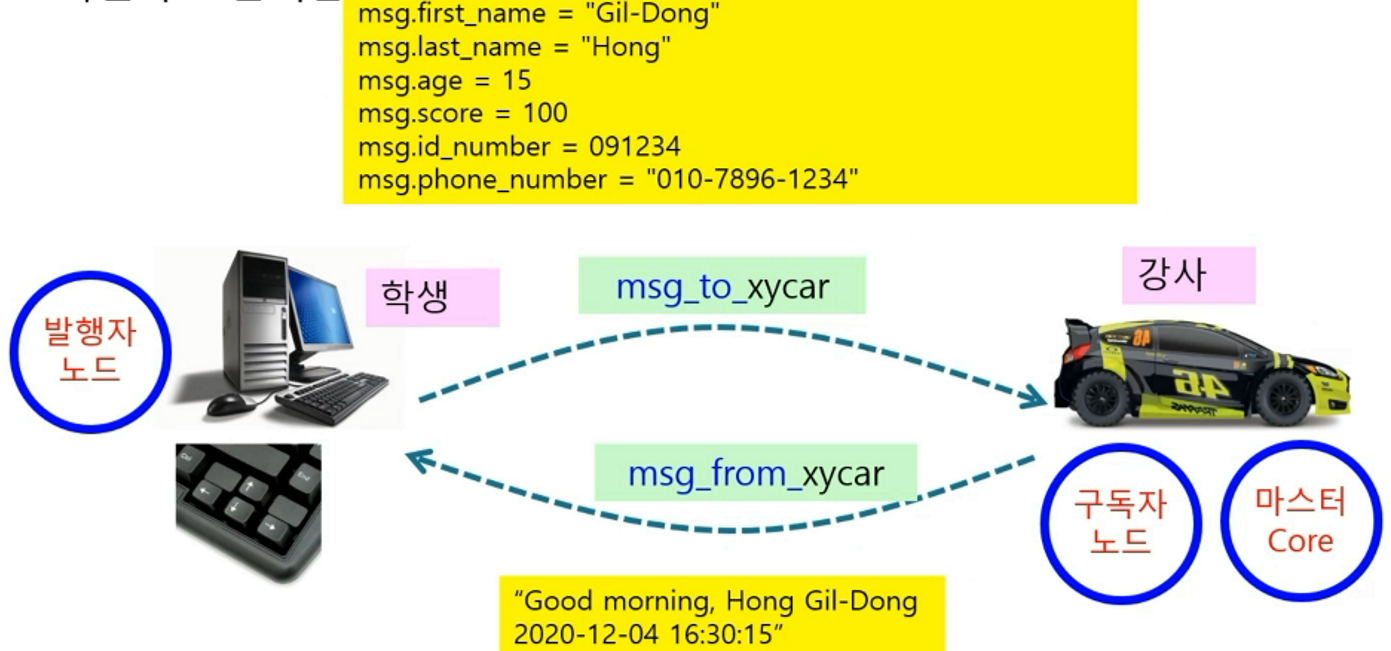
원격통신 설정 없이 1대의 PC에서 2개의 노드간 메세지 전송 -> echo 과정만 수행한다.
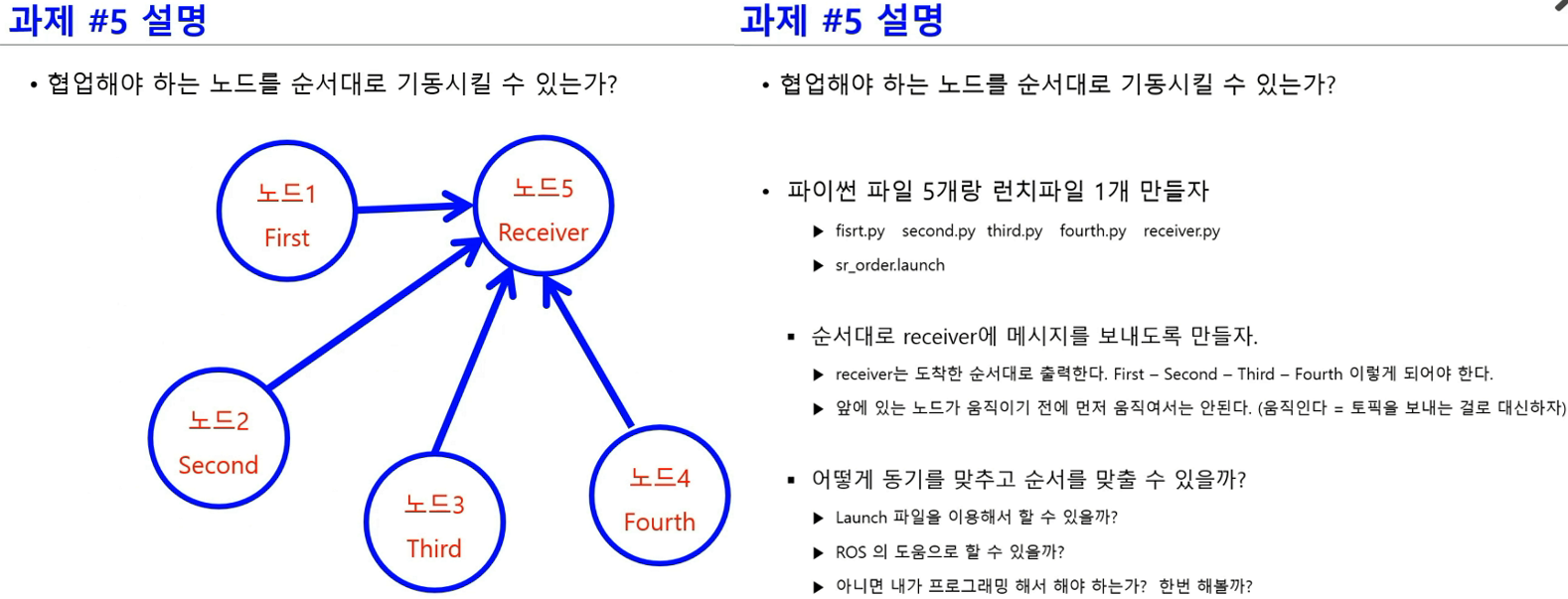
또 위 사진처럼 여러개의 노드 실행의 순서를 정의하는 과제의 경우
과제 풀이상 topic에 flag을 곁들여 사용하고
service 및 action통신은 전혀 사용하지 않기에
크게 의미가 없다 생각하여 넘어간다.
1. 코드 리뷰 및 실습
강의의 대부분 내용을 건너뛰고 마지막 echo과정만 수행하기에 코드 작성과정 및 roslaunch과정은 이전 포스트에서 진행한 과정과 거의 동일하다.
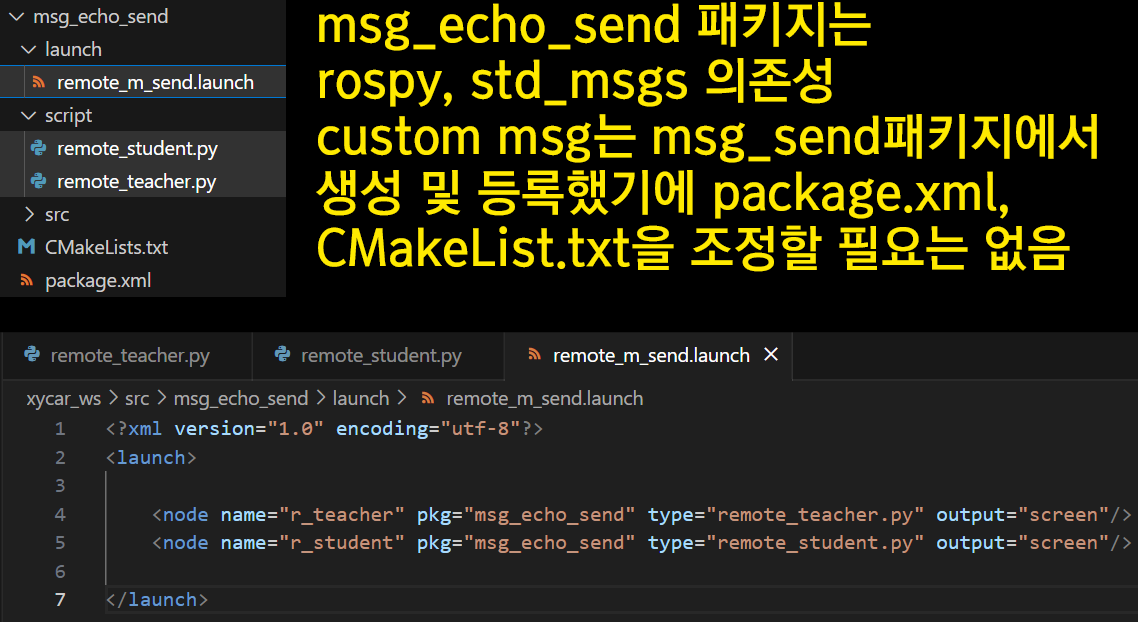
remote_m_send.launch<?xml version="1.0" encoding="utf-8"?> <launch> <node name="r_teacher" pkg="msg_echo_send" type="remote_teacher.py" output="screen"/> <node name="r_student" pkg="msg_echo_send" type="remote_student.py" output="screen"/> </launch>
런치파일의 작성은 이전 포스트와 동일하게 2개의 노드를 동시 실행되게끔 설정하고, 작성하는 remote_teacher.py, remote_student.py 모두 display하는 부분이 있기에 node 태그의 하위 속성인 output은 screen으로 한다.
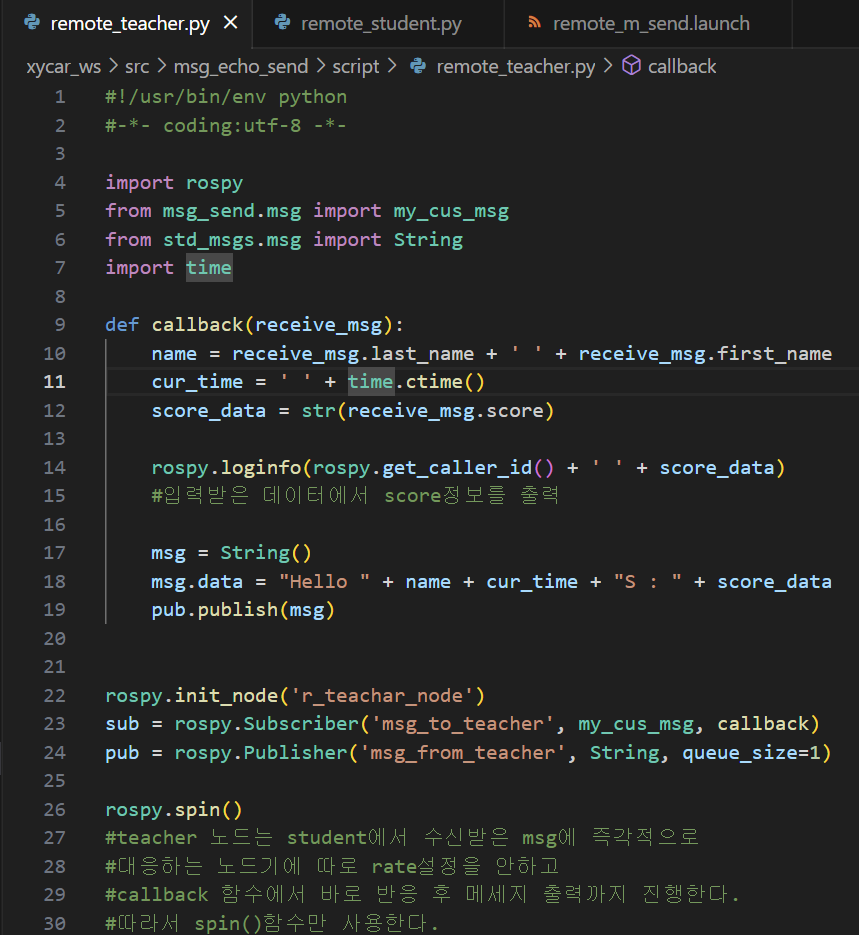
remote_teacher.py#!/usr/bin/env python #-*- coding:utf-8 -*- import rospy from msg_send.msg import my_cus_msg from std_msgs.msg import String import time def callback(receive_msg): name = receive_msg.last_name + ' ' + receive_msg.first_name cur_time = ' ' + time.ctime() score_data = str(receive_msg.score) rospy.loginfo(rospy.get_caller_id() + ' ' + score_data) msg = String() msg.data = "Hello " + name + cur_time + "S : " + score_data pub.publish(msg) rospy.init_node('r_teachar_node') sub = rospy.Subscriber('msg_to_teacher', my_cus_msg, callback) pub = rospy.Publisher('msg_from_teacher', String, queue_size=1) rospy.spin()
위 작성된 코드에서 callback함수는 rospy.spin()함수를 통해 호출된다.
여기서 rospy.spin()는 무한루프 개념으로 동작하는 함수이고, rospy.spinOnce()는 지금까지 들어온 callback요청만 처리하구 다음 구문으로 넘어가는데, 통상적으로 rospy.spinOnce()는 반복구문과 같이 조합해서 특정 주기마다 callback 함수 처리로 사용하는 편이다.
참고로 위 코드는 Subscriber를 통해 메세지를 수신하면 수신받은 메세지가 바로 callback함수로 넘어가서 처리된 뒤 해당 함수 내에서 Publish과정까지 한큐에 진행하는 형식이다.
이것과 유사한 개념이 임베디드 보드에서는 인터럽트 구현과 비슷한 방식으로 동작한다 볼 수 있다.
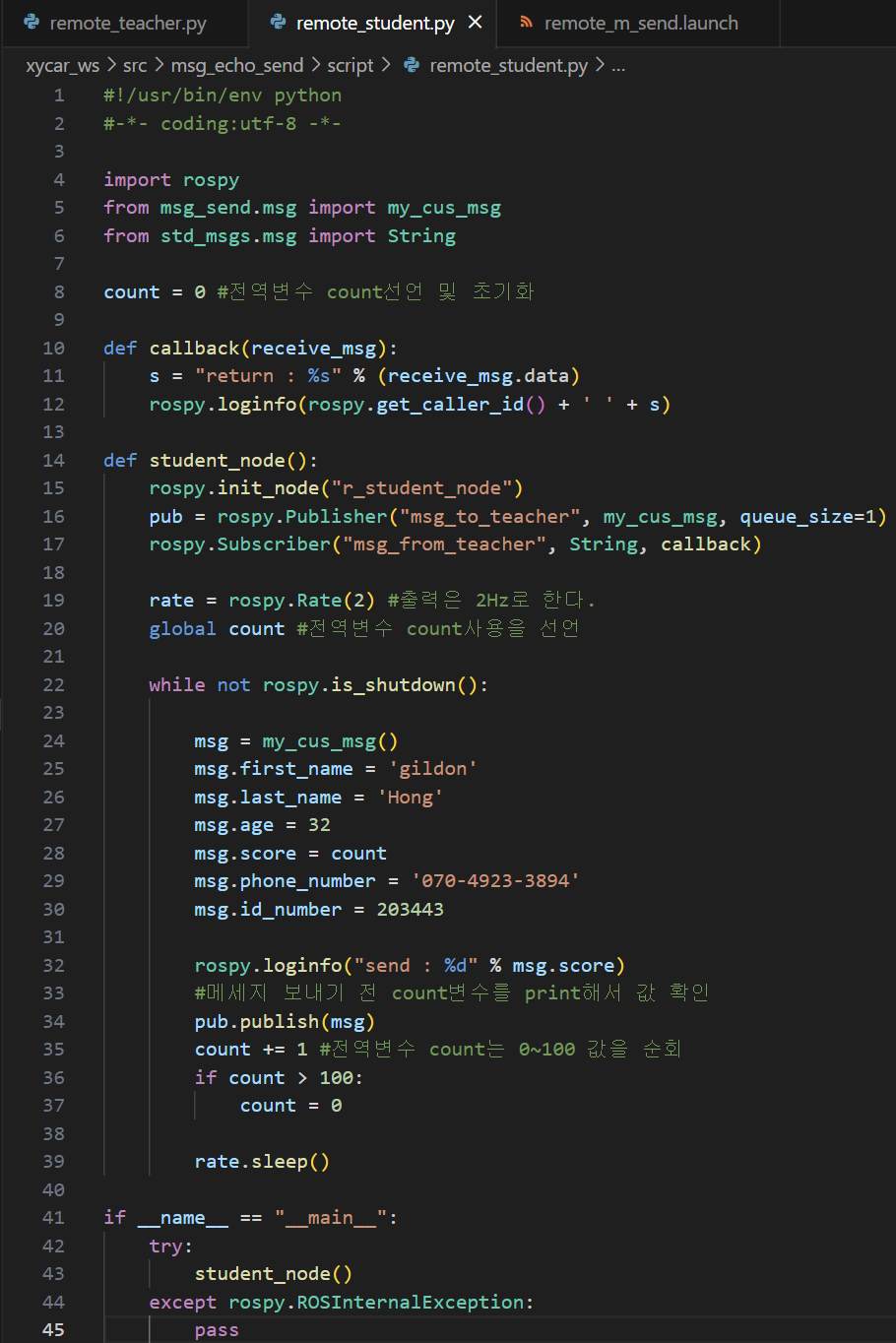
remote_student.py#!/usr/bin/env python #-*- coding:utf-8 -*- import rospy from msg_send.msg import my_cus_msg from std_msgs.msg import String count = 0 def callback(receive_msg): s = "return : %s" % (receive_msg.data) rospy.loginfo(rospy.get_caller_id() + ' ' + s) def student_node(): rospy.init_node("r_student_node") pub = rospy.Publisher("msg_to_teacher", my_cus_msg, queue_size=1) rospy.Subscriber("msg_from_teacher", String, callback) rate = rospy.Rate(2) global count while not rospy.is_shutdown(): msg = my_cus_msg() msg.first_name = 'gildon' msg.last_name = 'Hong' msg.age = 32 msg.score = count msg.phone_number = '070-4923-3894' msg.id_number = 203443 rospy.loginfo("send : %d" % msg.score) pub.publish(msg) count += 1 if count > 100: count = 0 rate.sleep() if __name__ == "__main__": try: student_node() except rospy.ROSInternalException: pass
다음으로 remote_student.py도 remote_teacher.py같이 Publish와 Subscribe 기능을 모두 갖고 있다.
그러나 해당 코드에는 Subscribe 기능에서 사용되는 callback함수 호출에는 rospy.spin()코드가 필수적이나, 해당 코드에는 없다.
그래도 callback기능이 계속적으로 동작하는 이유는 rate.sleep(), rospy.Rate()함수를 통해 함수구동 주기 및 전체 함수가 무한루프로 재 지정되서
callback 기능이 루프 재시작마다 계속 기능한다 보면 된다....
이부분은 조금 이해가 안되지만
주기적으로 전체 코드가 계속 루프가 되기에 해당 루프에 포함된 callback이 기능한다 보면 된다...
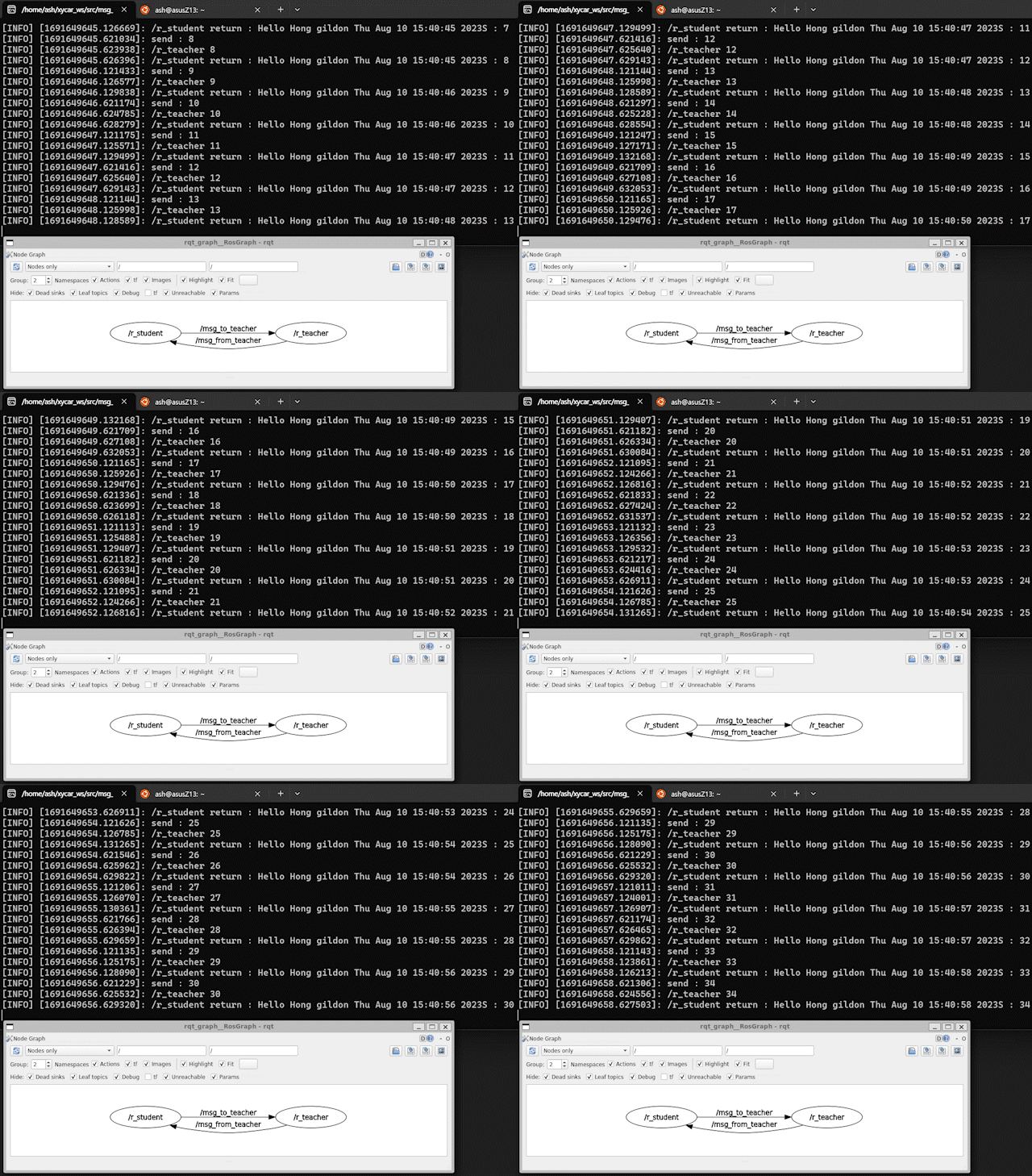
코드 작성 후 수행 결과
Student 노드의 score정보 -> Teacher 노드로 전달 -> 다시 Student 노드로 echo가 됨을 확인할 수 있다.