한 consumer가 견뎌야 하는 부하를 덜어내기 위해 여러 개의 consumer를 만든다.
Starting consumer in the custom consumer group
START KAFKA BROKER
https://velog.io/@thdms7947/Start-Apache-Kafka
위 포스팅을 따라 서버를 하나 켜준다.
CREATE TOPIC
bin/kafka-topic.sh \
--bootstrap-server localhost:9092 \
--create \
--replication-factor 1 \
--partition 5 \
--topic reviews
LIST TOPICS
bin/kafka-topics.sh \
--bootstrap-server localhost:9092 \
--list
START CONSOLE PRODUCER
bin/kafka-console-producer.sh \
--bootstrap-server localhost:9092 \
--topic reviews
START CONSOLE CONSUMER WITH SPECIFIC CONSUMER GROUP
bin/kafka-console-consumer.sh \
--bootstrap-server localhost:9092 \
--topic reviews \
--group reviews-group \
--from-beginning
LIST CONSUMER GROUP
bin/kafka-consumer-groups.sh \
--bootstrap-server localhost:9092 \
--list

CONSUMER GROUP DETAILS
bin/kafka-consumer-groups.sh \
--bootstrap-server localhost:9092 \
--group reviews-group \
--describe

Starting second consumer in the same consumer group
START CONSOLE CONSUMER WITH SPECIFIC CONSUMER GROUP
bin/kafka-console-consumer.sh \
--bootstrap-server localhost:9092 \
--topic reviews \
--group reviews-group \
--from-beginning
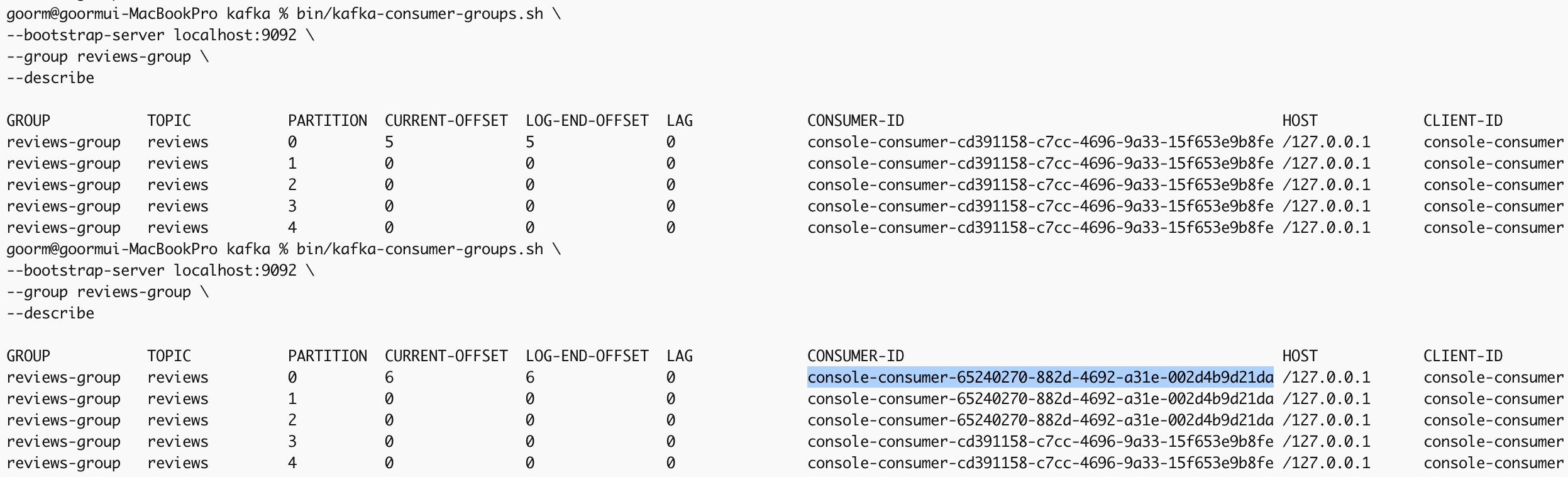
partition 0, 1, 2에 새로운 consumer가 할당된것을 볼 수 있다.
consumer의 수가 partition의 수보다 많으면 어떻게 될까?
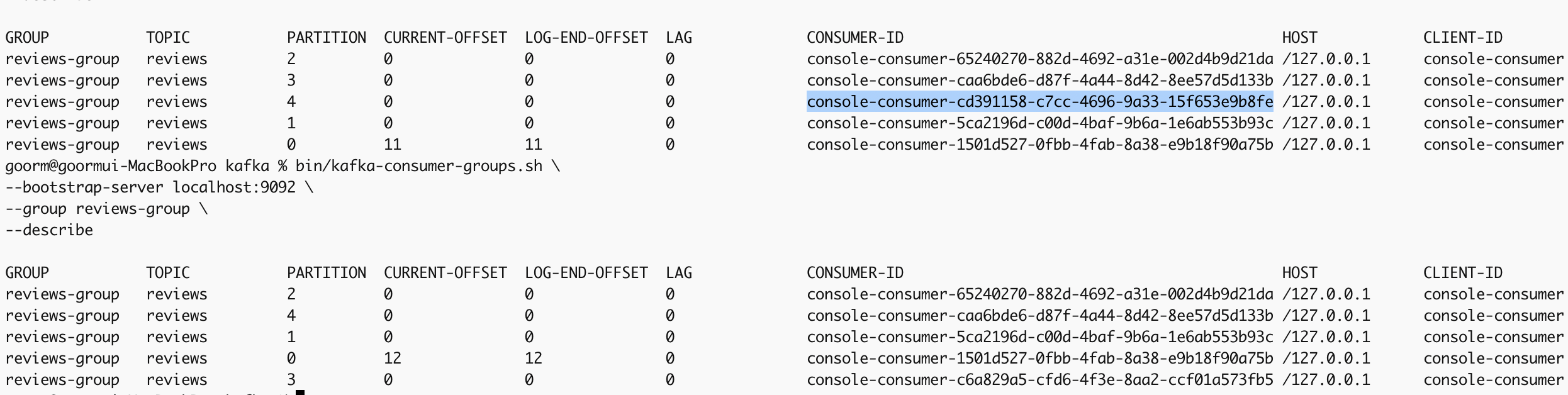
사진은 6번째 consumer를 만든 후의 모습이다.
하이라이트된 consumer는 더이상 어느 partition과도 연결돼있지 않다.
놀고있는(idle) consumer가 생긴 것이다.
이때 not idle consumer 하나를 끄게 되면 idle consumer는 다시 active한 상태로 바뀌게 되며, 모든 consumer들은 다시 랜덤하게 partition에 할당된다.