Python Plotly 2
미션 목록
- Plotly 축 / 그리드
- Plolty 그래프 겹쳐/나눠 그리기
- Plotly 범례
- Plotly 템플릿
- Pandas-Plotly 설정
- 기술 블로그 작성하기
사용한 자료의 출처
https://fdc.nal.usda.gov/api-key-signup
코드
import requests
import plotly.express as px
import plotly.graph_objects as go
from plotly.subplots import make_subplots
import pandas as pd
pd.options.plotting.backend = 'plotly'	# 사용하지 않음

# 1) API 키 발급 후
API_KEY = "---"
food_id = 1750340  # 예: 사과 FDC ID

url = f"https://api.nal.usda.gov/fdc/v1/food/{food_id}?api_key={API_KEY}"
resp = requests.get(url).json()

# 2) 주요 영양소만 추출
description = resp.get('description', '')
foodNutrients = resp["foodNutrients"]

nutrientList = []
majorNutrientList = []
minorNutrientList = []

for nutrient in foodNutrients:
    amount = nutrient.get('amount', 0)
    if amount == 0:
        continue  # 값이 0이면 건너뛰기

    nutrient_info = nutrient.get('nutrient', {})
    name = nutrient_info.get('name')
    unit = nutrient_info.get('unitName')

    # 세 가지 키만 있는 딕셔너리 생성
    nutrientList.append({
        "name": name,
        "amount": amount,
        "unit": unit
    })
    if amount > 4:
        majorNutrientList.append({
            "name": name,
            "amount": amount,
            "unit": unit
        })
    else:
        minorNutrientList.append({
            "name": name,
            "amount": amount,
            "unit": unit
        })

df = pd.DataFrame(nutrientList)
df_major = pd.DataFrame(sorted(majorNutrientList, key = lambda nu : nu['amount'], reverse=True))
df_minor = pd.DataFrame(sorted(minorNutrientList, key = lambda nu : nu['amount'], reverse=True))

# 데이터 편집하기
Gram = df.loc[df["unit"]=="g", :]
Milligram = df.loc[df["unit"]=="mg", :]

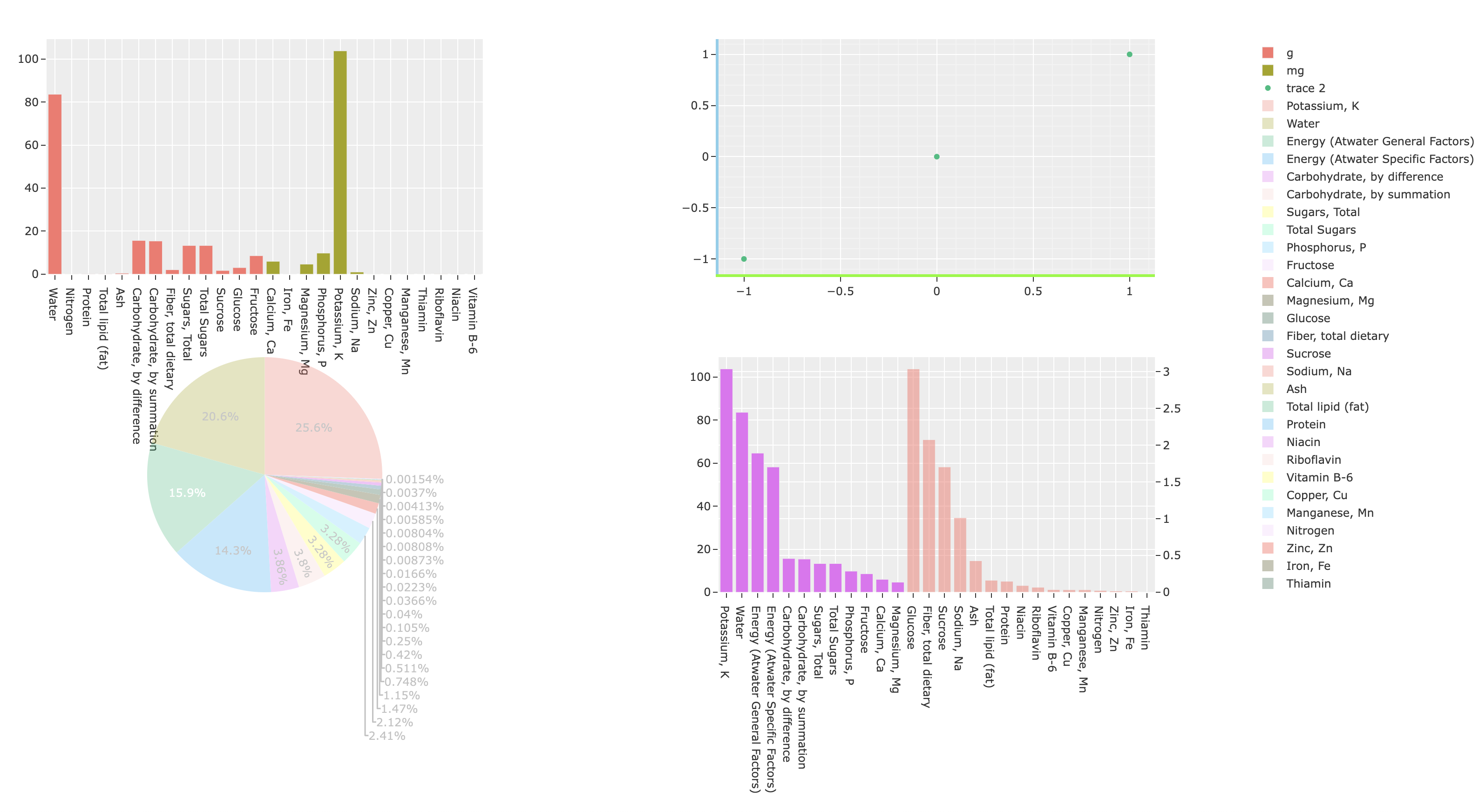
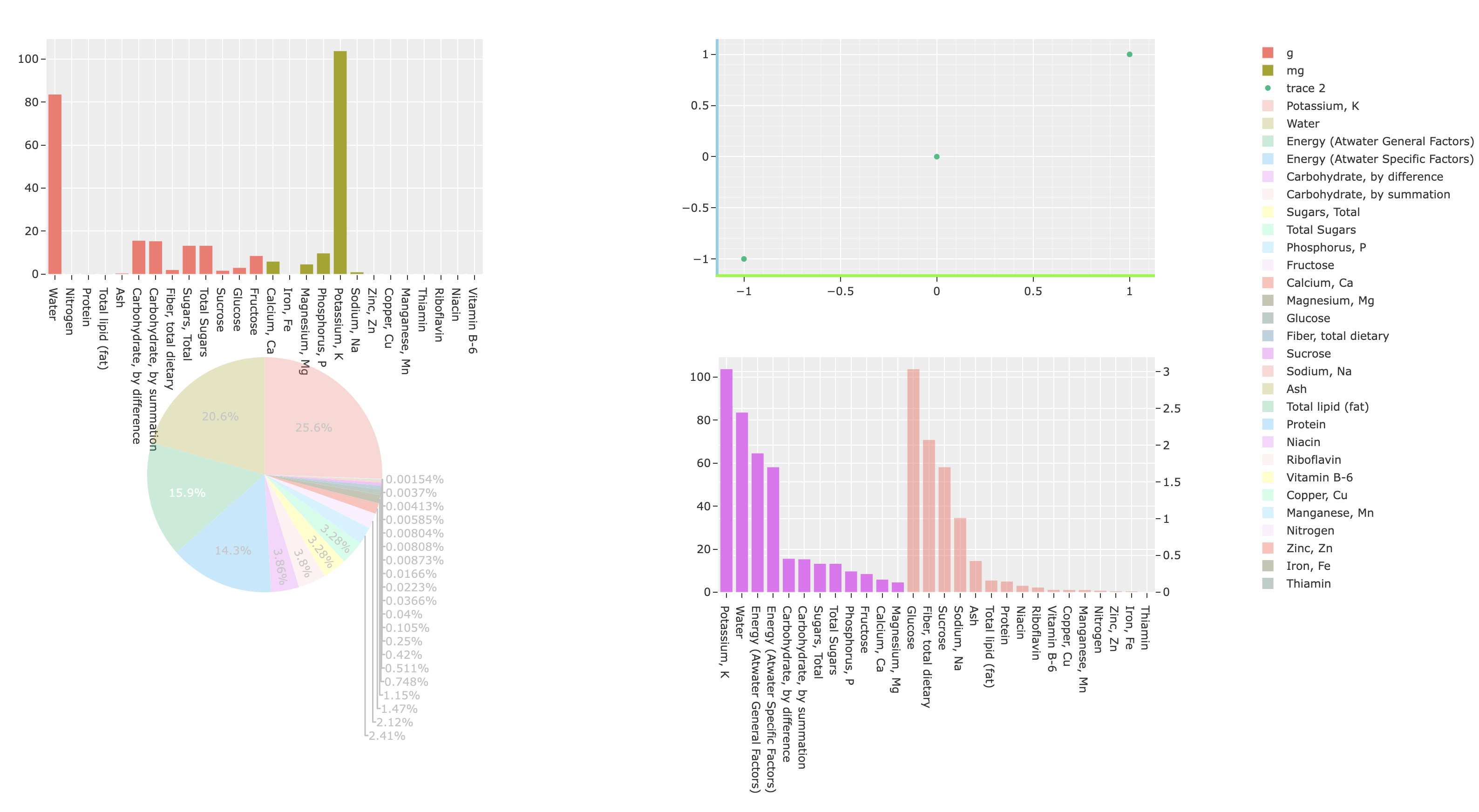
fig = make_subplots(rows = 2, cols = 2,
    specs=[
        [{"type": "xy"}, {"type": "xy"}],
        [{"type": "domain"}, {"type": "xy", "secondary_y": True}]  # ← (2,1)은 원형 차트용, (2,2) 이중 Y축
    ])

# [1, 1]
fig.add_trace(go.Bar(x=Gram['name'], y=Gram['amount'], name='g'), row=1, col=1)
fig.add_trace(go.Bar(x=Milligram['name'], y=Milligram['amount'], name='mg'), row=1, col=1)

# [1, 2]
fig.add_trace(go.Scatter(x=[-1,0,1], y=[-1,0,1], mode='markers'), row=1,col=2)
fig.update_xaxes(showline=True, linewidth=3, linecolor='lawngreen', showgrid=True, minor_showgrid=True, row=1,col=2)
fig.update_yaxes(showline=True, linewidth=3, linecolor='skyblue', showgrid=True, minor_showgrid=True, row=1,col=2)

# [2, 1]
fig.add_trace(go.Pie(labels=df['name'], values=df['amount'], name=description, opacity=0.3), row=2, col=1)
fig.update_layout(template='ggplot2')

# [2, 2]
fig.add_trace(go.Bar(x=df_major['name'], y=df_major['amount']), row=2, col=2, secondary_y=False,)
fig.add_trace(go.Bar(x=df_minor['name'], y=df_minor['amount'], opacity=0.5), row=2, col=2, secondary_y=True)

fig.show()
코드 실행 결과
참고 사이트

개발자