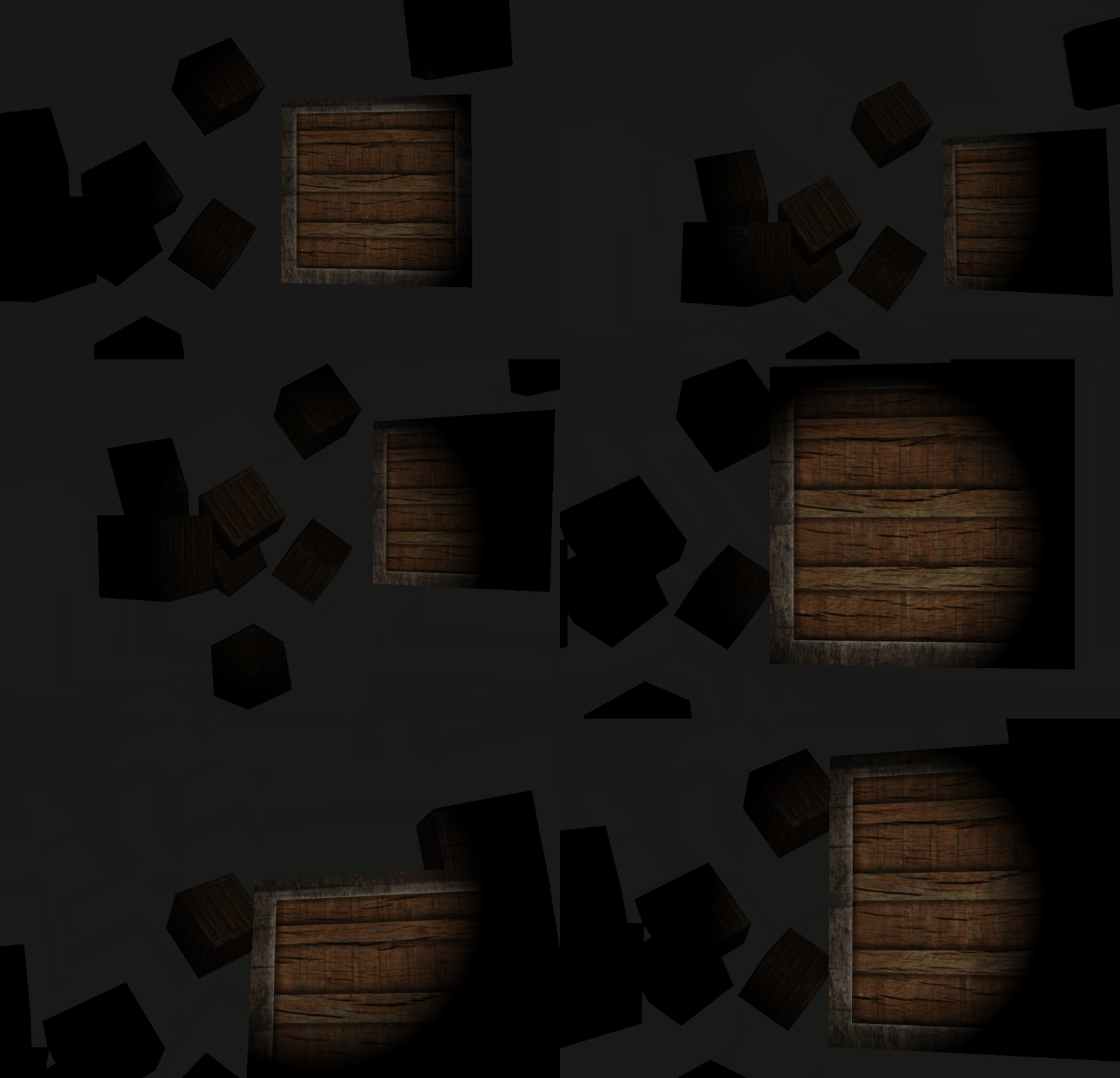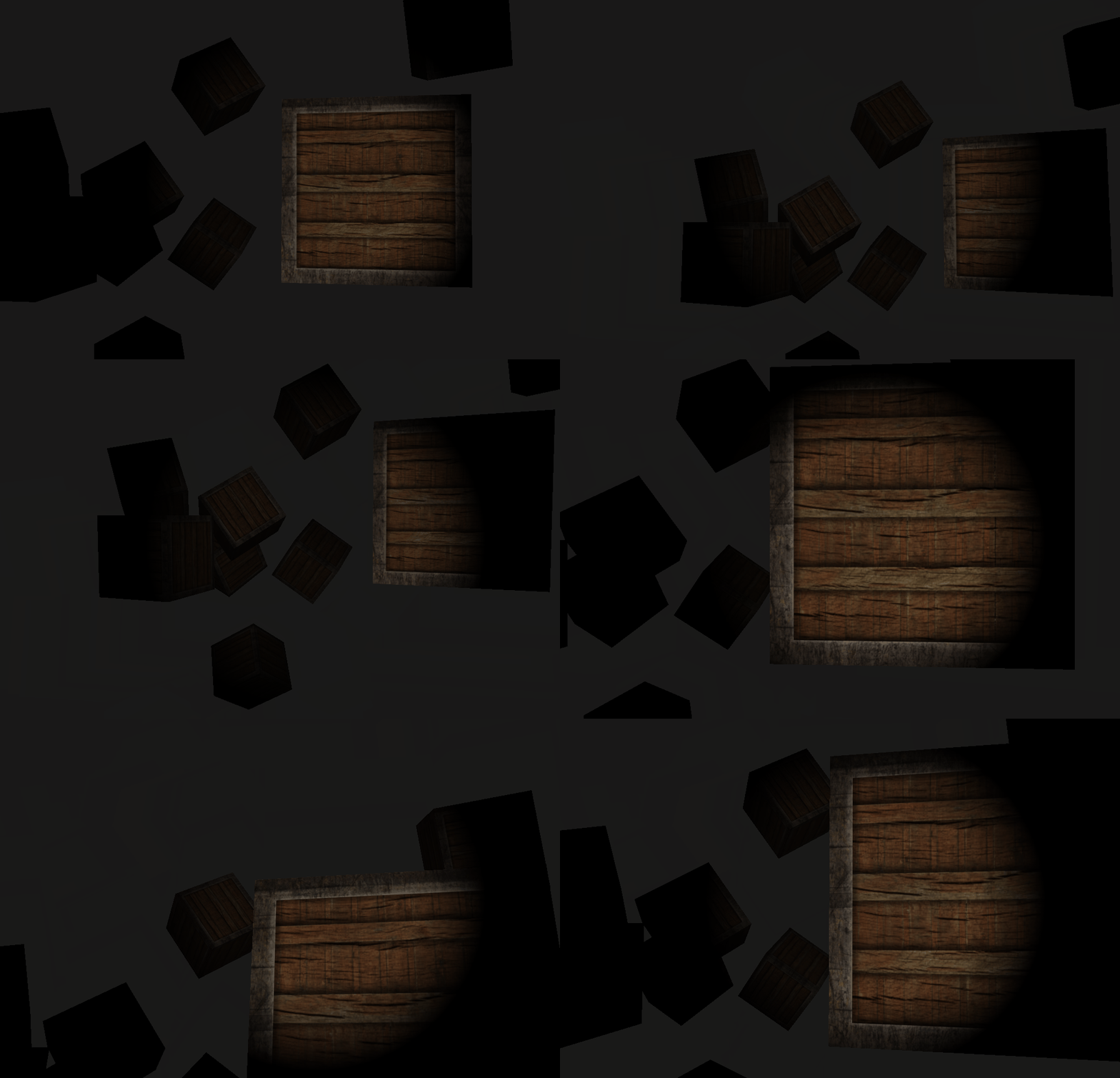
light caster?
caster는 뭔가를 뿌리는? 그런 행동을 하는 무언가를 뜻하는 말임
스킬 캐스팅 -> 스킬 뿌리기
기상 캐스터 -> 날씨 알리기
salt caster -> 소금통
이렇게 ㅇㅇ
그럼 light caster는 머겠음?
그치! 빛을 뿌리는 물체를 말하는거임
태양, 손전등, 모니터 등등
모두 light caster에 포함되는거지비
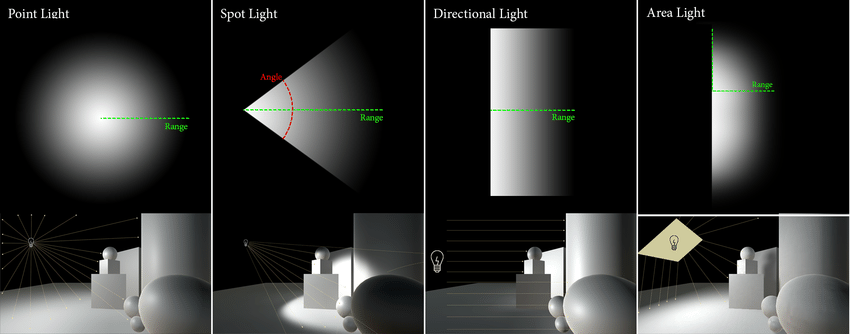
이렇게 다양한 빛 타입이 있음
점광, 스포트라이트, 방향광, 면광
요로코롬 있음
방향광
엄청 먼 곳에서부터 빛이 와서
거의 빛이 같은 방향에서 오는것처럼 보이는 빛임
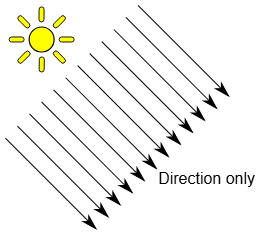
태양빛이 이런 방향광에 속함
사실은 하나의 점으로부터 빛이 나오는 건데도 불구하고
거리가 너무 멀어서 방향이 같은 빛처럼 보이는거지비
따라서 빛을 정의해야할때
position은 필요없고, direction만 필요함
struct Light
{
    //vec3 position; //directional light에서는 필요없음
    vec3 direction;

    vec3 ambient;
    vec3 diffuse;
    vec3 specular;
};

void main()
{
	//...

    // diffuse
    vec3 norm = normalize(Normal);
    //vec3 lightDir = normalize(light.position - FragPos);
    vec3 lightDir = normalize(-light.direction)
    //...
}
그리고
대충 position들을 만든다음
변환행렬로 cube들을 이동시키고
directional light의 direction의 x,y를 sin/cos을 이용해 지구처럼 태양을 공전하는것처럼 만들면??
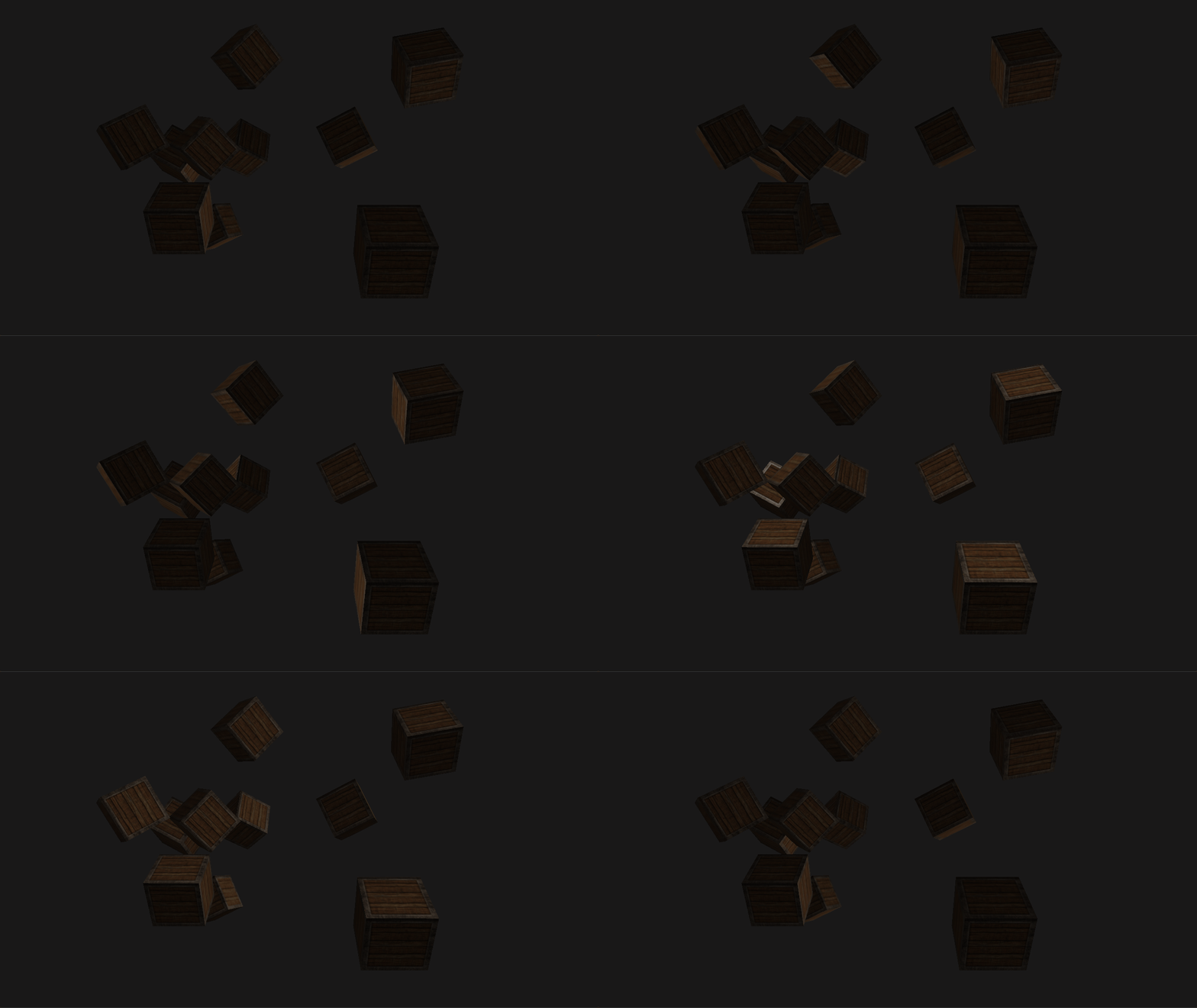
점광들 point lights
특정 점으로부터 나오는 빛은

모든방향으로 빛을 방출하지만
빛의 세기는 거리에 따라 선형 감쇠가 아닌, 비선형 감쇠로
급격하게 거리에 따라 세기가 감소하게 됨
점광의 attenuation equation
- : distance, 거리
- : 상수항, constant, 보통 1.0으로 유지
분모가 1보다 작아지면, 가까운 거리에서 빛의 세기가 강해지게 되는데, 이를 방지하기 위함- : 1차, 선형항, linear
빛의 세기가 선형적 감소- : 2차, 제곱항, quadratic
빛의 세기가 급격하게 감소
, , 는 어떤값으로 사용해야하나?
빛의 종류, 거리, 환경에 따라 다르게 결정해야됨
정규화된 값은 없고 상황에 따라 값을 다르게 설정하면 되긴하는데,,,
Ogre Wiki - point light attenuation 여기 있는 값을 사용하면
좀 현실적인 빛 감쇠가 됨

대충 거리가 50일때 빛이 거의 안보이는 상태가 되는 값을 사용하도록 하겠음!!
차례대로
거리, constant, linear, quadratic임
이제 fragment shader를 조금 수정해보자
struct Light
{
    vec3 position;

    vec3 ambient;
    vec3 diffuse;
    vec3 specular;

    float constant;
    float linear;
    float quadratic;
};
위에서 사용한 direction은 제외함
왜냐면 이건 점광이기 때문
이제 main.cpp while문을 수정~
//...

normalCubeShader.setFloat("light.constant", 1.0f);
normalCubeShader.setFloat("light.linear", 0.09f);
normalCubeShader.setFloat("light.quadratic", 0.032f);
normalCubeShader.setVec3("light.position", lightPos);

/....

/lightCubeVAO에 사용할 쉐이더인 lightCubeShader프로그램을 GL에게 쉐이더 상태 등록
lightCubeShader.use();
//변환행렬들 생성
lightCubeShader.setMat4("projection", projection);
lightCubeShader.setMat4("view", view);
model = glm::mat4(1.0f);
lightPos.x = sin(glfwGetTime()) * 2.0f;
lightPos.y = cos(glfwGetTime()) * 2.0f;
model = glm::translate(model, lightPos);
model = glm::scale(model, glm::vec3(0.2f)); // a smaller cube
lightCubeShader.setMat4("model", model);
그리고 다시 fragment shader에서 attenuation을 적용하면...?
#version 330 core
struct Material
{
    sampler2D diffuse;
    sampler2D specular;
    float shininess;
};

struct Light
{
    vec3 position;

    vec3 ambient;
    vec3 diffuse;
    vec3 specular;

    float constant;
    float linear;
    float quadratic;
};

out vec4 FragColor;

in vec3 FragPos;
in vec3 Normal;
in vec2 TexCoords; //light map용 텍스쳐 좌표

uniform vec3 viewPos;
uniform Material mat;
uniform Light light;


void main()
{
    // ambient
    vec3 ambient = vec3(texture(mat.diffuse, TexCoords)) * light.ambient;

    // diffuse
    vec3 norm = normalize(Normal);
    //vec3 lightDir = normalize(light.position - FragPos);
    vec3 lightDir = normalize(light.position - FragPos);
    float diff = max(dot(norm, lightDir), 0.0);
    vec3 diffuse = diff * vec3(texture(mat.diffuse, TexCoords)) * light.diffuse;

    // specular
    vec3 viewDir = normalize(viewPos - FragPos);
    vec3 reflectDir = reflect(-lightDir, norm);
    float spec = pow(max(dot(viewDir, reflectDir), 0.0), mat.shininess);
    vec3 specular = vec3(texture(mat.specular, TexCoords)) * spec * light.specular;

    //attenuation
    float dist = length(light.position - FragPos);
    float atten = 1.0f / (light.constant + light.linear * dist + light.quadratic * dist * dist);
    ambient *= atten;
    diffuse *= atten;
    specular *= atten;

    vec3 result = (ambient + diffuse + specular);
    FragColor = vec4(result, 1.0);
}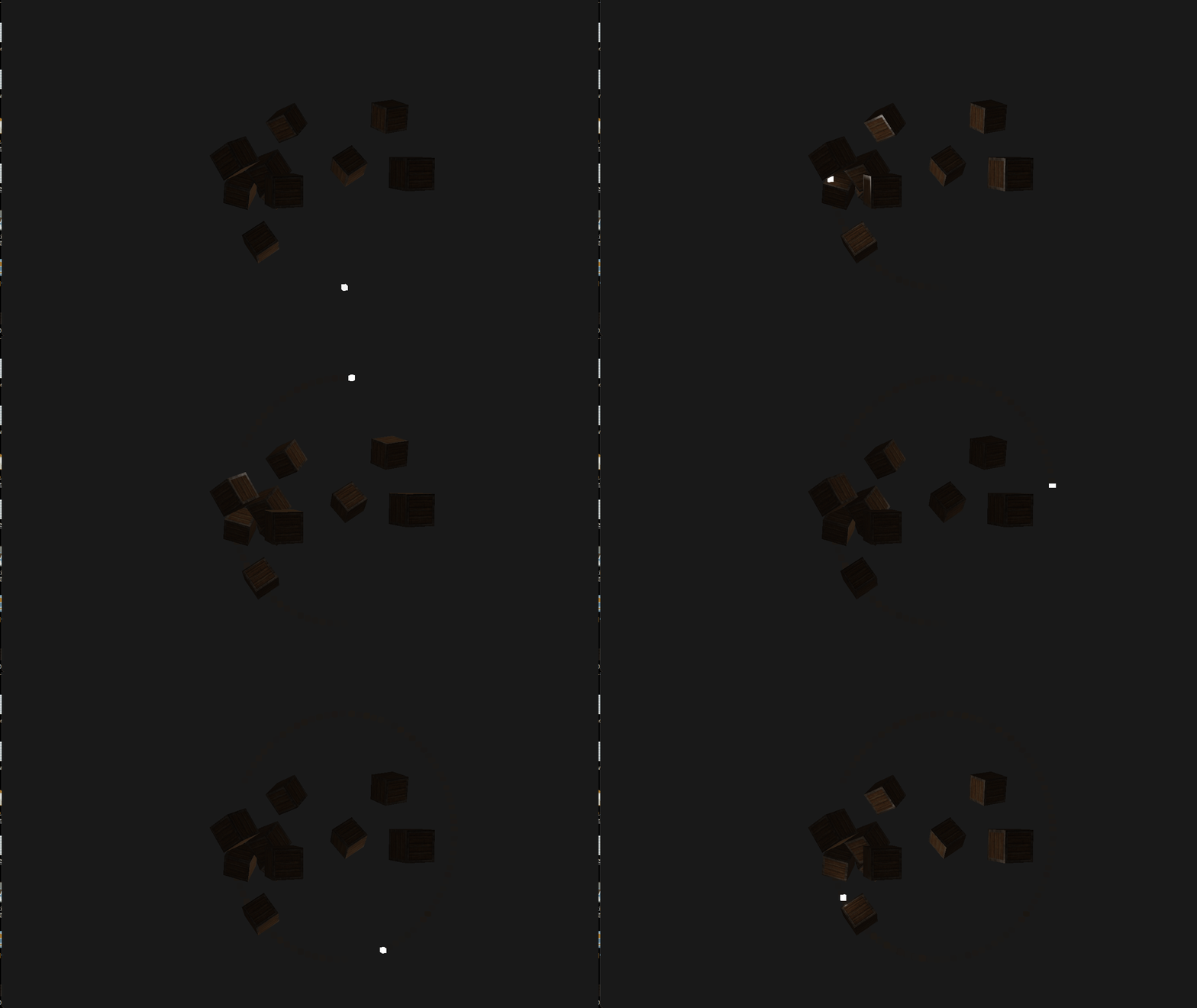
점광 굳~~~
스포트 라이트
점광과 다른점은
특정 점에서 특정한 방향으로 빛을 비춘다는거임
반대로 점광은 모든 방향으로 빛을 발산함
아래 사진만큼 잘 설명된 spot light사진을 찾기 힘들음
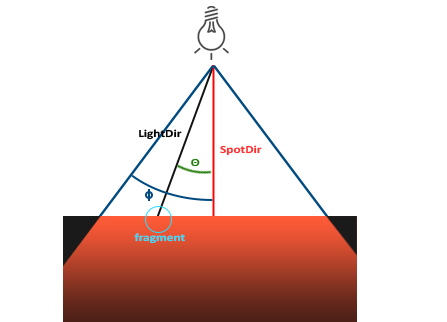
- light dir
점에서부터 fragment까지 이르는 light방향벡터 - spot dir
점에서부터 spot light가 비추는 방향벡터
spot light가 얼마만큼의 범위를 비출지 결정하는 각도(half주의!)
light dir과 spot dir사이의 간격(내적)
손전등
손전등만큼 확실한 spot light물체가 없음
손전등 드가자~~
먼저 fragment shader수정
struct Light
{
    vec3 position;
    vec3 direction;

    vec3 ambient;
    vec3 diffuse;
    vec3 specular;

    float constant;
    float linear;
    float quadratic;

    float cutoff; //radian degree
};
이렇게 light를 수정해줌
이제 light를 수정만 해주자
normalCubeShader.setVec3("light.position" ,camera.Position);
normalCubeShader.setVec3("light.direction", camera.Front);
normalCubeShader.setFloat("light.cutoff", glm::cos(glm::radians(12.0f))); //phi
glm::cos(glm::radians(12.0f))인 이유우리는 내적을 하게됨
light dir과 spot dirㅇㅇ
그리고 내적의 결과는 임
그리고 는 1이므로 결국 내적의 값은 임단순히 60분법의 각을 radian으로 바꾸면 cos과의 비교를 할 수 없음
따라서 내적의 결과에 아크코사인(arccos)연산을 해서 실제 각도로 만들어줘야함근데 arccos연산은 진짜 개빡셈
컴퓨터도 힘들어함
그러니까 애초에 처음부터 radian각도를 cos으로 만들어서 저장해놓으면
내적 vc cos(radian)으로 값을 비교할 수 있어서 편해지는거임
다시 fragment shader로 돌아가서...
와 의 각도를 비교해서 빛을 결정하면 됨
void main()
{
    vec3 lightDir = normalize(light.position - FragPos);

    // light dir과 spot dir의 내적
    float theta = dot(lightDir, normalize(-light.direction));

    if(theta > light.cutOff)
    {
        // ambient
        vec3 ambient = light.ambient * texture(mat.diffuse, TexCoords).rgb;

        // diffuse
        vec3 norm = normalize(Normal);
        float diff = max(dot(norm, lightDir), 0.0);
        vec3 diffuse = light.diffuse * diff * texture(mat.diffuse, TexCoords).rgb;

        // specular
        vec3 viewDir = normalize(viewPos - FragPos);
        vec3 reflectDir = reflect(-lightDir, norm);
        float spec = pow(max(dot(viewDir, reflectDir), 0.0), mat.shininess);
        vec3 specular = light.specular * spec * texture(mat.specular, TexCoords).rgb;

        // attenuation
        float distance    = length(light.position - FragPos);
        float attenuation = 1.0 / (light.constant + light.linear * distance + light.quadratic * (distance * distance));

        ambient  *= attenuation;
        diffuse   *= attenuation;
        specular *= attenuation;

        vec3 result = ambient + diffuse + specular;
        FragColor = vec4(result, 1.0);
    }
    else
    {
        //
        FragColor = vec4(light.ambient * texture(mat.diffuse, TexCoords).rgb, 1.0);
    }
}
?? 왜 임
기본적으로 내적을 하면 두 벡터가 같은 방향으로 평행할때 1이라는 값이 나오고,
두 벡터 사이의 간격이 벌어질수록 1에서 점점 줄어들음즉, light dir과 spot dir사이의 각도가 커질수록 spot dir에서 멀어진다는 뜻이므로, 내적 > cutoff일때 빛 계산을 하면 됨
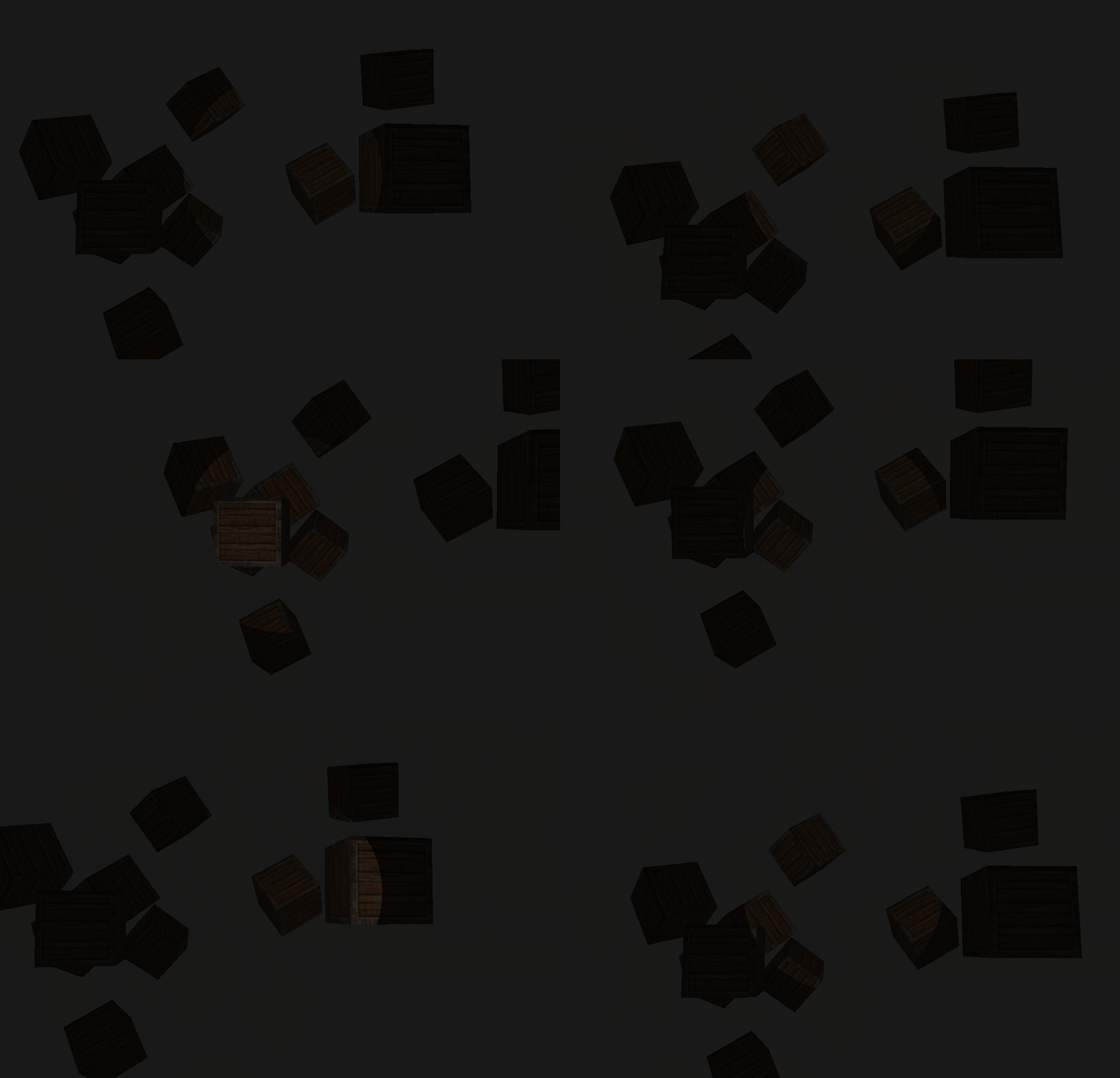
아주조아~~
근데 가장자리부분이 좀 애매함
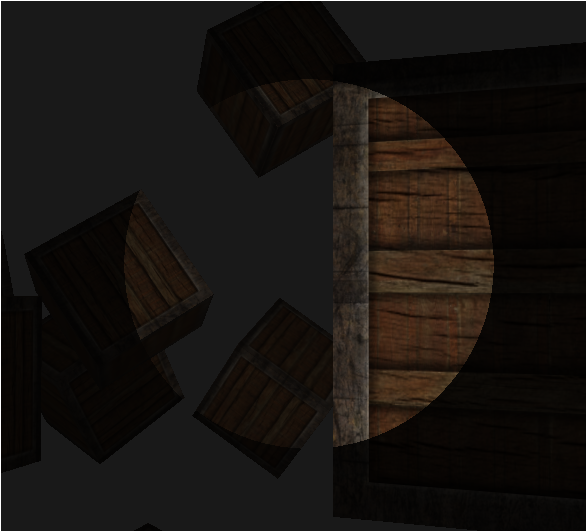
너무 급격한 차이를 보여서 좀 이질감이 든다랄까?
이걸 해결해야지 ㅇㅇ
부드러운 가장자리 (attenuation interpolate)
그 뭐더라
피사계 심도에서 스크린을 보여줄때
4각뿔을 잘라서 작은 4각뿔, 큰 4각뿔을 지정하고
큰 4각뿔의 작은 4각뿔을 벗어나는 픽셀에 대해선 블러효과를 주는?
그런거를 하면 되는거임
작은 원과 큰 원을 지정함
작은원은 우리가 위에서 설정한 그거임ㅇㅇ
큰 원은 작은 원보다 큰 를 가지는()원임
이 공식은 다음과 같음
- : 빛의 세기
- : light dir과 spot dir사이의 각
- : spot light가 비추는 각도
- : spot light보다 큰 원의 각도
이제부턴 그냥 값 설정만 해주면됨
struct Light
{
    vec3 position;
    vec3 direction;

    vec3 ambient;
    vec3 diffuse;
    vec3 specular;

    float constant;
    float linear;
    float quadratic;

    float cutoff; //radian degree
    float outerCutoff; //radian degree
};
이렇게 fragment shader를 수정함
normalCubeShader.setFloat("light.cutoff", glm::cos(glm::radians(12.0f))); //phi
normalCubeShader.setFloat("light.outerCutoff", glm::cos(glm::radians(20.0f))); //gamma
이렇게 값을 넣어주고...
다시 fragment shader를 수정하면...
void main()
{
    vec3 lightDir = normalize(light.position - FragPos);

    // light dir과 spot dir의 내적
    float theta = dot(lightDir, normalize(-light.direction));
    float epsilon = light.cutoff - light.outerCutoff;
    float I = clamp((theta - light.outerCutoff) / (epsilon), 0.0f, 1.0f);

    // ambient
    vec3 ambient = light.ambient * texture(mat.diffuse, TexCoords).rgb;

    // diffuse
    vec3 norm = normalize(Normal);
    float diff = max(dot(norm, lightDir), 0.0);
    vec3 diffuse = light.diffuse * diff * texture(mat.diffuse, TexCoords).rgb;

    // specular
    vec3 viewDir = normalize(viewPos - FragPos);
    vec3 reflectDir = reflect(-lightDir, norm);
    float spec = pow(max(dot(viewDir, reflectDir), 0.0), mat.shininess);
    vec3 specular = light.specular * spec * texture(mat.specular, TexCoords).rgb;

    // attenuation
    float distance = length(light.position - FragPos);
    float attenuation = 1.0 / (light.constant + light.linear * distance + light.quadratic * (distance * distance));

    ambient *= attenuation * I;
    diffuse *= attenuation * I;
    specular *= attenuation * I;

    vec3 result = ambient + diffuse + specular;
    FragColor = vec4(result, 1.0);
}
if문이 사라진 이유
outerCutoff로 인해, 각 차이가 심할수록
0.0f로 값이 clamping됨
따라서 필요가 없어짐